
Antialiasing Recovery Lei Yang Pedro V Sander The

![Repairing abrupt edges • Morphological antialiasing (MLAA) [Reshetov 2009]](https://slidetodoc.com/presentation_image_h/86ff21e42243a3861b55b048b1f7c0ec/image-6.jpg "Repairing abrupt edges • Morphological antialiasing (MLAA) [Reshetov 2009]")
![Repairing abrupt edges • Morphological antialiasing (MLAA) [Reshetov 2009] › Designed to repair point](https://slidetodoc.com/presentation_image_h/86ff21e42243a3861b55b048b1f7c0ec/image-7.jpg "Repairing abrupt edges • Morphological antialiasing (MLAA) [Reshetov 2009] › Designed to repair point")
- Slides: 32
Antialiasing Recovery Lei Yang, Pedro V. Sander The Hong Kong University of Science and Technology Jason Lawrence University of Virginia Hugues Hoppe Microsoft Research
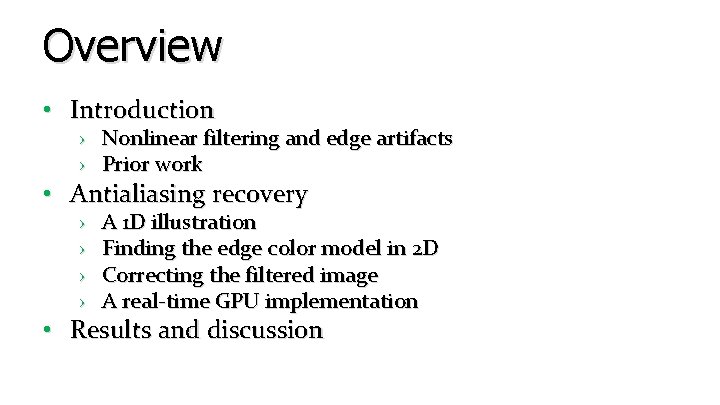
Overview • Introduction › Nonlinear filtering and edge artifacts › Prior work • Antialiasing recovery › › A 1 D illustration Finding the edge color model in 2 D Correcting the filtered image A real-time GPU implementation • Results and discussion
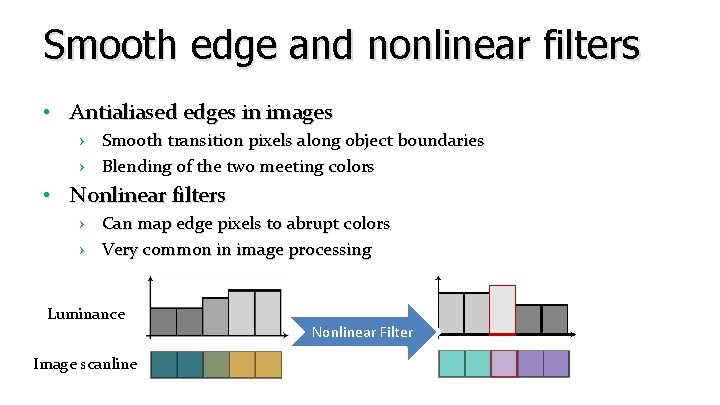
Smooth edge and nonlinear filters • Antialiased edges in images › Smooth transition pixels along object boundaries › Blending of the two meeting colors • Nonlinear filters › Can map edge pixels to abrupt colors › Very common in image processing Luminance Image scanline Nonlinear Filter
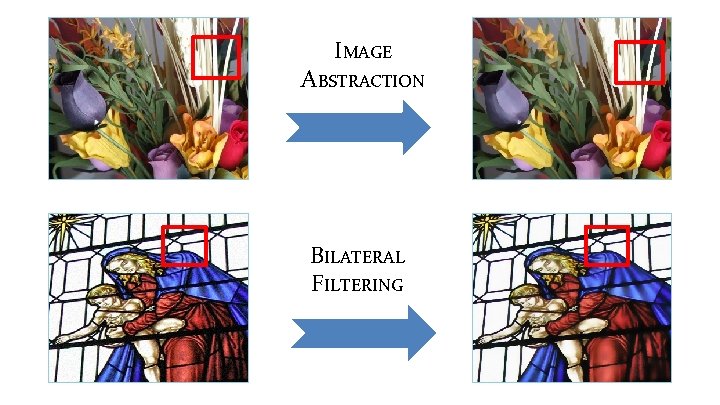
IMAGE ABSTRACTION BILATERAL FILTERING
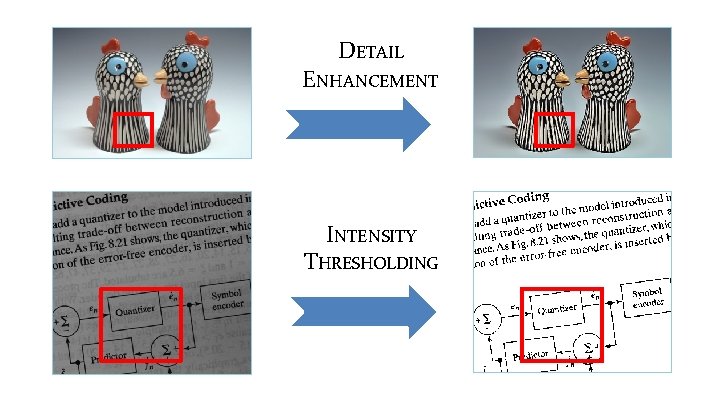
DETAIL ENHANCEMENT INTENSITY THRESHOLDING
Repairing abrupt edges • Morphological antialiasing (MLAA) [Reshetov 2009]
Repairing abrupt edges • Morphological antialiasing (MLAA) [Reshetov 2009] › Designed to repair point sampling artifacts › Not suitable for fixing partially antialiased edges Filtered MLAA Desired
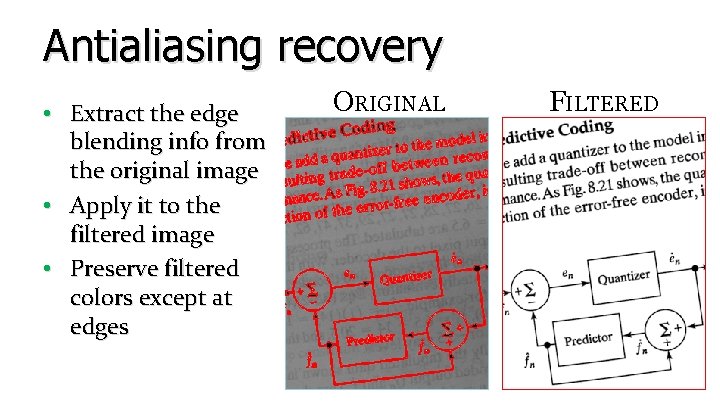
Antialiasing recovery • Extract the edge blending info from the original image • Apply it to the filtered image • Preserve filtered colors except at edges ORIGINAL FILTERED
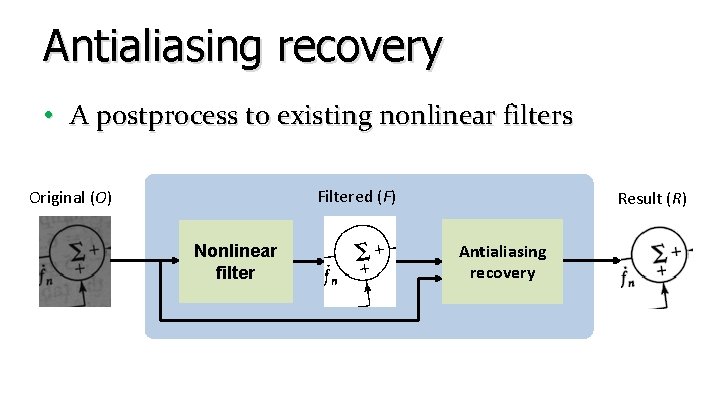
Antialiasing recovery • A postprocess to existing nonlinear filters Filtered (F) Original (O) Nonlinear filter Result (R) Antialiasing recovery
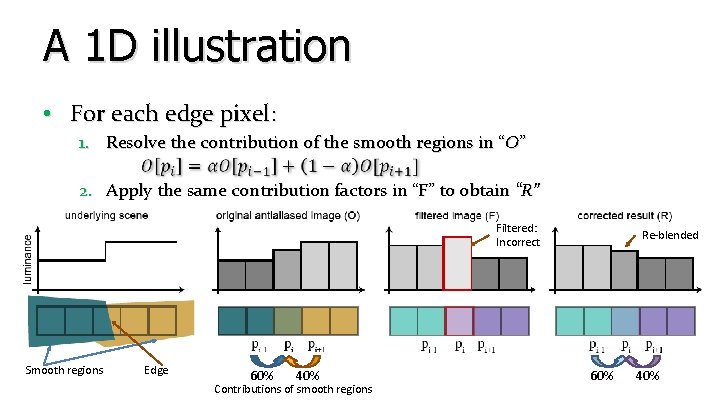
A 1 D illustration • For each edge pixel: 1. Resolve the contribution of the smooth regions in “O” 2. Apply the same contribution factors in “F” to obtain “R” Filtered: Incorrect Smooth regions Edge 60% 40% Contributions of smooth regions Re-blended 60% 40%
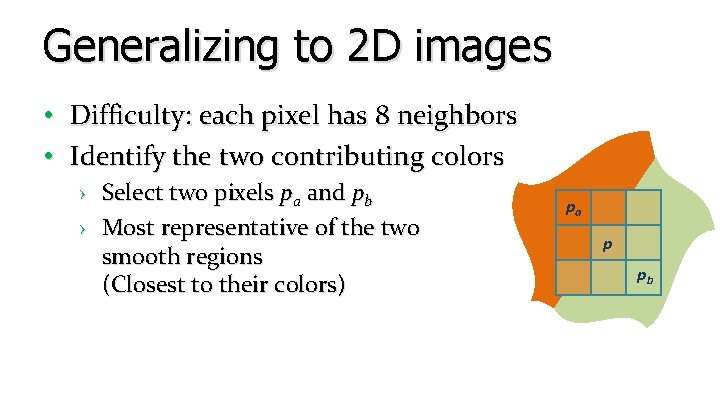
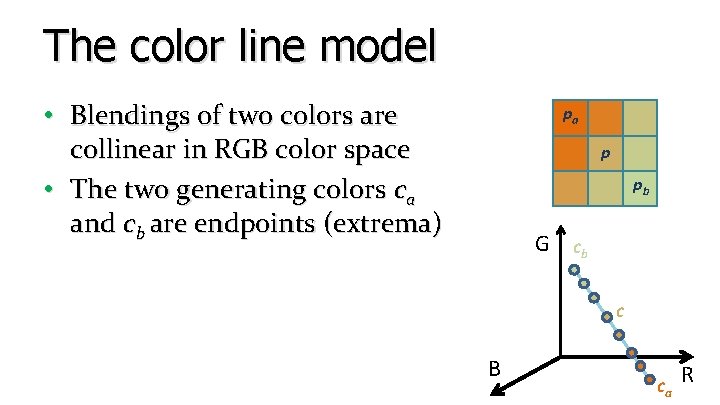
Generalizing to 2 D images • Difficulty: each pixel has 8 neighbors • Identify the two contributing colors › Select two pixels pa and pb › Most representative of the two smooth regions (Closest to their colors) pa p pb
The color line model • Blendings of two colors are collinear in RGB color space • The two generating colors ca and cb are endpoints (extrema) pa p pb G cb c B ca R
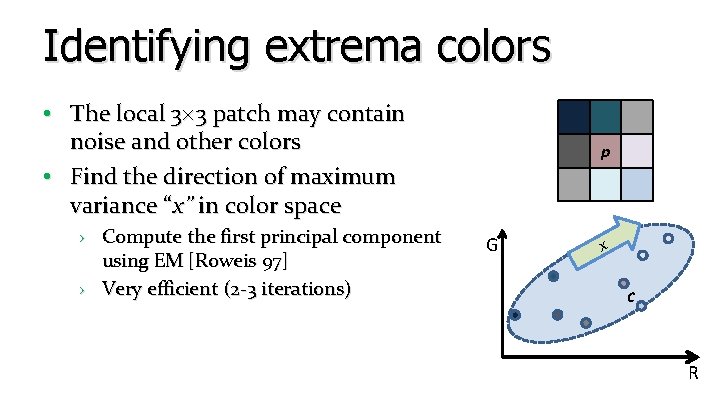
Identifying extrema colors • The local 3 3 patch may contain noise and other colors • Find the direction of maximum variance “x” in color space › Compute the first principal component using EM [Roweis 97] › Very efficient (2 -3 iterations) p G x c R
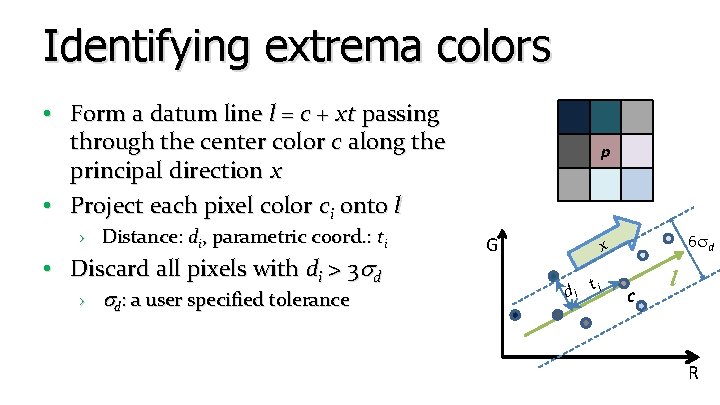
Identifying extrema colors • Form a datum line l = c + xt passing through the center color c along the principal direction x • Project each pixel color ci onto l › Distance: di, parametric coord. : ti • Discard all pixels with di > 3 d › d: a user specified tolerance p G 6 d x di ti c l R
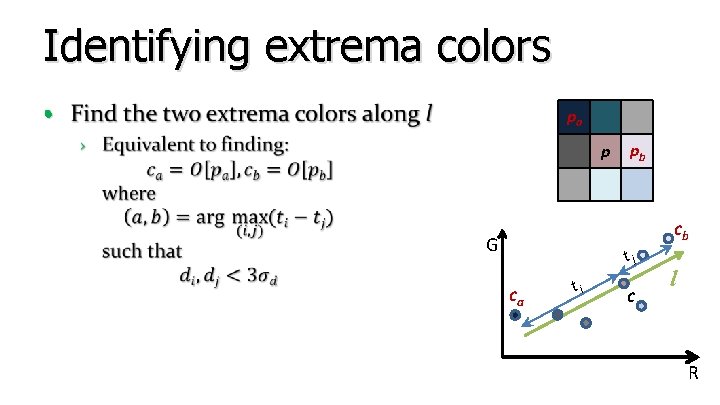
Identifying extrema colors • pa p pb cb G tj ca ti c l R
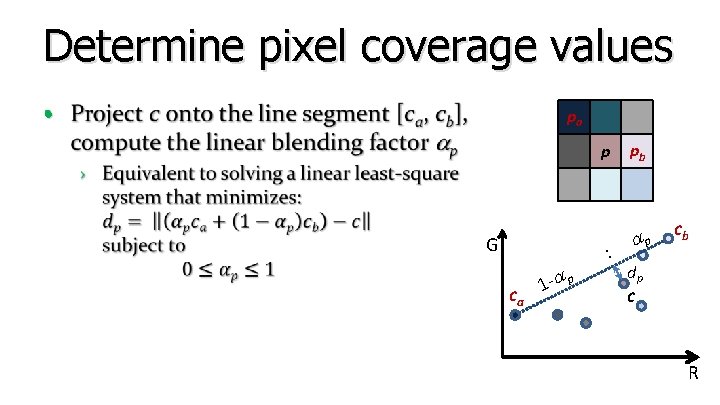
Determine pixel coverage values • pa p G ca 1 - p : pb p cb dp c R
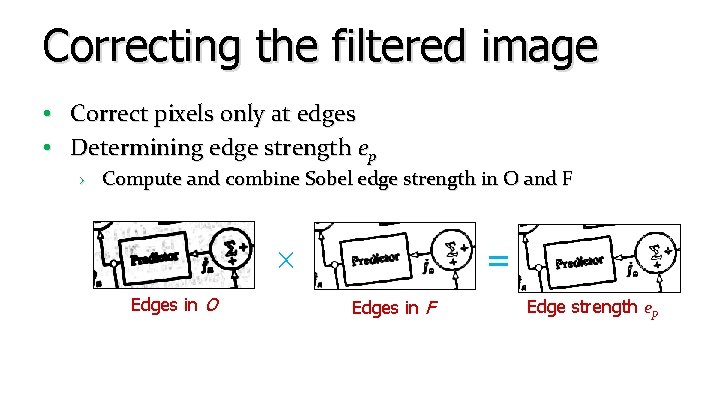
Correcting the filtered image • Correct pixels only at edges • Determining edge strength ep › Compute and combine Sobel edge strength in O and F Edges in O = Edges in F Edge strength ep
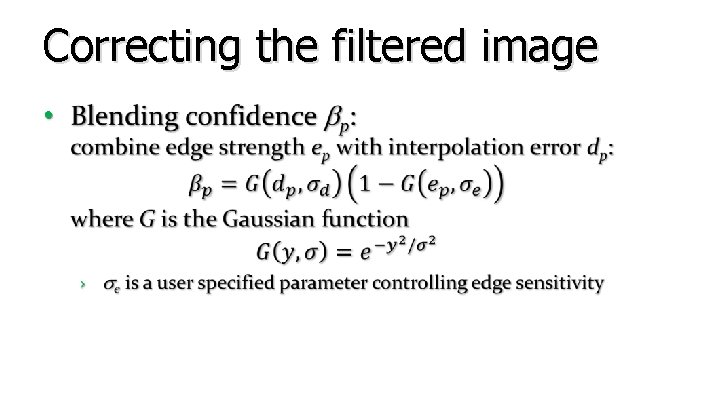
Correcting the filtered image •
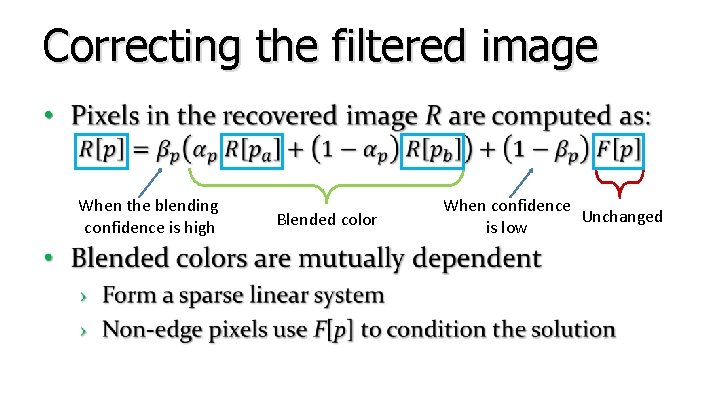
Correcting the filtered image • When the blending confidence is high Blended color When confidence Unchanged is low
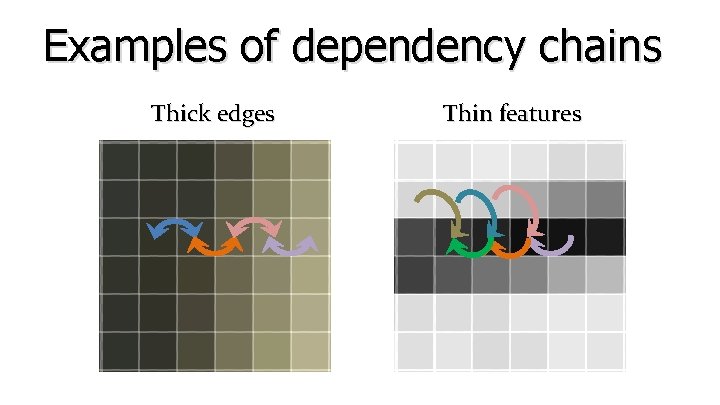
Examples of dependency chains Thick edges Thin features
Real-time GPU Implementation • Embarrassingly parallel algorithm • Implemented using pixel shaders on the GPU • Apply Jacobi iterations to solve the linear system › Use R = F as the initial solution › Converges quickly (fixed 3 iterations suffices) • Extremely fast › Over 500 MP/s (= 270 1080 p images/s) on AMD HD 5870
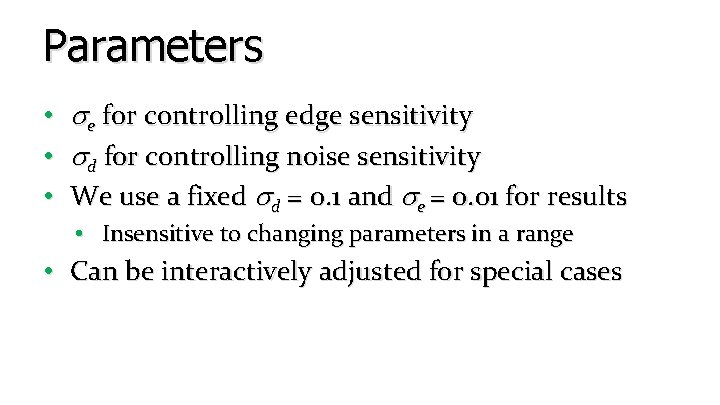
Parameters • e for controlling edge sensitivity • d for controlling noise sensitivity • We use a fixed d = 0. 1 and e = 0. 01 for results • Insensitive to changing parameters in a range • Can be interactively adjusted for special cases
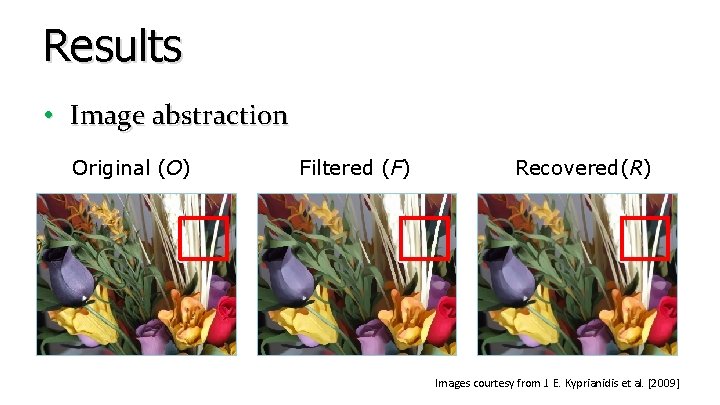
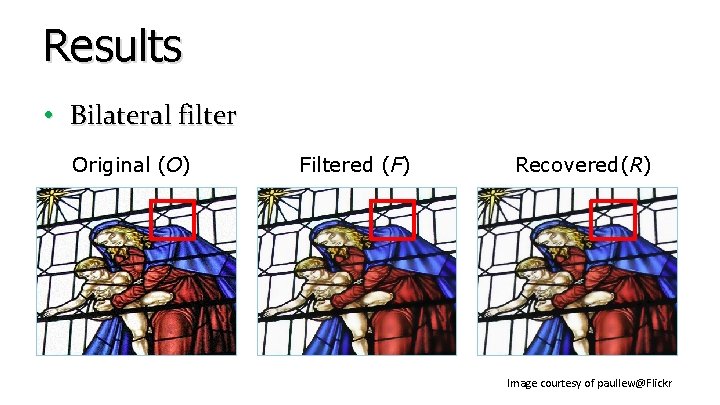
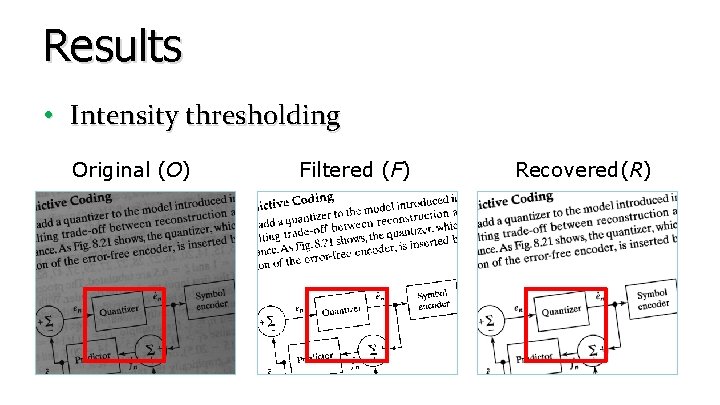
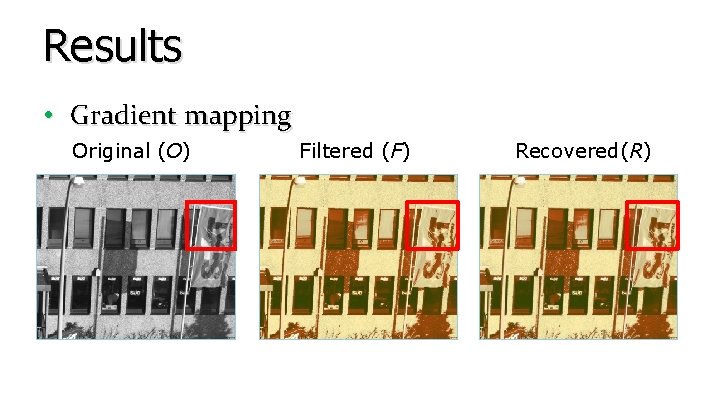
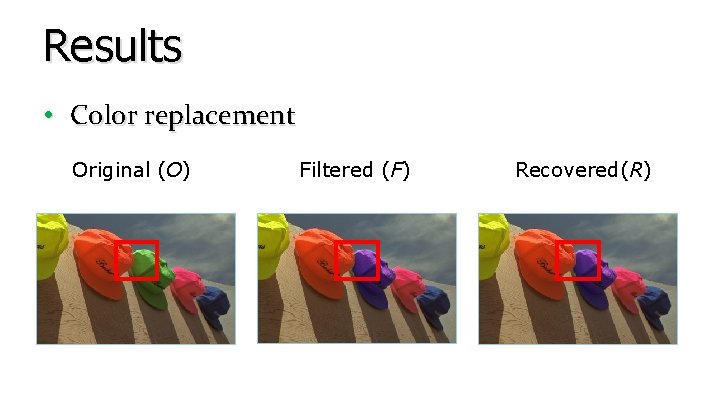
Results • Application to a number of image processing tasks › › › › Image abstraction Bilateral filter Intensity thresholding Detail enhancement Gradient mapping Color to gray Color replacement
Results • Image abstraction Original (O) Filtered (F) Recovered(R) Images courtesy from J. E. Kyprianidis et al. [2009]
Results • Bilateral filter Original (O) Filtered (F) Recovered(R) Image courtesy of paullew@Flickr
Results • Intensity thresholding Original (O) Filtered (F) Recovered(R)
Results • Gradient mapping Original (O) Filtered (F) Recovered(R)
Results • Color replacement Original (O) Filtered (F) Recovered(R)
Limitations • Our method is not suitable for › Filters with geometric distortions (E. g. image warping) › Filters that intentionally change the edge fidelity (E. g. Gaussian blur) › Filters that have artifacts in the interior regions (E. g. Unsharp masking)
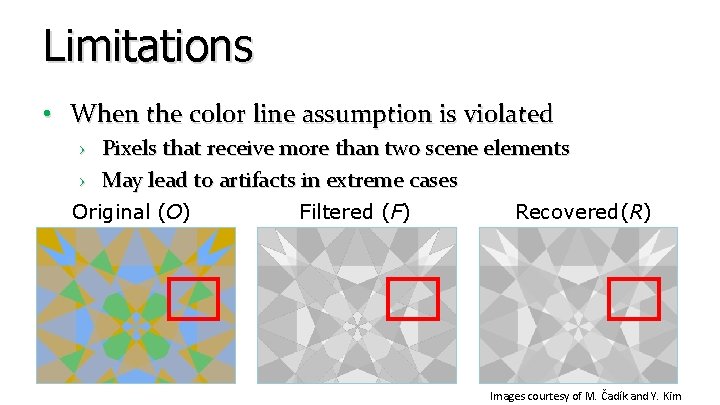
Limitations • When the color line assumption is violated › Pixels that receive more than two scene elements › May lead to artifacts in extreme cases Original (O) Filtered (F) Recovered(R) Images courtesy of M. Čadík and Y. Kim
Conclusion • An algorithm to repair antialiased edges damaged by certain types of nonlinear filters › › Simple to implement Very fast (500 MP/sec) Useful for a number of filters Code will be available within a month • Future work › Consider filters with geometric distortions › Relax the color line model
Thanks • Acknowledgement: › Diego Nehab and Tian Fang for fruitful discussions › HK RGC GRF grant #619509 › Image credits: − Yongjin Kim, Martin Čadík, Johannes Kopf, Jan Eric Kyprianidis, Giuseppe Papari, Phillip Greenspun, paullew@Flickr, shoshonasnow@Flickr and thaneeya@Flickr