
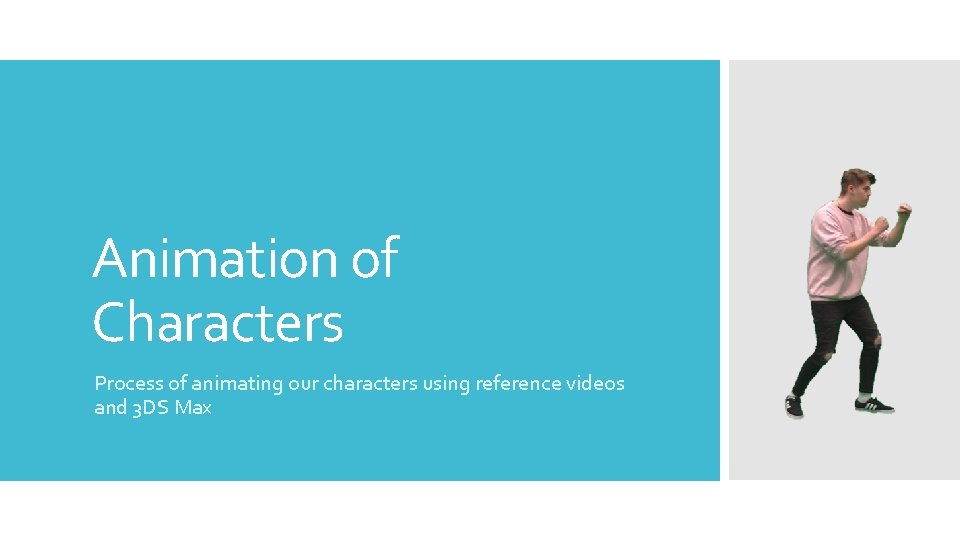
Animation of Characters Process of animating our characters
- Slides: 15
Animation of Characters Process of animating our characters using reference videos and 3 DS Max
The first step of producing animations for my character was to produce a set of video clips of myself acting out each proposed animation. To assist in this process I used my storyboards as a reference to guide myself through how the animation plays out. I recorded for the following animations: Recording reference clips Punch Kick Damage Reaction Special Attack
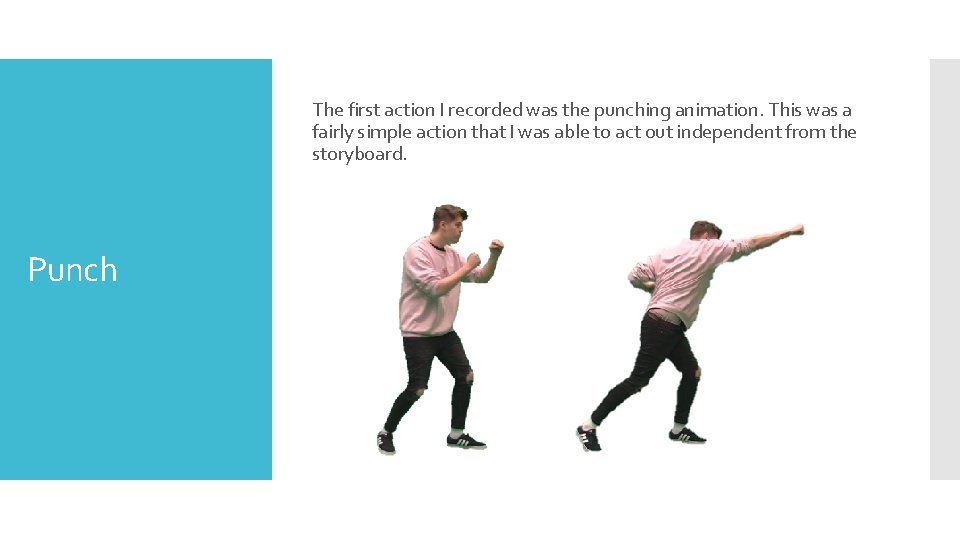
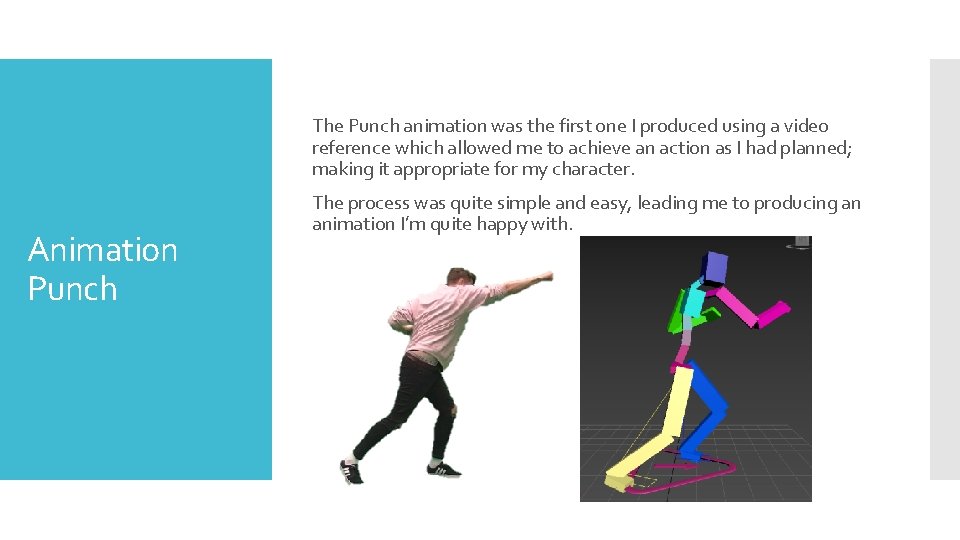
The first action I recorded was the punching animation. This was a fairly simple action that I was able to act out independent from the storyboard. Punch
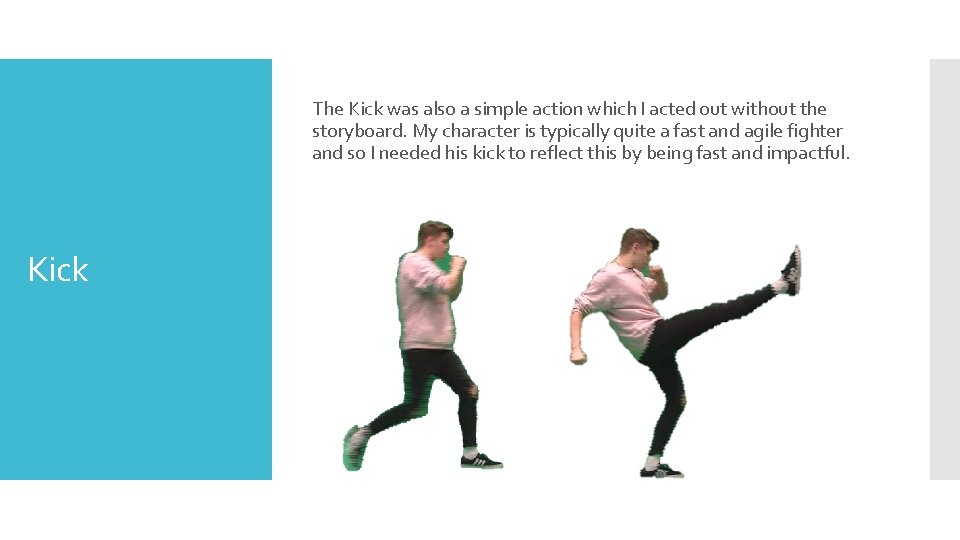
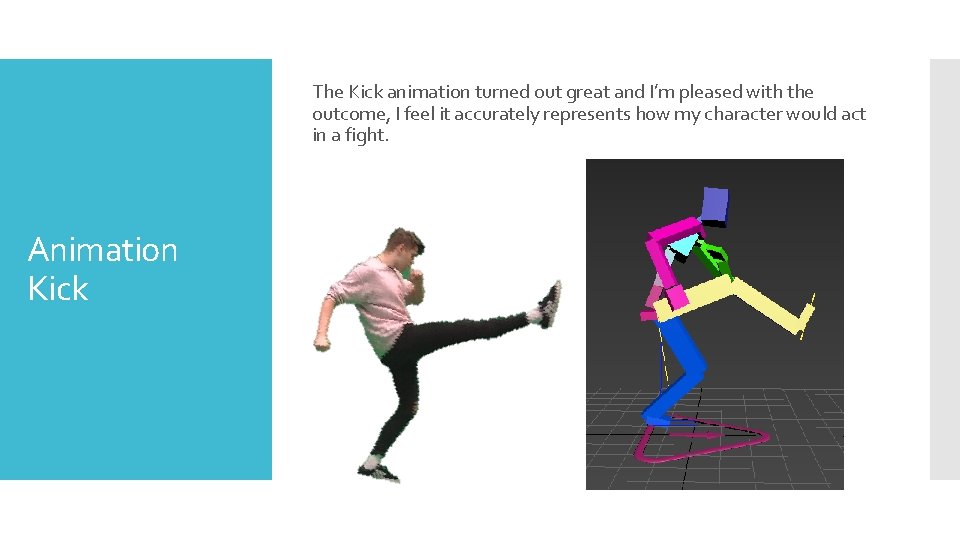
The Kick was also a simple action which I acted out without the storyboard. My character is typically quite a fast and agile fighter and so I needed his kick to reflect this by being fast and impactful. Kick
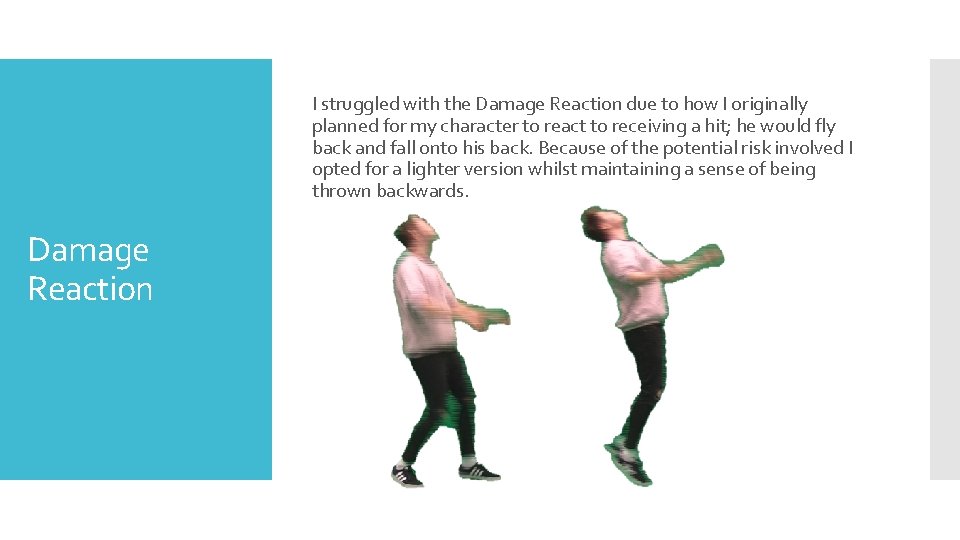
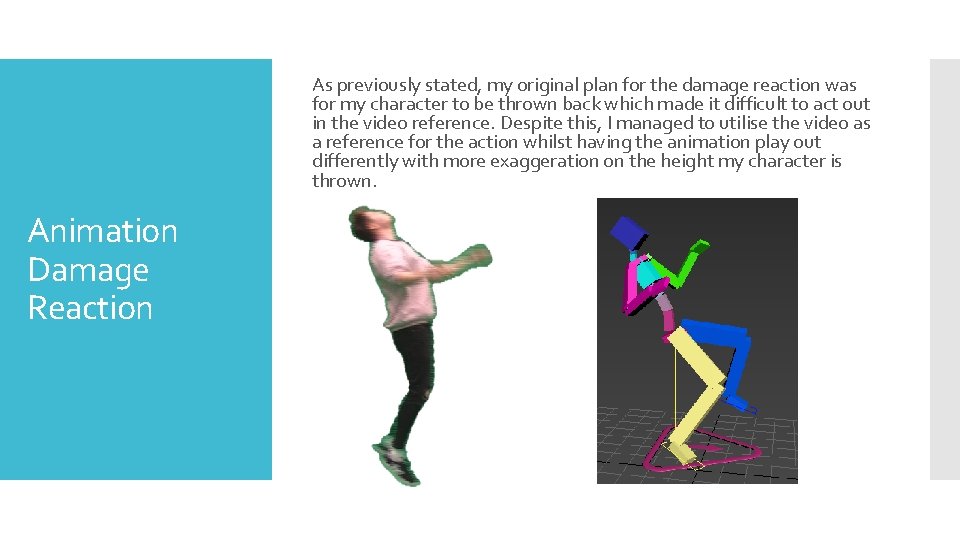
I struggled with the Damage Reaction due to how I originally planned for my character to react to receiving a hit; he would fly back and fall onto his back. Because of the potential risk involved I opted for a lighter version whilst maintaining a sense of being thrown backwards. Damage Reaction
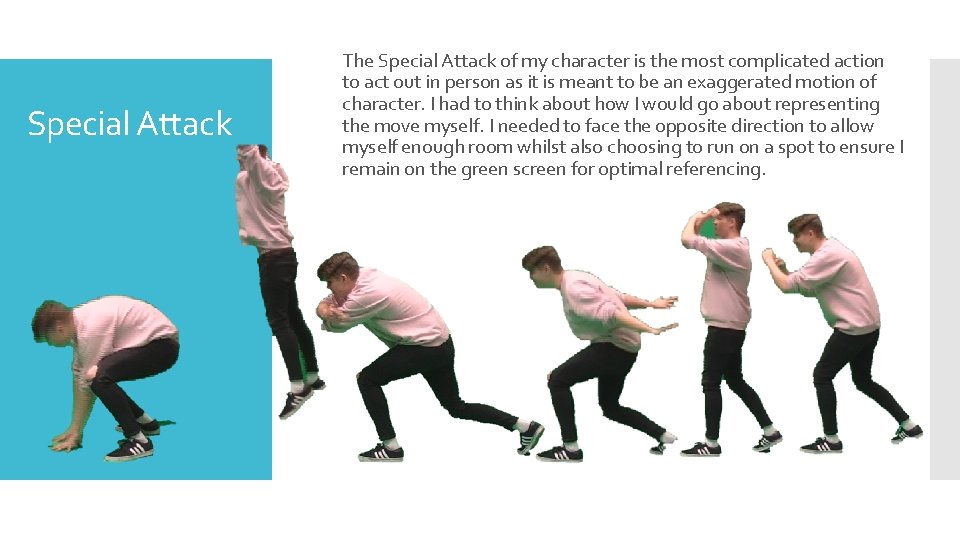
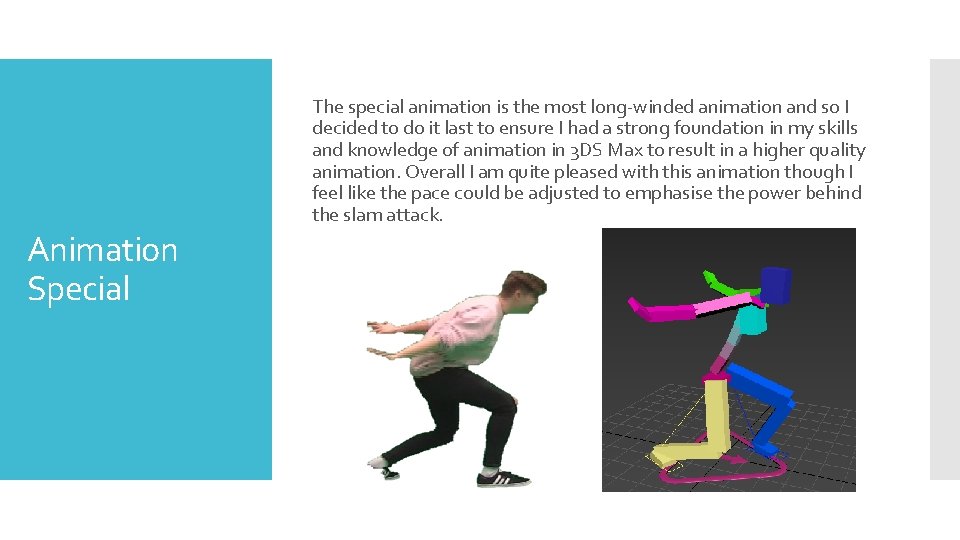
Special Attack The Special Attack of my character is the most complicated action to act out in person as it is meant to be an exaggerated motion of character. I had to think about how I would go about representing the move myself. I needed to face the opposite direction to allow myself enough room whilst also choosing to run on a spot to ensure I remain on the green screen for optimal referencing.
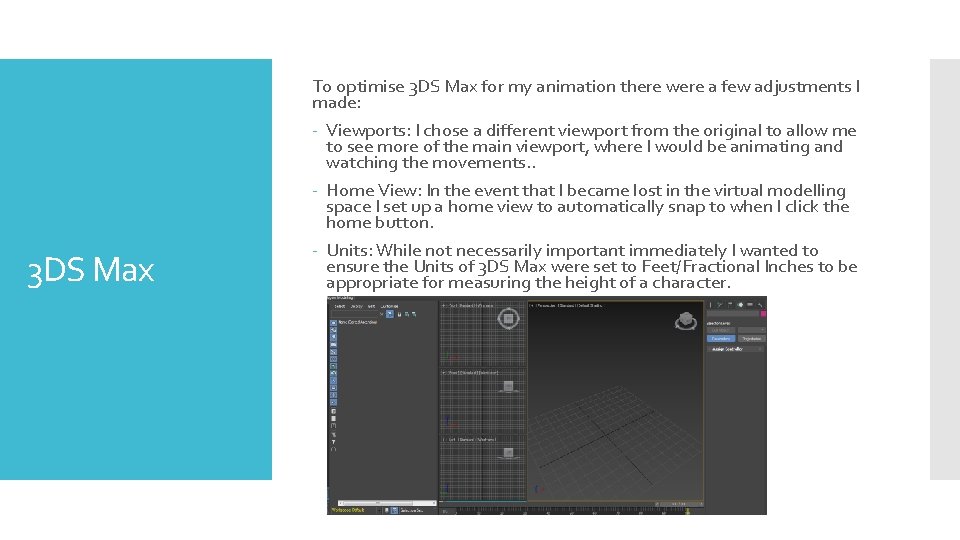
3 DS Max To optimise 3 DS Max for my animation there were a few adjustments I made: - Viewports: I chose a different viewport from the original to allow me to see more of the main viewport, where I would be animating and watching the movements. . - Home View: In the event that I became lost in the virtual modelling space I set up a home view to automatically snap to when I click the home button. - Units: While not necessarily important immediately I wanted to ensure the Units of 3 DS Max were set to Feet/Fractional Inches to be appropriate for measuring the height of a character.
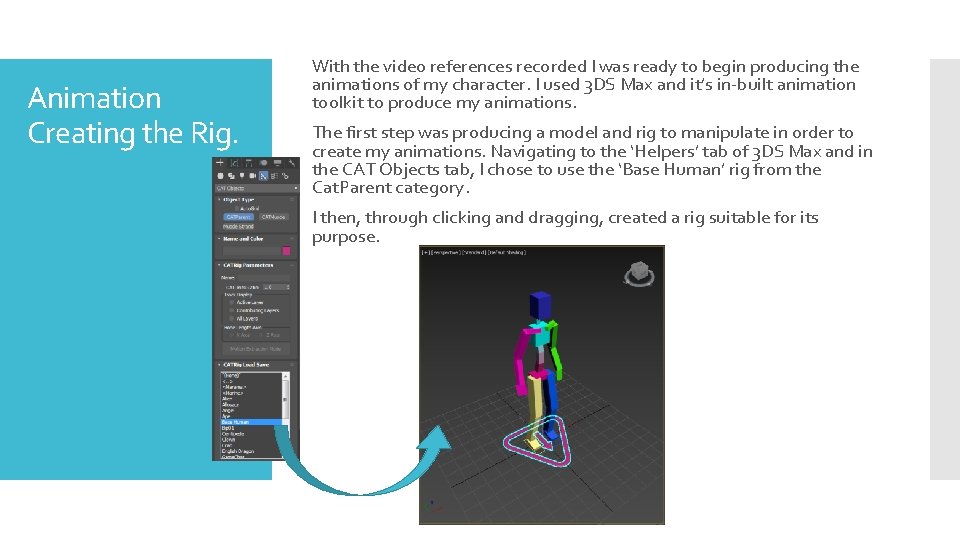
Animation Creating the Rig. With the video references recorded I was ready to begin producing the animations of my character. I used 3 DS Max and it’s in-built animation toolkit to produce my animations. The first step was producing a model and rig to manipulate in order to create my animations. Navigating to the ‘Helpers’ tab of 3 DS Max and in the CAT Objects tab, I chose to use the ‘Base Human’ rig from the Cat. Parent category. I then, through clicking and dragging, created a rig suitable for its purpose.
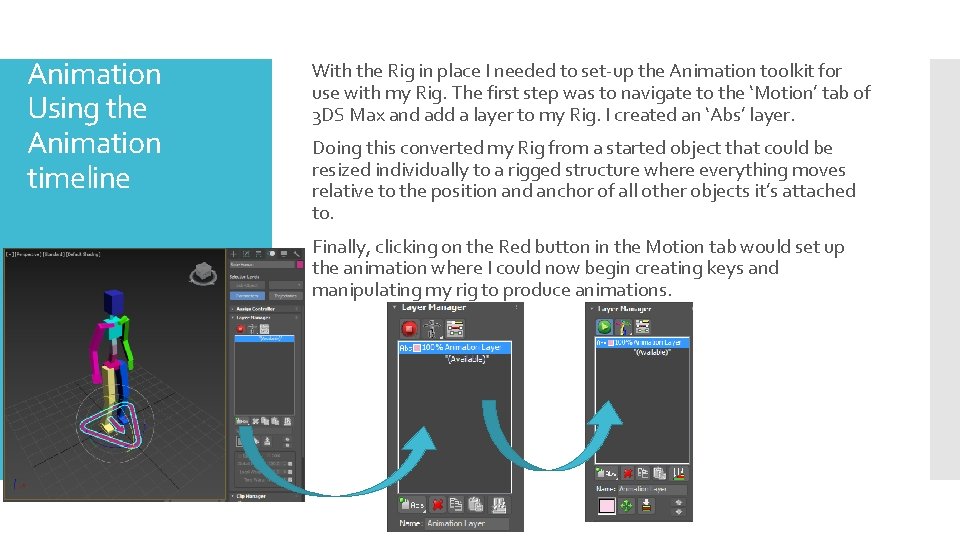
Animation Using the Animation timeline With the Rig in place I needed to set-up the Animation toolkit for use with my Rig. The first step was to navigate to the ‘Motion’ tab of 3 DS Max and add a layer to my Rig. I created an ‘Abs’ layer. Doing this converted my Rig from a started object that could be resized individually to a rigged structure where everything moves relative to the position and anchor of all other objects it’s attached to. Finally, clicking on the Red button in the Motion tab would set up the animation where I could now begin creating keys and manipulating my rig to produce animations.
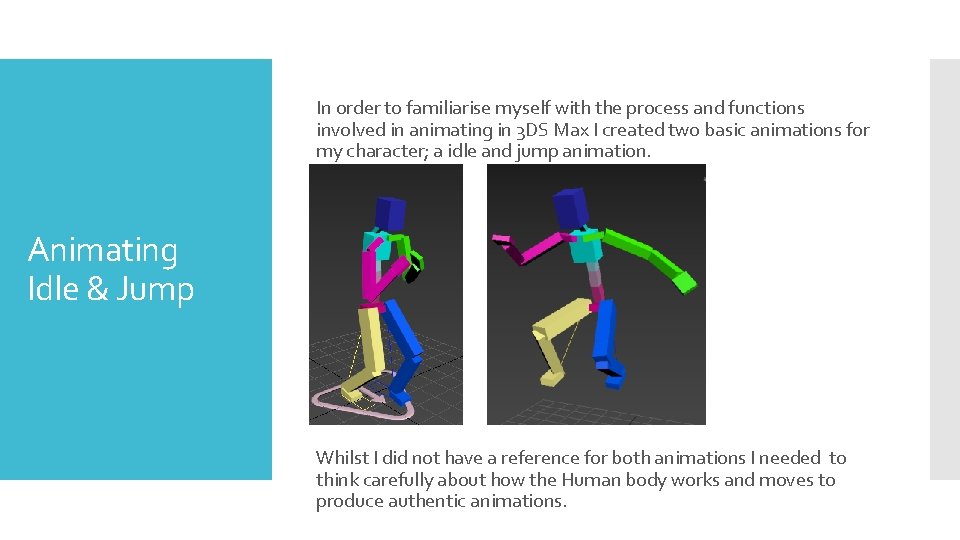
In order to familiarise myself with the process and functions involved in animating in 3 DS Max I created two basic animations for my character; a idle and jump animation. Animating Idle & Jump Whilst I did not have a reference for both animations I needed to think carefully about how the Human body works and moves to produce authentic animations.
The Punch animation was the first one I produced using a video reference which allowed me to achieve an action as I had planned; making it appropriate for my character. Animation Punch The process was quite simple and easy, leading me to producing an animation I’m quite happy with.
The Kick animation turned out great and I’m pleased with the outcome, I feel it accurately represents how my character would act in a fight. Animation Kick
As previously stated, my original plan for the damage reaction was for my character to be thrown back which made it difficult to act out in the video reference. Despite this, I managed to utilise the video as a reference for the action whilst having the animation play out differently with more exaggeration on the height my character is thrown. Animation Damage Reaction
The special animation is the most long-winded animation and so I decided to do it last to ensure I had a strong foundation in my skills and knowledge of animation in 3 DS Max to result in a higher quality animation. Overall I am quite pleased with this animation though I feel like the pace could be adjusted to emphasise the power behind the slam attack. Animation Special
Reflection In general I am very pleased with the outcome with all of the animations, especially considering this is the first time I have done 3 D animation and working with Rigs. During the Special animation I felt that the pacing was a little off and didn’t emphasise the action, so I opted to space some of the key frames out to provide a sense of anticipation in the final slam attack. I have learned a significant amount in terms of animation using 3 DS Max which will contribute to future projects.