
Animation in Video Games presented by Jason Gregory
Animation in Video Games presented by Jason Gregory jgregory@ea. com
Agenda l The Goal of Game Animation l Old School Animation l Skeletons and Skins l How Skinning Works (Graphically) l The Math of Skinning l Animation: Bringing a Character to Life l Blending and other Advanced Topics
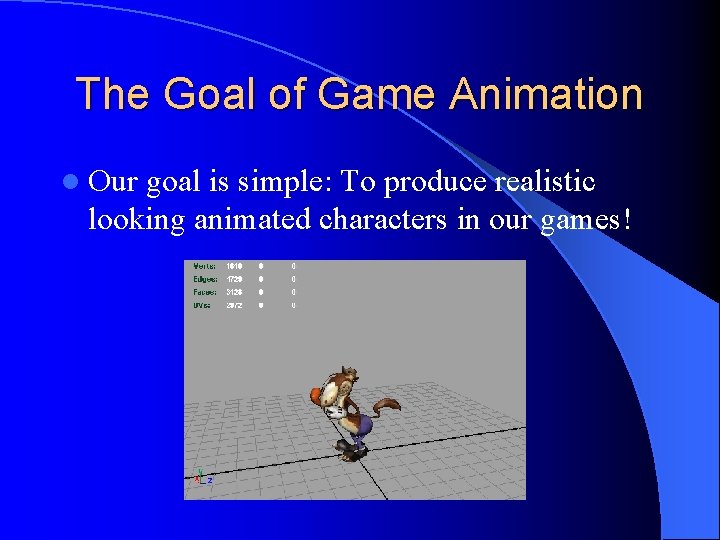
The Goal of Game Animation l Our goal is simple: To produce realistic looking animated characters in our games!
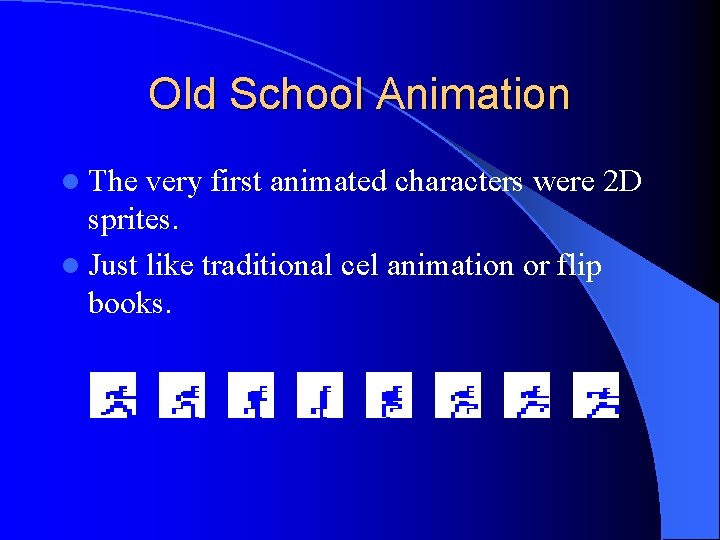
Old School Animation l The very first animated characters were 2 D sprites. l Just like traditional cel animation or flip books.

Old School Animation (2)
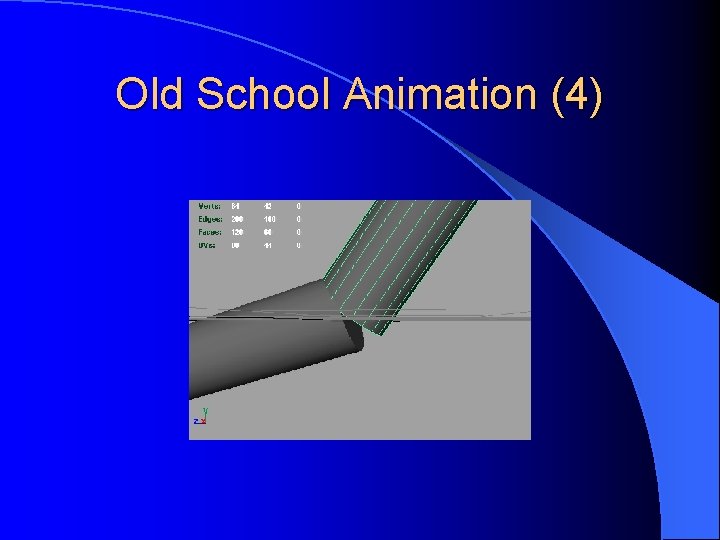
Old School Animation (3) l When we moved to 3 D, our first animated characters were “jointed. ” l Each limb or part of a limb is a separate rigid object. l Problem: Interpenetration at joints!
Old School Animation (4)
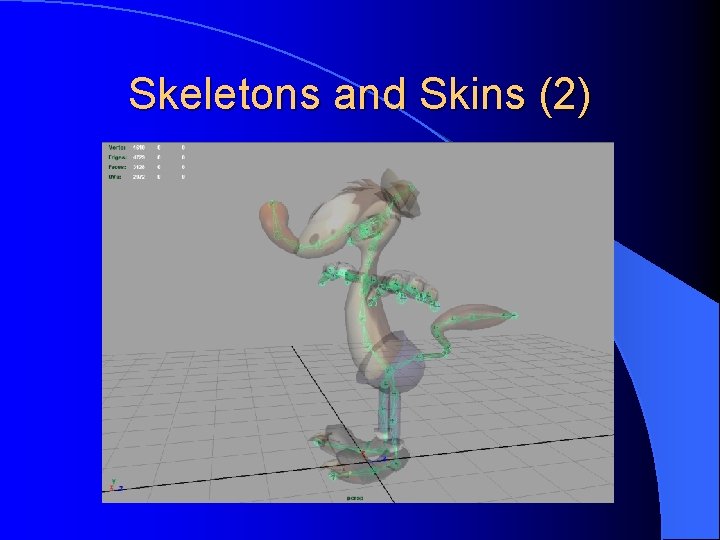
Skeletons and Skins l Modern approach is called “skinning. ” l Basic idea: – Create a jointed skeleton. – Attach the skin to the skeleton. – Move skeleton around – skin follows it. l Skin is a 3 D model made out of triangles. l Skeleton is invisible – only the skin is seen by the player.
Skeletons and Skins (2)
Skeletons and Skins (3) l Each vertex of each triangle is attached to one or more bones. – We use weights to define bones’ influences. – Weights at a joint must always add up to 1.

Skeletons and Skins (4)
Skeletons and Skins (5) l Skeletons have two kinds of poses: – Bind Pose: The skeleton’s pose when the skin was first attached. – Current Pose: Any other pose of the skeleton; usually a frame of an animation. The bind pose is like a “home base” for the character’s skeleton. l If you drew the mesh without its skeleton, it would appear in its bind pose. l
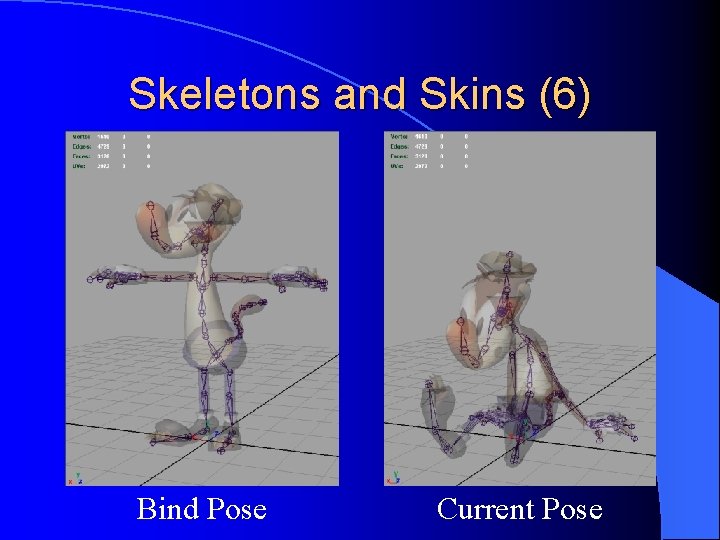
Skeletons and Skins (6) Bind Pose Current Pose
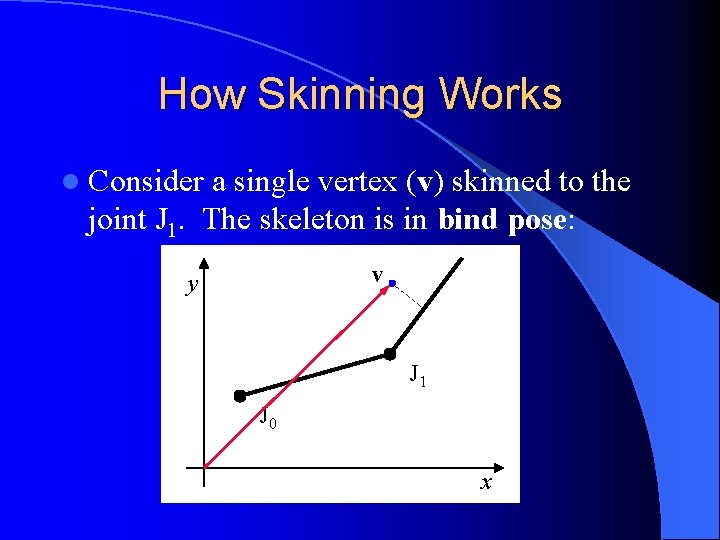
How Skinning Works l Consider a single vertex (v) skinned to the joint J 1. The skeleton is in bind pose: v y J 1 J 0 x
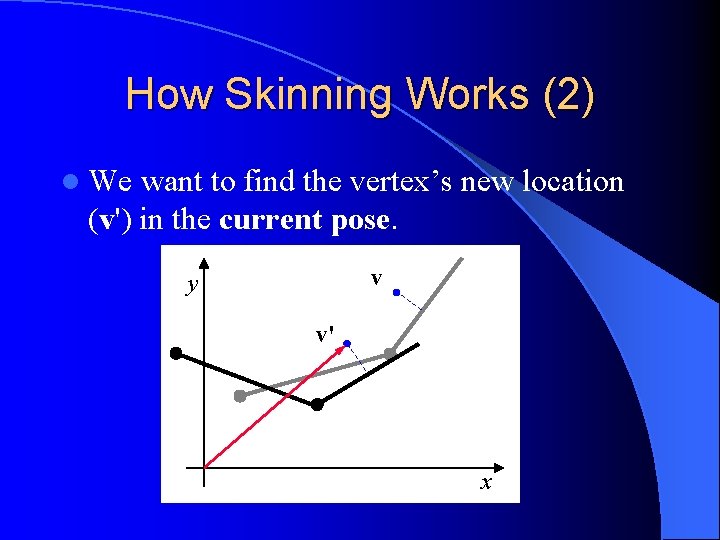
How Skinning Works (2) l We want to find the vertex’s new location (v') in the current pose. v y v' x
How Skinning Works (3) l The basic idea is to – from model space – into joint space transform the vertex: l The coordinates of the vertex are invariant in joint space! – So, we can move the joint around all we want. l When we’re done, we go back to model space to find the final position (v').
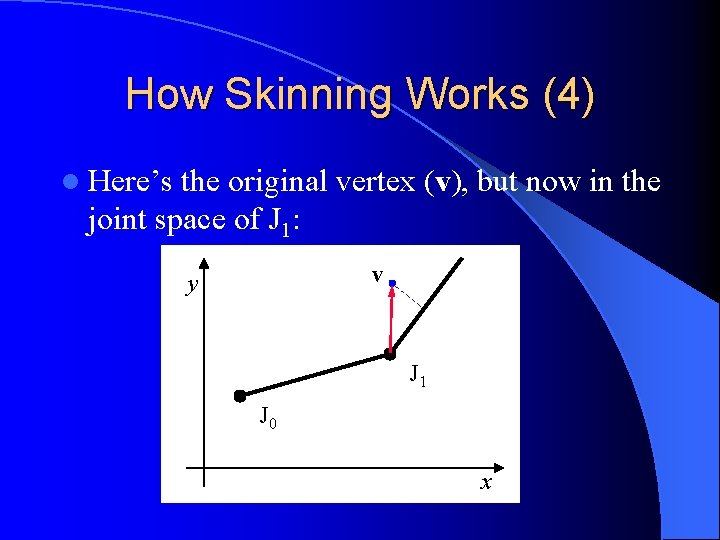
How Skinning Works (4) l Here’s the original vertex (v), but now in the joint space of J 1: v y J 1 J 0 x
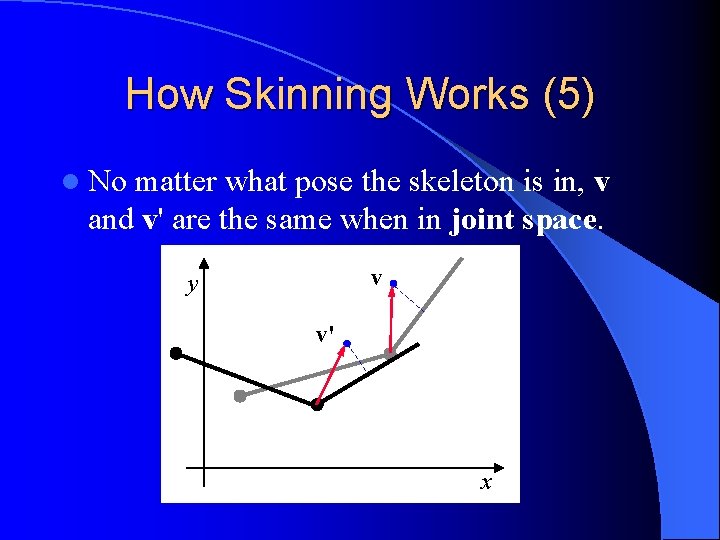
How Skinning Works (5) l No matter what pose the skeleton is in, v and v' are the same when in joint space. v y v' x
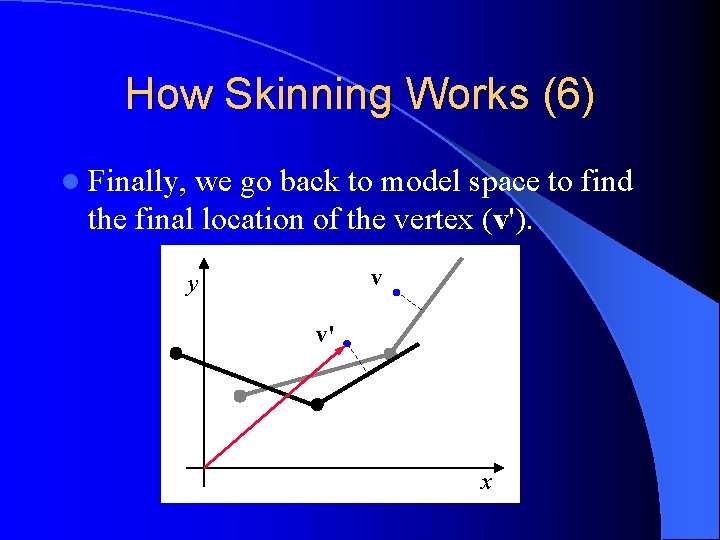
How Skinning Works (6) l Finally, we go back to model space to find the final location of the vertex (v'). v y v' x
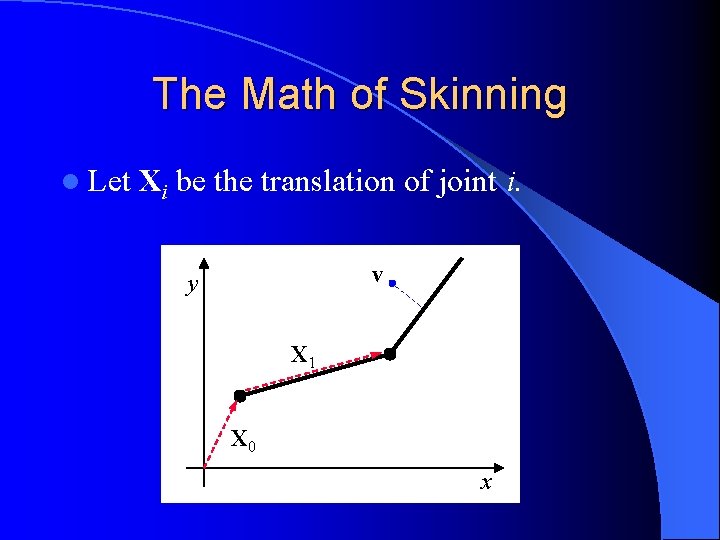
The Math of Skinning l Let Xi be the translation of joint i. v y X 1 X 0 x
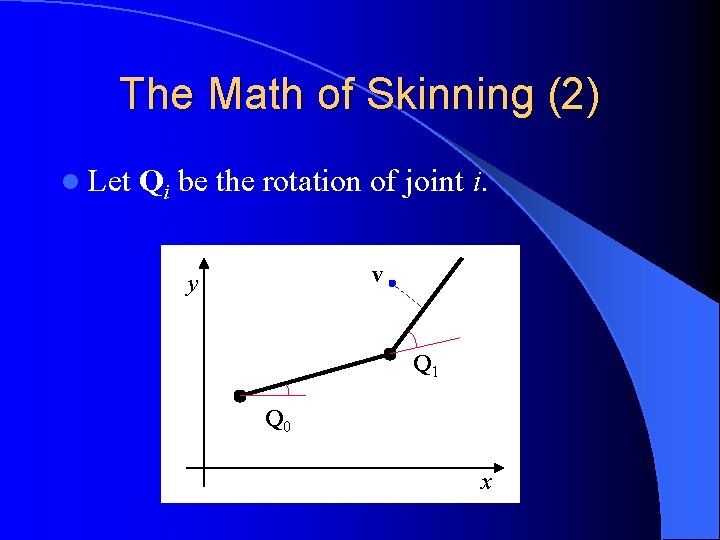
The Math of Skinning (2) l Let Qi be the rotation of joint i. v y Q 1 Q 0 x
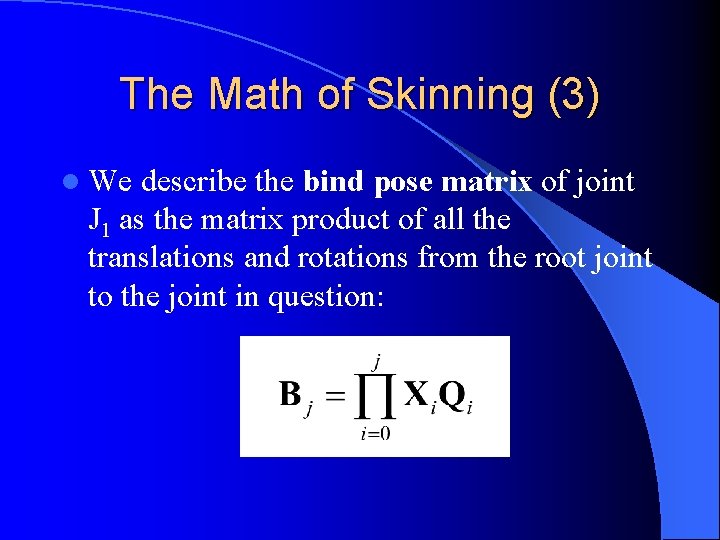
The Math of Skinning (3) l We describe the bind pose matrix of joint J 1 as the matrix product of all the translations and rotations from the root joint to the joint in question:
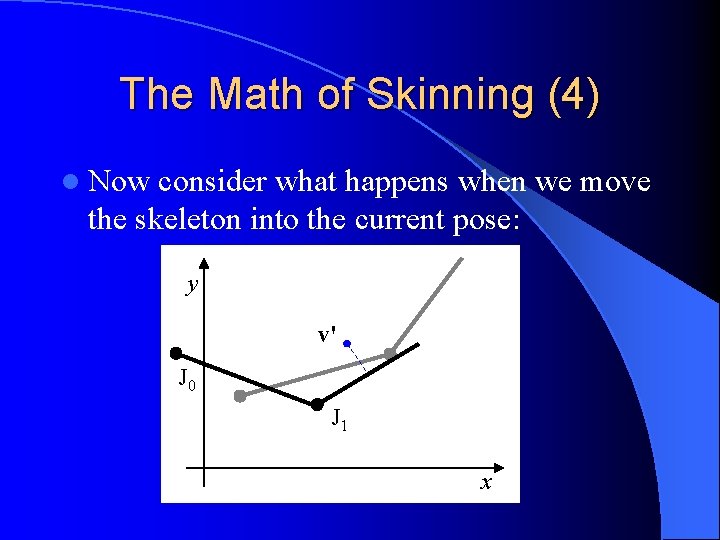
The Math of Skinning (4) l Now consider what happens when we move the skeleton into the current pose: y v' J 0 J 1 x
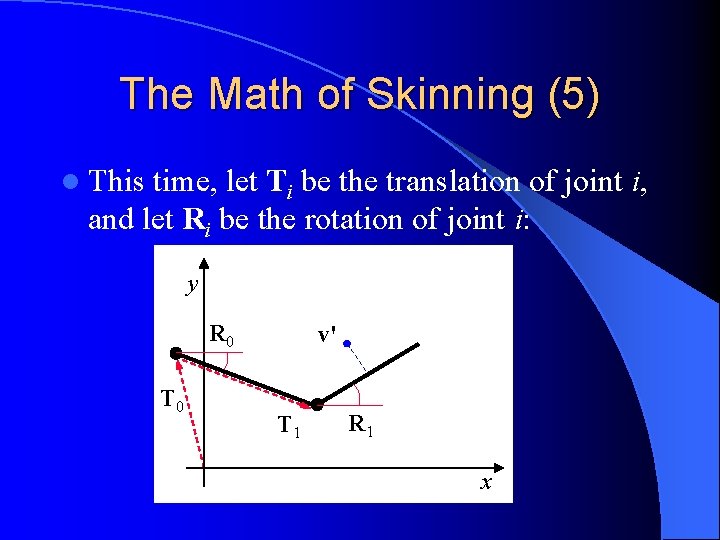
The Math of Skinning (5) l This time, let Ti be the translation of joint i, and let Ri be the rotation of joint i: y R 0 T 0 v' T 1 R 1 x
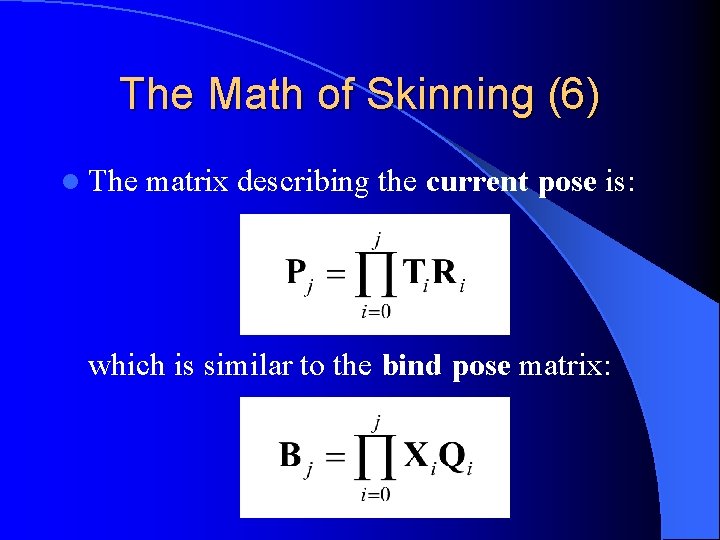
The Math of Skinning (6) l The matrix describing the current pose is: which is similar to the bind pose matrix:

The Math of Skinning (7) l We multiply v by B– 1 to get it into joint space from the bind pose. l Then we multiply that by P to get it back into model space, in the current pose.
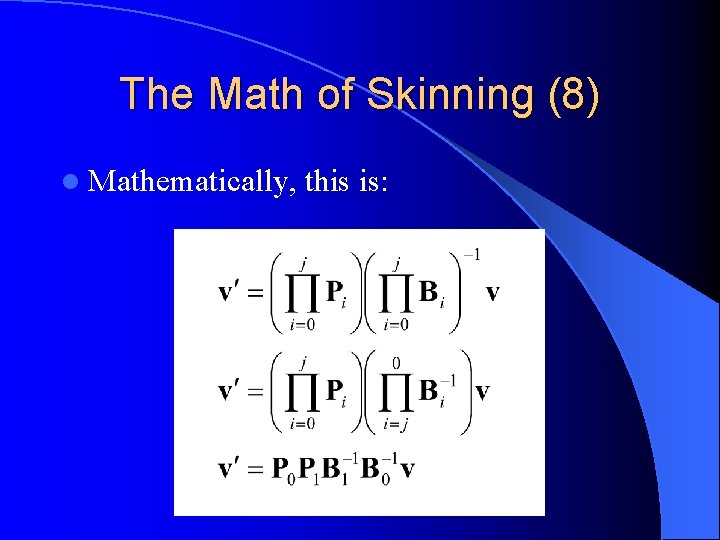
The Math of Skinning (8) l Mathematically, this is:
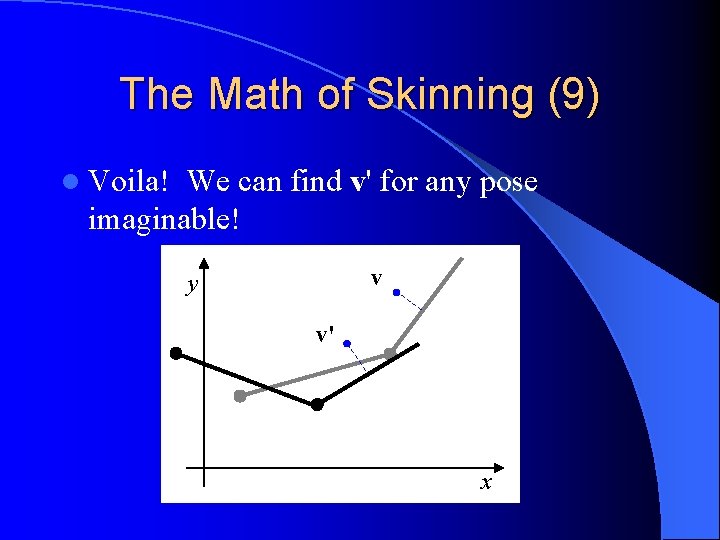
The Math of Skinning (9) l Voila! We can find v' for any pose imaginable! v y v' x
The Math of Skinning (10) l We do these calculations on each and every vertex in the model. l Then we draw the final vertices. l For vertices that are affected by more than one joint, we take a weighted average of the positions due to each joint.

The Math of Skinning (11) l The weighted average for a vertex affected by joints j and k would be:
Animation: Bringing Characters to Life An animation is really just a sequence of poses at various points in time. The poses are called keys. l An animation can be described mathematically as: { Pj (t) } j i. e. a set of pose matrices (keys) for all joints j, each of which is a function of time t. l To play back the animation, we extract a pose at the current time index, skin the model to that pose, and then draw the model. l
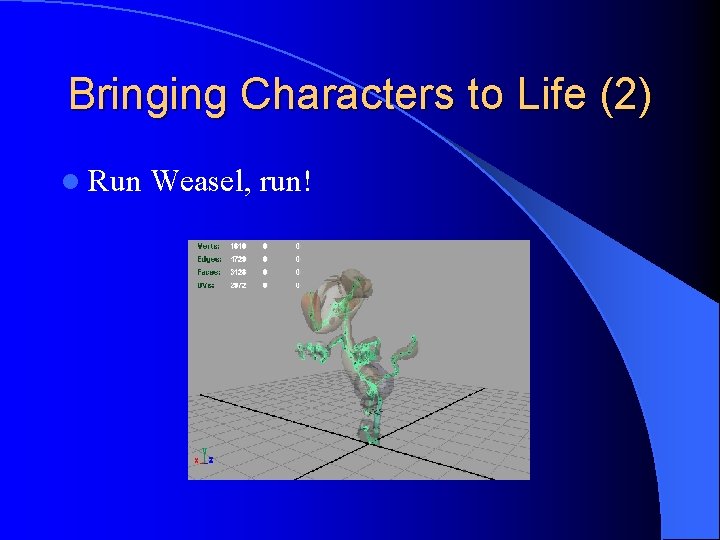
Bringing Characters to Life (2) l Run Weasel, run!
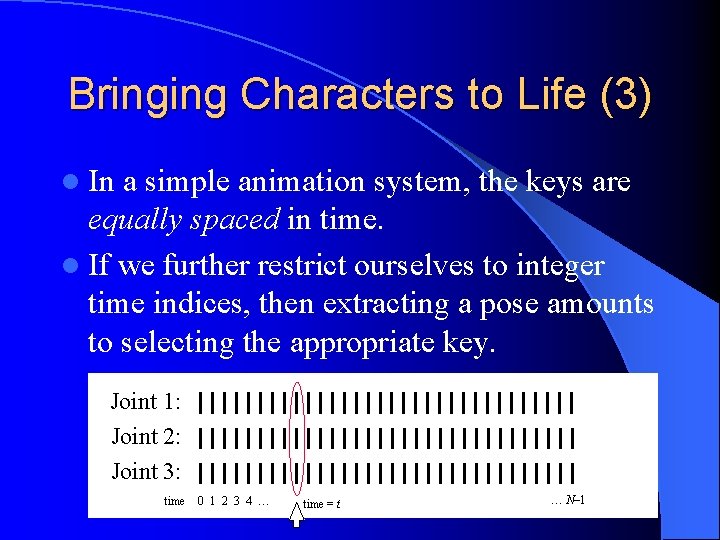
Bringing Characters to Life (3) l In a simple animation system, the keys are equally spaced in time. l If we further restrict ourselves to integer time indices, then extracting a pose amounts to selecting the appropriate key. Joint 1: Joint 2: Joint 3: time 0 1 2 3 4 … time = t … N– 1
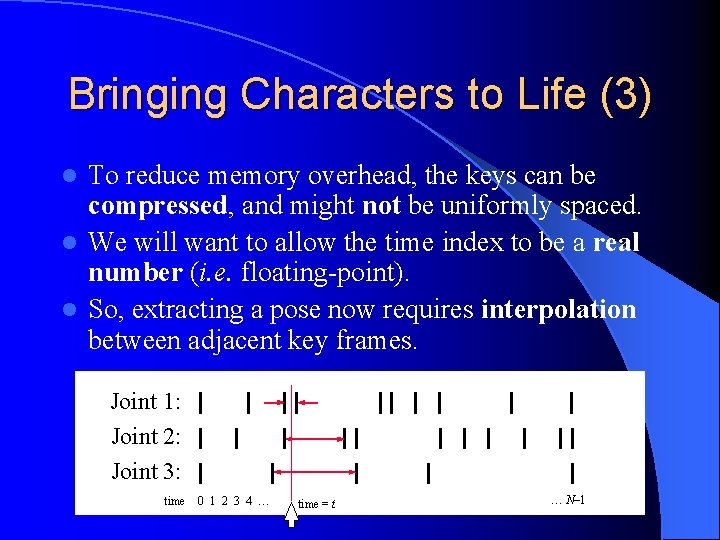
Bringing Characters to Life (3) To reduce memory overhead, the keys can be compressed, and might not be uniformly spaced. l We will want to allow the time index to be a real number (i. e. floating-point). l So, extracting a pose now requires interpolation between adjacent key frames. l Joint 1: Joint 2: Joint 3: time 0 1 2 3 4 … time = t … N– 1

Interpolation and Blending l To interpolate positions, we use simple vector linear interpolation (LERP).
Interpolation and Blending (2) l To interpolate rotations, we must use quaternions. (It is next to impossible to interpolate matrices. ) l We have two choices when interpolating quats: – Linear interpolation (LERP) – Spherical linear interpolation (SLERP)
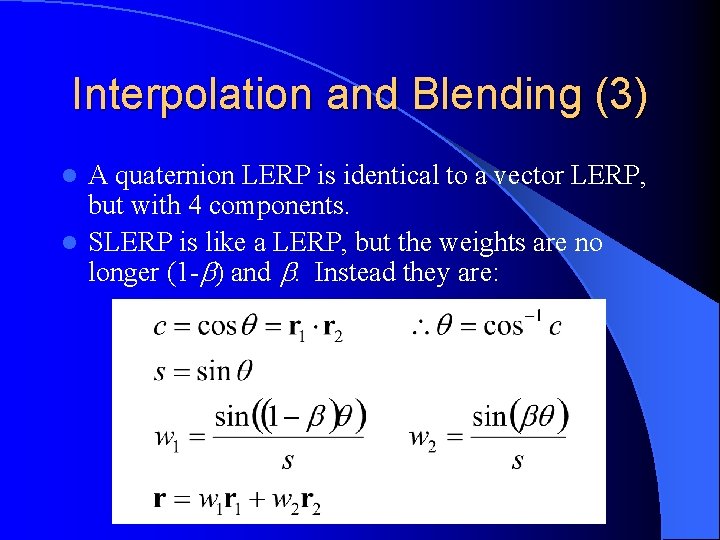
Interpolation and Blending (3) A quaternion LERP is identical to a vector LERP, but with 4 components. l SLERP is like a LERP, but the weights are no longer (1 - ) and . Instead they are: l
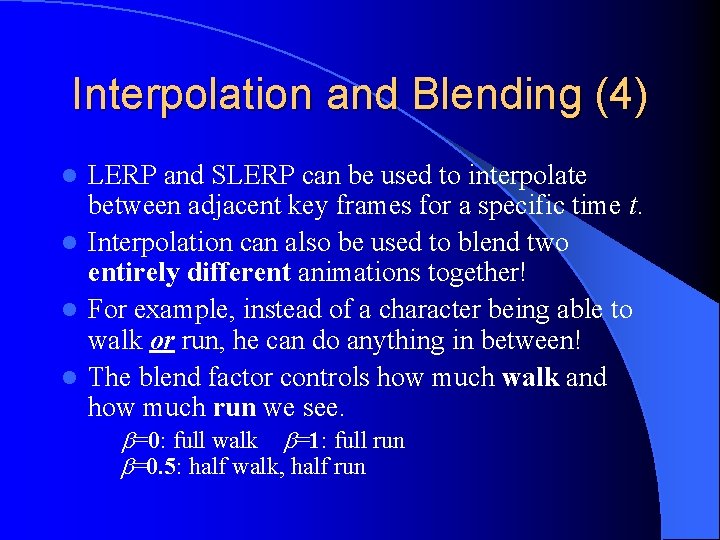
Interpolation and Blending (4) LERP and SLERP can be used to interpolate between adjacent key frames for a specific time t. l Interpolation can also be used to blend two entirely different animations together! l For example, instead of a character being able to walk or run, he can do anything in between! l The blend factor controls how much walk and how much run we see. l =0: full walk =1: full run =0. 5: half walk, half run
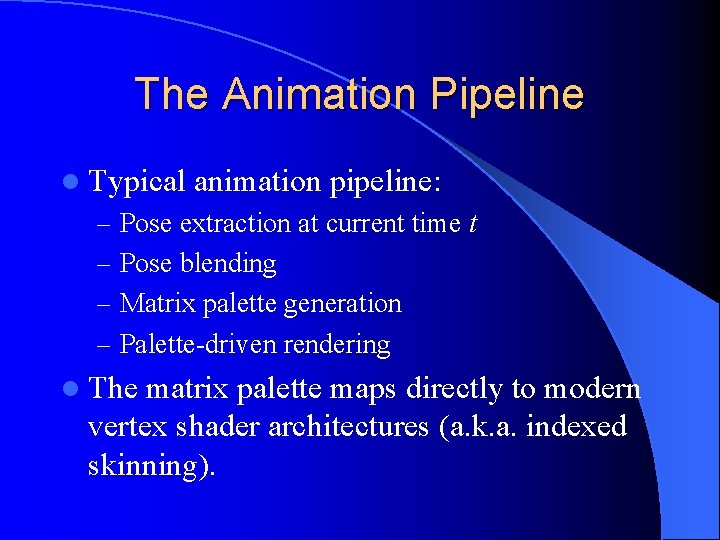
The Animation Pipeline l Typical animation pipeline: – Pose extraction at current time t – Pose blending – Matrix palette generation – Palette-driven rendering l The matrix palette maps directly to modern vertex shader architectures (a. k. a. indexed skinning).
Advanced Topics l Key frame compression techniques l Representing animations as spline curves instead of interpolated key frames l Action state machines l Skeletal partitioning l Rag-doll physics l…

Q&A l Thanks for your attention! l Questions can also be sent to: Jason Gregory Electronic Arts Los Angeles jgregory@ea. com
- Slides: 41