
Android Activities l An application can have one
- Slides: 5
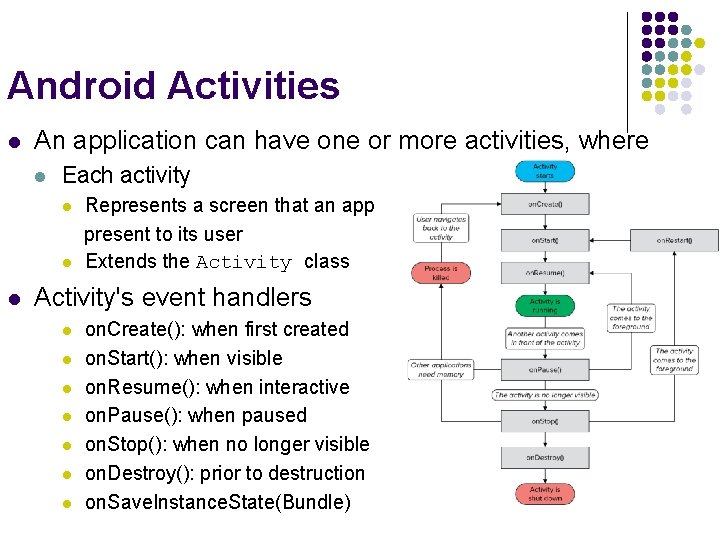
Android Activities l An application can have one or more activities, where l Each activity l l l Represents a screen that an app present to its user Extends the Activity class Activity's event handlers l l l l on. Create(): when first created on. Start(): when visible on. Resume(): when interactive on. Pause(): when paused on. Stop(): when no longer visible on. Destroy(): prior to destruction on. Save. Instance. State(Bundle)
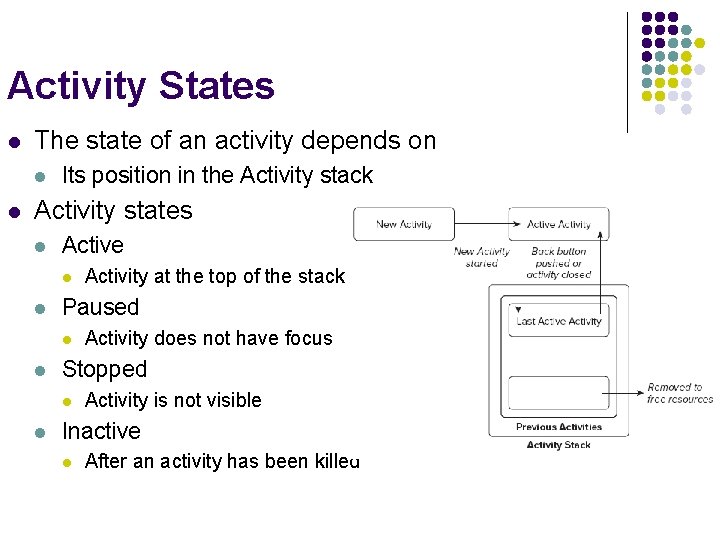
Activity States l The state of an activity depends on l l Its position in the Activity stack Activity states l Active l l Paused l l Activity does not have focus Stopped l l Activity at the top of the stack Activity is not visible Inactive l After an activity has been killed
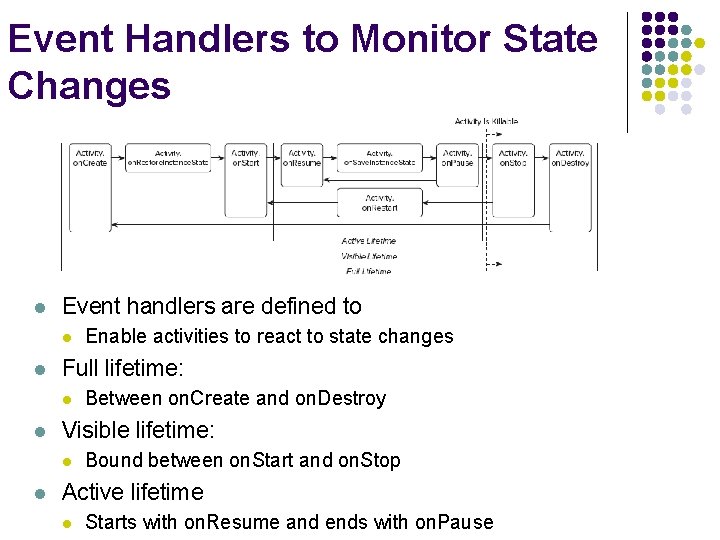
Event Handlers to Monitor State Changes l Event handlers are defined to l l Full lifetime: l l Between on. Create and on. Destroy Visible lifetime: l l Enable activities to react to state changes Bound between on. Start and on. Stop Active lifetime l Starts with on. Resume and ends with on. Pause
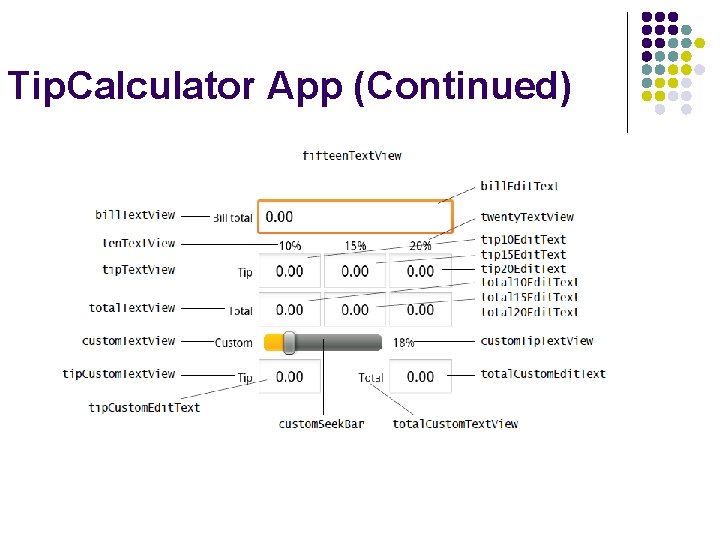
Tip. Calculator App (Chapter 4 of Android how to Program book) l Objectives l Design a GUI using a Table. Layout. l Use the ADT Plugin’s Outline window in Eclipse l l Directly edit the XML of a GUI layout to customize properties l l that are not available through the Visual Layout Editor and Properties window in Eclipse. l Use Text. View, Edit. Text and Seek. Bar GUI components. l Use event handling to respond to user interactions with an l l to add GUI components to a Table. Layout. Edit. Text and a Seek. Bar. Refer to Tip. Calculator. App android project
Tip. Calculator App (Continued)