
Ancillary Data Integration and Analysis System ADIAS U
- Slides: 32
“Ancillary Data Integration and Analysis System” (ADIAS) U. S. Department of the Interior U. S. Geological Survey
Outline § § Water - related data issues Description of the Source-Water Ancillary Data Integration and Analysis System (ADIAS) Examples of how ADIAS can be used What are the next steps for ADIAS? 2
Outline § § Water-related data issues Description of the Source-Water Ancillary Data Integration and Analysis System (ADIAS) Examples of how ADIAS can be used What are the next steps for ADIAS? 3
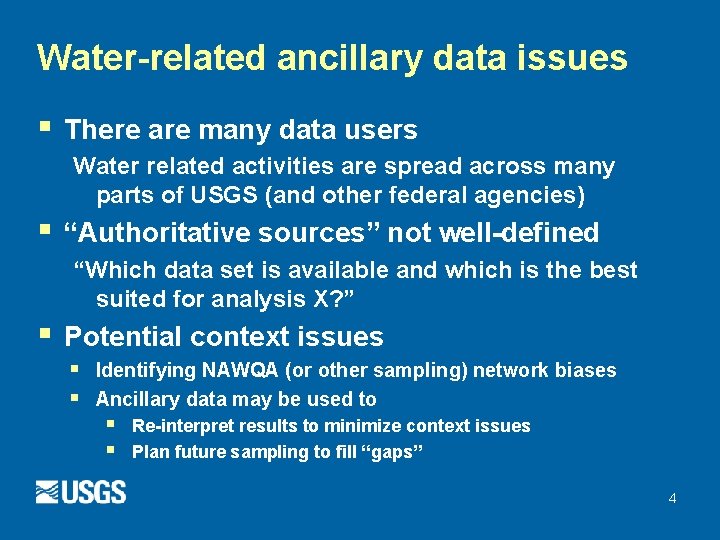
Water-related ancillary data issues § There are many data users Water related activities are spread across many parts of USGS (and other federal agencies) § “Authoritative sources” not well-defined “Which data set is available and which is the best suited for analysis X? ” § Potential context issues § § Identifying NAWQA (or other sampling) network biases Ancillary data may be used to § § Re-interpret results to minimize context issues Plan future sampling to fill “gaps” 4
Authoritative Data Source § § § “Best available data” Avoids duplication of effort Not necessarily original source – can be an aggregated collection (“data warehouse”) Consistent, or at least documented, quality Policy guidance: directing users to use this data resource 5
Authoritative Data Source (cont. ) § Example: intake locations § § § SDWIS (www. epa. gov/enviro) PSDB (Marilee Horn) NAWQA-SWUDS (Molly Maupin) NWIS (Water Science Centers) A centralized location of aggregated “best available” data is needed! Need to Identify and populate key sourcewater ancillary data layers as “ADS’s” 6
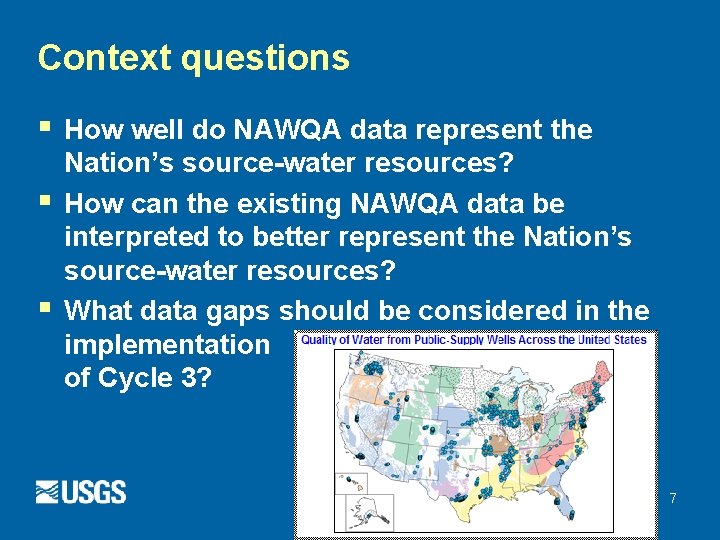
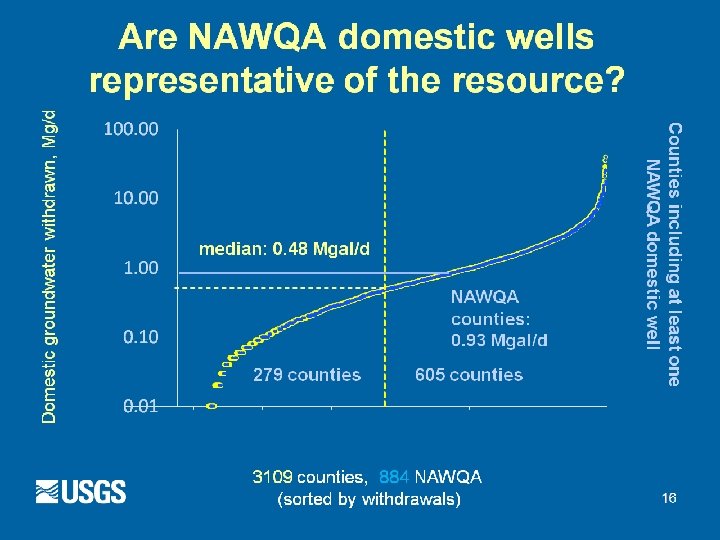
Context questions § § § How well do NAWQA data represent the Nation’s source-water resources? How can the existing NAWQA data be interpreted to better represent the Nation’s source-water resources? What data gaps should be considered in the implementation of Cycle 3? 7
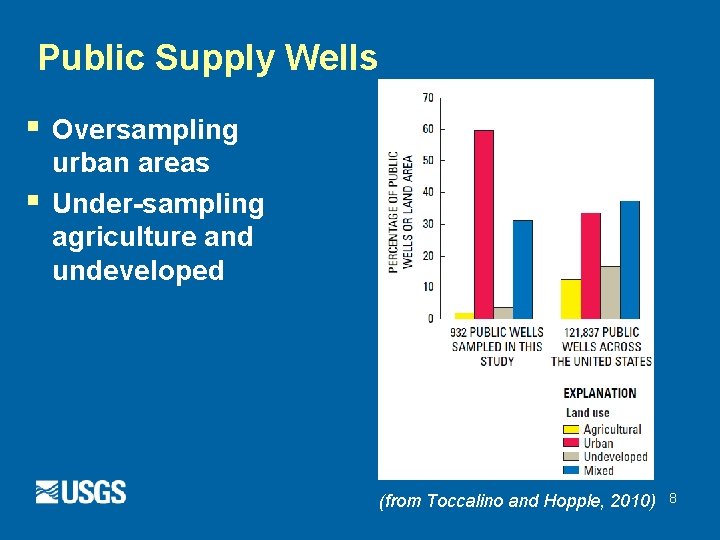
Public Supply Wells § § Oversampling urban areas Under-sampling agriculture and undeveloped (from Toccalino and Hopple, 2010) 8
Are NAWQA domestic wells representative of the resource? 9
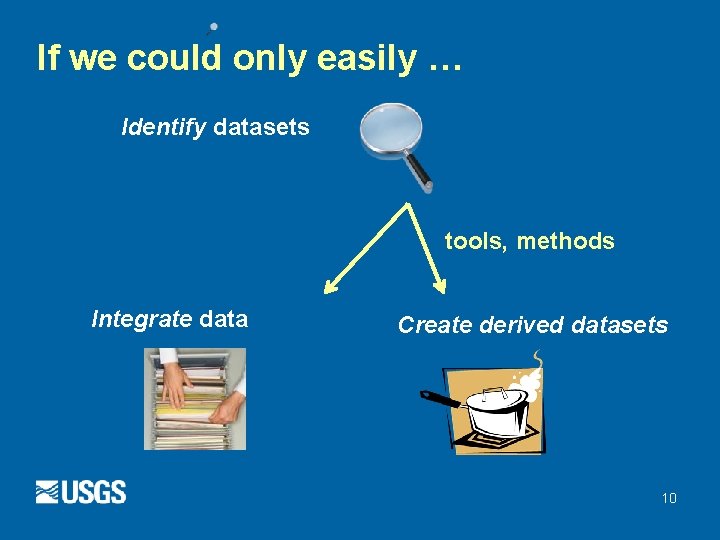
If we could only easily … Identify datasets tools, methods Integrate data Create derived datasets 10
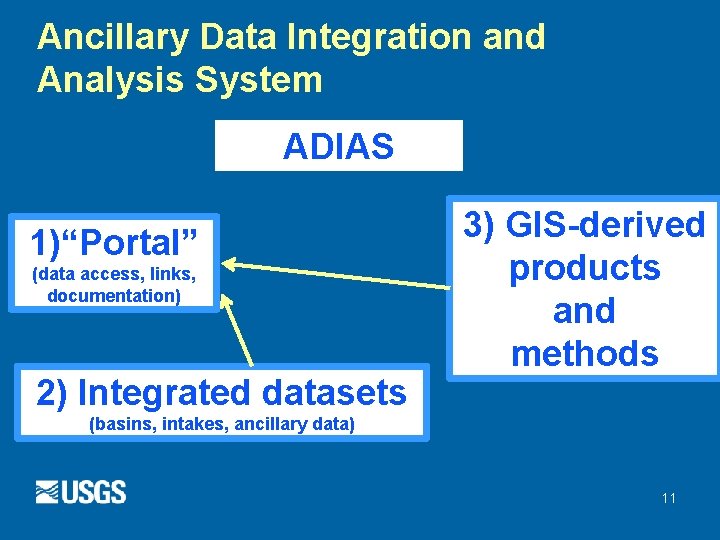
Ancillary Data Integration and Analysis System ADIAS 1)“Portal” (data access, links, documentation) 2) Integrated datasets 3) GIS-derived products and methods (basins, intakes, ancillary data) 11
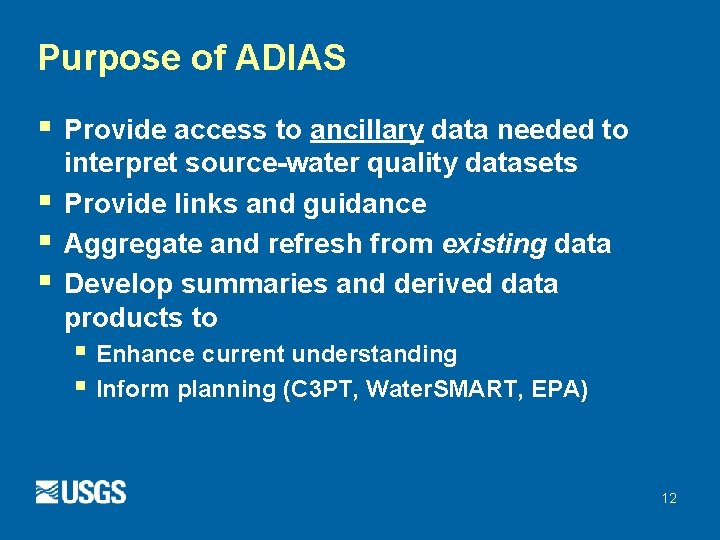
Purpose of ADIAS § § Provide access to ancillary data needed to interpret source-water quality datasets Provide links and guidance Aggregate and refresh from existing data Develop summaries and derived data products to § Enhance current understanding § Inform planning (C 3 PT, Water. SMART, EPA) 12
Benefits § Needed data more easily available to § NAWQA C 2 and C 3 PT § Water. SMART § Water Use Program § Cooperating agencies (EPA) § § New methods New products 13
Integrated data sets, example #3: drainage basin aggregation § Drainage basins gathered in one place “as is” § Authoritative basin boundary (as of now) § Refreshed as more basin boundaries become § available (for example, intake basin effort) Connected to portal: Easy download of individual basins w/ tool 14
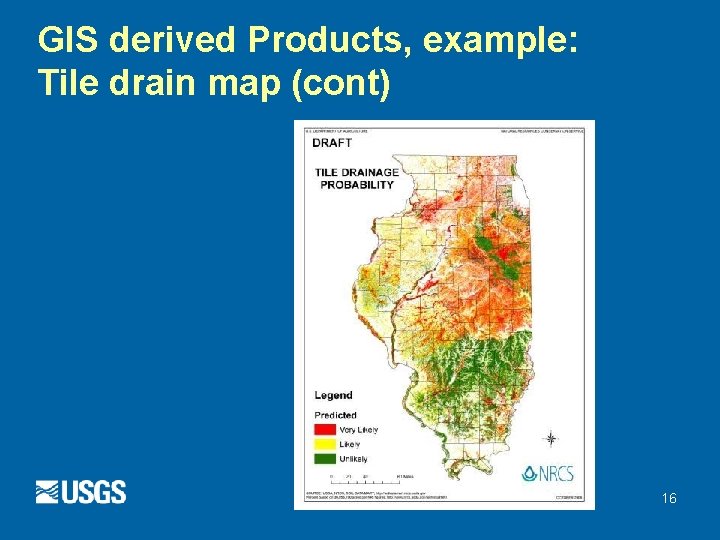
GIS methods and derived data sets § Spatial models to create estimates § Summaries and derived datasets to § Enhance current understanding, inform planning § Examples: 1. 2. 3. Tile-drain spatial model Context summary: land use and public wells Context summary: domestics wells 15
GIS derived Products, example: Tile drain map (cont) 16
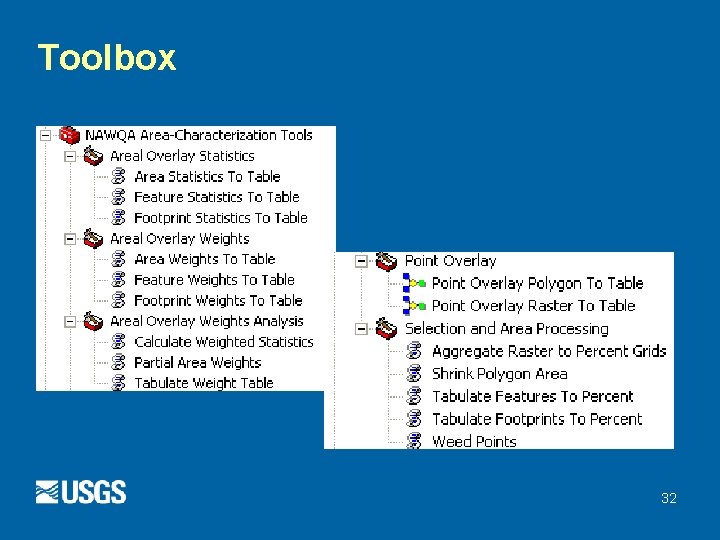
NAWQA Area-Characterization Toolbox § § § Custom tools for Arc. GIS 9. 3, 9. 3. 1 (10. x version in progress) Implement NAWQA standard GIS methods USGS Open-File Report 2010 -1268 http: //pubs. usgs. gov/of/2010/1268/ 17
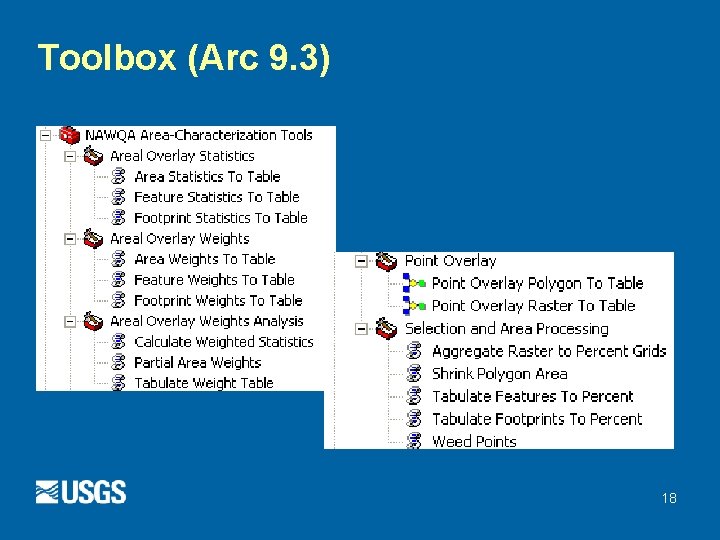
Toolbox (Arc 9. 3) 18
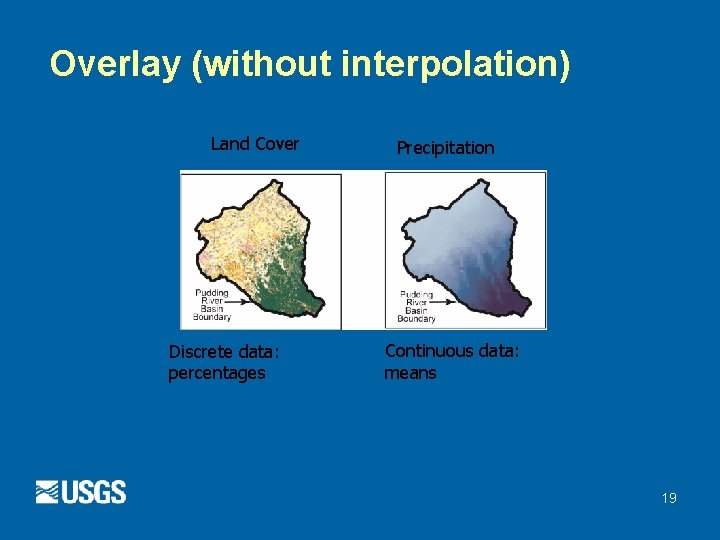
Overlay (without interpolation) Land Cover Discrete data: percentages Precipitation Continuous data: means 19
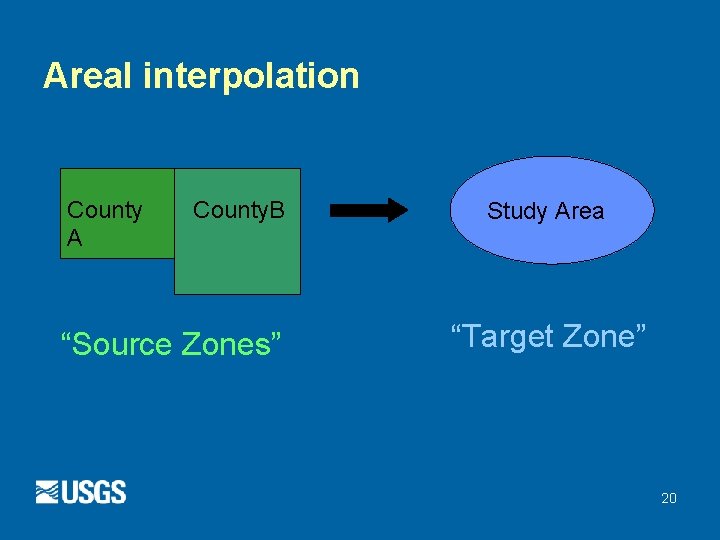
Areal interpolation County A County. B “Source Zones” Study Area “Target Zone” 20
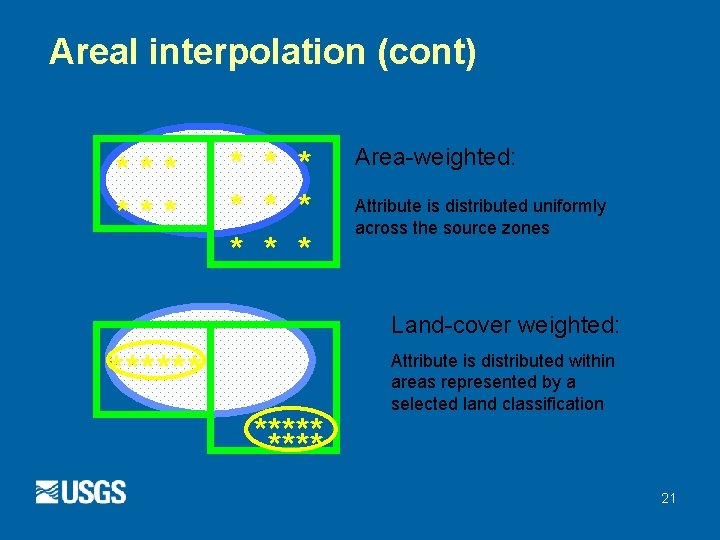
Areal interpolation (cont) *** * * Area-weighted: Attribute is distributed uniformly across the source zones Land-cover weighted: ****** Attribute is distributed within areas represented by a selected land classification 21
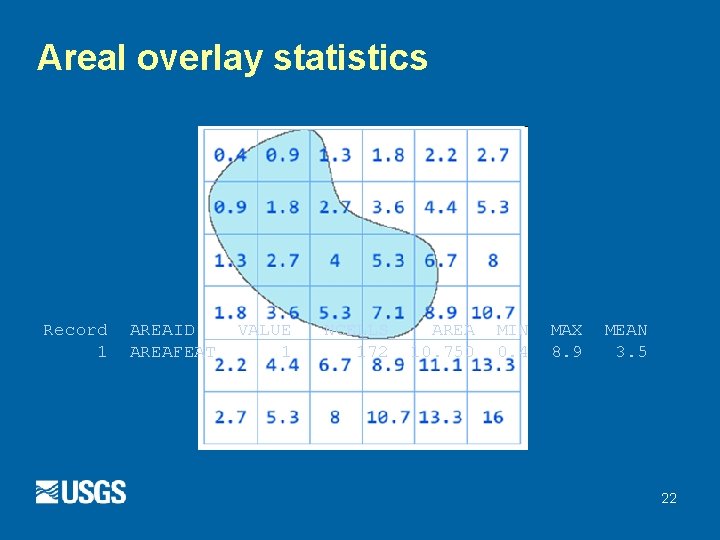
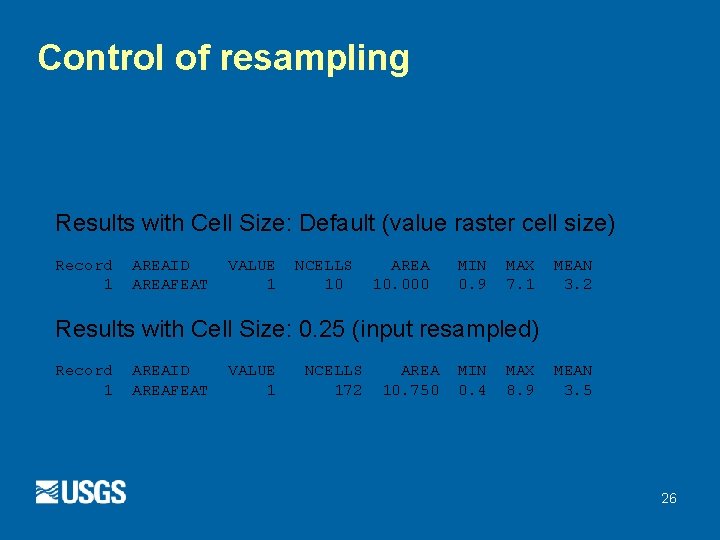
Areal overlay statistics Record 1 AREAID AREAFEAT VALUE 1 NCELLS 172 AREA 10. 750 MIN 0. 4 MAX 8. 9 MEAN 3. 5 22
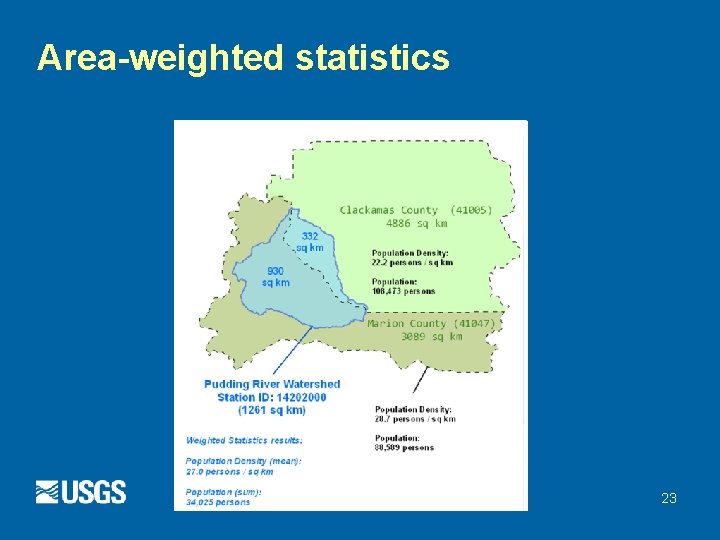
Area-weighted statistics 23
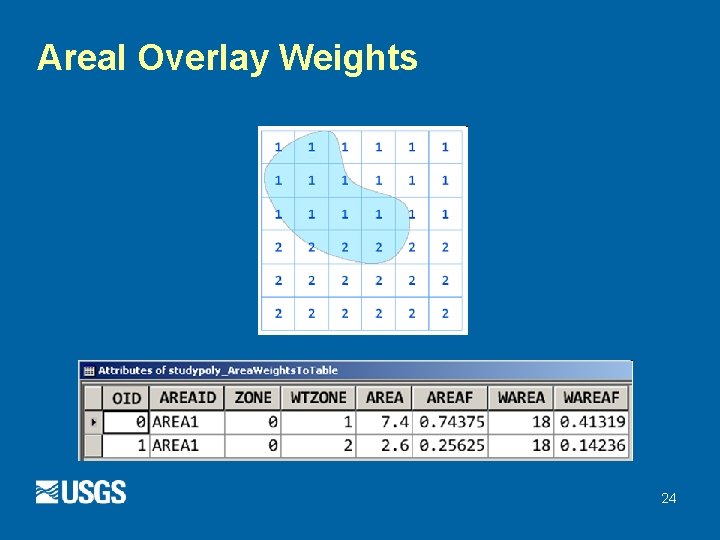
Areal Overlay Weights 24
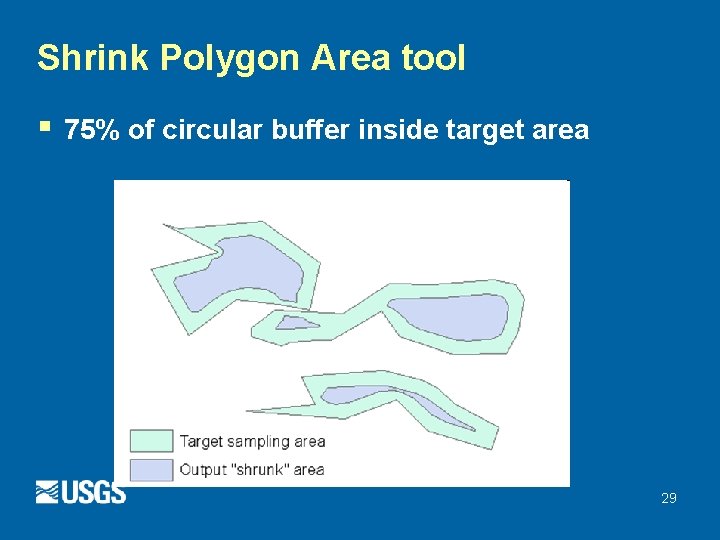
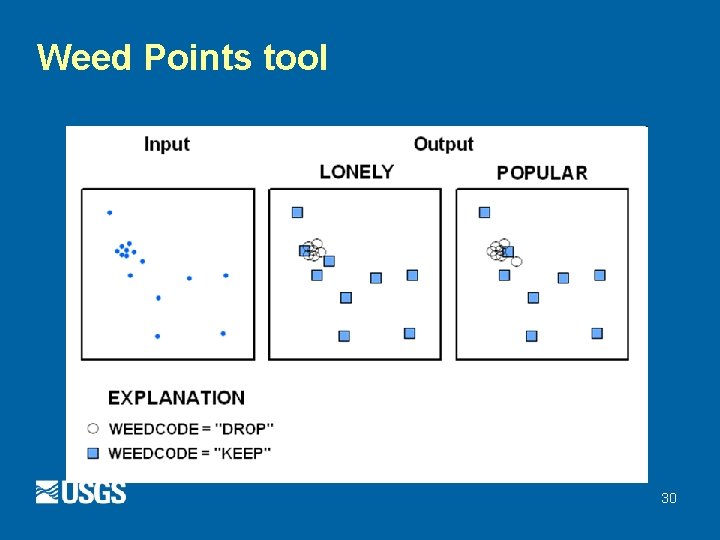
So, why these tools? § Standardized methods/tools § Resampling § Overlay processing § Other geospatial processing § Aggregation § Thinning § Shrinking 25
Control of resampling Results with Cell Size: Default (value raster cell size) Record 1 AREAID AREAFEAT VALUE 1 NCELLS 10 AREA 10. 000 MIN 0. 9 MAX 7. 1 MEAN 3. 2 Results with Cell Size: 0. 25 (input resampled) Record 1 AREAID AREAFEAT VALUE 1 NCELLS 172 AREA 10. 750 MIN 0. 4 MAX 8. 9 MEAN 3. 5 26
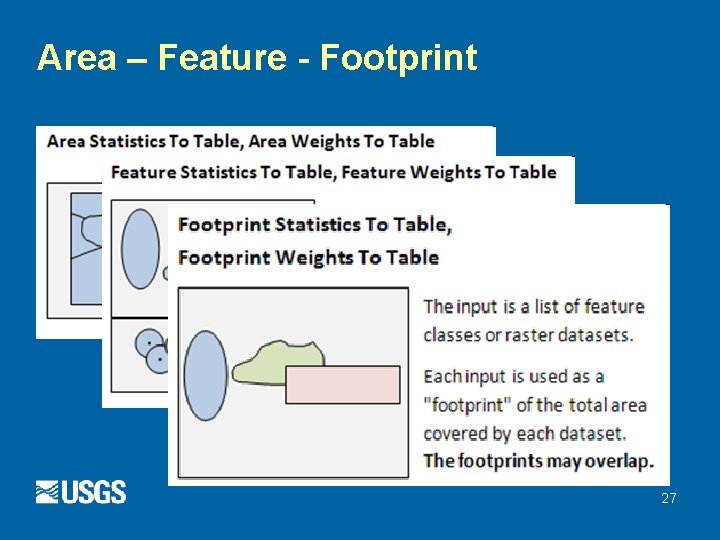
Area – Feature - Footprint 27
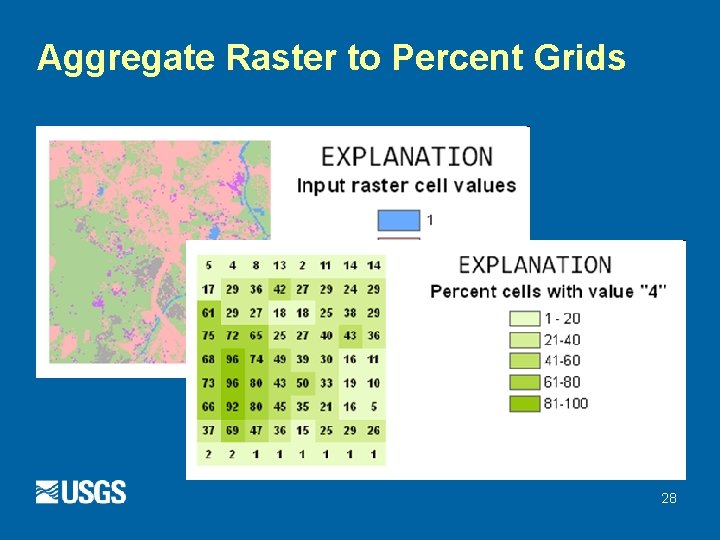
Aggregate Raster to Percent Grids 28
Shrink Polygon Area tool § 75% of circular buffer inside target area 29
Weed Points tool 30
Future plans § § Testing 10. x version, robustness Scott’s SAMPLE. AML § USGS WRI 90 -4101 § Current version - Arc. Info AML § Used extensively in NAWQA studies § http: //privusgs 2. er. usgs. gov/x/n 4 Ct § Re-code using Arc. GIS technology 31
Toolbox 32