
Analyzing Application Performance in Arup Nanda RAC Starwood






![TRCSESS • The utility has many options trcsess [output=<output file name >] [session=<session ID>]](https://slidetodoc.com/presentation_image_h2/a93cf6ebfc6c1ffe51a14ff491fb2d7f/image-19.jpg "TRCSESS • The utility has many options trcsess [output=<output file name >] [session=<session ID>]")






- Slides: 33
Analyzing Application Performance in Arup Nanda RAC Starwood Hotels
Why Analyze • “The Database is Slow”! – Storage, CPU, memory, runqueues all affect the performance – Know what specifically is causing them to be slow • To build a profile of the application • To check scalability – You have developed against non-RAC • Will it scale up in RAC? – Currently it runs with 100 users • What will happen if we have 1000? • Effective Tuning – take a baseline before some tuning exercise – re-measure to see if the tuning was effective – check the resource usage of applications 2
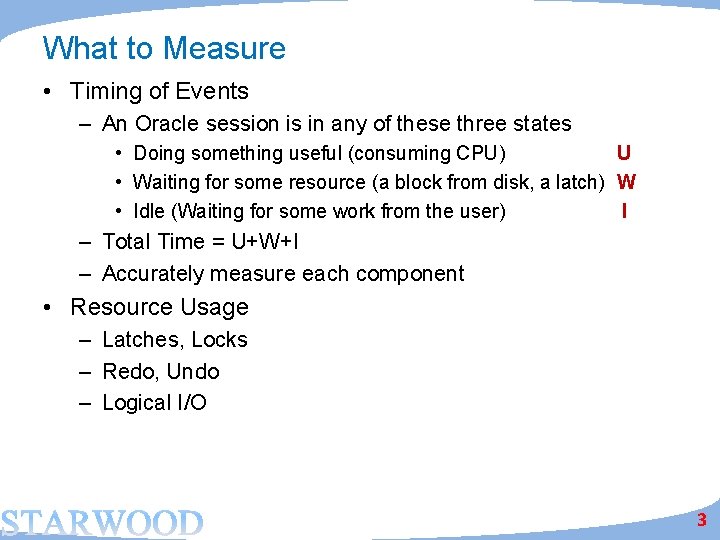
What to Measure • Timing of Events – An Oracle session is in any of these three states • Doing something useful (consuming CPU) U • Waiting for some resource (a block from disk, a latch) W • Idle (Waiting for some work from the user) I – Total Time = U+W+I – Accurately measure each component • Resource Usage – Latches, Locks – Redo, Undo – Logical I/O 3
Inter-instance Round Trip Times Requesting Instance Network Receiving Instance process for block round-trip time xtfr + n/w latency processing msg process block send xtfr + n/w latency wait for block receive block 4
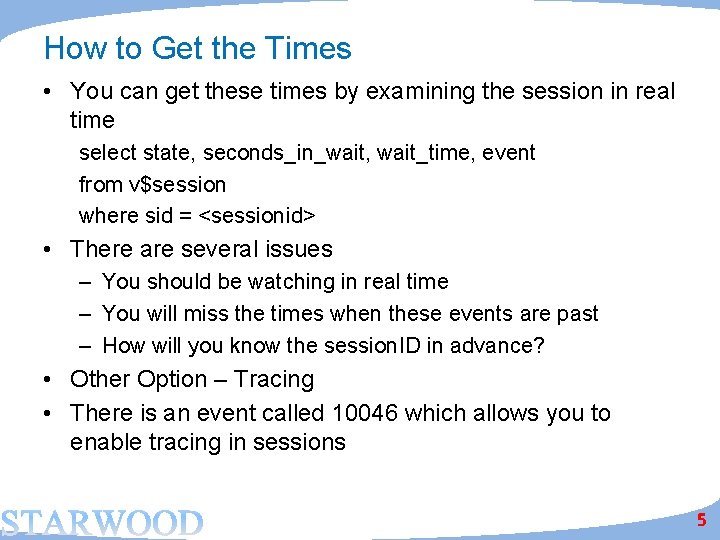
How to Get the Times • You can get these times by examining the session in real time select state, seconds_in_wait, wait_time, event from v$session where sid = <sessionid> • There are several issues – You should be watching in real time – You will miss the times when these events are past – How will you know the session. ID in advance? • Other Option – Tracing • There is an event called 10046 which allows you to enable tracing in sessions 5
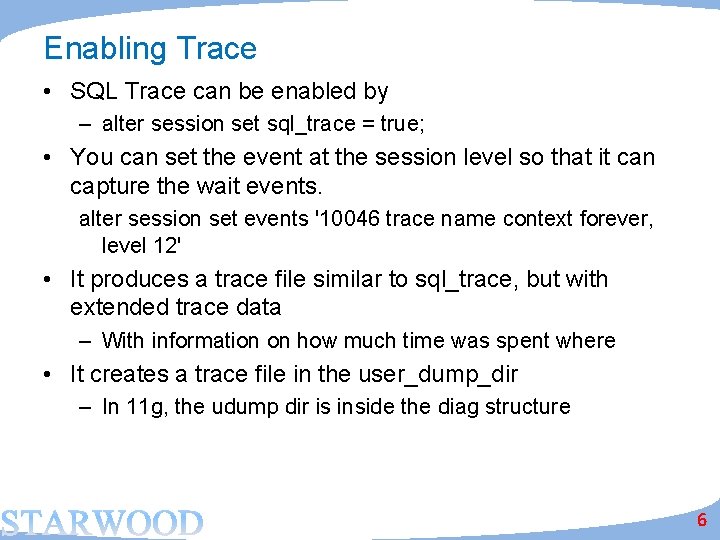
Enabling Trace • SQL Trace can be enabled by – alter session set sql_trace = true; • You can set the event at the session level so that it can capture the wait events. alter session set events '10046 trace name context forever, level 12' • It produces a trace file similar to sql_trace, but with extended trace data – With information on how much time was spent where • It creates a trace file in the user_dump_dir – In 11 g, the udump dir is inside the diag structure 6
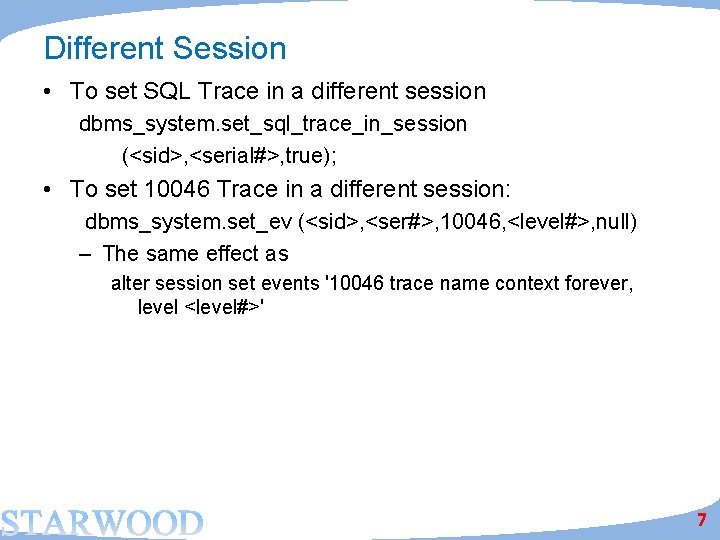
Different Session • To set SQL Trace in a different session dbms_system. set_sql_trace_in_session (<sid>, <serial#>, true); • To set 10046 Trace in a different session: dbms_system. set_ev (<sid>, <ser#>, 10046, <level#>, null) – The same effect as alter session set events '10046 trace name context forever, level <level#>' 7
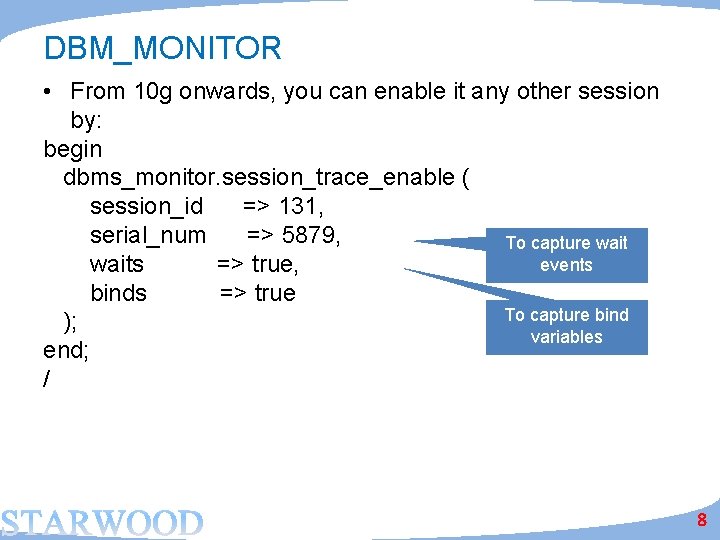
DBM_MONITOR • From 10 g onwards, you can enable it any other session by: begin dbms_monitor. session_trace_enable ( session_id => 131, serial_num => 5879, To capture wait events waits => true, binds => true To capture bind ); variables end; / 8
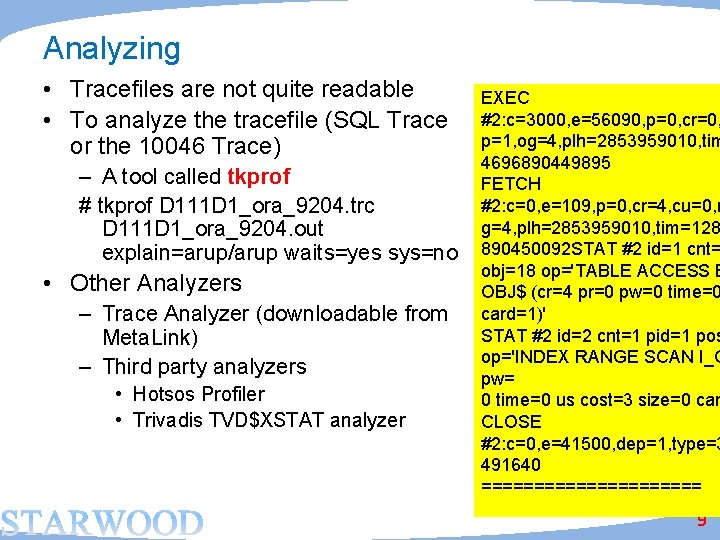
Analyzing • Tracefiles are not quite readable • To analyze the tracefile (SQL Trace or the 10046 Trace) – A tool called tkprof # tkprof D 111 D 1_ora_9204. trc D 111 D 1_ora_9204. out explain=arup/arup waits=yes sys=no • Other Analyzers – Trace Analyzer (downloadable from Meta. Link) – Third party analyzers • Hotsos Profiler • Trivadis TVD$XSTAT analyzer EXEC #2: c=3000, e=56090, p=0, cr=0, p=1, og=4, plh=2853959010, tim 4696890449895 FETCH #2: c=0, e=109, p=0, cr=4, cu=0, m g=4, plh=2853959010, tim=128 890450092 STAT #2 id=1 cnt= obj=18 op='TABLE ACCESS B OBJ$ (cr=4 pr=0 pw=0 time=0 card=1)' STAT #2 id=2 cnt=1 pid=1 pos op='INDEX RANGE SCAN I_O pw= 0 time=0 us cost=3 size=0 car CLOSE #2: c=0, e=41500, dep=1, type=3 491640 =========== 9
Trace Analyzer • A much better tool to analyze trace files. • Refer to Meta. Link Doc 224270. 1 for download and instructions on use • A small zip file, with bunch of directories • Connect as SYS and run tacreate. sql to create the Trace Analyzer schema (TRCANLZR) • Run it cd trca/run sqlplus trcanlzr/trcanlzr @trcanlzr <tracefile name in udump dir> 10
Output Value passed to trcanlzr. sql: ~~~~~~~~~~~~~~ TRACE_FILENAME: D 111 D 1_ora_9205. trc. . . analyzing D 111 D 1_ora_9205. trc Trace Analyzer completed. Review first trcanlzr_error. log file for possible fatal errors. Review next trcanlzr_22881. log for parsing messages and totals. . copying now generated files into local directory TKPROF: Release 11. 1. 0. 7. 0 - Production on Wed Oct 28 11: 45: 05 2009 Copyright (c) 1982, 2007, Oracle. All rights reserved. adding: trcanlzr_22881_c. html (deflated 90%) adding: trcanlzr_22881_c. log (deflated 82%) adding: trcanlzr_22881_c. txt (deflated 84%) adding: trcanlzr_22881. tkprof (deflated 85%) adding: trcanlzr_error. log (deflated 72%) test of trcanlzr_22881. zip OK These files are produced in the local directory . . . trcanlzr_22881. zip has been created TRCANLZR completed. 11
Trace Analyzer • It generates – – The log file of the run. Scan for errors. The tkprof output of the trace file The analysis in text format The analysis in html format 12
The Connection Pool Effect Connection Pool • Most applications use connection pool • A “pool” of connections connected to the database • When the demand on the connection from the pool grows, the pool creates new database sessions • When the demand lessens, the sessions are disconnected • The SID is not known Session 1 Session 2 DB Session 3 13
Enabling Tracing in Future Sessions • Service Names start tracing when any session connected with that service name will be traced begin dbms_monitor. serv_mod_act_trace_enable ( service_name => 'APP', action_name => dbms_monitor. all_actions, waits => true, Warning: This is case binds => true sensitive; so “app” and “APP” are ); different. end; • This will trace any session connected with service_name APP • Even future sessions! 14
What’s Special About RAC Connection Pool • Multiple Instances multiple hosts • The tracefiles are on different hosts • Application connect through a connection pool Session 1 Tracefile generated here Node 1 Session 2 Session 3 Node 2 Tracefile generated here 15
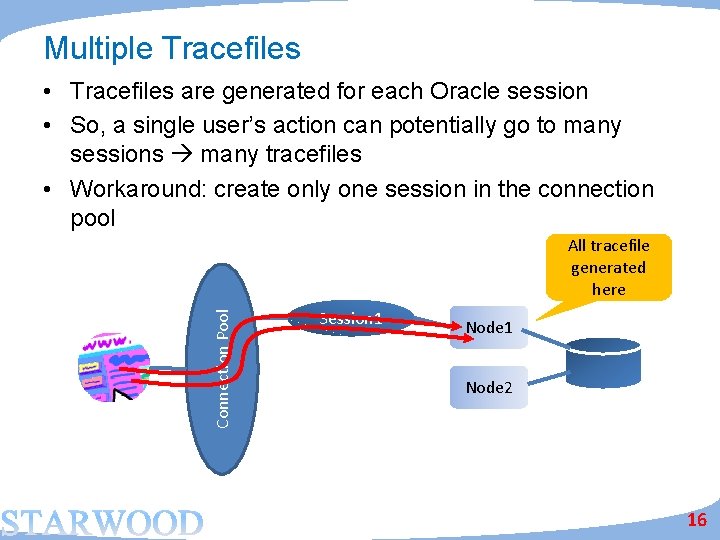
Multiple Tracefiles • Tracefiles are generated for each Oracle session • So, a single user’s action can potentially go to many sessions many tracefiles • Workaround: create only one session in the connection pool Connection Pool All tracefile generated here Session 1 Node 2 16
Mixed Activities • But that does not solve the problem • The single Oracle session will service activities of many users • So the tracefile will have activities of all users; not just the user you are interested in. User B Connection Pool User A A single tracefile is generated here for all users Session 1 Node 2 17
Consolidation of Tracefiles • The trcsess utility comes handy in that case – It combines all tracefiles into one! trcsess output=alltraces. trc service=app *. trc – It creates the tracefile alltraces. trc from all the tracefiles in that directory where activities by all sessions connected with the app service • Now you can treat this new tracefile as a regular tracefile. $ tkprof alltraces. trc alltraces. out sys=no … 18
TRCSESS • The utility has many options trcsess [output=<output file name >] [session=<session ID>] [clientid=<clientid>] [service=<service name>] [action=<action name>] [module=<module name>] <trace file names> output=<output file name> output destination default being standard output. session=<session Id> session to be traced. Session id is a combination of SID and Serial# e. g. 8. 13. clientid=<clientid> clientid to be traced. service=<service name> service to be traced. action=<action name> action to be traced. module=<module name> module to be traced. 19
Other Profiles • So far we talked about timings of various activities • Applications consume resources – Buffers (consistent gets) • Which in turn drives the I/O up – – Latches (cache buffer chains, library cache, etc. ) Locks CPU Redo Generation • All these resources affect the scalability of the applications – Especially in RAC • You need to measure these resource stats as well 20
ab al le yp ilit alab Sc Many develop apps against a database running on their laptops; deem the performance acceptable and assume that the performance will be similar in a multi-user system! tab c i d re sc un Response Time le Scalability Perfectly scalable Number of Sessions 21
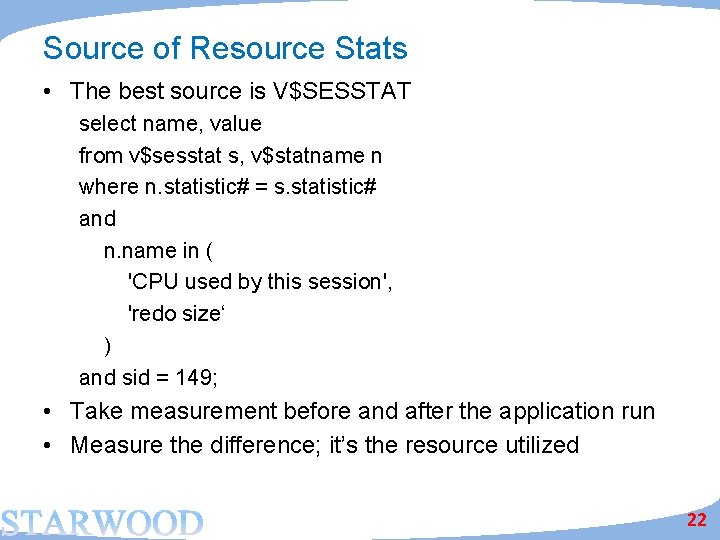
Source of Resource Stats • The best source is V$SESSTAT select name, value from v$sesstat s, v$statname n where n. statistic# = s. statistic# and n. name in ( 'CPU used by this session', 'redo size‘ ) and sid = 149; • Take measurement before and after the application run • Measure the difference; it’s the resource utilized 22
Runstats Package • Tom Kyte has an excellent package that can automate this for you. – http: //asktom. oracle. com/pls/asktom/ASKTOM. download_fi le? p_file=6551378329289980701 • This allows you to build a test harness 1. 2. 3. 4. 5. SQL> exec run. Stats_pkg. rs_start; Run the application SQL> exec run. Stats_pkg. rs_middle; Run the application (changed) SQL> exec run. Stats_pkg. rs_stop; • It shows the difference between the two runs for latches and statistics 23
Output NAME VALUE ------------------------------LATCH. enqueue hash chains 1, 579 LATCH. row cache objects 1, 678 STAT. . . bytes received via SQL*Net from client 1, 935 LATCH. cache buffers chains 3, 688 STAT. . . undo change vector size 4, 420 STAT. . . bytes sent via SQL*Net to client 4, 560 STAT. . . Elapsed Time 6, 900 STAT. . . table scan rows gotten 8, 002 STAT. . . redo size 70, 944 STAT. . . session uga memory max 131, 036 STAT. . . session pga memory max 131, 072 • Shows the resources have been consumed – latches and other stats. • Remember –latches are not for this session; they are systemwide. So, if you have other sessions running right now, you will not be able to see the effects of this session alone on latches. 24
What about Future Sessions • Another procedure in DBMS_MONITOR begin dbms_monitor. client_id_stat_enable('CLIENT 1'); end; • It enables statistics collection for all client calls with client identifier CLIENT 1 • You set the client identifier by begin dbms_session. set_identifier('CLIENT 1'); end; 25
Recording of Stats • The stats are exposed through V$CLIENT_STATS SQL> desc v$client_stats Name Null? Type ---------------CLIENT_IDENTIFIER VARCHAR 2(64) STAT_ID NUMBER STAT_NAME VARCHAR 2(64) VALUE NUMBER • The stats are aggregated, i. e. all the stats are for a specific client_identifier; not individual sessions • A subset of the stats; not all 26
V$CLIENT_STATS SQL> select stat_name, value 2 from v$client_stats 3 where client_identifier = 'CLIENT 1'; STAT_NAME VALUE --------------------user calls 4 DB time 2614 DB CPU 4000 parse count (total) 5. . . application wait time 0 Only 27 stats were user I/O wait time 0 not all. captured; 27 rows selected. 27
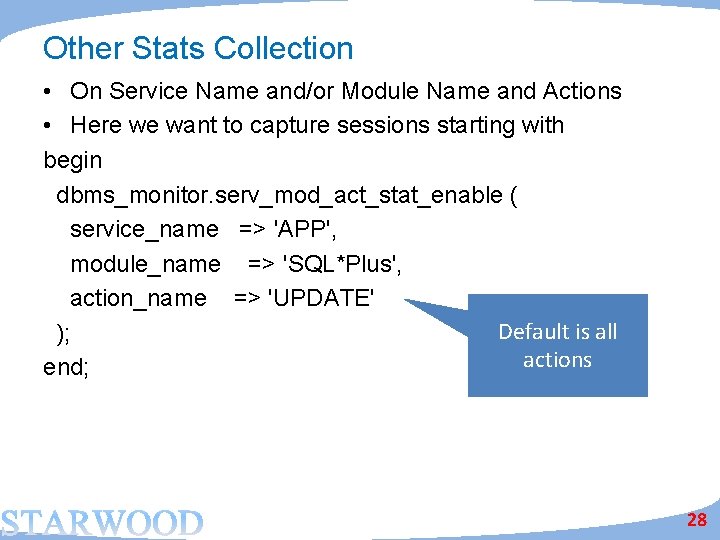
Other Stats Collection • On Service Name and/or Module Name and Actions • Here we want to capture sessions starting with begin dbms_monitor. serv_mod_act_stat_enable ( service_name => 'APP', module_name => 'SQL*Plus', action_name => 'UPDATE' Default is all ); actions end; 28
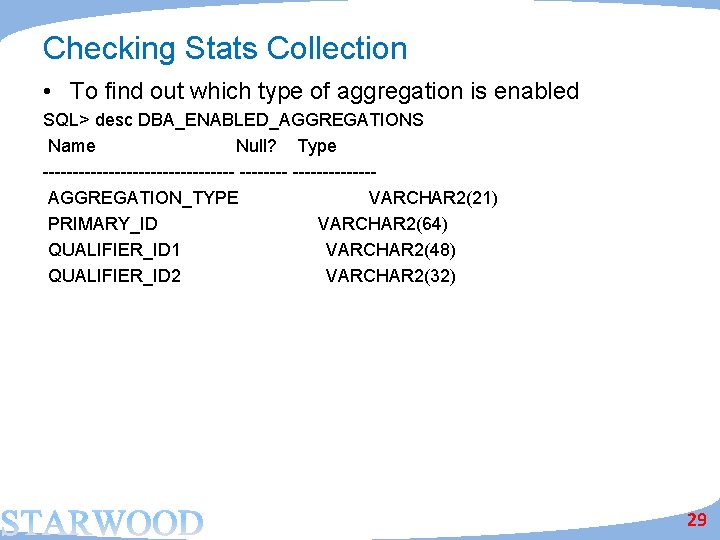
Checking Stats Collection • To find out which type of aggregation is enabled SQL> desc DBA_ENABLED_AGGREGATIONS Name Null? Type ----------------AGGREGATION_TYPE VARCHAR 2(21) PRIMARY_ID VARCHAR 2(64) QUALIFIER_ID 1 VARCHAR 2(48) QUALIFIER_ID 2 VARCHAR 2(32) 29
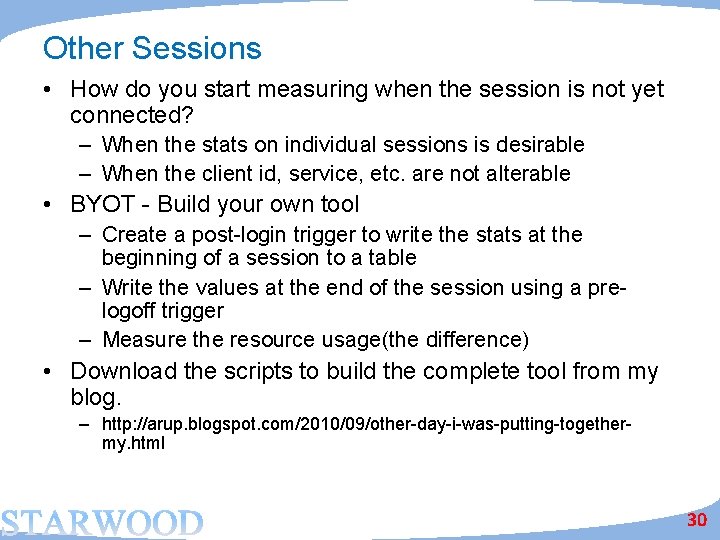
Other Sessions • How do you start measuring when the session is not yet connected? – When the stats on individual sessions is desirable – When the client id, service, etc. are not alterable • BYOT - Build your own tool – Create a post-login trigger to write the stats at the beginning of a session to a table – Write the values at the end of the session using a prelogoff trigger – Measure the resource usage(the difference) • Download the scripts to build the complete tool from my blog. – http: //arup. blogspot. com/2010/09/other-day-i-was-putting-togethermy. html 30
Inference from Resource Usage • Watch out for stats that increase with load – Redo size • More the redo, more time for I/O and redo latches – Session Logical Reads • More I/O, indicates more buffers • More inter-instance locking, messaging • DW environment: more buffer flush – Cache Buffer Chain Latch • More latching more CPU usage – If these stats and latches are high, the application will scale negatively – If you test in a small environment, you must measure it to test its scalability on a much bigger system. 31
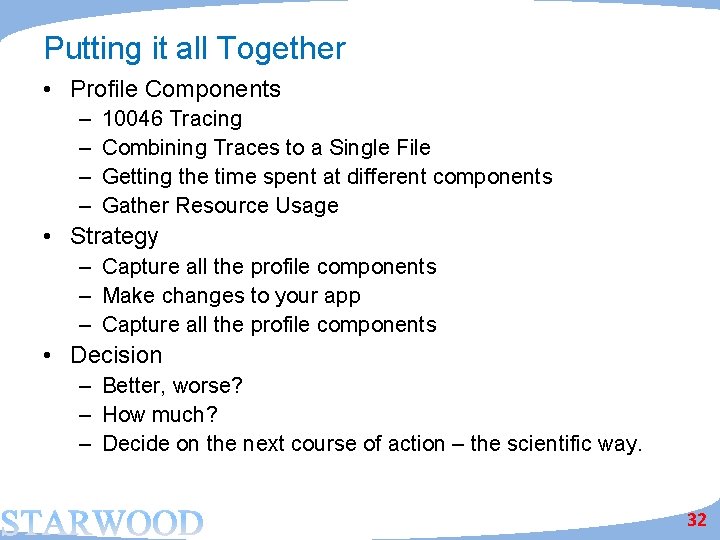
Putting it all Together • Profile Components – – 10046 Tracing Combining Traces to a Single File Getting the time spent at different components Gather Resource Usage • Strategy – Capture all the profile components – Make changes to your app – Capture all the profile components • Decision – Better, worse? – How much? – Decide on the next course of action – the scientific way. 32
Thank You! Questions? Email: arup@proligence. com Blog: arup@blogspot. com 33