
An Introduction to XML and Web Technologies Schema
An Introduction to XML and Web Technologies Schema Languages
Objectives The purpose of using schemas The schema languages DTD and XML Schema (and DSD 2 and RELAX NG) Regular expressions – a commonly used formalism in schema languages An Introduction to XML and Web 2
Motivation We have designed our Recipe Markup Language . . . but so far only informally described its syntax How can we make tools that check that an XML document is a syntactically correct Recipe Markup Language document (and thus meaningful)? Implementing a specialized validation tool for Recipe Markup Language is not the solution. . . An Introduction to XML and Web 3
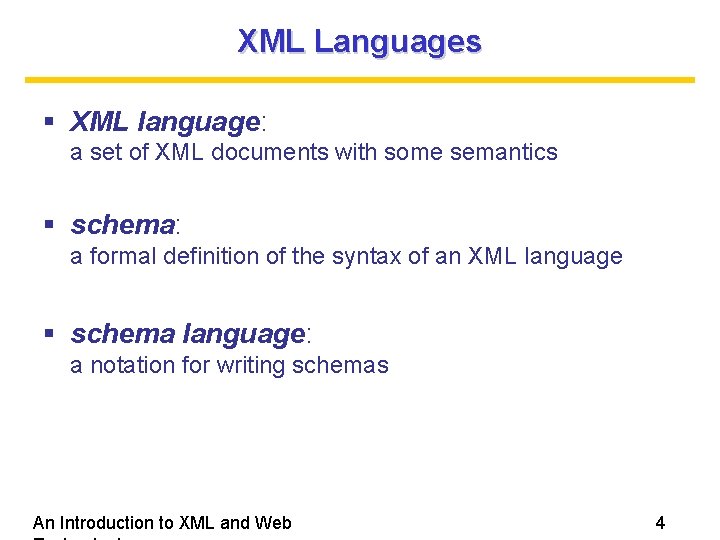
XML Languages XML language: a set of XML documents with some semantics schema: a formal definition of the syntax of an XML language schema language: a notation for writing schemas An Introduction to XML and Web 4
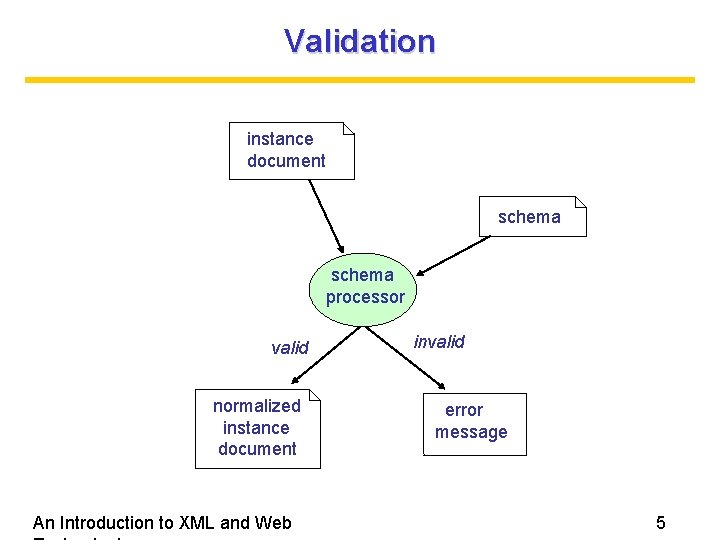
Validation instance document schema processor valid normalized instance document An Introduction to XML and Web invalid error message 5

Why use Schemas? Formal but human-readable descriptions Data validation can be performed with existing schema processors An Introduction to XML and Web 6
General Requirements Expressiveness Efficiency Comprehensibility An Introduction to XML and Web 7
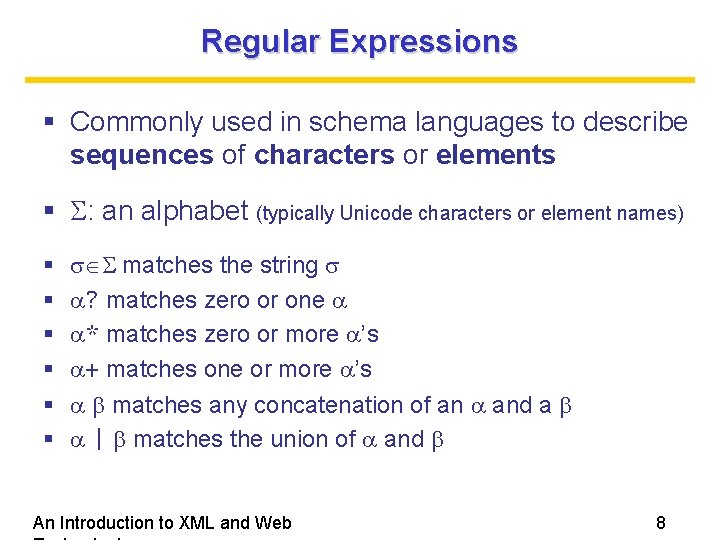
Regular Expressions Commonly used in schema languages to describe sequences of characters or elements : an alphabet (typically Unicode characters or element names) matches the string ? matches zero or one * matches zero or more ’s + matches one or more ’s matches any concatenation of an and a | matches the union of and An Introduction to XML and Web 8
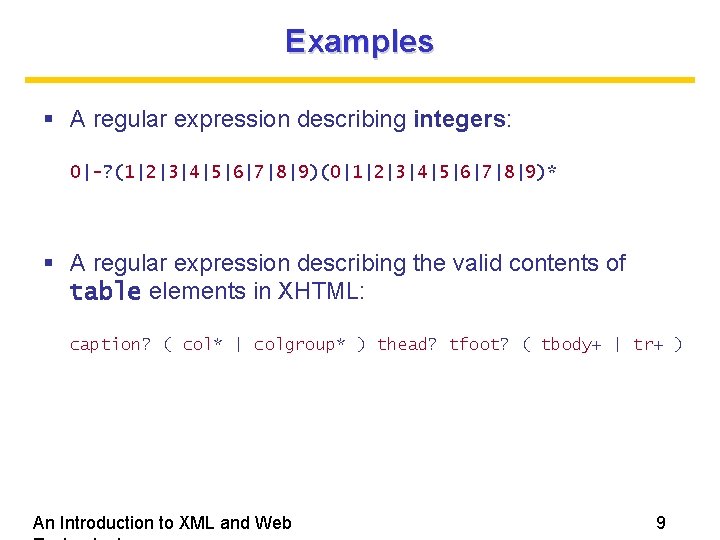
Examples A regular expression describing integers: 0|-? (1|2|3|4|5|6|7|8|9)(0|1|2|3|4|5|6|7|8|9)* A regular expression describing the valid contents of table elements in XHTML: caption? ( col* | colgroup* ) thead? tfoot? ( tbody+ | tr+ ) An Introduction to XML and Web 9
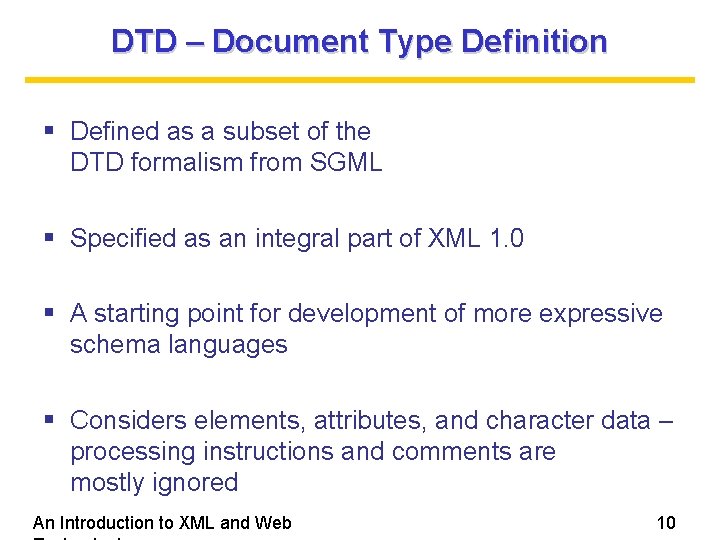
DTD – Document Type Definition Defined as a subset of the DTD formalism from SGML Specified as an integral part of XML 1. 0 A starting point for development of more expressive schema languages Considers elements, attributes, and character data – processing instructions and comments are mostly ignored An Introduction to XML and Web 10
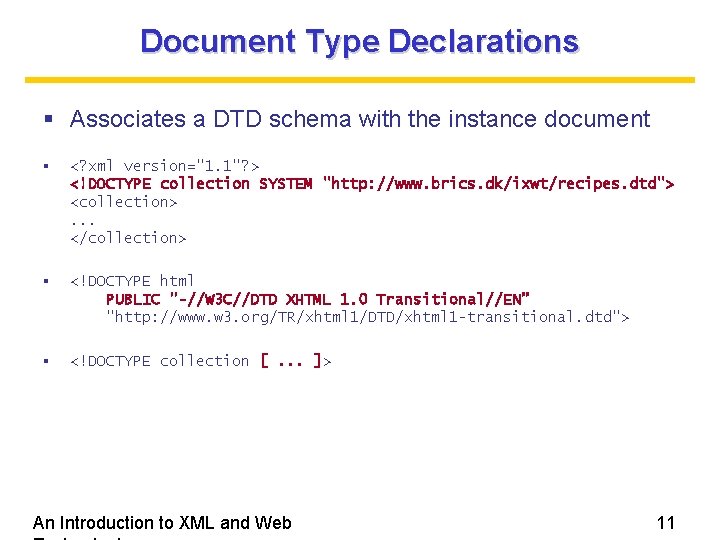
Document Type Declarations Associates a DTD schema with the instance document <? xml version="1. 1"? > <!DOCTYPE collection SYSTEM "http: //www. brics. dk/ixwt/recipes. dtd"> <collection>. . . </collection> <!DOCTYPE html PUBLIC "-//W 3 C//DTD XHTML 1. 0 Transitional//EN” "http: //www. w 3. org/TR/xhtml 1/DTD/xhtml 1 -transitional. dtd"> <!DOCTYPE collection [. . . ]> An Introduction to XML and Web 11
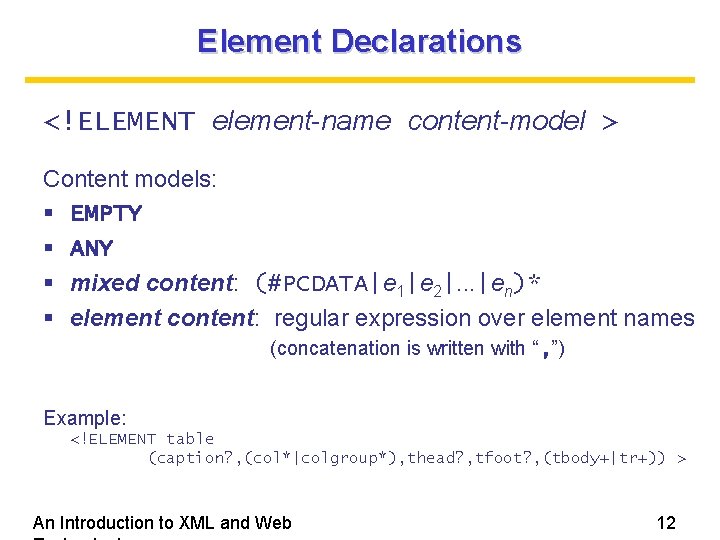
Element Declarations <!ELEMENT element-name content-model > Content models: EMPTY ANY mixed content: (#PCDATA|e 1|e 2|. . . |en)* element content: regular expression over element names (concatenation is written with “, ”) Example: <!ELEMENT table (caption? , (col*|colgroup*), thead? , tfoot? , (tbody+|tr+)) > An Introduction to XML and Web 12
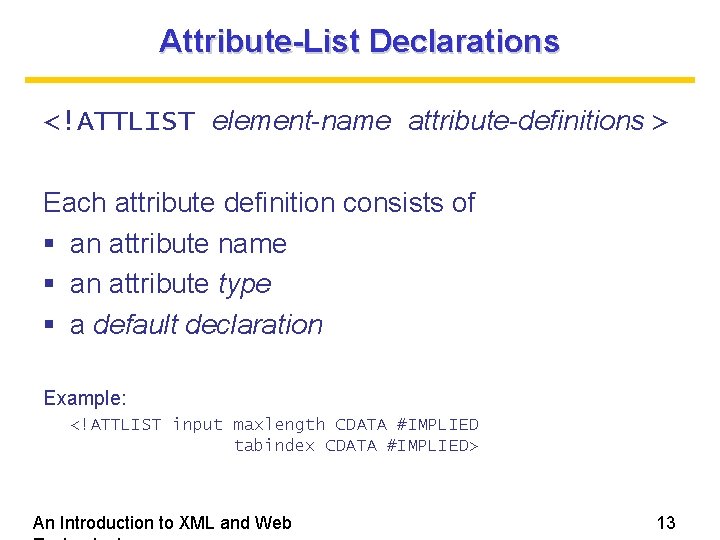
Attribute-List Declarations <!ATTLIST element-name attribute-definitions > Each attribute definition consists of an attribute name an attribute type a default declaration Example: <!ATTLIST input maxlength CDATA #IMPLIED tabindex CDATA #IMPLIED> An Introduction to XML and Web 13
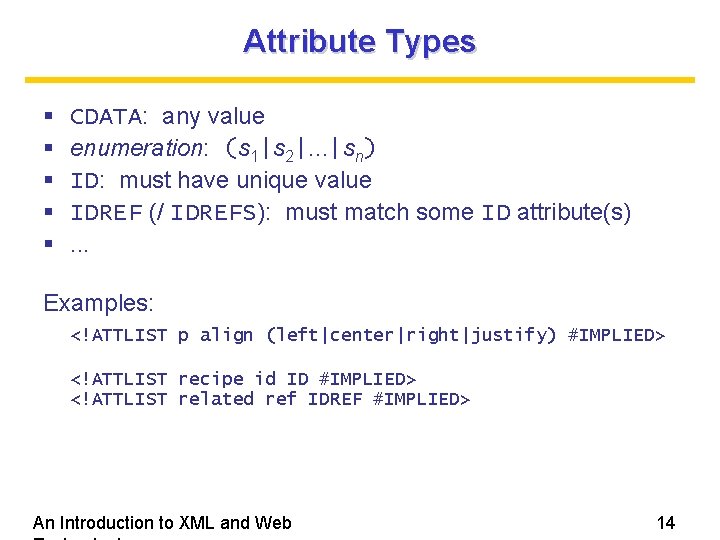
Attribute Types CDATA: any value enumeration: (s 1|s 2|. . . |sn) ID: must have unique value IDREF (/ IDREFS): must match some ID attribute(s). . . Examples: <!ATTLIST p align (left|center|right|justify) #IMPLIED> <!ATTLIST recipe id ID #IMPLIED> <!ATTLIST related ref IDREF #IMPLIED> An Introduction to XML and Web 14
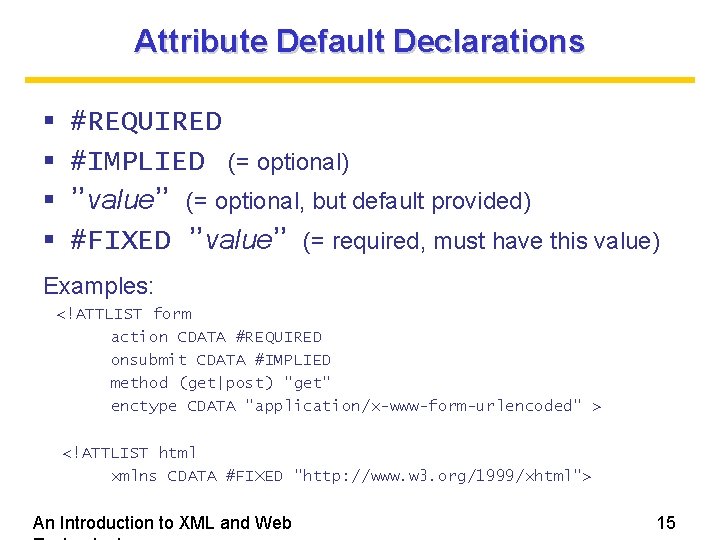
Attribute Default Declarations #REQUIRED #IMPLIED (= optional) ”value” (= optional, but default provided) #FIXED ”value” (= required, must have this value) Examples: <!ATTLIST form action CDATA #REQUIRED onsubmit CDATA #IMPLIED method (get|post) "get" enctype CDATA "application/x-www-form-urlencoded" > <!ATTLIST html xmlns CDATA #FIXED "http: //www. w 3. org/1999/xhtml"> An Introduction to XML and Web 15
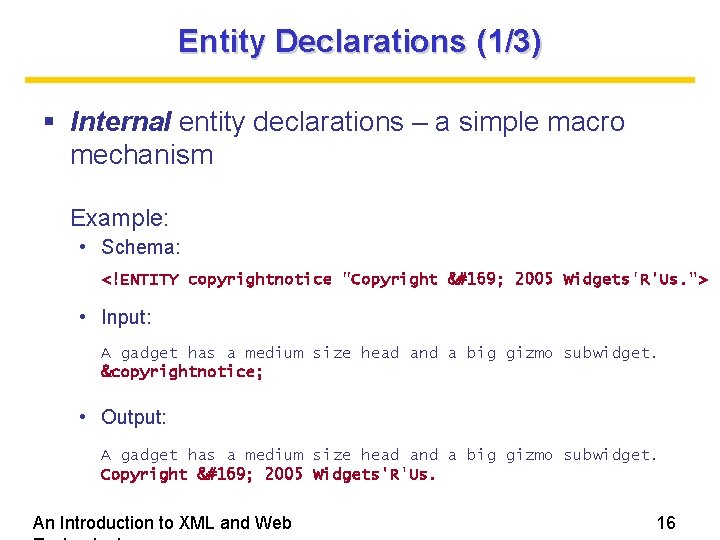
Entity Declarations (1/3) Internal entity declarations – a simple macro mechanism Example: • Schema: <!ENTITY copyrightnotice "Copyright © 2005 Widgets'R'Us. "> • Input: A gadget has a medium size head and a big gizmo subwidget. ©rightnotice; • Output: A gadget has a medium size head and a big gizmo subwidget. Copyright © 2005 Widgets'R'Us. An Introduction to XML and Web 16
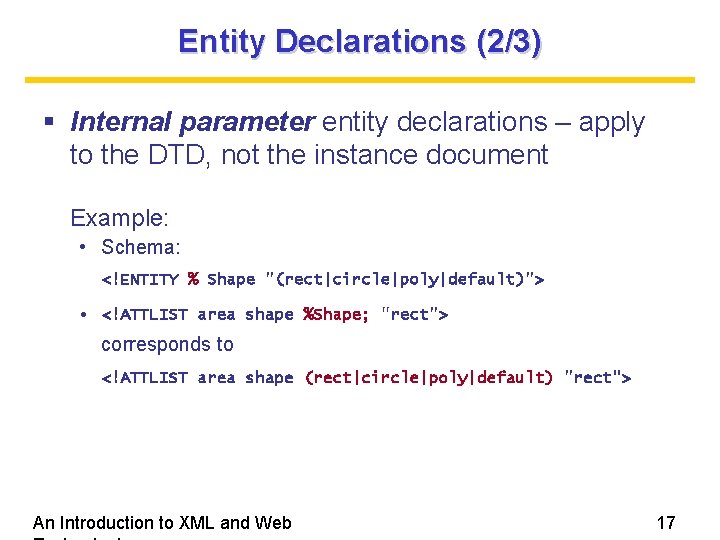
Entity Declarations (2/3) Internal parameter entity declarations – apply to the DTD, not the instance document Example: • Schema: <!ENTITY % Shape "(rect|circle|poly|default)"> • <!ATTLIST area shape %Shape; "rect"> corresponds to <!ATTLIST area shape (rect|circle|poly|default) "rect"> An Introduction to XML and Web 17
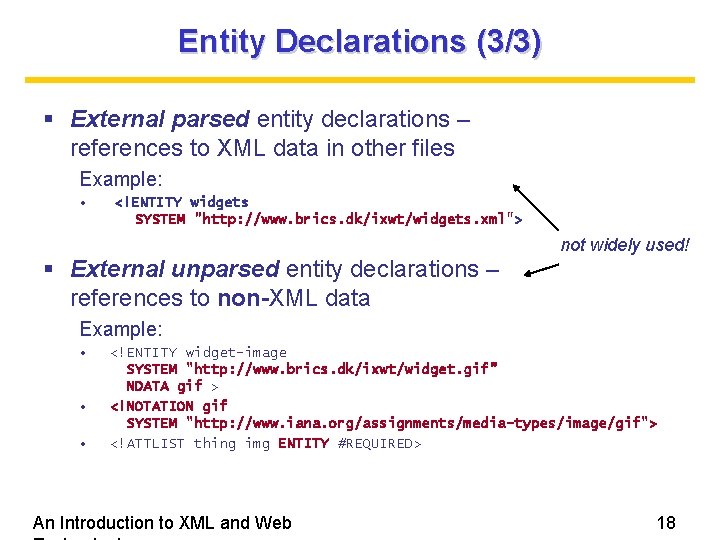
Entity Declarations (3/3) External parsed entity declarations – references to XML data in other files Example: • <!ENTITY widgets SYSTEM "http: //www. brics. dk/ixwt/widgets. xml"> External unparsed entity declarations – references to non-XML data not widely used! Example: • • • <!ENTITY widget-image SYSTEM "http: //www. brics. dk/ixwt/widget. gif” NDATA gif > <!NOTATION gif SYSTEM "http: //www. iana. org/assignments/media-types/image/gif"> <!ATTLIST thing img ENTITY #REQUIRED> An Introduction to XML and Web 18
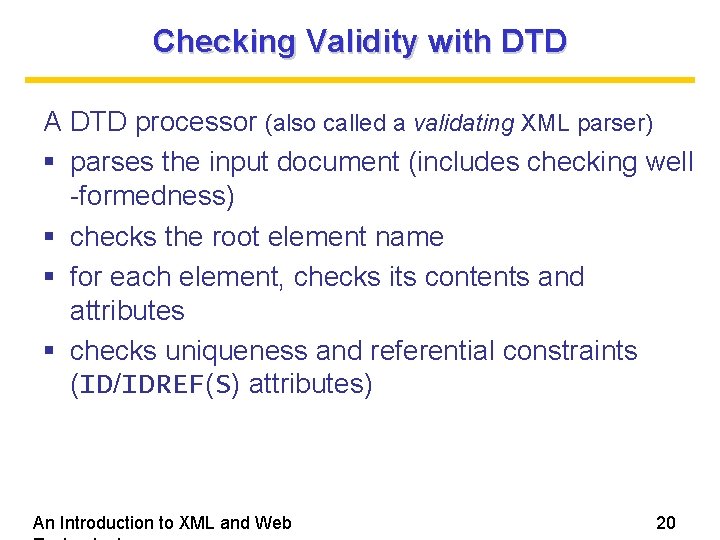
Checking Validity with DTD A DTD processor (also called a validating XML parser) parses the input document (includes checking well -formedness) checks the root element name for each element, checks its contents and attributes checks uniqueness and referential constraints (ID/IDREF(S) attributes) An Introduction to XML and Web 20
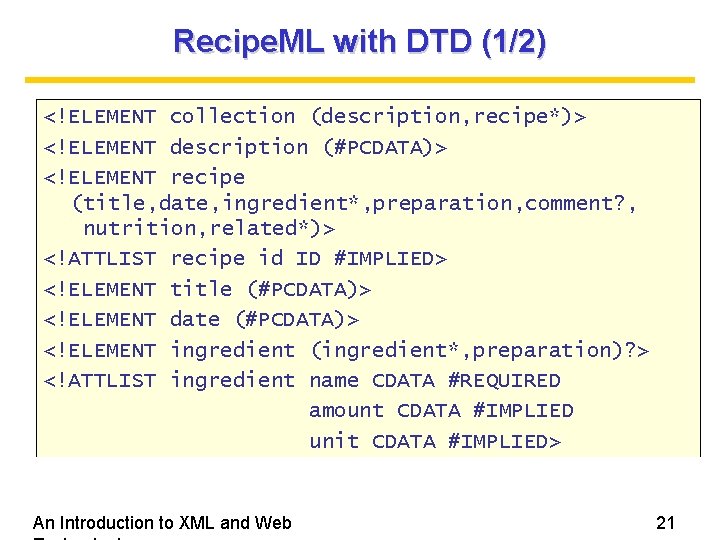
Recipe. ML with DTD (1/2) <!ELEMENT collection (description, recipe*)> <!ELEMENT description (#PCDATA)> <!ELEMENT recipe (title, date, ingredient*, preparation, comment? , nutrition, related*)> <!ATTLIST recipe id ID #IMPLIED> <!ELEMENT title (#PCDATA)> <!ELEMENT date (#PCDATA)> <!ELEMENT ingredient (ingredient*, preparation)? > <!ATTLIST ingredient name CDATA #REQUIRED amount CDATA #IMPLIED unit CDATA #IMPLIED> An Introduction to XML and Web 21
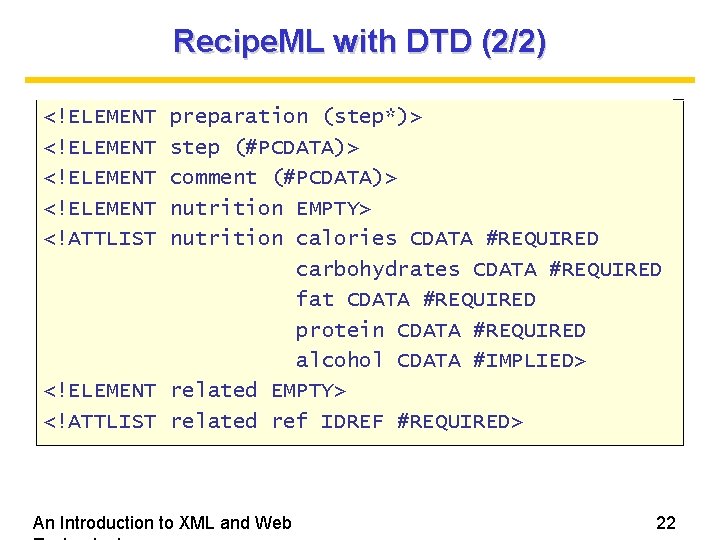
Recipe. ML with DTD (2/2) <!ELEMENT <!ATTLIST preparation (step*)> step (#PCDATA)> comment (#PCDATA)> nutrition EMPTY> nutrition calories CDATA #REQUIRED carbohydrates CDATA #REQUIRED fat CDATA #REQUIRED protein CDATA #REQUIRED alcohol CDATA #IMPLIED> <!ELEMENT related EMPTY> <!ATTLIST related ref IDREF #REQUIRED> An Introduction to XML and Web 22
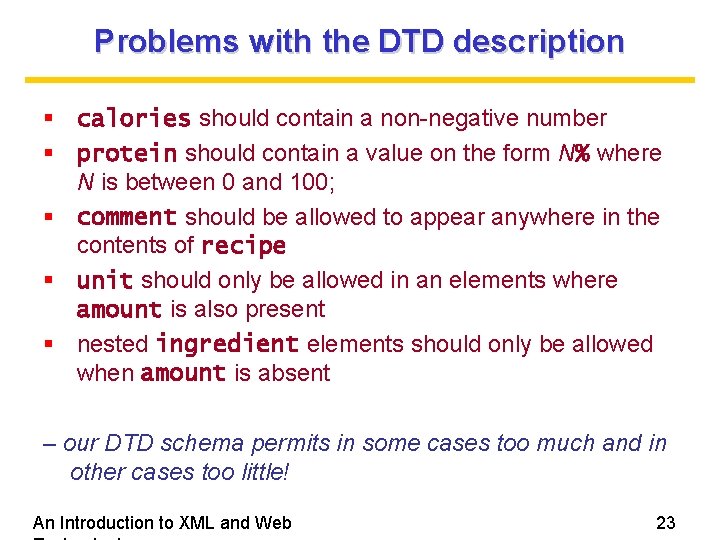
Problems with the DTD description calories should contain a non-negative number protein should contain a value on the form N% where N is between 0 and 100; comment should be allowed to appear anywhere in the contents of recipe unit should only be allowed in an elements where amount is also present nested ingredient elements should only be allowed when amount is absent – our DTD schema permits in some cases too much and in other cases too little! An Introduction to XML and Web 23
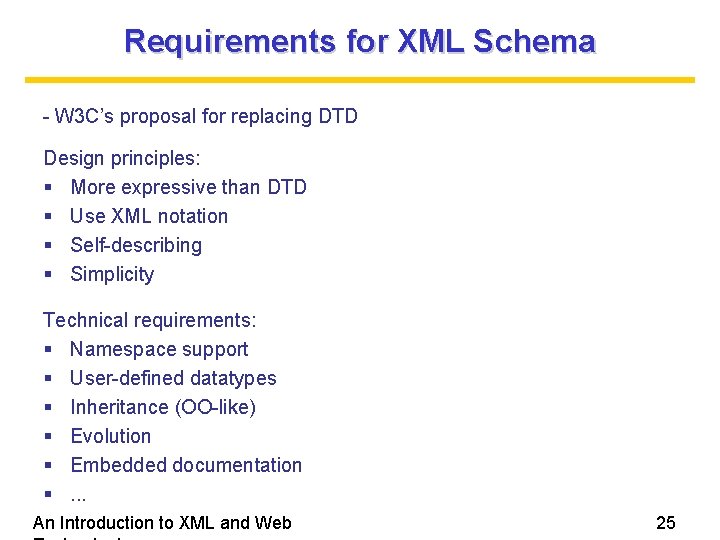
Requirements for XML Schema - W 3 C’s proposal for replacing DTD Design principles: More expressive than DTD Use XML notation Self-describing Simplicity Technical requirements: Namespace support User-defined datatypes Inheritance (OO-like) Evolution Embedded documentation . . . An Introduction to XML and Web 25
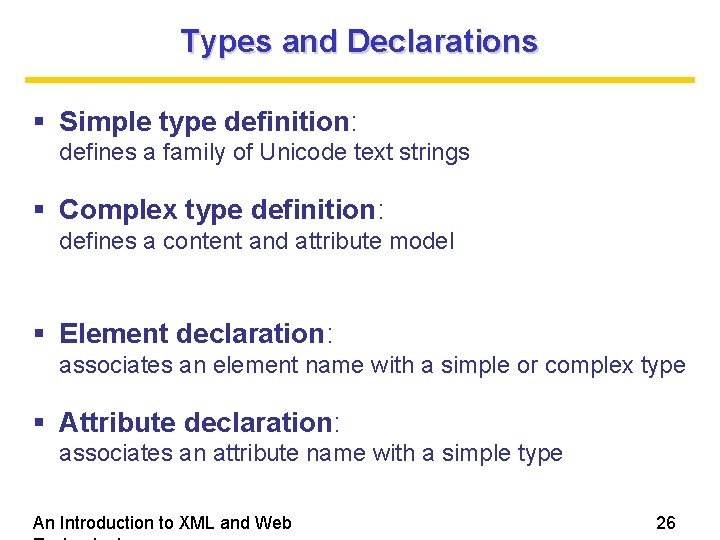
Types and Declarations Simple type definition: defines a family of Unicode text strings Complex type definition: defines a content and attribute model Element declaration: associates an element name with a simple or complex type Attribute declaration: associates an attribute name with a simple type An Introduction to XML and Web 26
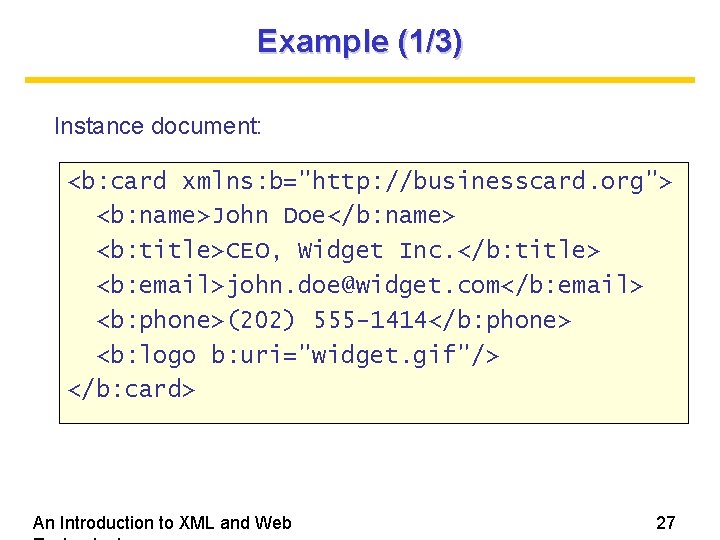
Example (1/3) Instance document: <b: card xmlns: b="http: //businesscard. org"> <b: name>John Doe</b: name> <b: title>CEO, Widget Inc. </b: title> <b: email>john. doe@widget. com</b: email> <b: phone>(202) 555 -1414</b: phone> <b: logo b: uri="widget. gif"/> </b: card> An Introduction to XML and Web 27
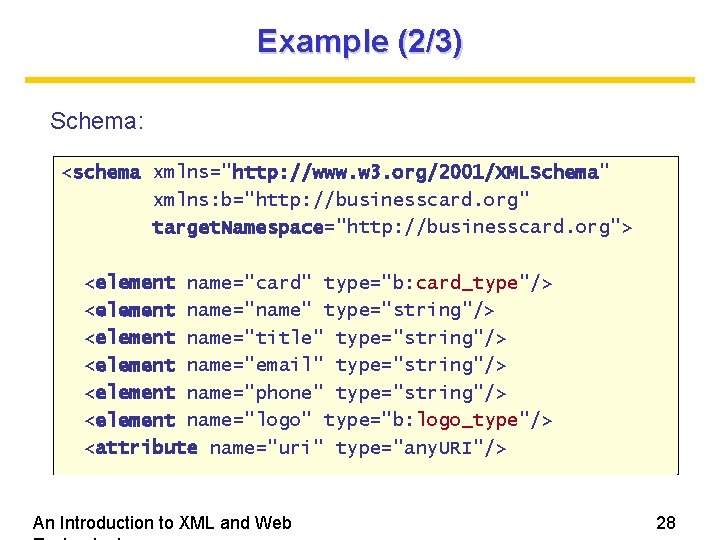
Example (2/3) Schema: <schema xmlns="http: //www. w 3. org/2001/XMLSchema" xmlns: b="http: //businesscard. org" target. Namespace="http: //businesscard. org"> <element name="card" type="b: card_type"/> <element name="name" type="string"/> <element name="title" type="string"/> <element name="email" type="string"/> <element name="phone" type="string"/> <element name="logo" type="b: logo_type"/> <attribute name="uri" type="any. URI"/> An Introduction to XML and Web 28
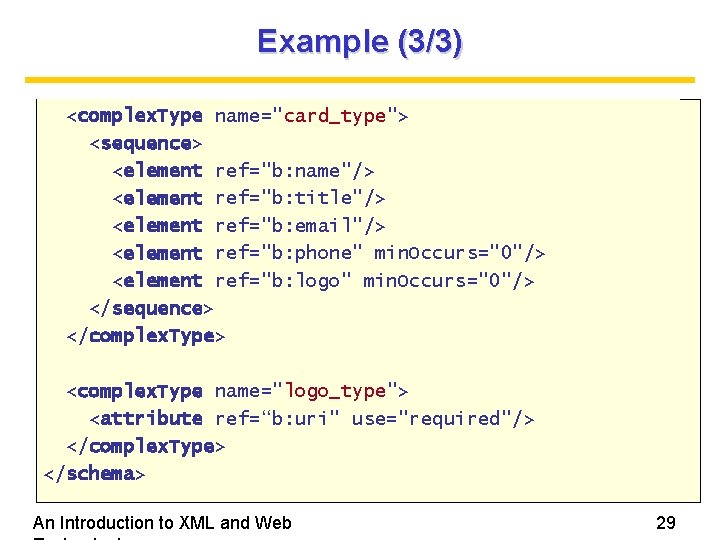
Example (3/3) <complex. Type name="card_type"> <sequence> <element ref="b: name"/> <element ref="b: title"/> <element ref="b: email"/> <element ref="b: phone" min. Occurs="0"/> <element ref="b: logo" min. Occurs="0"/> </sequence> </complex. Type> <complex. Type name="logo_type"> <attribute ref=“b: uri" use="required"/> </complex. Type> </schema> An Introduction to XML and Web 29
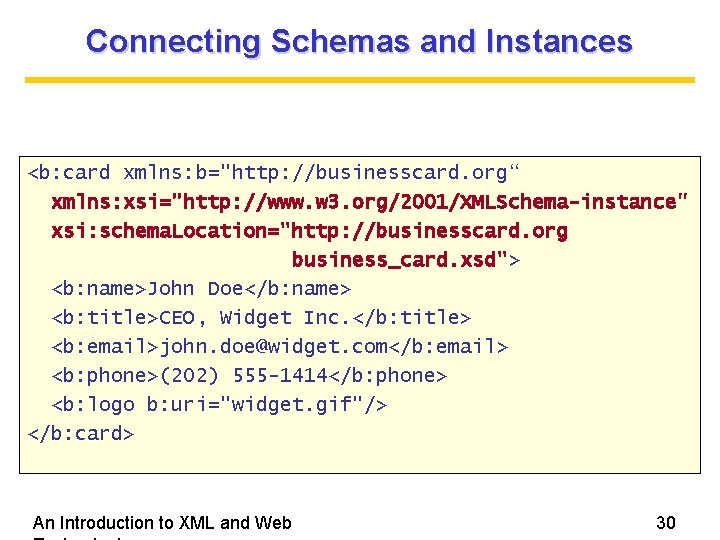
Connecting Schemas and Instances <b: card xmlns: b="http: //businesscard. org“ xmlns: xsi="http: //www. w 3. org/2001/XMLSchema-instance" xsi: schema. Location="http: //businesscard. org business_card. xsd"> <b: name>John Doe</b: name> <b: title>CEO, Widget Inc. </b: title> <b: email>john. doe@widget. com</b: email> <b: phone>(202) 555 -1414</b: phone> <b: logo b: uri="widget. gif"/> </b: card> An Introduction to XML and Web 30
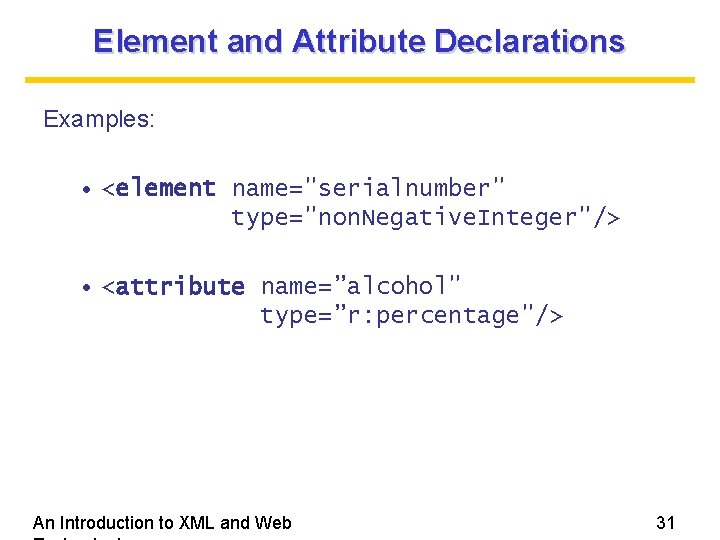
Element and Attribute Declarations Examples: • <element name="serialnumber" type="non. Negative. Integer"/> • <attribute name=”alcohol" type=”r: percentage"/> An Introduction to XML and Web 31
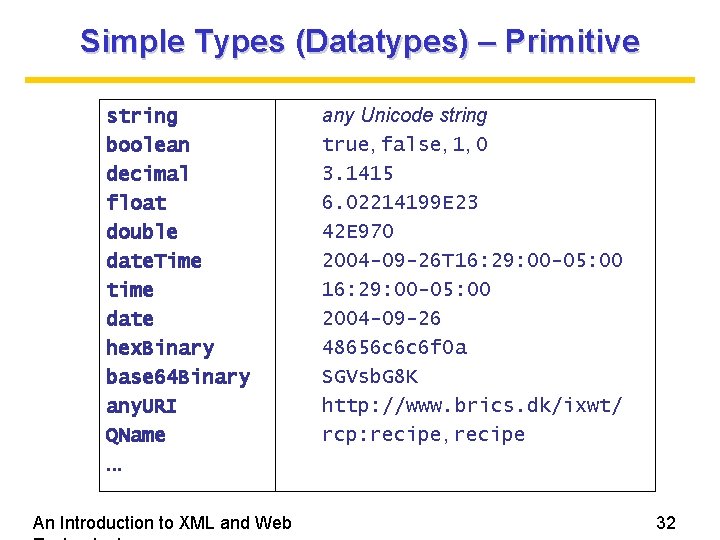
Simple Types (Datatypes) – Primitive string boolean decimal float double date. Time time date hex. Binary base 64 Binary any. URI QName. . . An Introduction to XML and Web any Unicode string true, false, 1, 0 3. 1415 6. 02214199 E 23 42 E 970 2004 -09 -26 T 16: 29: 00 -05: 00 2004 -09 -26 48656 c 6 c 6 f 0 a SGVsb. G 8 K http: //www. brics. dk/ixwt/ rcp: recipe, recipe 32
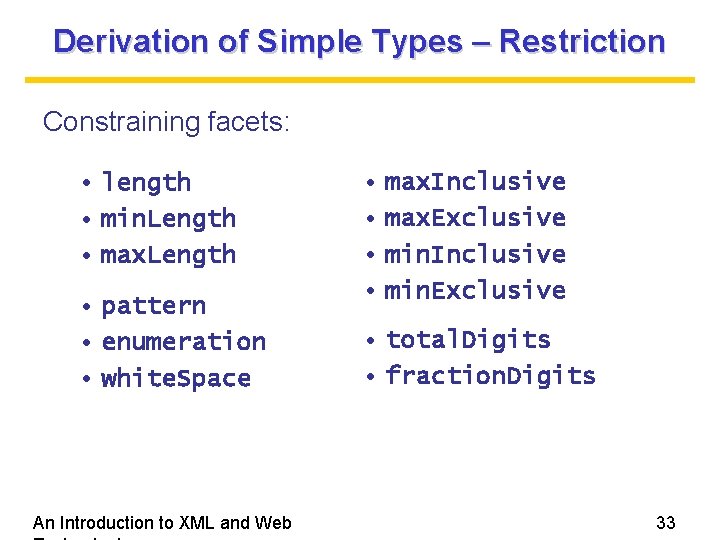
Derivation of Simple Types – Restriction Constraining facets: • length • min. Length • max. Length • pattern • enumeration • white. Space An Introduction to XML and Web • max. Inclusive • max. Exclusive • min. Inclusive • min. Exclusive • total. Digits • fraction. Digits 33
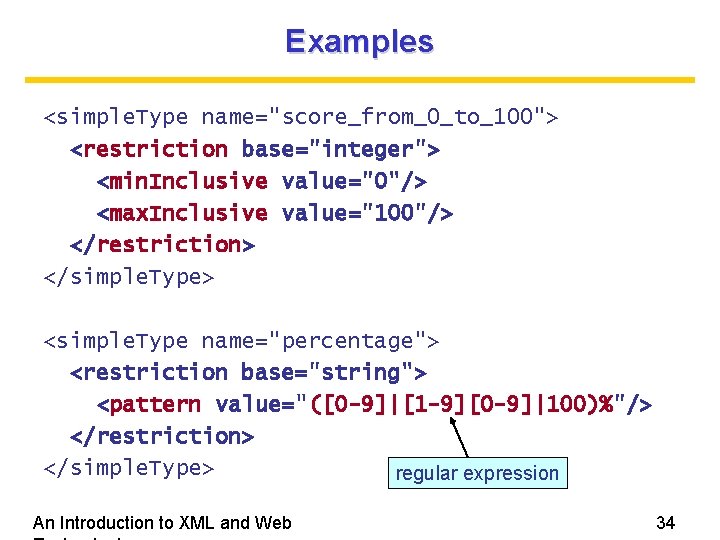
Examples <simple. Type name="score_from_0_to_100"> <restriction base="integer"> <min. Inclusive value="0"/> <max. Inclusive value="100"/> </restriction> </simple. Type> <simple. Type name="percentage"> <restriction base="string"> <pattern value="([0 -9]|[1 -9][0 -9]|100)%"/> </restriction> </simple. Type> regular expression An Introduction to XML and Web 34
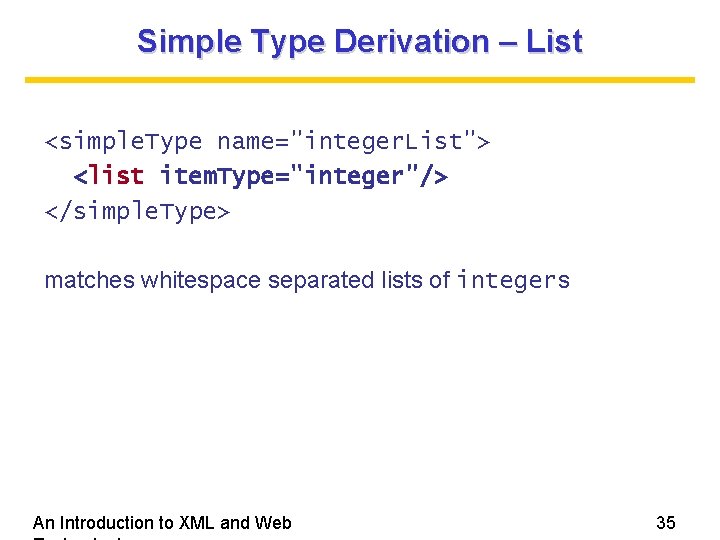
Simple Type Derivation – List <simple. Type name="integer. List"> <list item. Type="integer"/> </simple. Type> matches whitespace separated lists of integers An Introduction to XML and Web 35
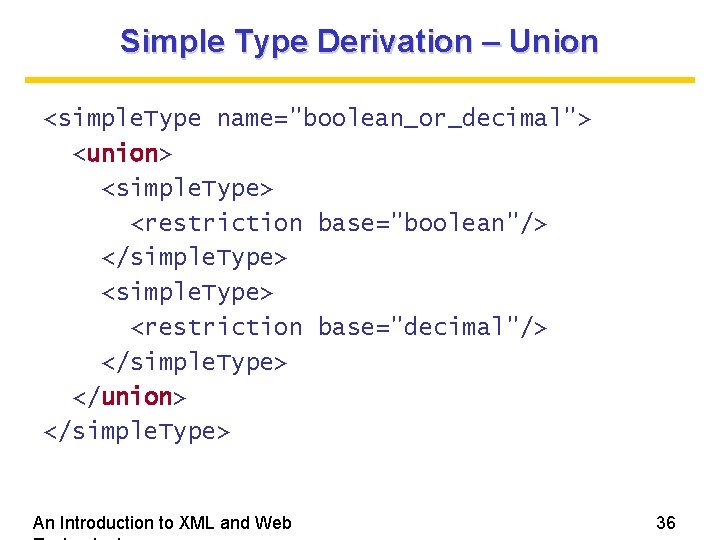
Simple Type Derivation – Union <simple. Type name="boolean_or_decimal"> <union> <simple. Type> <restriction base="boolean"/> </simple. Type> <restriction base="decimal"/> </simple. Type> </union> </simple. Type> An Introduction to XML and Web 36
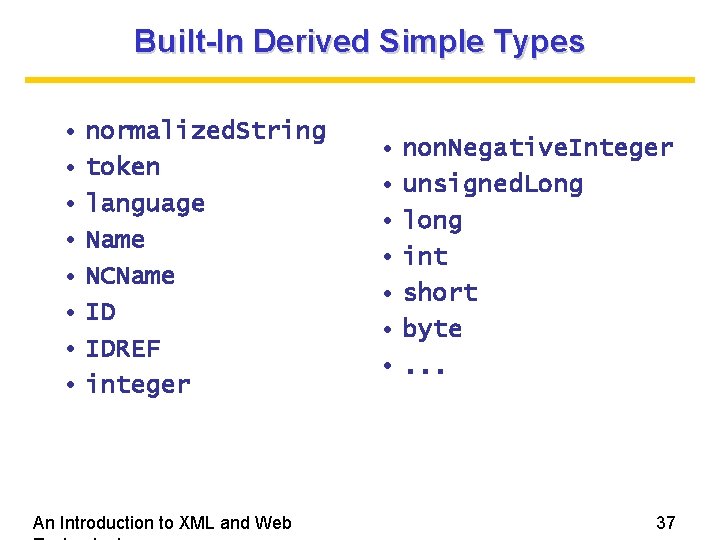
Built-In Derived Simple Types • normalized. String • token • language • Name • NCName • IDREF • integer An Introduction to XML and Web • non. Negative. Integer • unsigned. Long • long • int • short • byte • . . . 37
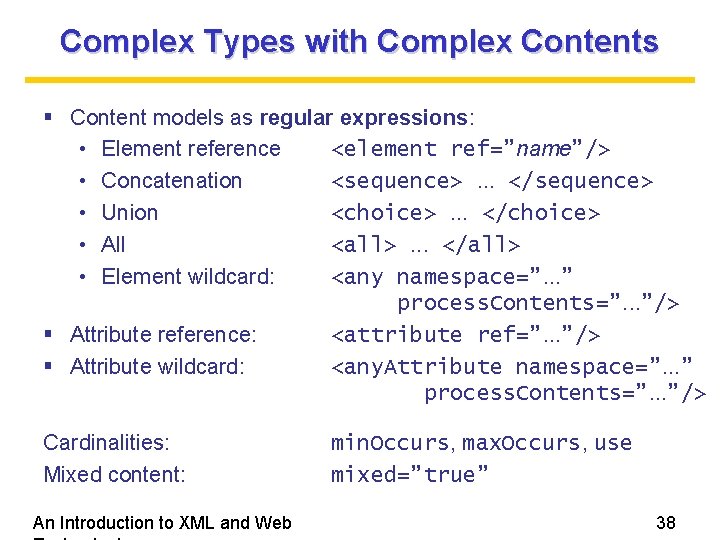
Complex Types with Complex Contents Content models as regular expressions: • Element reference <element ref=”name”/> • Concatenation <sequence>. . . </sequence> • Union <choice>. . . </choice> • All <all>. . . </all> • Element wildcard: <any namespace=”. . . ” process. Contents=”. . . ”/> Attribute reference: <attribute ref=”. . . ”/> Attribute wildcard: <any. Attribute namespace=”. . . ” process. Contents=”. . . ”/> Cardinalities: Mixed content: An Introduction to XML and Web min. Occurs, max. Occurs, use mixed=”true” 38
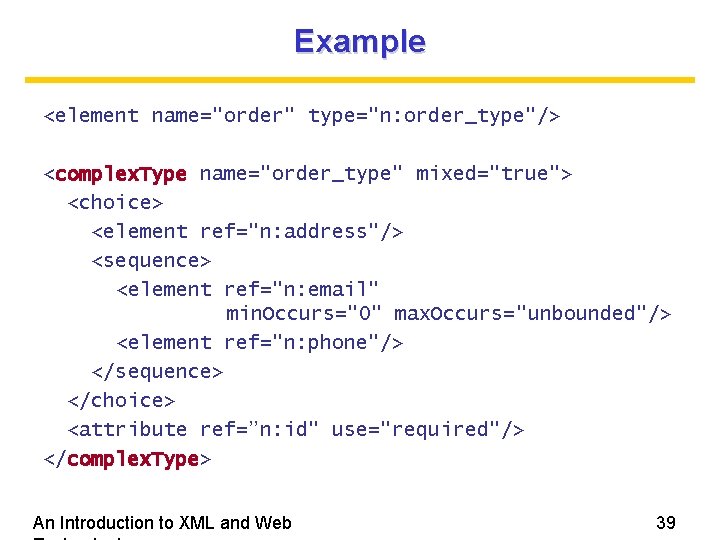
Example <element name="order" type="n: order_type"/> <complex. Type name="order_type" mixed="true"> <choice> <element ref="n: address"/> <sequence> <element ref="n: email" min. Occurs="0" max. Occurs="unbounded"/> <element ref="n: phone"/> </sequence> </choice> <attribute ref=”n: id" use="required"/> </complex. Type> An Introduction to XML and Web 39
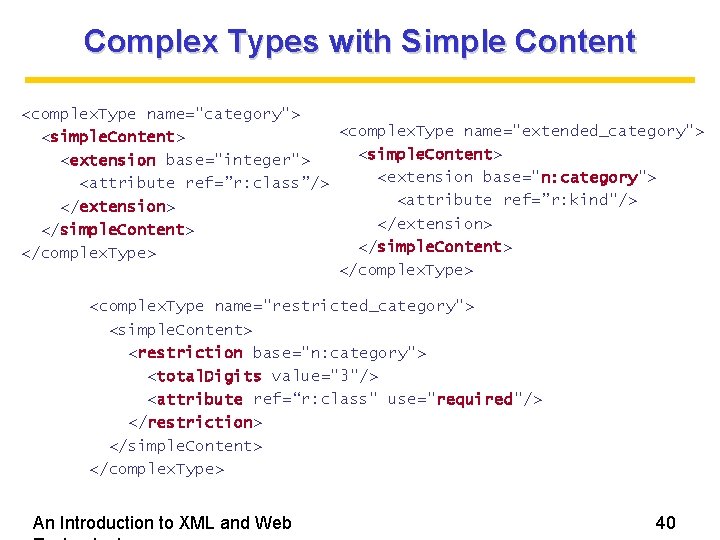
Complex Types with Simple Content <complex. Type name="category"> <complex. Type name="extended_category"> <simple. Content> <extension base="integer"> <extension base="n: category"> <attribute ref=”r: class”/> <attribute ref=”r: kind"/> </extension> </simple. Content> </complex. Type> <complex. Type name="restricted_category"> <simple. Content> <restriction base="n: category"> <total. Digits value="3"/> <attribute ref=“r: class" use="required"/> </restriction> </simple. Content> </complex. Type> An Introduction to XML and Web 40
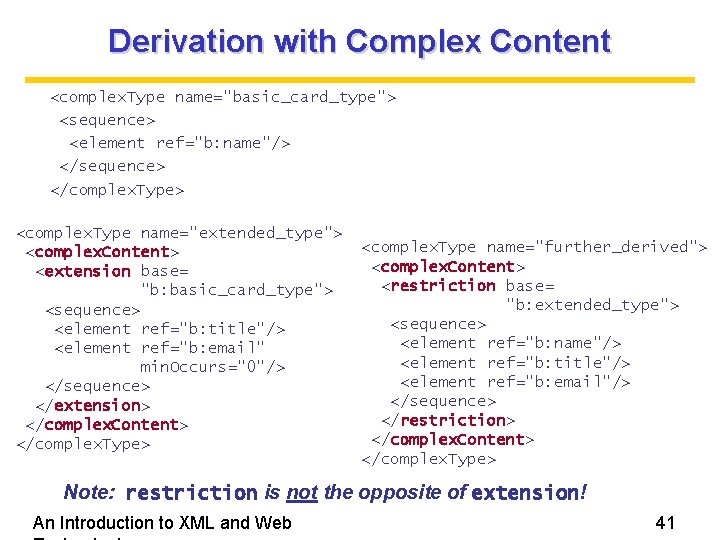
Derivation with Complex Content <complex. Type name="basic_card_type"> <sequence> <element ref="b: name"/> </sequence> </complex. Type> <complex. Type name="extended_type"> <complex. Content> <extension base= "b: basic_card_type"> <sequence> <element ref="b: title"/> <element ref="b: email" min. Occurs="0"/> </sequence> </extension> </complex. Content> </complex. Type> <complex. Type name="further_derived"> <complex. Content> <restriction base= "b: extended_type"> <sequence> <element ref="b: name"/> <element ref="b: title"/> <element ref="b: email"/> </sequence> </restriction> </complex. Content> </complex. Type> Note: restriction is not the opposite of extension! An Introduction to XML and Web 41
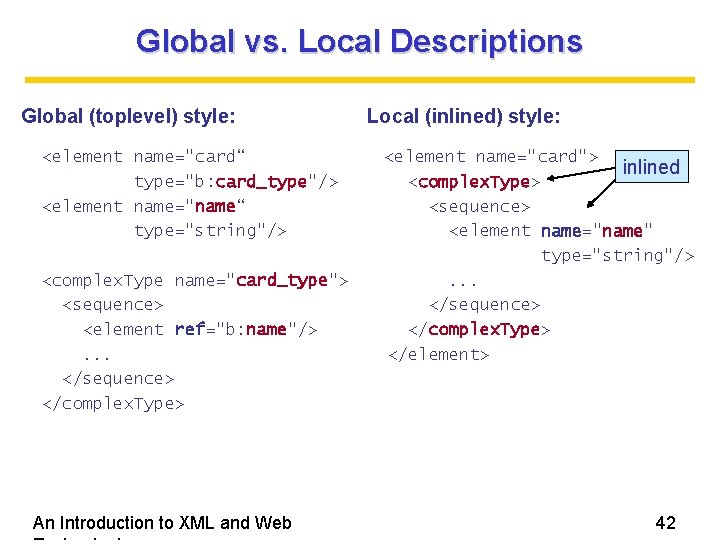
Global vs. Local Descriptions Global (toplevel) style: <element name="card“ type="b: card_type"/> <element name="name“ type="string"/> <complex. Type name="card_type"> <sequence> <element ref="b: name"/>. . . </sequence> </complex. Type> An Introduction to XML and Web Local (inlined) style: <element name="card"> inlined <complex. Type> <sequence> <element name="name" type="string"/>. . . </sequence> </complex. Type> </element> 42
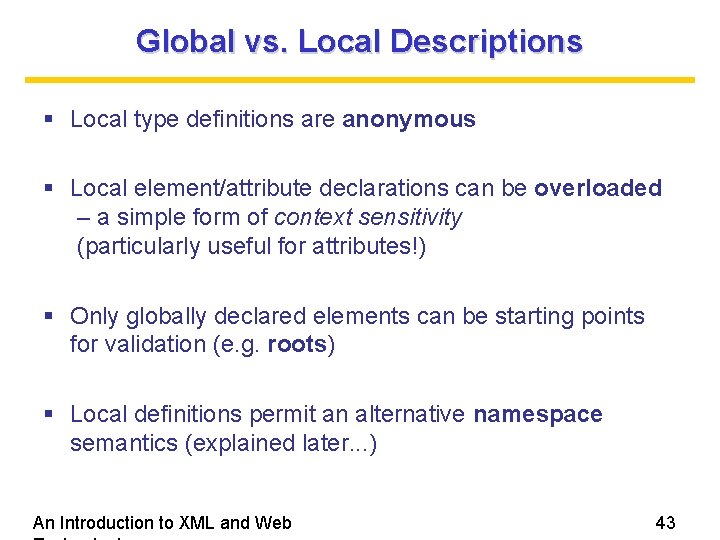
Global vs. Local Descriptions Local type definitions are anonymous Local element/attribute declarations can be overloaded – a simple form of context sensitivity (particularly useful for attributes!) Only globally declared elements can be starting points for validation (e. g. roots) Local definitions permit an alternative namespace semantics (explained later. . . ) An Introduction to XML and Web 43
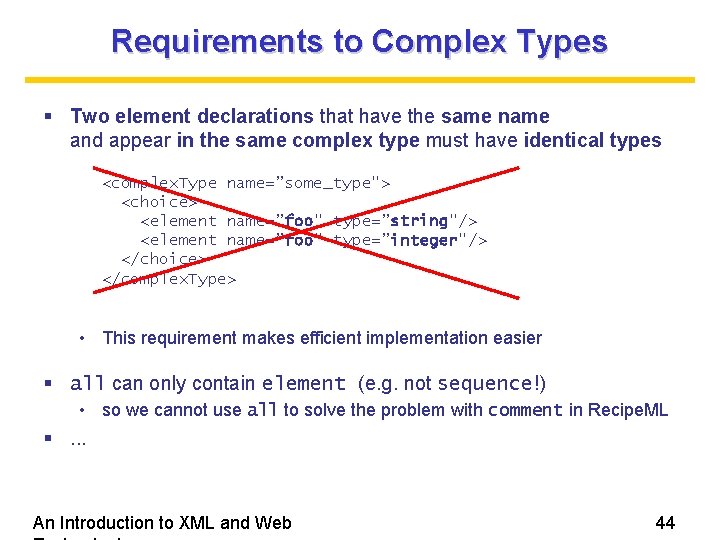
Requirements to Complex Types Two element declarations that have the same name and appear in the same complex type must have identical types <complex. Type name=”some_type"> <choice> <element name=”foo" type=”string"/> <element name=”foo" type=”integer"/> </choice> </complex. Type> • This requirement makes efficient implementation easier all can only contain element (e. g. not sequence!) • so we cannot use all to solve the problem with comment in Recipe. ML . . . An Introduction to XML and Web 44
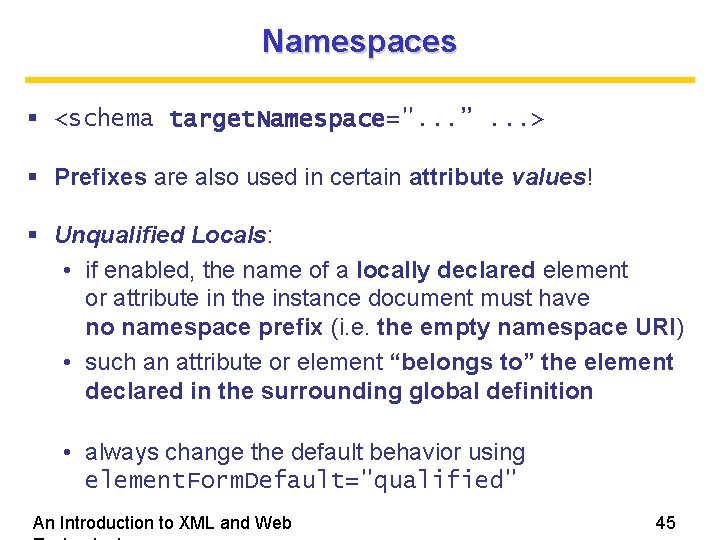
Namespaces <schema target. Namespace=". . . ”. . . > Prefixes are also used in certain attribute values! Unqualified Locals: • if enabled, the name of a locally declared element or attribute in the instance document must have no namespace prefix (i. e. the empty namespace URI) • such an attribute or element “belongs to” the element declared in the surrounding global definition • always change the default behavior using element. Form. Default="qualified" An Introduction to XML and Web 45
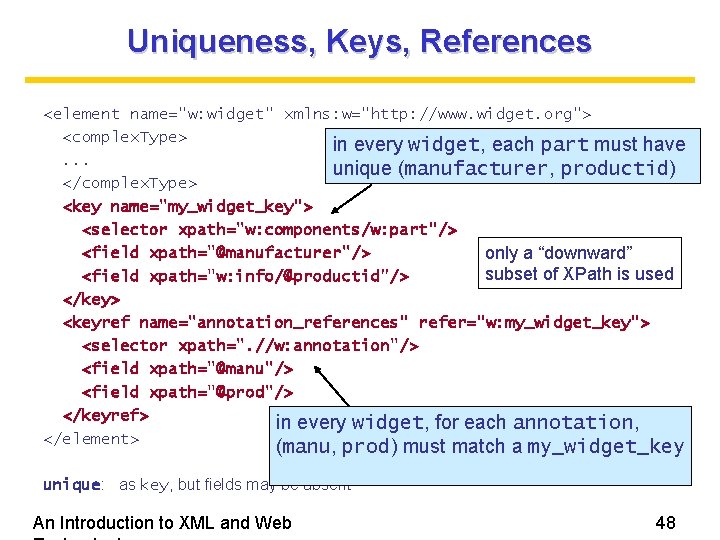
Uniqueness, Keys, References <element name="w: widget" xmlns: w="http: //www. widget. org"> <complex. Type> in every widget, each part must have. . . unique (manufacturer, productid) </complex. Type> <key name="my_widget_key"> <selector xpath="w: components/w: part"/> <field xpath="@manufacturer"/> only a “downward” subset of XPath is used <field xpath="w: info/@productid"/> </key> <keyref name="annotation_references" refer="w: my_widget_key"> <selector xpath=". //w: annotation"/> <field xpath="@manu"/> <field xpath="@prod"/> </keyref> in every widget, for each annotation, </element> (manu, prod) must match a my_widget_key unique: as key, but fields may be absent An Introduction to XML and Web 48
Other Features in XML Schema Groups Nil values Annotations Defaults and whitespace Modularization – read the book chapter An Introduction to XML and Web 49
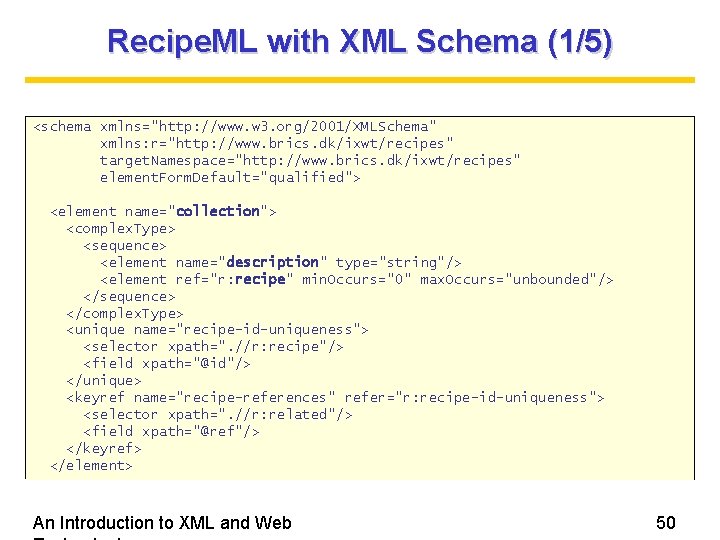
Recipe. ML with XML Schema (1/5) <schema xmlns="http: //www. w 3. org/2001/XMLSchema" xmlns: r="http: //www. brics. dk/ixwt/recipes" target. Namespace="http: //www. brics. dk/ixwt/recipes" element. Form. Default="qualified"> <element name="collection"> <complex. Type> <sequence> <element name="description" type="string"/> <element ref="r: recipe" min. Occurs="0" max. Occurs="unbounded"/> </sequence> </complex. Type> <unique name="recipe-id-uniqueness"> <selector xpath=". //r: recipe"/> <field xpath="@id"/> </unique> <keyref name="recipe-references" refer="r: recipe-id-uniqueness"> <selector xpath=". //r: related"/> <field xpath="@ref"/> </keyref> </element> An Introduction to XML and Web 50
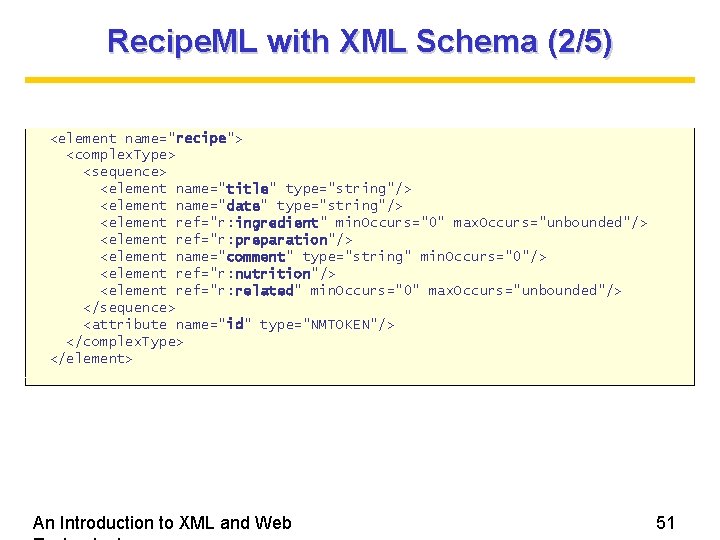
Recipe. ML with XML Schema (2/5) <element name="recipe"> <complex. Type> <sequence> <element name="title" type="string"/> <element name="date" type="string"/> <element ref="r: ingredient" min. Occurs="0" max. Occurs="unbounded"/> <element ref="r: preparation"/> <element name="comment" type="string" min. Occurs="0"/> <element ref="r: nutrition"/> <element ref="r: related" min. Occurs="0" max. Occurs="unbounded"/> </sequence> <attribute name="id" type="NMTOKEN"/> </complex. Type> </element> An Introduction to XML and Web 51
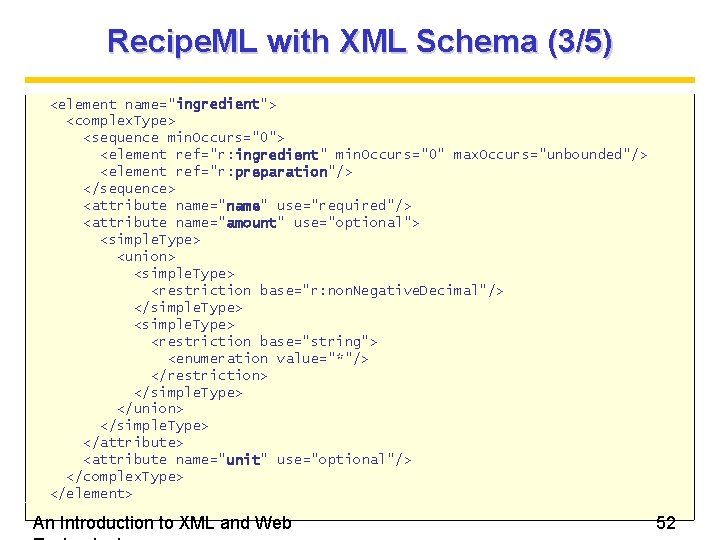
Recipe. ML with XML Schema (3/5) <element name="ingredient"> <complex. Type> <sequence min. Occurs="0"> <element ref="r: ingredient" min. Occurs="0" max. Occurs="unbounded"/> <element ref="r: preparation"/> </sequence> <attribute name="name" use="required"/> <attribute name="amount" use="optional"> <simple. Type> <union> <simple. Type> <restriction base="r: non. Negative. Decimal"/> </simple. Type> <restriction base="string"> <enumeration value="*"/> </restriction> </simple. Type> </union> </simple. Type> </attribute> <attribute name="unit" use="optional"/> </complex. Type> </element> An Introduction to XML and Web 52
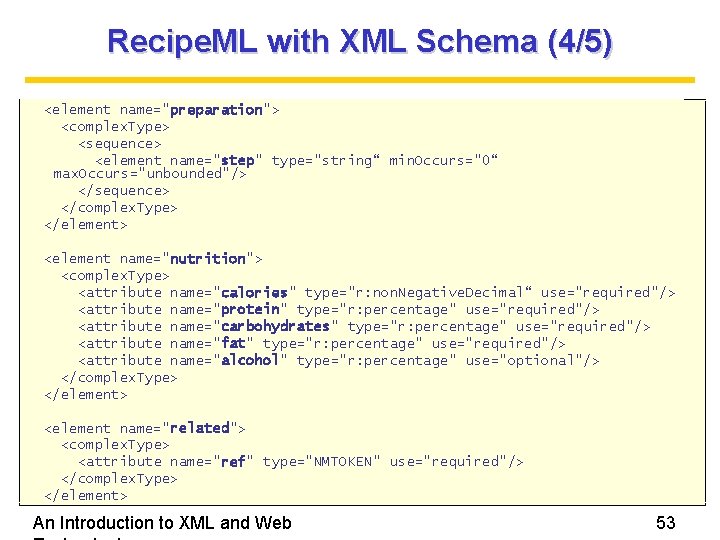
Recipe. ML with XML Schema (4/5) <element name="preparation"> <complex. Type> <sequence> <element name="step" type="string“ min. Occurs="0“ max. Occurs="unbounded"/> </sequence> </complex. Type> </element> <element name="nutrition"> <complex. Type> <attribute name="calories" type="r: non. Negative. Decimal“ use="required"/> <attribute name="protein" type="r: percentage" use="required"/> <attribute name="carbohydrates" type="r: percentage" use="required"/> <attribute name="fat" type="r: percentage" use="required"/> <attribute name="alcohol" type="r: percentage" use="optional"/> </complex. Type> </element> <element name="related"> <complex. Type> <attribute name="ref" type="NMTOKEN" use="required"/> </complex. Type> </element> An Introduction to XML and Web 53
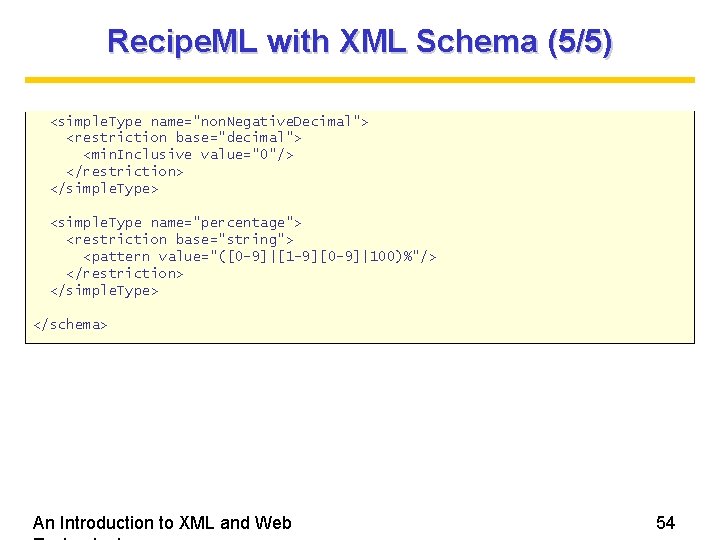
Recipe. ML with XML Schema (5/5) <simple. Type name="non. Negative. Decimal"> <restriction base="decimal"> <min. Inclusive value="0"/> </restriction> </simple. Type> <simple. Type name="percentage"> <restriction base="string"> <pattern value="([0 -9]|[1 -9][0 -9]|100)%"/> </restriction> </simple. Type> </schema> An Introduction to XML and Web 54
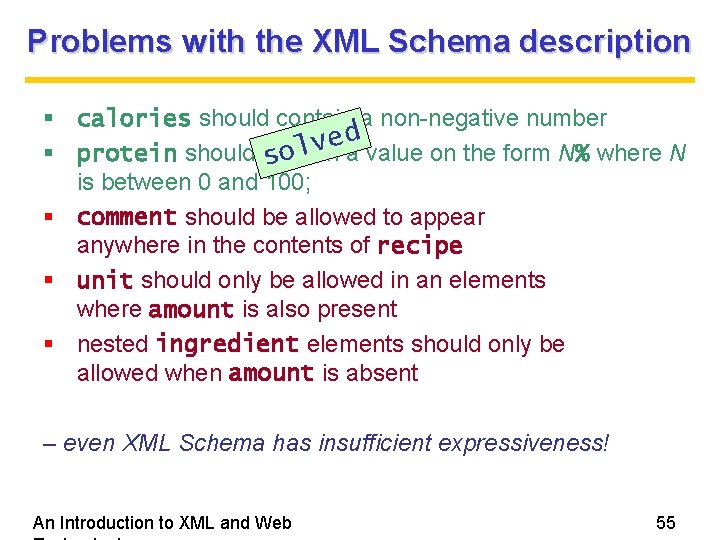
Problems with the XML Schema description calories should contain a non-negative number d e v protein should contain sol a value on the form N% where N is between 0 and 100; comment should be allowed to appear anywhere in the contents of recipe unit should only be allowed in an elements where amount is also present nested ingredient elements should only be allowed when amount is absent – even XML Schema has insufficient expressiveness! An Introduction to XML and Web 55
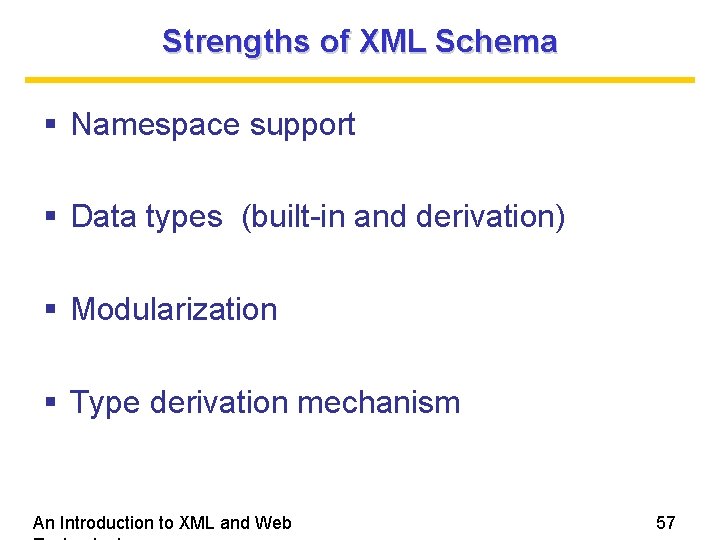
Strengths of XML Schema Namespace support Data types (built-in and derivation) Modularization Type derivation mechanism An Introduction to XML and Web 57
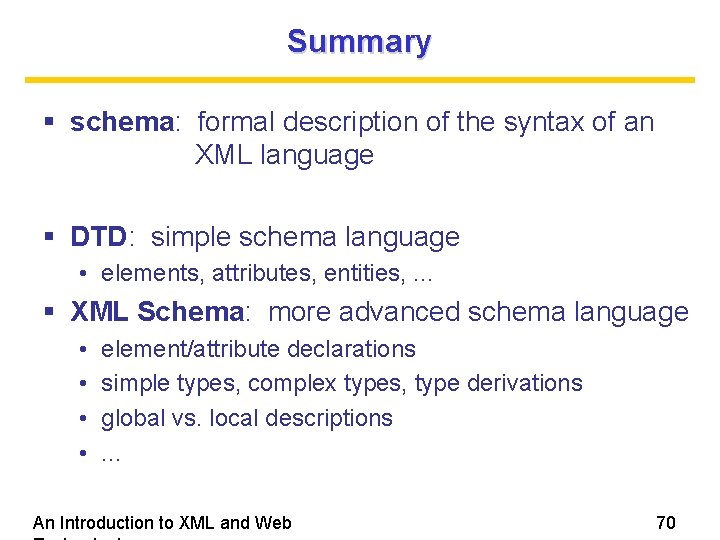
Summary schema: formal description of the syntax of an XML language DTD: simple schema language • elements, attributes, entities, . . . XML Schema: more advanced schema language • • element/attribute declarations simple types, complex types, type derivations global vs. local descriptions. . . An Introduction to XML and Web 70
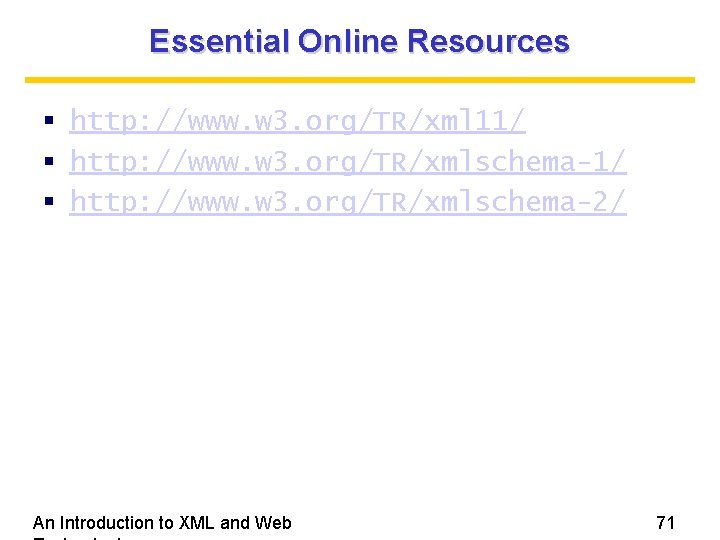
Essential Online Resources http: //www. w 3. org/TR/xml 11/ http: //www. w 3. org/TR/xmlschema-2/ An Introduction to XML and Web 71
- Slides: 54