
An Introduction to VMware Virtualization Reduce IT expenses
![VMware Fault Tolerance [FT] q Single identical VM’s running in lockstep on separate hosts](https://slidetodoc.com/presentation_image_h/7f673cdf7d7d973a03381f2c70d3a0e7/image-25.jpg "VMware Fault Tolerance [FT] q Single identical VM’s running in lockstep on separate hosts")
- Slides: 35
An Introduction to VMware Virtualization Reduce IT expenses while boosting efficiency and agility
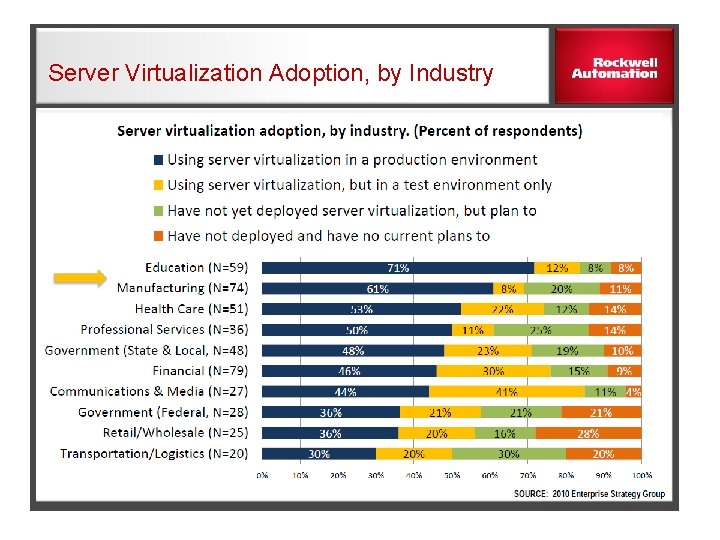
Server Virtualization Adoption, by Industry
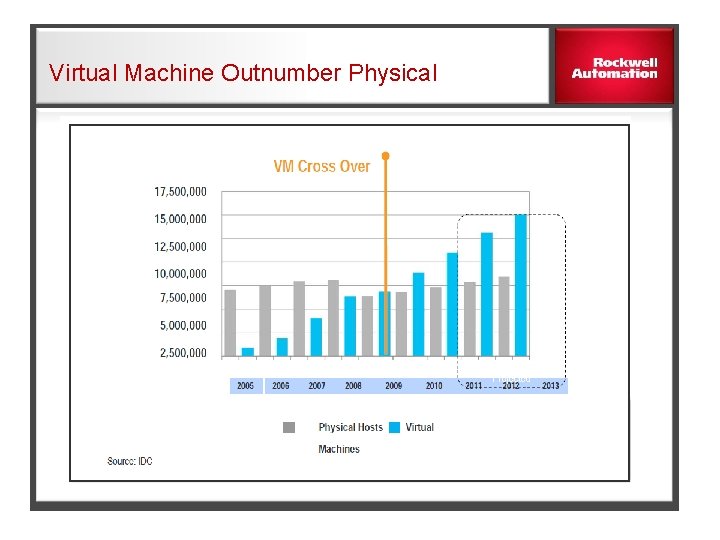
Virtual Machine Outnumber Physical
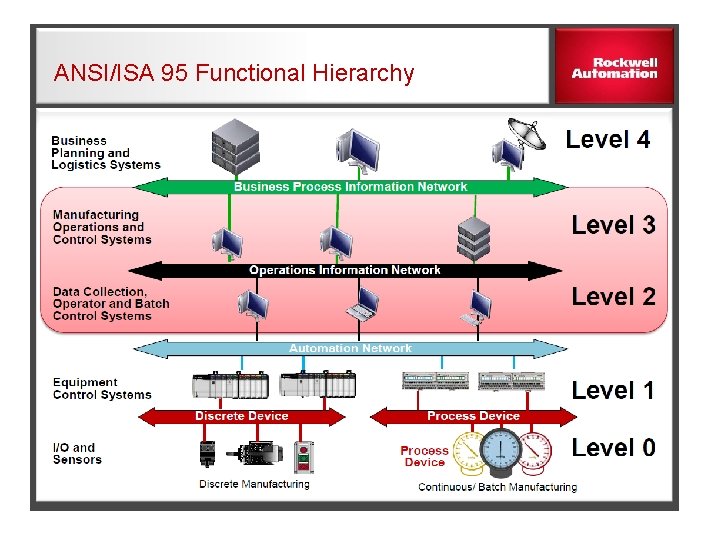
ANSI/ISA 95 Functional Hierarchy
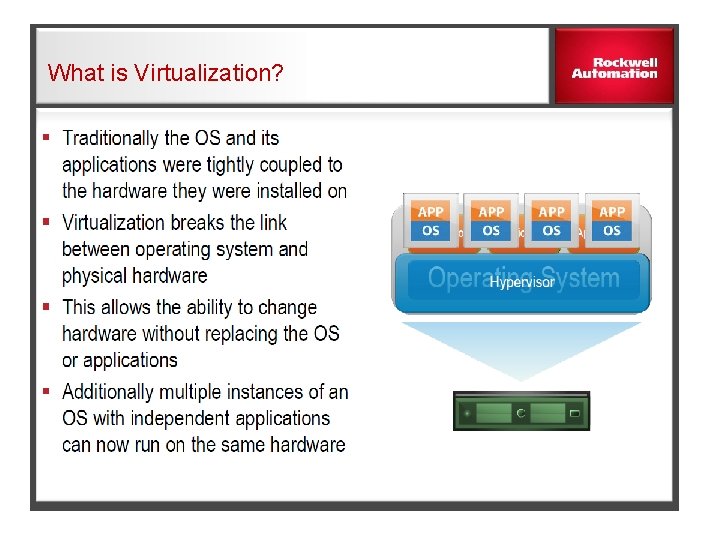
What is Virtualization?
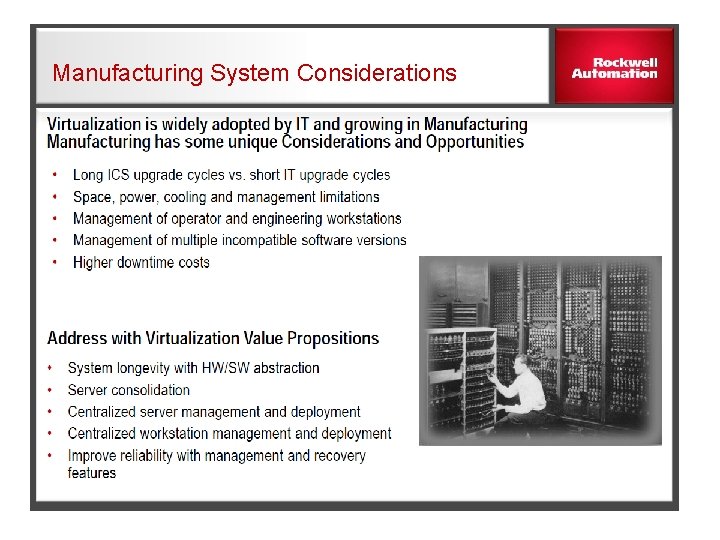
Manufacturing System Considerations
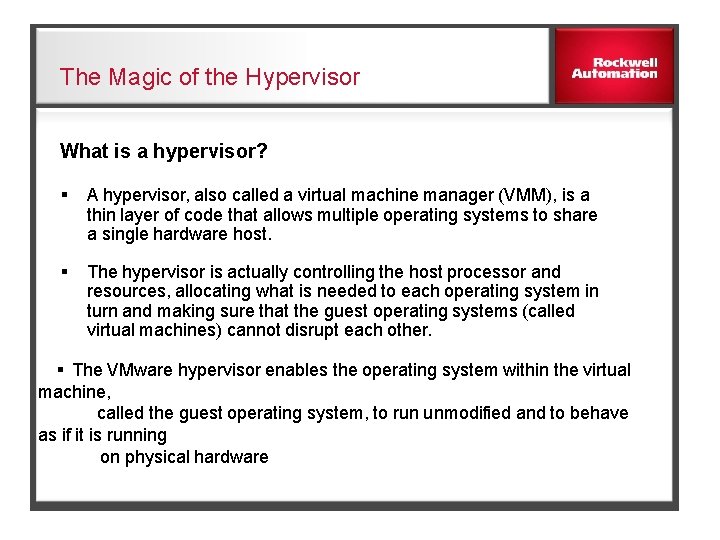
The Magic of the Hypervisor What is a hypervisor? § A hypervisor, also called a virtual machine manager (VMM), is a thin layer of code that allows multiple operating systems to share a single hardware host. § The hypervisor is actually controlling the host processor and resources, allocating what is needed to each operating system in turn and making sure that the guest operating systems (called virtual machines) cannot disrupt each other. § The VMware hypervisor enables the operating system within the virtual machine, called the guest operating system, to run unmodified and to behave as if it is running on physical hardware
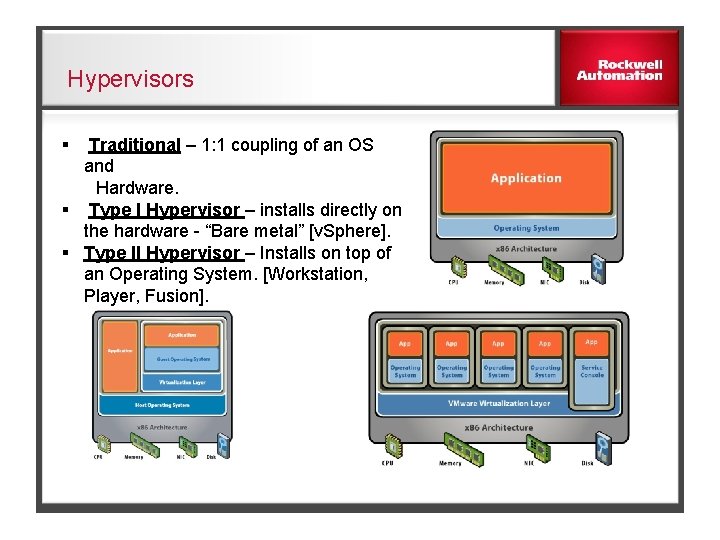
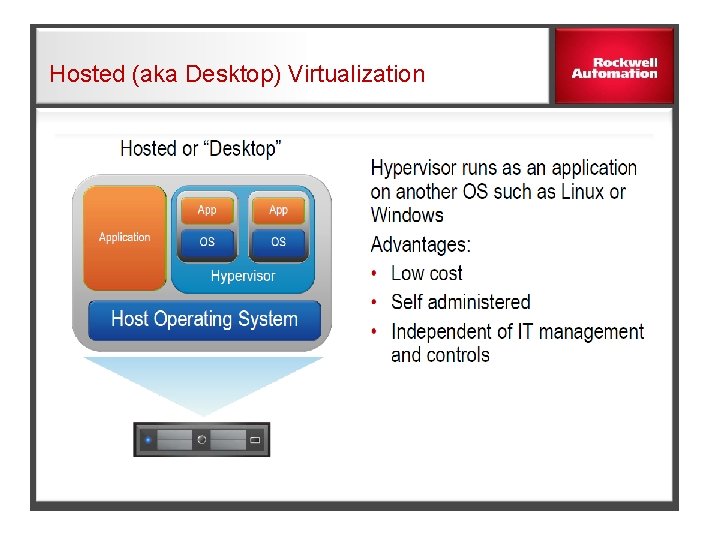
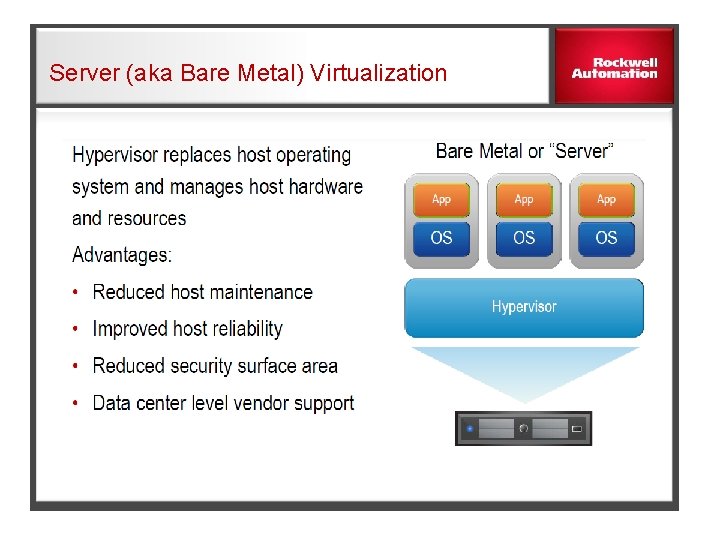
Hypervisors § Traditional – 1: 1 coupling of an OS and Hardware. § Type I Hypervisor – installs directly on the hardware - “Bare metal” [v. Sphere]. § Type II Hypervisor – Installs on top of an Operating System. [Workstation, Player, Fusion].
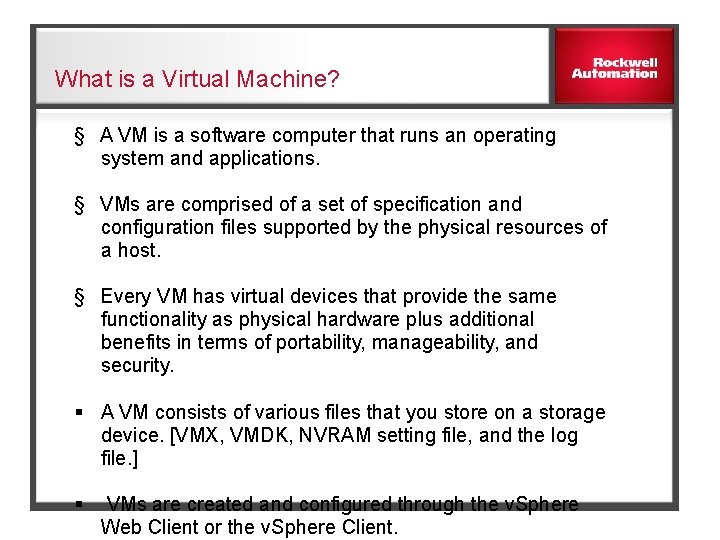
What is a Virtual Machine? § A VM is a software computer that runs an operating system and applications. § VMs are comprised of a set of specification and configuration files supported by the physical resources of a host. § Every VM has virtual devices that provide the same functionality as physical hardware plus additional benefits in terms of portability, manageability, and security. § A VM consists of various files that you store on a storage device. [VMX, VMDK, NVRAM setting file, and the log file. ] § VMs are created and configured through the v. Sphere Web Client or the v. Sphere Client.
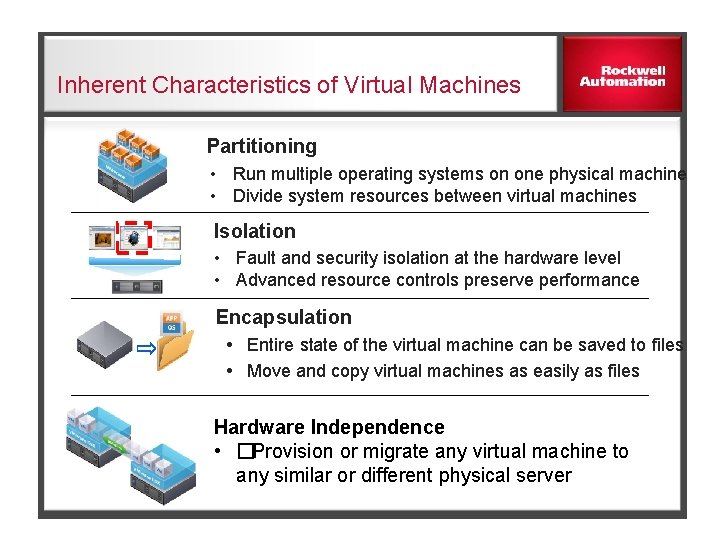
Inherent Characteristics of Virtual Machines Partitioning • Run multiple operating systems on one physical machine • Divide system resources between virtual machines Isolation • Fault and security isolation at the hardware level • Advanced resource controls preserve performance Encapsulation Entire state of the virtual machine can be saved to files Move and copy virtual machines as easily as files Hardware Independence • �Provision or migrate any virtual machine to any similar or different physical server
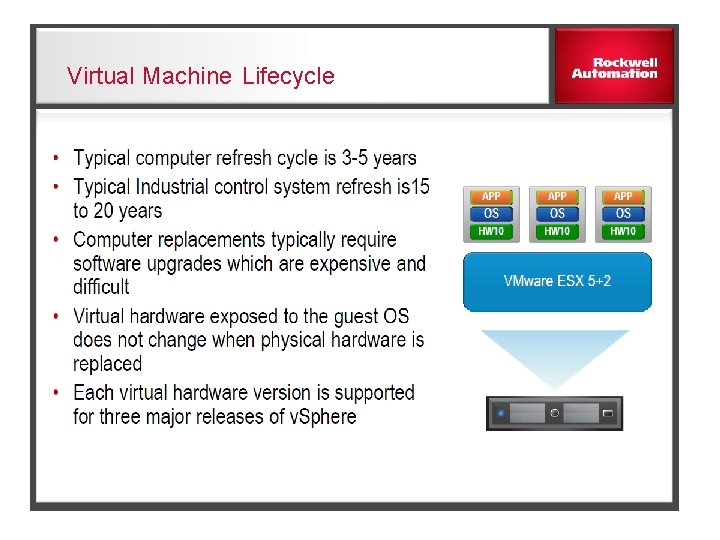
Virtual Machine Lifecycle
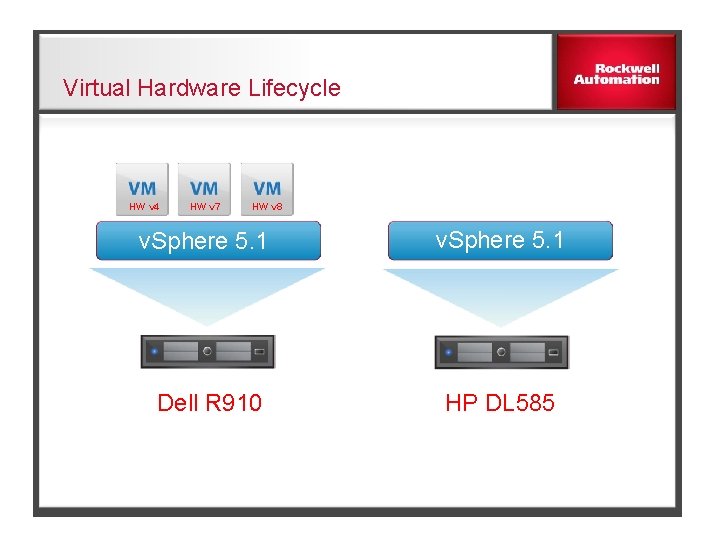
Virtual Hardware Lifecycle HW v 4 HW v 7 HW v 8 v. Sphere 5. 1 Dell R 910 HP DL 585 ESX 3. 5
Virtual Hardware VMware has created virtual devices that emulate a chipset, BIOS, memory, network adapter, storage adapter, and other devices. These virtual devices are implemented in software and function in exactly the same way as their physical counterparts—for example, the behavior of the virtual Intel network adapter is identical to that of the equivalent physical Intel network adapter. The guest operating system interacts with the hypervisor’s abstraction layer of virtual hardware and not the physical hardware.
Hosted (aka Desktop) Virtualization
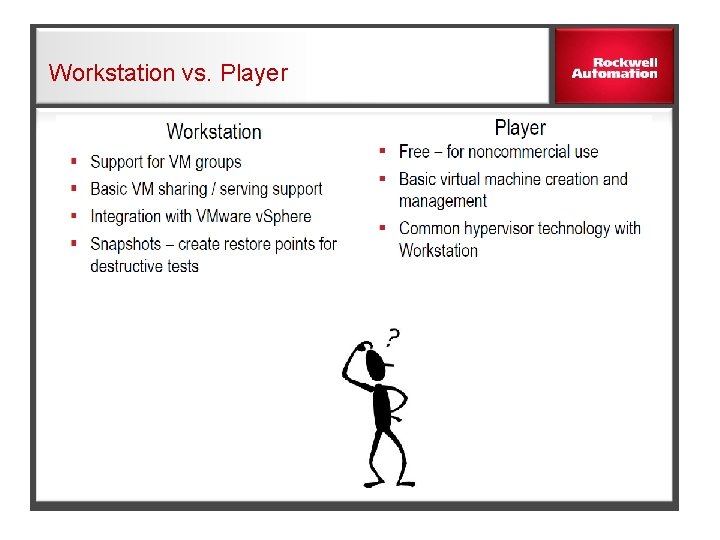
Workstation vs. Player
Server (aka Bare Metal) Virtualization
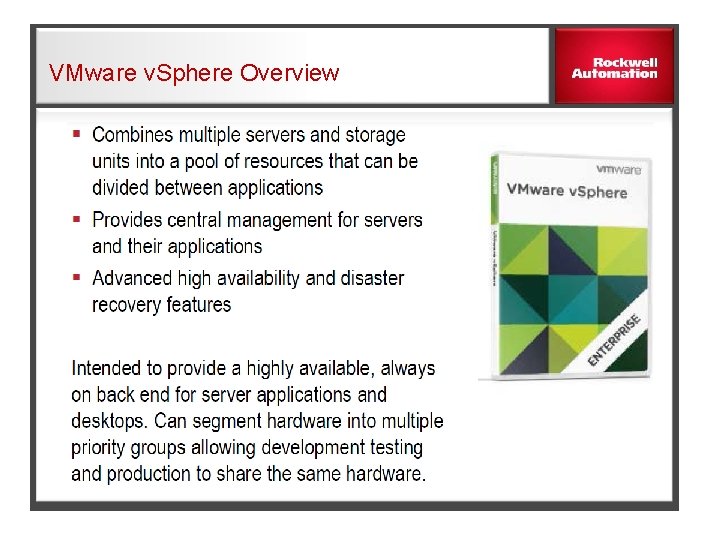
VMware v. Sphere Overview
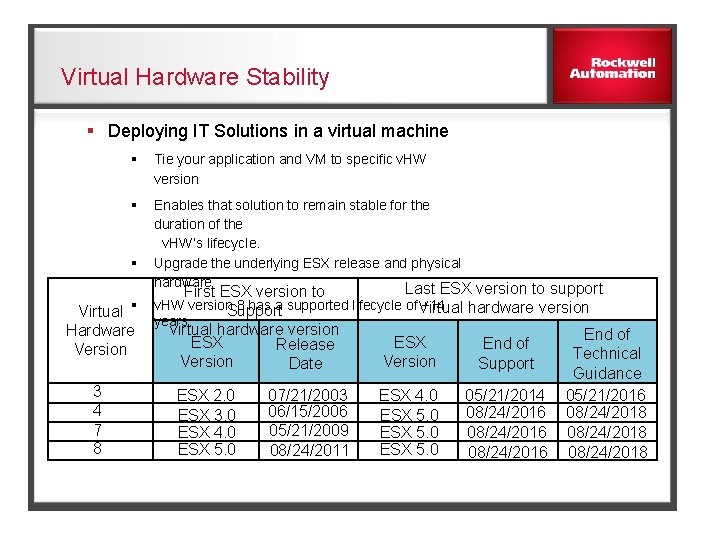
Virtual Hardware Stability § Deploying IT Solutions in a virtual machine § Tie your application and VM to specific v. HW version § Enables that solution to remain stable for the duration of the v. HW’s lifecycle. § Upgrade the underlying ESX release and physical hardware Last ESX version to support Virtual § Hardware Version 3 4 7 8 First ESX version to v. HW version 8 has a supported lifecycle of +14 Virtual hardware version Support years. virtual hardware version ESX Release Version Date ESX 2. 0 ESX 3. 0 ESX 4. 0 ESX 5. 0 07/21/2003 06/15/2006 05/21/2009 08/24/2011 ESX Version End of Support ESX 4. 0 ESX 5. 0 05/21/2014 08/24/2016 End of Technical Guidance 05/21/2016 08/24/2018
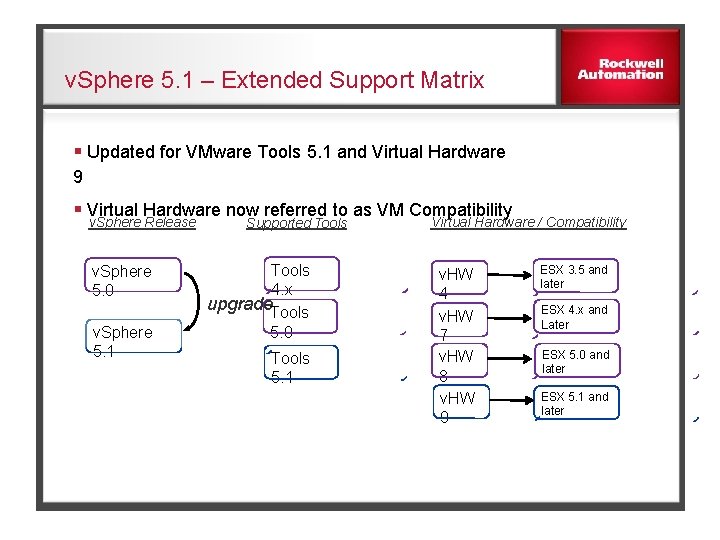
v. Sphere 5. 1 – Extended Support Matrix § Updated for VMware Tools 5. 1 and Virtual Hardware 9 § Virtual Hardware now referred to as VM Compatibility v. Sphere Release v. Sphere 5. 0 v. Sphere 5. 1 Supported Tools 4. x upgrade. Tools 5. 0 Tools 5. 1 Virtual Hardware / Compatibility v. HW 4 v. HW 7 v. HW 8 v. HW 9 ESX 3. 5 and later ESX 4. x and Later ESX 5. 0 and later ESX 5. 1 and later
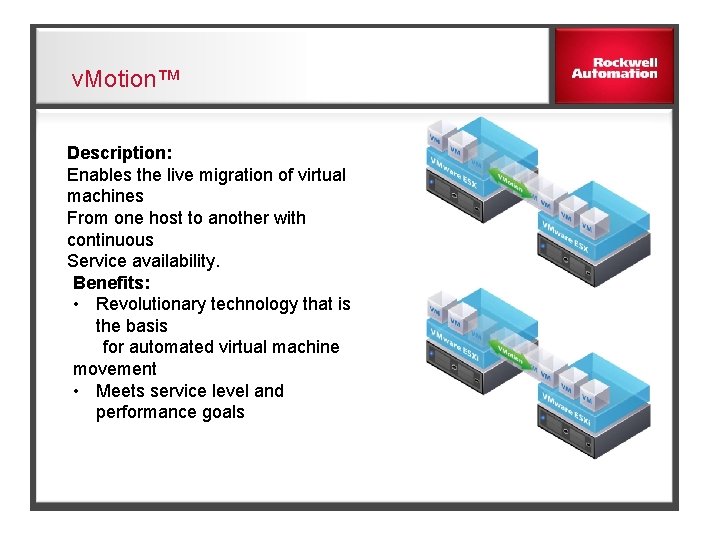
v. Motion™ Description: Enables the live migration of virtual machines From one host to another with continuous Service availability. Benefits: • Revolutionary technology that is the basis for automated virtual machine movement • Meets service level and performance goals
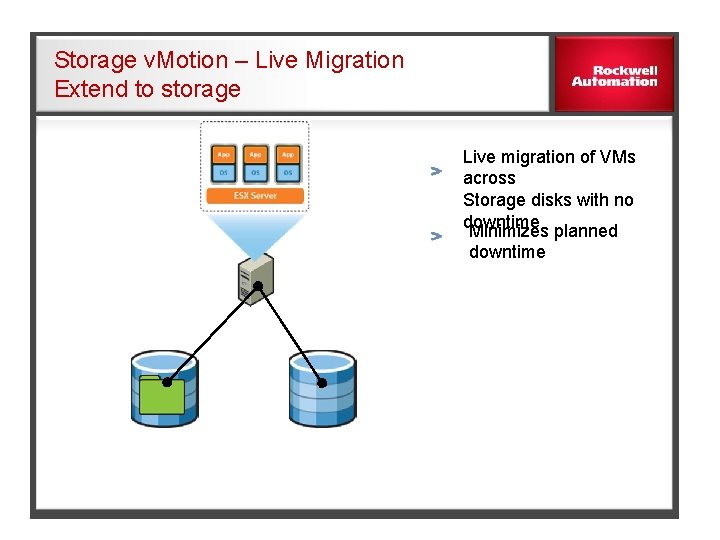
Storage v. Motion – Live Migration Extend to storage Live migration of VMs across Storage disks with no downtime Minimizes planned downtime
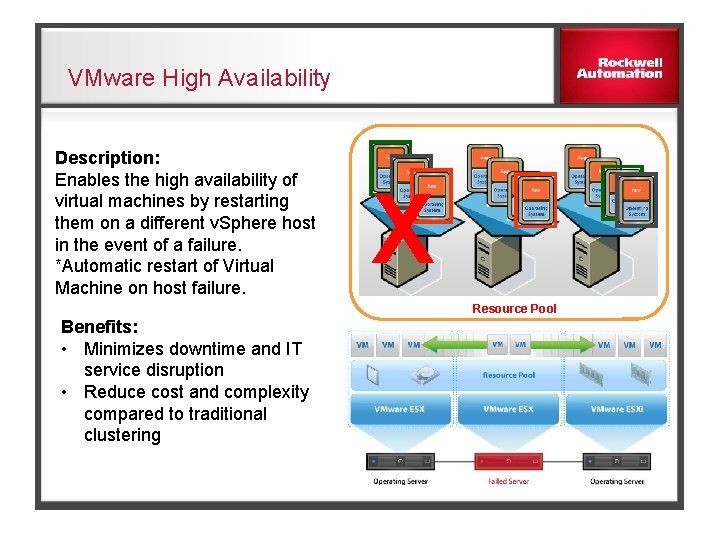
VMware High Availability Description: Enables the high availability of virtual machines by restarting them on a different v. Sphere host in the event of a failure. *Automatic restart of Virtual Machine on host failure. X Resource Pool Benefits: • Minimizes downtime and IT service disruption • Reduce cost and complexity compared to traditional clustering
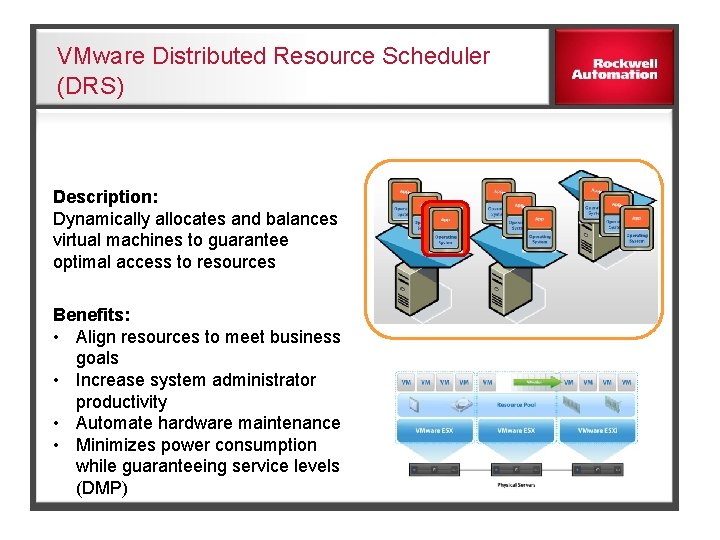
VMware Distributed Resource Scheduler (DRS) Description: Dynamically allocates and balances virtual machines to guarantee optimal access to resources Benefits: • Align resources to meet business goals • Increase system administrator productivity • Automate hardware maintenance • Minimizes power consumption while guaranteeing service levels (DMP)
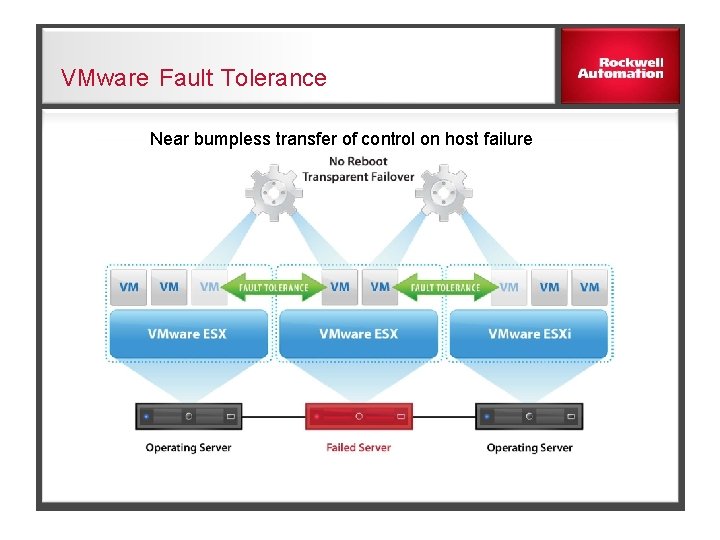
VMware Fault Tolerance Near bumpless transfer of control on host failure
VMware Fault Tolerance [FT] q Single identical VM’s running in lockstep on separate hosts q Zero data loss failover for all virtual machines in case of hardware failures q Zero downtime, zero dataloss q No complex clustering or specialized hardware required q Single common mechanism for all applications and OSes
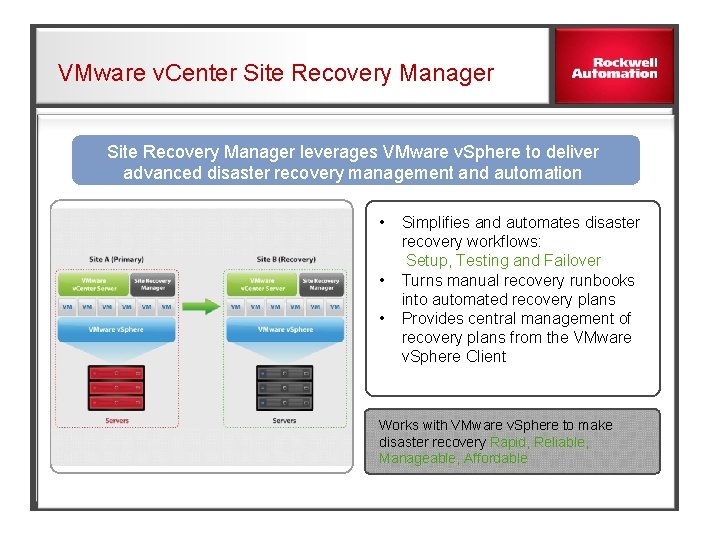
VMware v. Center Site Recovery Manager leverages VMware v. Sphere to deliver advanced disaster recovery management and automation • Simplifies and automates disaster recovery workflows: Setup, Testing and Failover • Turns manual recovery runbooks into automated recovery plans • Provides central management of recovery plans from the VMware v. Sphere Client Works with VMware v. Sphere to make disaster recovery Rapid, Reliable, Manageable, Affordable
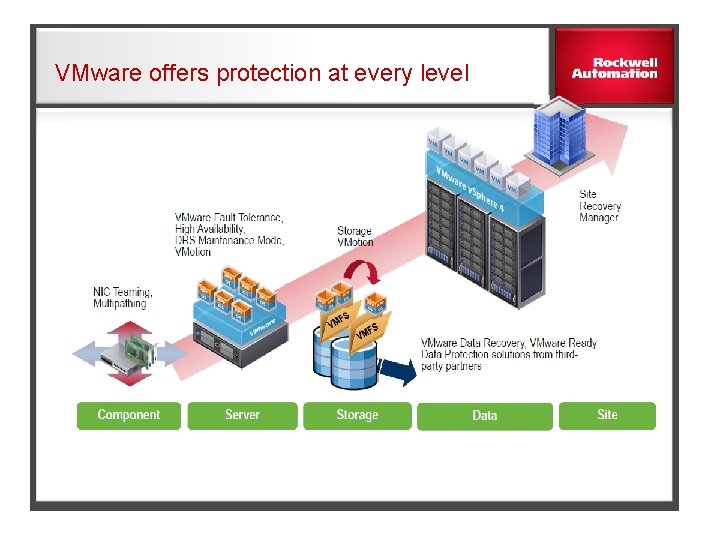
VMware offers protection at every level
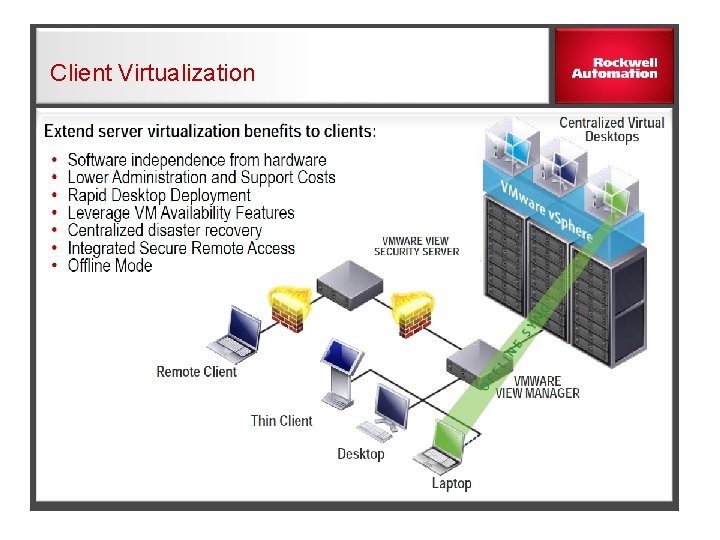
Client Virtualization
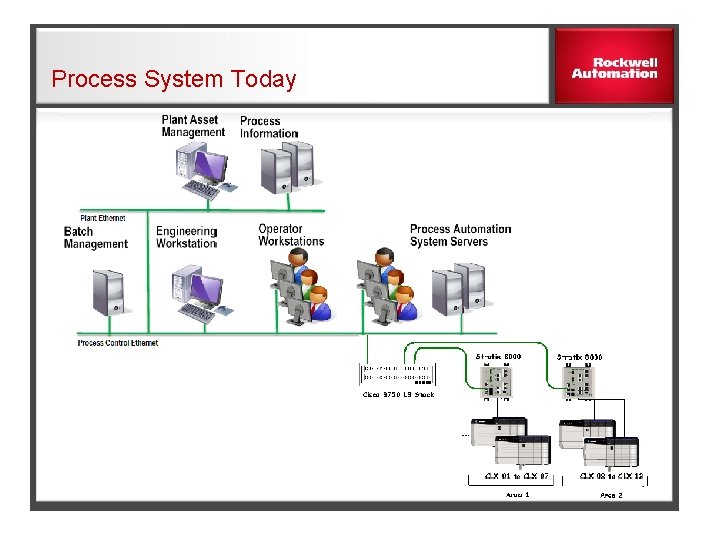
Process System Today
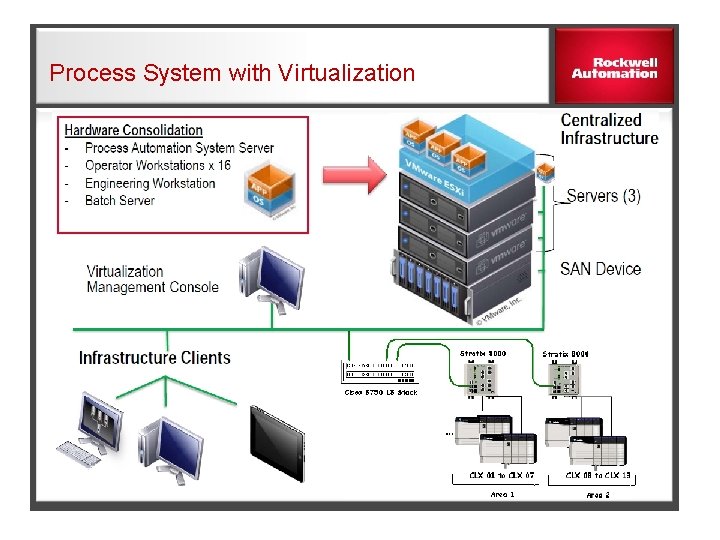
Process System with Virtualization
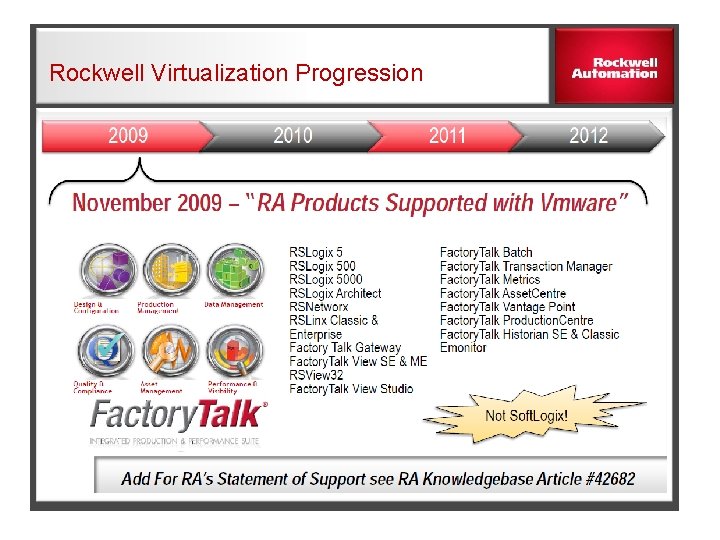
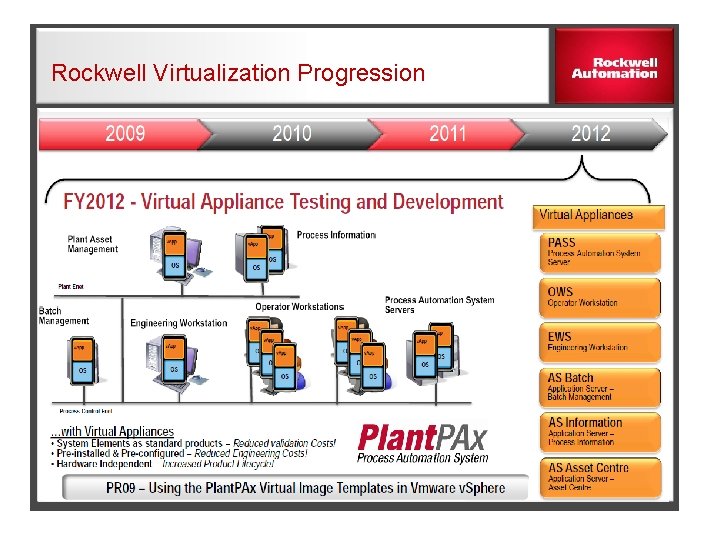
Rockwell Virtualization Progression
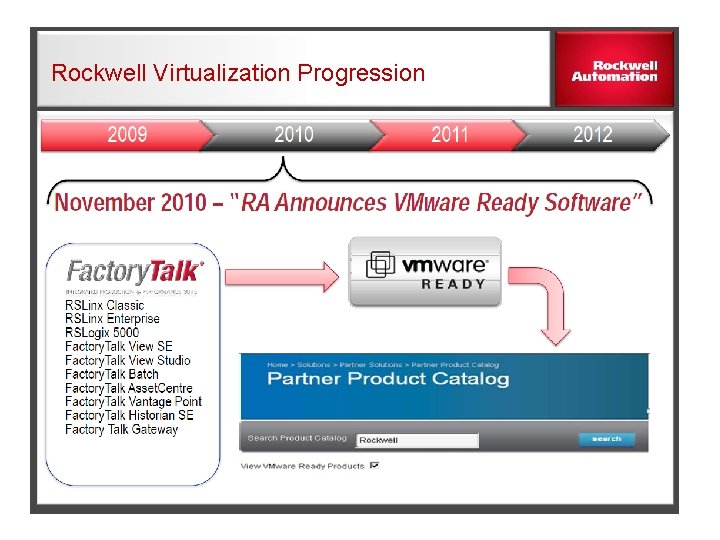
Rockwell Virtualization Progression
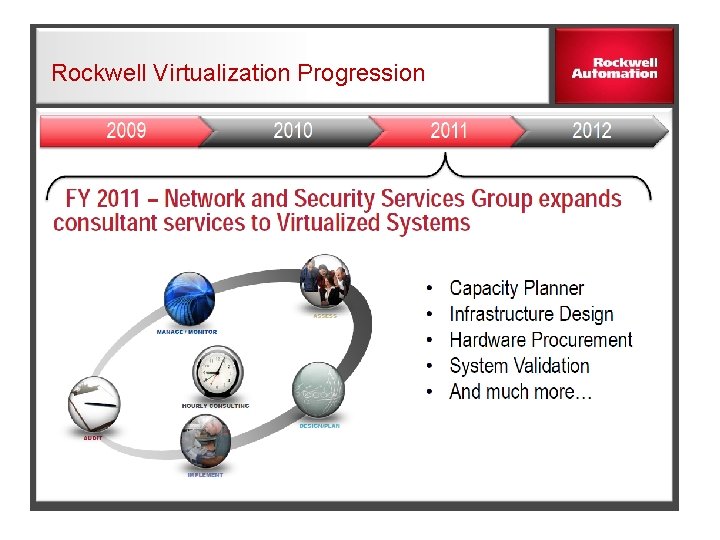
Rockwell Virtualization Progression
Rockwell Virtualization Progression
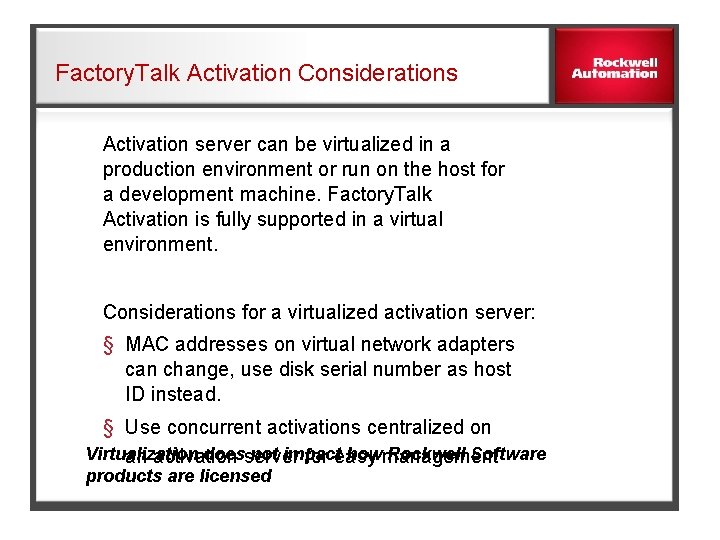
Factory. Talk Activation Considerations Activation server can be virtualized in a production environment or run on the host for a development machine. Factory. Talk Activation is fully supported in a virtual environment. Considerations for a virtualized activation server: § MAC addresses on virtual network adapters can change, use disk serial number as host ID instead. § Use concurrent activations centralized on Virtualization does not impact how Rockwell Software an activation server for easy management products are licensed