
An Introduction to System Software and Virtual Machines
- Slides: 24
An Introduction to System Software and Virtual Machines Chapter 6. 1 -6. 3 Topics: System Software Assemblers and Assembly Language CMPUT 101 Introduction to (c) Jia You, Vadim Bulitko, Yngvi 1
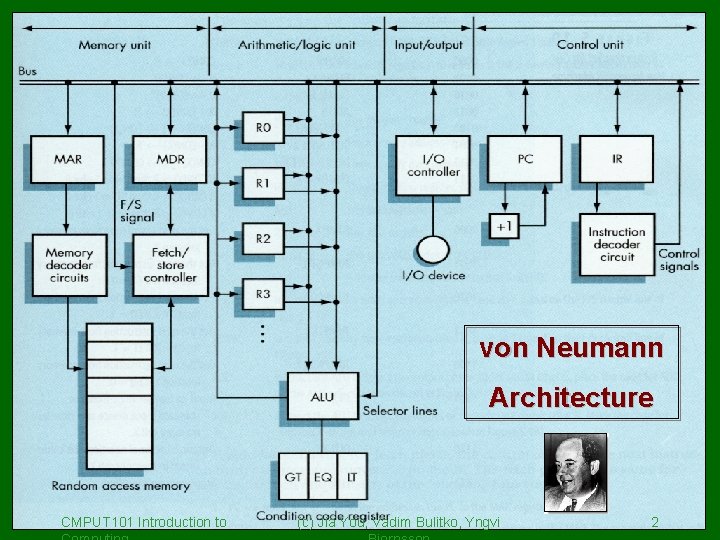
von Neumann Architecture CMPUT 101 Introduction to (c) Jia You, Vadim Bulitko, Yngvi 2
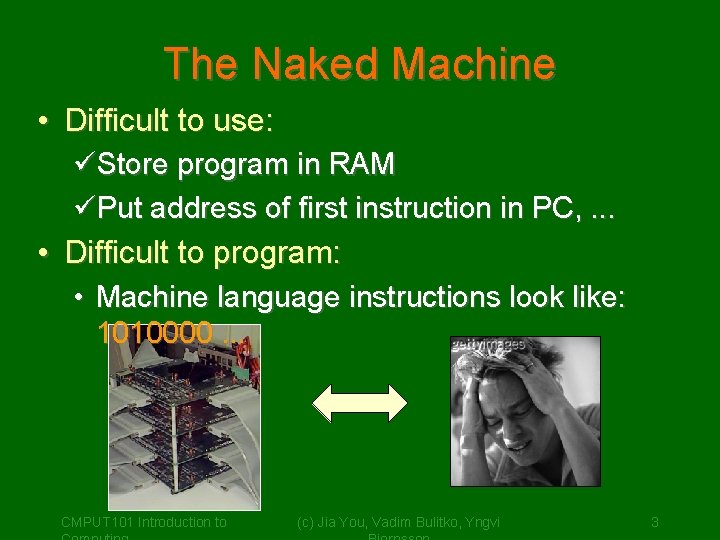
The Naked Machine • Difficult to use: üStore program in RAM üPut address of first instruction in PC, . . . • Difficult to program: • Machine language instructions look like: 1010000. . . CMPUT 101 Introduction to (c) Jia You, Vadim Bulitko, Yngvi 3
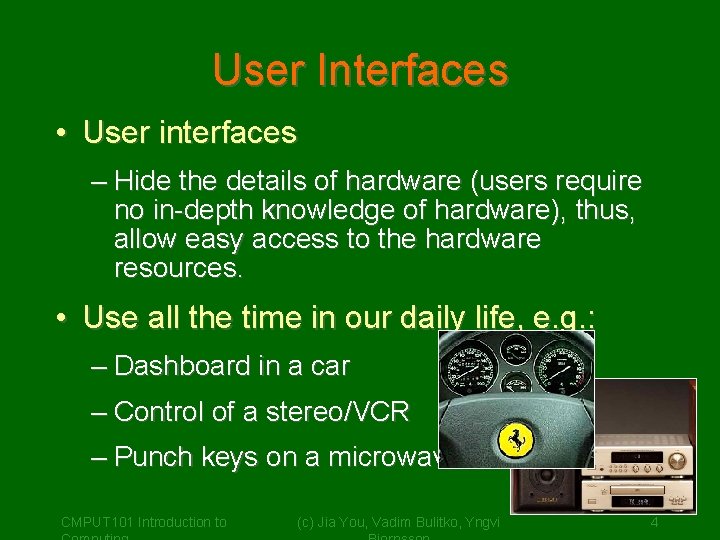
User Interfaces • User interfaces – Hide the details of hardware (users require no in-depth knowledge of hardware), thus, allow easy access to the hardware resources. • Use all the time in our daily life, e. g. : – Dashboard in a car – Control of a stereo/VCR – Punch keys on a microwave CMPUT 101 Introduction to (c) Jia You, Vadim Bulitko, Yngvi 4
System Software • System software provides us with an simpler interface to operate and program the computer: – Is a collection of programs that manage the resources of the computer, and act as an intermediary between the user and the computer. – Hide the details of the Von Neumann architecture – Present information in understandable way CMPUT 101 Introduction to (c) Jia You, Vadim Yngvi 5 – Allow user to access the. Bulitko, hardware resources
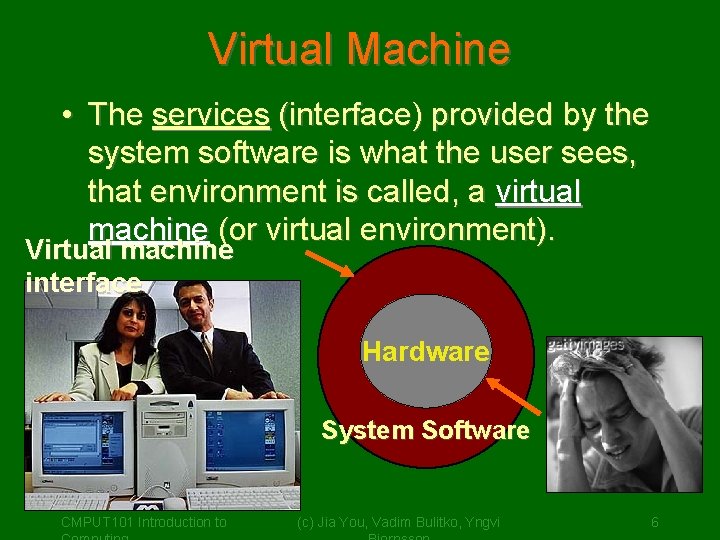
Virtual Machine • The services (interface) provided by the system software is what the user sees, that environment is called, a virtual machine (or virtual environment). Virtual machine interface Hardware System Software CMPUT 101 Introduction to (c) Jia You, Vadim Bulitko, Yngvi 6
Typical System Software • Language translators – Assemblers, compilers. • Memory managers – Allocate space and load programs into memory. • File systems – Storage/Retrieval of information from massstorage devices • Scheduler – Schedules the order of execution of programs. • Utilities – E. g. text editors. CMPUT 101 Introduction to (c) Jia You, Vadim Bulitko, Yngvi 7
Using the Machine • We want to write and run a program: – Use a text editor to create the program. – Store the file on the file system. – Use a language translator (compiler) to translate program into machine code. – Memory manager, or loader, allocates space and loads program into memory (RAM). – Scheduler, executes the program. • We are interacting with the system CMPUT 101 Introduction to (c) Jia You, Vadim Bulitko, Yngvi 8
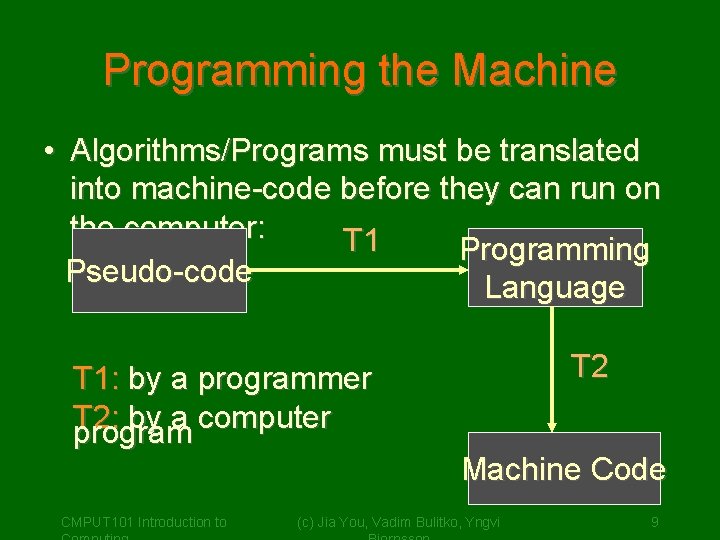
Programming the Machine • Algorithms/Programs must be translated into machine-code before they can run on the computer: T 1 Programming Pseudo-code Language T 1: by a programmer T 2: by a computer program CMPUT 101 Introduction to T 2 Machine Code (c) Jia You, Vadim Bulitko, Yngvi 9
Programming the Machine • Instead of writing in machine code (yuck!) we can write our programs using a more "friendly" programming language: – Assembly language (learn now) – C++ (learn later) • System software provides us with software tools to translate programs into machine code: – Assembler – Compiler CMPUT 101 Introduction to (c) Jia You, Vadim Bulitko, Yngvi 10
Assembly Language • Similar instruction as in machine-code, except: – Can use symbolic names for instructions, addresses – Values can be stated as decimal – Can use comments • Much simpler to use, for example, instead of 0001 000001001001 we can write CMPUT 101 Introduction to (c) Jia You, Vadim Bulitko, Yngvi 11
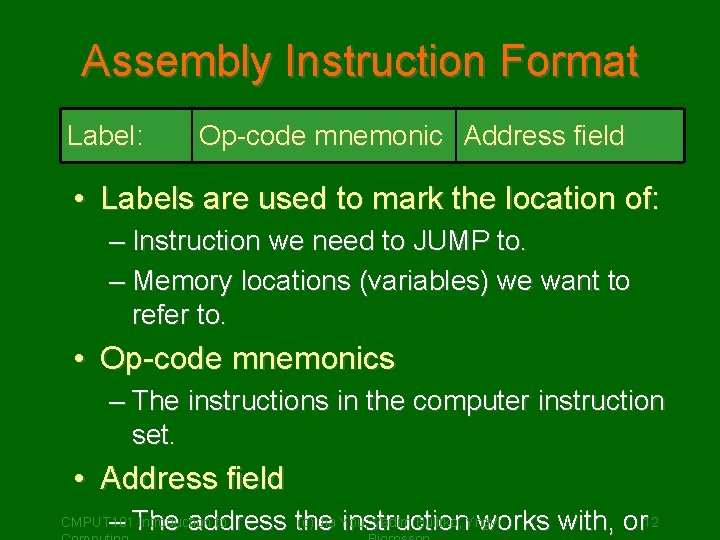
Assembly Instruction Format Label: Op-code mnemonic Address field • Labels are used to mark the location of: – Instruction we need to JUMP to. – Memory locations (variables) we want to refer to. • Op-code mnemonics – The instructions in the computer instruction set. • Address field (c) Jia You, Vadim Bulitko, Yngvi – The address the instruction works with, or 12 CMPUT 101 Introduction to
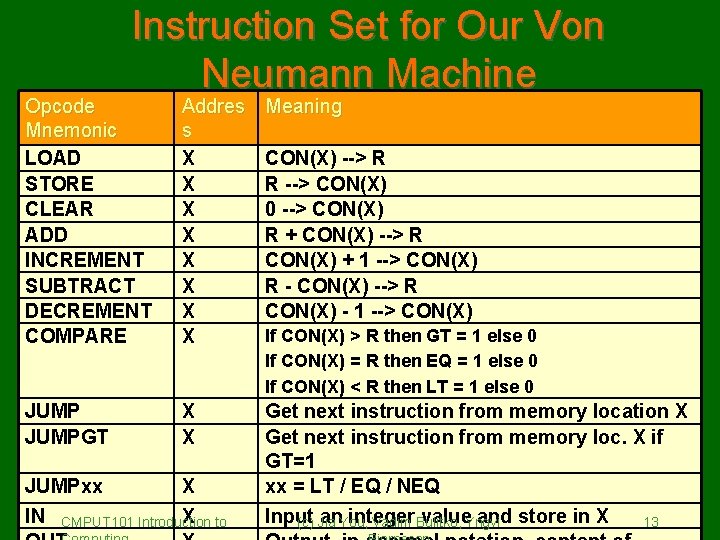
Instruction Set for Our Von Neumann Machine Opcode Mnemonic LOAD STORE CLEAR ADD INCREMENT SUBTRACT DECREMENT COMPARE Addres s X X X X Meaning JUMPGT X X Get next instruction from memory location X Get next instruction from memory loc. X if GT=1 xx = LT / EQ / NEQ Input an. You, integer value. Yngvi and store in X (c) Jia Vadim Bulitko, 13 JUMPxx X IN CMPUT 101 Introduction X to CON(X) --> R R --> CON(X) 0 --> CON(X) R + CON(X) --> R CON(X) + 1 --> CON(X) R - CON(X) --> R CON(X) - 1 --> CON(X) If CON(X) > R then GT = 1 else 0 If CON(X) = R then EQ = 1 else 0 If CON(X) < R then LT = 1 else 0
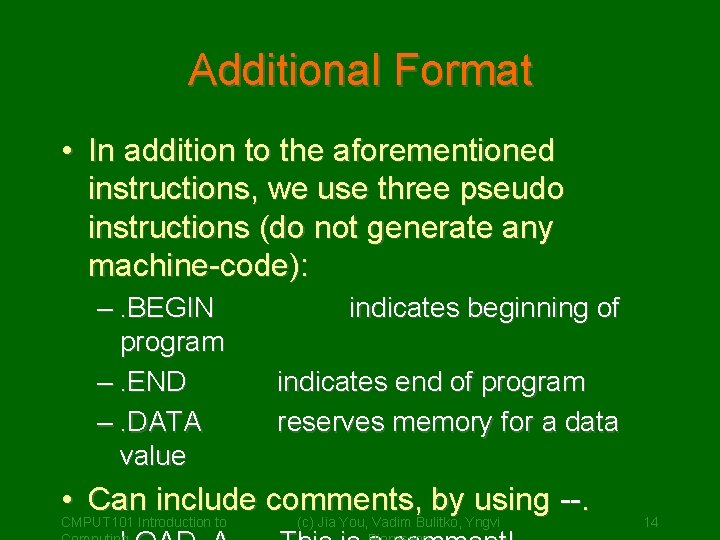
Additional Format • In addition to the aforementioned instructions, we use three pseudo instructions (do not generate any machine-code): –. BEGIN program –. END –. DATA value indicates beginning of indicates end of program reserves memory for a data • Can include comments, by using --. CMPUT 101 Introduction to (c) Jia You, Vadim Bulitko, Yngvi 14
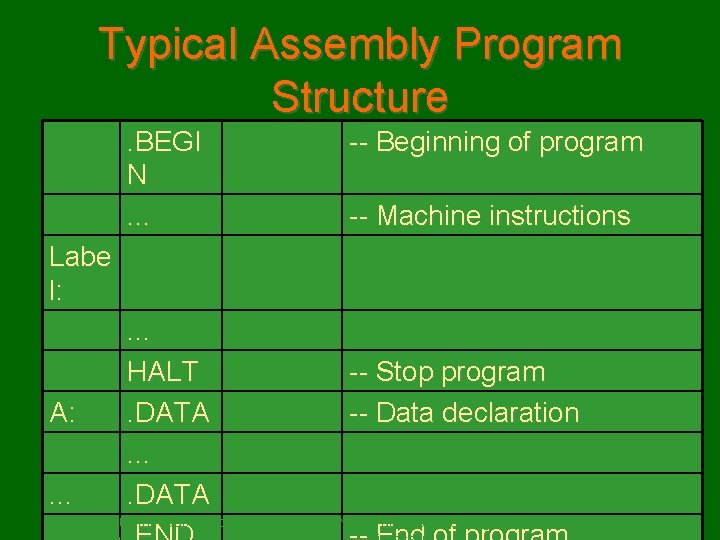
Typical Assembly Program Structure. BEGI N. . . -- Beginning of program -- Machine instructions Labe l: A: . . . HALT. DATA CMPUT 101 Introduction to -- Stop program -- Data declaration (c) Jia You, Vadim Bulitko, Yngvi 15
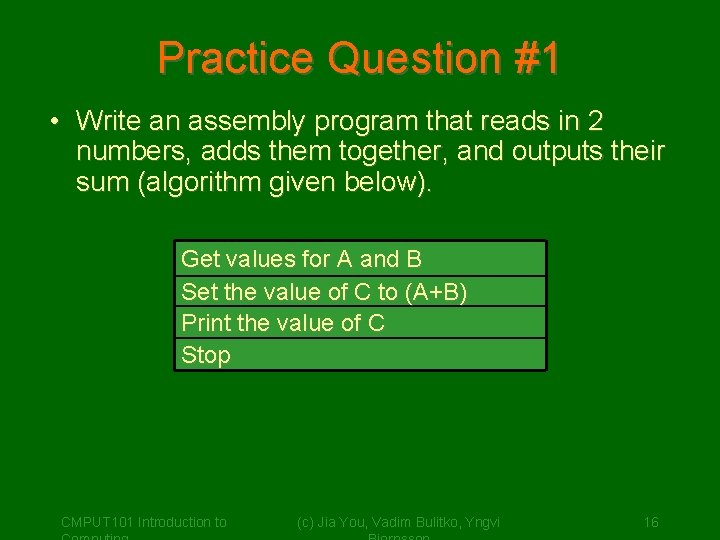
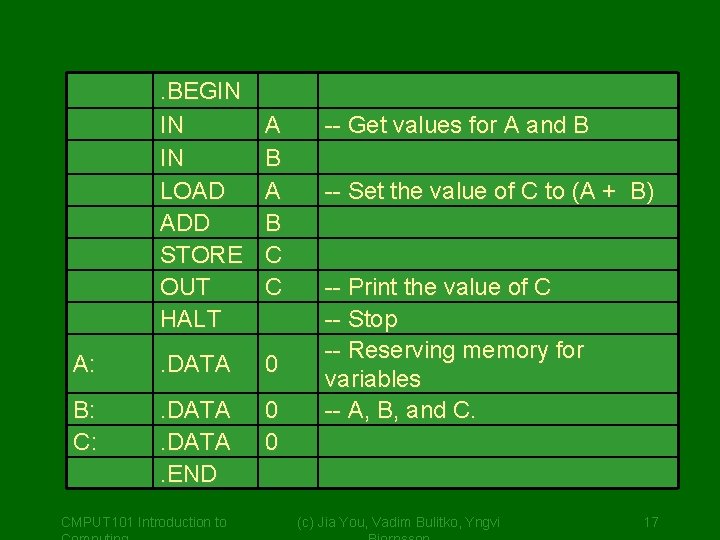
Practice Question #1 • Write an assembly program that reads in 2 numbers, adds them together, and outputs their sum (algorithm given below). Get values for A and B Set the value of C to (A+B) Print the value of C Stop CMPUT 101 Introduction to (c) Jia You, Vadim Bulitko, Yngvi 16
. BEGIN IN IN LOAD ADD STORE OUT HALT A B C C A: . DATA 0 B: C: . DATA. END 0 0 CMPUT 101 Introduction to -- Get values for A and B -- Set the value of C to (A + B) -- Print the value of C -- Stop -- Reserving memory for variables -- A, B, and C. (c) Jia You, Vadim Bulitko, Yngvi 17
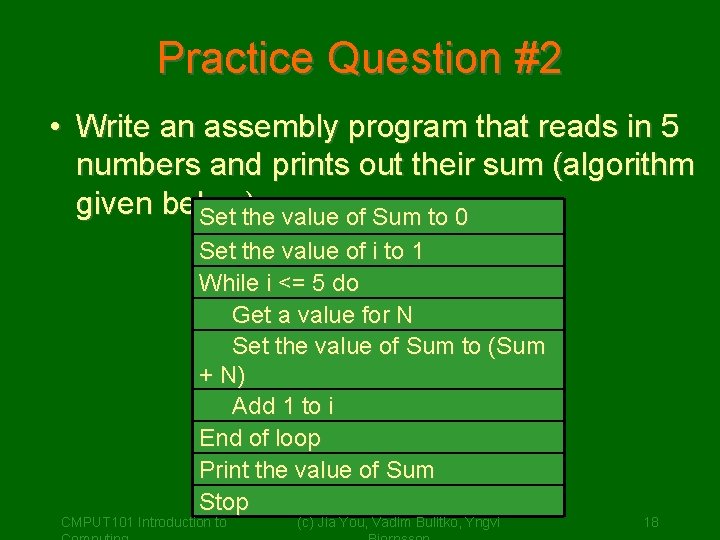
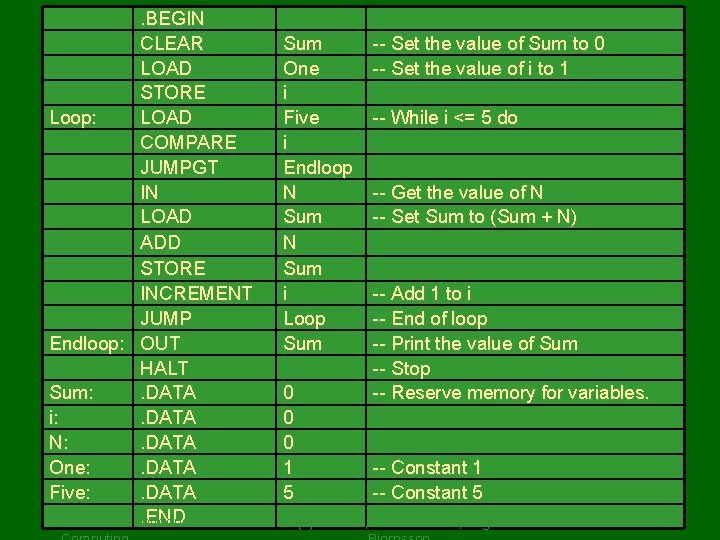
Practice Question #2 • Write an assembly program that reads in 5 numbers and prints out their sum (algorithm given below): Set the value of Sum to 0 Set the value of i to 1 While i <= 5 do Get a value for N Set the value of Sum to (Sum + N) Add 1 to i End of loop Print the value of Sum Stop CMPUT 101 Introduction to (c) Jia You, Vadim Bulitko, Yngvi 18
. BEGIN CLEAR LOAD STORE Loop: LOAD COMPARE JUMPGT IN LOAD ADD STORE INCREMENT JUMP Endloop: OUT HALT Sum: . DATA i: . DATA N: . DATA One: . DATA Five: . DATA. END CMPUT 101 Introduction to Sum One i Five i Endloop N Sum i Loop Sum 0 0 0 1 5 -- Set the value of Sum to 0 -- Set the value of i to 1 -- While i <= 5 do -- Get the value of N -- Set Sum to (Sum + N) -- Add 1 to i -- End of loop -- Print the value of Sum -- Stop -- Reserve memory for variables. -- Constant 1 -- Constant 5 (c) Jia You, Vadim Bulitko, Yngvi 19
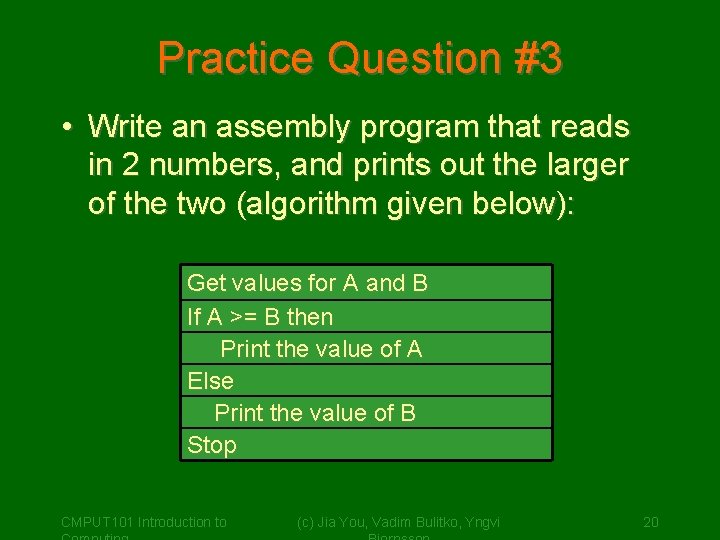
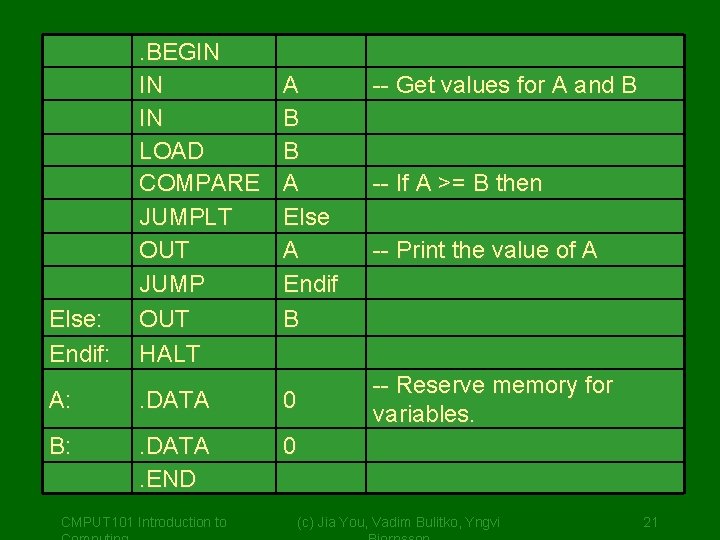
Practice Question #3 • Write an assembly program that reads in 2 numbers, and prints out the larger of the two (algorithm given below): Get values for A and B If A >= B then Print the value of A Else Print the value of B Stop CMPUT 101 Introduction to (c) Jia You, Vadim Bulitko, Yngvi 20
Else: Endif: . BEGIN IN IN LOAD COMPARE JUMPLT OUT JUMP OUT HALT A B B A Else A Endif B A: . DATA 0 B: . DATA. END 0 CMPUT 101 Introduction to -- Get values for A and B -- If A >= B then -- Print the value of A -- Reserve memory for variables. (c) Jia You, Vadim Bulitko, Yngvi 21
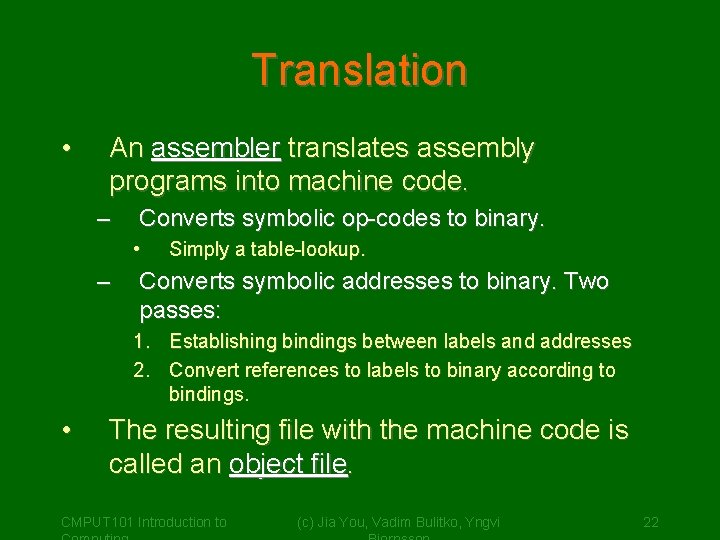
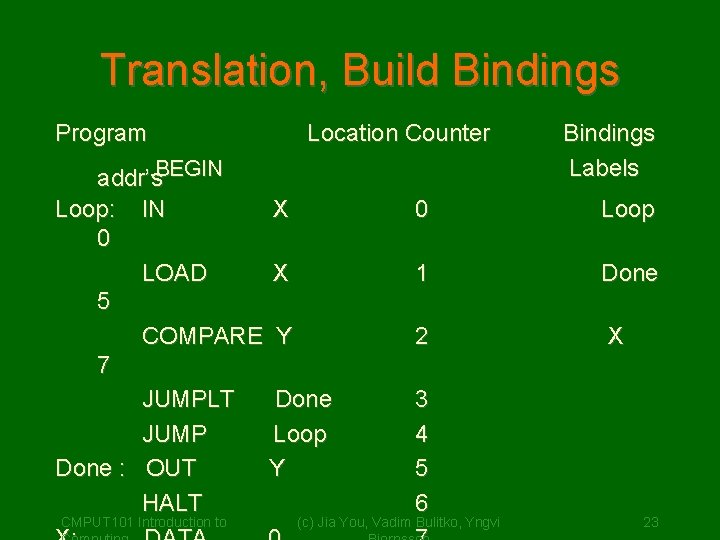
Translation • An assembler translates assembly programs into machine code. – Converts symbolic op-codes to binary. • – Simply a table-lookup. Converts symbolic addresses to binary. Two passes: 1. Establishing bindings between labels and addresses 2. Convert references to labels to binary according to bindings. • The resulting file with the machine code is called an object file. CMPUT 101 Introduction to (c) Jia You, Vadim Bulitko, Yngvi 22
Translation, Build Bindings Program Location Counter . BEGIN addr’s Loop: IN X 0 LOAD X 5 COMPARE Y 7 JUMPLT Done JUMP Loop Done : OUT Y HALT CMPUT 101 Introduction to Bindings Labels 0 Loop 1 Done 2 X 3 4 5 6 (c) Jia You, Vadim Bulitko, Yngvi 23
LOADING By a program called loader which • reads instructions of an object program into RAM • places the address of first instruction to Program Counter (PC) to initiate execution. CMPUT 101 Introduction to (c) Jia You, Vadim Bulitko, Yngvi 24