
AN INTRODUCTION TO SHAREPOINT FOR THE NONIT PROFESSIONAL
- Slides: 19
AN INTRODUCTION TO SHAREPOINT FOR THE NON-IT PROFESSIONAL Sarah Starr Office of Animal Welfare
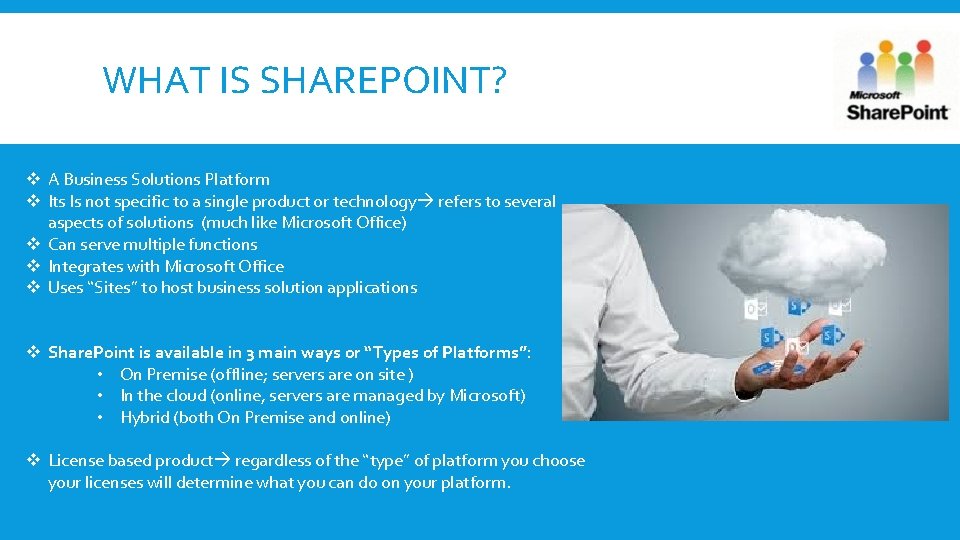
WHAT IS SHAREPOINT? v A Business Solutions Platform v Its Is not specific to a single product or technology refers to several aspects of solutions (much like Microsoft Office) v Can serve multiple functions v Integrates with Microsoft Office v Uses “Sites” to host business solution applications v Share. Point is available in 3 main ways or “Types of Platforms”: • On Premise (offline; servers are on site ) • In the cloud (online, servers are managed by Microsoft) • Hybrid (both On Premise and online) v License based product regardless of the “type” of platform you choose your licenses will determine what you can do on your platform.
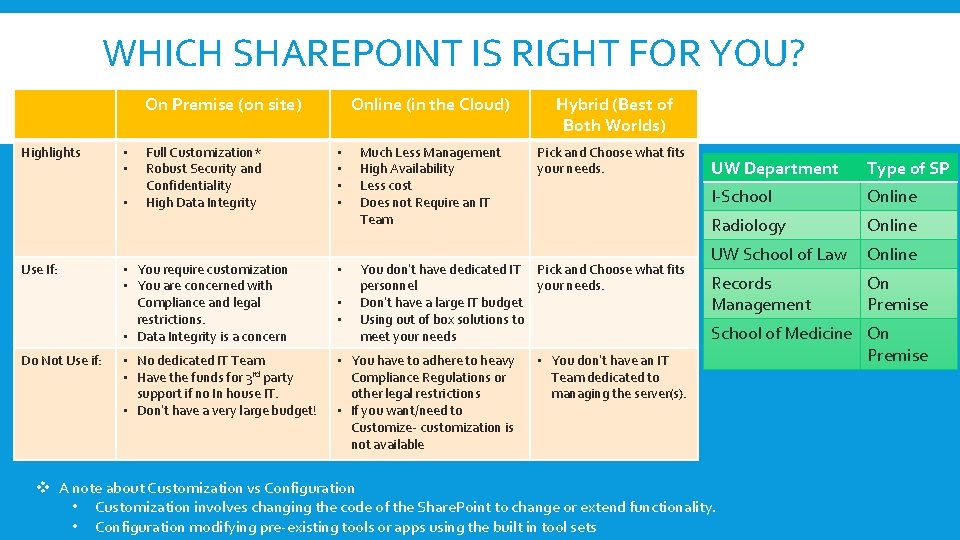
WHICH SHAREPOINT IS RIGHT FOR YOU? On Premise (on site) Highlights • • • Use If: Do Not Use if: Full Customization* Robust Security and Confidentiality High Data Integrity • • Online (in the Cloud) Hybrid (Best of Both Worlds) Much Less Management High Availability Less cost Does not Require an IT Team Pick and Choose what fits your needs. • You require customization • You are concerned with Compliance and legal restrictions. • Data Integrity is a concern • • No dedicated IT Team • Have the funds for 3 rd party support if no In house IT. • Don’t have a very large budget! • You have to adhere to heavy Compliance Regulations or other legal restrictions • If you want/need to Customize- customization is not available • • You don’t have dedicated IT Pick and Choose what fits personnel your needs. Don’t have a large IT budget Using out of box solutions to meet your needs • You don’t have an IT Team dedicated to managing the server(s). UW Department Type of SP I-School Online Radiology Online UW School of Law Online Records Management On Premise School of Medicine On Premise v A note about Customization vs Configuration • Customization involves changing the code of the Share. Point to change or extend functionality. • Configuration modifying pre-existing tools or apps using the built in tool sets
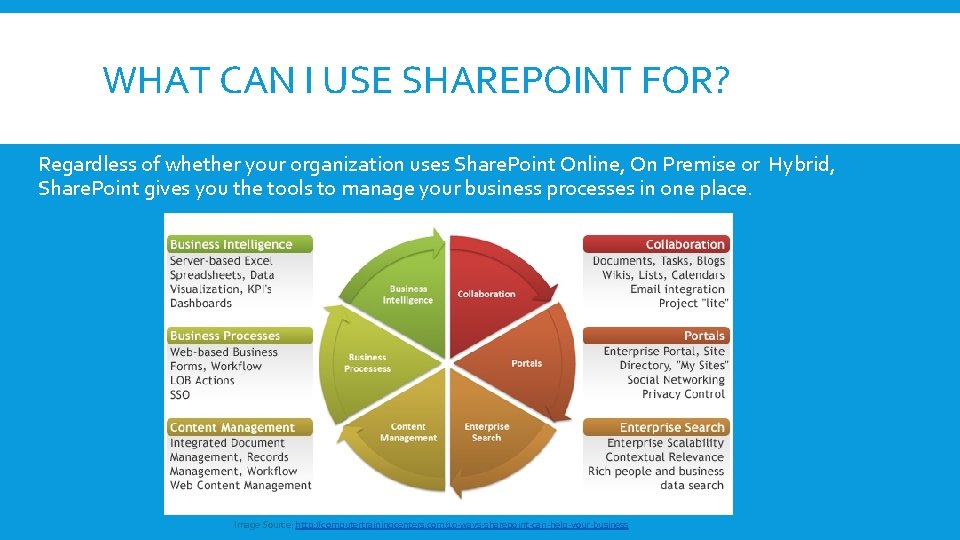
WHAT CAN I USE SHAREPOINT FOR? Regardless of whether your organization uses Share. Point Online, On Premise or Hybrid, Share. Point gives you the tools to manage your business processes in one place. Image Source: http: //computertrainingcenters. com/10 -ways-sharepoint-can-help-your-business
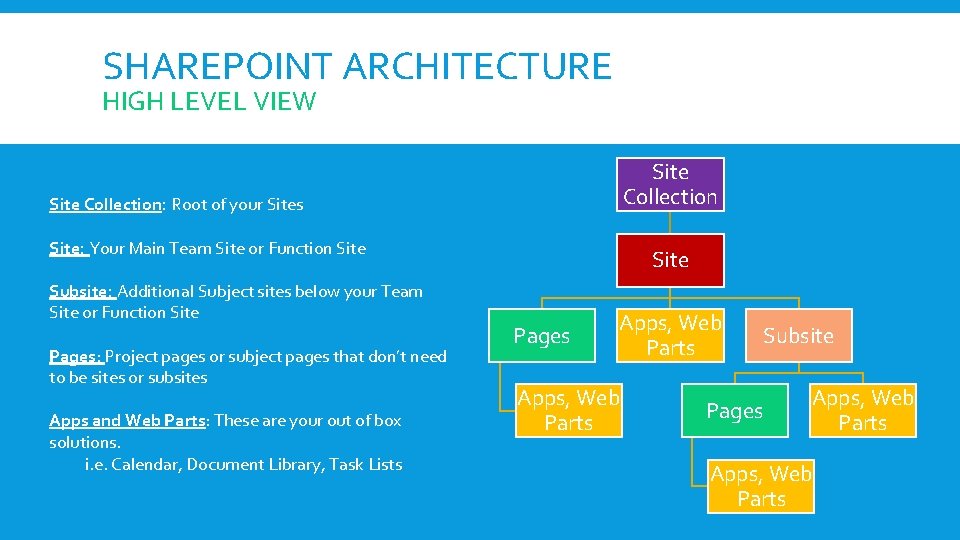
SHAREPOINT ARCHITECTURE HIGH LEVEL VIEW Site Collection: Root of your Sites Site: Your Main Team Site or Function Site Subsite: Additional Subject sites below your Team Site or Function Site Pages: Project pages or subject pages that don’t need to be sites or subsites Apps and Web Parts: These are your out of box solutions. i. e. Calendar, Document Library, Task Lists Site Pages Apps, Web Parts Pages Subsite Apps, Web Parts
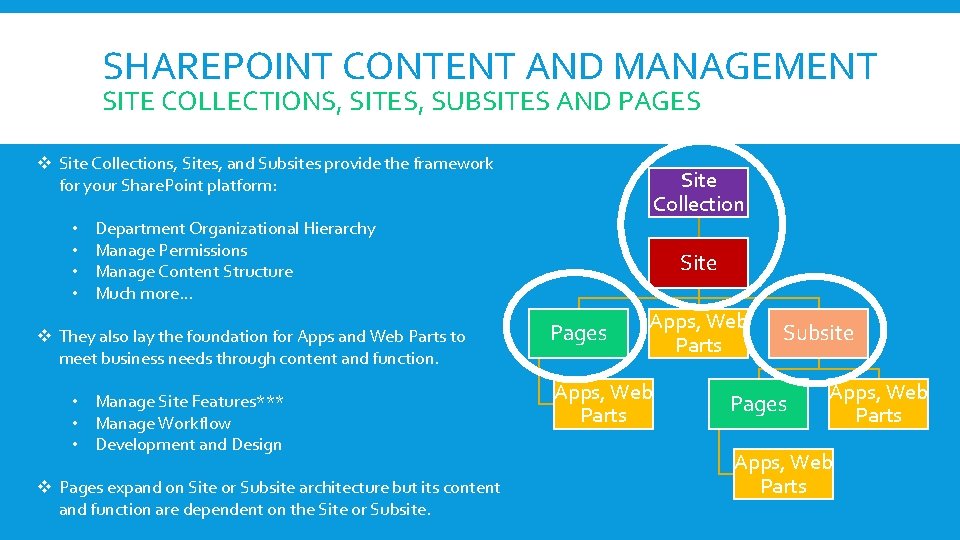
SHAREPOINT CONTENT AND MANAGEMENT SITE COLLECTIONS, SITES, SUBSITES AND PAGES v Site Collections, Sites, and Subsites provide the framework for your Share. Point platform: • • Site Collection Department Organizational Hierarchy Manage Permissions Manage Content Structure Much more… v They also lay the foundation for Apps and Web Parts to meet business needs through content and function. • Manage Site Features*** • Manage Workflow • Development and Design v Pages expand on Site or Subsite architecture but its content and function are dependent on the Site or Subsite. Site Pages Apps, Web Parts Subsite Pages Apps, Web Parts
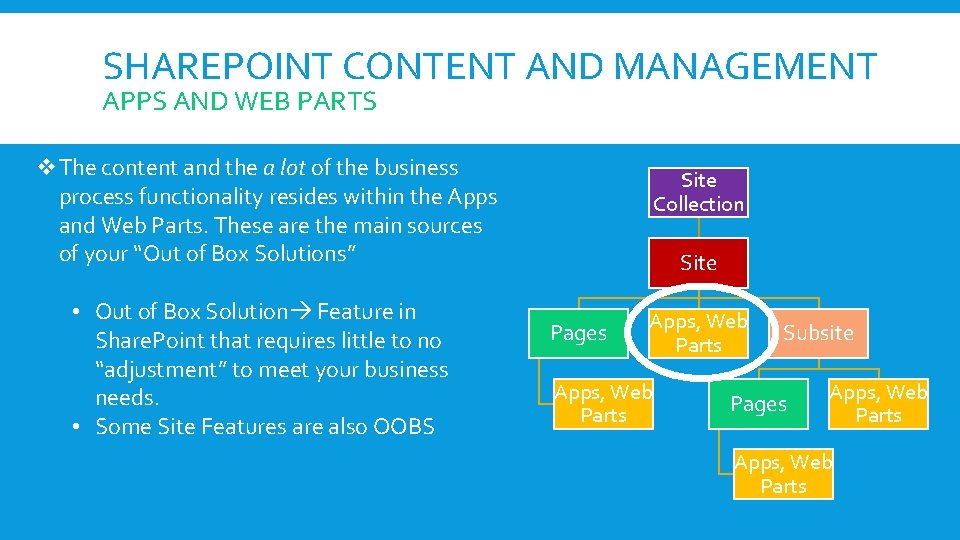
SHAREPOINT CONTENT AND MANAGEMENT APPS AND WEB PARTS v. The content and the a lot of the business process functionality resides within the Apps and Web Parts. These are the main sources of your “Out of Box Solutions” • Out of Box Solution Feature in Share. Point that requires little to no “adjustment” to meet your business needs. • Some Site Features are also OOBS Site Collection Site Pages Apps, Web Parts Subsite Pages Apps, Web Parts
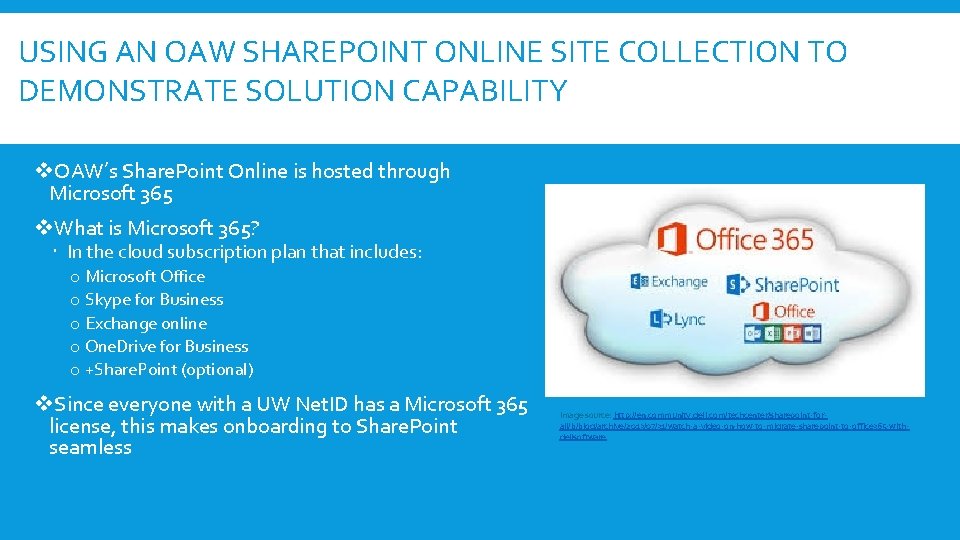
USING AN OAW SHAREPOINT ONLINE SITE COLLECTION TO DEMONSTRATE SOLUTION CAPABILITY v. OAW’s Share. Point Online is hosted through Microsoft 365 v. What is Microsoft 365? In the cloud subscription plan that includes: o Microsoft Office o Skype for Business o Exchange online o One. Drive for Business o +Share. Point (optional) v. Since everyone with a UW Net. ID has a Microsoft 365 license, this makes onboarding to Share. Point seamless Image source: http: //en. community. dell. com/techcenter/sharepoint-forall/b/blog/archive/2013/07/31/watch-a-video-on-how-to-migrate-sharepoint-to-office 365 -withdellsoftware
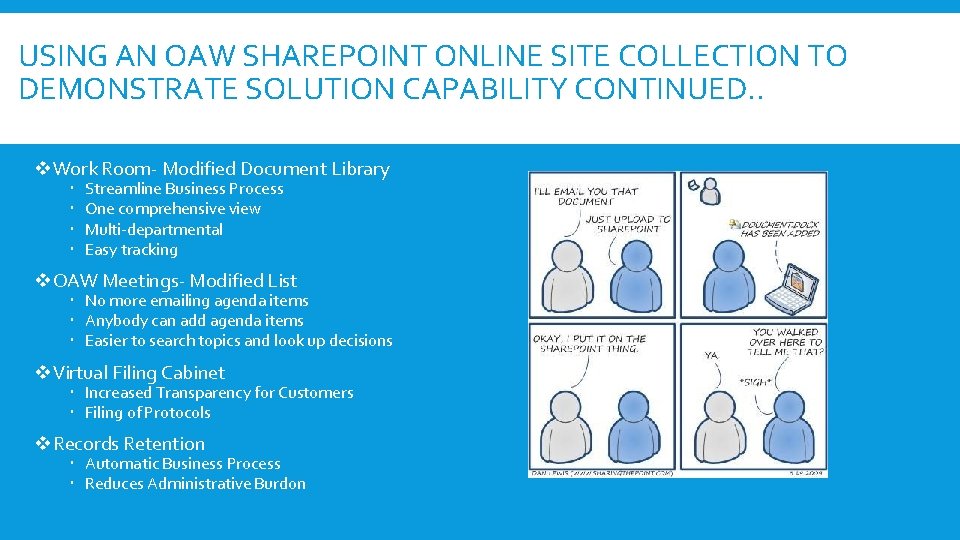
USING AN OAW SHAREPOINT ONLINE SITE COLLECTION TO DEMONSTRATE SOLUTION CAPABILITY CONTINUED. . v. Work Room- Modified Document Library Streamline Business Process One comprehensive view Multi-departmental Easy tracking v. OAW Meetings- Modified List No more emailing agenda items Anybody can add agenda items Easier to search topics and look up decisions v. Virtual Filing Cabinet Increased Transparency for Customers Filing of Protocols v. Records Retention Automatic Business Process Reduces Administrative Burdon
OUT OF BOX SOLUTION: THE DOCUMENT LIBRARY Most people use a document library to simply store documents. In Share. Point, you can use it to do so much more! For example, Oaw uses a document library to keep track of the status of our current projects and tasks, as well as to grant visibility to the office of the status of our work. Ways you can Modify and/or use a Document Library (other than storing documents) 1. Add Columns to display certain metadata 2. Add Work Flows for automated Notifications and Approvals 3. Create different “views” to display certain information (like a dashboard) 4. Assign tasks and link them outlook for individuals 5. Assign record policies 6. Store sets of documents with specific sets of metadata assigned to them (cannot do this with folders)
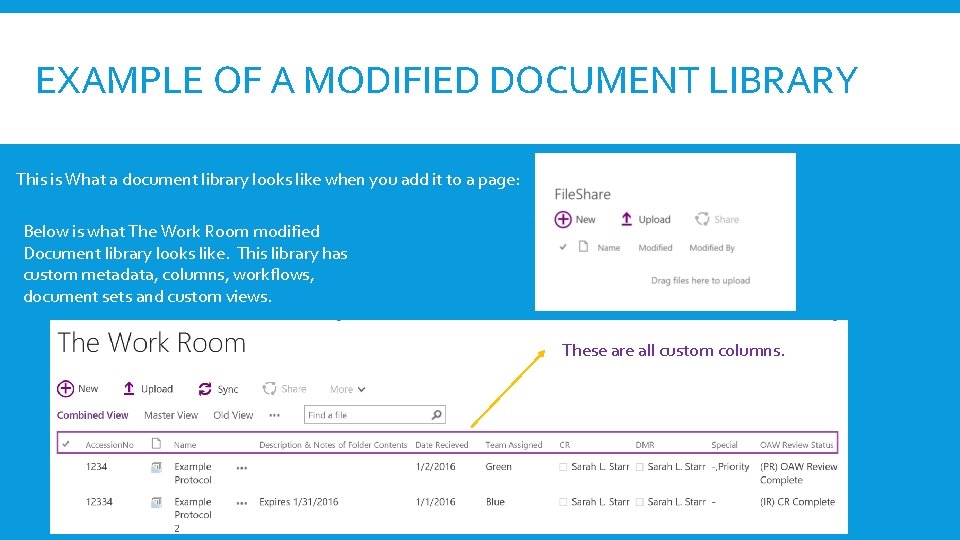
EXAMPLE OF A MODIFIED DOCUMENT LIBRARY This is What a document library looks like when you add it to a page: Below is what The Work Room modified Document library looks like. This library has custom metadata, columns, workflows, document sets and custom views. These are all custom columns.
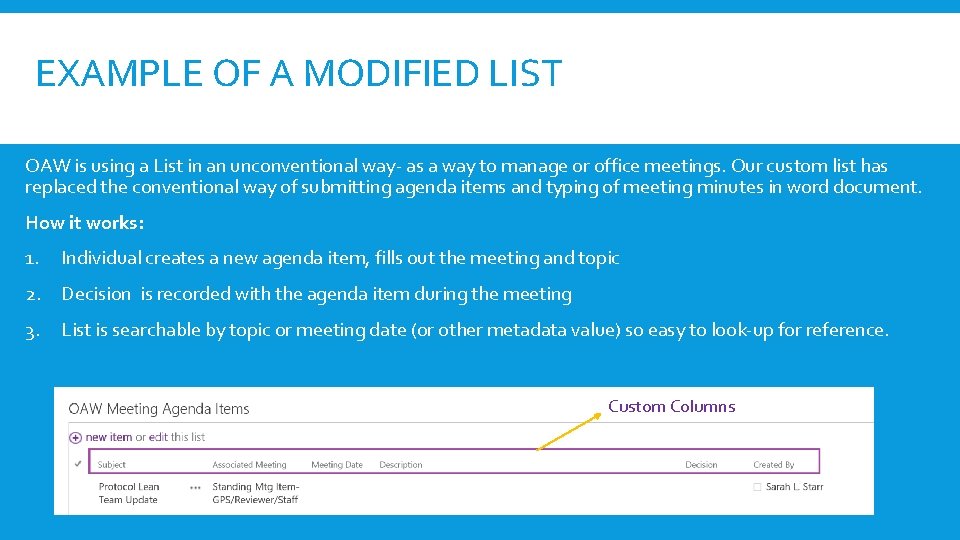
OUT OF BOX SOLUTION: MODIFIED LIST Lists are very similar to document libraries in terms of what you can do with them. The difference is that instead of working with documents or “files” you are working with “data”. Ways you can Modify and/or use a List 1. Add Columns to display certain metadata 2. Add Work Flows for automated Notifications and Approvals 3. Create different “views” to display certain information (like a dashboard) 4. Assign tasks and link them outlook for individuals 5. Attach Files 6. Use in Business Intelligence
EXAMPLE OF A MODIFIED LIST OAW is using a List in an unconventional way- as a way to manage or office meetings. Our custom list has replaced the conventional way of submitting agenda items and typing of meeting minutes in word document. How it works: 1. Individual creates a new agenda item, fills out the meeting and topic 2. Decision is recorded with the agenda item during the meeting 3. List is searchable by topic or meeting date (or other metadata value) so easy to look-up for reference. Custom Columns
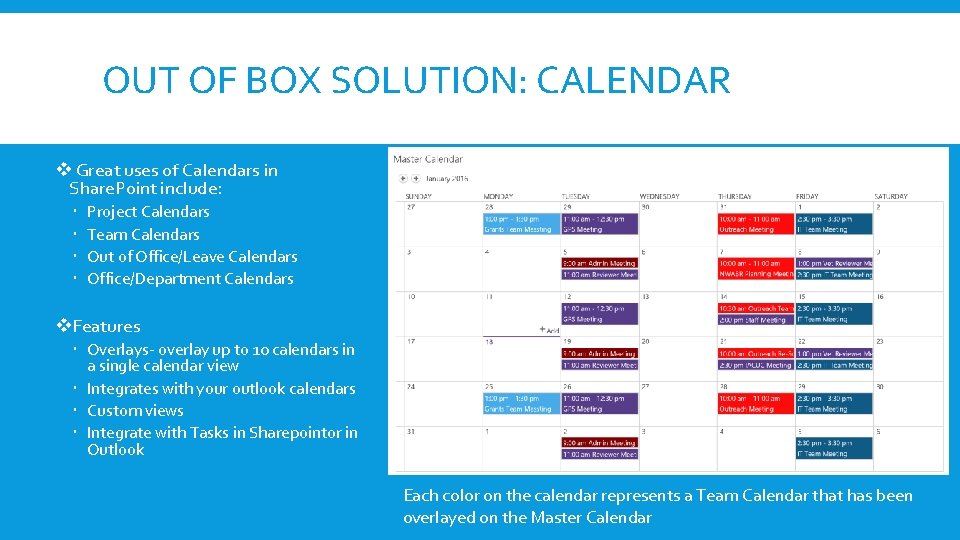
OUT OF BOX SOLUTION: CALENDAR v Great uses of Calendars in Share. Point include: Project Calendars Team Calendars Out of Office/Leave Calendars Office/Department Calendars v. Features Overlays- overlay up to 10 calendars in a single calendar view Integrates with your outlook calendars Custom views Integrate with Tasks in Sharepointor in Outlook Each color on the calendar represents a Team Calendar that has been overlayed on the Master Calendar
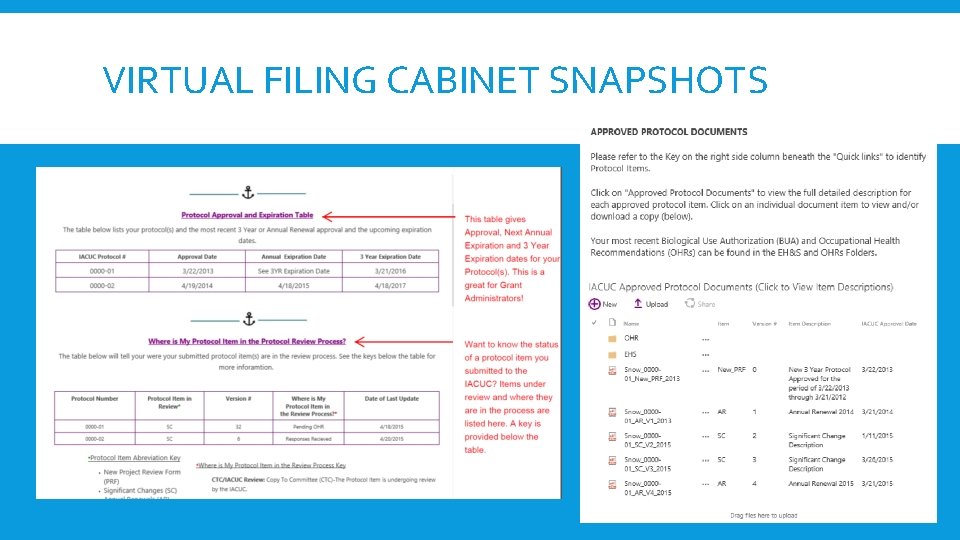
SITES: THE VIRTUAL FILING CABINET EXAMPLE Sites can be used countless ways: as teams sites, project sites, document storage, and information pages to name a few. One of the ways OAW uses sites is a combination of all of the above to provide a service to our Researchers OAW’s Virtual Filing Cabinet (VFC) contains over 400 sub collections of sites, one collection for each researcher we serve). Each one of these collections include: 1. A PI and Contact Level Sites that contains Protocol Approval and Expiration Table Protocol Tracking for submitted Items 2. A Protocol level Site for each Protocol that contains: Approved Protocol Documents Helpful Link Researchers and their teams can access their collection of sites at any time to get information on their protocol.
VIRTUAL FILING CABINET SNAPSHOTS
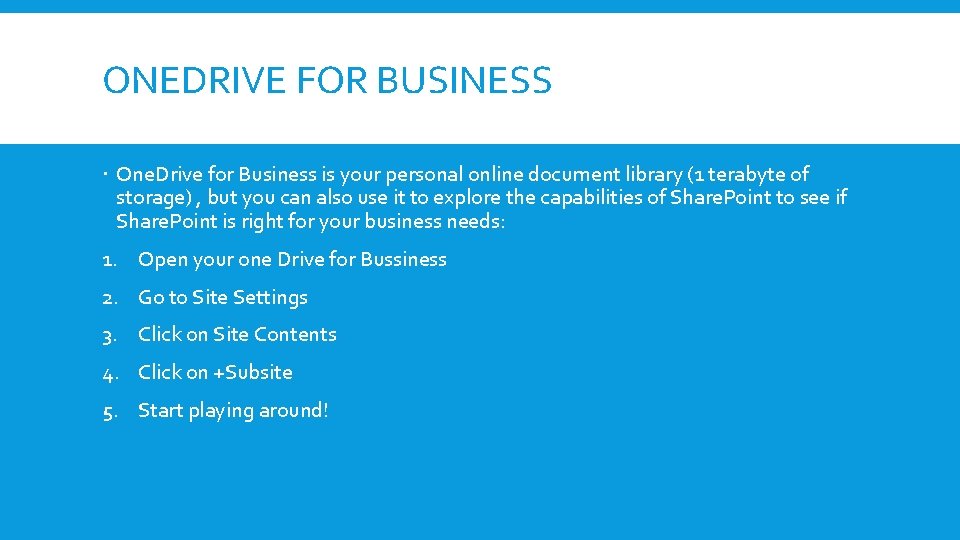
ONEDRIVE FOR BUSINESS One. Drive for Business is your personal online document library (1 terabyte of storage) , but you can also use it to explore the capabilities of Share. Point to see if Share. Point is right for your business needs: 1. Open your one Drive for Bussiness 2. Go to Site Settings 3. Click on Site Contents 4. Click on +Subsite 5. Start playing around!
GREAT RESOURCES 1. Share. Point Community of Practice: UW Share. Point users attending this meeting Every other Friday from 12: 00 -2: 00 pm in the Tower to talk about All things Share. Point. Contact Gregory Frick (gdfrick@uw. edu) 2. Share. Gate: Share. Gate offers services but they also put out excellent free tutorials for general Share. Point content: http: //en. sharegate. com/support/tutorial-videos. 3. Lynda. com courses: If you have the money, this service has some great introductory tutorials as well. 4. Microsoft: Sometimes there is no better source then the parent! 5. The internet: Thousands of free tutorials and discussion boards!
THANK YOU!