
An introduction to project planning Why plan Project






- Slides: 39
An introduction to project planning
Why plan? • Project development is complex and time consuming • There are usually a number of people involved with a project • Communication – Informs Project Manager/Team of the state of the project – Customer confidence • To provide a project development “Audit trail, ” for anything more than the smallest project planning must be a formal process.
Why plan? • The key to a successful project is in the planning. • Creating a project plan is the first thing you should do when undertaking any kind of project. • Often project planning is ignored in favour of getting on with the work. • However, many people fail to realise the value of a project plan in saving time, money and many problems.
Project planning • Requires knowledge drawn from: – Development techniques – Application domain – Project planning techniques – Skills, abilities and motivation of developers – Business and organisational environment – Current standards and legislation – Past case studies/projects – Best practises for a given domain area.
Two views of a plan • The Plan is a straight-jacket – Very Precise – Focus on data • The Plan is a working tool –Focus on information –Very Accurate Always clearly, accurately, and concisely record project plan changes as part of the “Configuration management” system.
The cost of planning • • Labour and associated expenses Planner's tools Cost of preparing the written plan Opportunity costs - what could those involved be doing if they weren't planning? • Meetings • Walkthroughs • Documentation control.
Benefits of planning • Avoids the cost of the chaos that would ensue if the project was unplanned • Filters out projects that would provide a negative return • Being able to resolve problems in advance • Being able to allocate resources in advance • Can minimise contractual disputes • Provides the corner stone of good risk management • Essential for good Quality Control.
The project plan – Simple form • How will the project be divided? – Work breakdown structure – Product breakdown structure • When will the work be carried out? – Gantt Chart • Who does what? – Resource allocation.
The project plan • Summary plan – Shows key activities, events and milestones in the systems project • Detailed plan – Activity plans – Resource plans – Cost plans – Quality plans – Communication plans – Risk management plans – Configuration management plans.
Who does the planning • Developing the project plan is an iterative process that involves the: – Project manager – Project management support team – Project board – Project sponsor – Customer – Users – Suppliers and Sub-contractors – Other stakeholders.
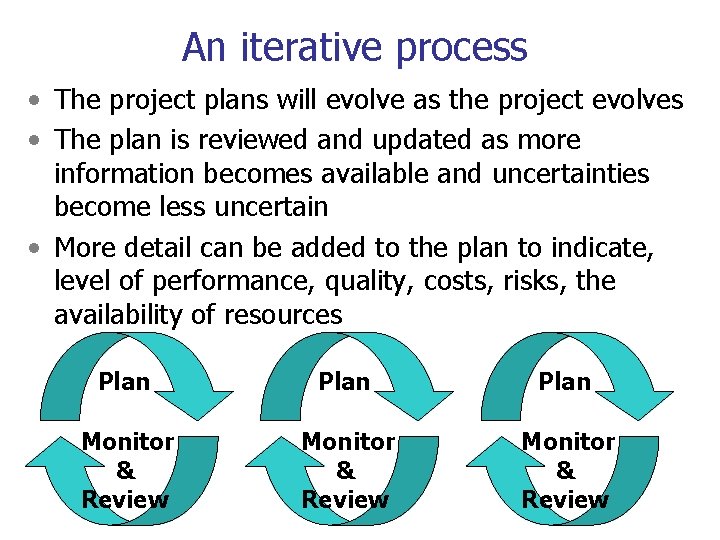
An iterative process • The project plans will evolve as the project evolves • The plan is reviewed and updated as more information becomes available and uncertainties become less uncertain • More detail can be added to the plan to indicate, level of performance, quality, costs, risks, the availability of resources Plan Monitor & Review
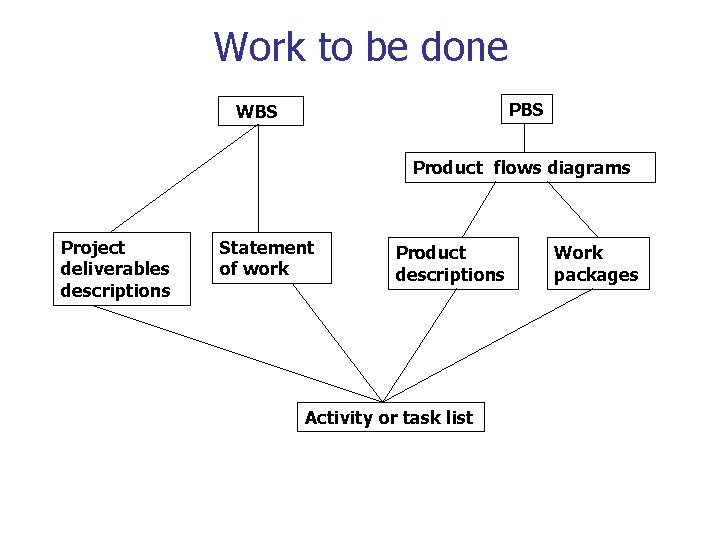
Work to be done The requirements of the work, activities or tasks to be done starts with either the Work breakdown structure (WBS) or Product breakdown structure (PBS) The WBS or PBS will then be further broken down: • From the WBS “Statements of work” will be produced, with their associated “project deliverables” descriptions • From the PBS “Product Flow” diagrams will be produced, and then “Work packages” with their associated “Product” descriptions
Work to be done PBS WBS Product flows diagrams Project deliverables descriptions Statement of work Product descriptions Activity or task list Work packages
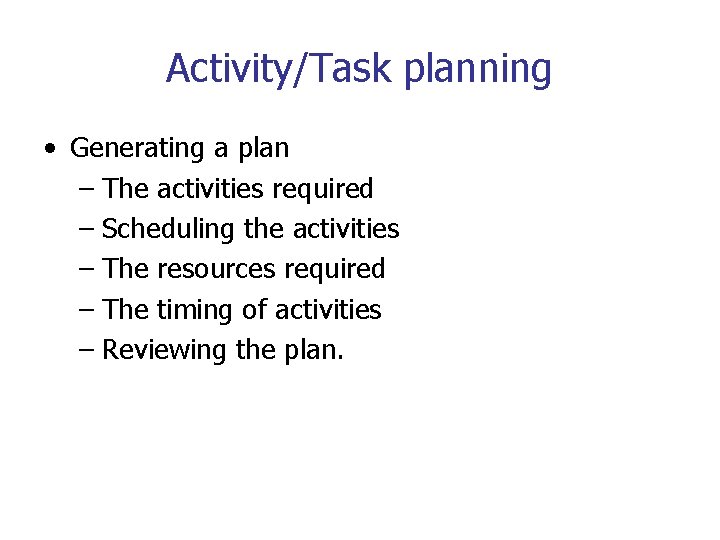
Activity/Task planning • Generating a plan – The activities required – Scheduling the activities – The resources required – The timing of activities – Reviewing the plan.
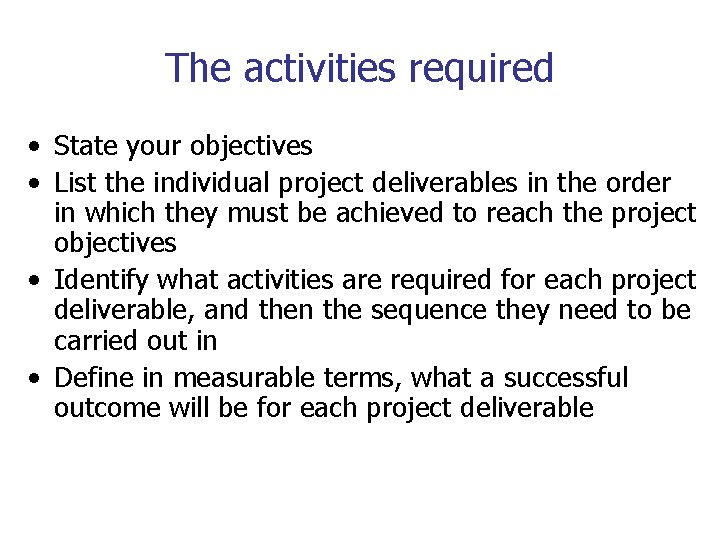
The activities required • State your objectives • List the individual project deliverables in the order in which they must be achieved to reach the project objectives • Identify what activities are required for each project deliverable, and then the sequence they need to be carried out in • Define in measurable terms, what a successful outcome will be for each project deliverable
Scheduling the activities • Identify the “Start time” for implementation of the solution • Identify the sequence of activities – Determine which activities can be done in parallel – Determine which activities are on the “Critical Path” • Identify activities sharing common resources • Determine the start and finish dates for “Parallel activity streams”
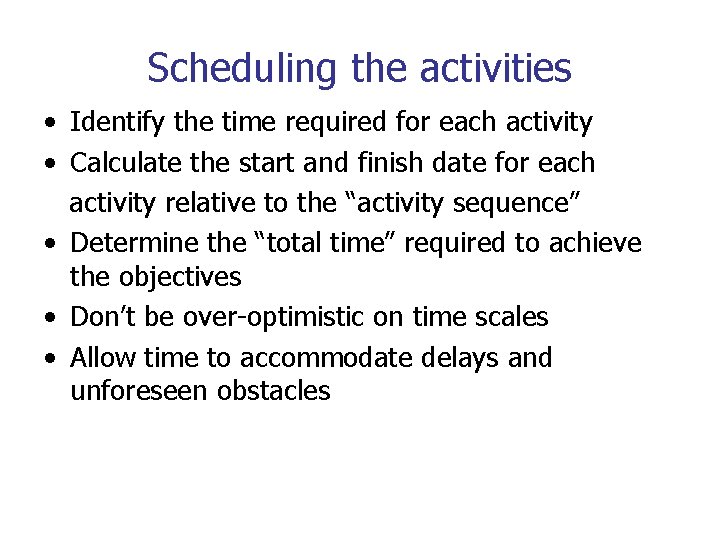
Scheduling the activities • Identify the time required for each activity • Calculate the start and finish date for each activity relative to the “activity sequence” • Determine the “total time” required to achieve the objectives • Don’t be over-optimistic on time scales • Allow time to accommodate delays and unforeseen obstacles
PM information systems • Projects need systems that can collect data in real time concerning the project progress and costs • Data analysis and distribution of information must be carried out as rapidly as possible • Don’t rely on PM tools to replace good project management skills
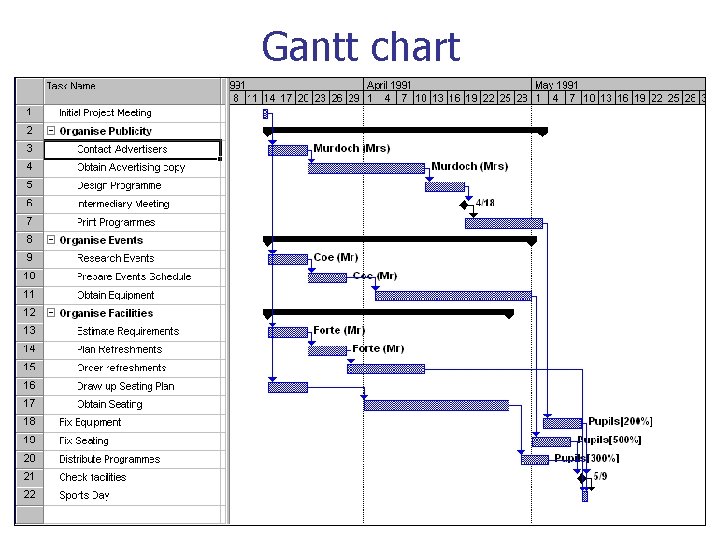
Gantt chart
Gantt chart advantages and disadvantages Advantages • It is good at showing timings • It shows project progress clearly • It is therefore an ideal tool for the summary plan Disadvantages • Not ideal for showing inter-relationships
Network diagrams • Splits up the decision making process into – Method/logic - the order in which activities have to be completed – Time – estimates for the time to completion can be added to each activity – Resources – these can be added and then analysis carried out • Identifying Activity – Each activity is given a unique ID number – ID number is often given in WBS • The flow of work is from left to right
Two methods • Activity on Arrow – Traditionally the preferred method • Activity on Node – More popular these days – Supported by most Project Management software tools (i. e. MS Project)
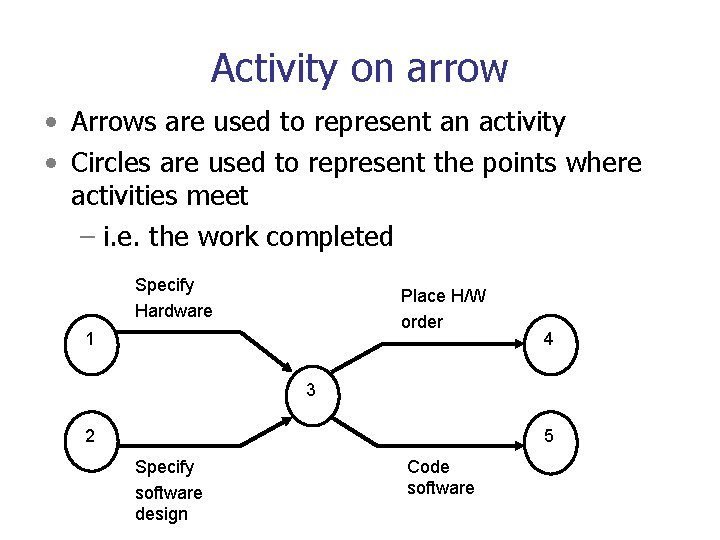
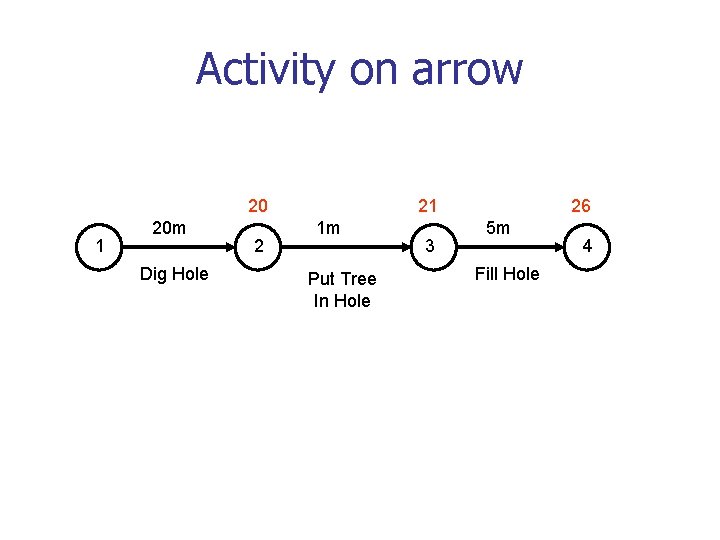
Activity on arrow • Arrows are used to represent an activity • Circles are used to represent the points where activities meet – i. e. the work completed Specify Hardware Place H/W order 1 4 3 2 5 Specify software design Code software
Activity on arrow 20 1 20 m Dig Hole 2 21 1 m Put Tree In Hole 3 26 5 m Fill Hole 4
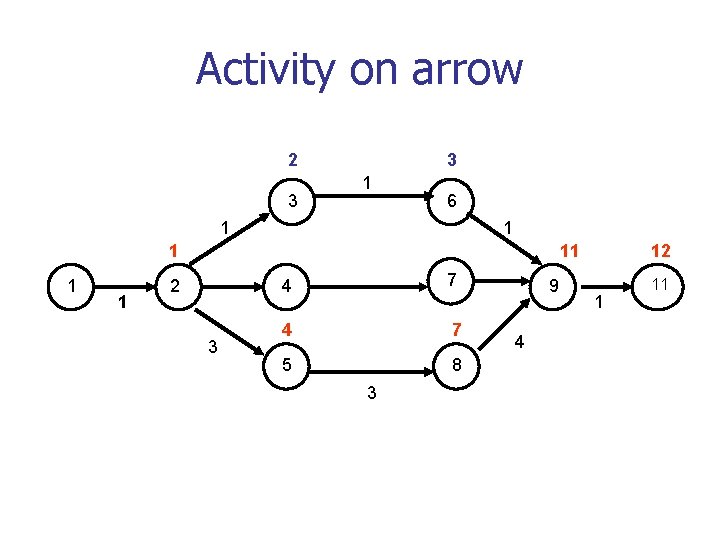
Activity on arrow 2 3 3 1 6 1 1 11 2 3 4 7 5 8 3 9 4 12 1 11
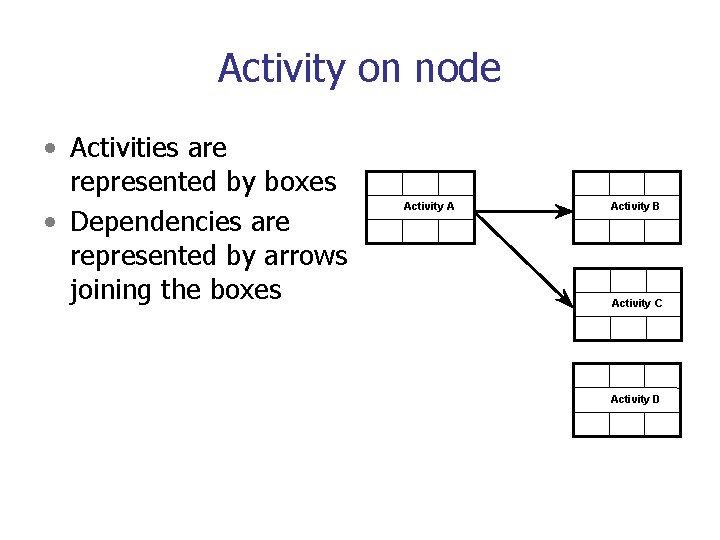
Activity on node • Activities are represented by boxes • Dependencies are represented by arrows joining the boxes Activity A Activity B Activity C Activity D
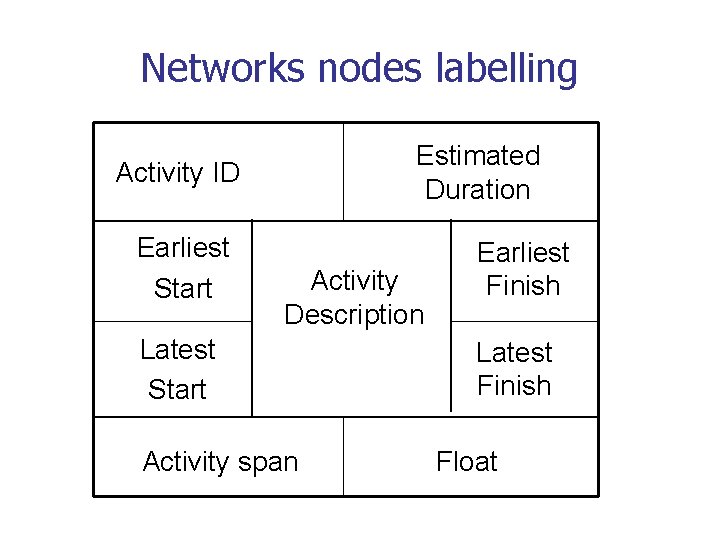
Networks nodes labelling Estimated Duration Activity ID Earliest Start Activity Description Latest Start Activity span Earliest Finish Latest Finish Float
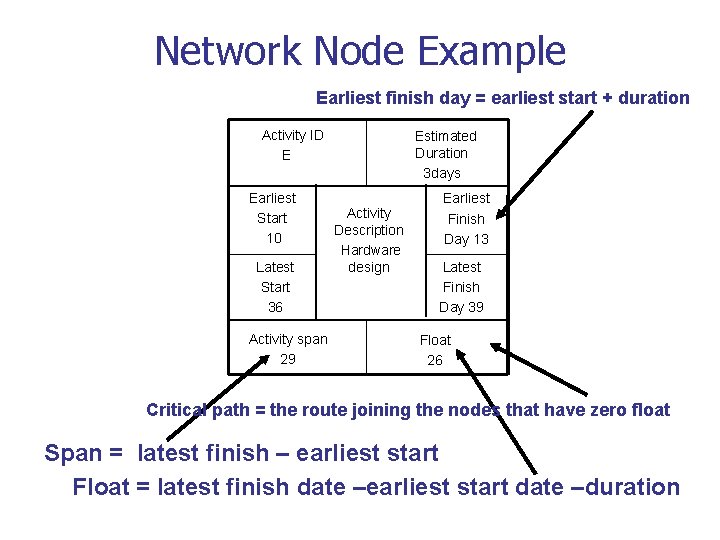
Network Node Example Earliest finish day = earliest start + duration Activity ID E Earliest Start 10 Latest Start 36 Activity span 29 Estimated Duration 3 days Activity Description Hardware design Earliest Finish Day 13 Latest Finish Day 39 Float 26 Critical path = the route joining the nodes that have zero float Span = latest finish – earliest start Float = latest finish date –earliest start date –duration
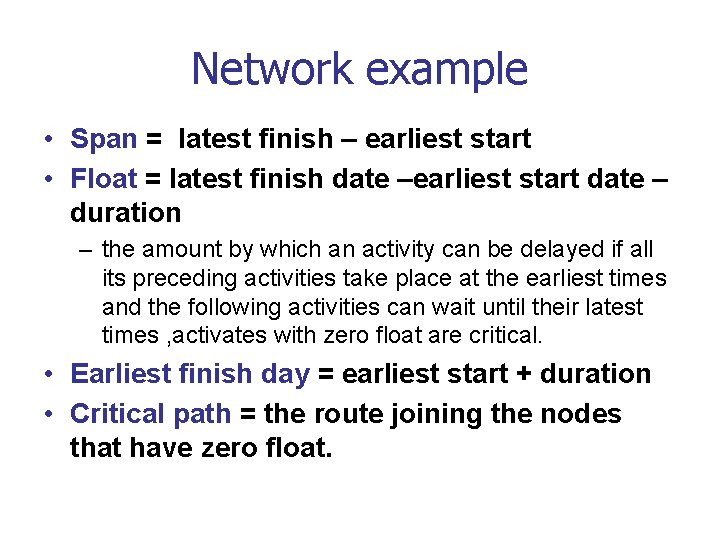
Network example • Span = latest finish – earliest start • Float = latest finish date –earliest start date – duration – the amount by which an activity can be delayed if all its preceding activities take place at the earliest times and the following activities can wait until their latest times , activates with zero float are critical. • Earliest finish day = earliest start + duration • Critical path = the route joining the nodes that have zero float.
Network example Estimated Duration 6 weeks Earliest Activity Finish Description WK 6 Hardware Latest design Finish WK 8 Activity ID C Earliest Start WK 0 Latest Start WK 2 Activity span 8 weeks Float 2 weeks Estimated Duration 4 weeks Earliest Activity Finish Description WK 4 Software Latest Design Finish WK 7 Activity ID A Earliest Start WK 0 Latest Start WK 3 Activity span 7 weeks Float 3 weeks Estimated Duration 3 weeks Earliest Activity Finish Description WK 9 Build Latest Hardware Finish WK 11 Activity ID D Earliest Start WK 6 Latest Start WK 8 Activity span 5 weeks Float 2 weeks Estimated Duration 4 weeks Earliest Activity Finish Description WK 8 Code Latest Software Finish WK 11 Activity ID B Earliest Start WK 4 Latest Start WK 7 Activity span 7 weeks Float 3 weeks “Software Project Management” Bob Hughes & Mike Cotterell (11 -6 -3=2) Estimated Duration 2 weeks Earliest Activity Finish Description WK 11 Install & Latest Finish WK 13 Activity ID E Earliest Start WK 9 Latest Start WK 11 Activity span 4 weeks Float 2 weeks
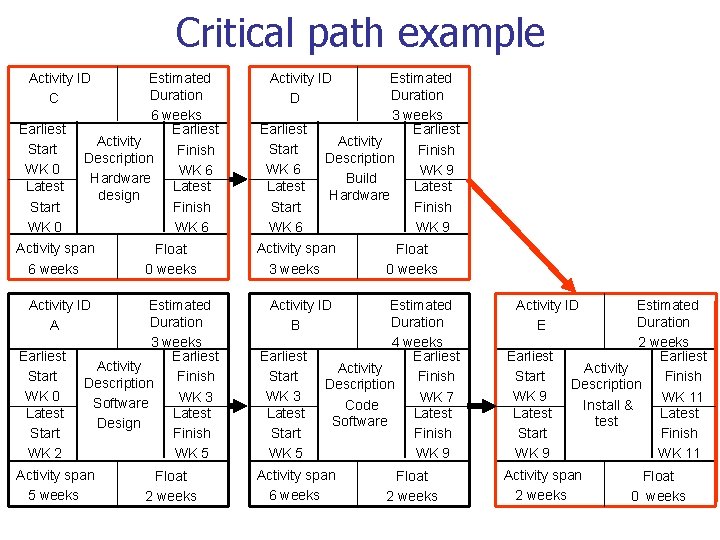
Critical path • The series of tasks that must be completed on schedule for a project to finish on schedule. • It is the series of tasks (or even a single task) that dictates the calculated finish date • Any delay of an activity on the critical path directly impacts the planned project completion date (i. e. there is no float on the critical path). • When the last task in the critical path is completed, the project is completed. • A project can have several, parallel near critical paths.
Critical path example Estimated Duration 6 weeks Earliest Activity Finish Description WK 6 Hardware Latest design Finish WK 6 Activity ID C Earliest Start WK 0 Latest Start WK 0 Activity span 6 weeks Float 0 weeks Estimated Duration 3 weeks Earliest Activity Finish Description WK 3 Software Latest Design Finish WK 5 Activity ID A Earliest Start WK 0 Latest Start WK 2 Activity span 5 weeks Float 2 weeks Estimated Duration 3 weeks Earliest Activity Finish Description WK 9 Build Latest Hardware Finish WK 9 Activity ID D Earliest Start WK 6 Latest Start WK 6 Activity span 3 weeks Float 0 weeks Estimated Duration 4 weeks Earliest Activity Finish Description WK 7 Code Latest Software Finish WK 9 Activity ID B Earliest Start WK 3 Latest Start WK 5 Activity span 6 weeks Float 2 weeks Estimated Duration 2 weeks Earliest Activity Finish Description WK 11 Install & Latest Finish WK 11 Activity ID E Earliest Start WK 9 Latest Start WK 9 Activity span 2 weeks Float 0 weeks
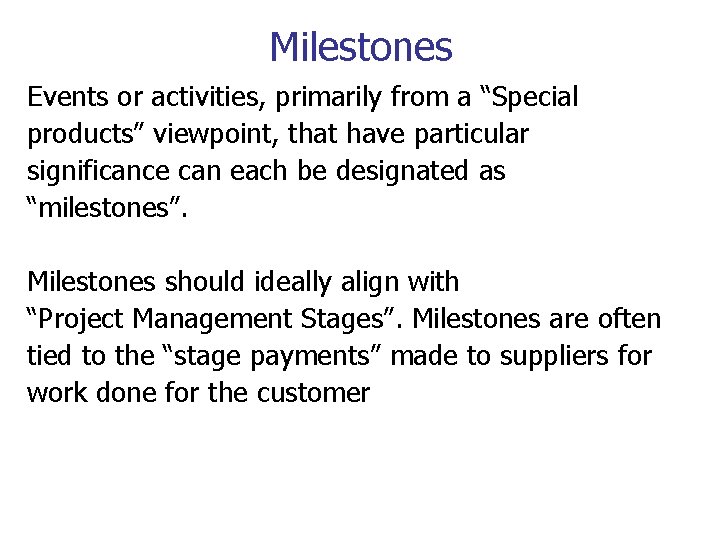
Milestones Events or activities, primarily from a “Special products” viewpoint, that have particular significance can each be designated as “milestones”. Milestones should ideally align with “Project Management Stages”. Milestones are often tied to the “stage payments” made to suppliers for work done for the customer
PERT • The Program Evaluation & Review Technique for estimating • PERT is basically a method to analyze the time needed to complete each project task, and identifying the minimum time needed to complete the total project. • PERT was developed in the 1950’s, primarily to simplify the planning and scheduling of large and complex projects. • It was able to incorporate uncertainty by making it possible to schedule a project not knowing precisely the details and durations of all the activities.
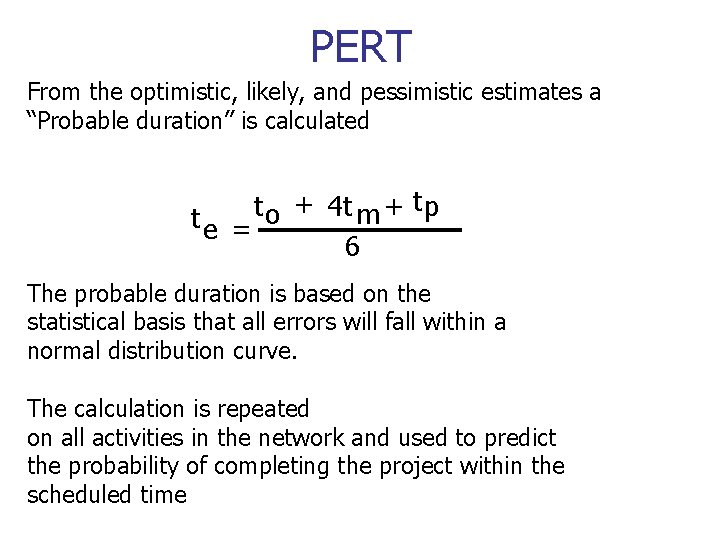
PERT From the optimistic, likely, and pessimistic estimates a “Probable duration” is calculated t + t 4 t + p m te = o 6 The probable duration is based on the statistical basis that all errors will fall within a normal distribution curve. The calculation is repeated on all activities in the network and used to predict the probability of completing the project within the scheduled time
PERT The Program Evaluation & Review Technique for estimating Probability to= Shortest Time tp= Longest Time tm=likely Time 4 tm Time t 0 tp
Other Software Tools • Project Management Tools • Accounting tools – e. g. spreadsheets, invoice generators • Documentation tools – Word processors, report generators • Group work tools – Discussion forums, GDSS • What/if simulation
Useful Links • The OGC Project Management Web Site – http: //www. ogc. gov. uk/sdtoolkit/reference/deliverylifecycle/imppla ns/proj_mgmt. html • Project Management Software Tools – http: //www. project-management-software. org/ – http: //www. startwright. com/project 1. htm • Example Project Definition Document – http: //www. surreycc. gov. uk/sccwebsite/sccwspublications. nsf/f 2 d 920 e 015 d 1183 d 80256 c 670041 a 50 b/547330 bbc 5 c 2 e 99 f 80256 c 2 a 0059 f 4 c 7/$FILE/Project%20 Definition%20 Document. pdf
An introduction to project planning