
An Introduction to Programming with C Fifth Edition
- Slides: 43
An Introduction to Programming with C++ Fifth Edition Chapter 5 The Selection Structure
Objectives • Write pseudocode for the selection structure • Create a flowchart for the selection structure • Code the if and if/else forms of the selection structure • Write code that uses comparison operators and logical operators An Introduction to Programming with C++, Fifth Edition 2
Objectives (continued) • Convert the contents of a char variable to uppercase or lowercase • Convert the contents of a string variable to uppercase or lowercase • Use the. NET To. Upper(), To. Lower(), and Compare. To() methods • Format numeric output in. NET An Introduction to Programming with C++, Fifth Edition 3
Concept Lesson • Using the Selection Structure • Writing Pseudocode for the if and if/else Selection Structures • Flowcharting the if and if/else Selection Structures • Coding the if and if/else Selection Structures An Introduction to Programming with C++, Fifth Edition 4
Concept Lesson (continued) • • Comparison Operators Logical Operators Comparing Characters Comparing Strings An Introduction to Programming with C++, Fifth Edition 5
Using the Selection Structure • Also called the decision structure – Condition specifies decision • Results in either a true or false answer only – Three forms: if, if/else, and switch (or case) An Introduction to Programming with C++, Fifth Edition 6
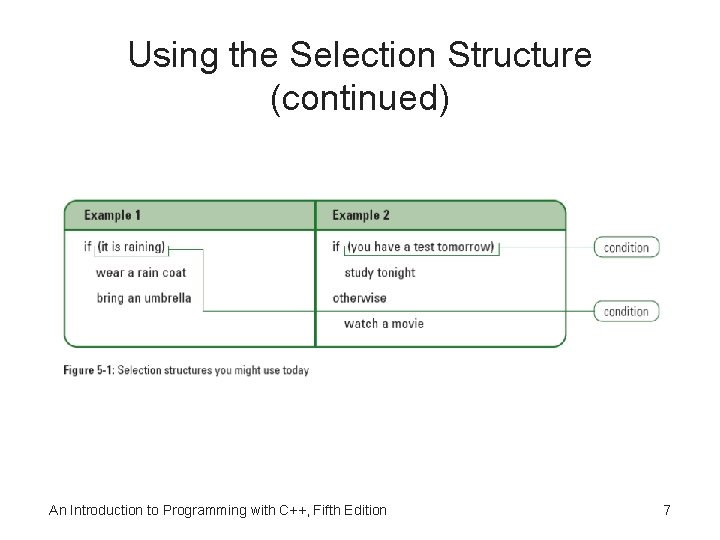
Using the Selection Structure (continued) An Introduction to Programming with C++, Fifth Edition 7
Writing Pseudocode for the if and if/else Selection Structures An Introduction to Programming with C++, Fifth Edition 8
Flowcharting the if and if/else Selection Structures selection/repetition symbol An Introduction to Programming with C++, Fifth Edition 9
Coding the if and if/else Selection Structures An Introduction to Programming with C++, Fifth Edition 10
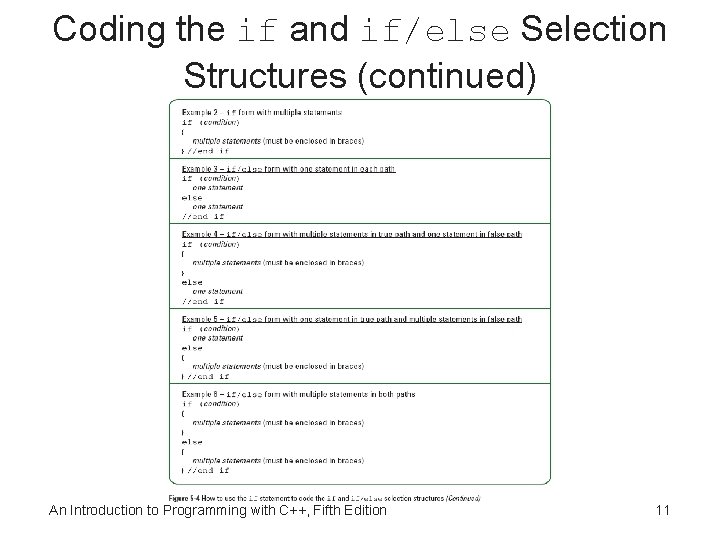
Coding the if and if/else Selection Structures (continued) An Introduction to Programming with C++, Fifth Edition 11
Comparison Operators • Often called relational operators • If expression has multiple comparison operators at same precedence, it is evaluated from left to right • Comparison operators are evaluated after any arithmetic operators in the expression An Introduction to Programming with C++, Fifth Edition 12
Comparison Operators (continued) An Introduction to Programming with C++, Fifth Edition 13
Comparison Operators (continued) An Introduction to Programming with C++, Fifth Edition 14
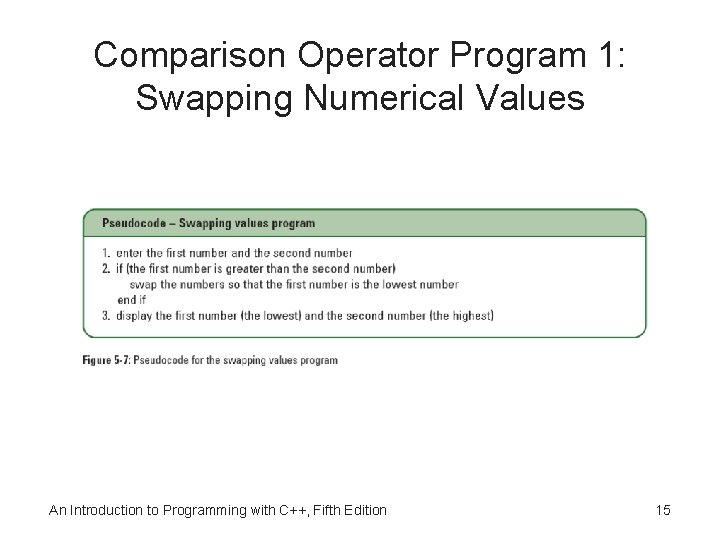
Comparison Operator Program 1: Swapping Numerical Values An Introduction to Programming with C++, Fifth Edition 15
Comparison Operator Program 1: Swapping Numerical Values (continued) An Introduction to Programming with C++, Fifth Edition 16
Comparison Operator Program 1: Swapping Numerical Values (continued) temp is a local variable An Introduction to Programming with C++, Fifth Edition 17
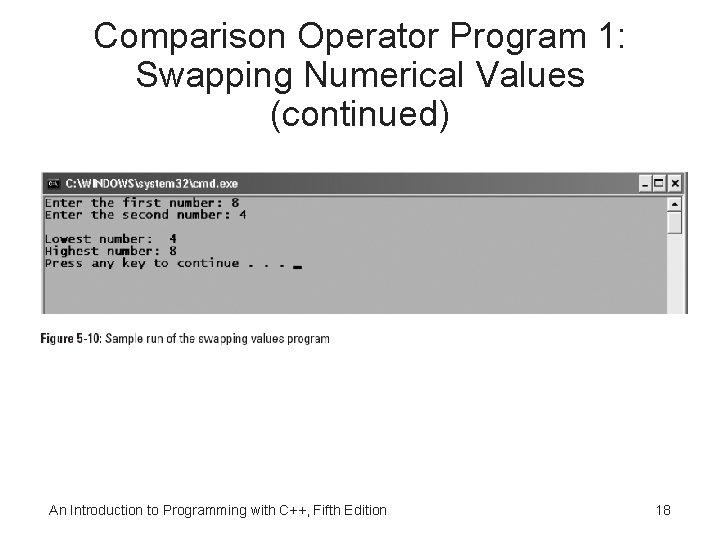
Comparison Operator Program 1: Swapping Numerical Values (continued) An Introduction to Programming with C++, Fifth Edition 18
Comparison Operator Program 1: Swapping Numerical Values (continued) An Introduction to Programming with C++, Fifth Edition 19
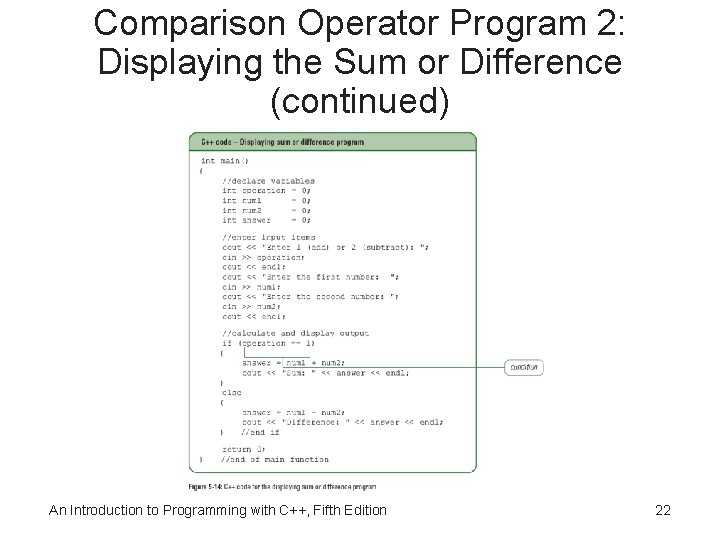
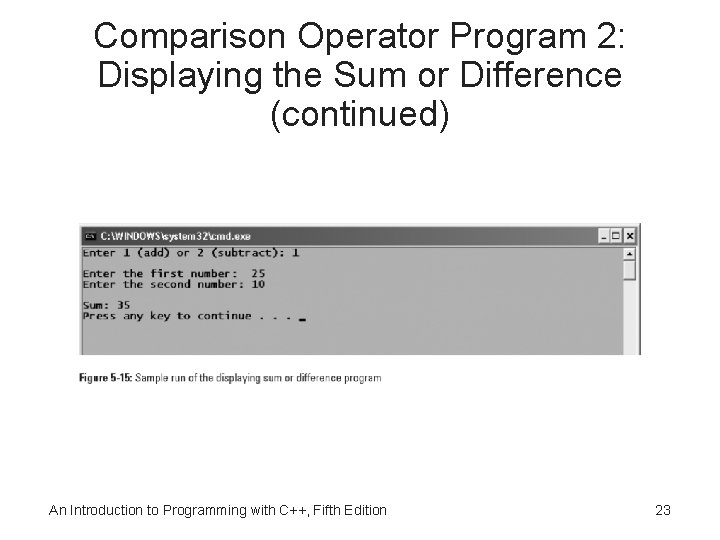
Comparison Operator Program 2: Displaying the Sum or Difference An Introduction to Programming with C++, Fifth Edition 20
Comparison Operator Program 2: Displaying the Sum or Difference (continued) An Introduction to Programming with C++, Fifth Edition 21
Comparison Operator Program 2: Displaying the Sum or Difference (continued) An Introduction to Programming with C++, Fifth Edition 22
Comparison Operator Program 2: Displaying the Sum or Difference (continued) An Introduction to Programming with C++, Fifth Edition 23
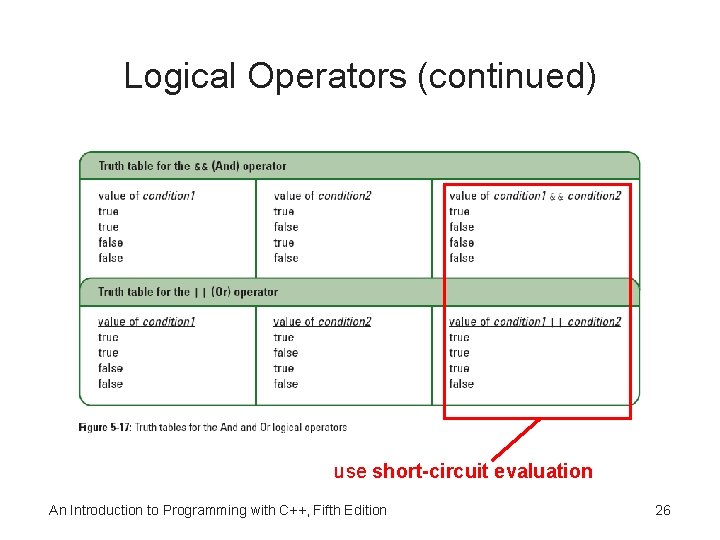
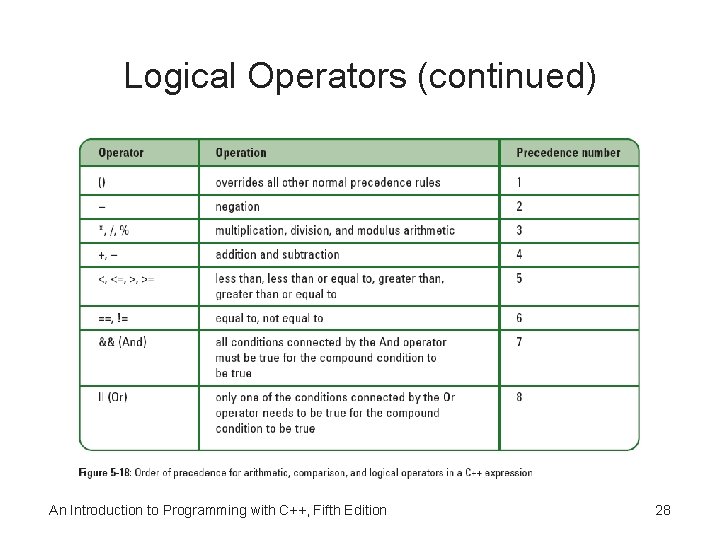
Logical Operators • Logical operators allow you to combine two or more conditions into one compound condition – Sometimes called Boolean operators • And/Or operators are evaluated after any arithmetic or comparison operators in an expression An Introduction to Programming with C++, Fifth Edition 24
Logical Operators (continued) An Introduction to Programming with C++, Fifth Edition 25
Logical Operators (continued) use short-circuit evaluation An Introduction to Programming with C++, Fifth Edition 26
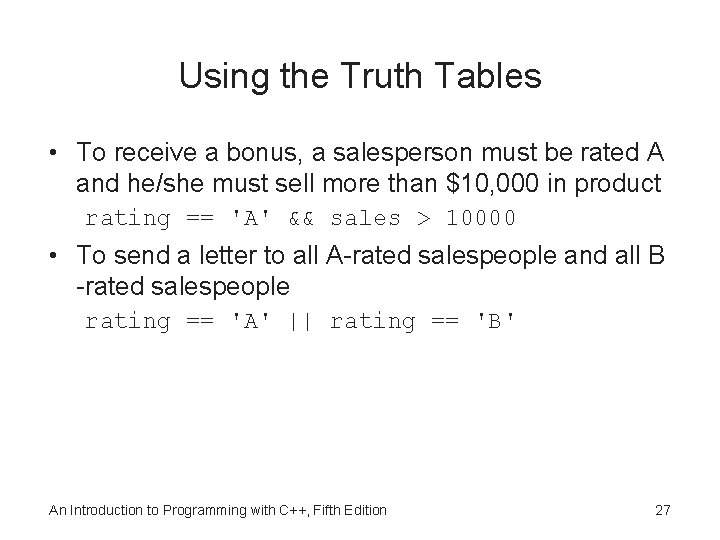
Using the Truth Tables • To receive a bonus, a salesperson must be rated A and he/she must sell more than $10, 000 in product rating == 'A' && sales > 10000 • To send a letter to all A-rated salespeople and all B -rated salespeople rating == 'A' || rating == 'B' An Introduction to Programming with C++, Fifth Edition 27
Logical Operators (continued) An Introduction to Programming with C++, Fifth Edition 28
Logical Operators (continued) An Introduction to Programming with C++, Fifth Edition 29
Logical Operator Program: Calculating Gross Pay An Introduction to Programming with C++, Fifth Edition 30
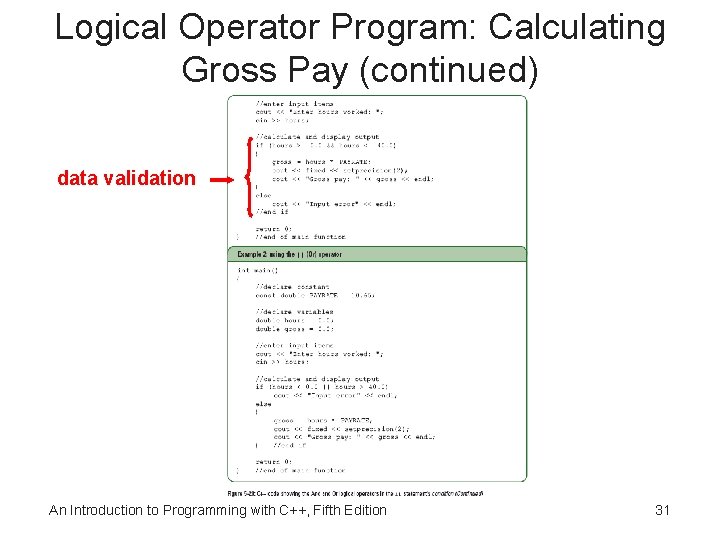
Logical Operator Program: Calculating Gross Pay (continued) data validation An Introduction to Programming with C++, Fifth Edition 31
Logical Operator Program: Calculating Gross Pay (continued) An Introduction to Programming with C++, Fifth Edition 32
Comparing Characters • Display the word “Pass” if user enters the letter P (uppercase or lowercase) • Display “Fail” if user enters anything else An Introduction to Programming with C++, Fifth Edition 33
Comparing Characters (continued) An Introduction to Programming with C++, Fifth Edition 34
Comparing Characters (continued) An Introduction to Programming with C++, Fifth Edition 35
Converting a Character to Uppercase or Lowercase An Introduction to Programming with C++, Fifth Edition 36
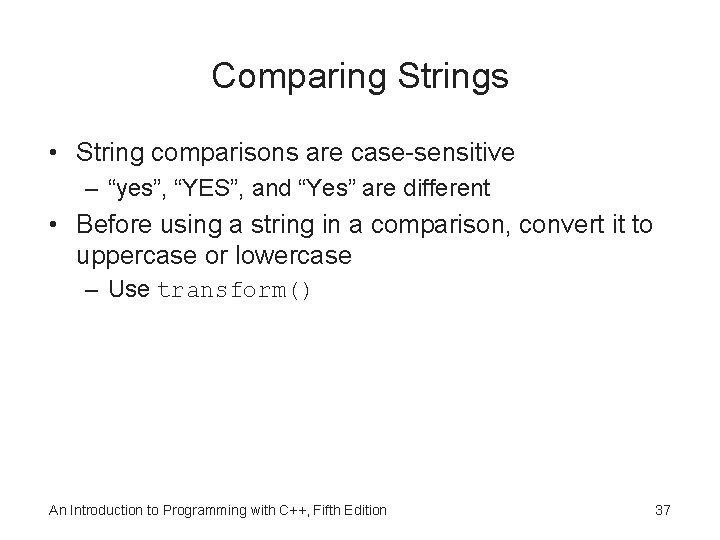
Comparing Strings • String comparisons are case-sensitive – “yes”, “YES”, and “Yes” are different • Before using a string in a comparison, convert it to uppercase or lowercase – Use transform() An Introduction to Programming with C++, Fifth Edition 37
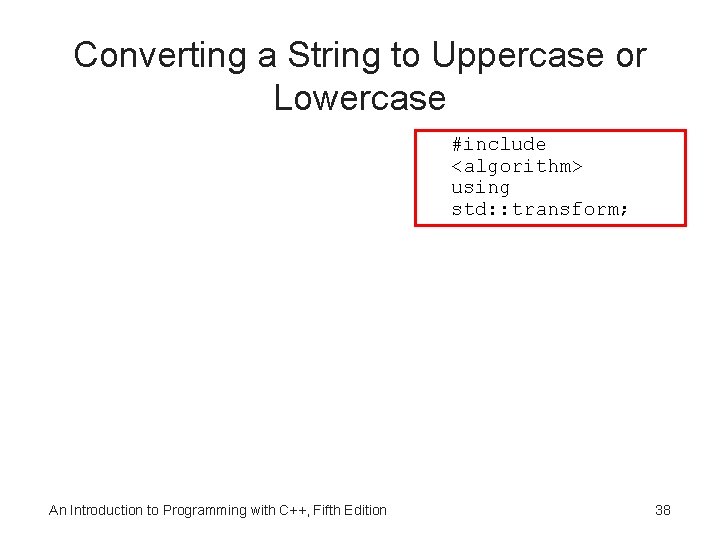
Converting a String to Uppercase or Lowercase #include <algorithm> using std: : transform; An Introduction to Programming with C++, Fifth Edition 38
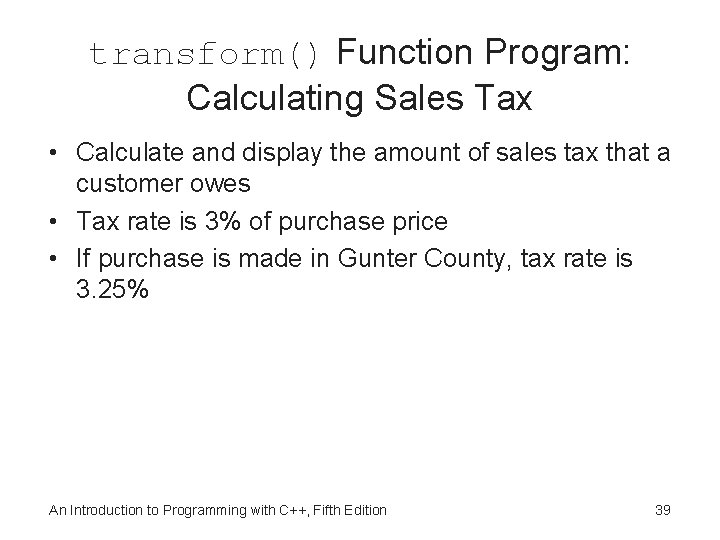
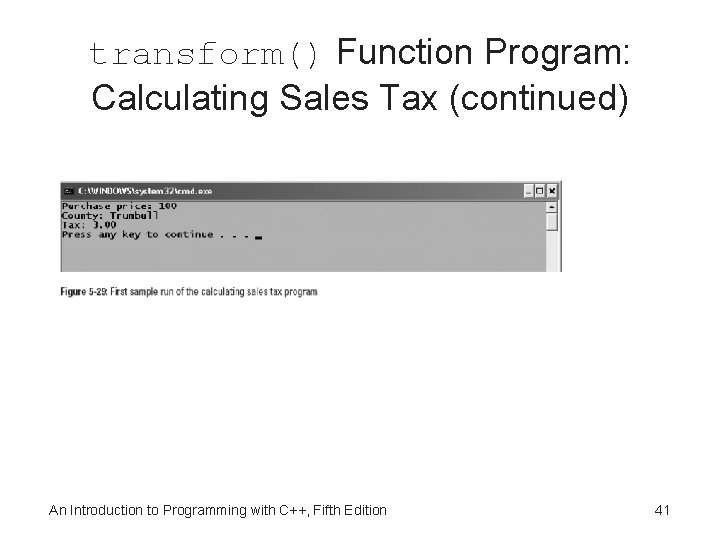
transform() Function Program: Calculating Sales Tax • Calculate and display the amount of sales tax that a customer owes • Tax rate is 3% of purchase price • If purchase is made in Gunter County, tax rate is 3. 25% An Introduction to Programming with C++, Fifth Edition 39
transform() Function Program: Calculating Sales Tax (continued) An Introduction to Programming with C++, Fifth Edition 40
transform() Function Program: Calculating Sales Tax (continued) An Introduction to Programming with C++, Fifth Edition 41
Summary • The selection structure (decision structure) is one of the three programming structures – Forms: if, if/else, and switch (or case) – Represented by a diamond in a flowchart – Use the C++ if statement to code both the if and if/else forms • Condition can contain variables, constants, functions, and arithmetic, comparison, or logical operators • Character and string comparisons are case sensitive – Use toupper(), tolower() and transform() An Introduction to Programming with C++, Fifth Edition 42
Application Lesson: Using the Selection Structure in a C++ Program • Lab 5. 1: Stop and Analyze • Lab 5. 2 – Create the Willow Springs Health Club program • Lab 5. 3 – Modify program so that the if statement’s true path handles the invalid data, and its false path handles the valid data • Lab 5. 4: Desk-Check Lab • Lab 5. 5: Debugging Lab An Introduction to Programming with C++, Fifth Edition 43