
An Interactive Tutorial for SPSS 10 0 for
- Slides: 56
An Interactive Tutorial for SPSS 10. 0 for Windows© Multiple Linear Regression by Julia Hartman Next © Copyright 2000, Julia Hartman 1
Multiple Linear Regression: Introduction Regression Analysis is the …estimation of the linear relationship between a dependent variable and one or more independent variables or covariates. (from SPSS Help) Next © Copyright 2000, Julia Hartman 2
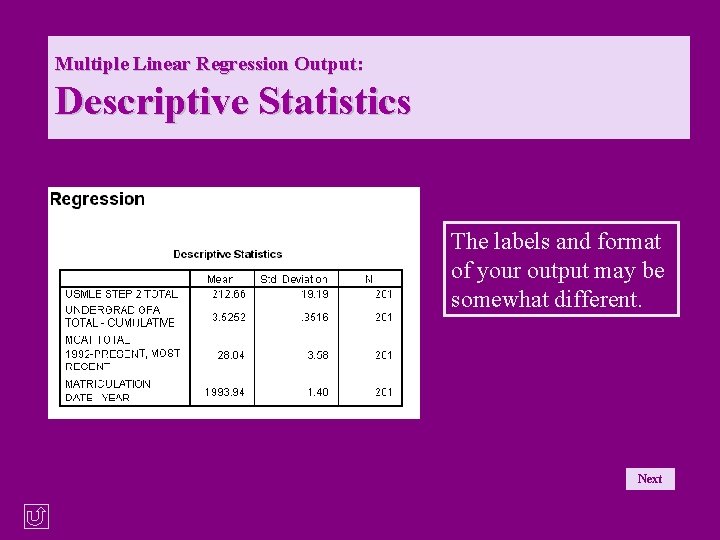
Multiple Linear Regression: Introduction This tutorial will use multiple regression to determine if the year of matriculation, total cumulative undergraduate GPAs, and MCAT scores can be used to predict how medical students will score on the US Medical Licensing Exam (Part 2). Next © Copyright 2000, Julia Hartman 3
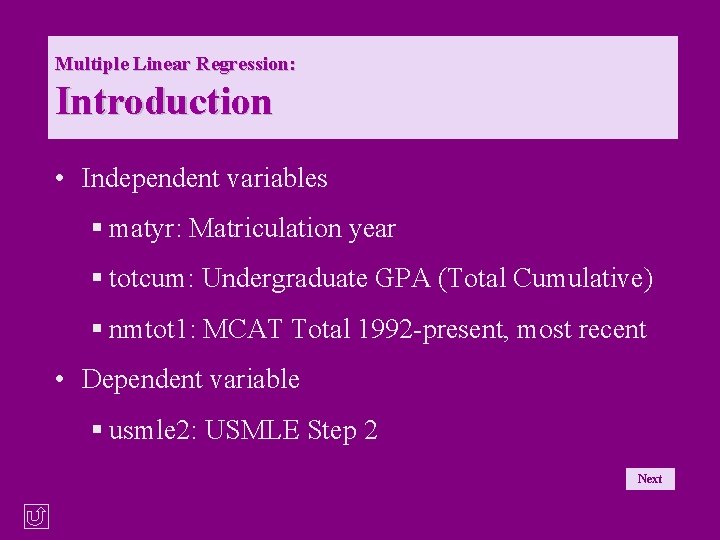
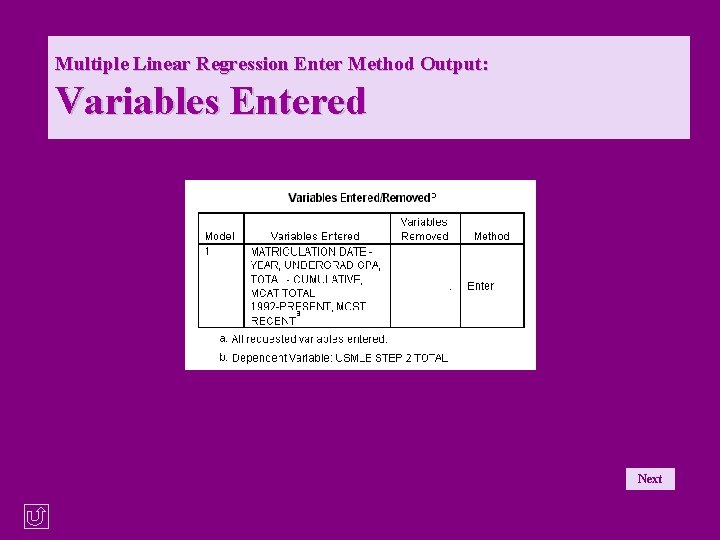
Multiple Linear Regression: Introduction • Independent variables § matyr: Matriculation year § totcum: Undergraduate GPA (Total Cumulative) § nmtot 1: MCAT Total 1992 -present, most recent • Dependent variable § usmle 2: USMLE Step 2 Next © Copyright 2000, Julia Hartman 4
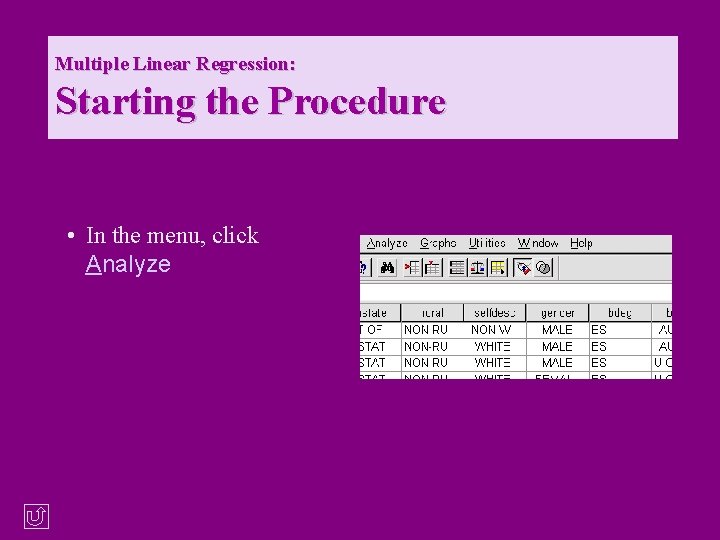
Multiple Linear Regression: Starting the Procedure • In the menu, click Analyze © Copyright 2000, Julia Hartman 5
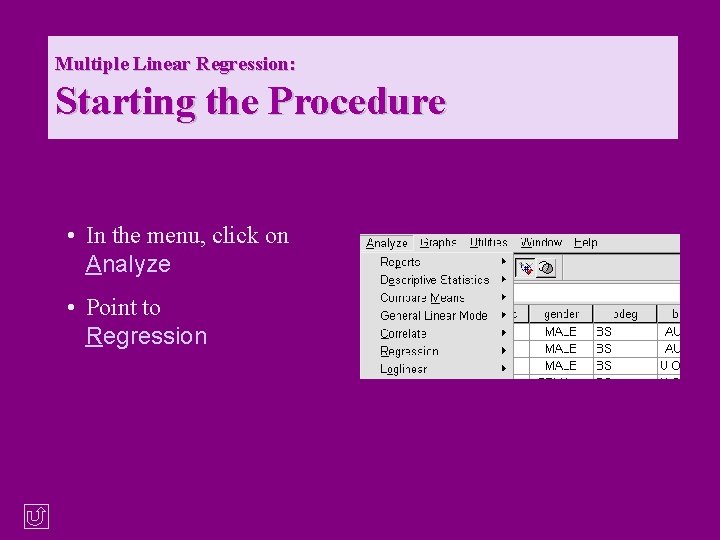
Multiple Linear Regression: Starting the Procedure • In the menu, click on Analyze • Point to Regression © Copyright 2000, Julia Hartman 6
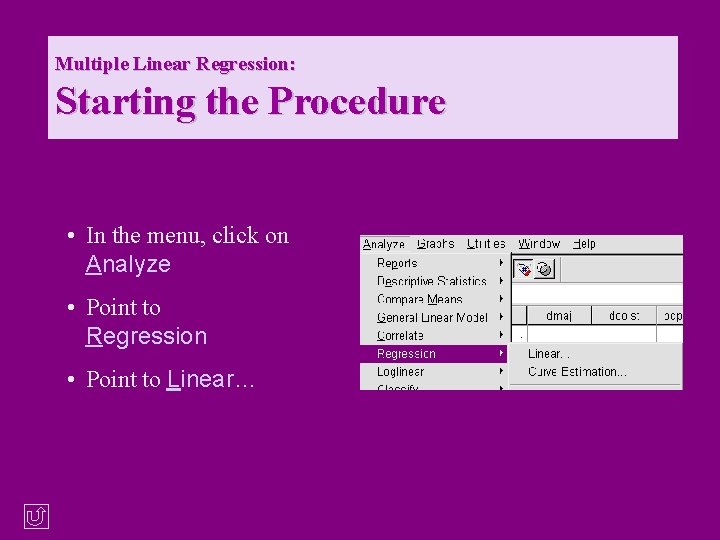
Multiple Linear Regression: Starting the Procedure • In the menu, click on Analyze • Point to Regression • Point to Linear… © Copyright 2000, Julia Hartman 7
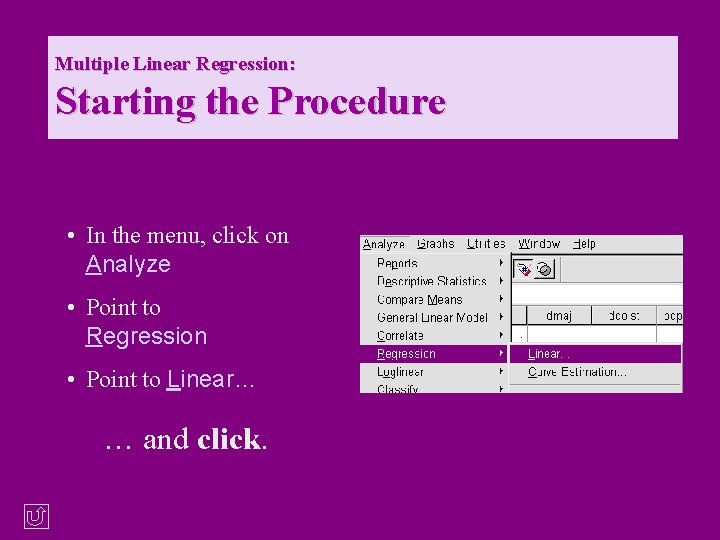
Multiple Linear Regression: Starting the Procedure • In the menu, click on Analyze • Point to Regression • Point to Linear… … and click. © Copyright 2000, Julia Hartman 8
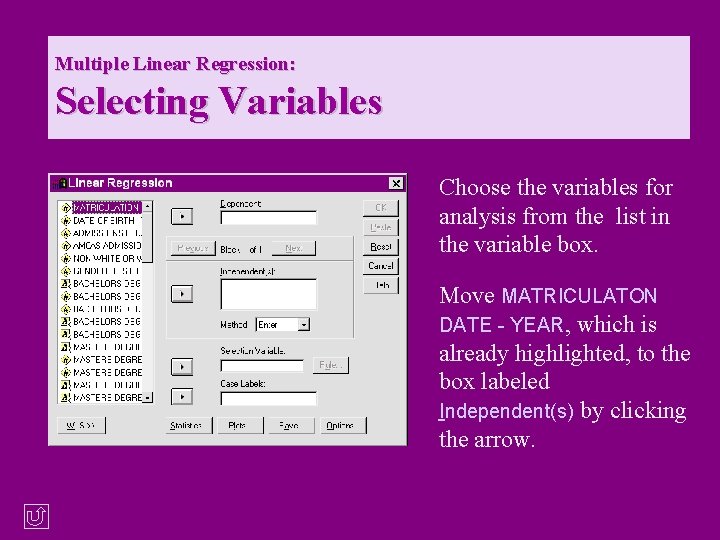
Multiple Linear Regression: Selecting Variables Choose the variables for analysis from the list in the variable box. Move MATRICULATON DATE - YEAR, which is already highlighted, to the box labeled Independent(s) by clicking the arrow. © Copyright 2000, Julia Hartman 9
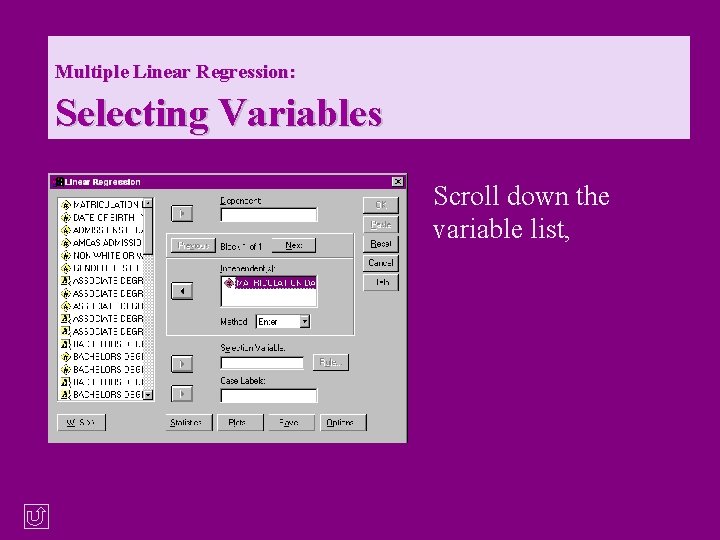
Multiple Linear Regression: Selecting Variables Scroll down the variable list, © Copyright 2000, Julia Hartman 10
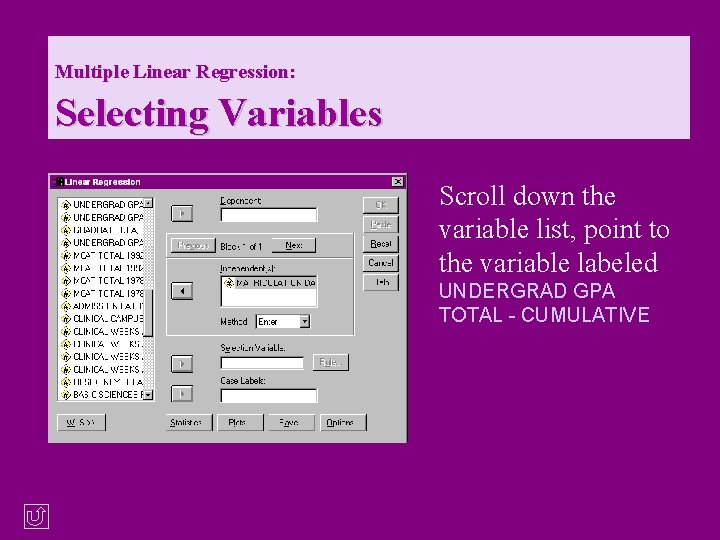
Multiple Linear Regression: Selecting Variables Scroll down the variable list, point to the variable labeled UNDERGRAD GPA TOTAL - CUMULATIVE © Copyright 2000, Julia Hartman 11
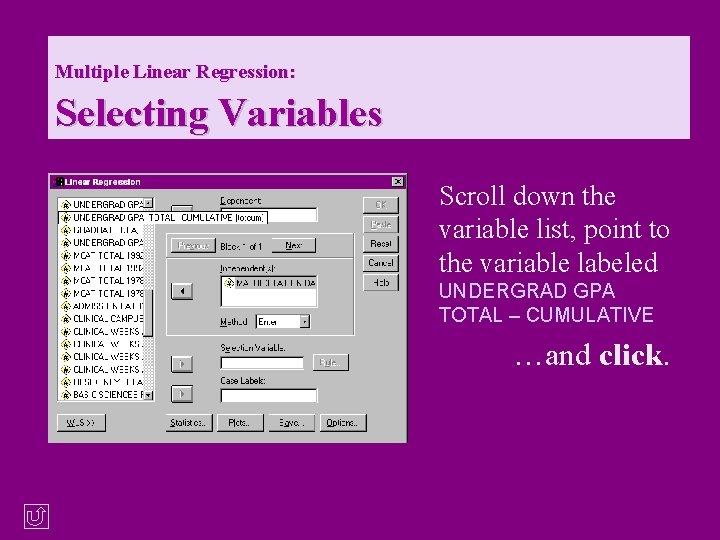
Multiple Linear Regression: Selecting Variables Scroll down the variable list, point to the variable labeled UNDERGRAD GPA TOTAL – CUMULATIVE …and click. © Copyright 2000, Julia Hartman 12
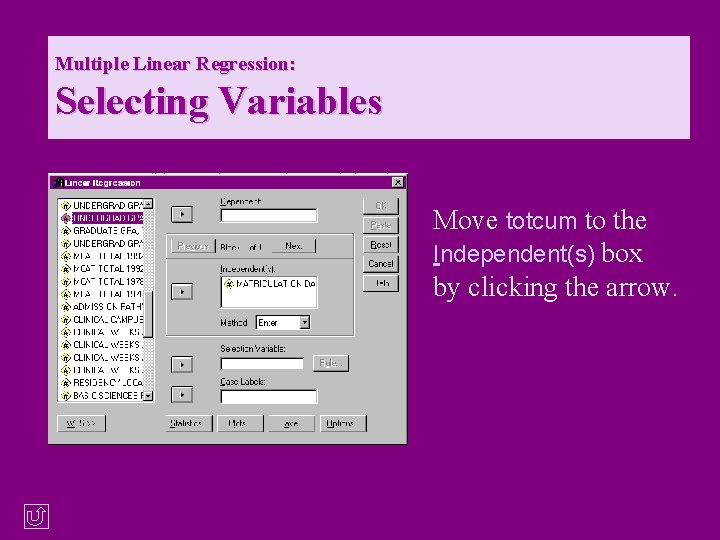
Multiple Linear Regression: Selecting Variables Move totcum to the Independent(s) box by clicking the arrow. © Copyright 2000, Julia Hartman 13
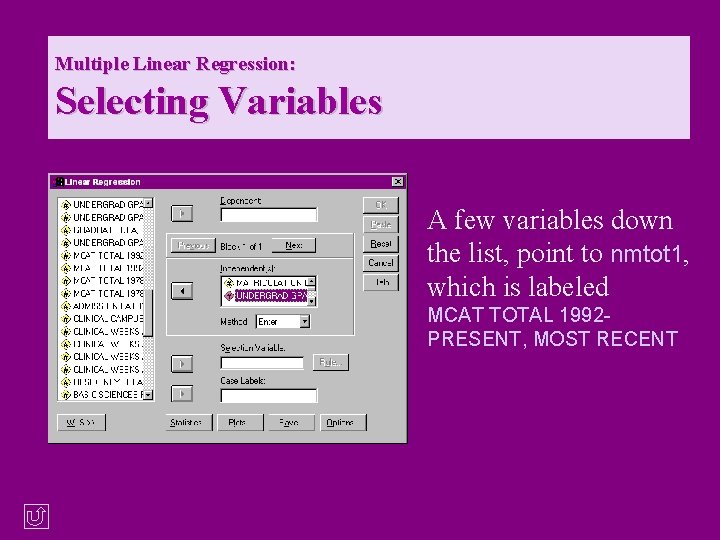
Multiple Linear Regression: Selecting Variables A few variables down the list, point to nmtot 1, which is labeled MCAT TOTAL 1992 PRESENT, MOST RECENT © Copyright 2000, Julia Hartman 14
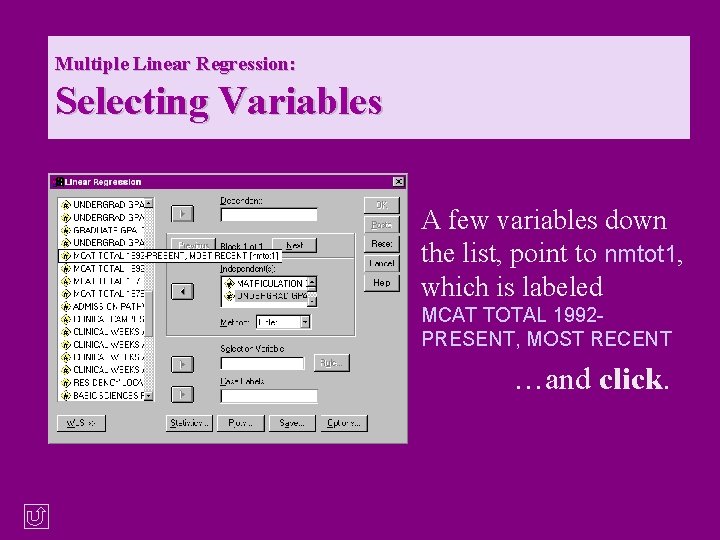
Multiple Linear Regression: Selecting Variables A few variables down the list, point to nmtot 1, which is labeled MCAT TOTAL 1992 PRESENT, MOST RECENT …and click. © Copyright 2000, Julia Hartman 15
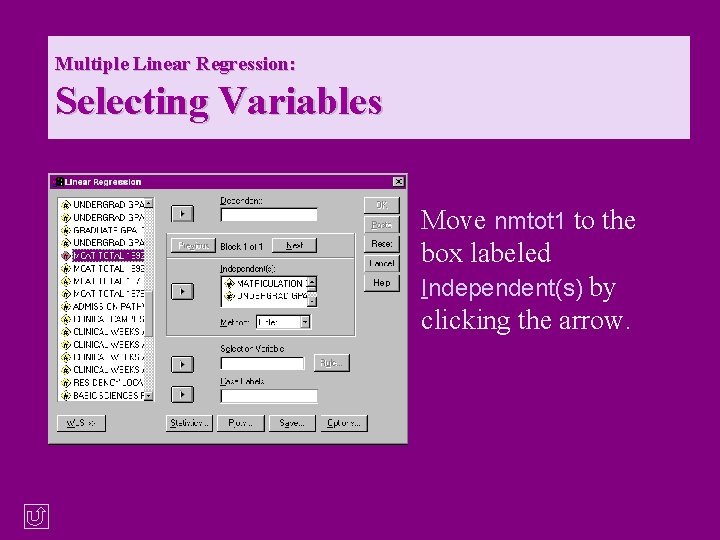
Multiple Linear Regression: Selecting Variables Move nmtot 1 to the box labeled Independent(s) by clicking the arrow. © Copyright 2000, Julia Hartman 16
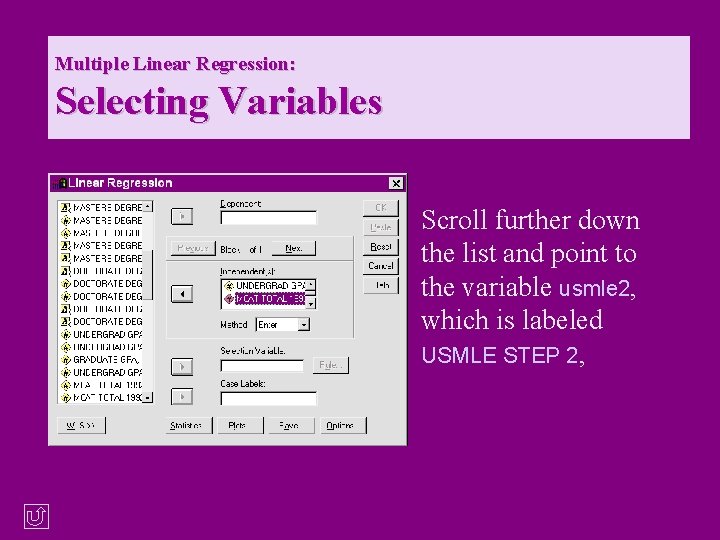
Multiple Linear Regression: Selecting Variables Scroll further down the list and point to the variable usmle 2, which is labeled USMLE STEP 2, © Copyright 2000, Julia Hartman 17
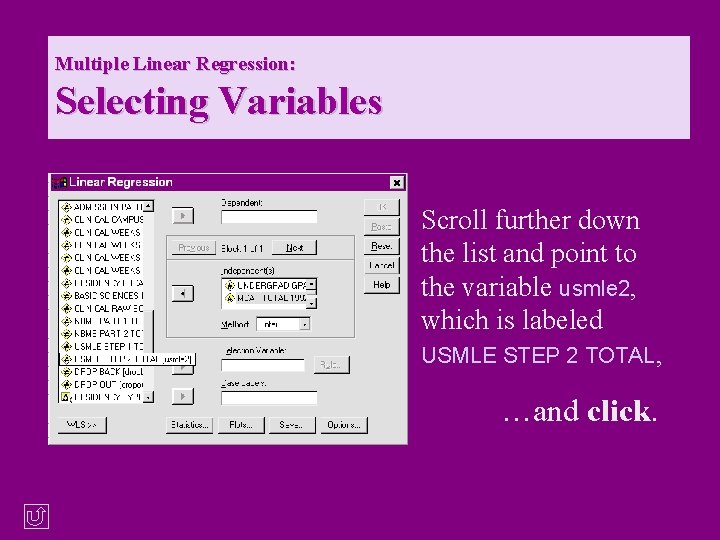
Multiple Linear Regression: Selecting Variables Scroll further down the list and point to the variable usmle 2, which is labeled USMLE STEP 2 TOTAL, …and click. © Copyright 2000, Julia Hartman 18
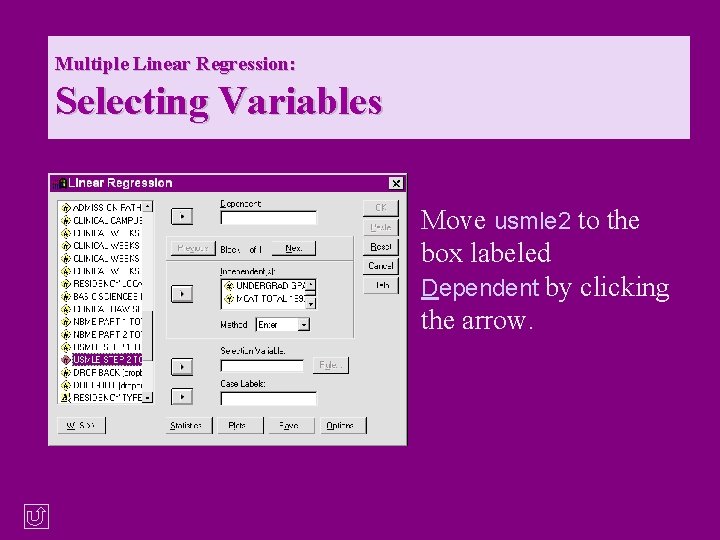
Multiple Linear Regression: Selecting Variables Move usmle 2 to the box labeled Dependent by clicking the arrow. © Copyright 2000, Julia Hartman 19
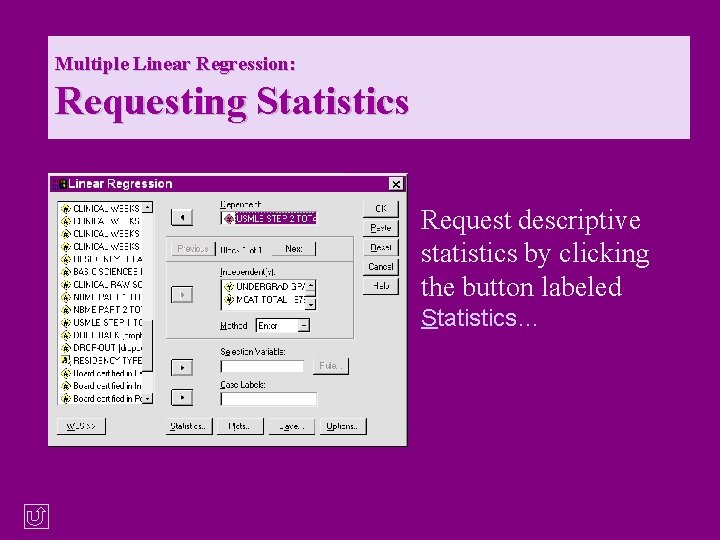
Multiple Linear Regression: Requesting Statistics Request descriptive statistics by clicking the button labeled Statistics… © Copyright 2000, Julia Hartman 20
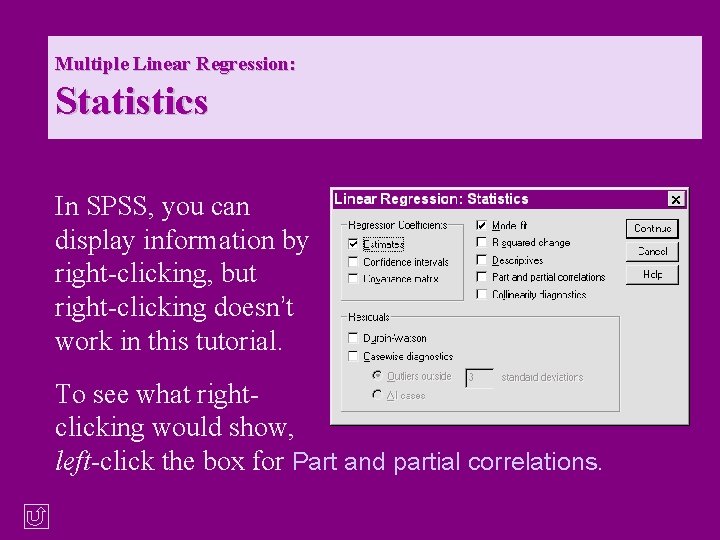
Multiple Linear Regression: Statistics In SPSS, you can display information by right-clicking, but right-clicking doesn’t work in this tutorial. To see what rightclicking would show, left-click the box for Part and partial correlations. © Copyright 2000, Julia Hartman 21
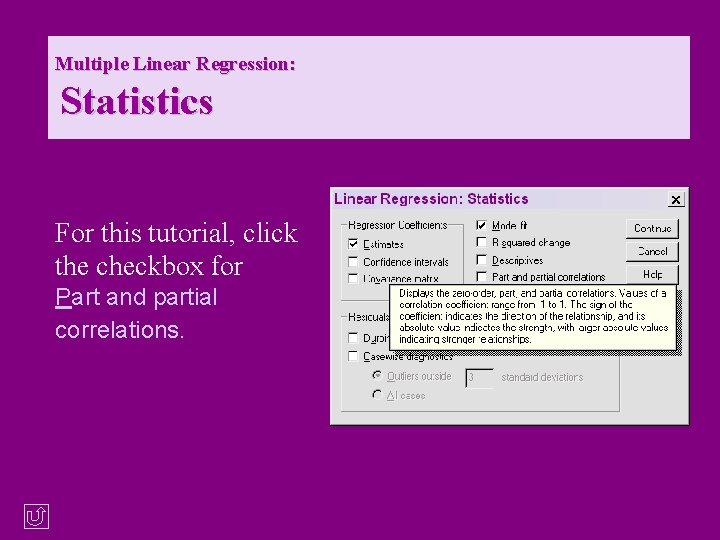
Multiple Linear Regression: Statistics For this tutorial, click the checkbox for Part and partial correlations. © Copyright 2000, Julia Hartman 22
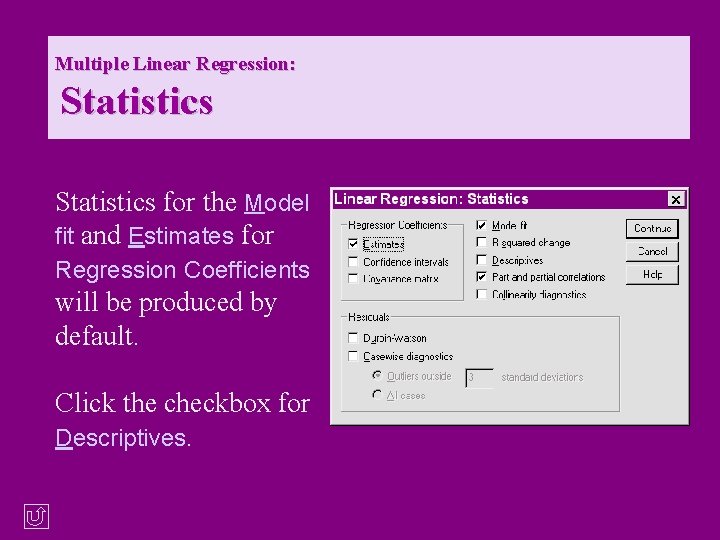
Multiple Linear Regression: Statistics for the Model fit and Estimates for Regression Coefficients will be produced by default. Click the checkbox for Descriptives. © Copyright 2000, Julia Hartman 23
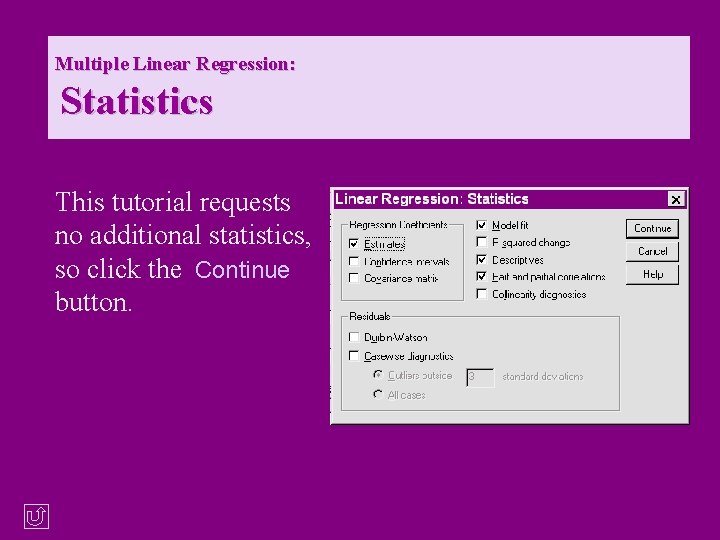
Multiple Linear Regression: Statistics This tutorial requests no additional statistics, so click the Continue button. © Copyright 2000, Julia Hartman 24
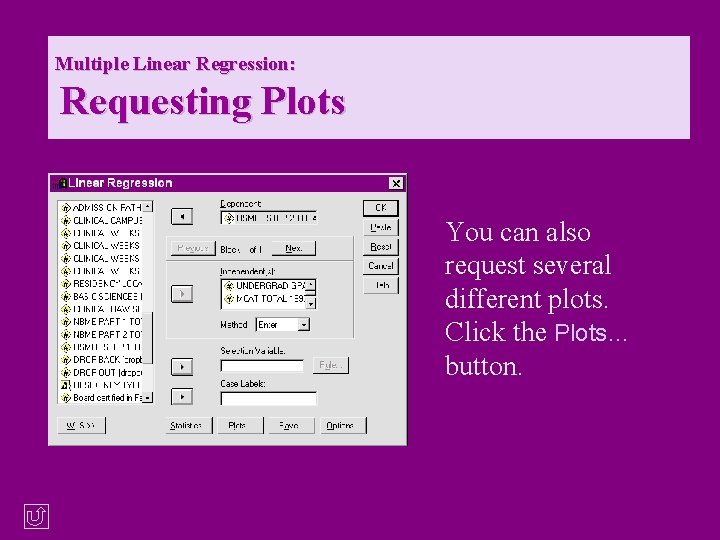
Multiple Linear Regression: Requesting Plots You can also request several different plots. Click the Plots… button. © Copyright 2000, Julia Hartman 25
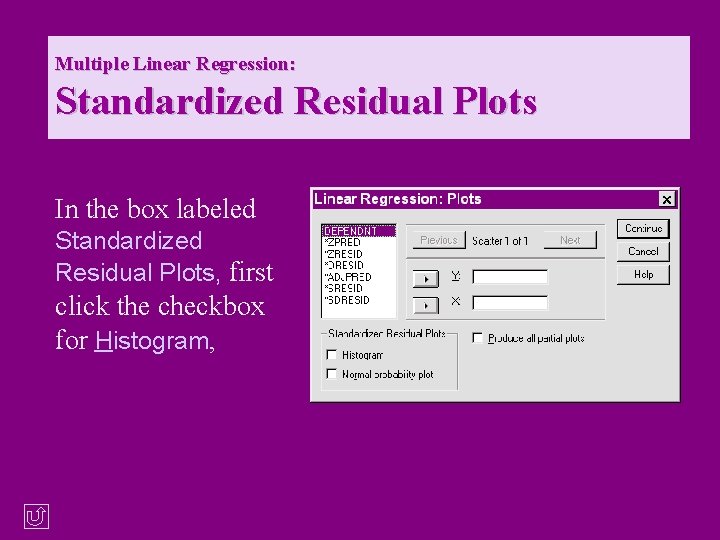
Multiple Linear Regression: Standardized Residual Plots In the box labeled Standardized Residual Plots, first click the checkbox for Histogram, © Copyright 2000, Julia Hartman 26
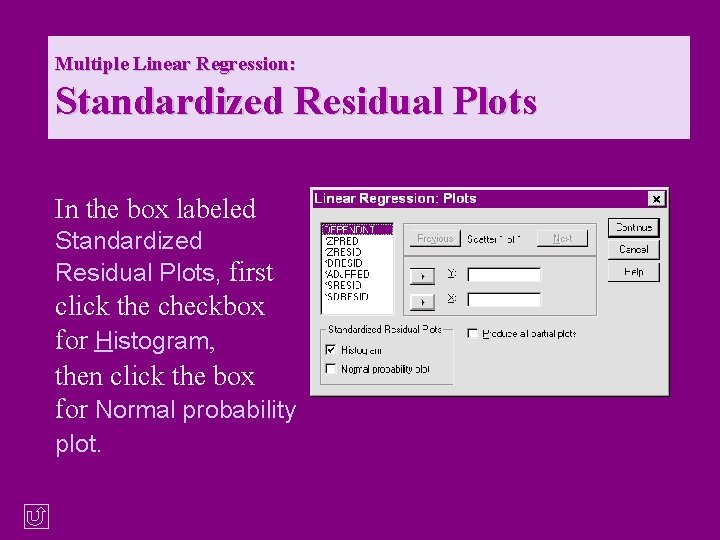
Multiple Linear Regression: Standardized Residual Plots In the box labeled Standardized Residual Plots, first click the checkbox for Histogram, then click the box for Normal probability plot. © Copyright 2000, Julia Hartman 27
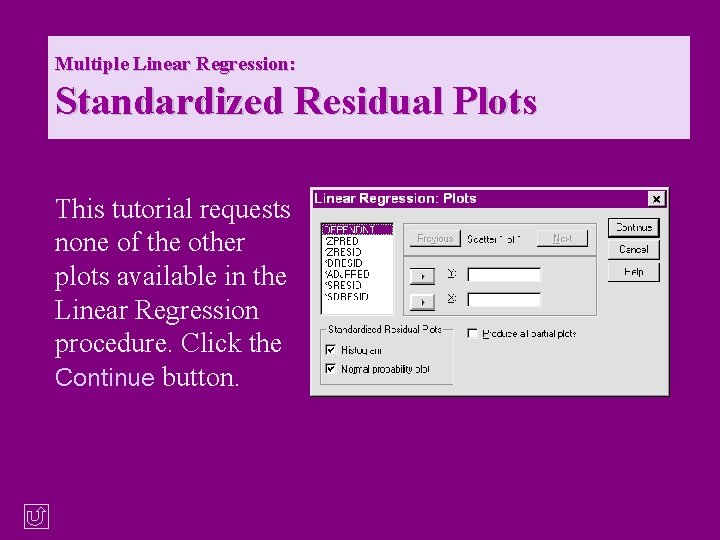
Multiple Linear Regression: Standardized Residual Plots This tutorial requests none of the other plots available in the Linear Regression procedure. Click the Continue button. © Copyright 2000, Julia Hartman 28
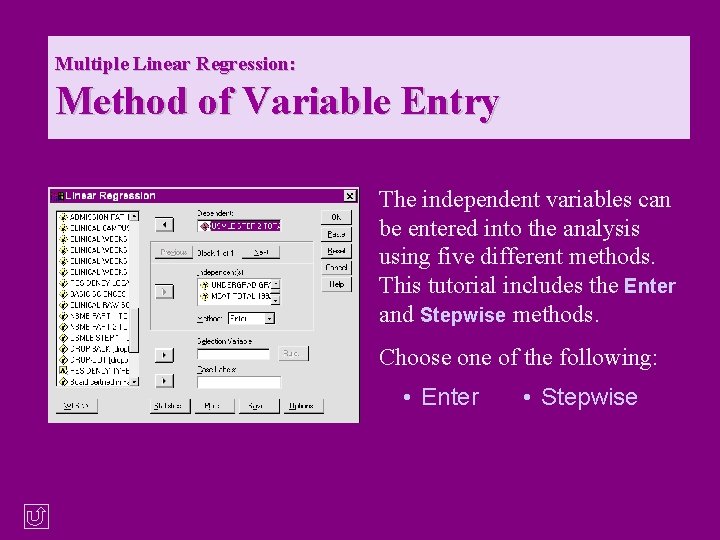
Multiple Linear Regression: Method of Variable Entry The independent variables can be entered into the analysis using five different methods. This tutorial includes the Enter and Stepwise methods. Choose one of the following: • Enter © Copyright 2000, Julia Hartman • Stepwise 29
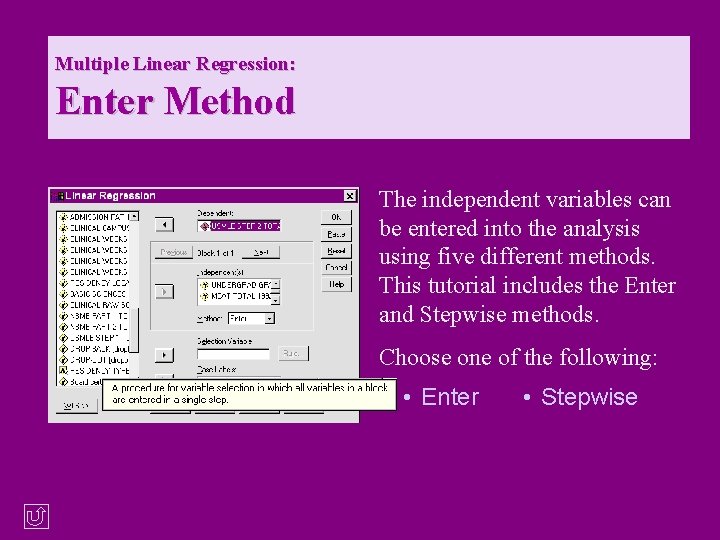
Multiple Linear Regression: Enter Method The independent variables can be entered into the analysis using five different methods. This tutorial includes the Enter and Stepwise methods. Choose one of the following: • Enter © Copyright 2000, Julia Hartman • Stepwise 30
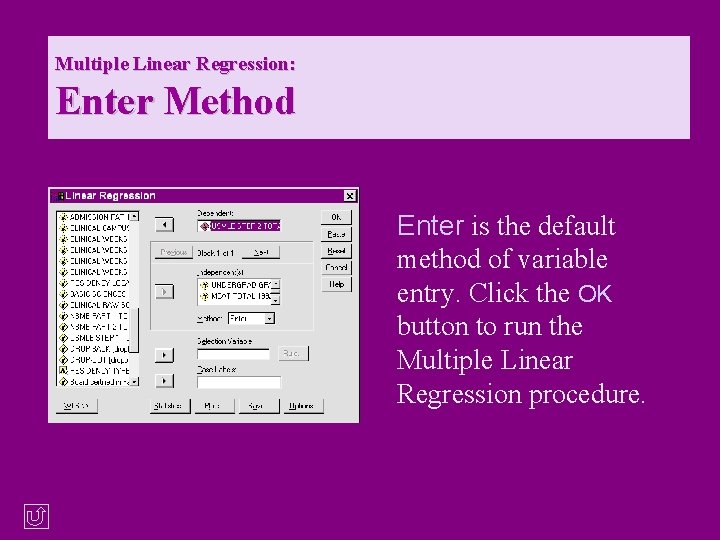
Multiple Linear Regression: Enter Method Enter is the default method of variable entry. Click the OK button to run the Multiple Linear Regression procedure. © Copyright 2000, Julia Hartman 31
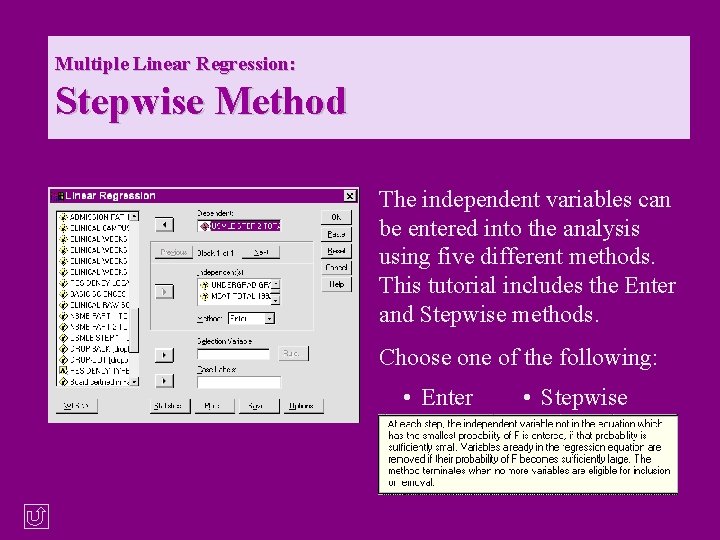
Multiple Linear Regression: Stepwise Method The independent variables can be entered into the analysis using five different methods. This tutorial includes the Enter and Stepwise methods. Choose one of the following: • Enter © Copyright 2000, Julia Hartman • Stepwise 32
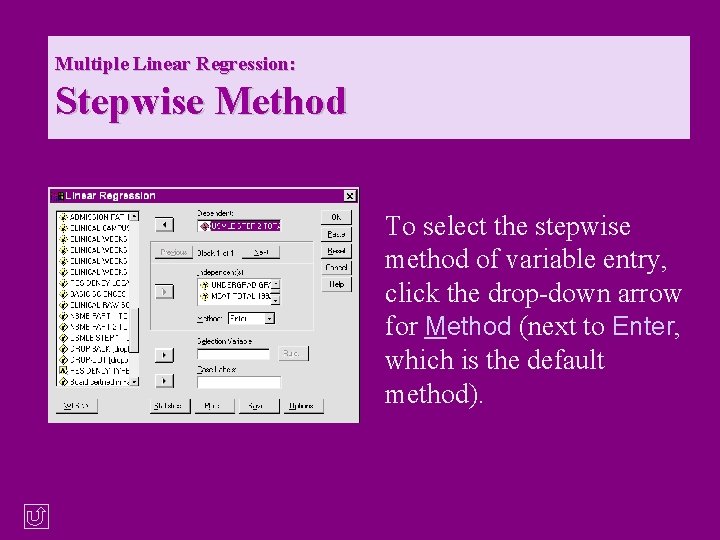
Multiple Linear Regression: Stepwise Method To select the stepwise method of variable entry, click the drop-down arrow for Method (next to Enter, which is the default method). © Copyright 2000, Julia Hartman 33
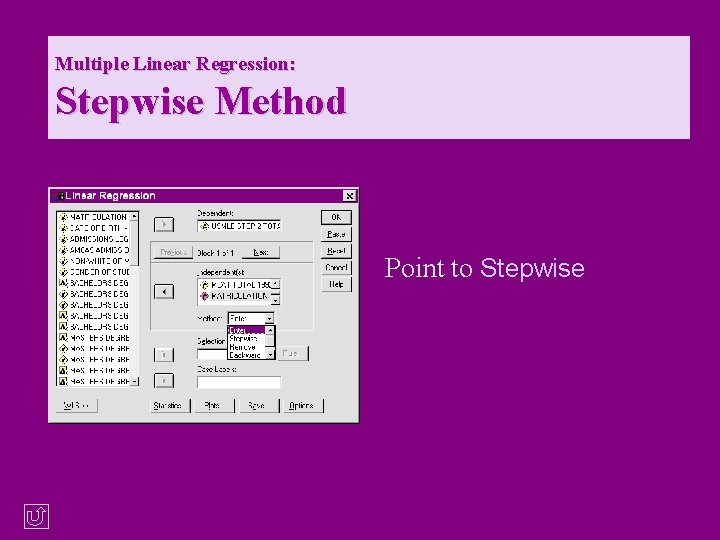
Multiple Linear Regression: Stepwise Method Point to Stepwise © Copyright 2000, Julia Hartman 34
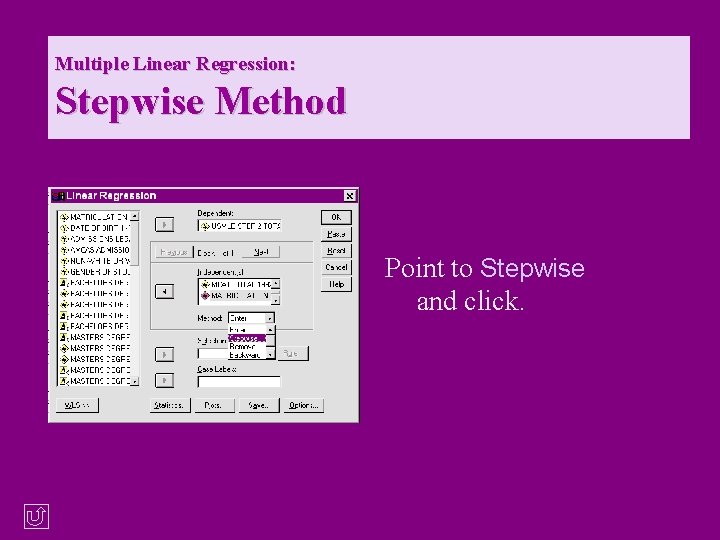
Multiple Linear Regression: Stepwise Method Point to Stepwise and click. © Copyright 2000, Julia Hartman 35
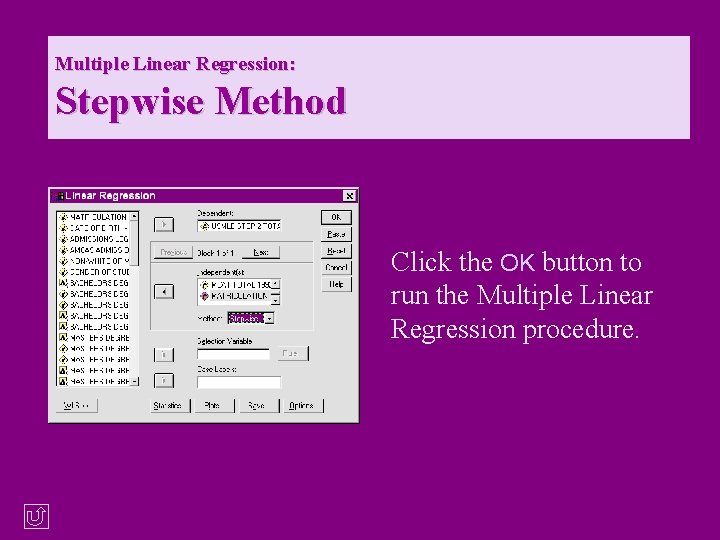
Multiple Linear Regression: Stepwise Method Click the OK button to run the Multiple Linear Regression procedure. © Copyright 2000, Julia Hartman 36
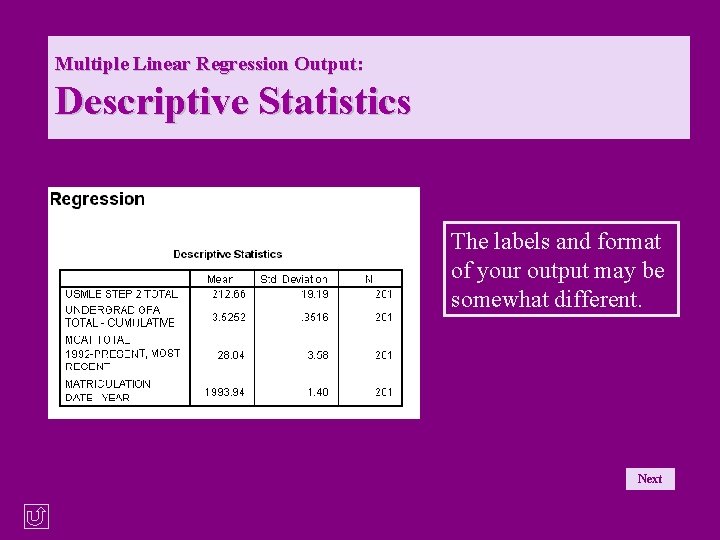
Multiple Linear Regression Output: Descriptive Statistics The labels and format of your output may be somewhat different. Next © Copyright 2000, Julia Hartman 37
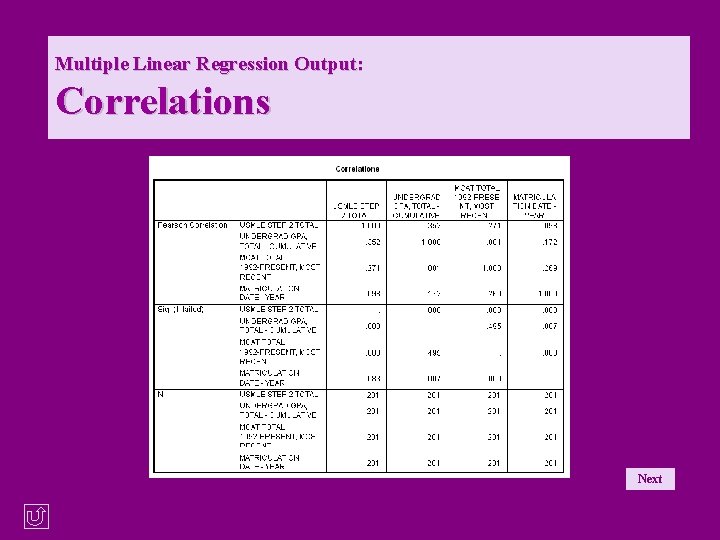
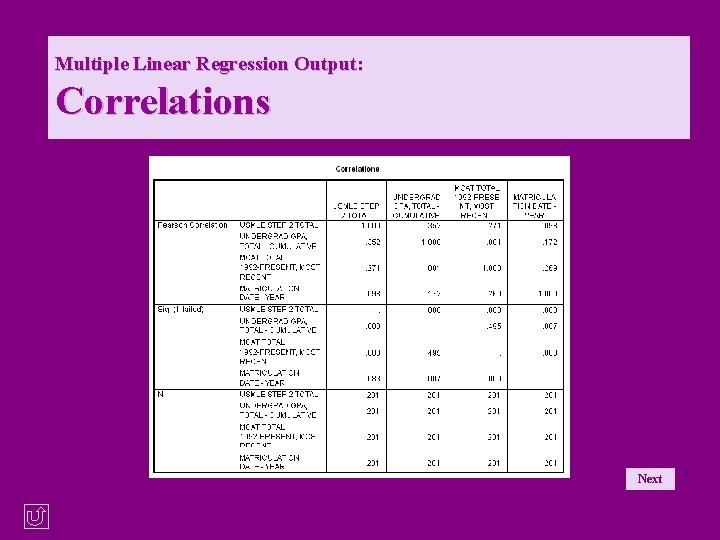
Multiple Linear Regression Output: Correlations Next © Copyright 2000, Julia Hartman 38
Multiple Linear Regression Enter Method Output: Variables Entered Next © Copyright 2000, Julia Hartman 39
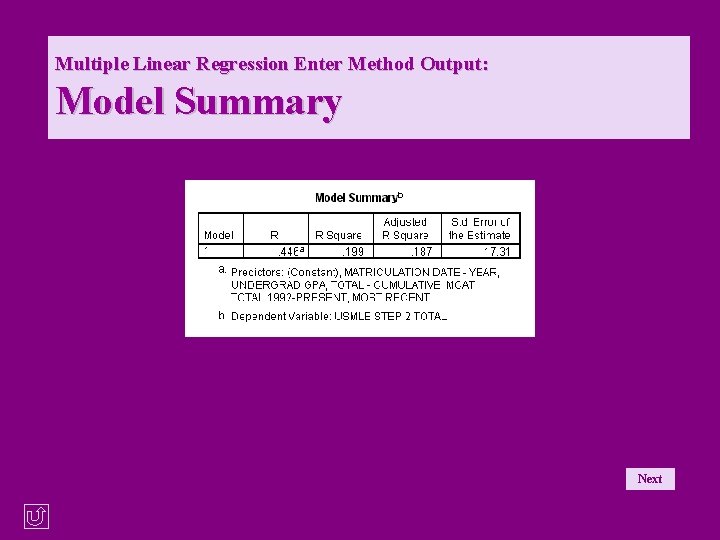
Multiple Linear Regression Enter Method Output: Model Summary Next © Copyright 2000, Julia Hartman 40
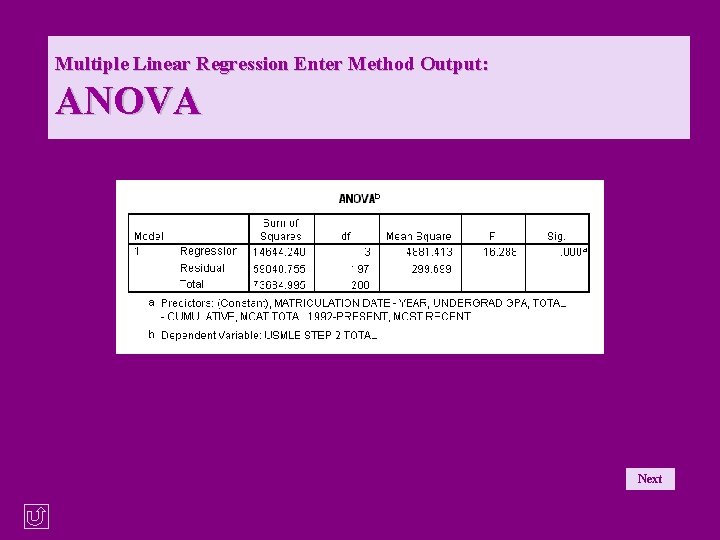
Multiple Linear Regression Enter Method Output: ANOVA Next © Copyright 2000, Julia Hartman 41
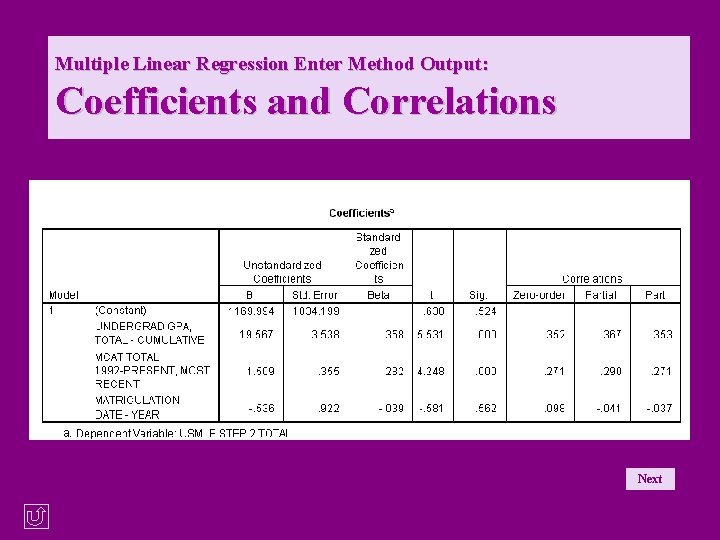
Multiple Linear Regression Enter Method Output: Coefficients and Correlations Next © Copyright 2000, Julia Hartman 42
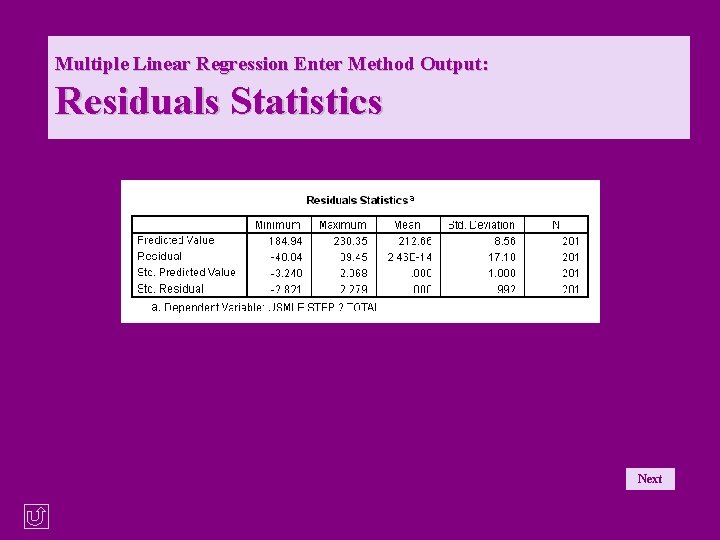
Multiple Linear Regression Enter Method Output: Residuals Statistics Next © Copyright 2000, Julia Hartman 43
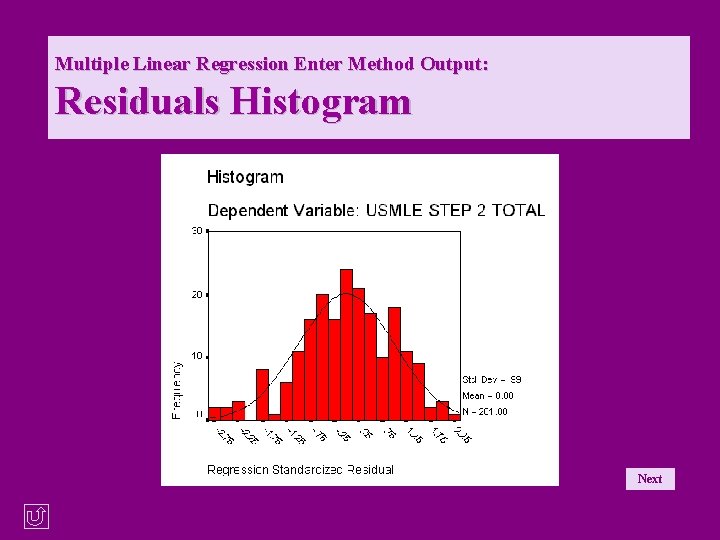
Multiple Linear Regression Enter Method Output: Residuals Histogram Next © Copyright 2000, Julia Hartman 44
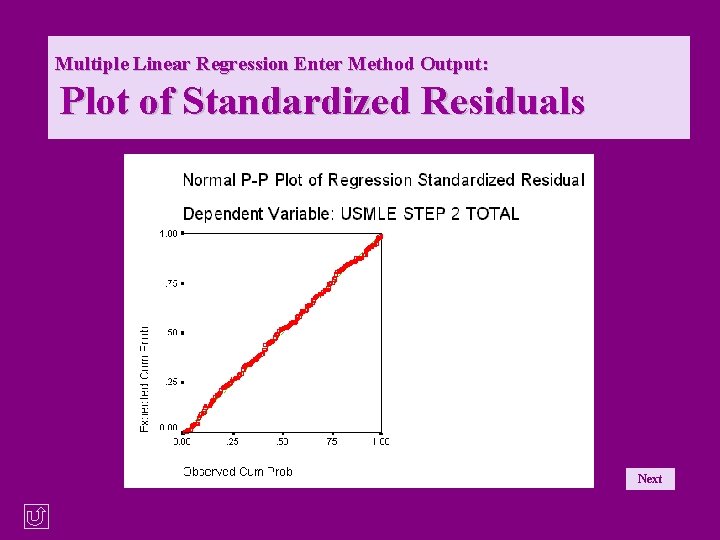
Multiple Linear Regression Enter Method Output: Plot of Standardized Residuals Next © Copyright 2000, Julia Hartman 45
Multiple Linear Regression Output: Descriptive Statistics The labels and format of your output may be somewhat different. Next © Copyright 2000, Julia Hartman 46
Multiple Linear Regression Output: Correlations Next © Copyright 2000, Julia Hartman 47
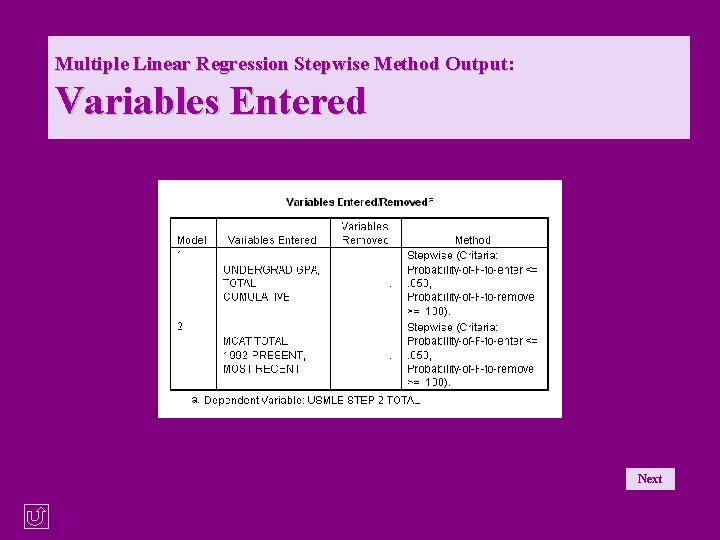
Multiple Linear Regression Stepwise Method Output: Variables Entered Next © Copyright 2000, Julia Hartman 48
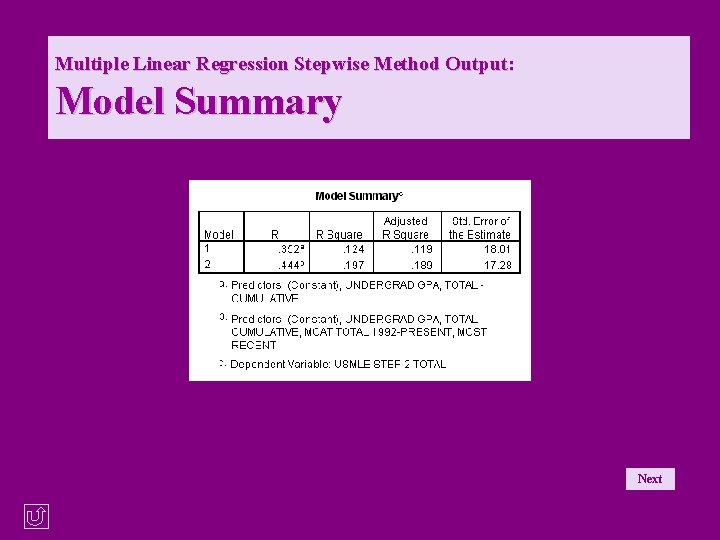
Multiple Linear Regression Stepwise Method Output: Model Summary Next © Copyright 2000, Julia Hartman 49
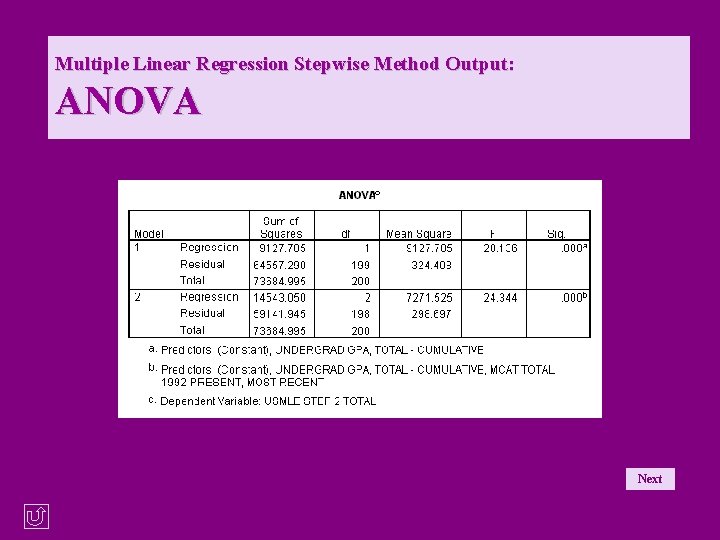
Multiple Linear Regression Stepwise Method Output: ANOVA Next © Copyright 2000, Julia Hartman 50
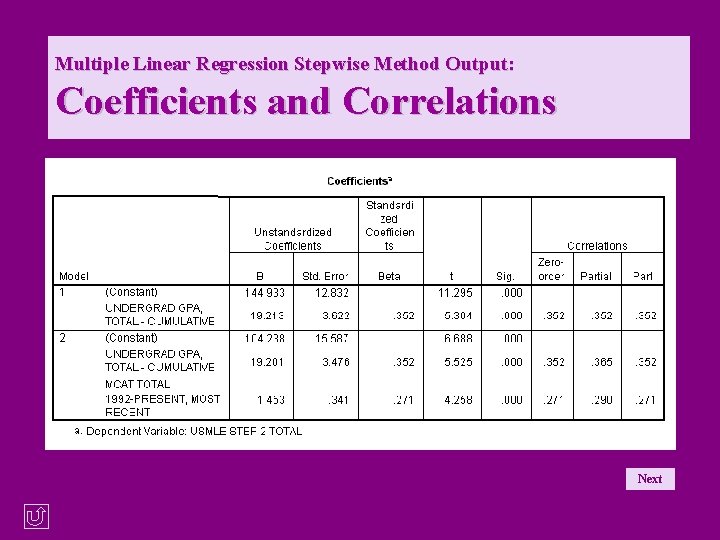
Multiple Linear Regression Stepwise Method Output: Coefficients and Correlations Next © Copyright 2000, Julia Hartman 51
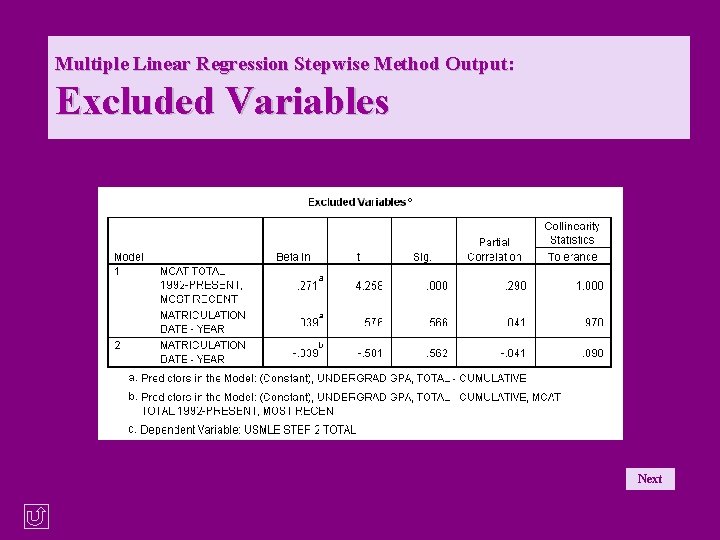
Multiple Linear Regression Stepwise Method Output: Excluded Variables Next © Copyright 2000, Julia Hartman 52
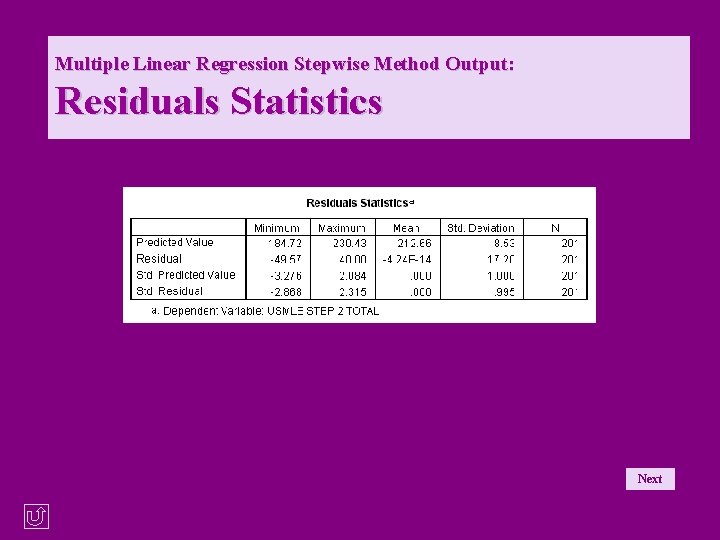
Multiple Linear Regression Stepwise Method Output: Residuals Statistics Next © Copyright 2000, Julia Hartman 53
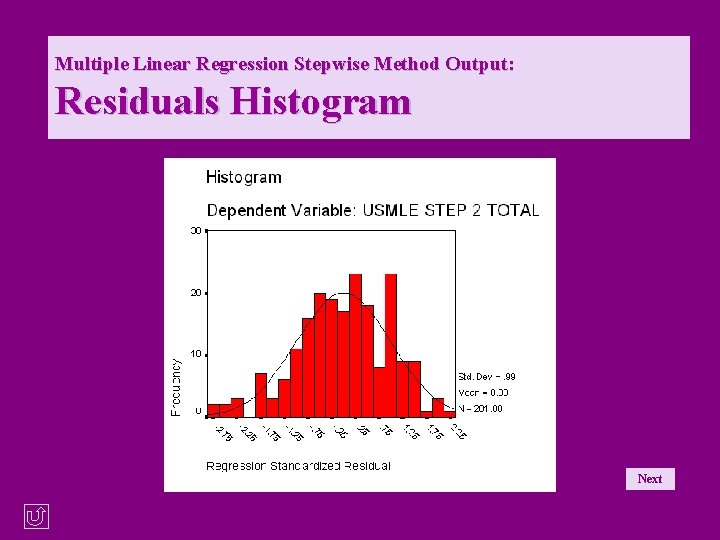
Multiple Linear Regression Stepwise Method Output: Residuals Histogram Next © Copyright 2000, Julia Hartman 54
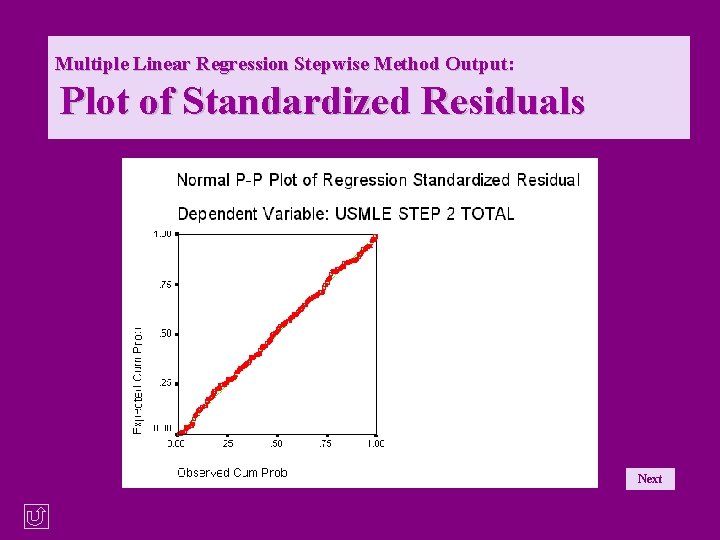
Multiple Linear Regression Stepwise Method Output: Plot of Standardized Residuals Next © Copyright 2000, Julia Hartman 55
An Interactive Tutorial for SPSS 10. 0 for Windows©: Multiple Linear Regression Click one of the following: • Repeat this tutorial • Return to the choice of methods of variable entry • Return to the list of tutorials © Copyright 2000, Julia Hartman 56