
AN EXTENSIBLE TRANSCODER FOR HTML TO VOICEXML CONVERSION
AN EXTENSIBLE TRANSCODER FOR HTML TO VOICEXML CONVERSION by Narayanan Annamalai B. E. Master’s Thesis Advisors: Dr. Gopal Gupta and Dr. B Prabhakaran THE UNIVERSITY OF TEXAS AT DALLAS May 2002
q q q q The Scenario By 2003 - One billion people will use wireless devices. By 2005 - Half of them will have Internet connectivity. Growth far surpasses that of wire-bound Internet users. New Technology is needed to support the masses of Customers. A medium is required for Data Transfer The medium should be easy to use and efficient. The right choice is – Voice
Motivation q Drawback of Existing Web Infrastructure – content q Users of WAP – not satisfied q Not feasible to maintain multiple versions Client Request B B WEB SERVER (content in format A) A B FORMAT TRANSLATOR (Convert A to B)
Related Work The visually impaired – used Screen readers. Frankie James proposed Auditory HTML Access System (AHA) – used distinct tones Above two systems – No Interactive feature Stuart Goose et al. proposed HTML to Vo. XML converter. Vo. XML is the ancestor of Voice. XML.
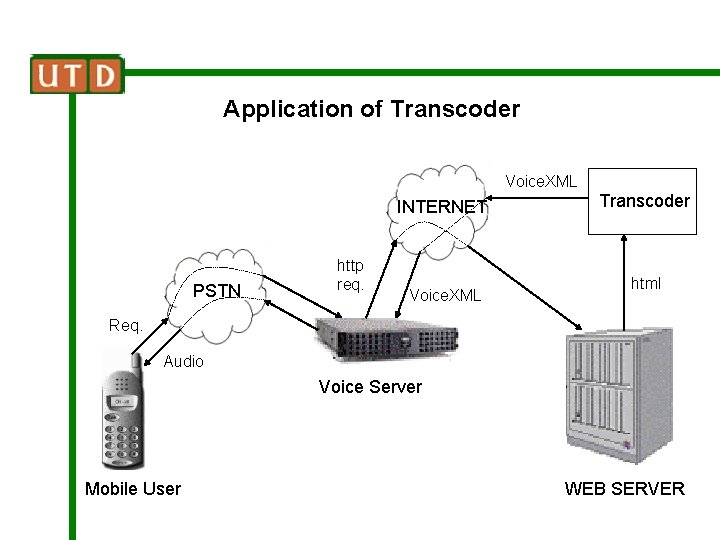
Application of Transcoder Voice. XML INTERNET PSTN http req. Voice. XML Transcoder html Req. Audio Voice Server Mobile User WEB SERVER

Application of Transcoder http req. Audio INTERNET HTML Transcoder VXML Voice Browser Client WEB SERVER
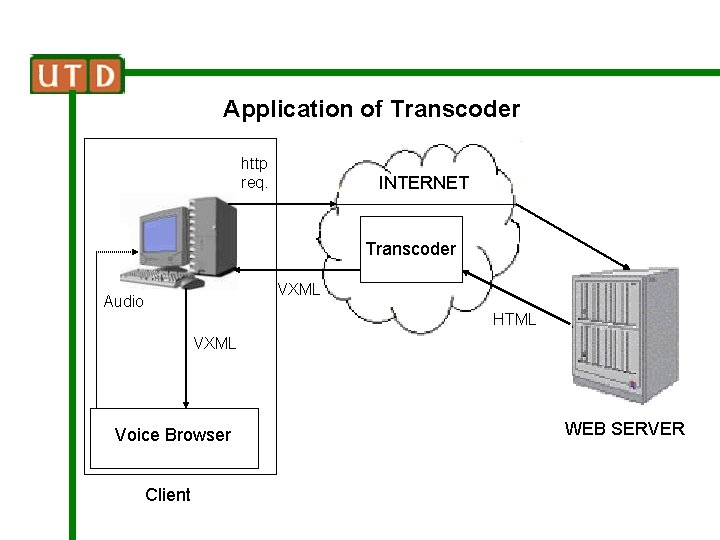
Application of Transcoder http req. INTERNET Transcoder VXML Audio HTML VXML Voice Browser Client WEB SERVER
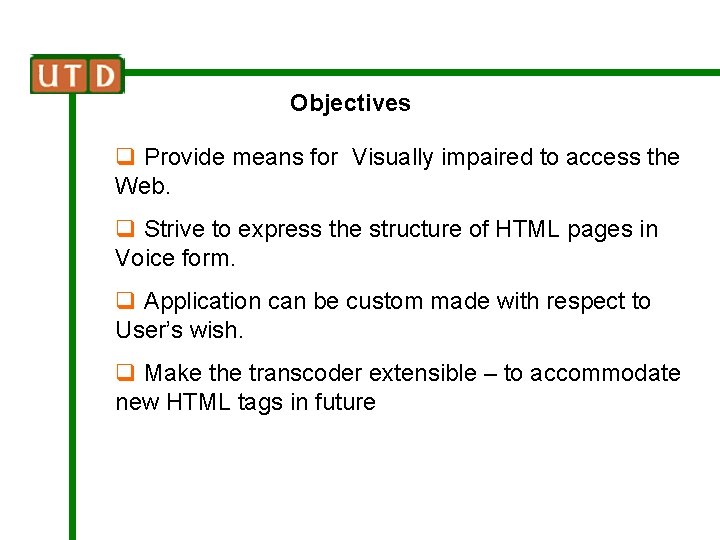
Objectives q Provide means for Visually impaired to access the Web. q Strive to express the structure of HTML pages in Voice form. q Application can be custom made with respect to User’s wish. q Make the transcoder extensible – to accommodate new HTML tags in future
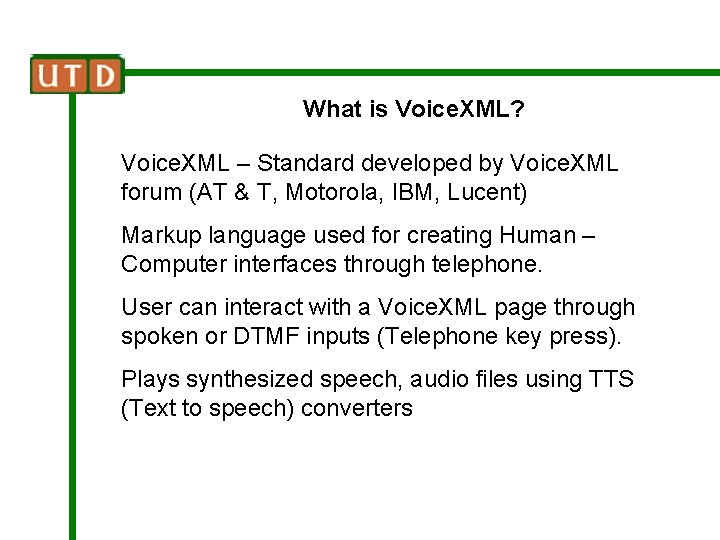
What is Voice. XML? Voice. XML – Standard developed by Voice. XML forum (AT & T, Motorola, IBM, Lucent) Markup language used for creating Human – Computer interfaces through telephone. User can interact with a Voice. XML page through spoken or DTMF inputs (Telephone key press). Plays synthesized speech, audio files using TTS (Text to speech) converters
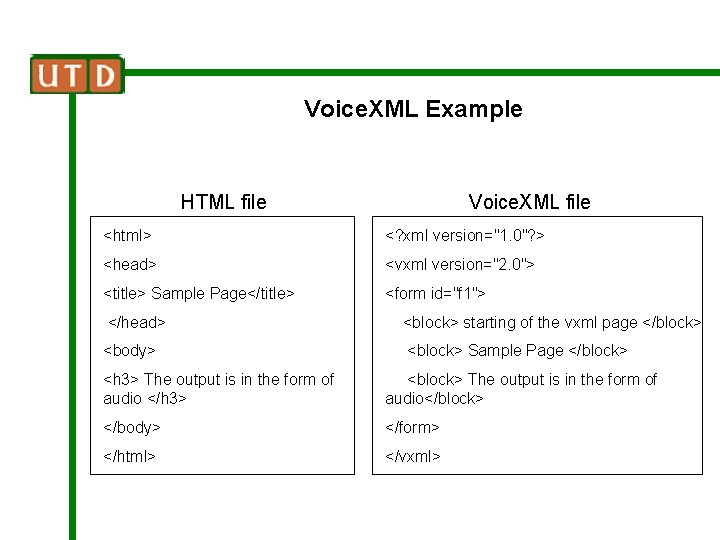
Voice. XML Example HTML file Voice. XML file <html> <? xml version="1. 0"? > <head> <vxml version="2. 0"> <title> Sample Page</title> <form id="f 1"> </head> <block> starting of the vxml page </block> <body> <block> Sample Page </block> <h 3> The output is in the form of audio </h 3> <block> The output is in the form of audio</block> </body> </form> </html> </vxml>
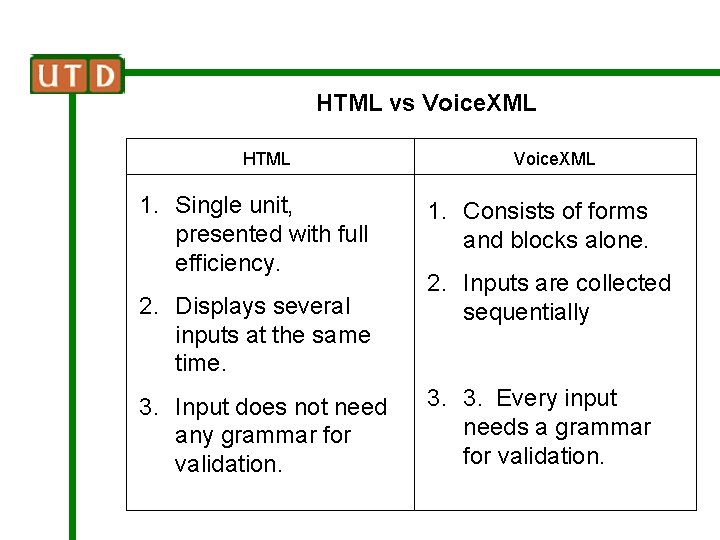
HTML vs Voice. XML HTML 1. Single unit, presented with full efficiency. 2. Displays several inputs at the same time. 3. Input does not need any grammar for validation. Voice. XML 1. Consists of forms and blocks alone. 2. Inputs are collected sequentially 3. 3. Every input needs a grammar for validation.
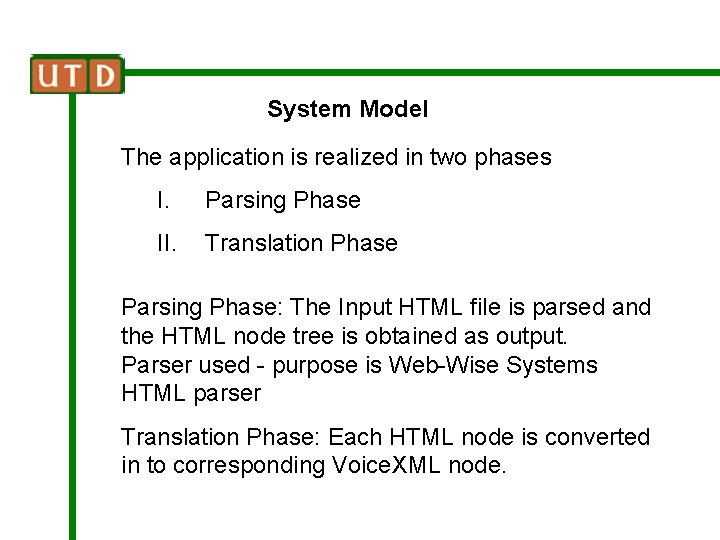
System Model The application is realized in two phases I. Parsing Phase II. Translation Phase Parsing Phase: The Input HTML file is parsed and the HTML node tree is obtained as output. Parser used - purpose is Web-Wise Systems HTML parser Translation Phase: Each HTML node is converted in to corresponding Voice. XML node.
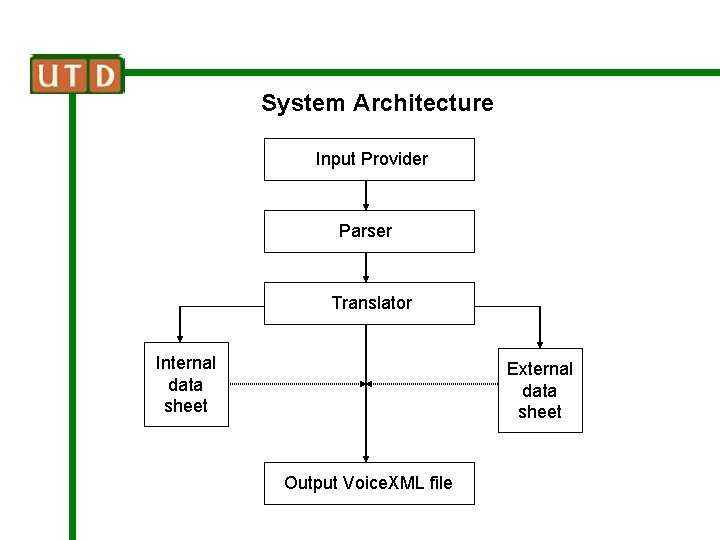
System Architecture Input Provider Parser Translator Internal data sheet External data sheet Output Voice. XML file
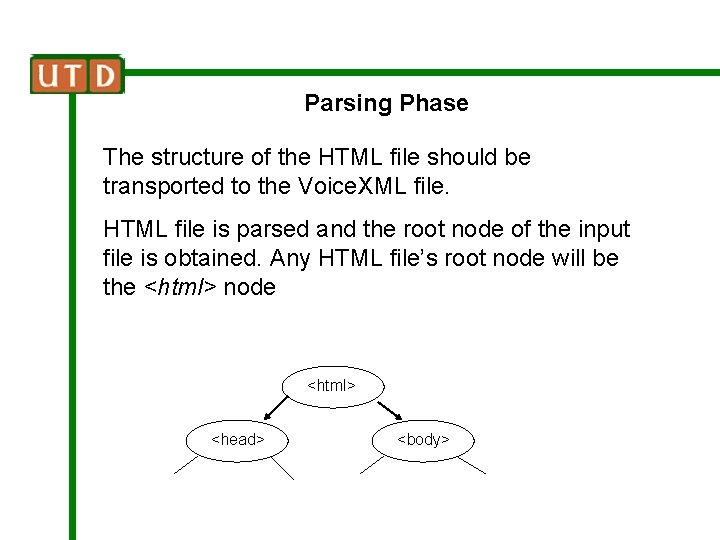
Parsing Phase The structure of the HTML file should be transported to the Voice. XML file. HTML file is parsed and the root node of the input file is obtained. Any HTML file’s root node will be the <html> node <html> <head> <body>
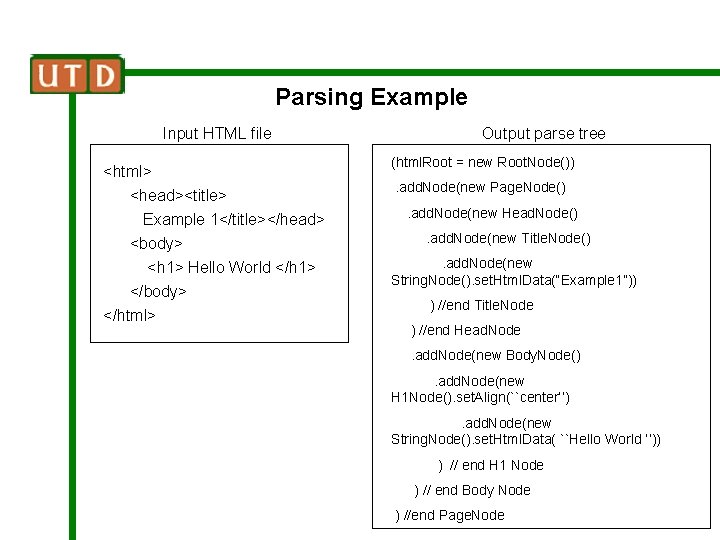
Parsing Example Input HTML file <html> <head><title> Example 1</title></head> <body> <h 1> Hello World </h 1> </body> </html> Output parse tree (html. Root = new Root. Node()). add. Node(new Page. Node(). add. Node(new Head. Node(). add. Node(new Title. Node(). add. Node(new String. Node(). set. Html. Data(“Example 1”)) ) //end Title. Node ) //end Head. Node. add. Node(new Body. Node(). add. Node(new H 1 Node(). set. Align(``center’’). add. Node(new String. Node(). set. Html. Data( ``Hello World ‘’)) ) // end H 1 Node ) // end Body Node ) //end Page. Node
Translating Phase: Issues Translating phase: Node tree is traversed recursively (from left to right – depth first). Html node converted to appropriate Voice. XML node. Issues: q Verify inputs before submission – different from HTML q Highly structured – follows strict convention eg. consider <prompt> It is a beautiful city </prompt> syntactically right, but can be child of only field or block q One to one conversion not possible always
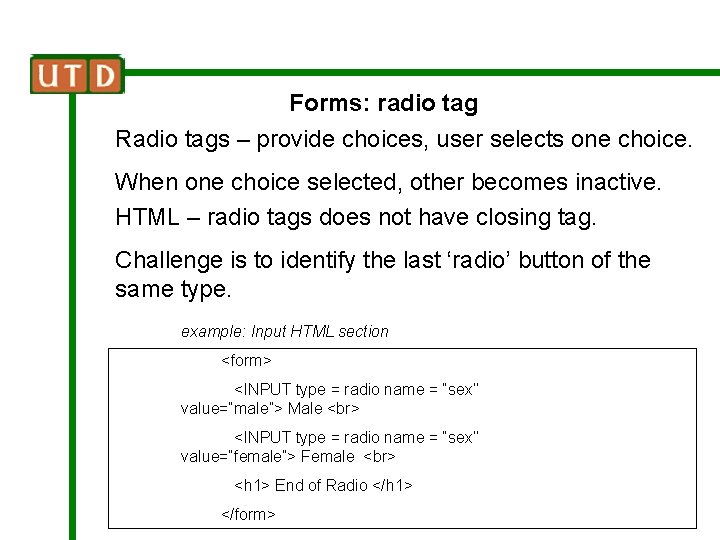
Forms: radio tag Radio tags – provide choices, user selects one choice. When one choice selected, other becomes inactive. HTML – radio tags does not have closing tag. Challenge is to identify the last ‘radio’ button of the same type. example: Input HTML section <form> <INPUT type = radio name = “sex’’ value=“male”> Male <INPUT type = radio name = “sex’’ value=“female”> Female <h 1> End of Radio </h 1> </form>
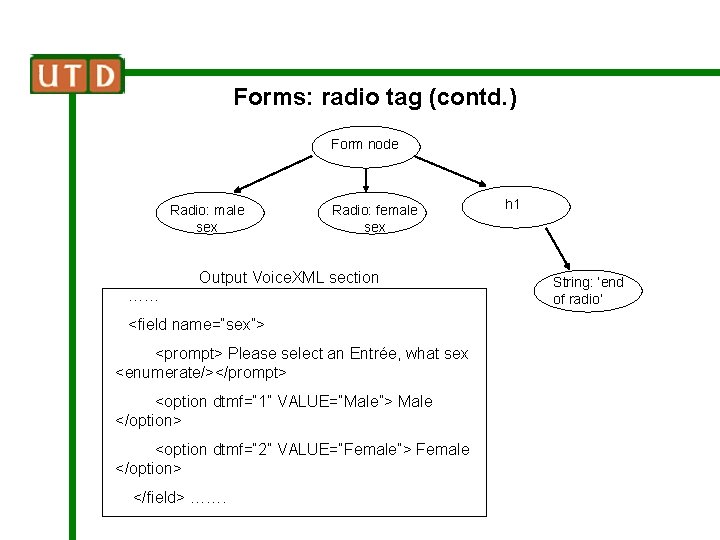
Forms: radio tag (contd. ) Form node Radio: male sex Radio: female sex Output Voice. XML section …… <field name=“sex”> <prompt> Please select an Entrée, what sex <enumerate/></prompt> <option dtmf=“ 1” VALUE=“Male”> Male </option> <option dtmf=“ 2” VALUE=“Female”> Female </option> </field> ……. h 1 String: ‘end of radio’
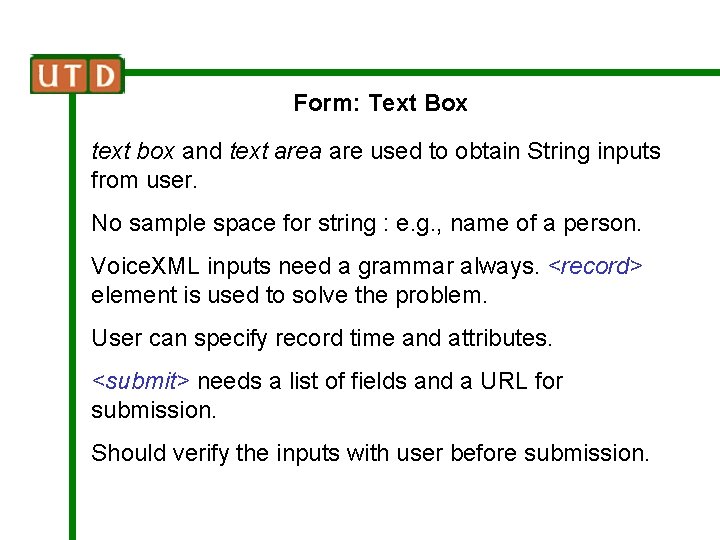
Form: Text Box text box and text area are used to obtain String inputs from user. No sample space for string : e. g. , name of a person. Voice. XML inputs need a grammar always. <record> element is used to solve the problem. User can specify record time and attributes. <submit> needs a list of fields and a URL for submission. Should verify the inputs with user before submission.
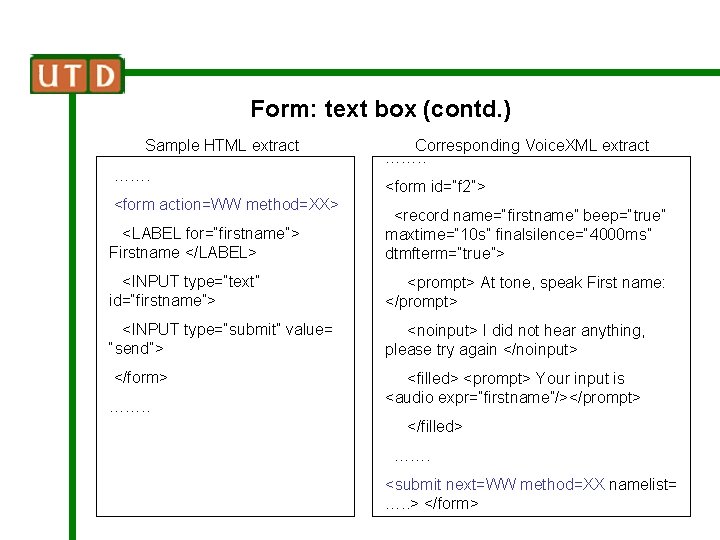
Form: text box (contd. ) Sample HTML extract ……. <form action=WW method=XX> Corresponding Voice. XML extract ……. . <form id=“f 2”> <LABEL for=“firstname”> Firstname </LABEL> <record name=“firstname” beep=“true” maxtime=“ 10 s” finalsilence=“ 4000 ms” dtmfterm=“true”> <INPUT type=“text” id=“firstname”> <prompt> At tone, speak First name: </prompt> <INPUT type=“submit” value= “send”> <noinput> I did not hear anything, please try again </noinput> </form> <filled> <prompt> Your input is <audio expr=“firstname”/></prompt> ……. . </filled> ……. <submit next=WW method=XX namelist= …. . > </form>
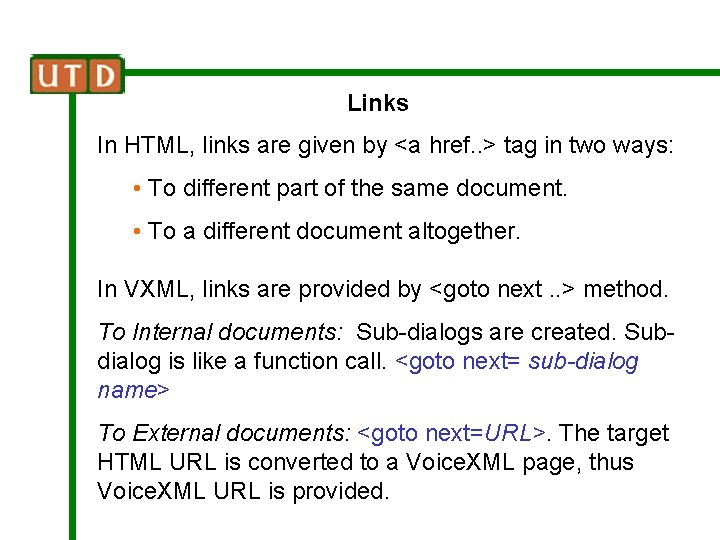
Links In HTML, links are given by <a href. . > tag in two ways: • To different part of the same document. • To a different document altogether. In VXML, links are provided by <goto next. . > method. To Internal documents: Sub-dialogs are created. Subdialog is like a function call. <goto next= sub-dialog name> To External documents: <goto next=URL>. The target HTML URL is converted to a Voice. XML page, thus Voice. XML URL is provided.
Text Display Tags used for display – does not make much sense in Voice. XML. Function of some display tags can be spoken out orally <block>……. </block> and <prompt>……. </prompt> are tags used to speak out text enclosed between them. Content to be spoken can be tailored using Interface sheet. The Interface sheet – used to add new HTML tags, making the system Extensible
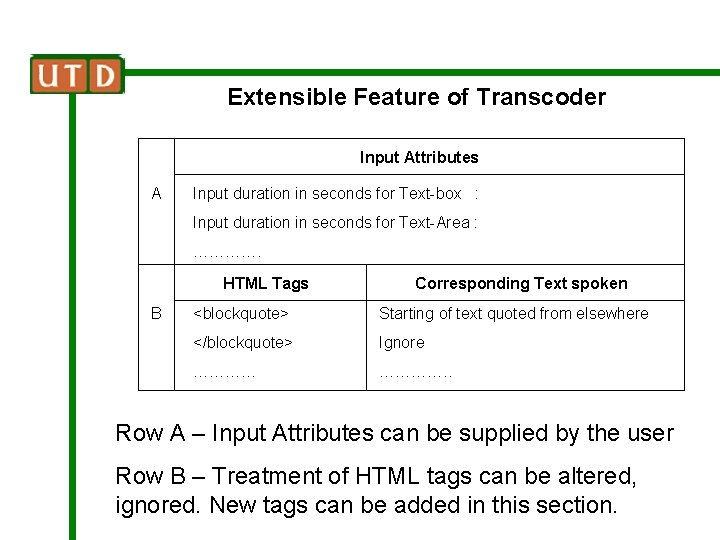
Extensible Feature of Transcoder Input Attributes A Input duration in seconds for Text-box : Input duration in seconds for Text-Area : …………. HTML Tags B Corresponding Text spoken <blockquote> Starting of text quoted from elsewhere </blockquote> Ignore …………. . Row A – Input Attributes can be supplied by the user Row B – Treatment of HTML tags can be altered, ignored. New tags can be added in this section.
Conclusion Our transcoder is capable of converting any HTML (4. 0 or lower version) file to corresponding Voice. XML file. Prominent feature of the Transcoder – Extensibility and User Inter-activeness. HTML to Voice. XML paves the way for Anytime, Anywhere Internet access for mobile clients.
Future Work q Our system will strive to remove the restriction – all open tags in the input HTML file should have close tags. q Try to process applets and Scripts that may be present in input HTML page. q Analyzing the feasibility of implementing Transcoder in Proxy Servers.
- Slides: 25