
An analysis of Skype protocol Presented by Abdul
An analysis of Skype protocol Presented by: Abdul Haleem
Agenda l Introduction l Entities of Skype Network l Key Components of Skype Software l The communication process l Skype Network Traffic
Introduction l Peer to peer application l Chat l Call ¡ Skype to Skype ¡ Skype to telephone/mobile network ¡ Telephone/mobile network to Skype l User search (Find people)
Key Entities l Skype Client (ordinary host) l Login Server l Super Node
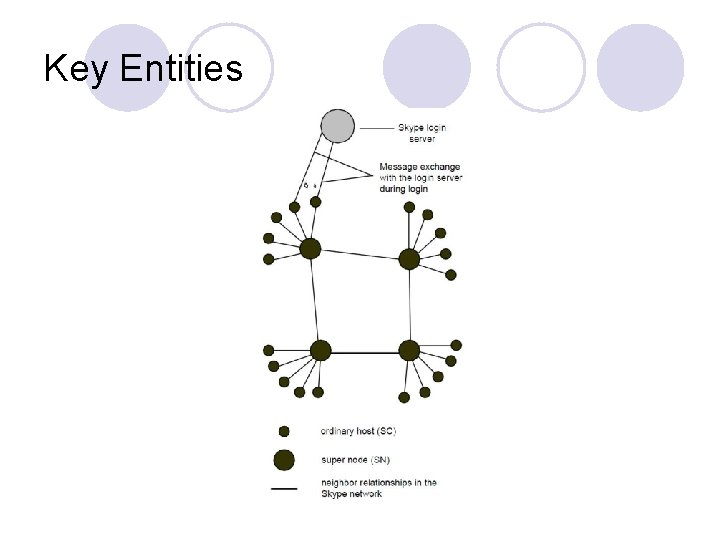
Key Entities
Skype Client (ordinary host) ¡ An ordinary host is a Skype application that can be used to place voice calls and send text messages
Login Server ¡ It is the only centralized server ¡ User names and passwords are stored at the login server. User authentication at login is also done at this server. ¡ This server also ensures that login names are unique across the Skype name space ¡ An ordinary host must register itself with the Skype login server
Super Node ¡ Super nodes are the end points where Skype clients connect to. ¡ Any node with a public IP address having sufficient CPU, memory, and network bandwidth is a candidate to become a super node.
Key Components l Host Cache l Obfuscation Layer
Host Cache ¡ Every Skype client maintains a local list of super node IP address and port pairs. It is called Host Cache ¡ Refreshed regularly ¡ Upon startup the client reads an entry from the host cache, and tries to connect to this SN. ¡ If connection fails (the SN is offline; it is no longer part of the network, etc) it reads next entry and tries to connect to it.
Obfuscation Layer ¡ Everything that is being transferred across the network is being encrypted to ensure privacy. ¡ Uses AES algorithm for encryption.
communication process l Logging in l Skype to Skype call – Both public IPs l Skype to Skype call - behind NAT l Call Between Skype and PSTN
Logging in ¡ Client authenticates its user name and password with the login server ¡ advertises its presence to other peers ¡ determines the type of NAT it is behind ¡ discovers online Skype nodes with public IP addresses
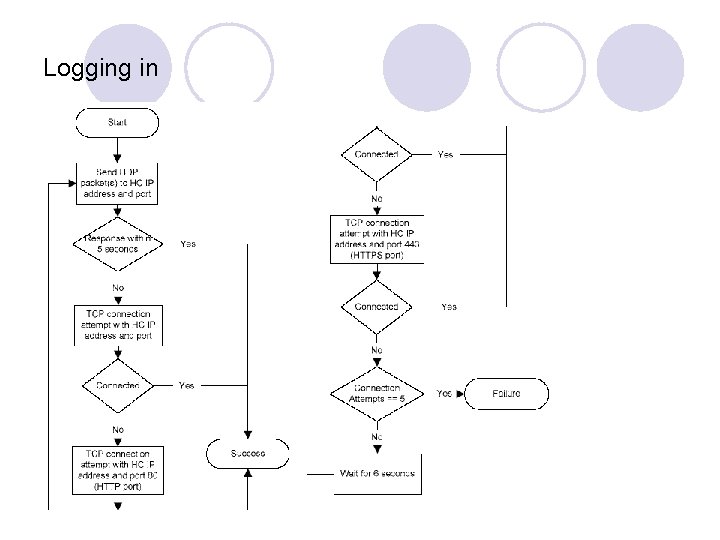
Logging in ¡ Get an IP and port of a super node from HC ¡ Send UDP packets to check availability ¡ TCP connection on provided IP and port 80 (HTTP port). ¡ TCP connection on provided IP and port 443 (HTTPS port) ¡ Try next super node (total 5 attempts)
Logging in
Skype to Skype call – Both public IPs ¡ If both caller and receiver are on public IPs then they establish a call through a direct TCP connection with each other. ¡ Media is transferred using UDP.
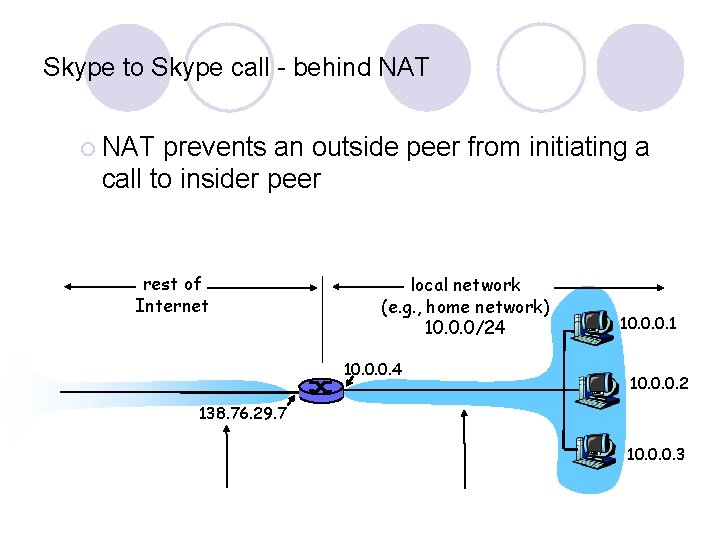
Skype to Skype call - behind NAT ¡ NAT prevents an outside peer from initiating a call to insider peer rest of Internet local network (e. g. , home network) 10. 0. 0/24 10. 0. 0. 1 10. 0. 0. 2 138. 76. 29. 7 10. 0. 0. 3
Skype to Skype call - behind NAT l Solution to NAT problem ¡ Every client is connected to its super node which is non-NATed. ¡ Client A asks its super node that she wants to call B. ¡ Super node of A informs super node of B who in turn informs B. ¡ If B accepts the call then a third non-NATed peer is chosen which relays data between A and B.
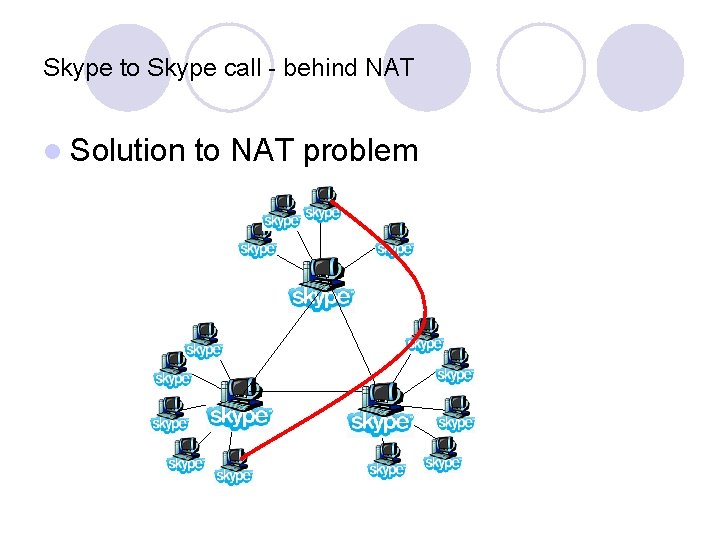
Skype to Skype call - behind NAT l Solution to NAT problem
Call Between Skype and PSTN ¡ For Skype out (Skype to PSTN), the application initially contacts the super node and then the PSTN gateway at port 12340. ¡ The gateway servers are a separate part of the architecture and not a part of the overlay network. ¡ For Skype in (PSTN to Skype) the opposite is used.
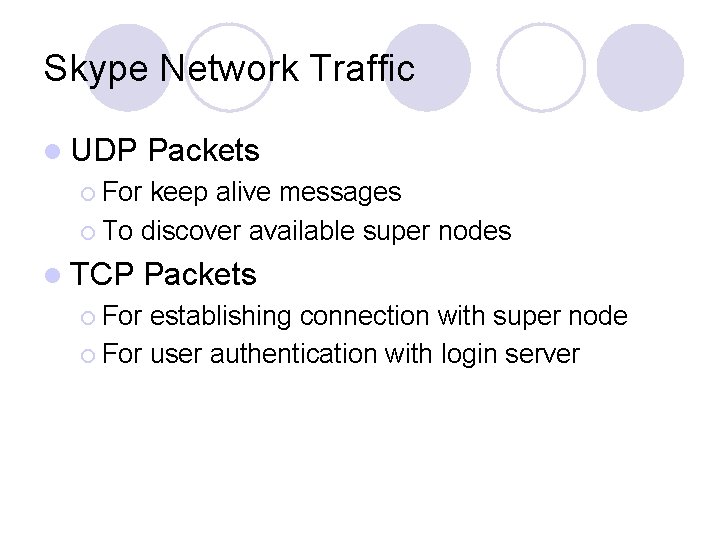
Skype Network Traffic l UDP Packets ¡ For keep alive messages ¡ To discover available super nodes l TCP ¡ For Packets establishing connection with super node ¡ For user authentication with login server
References l An Analysis of the Skype Peer-to-Peer Internet Telephony Protocol – By Salman A. Baset and Henning Schulzrinne Department of Computer Science Columbia University, New York NY 10027 {salman, hgs}@cs. columbia. edu September 15, 2004 http: //www. mjalali. com/blog/Skype 101– Skype Architecture–Work in Progress. htm l http: //www. skype. com/Skype P 2 P telephony explained. htm l http: //en. wikipedia. org/wiki/Talk: Skype_protocol l http: //technologyevangelist. com/2008/05/A bit about how Skype works. htm l
- Slides: 22