
Amateur Radio Emergency Services ARES Winlink Overview with

- Slides: 34
Amateur Radio Emergency Services (ARES) Winlink Overview with Radio Only Emphasis WC-ARES Meeting September 12, 2013
Winlink Overview with Radio Only Emphasis Agenda: - Brief review of May 12, 2012 radio only exercise - New Winlink extension for radio only operation - Central Texas Winlink strategy versus situation - October exercise specific training - Task Force operation ARES
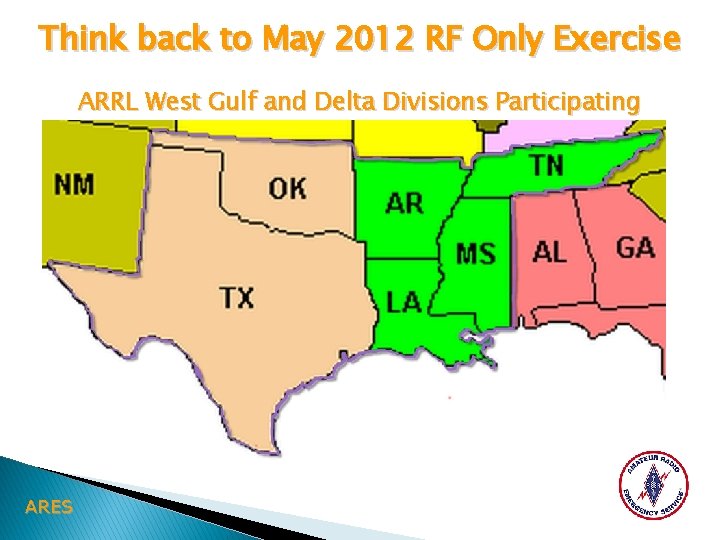
Think back to May 2012 RF Only Exercise ARRL West Gulf and Delta Divisions Participating ARES
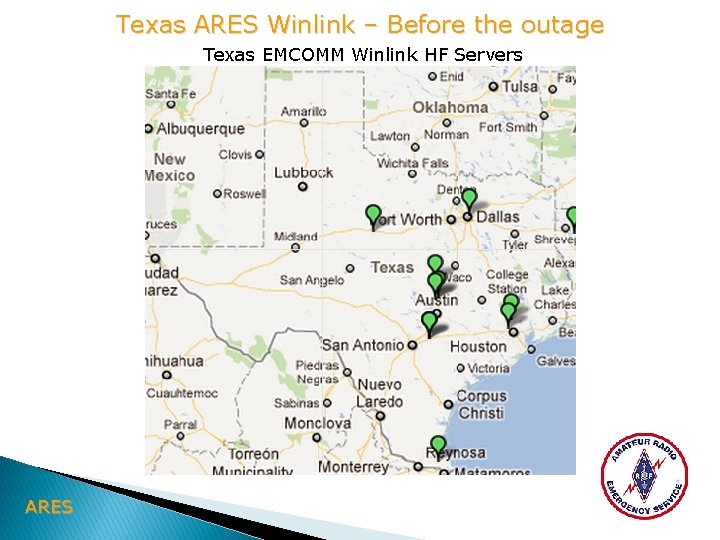
Texas ARES Winlink – Before the outage Texas EMCOMM Winlink HF Servers ARES
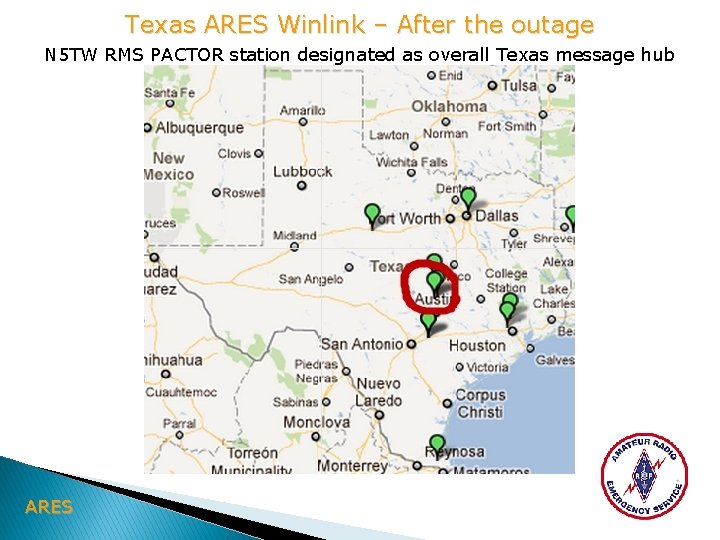
Texas ARES Winlink – After the outage N 5 TW RMS PACTOR station designated as overall Texas message hub ARES
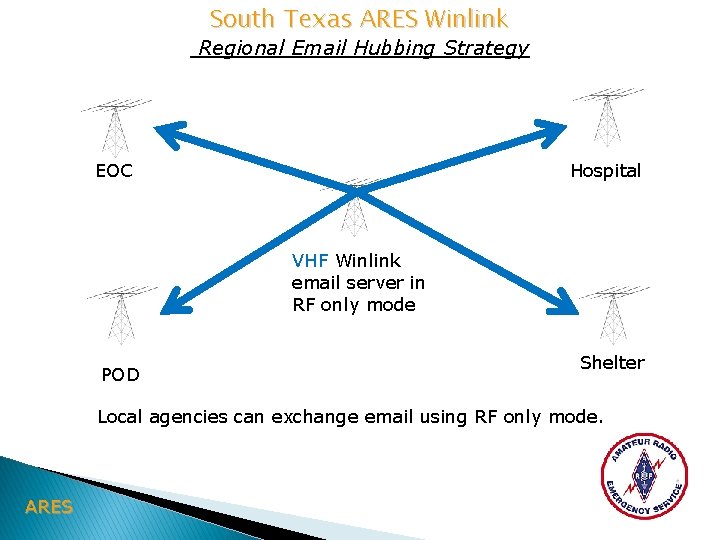
South Texas ARES Winlink Regional Email Hubbing Strategy EOC Hospital VHF Winlink email server in RF only mode POD Shelter Local agencies can exchange email using RF only mode. ARES
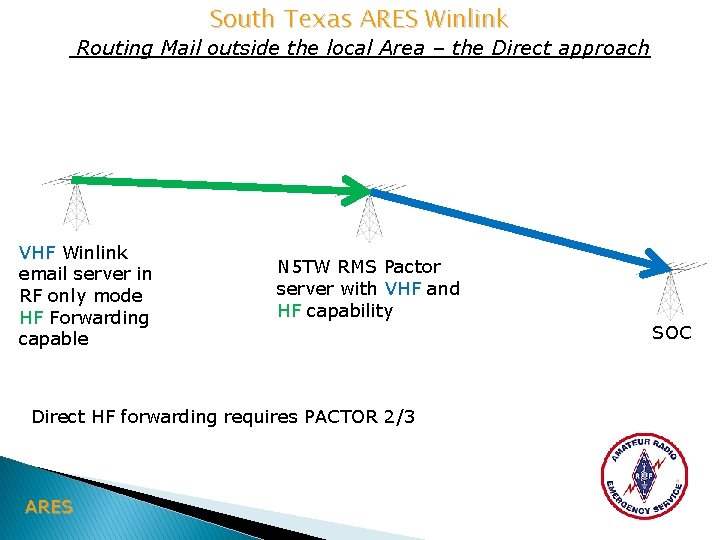
South Texas ARES Winlink Routing Mail outside the local Area – the Direct approach VHF Winlink email server in RF only mode HF Forwarding capable N 5 TW RMS Pactor server with VHF and HF capability Direct HF forwarding requires PACTOR 2/3 ARES SOC
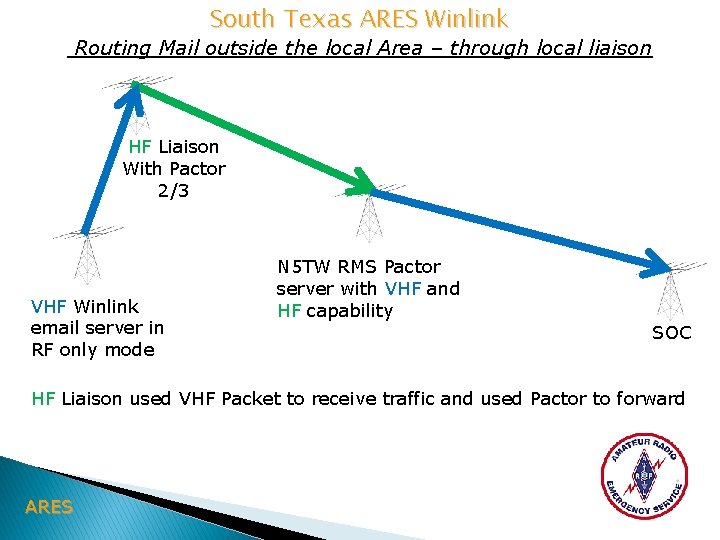
South Texas ARES Winlink Routing Mail outside the local Area – through local liaison HF Liaison With Pactor 2/3 VHF Winlink email server in RF only mode N 5 TW RMS Pactor server with VHF and HF capability SOC HF Liaison used VHF Packet to receive traffic and used Pactor to forward ARES
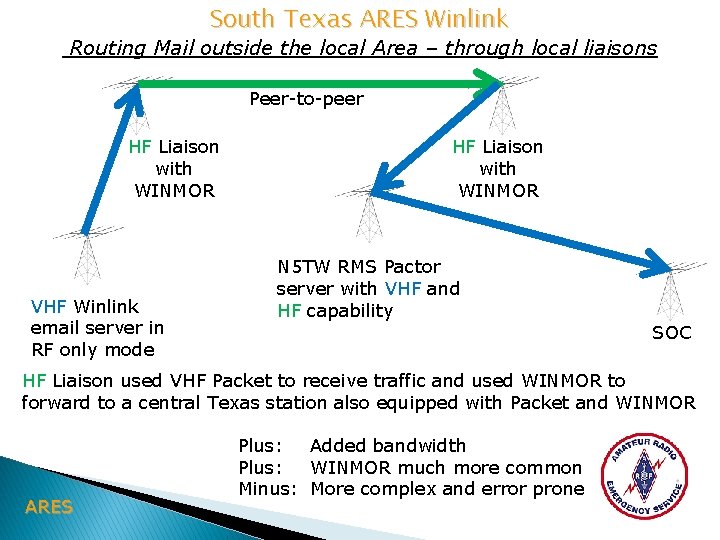
South Texas ARES Winlink Routing Mail outside the local Area – through local liaisons Peer-to-peer HF Liaison with WINMOR VHF Winlink email server in RF only mode HF Liaison with WINMOR N 5 TW RMS Pactor server with VHF and HF capability SOC HF Liaison used VHF Packet to receive traffic and used WINMOR to forward to a central Texas station also equipped with Packet and WINMOR ARES Plus: Added bandwidth Plus: WINMOR much more common Minus: More complex and error prone
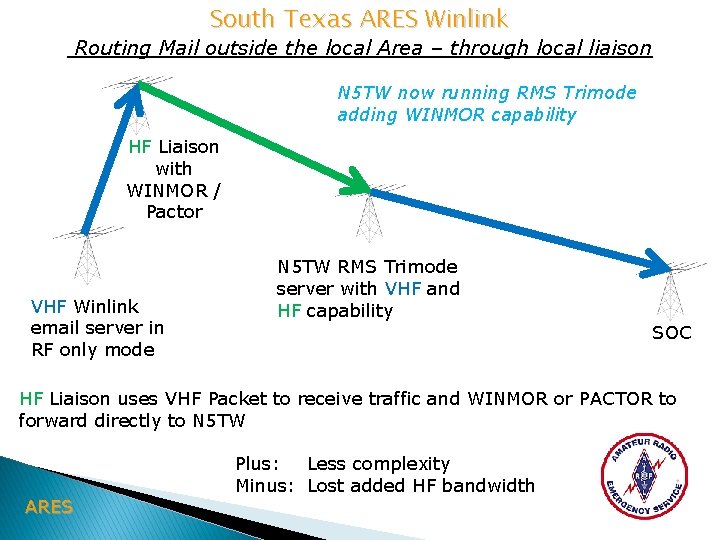
South Texas ARES Winlink Routing Mail outside the local Area – through local liaison N 5 TW now running RMS Trimode adding WINMOR capability HF Liaison with WINMOR / Pactor VHF Winlink email server in RF only mode N 5 TW RMS Trimode server with VHF and HF capability SOC HF Liaison uses VHF Packet to receive traffic and WINMOR or PACTOR to forward directly to N 5 TW ARES Plus: Less complexity Minus: Lost added HF bandwidth
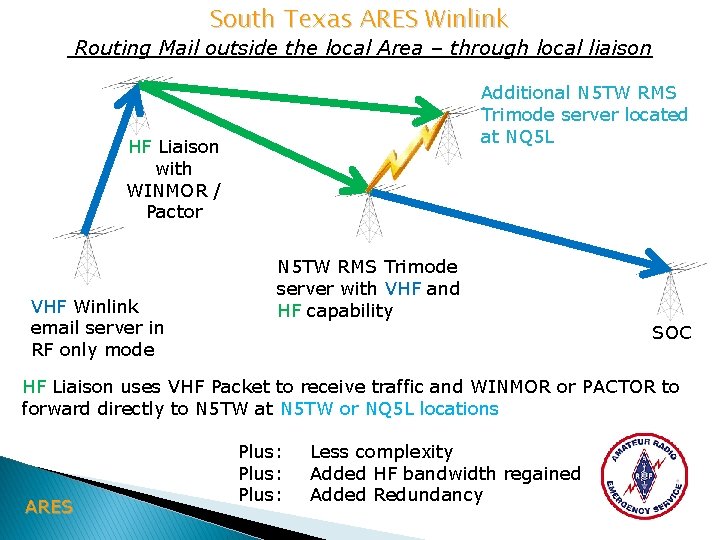
South Texas ARES Winlink Routing Mail outside the local Area – through local liaison Additional N 5 TW RMS Trimode server located at NQ 5 L HF Liaison with WINMOR / Pactor VHF Winlink email server in RF only mode N 5 TW RMS Trimode server with VHF and HF capability SOC HF Liaison uses VHF Packet to receive traffic and WINMOR or PACTOR to forward directly to N 5 TW at N 5 TW or NQ 5 L locations ARES Plus: Less complexity Added HF bandwidth regained Added Redundancy
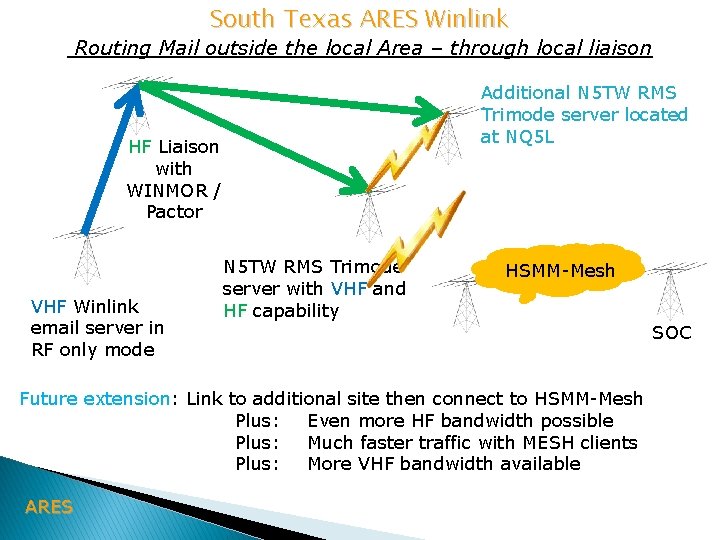
South Texas ARES Winlink Routing Mail outside the local Area – through local liaison Additional N 5 TW RMS Trimode server located at NQ 5 L HF Liaison with WINMOR / Pactor VHF Winlink email server in RF only mode N 5 TW RMS Trimode server with VHF and HF capability HSMM-Mesh Future extension: Link to additional site then connect to HSMM-Mesh Plus: Even more HF bandwidth possible Plus: Much faster traffic with MESH clients Plus: More VHF bandwidth available ARES SOC
New Winlink Feature for Routing traffic in RF only Scenario The Message Pickup Station (MPS) Selection of MPS in RMS Express - Used for routing traffic in RF only case - Routing information passed to MPS stations in advance - Recommended for HF users or users local to MPS - Recommend just one MPS selection to avoid extra forwarding traffic - N 5 TW is recommended MPS for Texas - MPS operator does forwards to other MPS stations as required. - Radio only testing is actively underway - Users should setup their MPS selection now - Implications for October SET unclear ARES
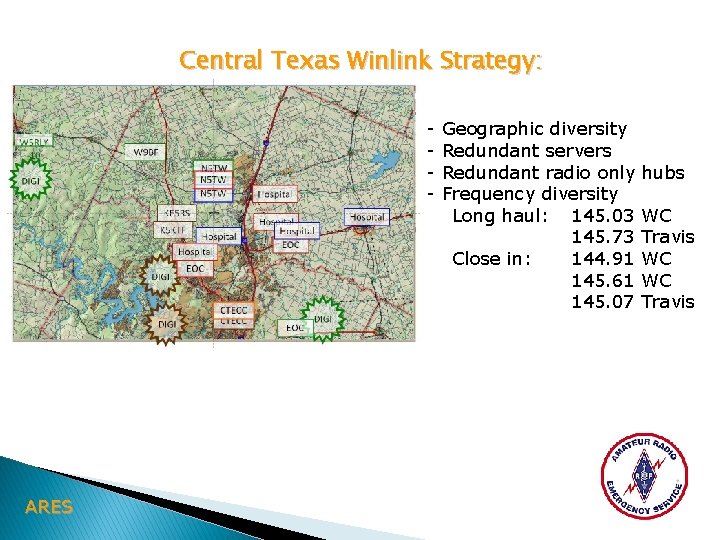
Central Texas Winlink Strategy: - ARES Geographic diversity Redundant servers Redundant radio only Frequency diversity Long haul: 145. 03 145. 73 Close in: 144. 91 145. 61 145. 07 hubs WC Travis WC WC Travis
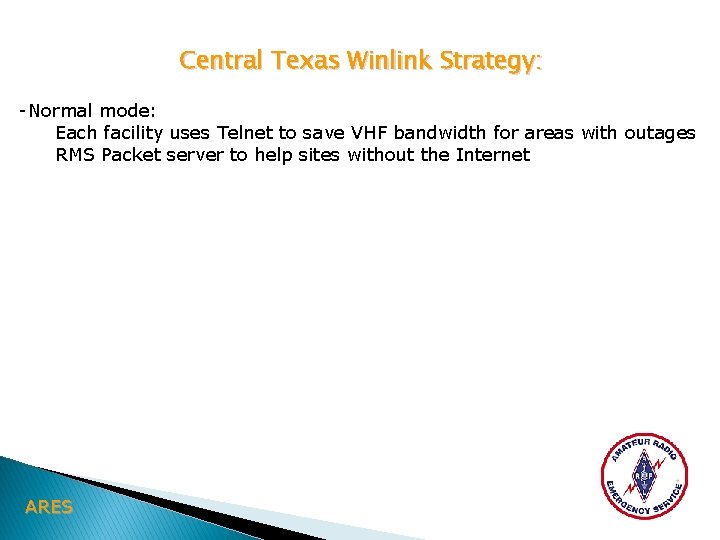
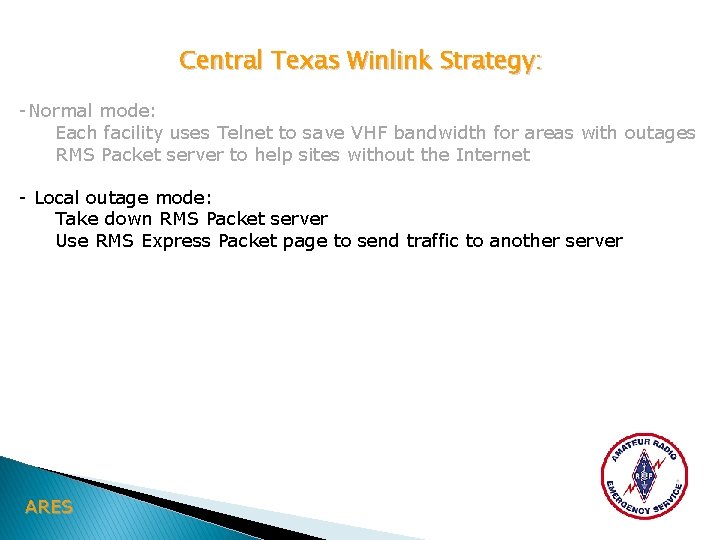
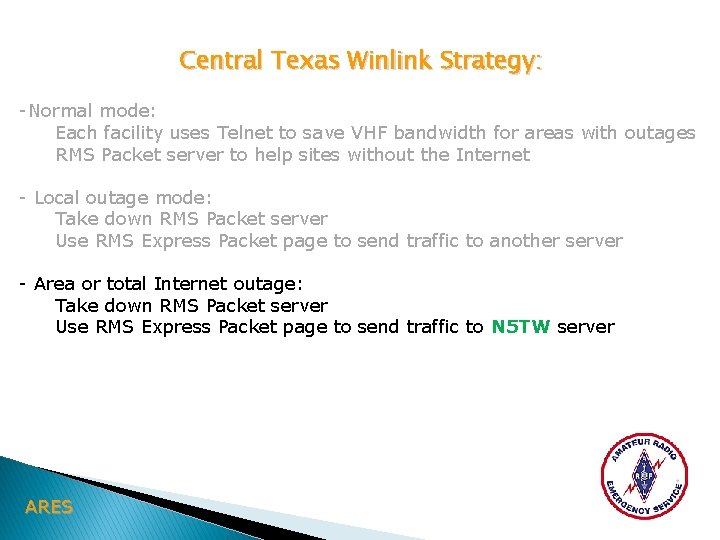
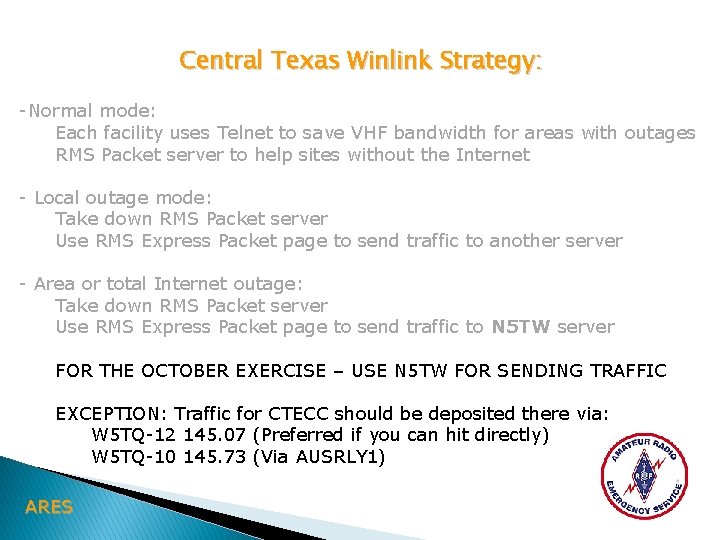
Central Texas Winlink Strategy: -Normal mode: Each facility uses Telnet to save VHF bandwidth for areas with outages RMS Packet server to help sites without the Internet - Local outage mode: Take down RMS Packet server Use RMS Express Packet page to send traffic to another server - Area or total Internet outage: Take down RMS Packet server Use RMS Express Packet page to send traffic to N 5 TW server FOR THE OCTOBER EXERCISE – USE N 5 TW FOR SENDING TRAFFIC EXCEPTION: Traffic for CTECC should be deposited there via: W 5 TQ-12 145. 07 (Preferred if you can hit directly) W 5 TQ-10 145. 73 (Via AUSRLY 1) ARES
Central Texas Winlink Strategy: -Normal mode: Each facility uses Telnet to save VHF bandwidth for areas with outages RMS Packet server to help sites without the Internet - Local outage mode: Take down RMS Packet server Use RMS Express Packet page to send traffic to another server - Area or total Internet outage: Take down RMS Packet server Use RMS Express Packet page to send traffic to N 5 TW server FOR THE OCTOBER EXERCISE – USE N 5 TW FOR SENDING TRAFFIC EXCEPTION: Traffic for CTECC should be deposited there via: W 5 TQ-12 145. 07 (Preferred if you can hit directly) W 5 TQ-10 145. 73 (Via AUSRLY 1) ARES
Central Texas Winlink Strategy: -Normal mode: Each facility uses Telnet to save VHF bandwidth for areas with outages RMS Packet server to help sites without the Internet - Local outage mode: Take down RMS Packet server Use RMS Express Packet page to send traffic to another server - Area or total Internet outage: Take down RMS Packet server Use RMS Express Packet page to send traffic to N 5 TW server FOR THE OCTOBER EXERCISE – USE N 5 TW FOR SENDING TRAFFIC EXCEPTION: Traffic for CTECC should be deposited there via: W 5 TQ-12 145. 07 (Preferred if you can hit directly) W 5 TQ-10 145. 73 (Via AUSRLY 1) ARES
Central Texas Winlink Strategy: -Normal mode: Each facility uses Telnet to save VHF bandwidth for areas with outages RMS Packet server to help sites without the Internet - Local outage mode: Take down RMS Packet server Use RMS Express Packet page to send traffic to another server - Area or total Internet outage: Take down RMS Packet server Use RMS Express Packet page to send traffic to N 5 TW server FOR THE OCTOBER EXERCISE – USE N 5 TW FOR SENDING TRAFFIC EXCEPTION: Traffic for CTECC should be deposited there via: W 5 TQ-12 145. 07 (Preferred if you can hit directly) W 5 TQ-10 145. 73 (Via AUSRLY 1) ARES
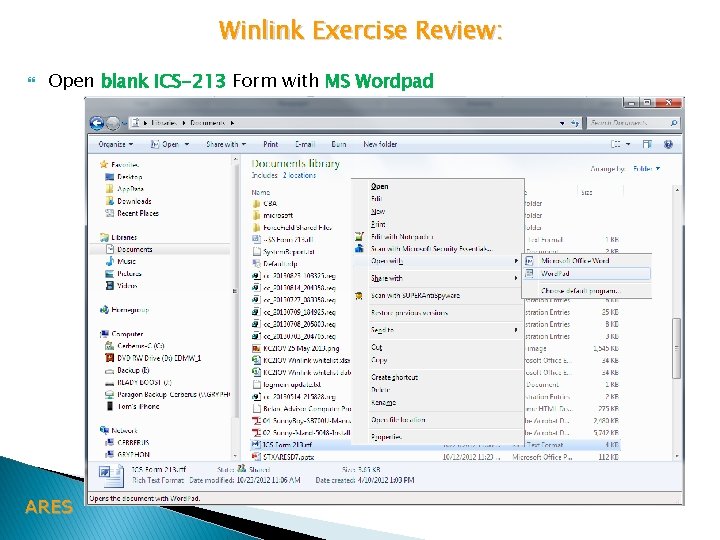
Winlink Exercise Review: Open blank ICS-213 Form with MS Wordpad ARES
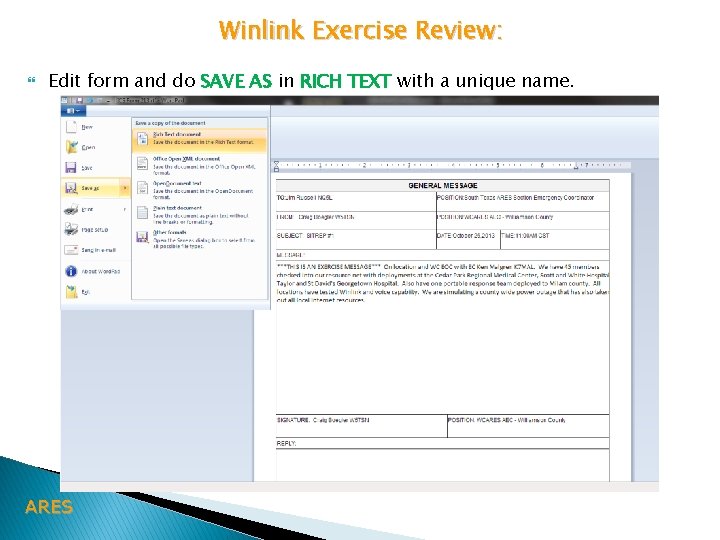
Winlink Exercise Review: Edit form and do SAVE AS in RICH TEXT with a unique name. ARES
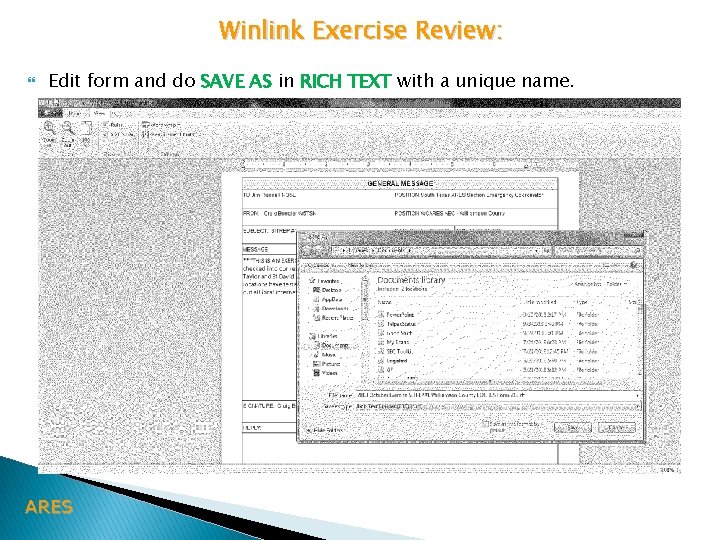
Winlink Exercise Review: Edit form and do SAVE AS in RICH TEXT with a unique name. ARES
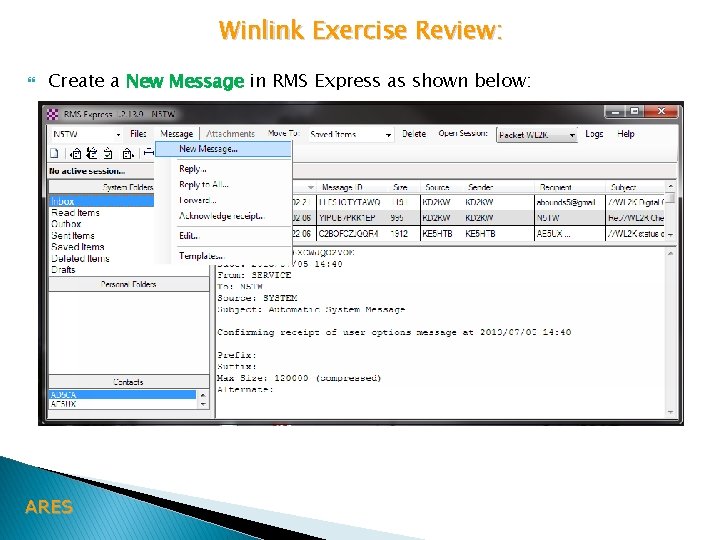
Winlink Exercise Review: Create a New Message in RMS Express as shown below: ARES
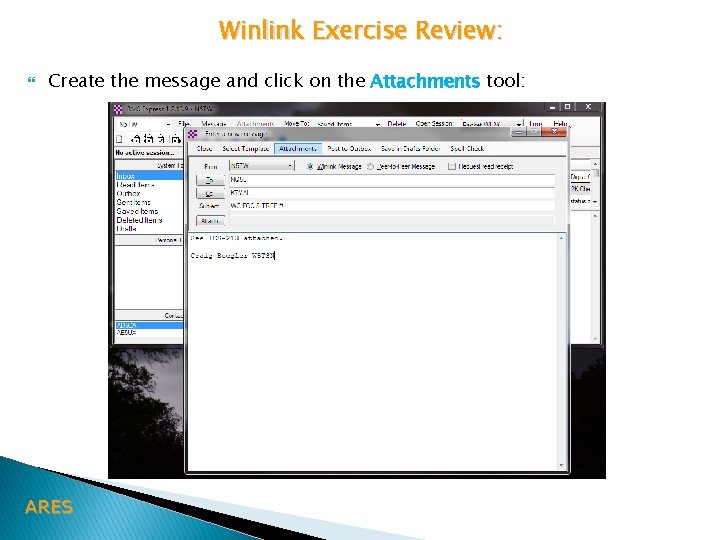
Winlink Exercise Review: Create the message and click on the Attachments tool: ARES
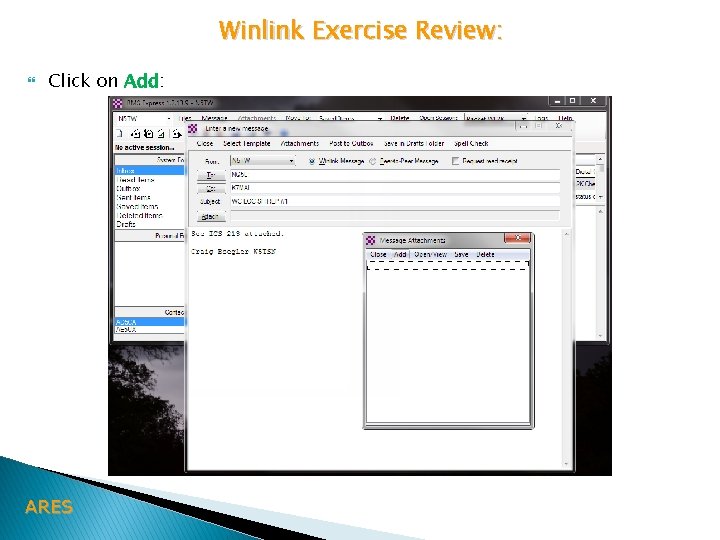
Winlink Exercise Review: Click on Add: ARES
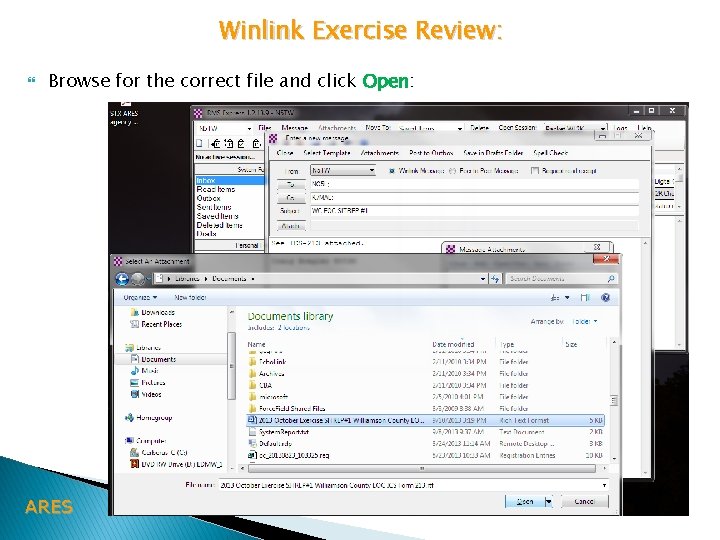
Winlink Exercise Review: Browse for the correct file and click Open: ARES
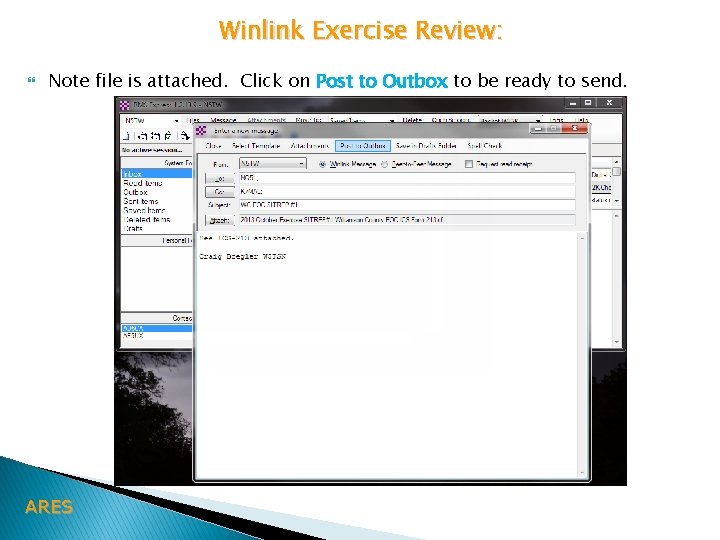
Winlink Exercise Review: Note file is attached. Click on Post to Outbox to be ready to send. ARES
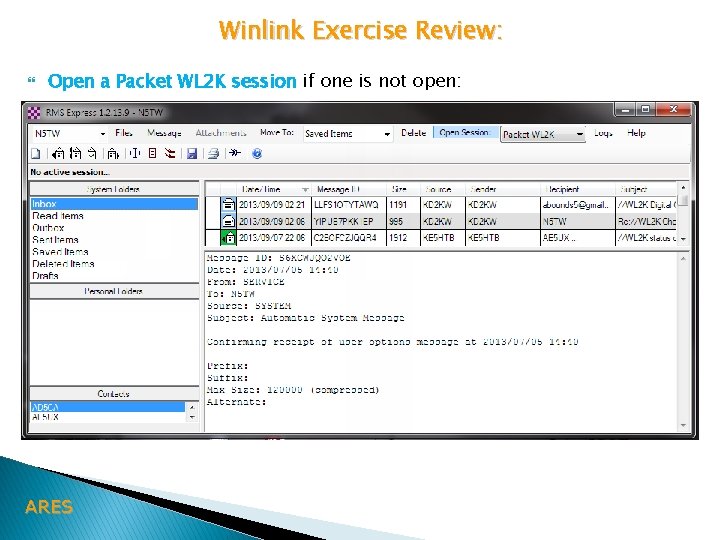
Winlink Exercise Review: Open a Packet WL 2 K session if one is not open: ARES
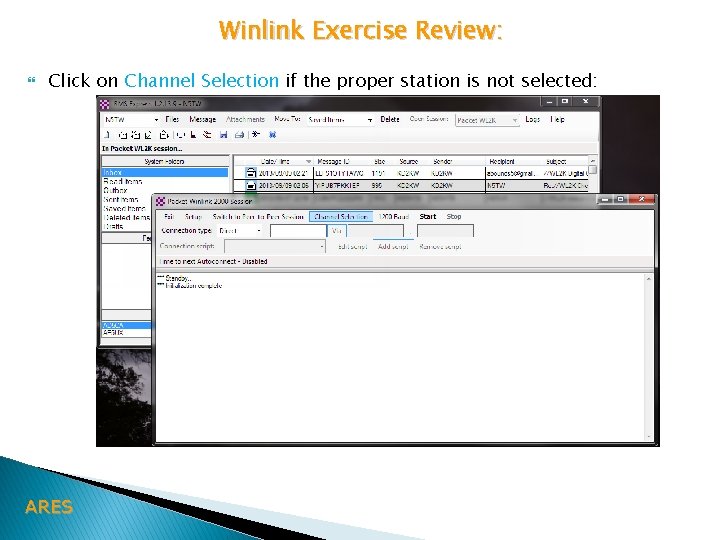
Winlink Exercise Review: Click on Channel Selection if the proper station is not selected: ARES
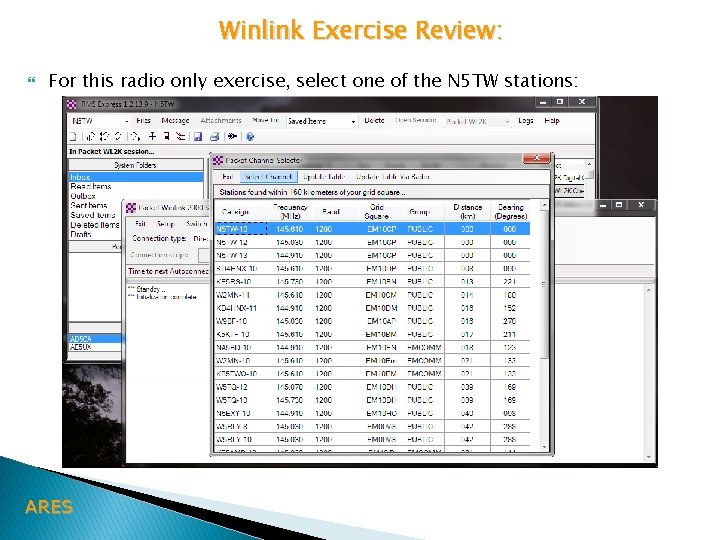
Winlink Exercise Review: For this radio only exercise, select one of the N 5 TW stations: ARES
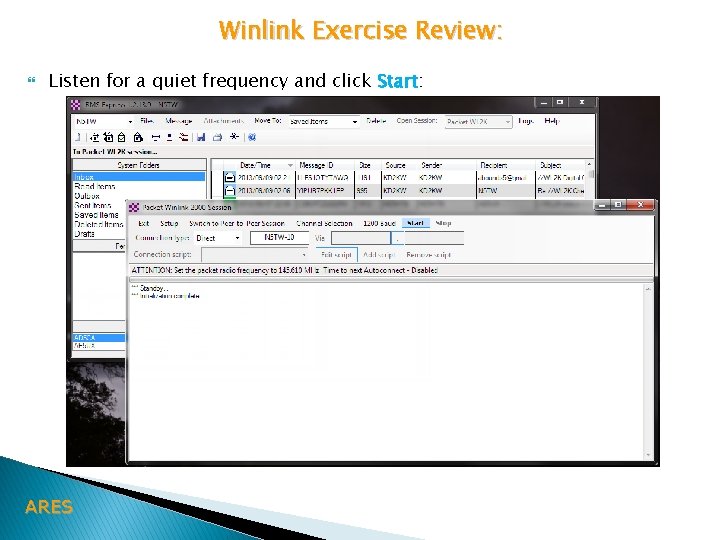
Winlink Exercise Review: Listen for a quiet frequency and click Start: ARES
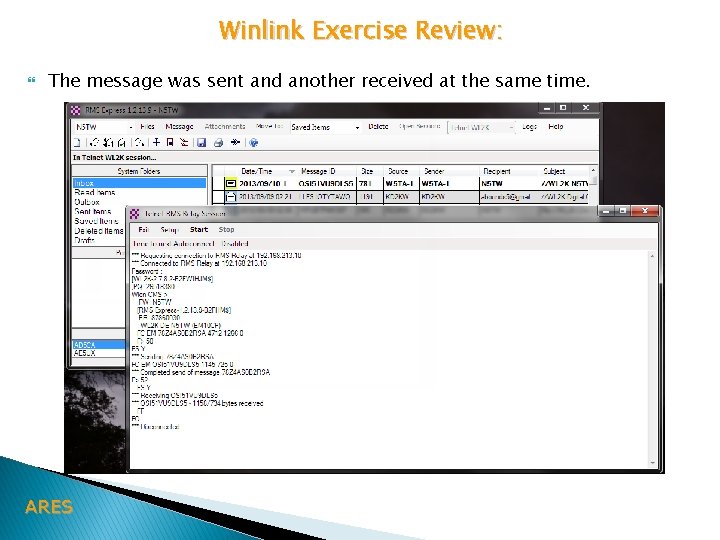
Winlink Exercise Review: The message was sent and another received at the same time. ARES
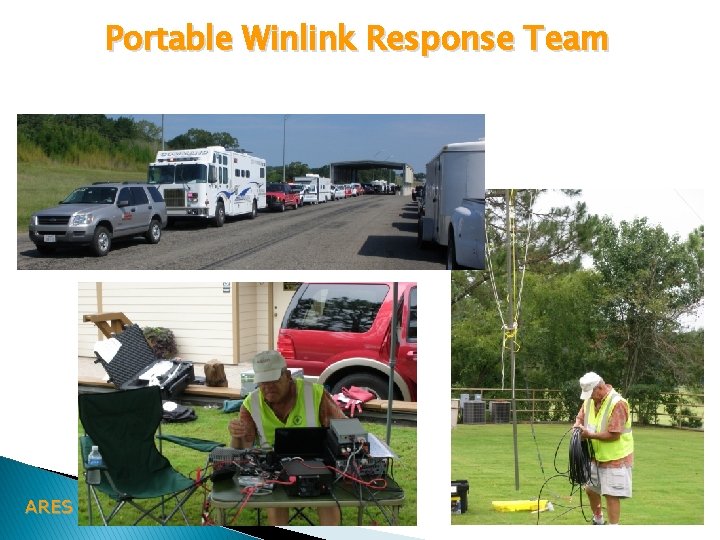
Portable Winlink Response Team ARES
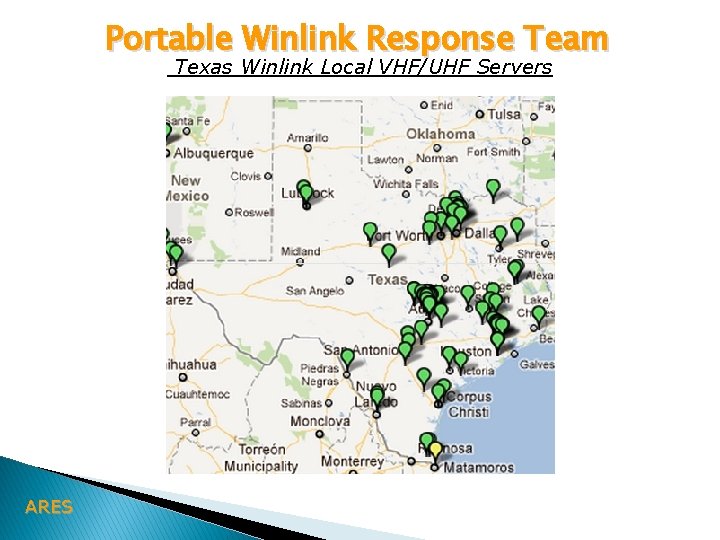
Portable Winlink Response Team Texas Winlink Local VHF/UHF Servers ARES
Questions ARES