
Alternative Work Schedule and Telecommute Training Fall 2016

- Slides: 52
Alternative Work Schedule and Telecommute Training Fall 2016
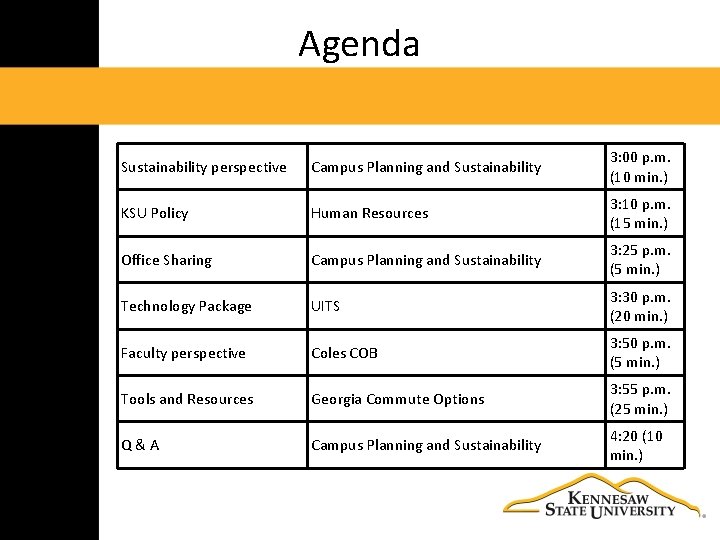
Agenda Sustainability perspective Campus Planning and Sustainability 3: 00 p. m. (10 min. ) KSU Policy Human Resources 3: 10 p. m. (15 min. ) Office Sharing Campus Planning and Sustainability 3: 25 p. m. (5 min. ) Technology Package UITS 3: 30 p. m. (20 min. ) Faculty perspective Coles COB 3: 50 p. m. (5 min. ) Tools and Resources Georgia Commute Options 3: 55 p. m. (25 min. ) Q&A Campus Planning and Sustainability 4: 20 (10 min. )
Sustainability Perspective
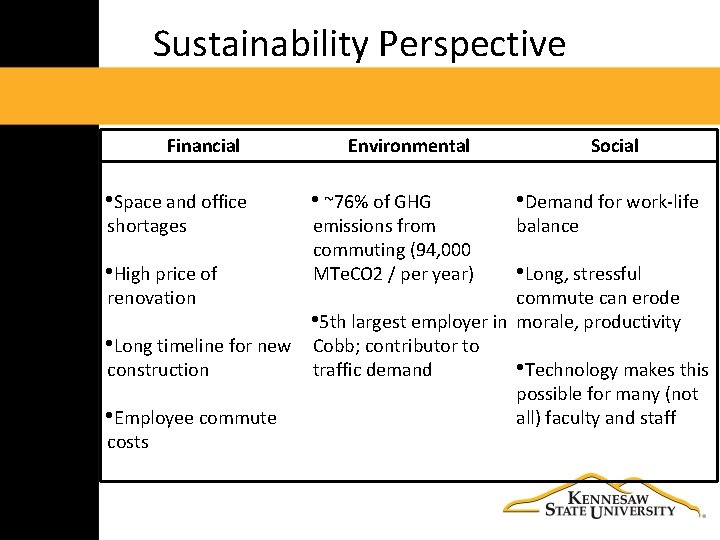
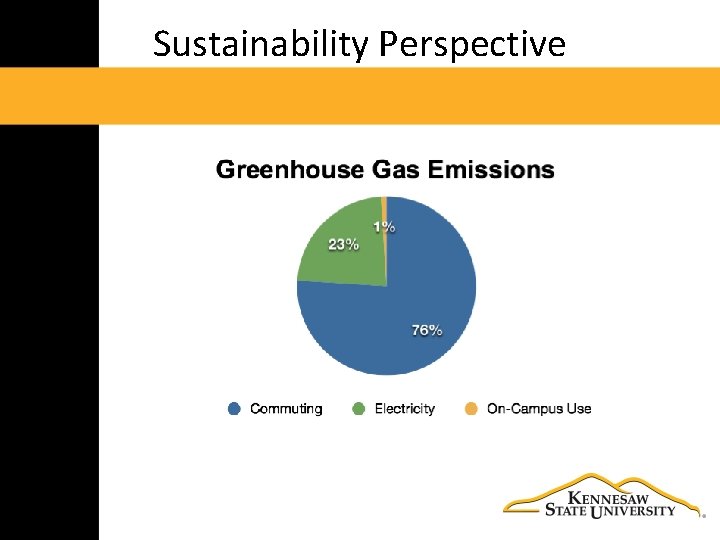
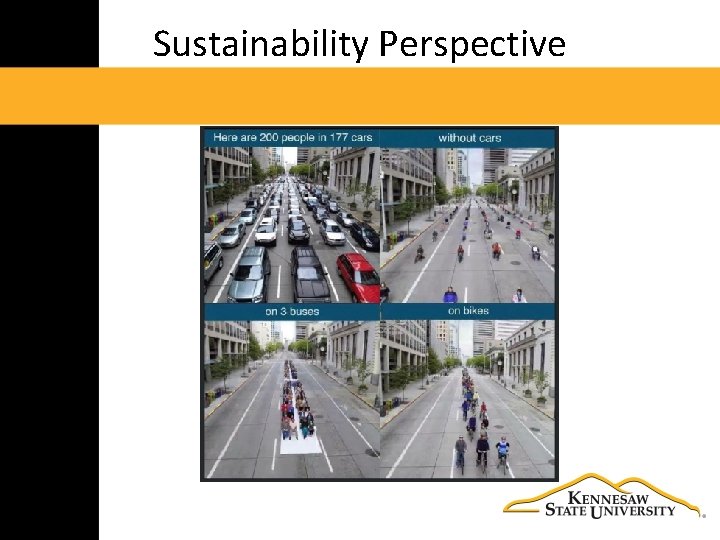
Sustainability Perspective Financial • Space and office shortages • High price of renovation Environmental • ~76% of GHG emissions from commuting (94, 000 MTe. CO 2 / per year) Social • Demand for work‐life balance • Long, stressful commute can erode • 5 th largest employer in morale, productivity • Long timeline for new Cobb; contributor to construction traffic demand • Technology makes this possible for many (not • Employee commute all) faculty and staff costs
Sustainability Perspective
Sustainability Perspective
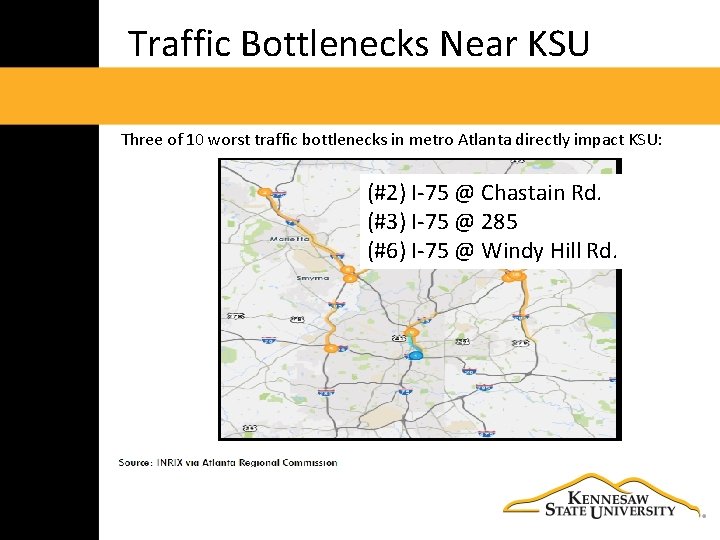
Traffic Bottlenecks Near KSU Three of 10 worst traffic bottlenecks in metro Atlanta directly impact KSU: (#2) I‐ 75 @ Chastain Rd. (#3) I‐ 75 @ 285 (#6) I‐ 75 @ Windy Hill Rd.
Human Resources – Policy Overview
Telework / Flextime • Describes a wide range of work styles and employment practices which differ from the traditional 8: 00 am‐ 5: 00 pm full time job. • Offers creative approaches for completing work while promoting balance between work life and personal life commitments.
Alternative Work Arrangements • Flex. Time • Compressed Work. Week Schedules • Partial Year Employment • Telecommuting
Alternative Work Arrangements • These are STRATEGIES that serve management and employee; not “benefits. ” • Management can reduce costs, lower turnover and absenteeism, and expand staff without having to add offices. • Employees can get greater work‐life balance. • Applies to EXEMPT and NON‐EXEMPT EMPLOYEES.
Standard Work Schedule • Monday through Friday • 8 a. m. to 5 p. m. • All changes require management approval
Flex. Time • Change daily work start/end times • Flex. Time offers flexibility in arrival, departure and/or lunch times, typically with a designated core‐time during which all staff are present
Flex. Time • Office open during regular business hours • Hours other than 8‐ 5 • Firm work schedules • Management Approval
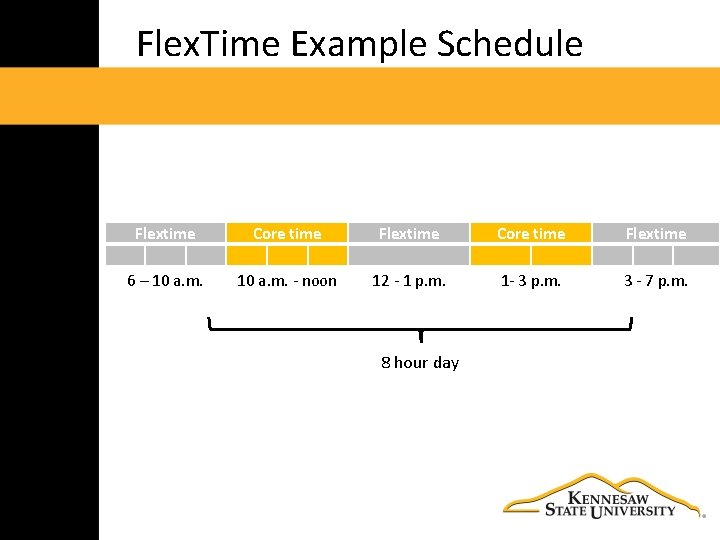
Flex. Time Example Schedule Flextime Core time Flextime 6 – 10 a. m. ‐ noon 12 ‐ 1 p. m. 1‐ 3 p. m. 3 ‐ 7 p. m. 8 hour day
Flex. Time Benefits • Ability to balance work and family life • Schedule appointments without missing work • Attend children’s school activities • Decreased absenteeism • Attend classes
Flex. Time: Special Considerations • Identify core periods of work that are most beneficial for department (i. e. 10: 00 am‐ 4: 00 pm) • Environment with strong coordination and dependency issues may not be conducive to flextime
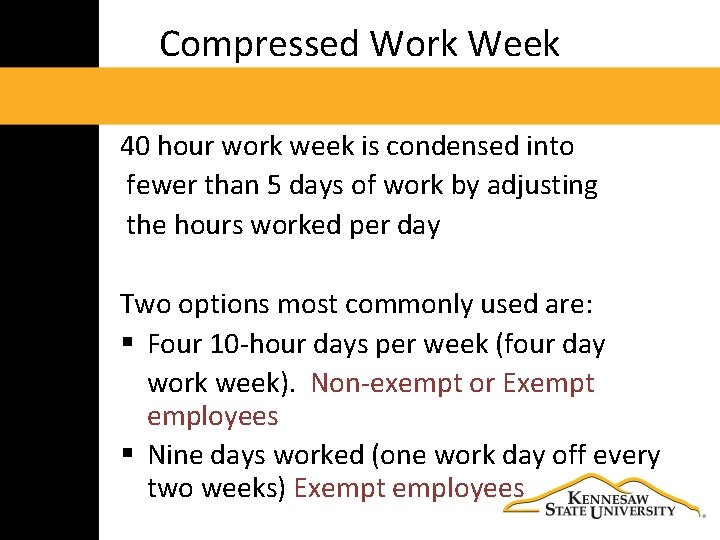
Compressed Work Week 40 hour work week is condensed into fewer than 5 days of work by adjusting the hours worked per day Two options most commonly used are: § Four 10‐hour days per week (four day work week). Non‐exempt or Exempt employees § Nine days worked (one work day off every two weeks) Exempt employees
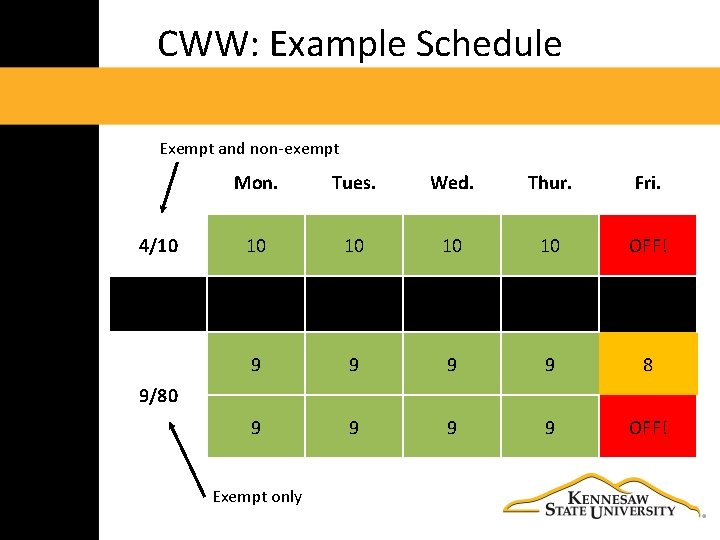
CWW: Example Schedule Exempt and non‐exempt 4/10 Mon. Tues. Wed. Thur. Fri. 10 10 OFF! 9 9 8 9 9 OFF! 9/80 Exempt only
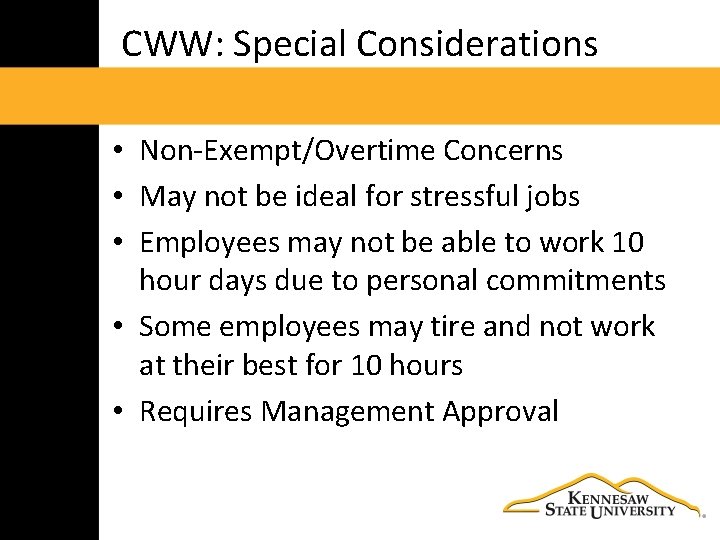
CWW: Special Considerations • Non‐Exempt/Overtime Concerns • May not be ideal for stressful jobs • Employees may not be able to work 10 hour days due to personal commitments • Some employees may tire and not work at their best for 10 hours • Requires Management Approval
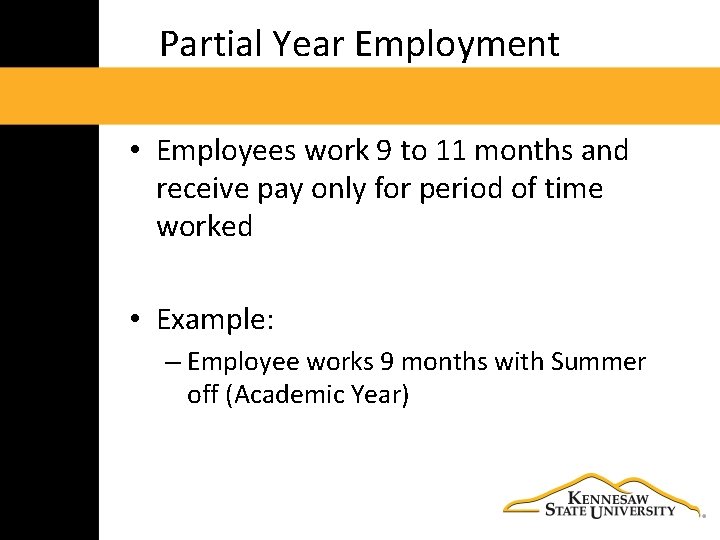
Partial Year Employment • Employees work 9 to 11 months and receive pay only for period of time worked • Example: – Employee works 9 months with Summer off (Academic Year)
Partial Year Employment • Position Classified as Partial Year • Personal Leave of Absence • Benefits continue (for eligible) TRS 9 months = 1 yr Vac/Sick pro rated • Management Approval
Partial Year Employment: Benefits • Reduce costs during non core seasons • Concentrate staff during periods of peak demand • Some employees may enjoy the block of time off to pursue other interests or phase in retirement • Reduces the number of staff during periods of low demand
Telecommuting • Allows eligible employees to work at remote locations one or more days per week. • This arrangement allows for a portion of the job to be performed off‐site, on a regular, recurring basis.
Telecommuting • Work from a remote location • Determined by the job/needs of department • Eligible positions approved by HR • No more than three days per week • Requires HR/Management Approval
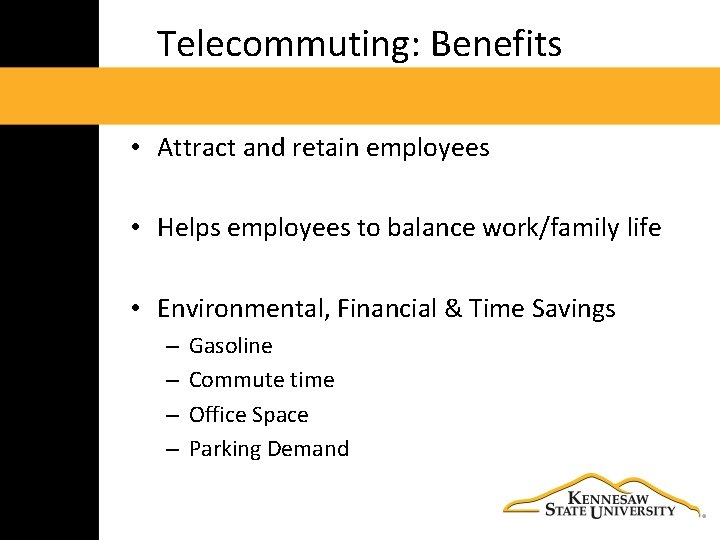
Telecommuting: Benefits • Attract and retain employees • Helps employees to balance work/family life • Environmental, Financial & Time Savings – – Gasoline Commute time Office Space Parking Demand
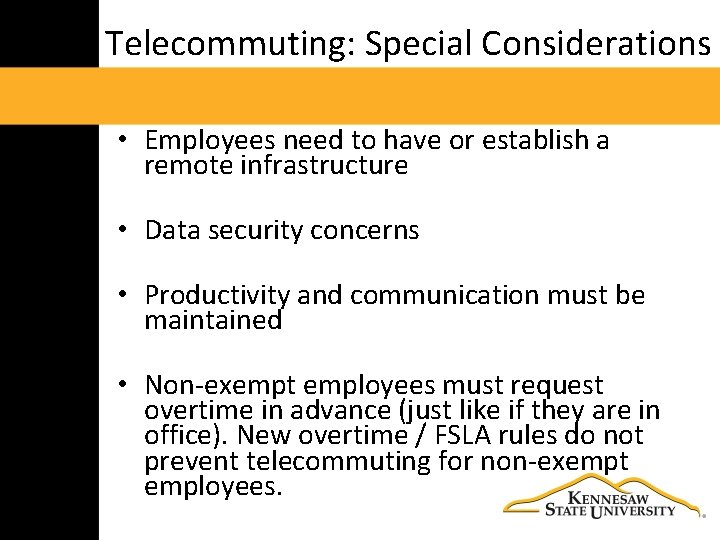
Telecommuting: Special Considerations • Employees need to have or establish a remote infrastructure • Data security concerns • Productivity and communication must be maintained • Non‐exempt employees must request overtime in advance (just like if they are in office). New overtime / FSLA rules do not prevent telecommuting for non‐exempt employees.
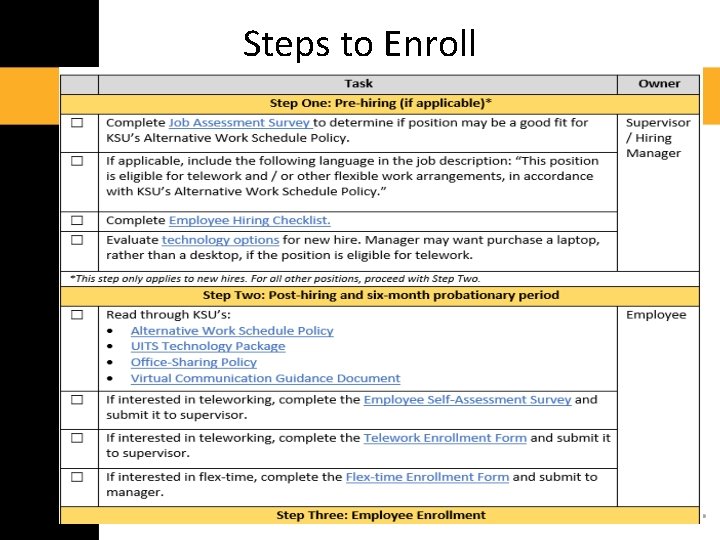
Steps to Enroll
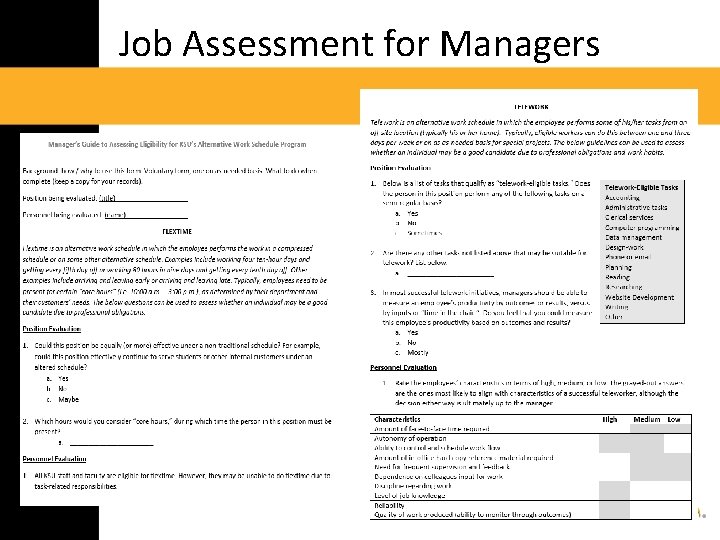
Job Assessment for Managers
On‐line Resources • Old link: http: //hr. kennesaw. edu/managers/flexti me. php • New link (under development): • http: //hr. kennesaw. edu/policies/flextime _telework. php
UITS Hardware Requirements and Resources for Telecommuters
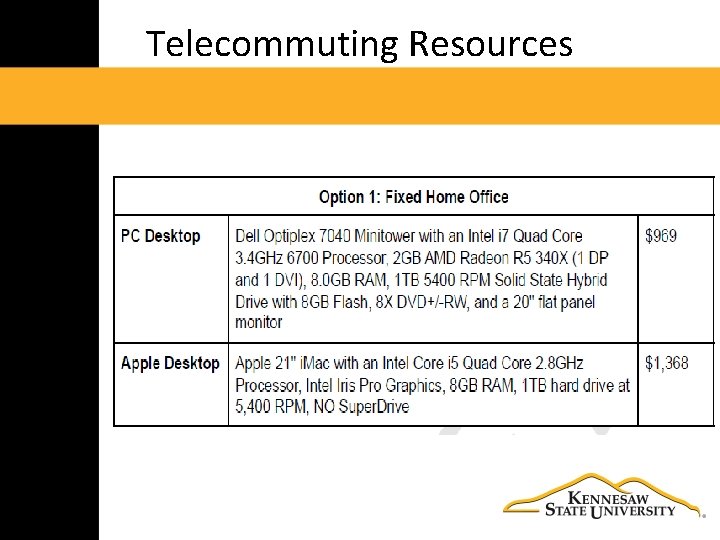
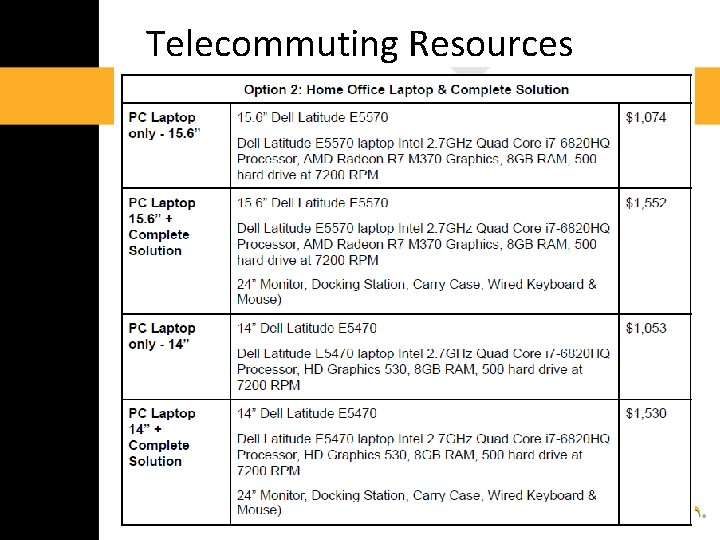
Requirements and Resources 1. Equipment must meet standards for Enterprise‐Wide Technical Architecture 2. Internet – high speed, hard‐wired DSL or Cable 3. VPN resources: – Hallpass VPN – Virtual Desktops 4. KSU owned computing devices must comply with USG IT policies. 5. List of UITS Approved Telecommuting Resources
UITS Minimum Requirements Computers: • All computers, laptops and tablets must meet the minimum supported requirements of the EWTA located at: http: //www. kennesaw. edu/cio/ewta/EW TA. pdf
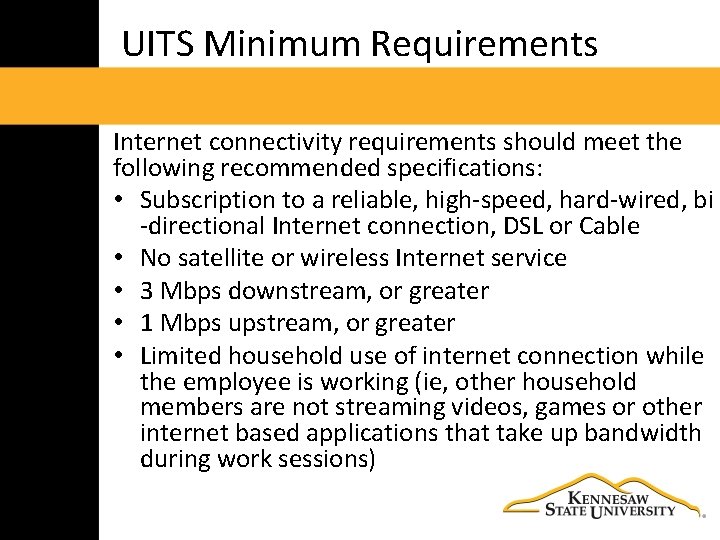
UITS Minimum Requirements Internet connectivity requirements should meet the following recommended specifications: • Subscription to a reliable, high‐speed, hard‐wired, bi ‐directional Internet connection, DSL or Cable • No satellite or wireless Internet service • 3 Mbps downstream, or greater • 1 Mbps upstream, or greater • Limited household use of internet connection while the employee is working (ie, other household members are not streaming videos, games or other internet based applications that take up bandwidth during work sessions)
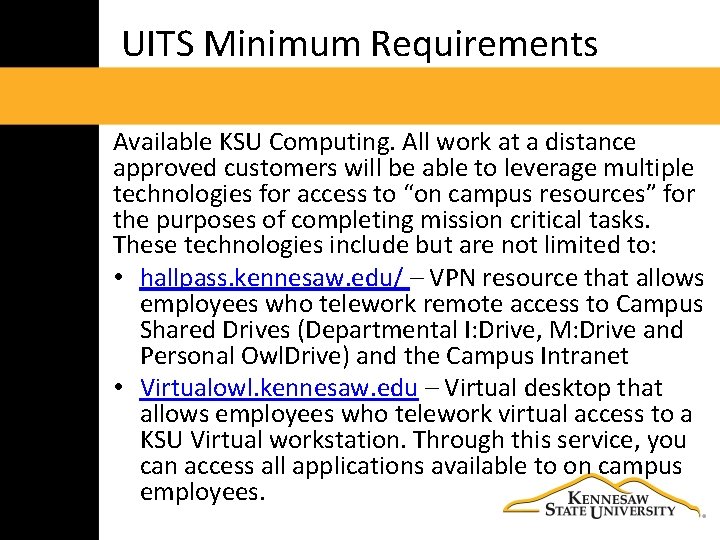
UITS Minimum Requirements Available KSU Computing. All work at a distance approved customers will be able to leverage multiple technologies for access to “on campus resources” for the purposes of completing mission critical tasks. These technologies include but are not limited to: • hallpass. kennesaw. edu/ – VPN resource that allows employees who telework remote access to Campus Shared Drives (Departmental I: Drive, M: Drive and Personal Owl. Drive) and the Campus Intranet • Virtualowl. kennesaw. edu – Virtual desktop that allows employees who telework virtual access to a KSU Virtual workstation. Through this service, you can access all applications available to on campus employees.
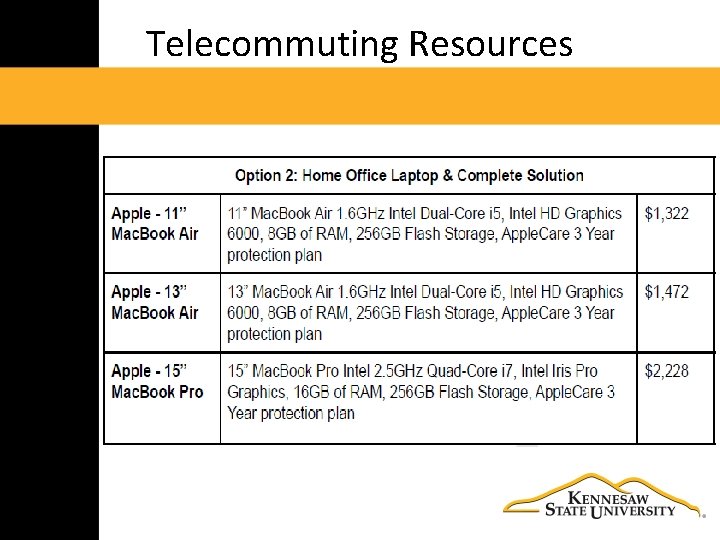
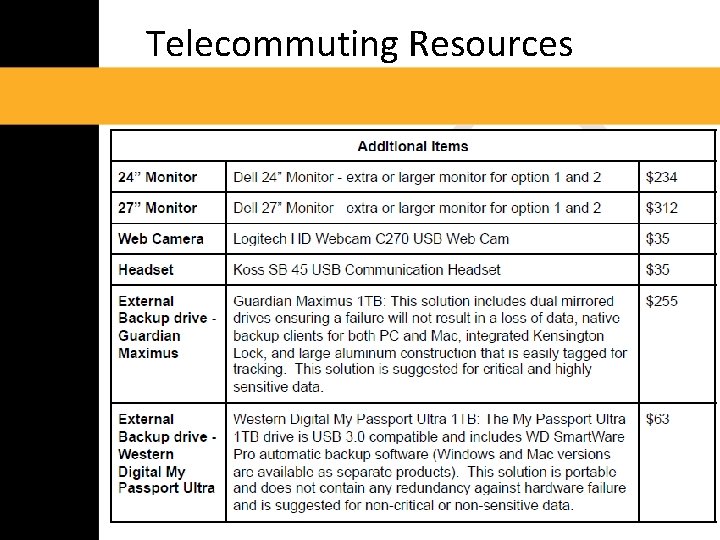
Telecommuting Resources
Telecommuting Resources
Telecommuting Resources
Telecommuting Resources
Office Sharing Options
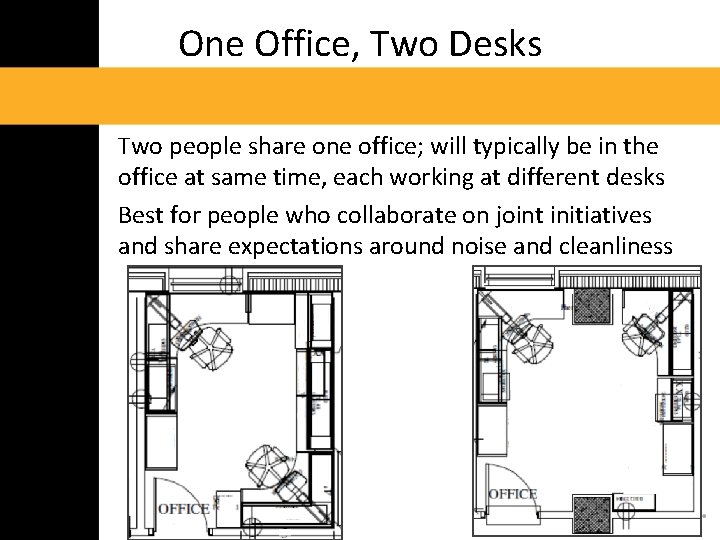
One Office, Two Desks Two people share one office; will typically be in the office at same time, each working at different desks Best for people who collaborate on joint initiatives and share expectations around noise and cleanliness
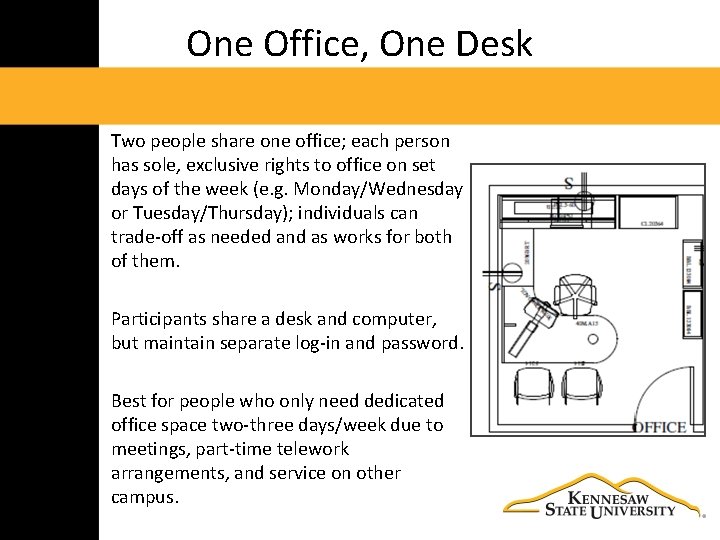
One Office, One Desk Two people share one office; each person has sole, exclusive rights to office on set days of the week (e. g. Monday/Wednesday or Tuesday/Thursday); individuals can trade‐off as needed and as works for both of them. Participants share a desk and computer, but maintain separate log‐in and password. Best for people who only need dedicated office space two‐three days/week due to meetings, part‐time telework arrangements, and service on other campus.
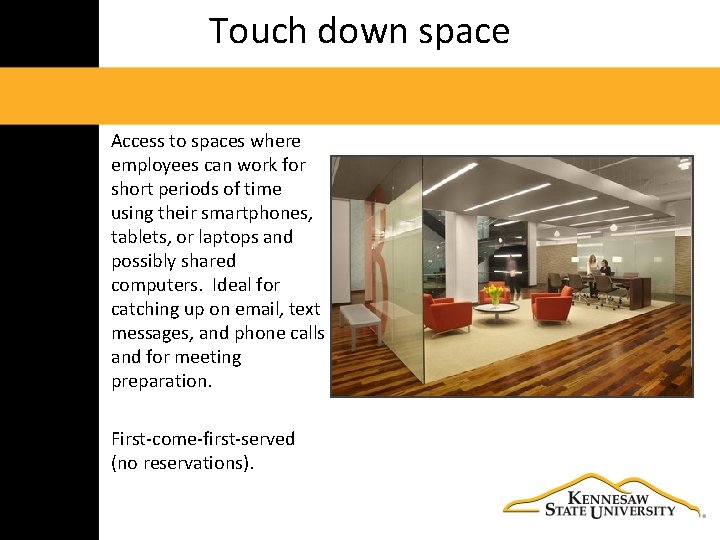
Touch down space Access to spaces where employees can work for short periods of time using their smartphones, tablets, or laptops and possibly shared computers. Ideal for catching up on email, text messages, and phone calls and for meeting preparation. First‐come‐first‐served (no reservations).
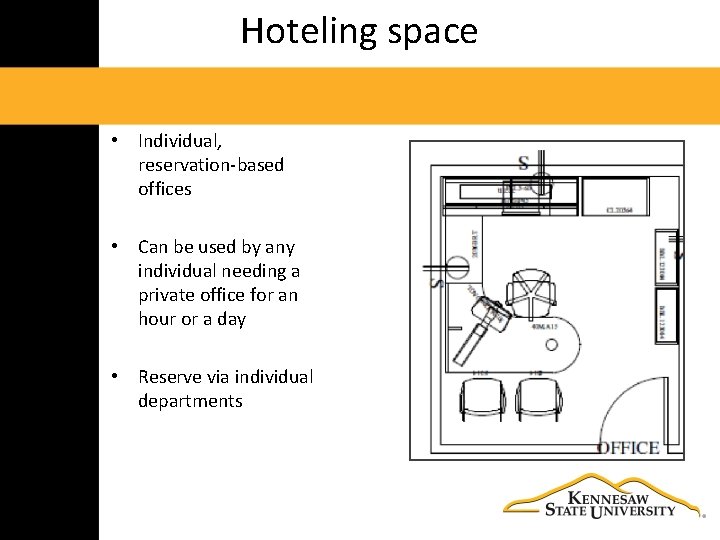
Hoteling space • Individual, reservation‐based offices • Can be used by any individual needing a private office for an hour or a day • Reserve via individual departments
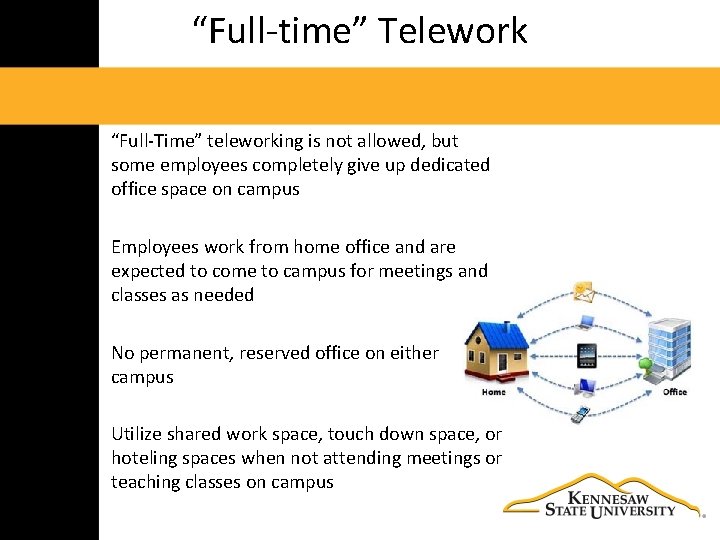
“Full‐time” Telework “Full‐Time” teleworking is not allowed, but some employees completely give up dedicated office space on campus Employees work from home office and are expected to come to campus for meetings and classes as needed No permanent, reserved office on either campus Utilize shared work space, touch down space, or hoteling spaces when not attending meetings or teaching classes on campus
Faculty Perspective
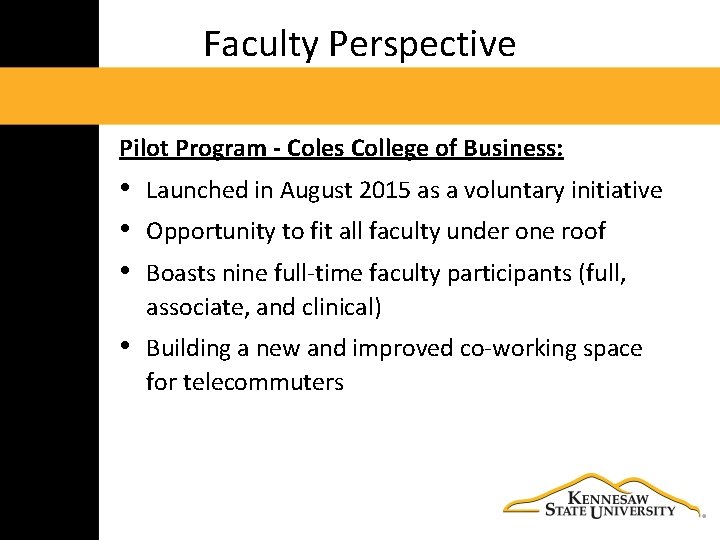
Faculty Perspective Pilot Program - Coles College of Business: • • • Launched in August 2015 as a voluntary initiative • Building a new and improved co‐working space for telecommuters Opportunity to fit all faculty under one roof Boasts nine full‐time faculty participants (full, associate, and clinical)
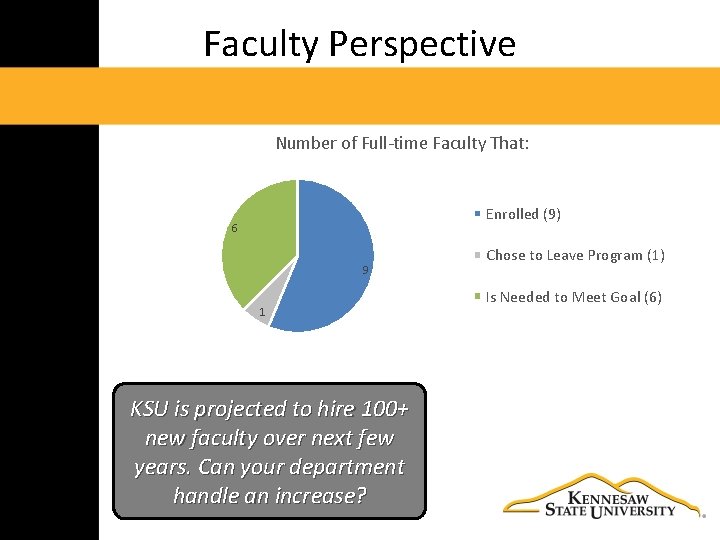
Faculty Perspective Number of Full‐time Faculty That: Enrolled (9) 6 9 1 KSU is projected to hire 100+ new faculty over next few years. Can your department handle an increase? Chose to Leave Program (1) Is Needed to Meet Goal (6)
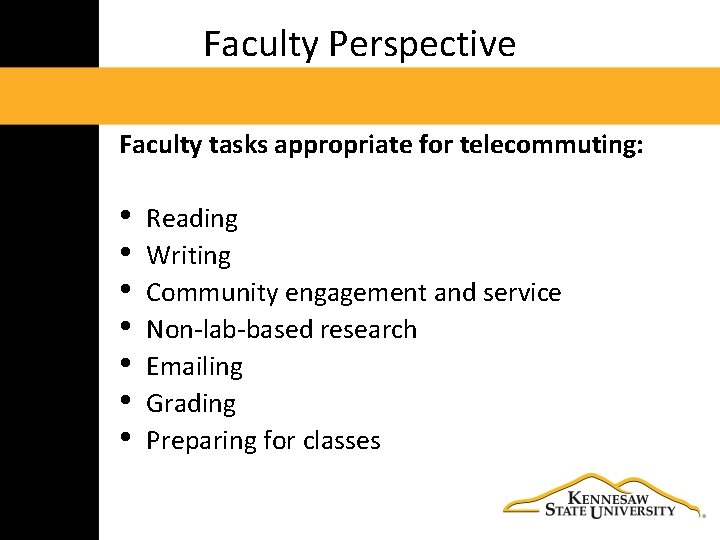
Faculty Perspective Faculty tasks appropriate for telecommuting: • • Reading Writing Community engagement and service Non‐lab‐based research Emailing Grading Preparing for classes
Georgia Commute Options: Tools and Resources
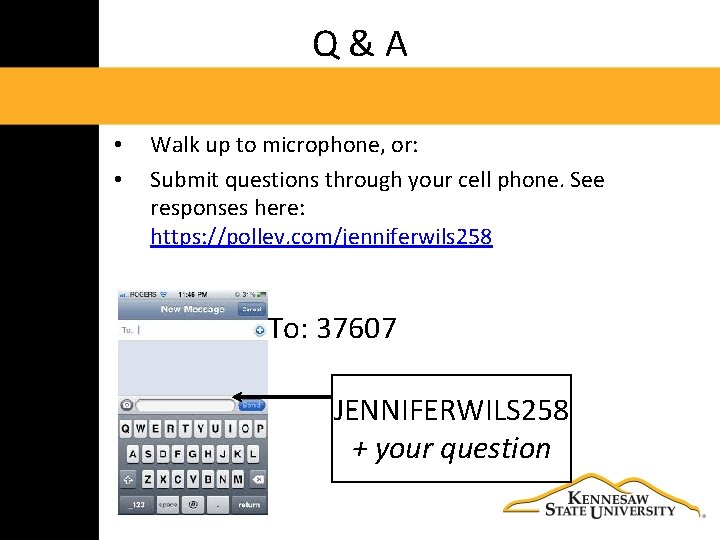
Q&A • • Walk up to microphone, or: Submit questions through your cell phone. See responses here: https: //pollev. com/jenniferwils 258 To: 37607 JENNIFERWILS 258 + your question
On‐line Resources • Old link: http: //hr. kennesaw. edu/managers/flexti me. php • New link (under development): • http: //hr. kennesaw. edu/policies/flextime _telework. php