
Allocating IP Addressing by Using Dynamic Host Configuration
Allocating IP Addressing by Using Dynamic Host Configuration Protocol
Overview Multimedia: The Role of DHCP in the Network Infrastructure Adding and Authorizing the DHCP Server Service Configuring a DHCP Scope Configuring DHCP Reservations and Options Configuring a DHCP Relay Agent
Multimedia: The Role of DHCP in the Network Infrastructure The objective of this presentation is to provide a high-level overview of DHCP in the network infrastructure At the end of this presentation, you will be able to: Explain what DHCP is Describe how DHCP works Explain how routers can forward DHCP broadcast packets Describe how a DHCP relay agent works
Lesson: Adding and Authorizing the DHCP Server Service Why Use DHCP? What Is Automatic Private IP Addressing? How DHCP Allocates IP Addresses How the DHCP Lease Generation Process Works How the DHCP Lease Renewal Process Works How a DHCP Server Service Is Authorized Practice: Adding and Authorizing a DHCP Server Service
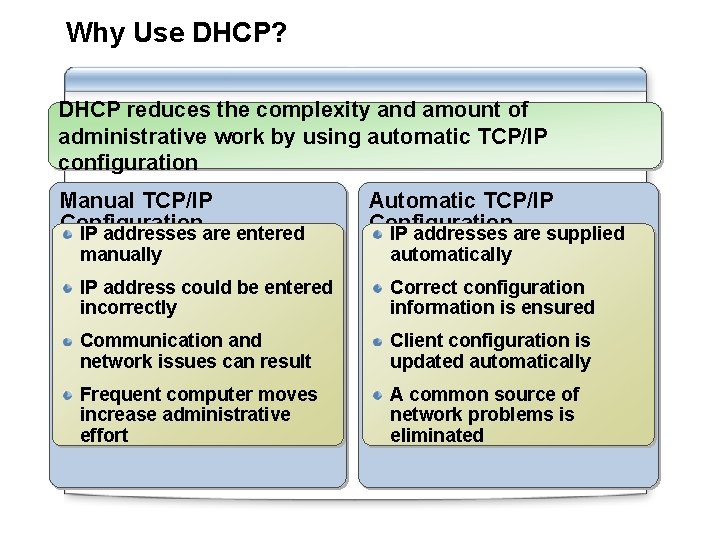
Why Use DHCP? DHCP reduces the complexity and amount of administrative work by using automatic TCP/IP configuration Manual TCP/IP Configuration IP addresses are entered manually Automatic TCP/IP Configuration IP addresses are supplied automatically IP address could be entered incorrectly Correct configuration information is ensured Communication and network issues can result Client configuration is updated automatically Frequent computer moves increase administrative effort A common source of network problems is eliminated
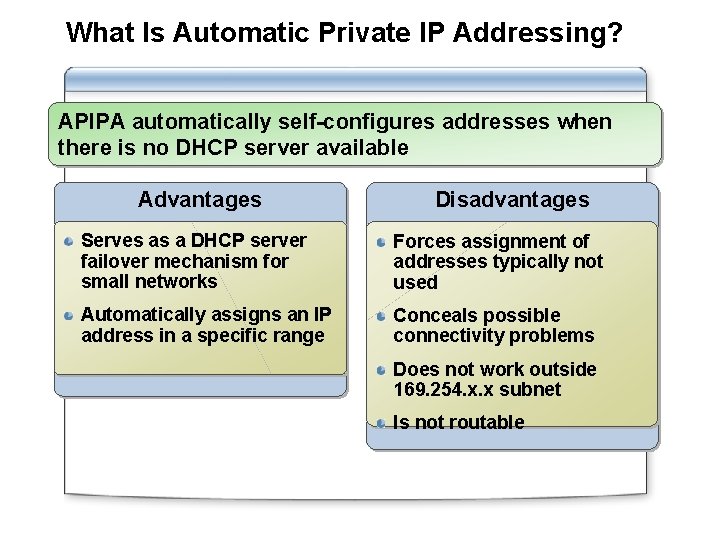
What Is Automatic Private IP Addressing? APIPA automatically self-configures addresses when there is no DHCP server available Advantages Disadvantages Serves as a DHCP server failover mechanism for small networks Forces assignment of addresses typically not used Automatically assigns an IP address in a specific range Conceals possible connectivity problems Does not work outside 169. 254. x. x subnet Is not routable
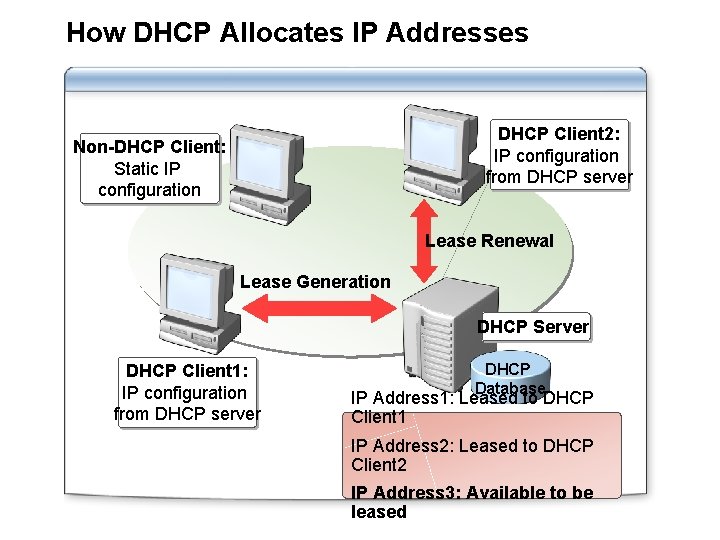
How DHCP Allocates IP Addresses DHCP Client 2: IP configuration from DHCP server Non-DHCP Client: Static IP configuration Lease Renewal Lease Generation DHCP Server DHCP Client 1: IP configuration from DHCP server DHCP Database IP Address 1: Leased to DHCP Client 1 IP Address 2: Leased to DHCP Client 2 IP Address 3: Available to be leased
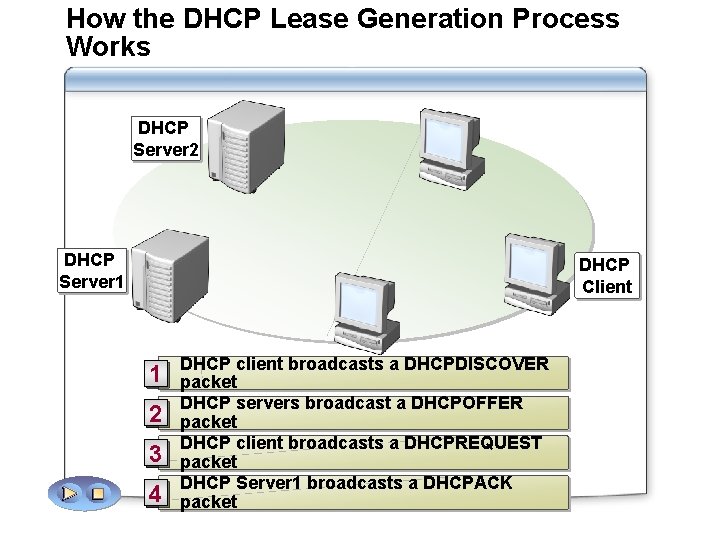
How the DHCP Lease Generation Process Works DHCP Server 2 DHCP Server 1 DHCP Client 1 2 3 4 DHCP client broadcasts a DHCPDISCOVER packet DHCP servers broadcast a DHCPOFFER packet DHCP client broadcasts a DHCPREQUEST packet DHCP Server 1 broadcasts a DHCPACK packet
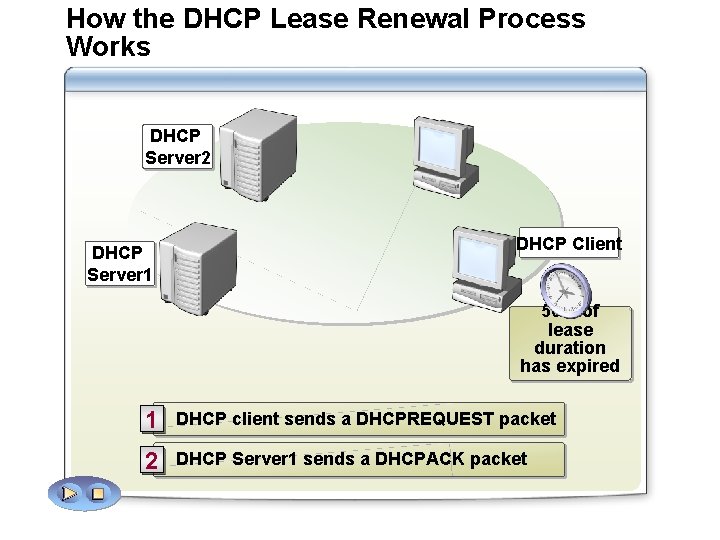
How the DHCP Lease Renewal Process Works DHCP Server 2 DHCP Server 1 DHCP Client 50% 100% of 87. 5% 50% of of of lease duration has expired DHCP Client sends DHCPREQUEST If 1 the. DHCP client fails tosends renewaait’s its lease, after 50% 87. 5% of of the DHCPREQUEST packet lease the lease duration has expired, then. DHCP the DHCP lease renewal generation process willsends starts beginover again afterwith 87. 5% a DHCP of the DHCP Server 1 aagain DHCPACK packet 2 lease duration client broadcasting has expired a DHCPDISCOVER
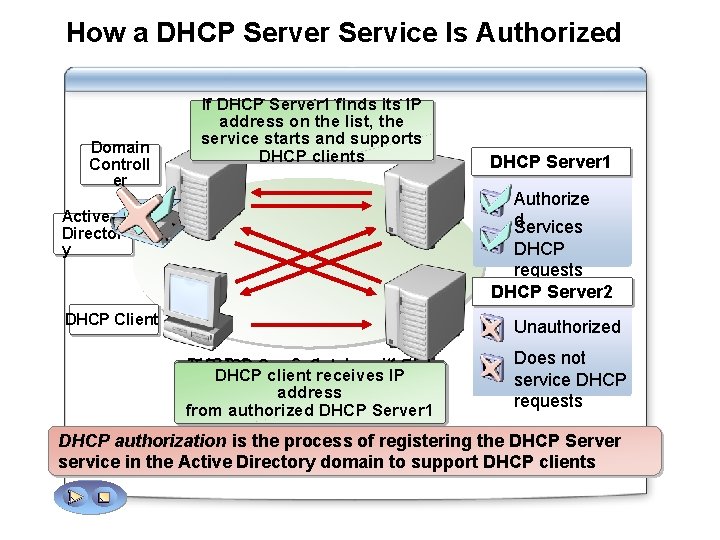
How a DHCP Server Service Is Authorized Domain Controll er If. DHCPServer 1 checks finds its IP with address oncontroller the list, the domain to service and supports obtain starts a list of authorized DHCP servers clients DHCP Server 1 Authorize d Services Active Director y DHCP requests DHCP Server 2 DHCP Client Unauthorized DHCP Server 2 checks the If DHCP Server 2 does with not find DHCP client receives IP domain controller to obtain a its IP address on the list, the address list not of start and service does from authorized DHCP Server 1 authorized DHCP servers support DHCP clients Does not service DHCP requests DHCP authorization is the process of registering the DHCP Server service in the Active Directory domain to support DHCP clients
Practice: Adding and Authorizing a DHCP Server Service In this practice, you will: Add a DHCP server Authorize the DHCP Server service
Lesson: Configuring a DHCP Scope What Are DHCP Scopes? Demonstration: Configuring a DHCP Scope What Are Superscopes and Multicast Scopes? What Is Network Monitor? Practice: Configuring a DHCP Scope
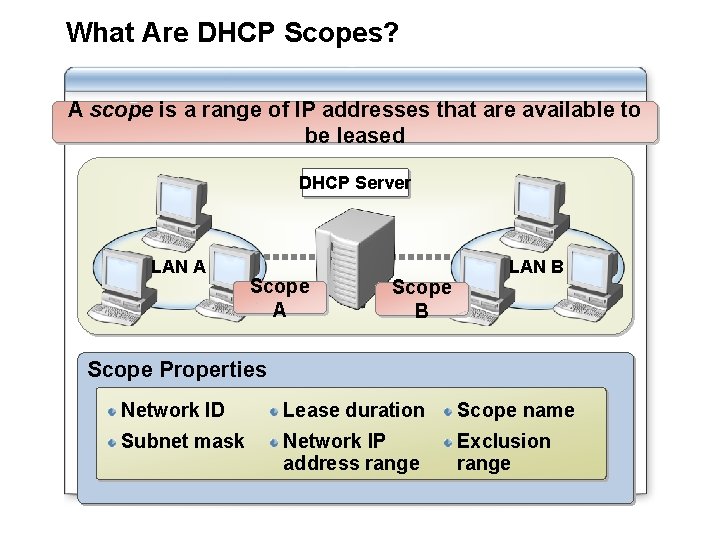
What Are DHCP Scopes? A scope is a range of IP addresses that are available to be leased DHCP Server LAN A Scope B LAN B Scope Properties Network ID Lease duration Scope name Subnet mask Network IP address range Exclusion range
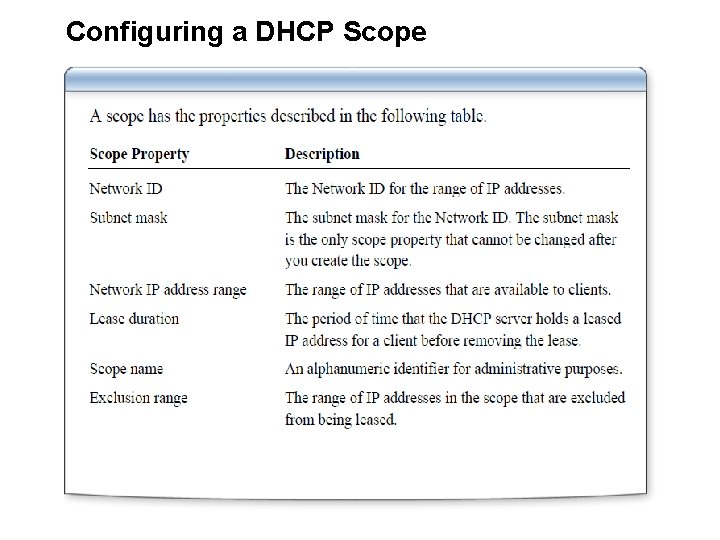
Configuring a DHCP Scope
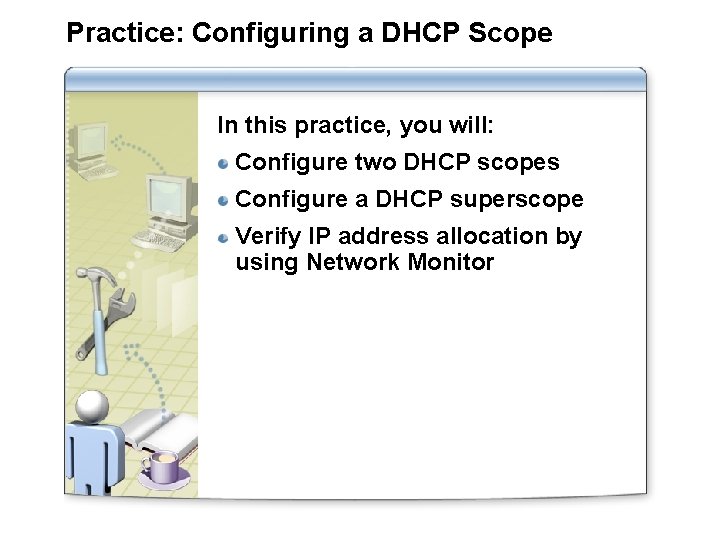
Practice: Configuring a DHCP Scope In this practice, you will: Configure two DHCP scopes Configure a DHCP superscope Verify IP address allocation by using Network Monitor
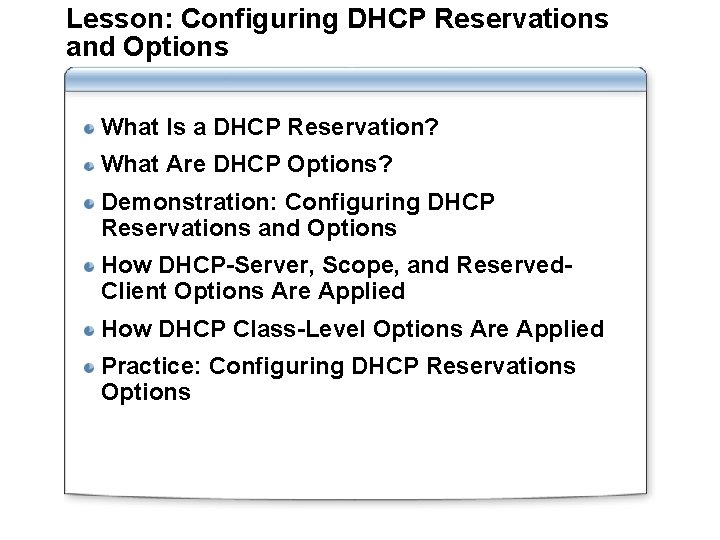
Lesson: Configuring DHCP Reservations and Options What Is a DHCP Reservation? What Are DHCP Options? Demonstration: Configuring DHCP Reservations and Options How DHCP-Server, Scope, and Reserved. Client Options Are Applied How DHCP Class-Level Options Are Applied Practice: Configuring DHCP Reservations Options
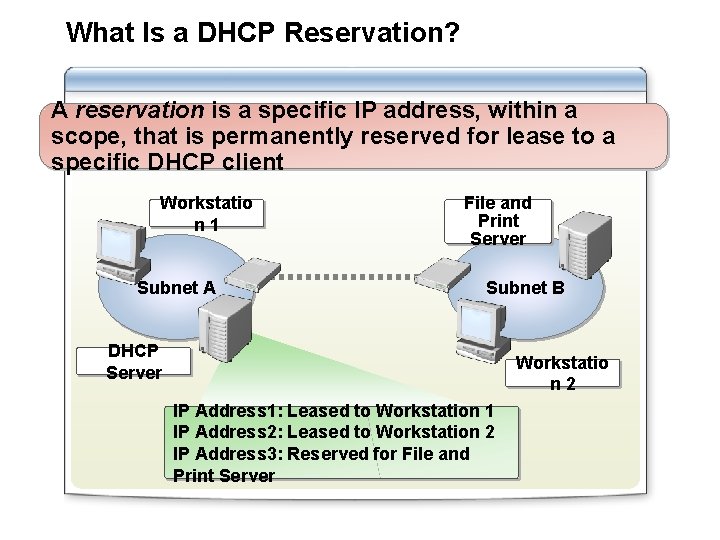
What Is a DHCP Reservation? A reservation is a specific IP address, within a scope, that is permanently reserved for lease to a specific DHCP client Workstatio n 1 Subnet A File and Print Server Subnet B DHCP Server Workstatio n 2 IP Address 1: Leased to Workstation 1 IP Address 2: Leased to Workstation 2 IP Address 3: Reserved for File and Print Server
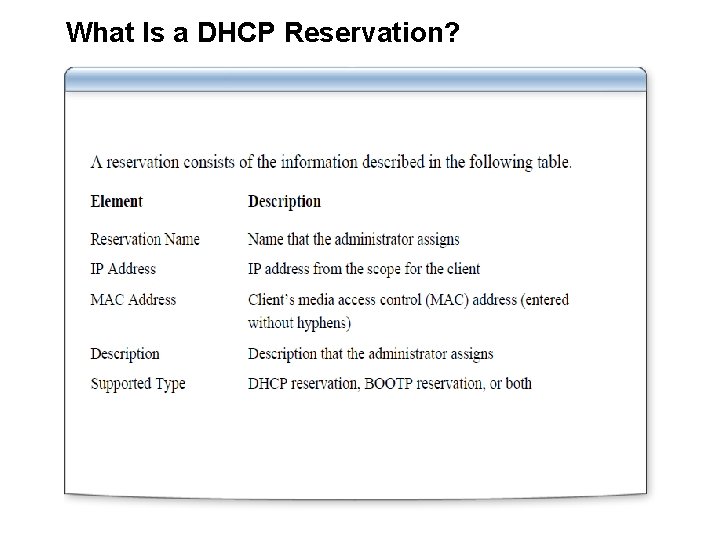
What Is a DHCP Reservation?
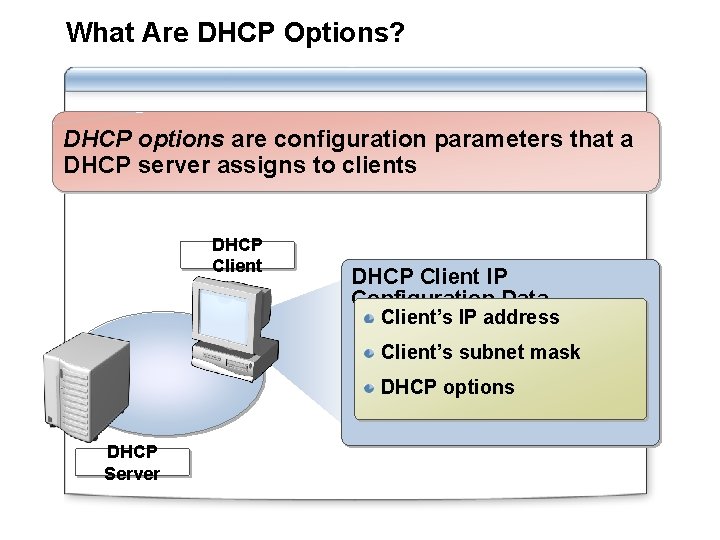
What Are DHCP Options? DHCP options are configuration parameters that a DHCP server assigns to clients DHCP Client IP Configuration Data Client’s IP address Client’s subnet mask DHCP options DHCP Server
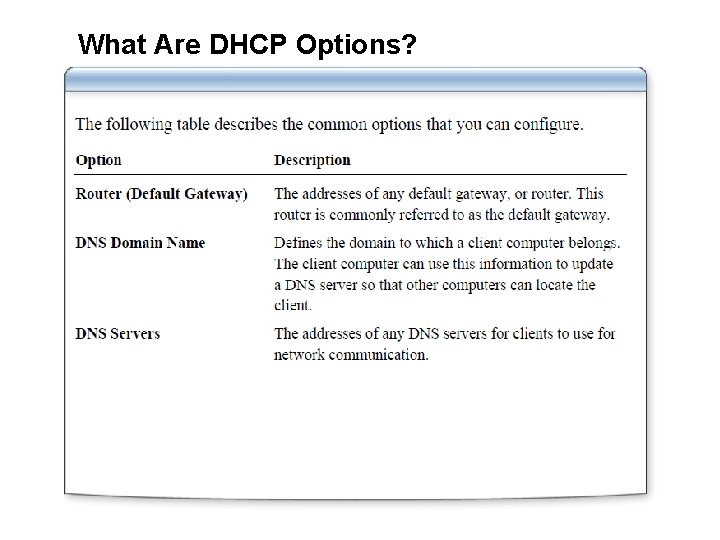
What Are DHCP Options?
Demonstration: Configuring DHCP Reservations and Options Your instructor will demonstrate how to: Configure a DHCP reservation Configure a DHCP server option Configure a DHCP scope option
Practice: Configuring DHCP Options In this practice, you will: Configure and test a DHCP reservation Configure DHCP server and scope options Configure and test a new DHCP user class
- Slides: 22