
All Powder Board and Ski Microsoft Access Workbook
All Powder Board and Ski Microsoft Access Workbook Chapter 8: Applications Jerry Post Copyright © 2007 1
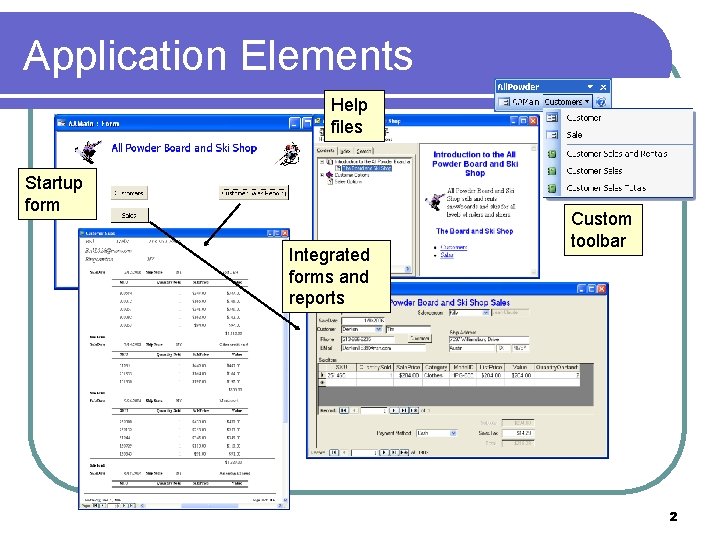
Application Elements Help files Startup form Integrated forms and reports Custom toolbar 2

Template Form Title Close button Logo Messages 3
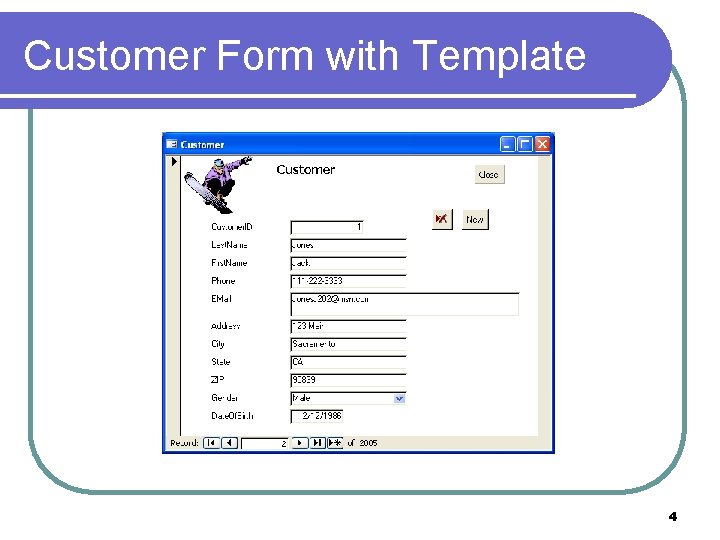
Customer Form with Template 4
Action Create a blank form in Design View. Add a logo and sample title. Add a button to close the form. Add a label that can be used to display messages to the user. Set the message label’s Visible property to No. Apply the template form to the Customer form and save it as Customer. D. 5

Creating a Switchboard Form Start in design view Add command buttons Open forms or reports 6
Action Create a blank form in Design view Set the properties to remove the scroll bars and navigation buttons Add command buttons to open other forms (Form Operations/Open Form) and reports Use colors and graphics to make the form appealing Run the form and test all buttons 7
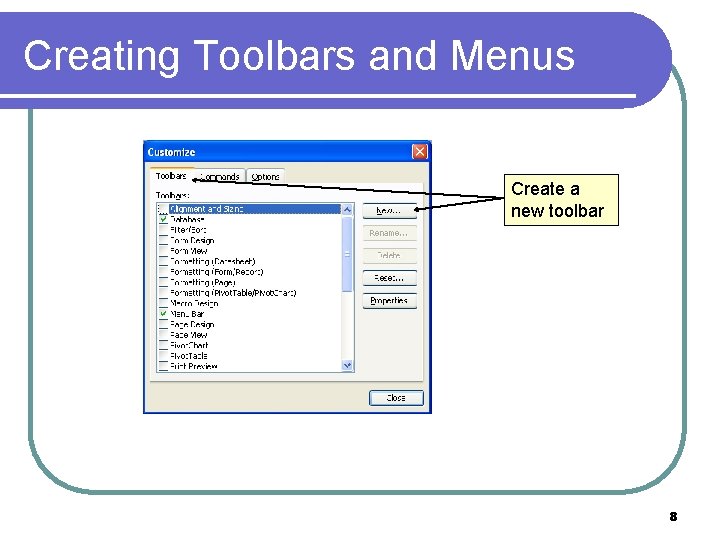
Creating Toolbars and Menus Create a new toolbar 8
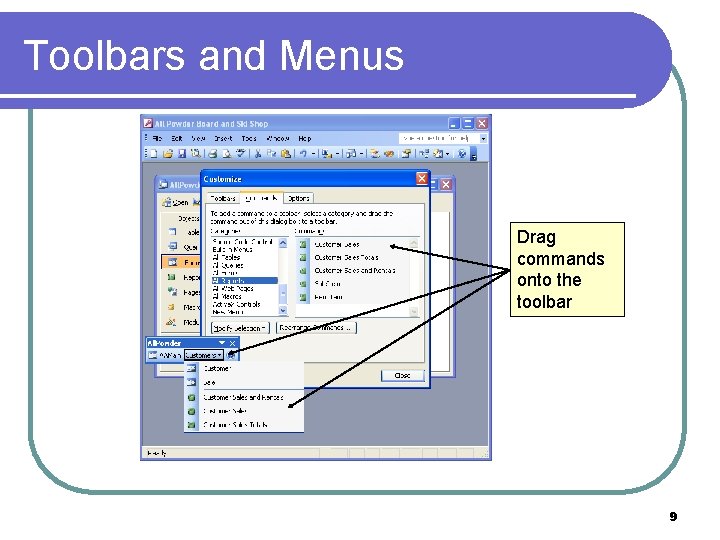
Toolbars and Menus Drag commands onto the toolbar 9
Action Choose View/Toolbars/Customize On the Toolbars tab create a new toolbar Click the Commands tab Drag the main form icon onto the toolbar Add a Customers menu option and drag the customer forms and reports onto it Add the Help icon Test the toolbar 10
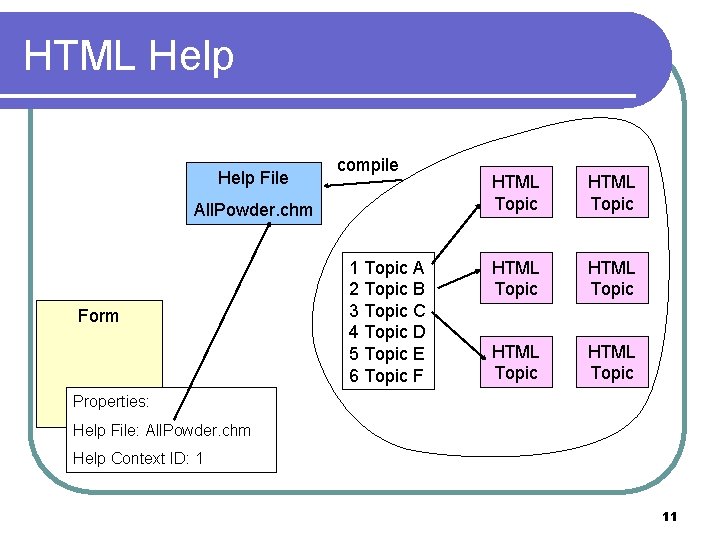
HTML Help File compile All. Powder. chm Form 1 Topic A 2 Topic B 3 Topic C 4 Topic D 5 Topic E 6 Topic F HTML Topic HTML Topic Properties: Help File: All. Powder. chm Help Context ID: 1 11
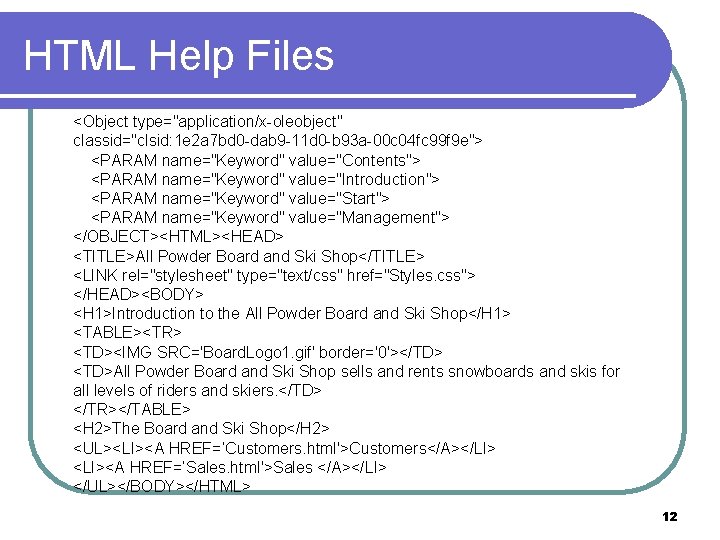
HTML Help Files <Object type="application/x-oleobject" classid="clsid: 1 e 2 a 7 bd 0 -dab 9 -11 d 0 -b 93 a-00 c 04 fc 99 f 9 e"> <PARAM name="Keyword" value="Contents"> <PARAM name="Keyword" value="Introduction"> <PARAM name="Keyword" value="Start"> <PARAM name="Keyword" value="Management"> </OBJECT><HTML><HEAD> <TITLE>All Powder Board and Ski Shop</TITLE> <LINK rel="stylesheet" type="text/css" href="Styles. css"> </HEAD><BODY> <H 1>Introduction to the All Powder Board and Ski Shop</H 1> <TABLE><TR> <TD><IMG SRC='Board. Logo 1. gif' border='0'></TD> <TD>All Powder Board and Ski Shop sells and rents snowboards and skis for all levels of riders and skiers. </TD> </TR></TABLE> <H 2>The Board and Ski Shop</H 2> <UL><LI><A HREF=’Customers. html'>Customers</A></LI> <LI><A HREF=’Sales. html'>Sales </A></LI> </UL></BODY></HTML> 12
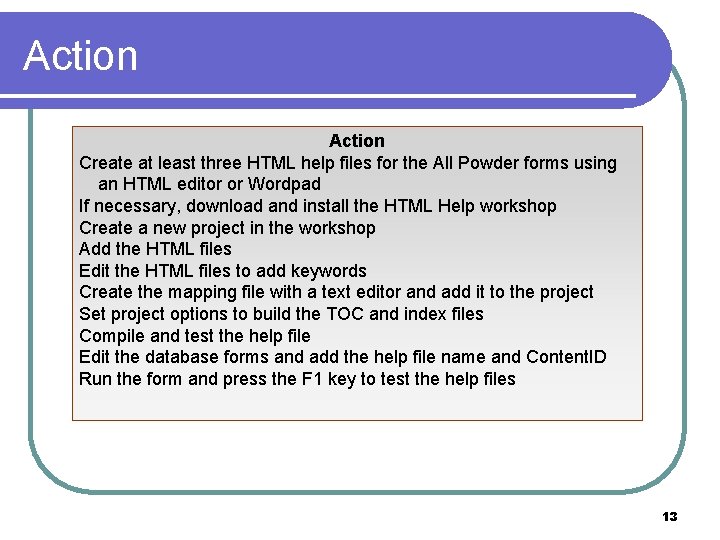
Action Create at least three HTML help files for the All Powder forms using an HTML editor or Wordpad If necessary, download and install the HTML Help workshop Create a new project in the workshop Add the HTML files Edit the HTML files to add keywords Create the mapping file with a text editor and add it to the project Set project options to build the TOC and index files Compile and test the help file Edit the database forms and add the help file name and Content. ID Run the form and press the F 1 key to test the help files 13
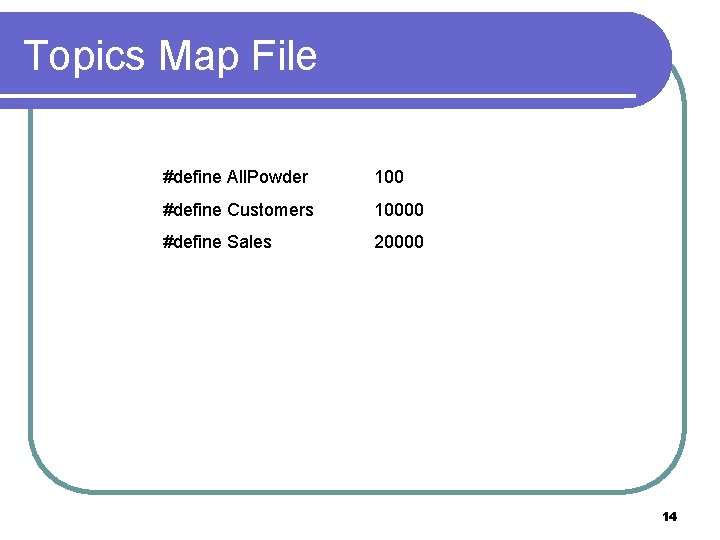
Topics Map File #define All. Powder 100 #define Customers 10000 #define Sales 20000 14
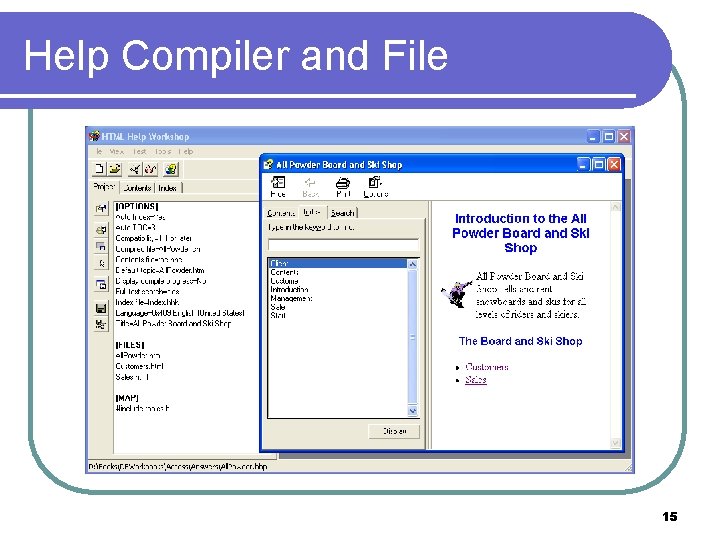
Help Compiler and File 15
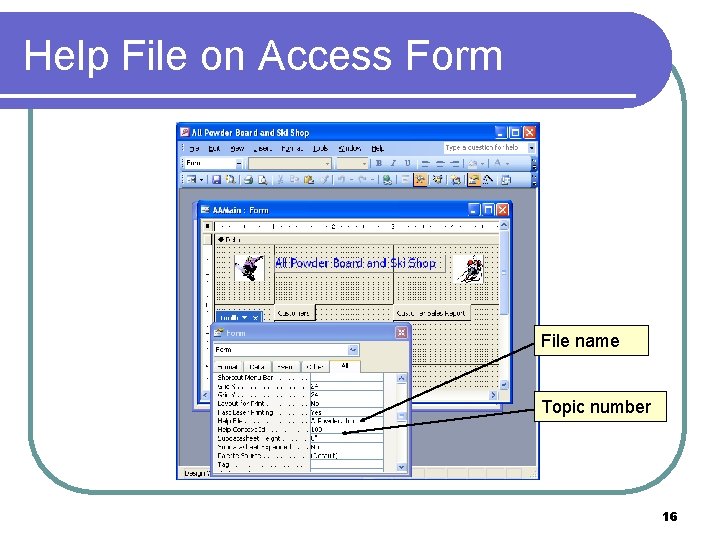
Help File on Access Form File name Topic number 16
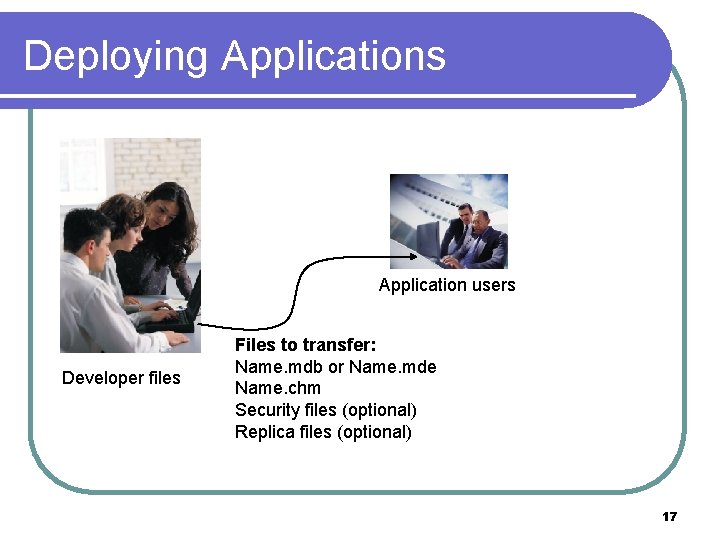
Deploying Applications Application users Developer files Files to transfer: Name. mdb or Name. mde Name. chm Security files (optional) Replica files (optional) 17
Action Test your application. Copy the mdb and chm files to a second computer. Add a desktop shortcut to the application. Run the application and test it. If you have the Access runtime, use its installation software to build an installation file and test it. 18
- Slides: 18