
ALL ABOUT RUBRICS TIME SAVER FOR YOU COMMUNICATION
ALL ABOUT RUBRICS • TIME SAVER FOR YOU, COMMUNICATION TOOL FOR STUDENTS • MAKING A RUBRIC FIT YOUR ASSIGNMENT • FINDING AND EDITING A RUBRIC TO FIT • HOW TO USE THE RUBRICS TOOL IN CANVAS

Tools in Collaborate Ultra
WHY USE RUBRICS • “This is clearly a B”, or “This is obviously an A” • “I’m making the same comment on multiple assignments” • “I have to write lots of comments, or I get too many questions and grade challenges, I find myself justifying the grade the student earned” • “I want to offer meaningful comments in a timely manner, and do it quickly” • “Grading is so time consuming”
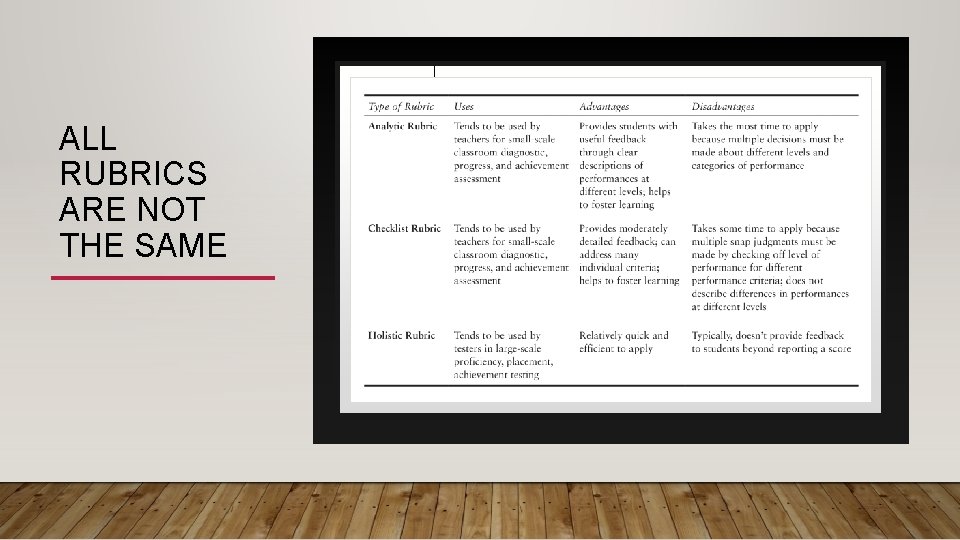
ALL RUBRICS ARE NOT THE SAME
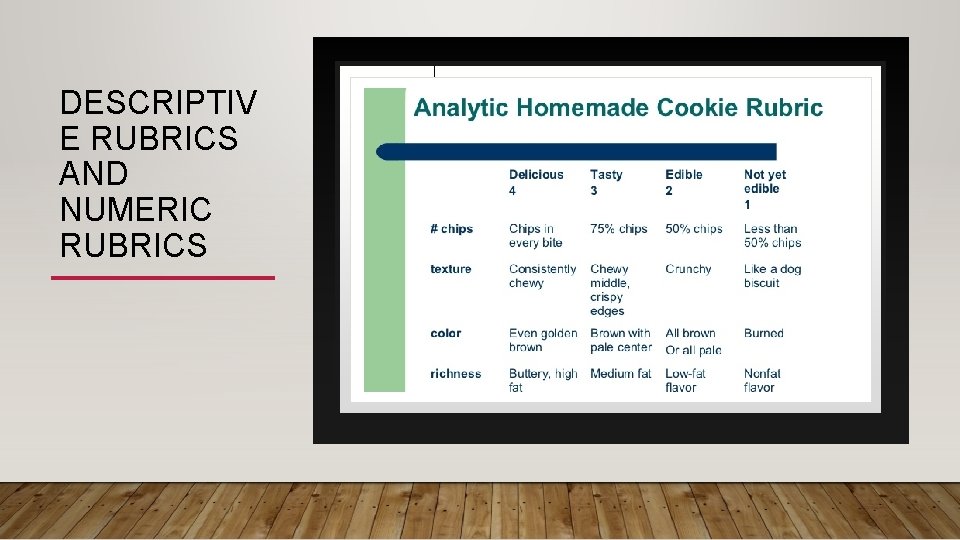
DESCRIPTIV E RUBRICS AND NUMERIC RUBRICS
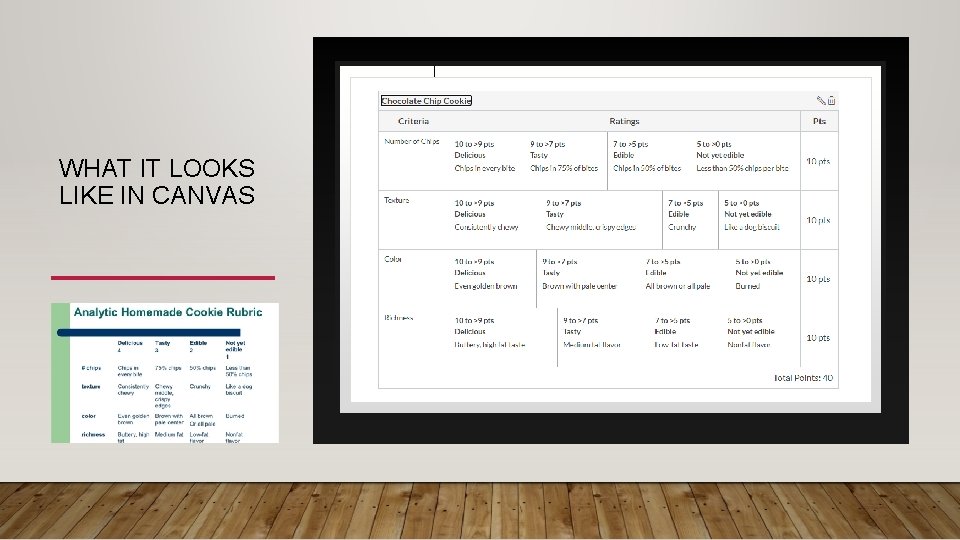
WHAT IT LOOKS LIKE IN CANVAS

QUESTIONS OR COMMENTS
DEVELOP A RUBRIC FROM AN ASSIGNMENT PROMPT • What do you want your students to do? • What are the 4 -6 most important parts of the assignment? • Describe what those 4 -6 parts would look like when done well. • What are all the ways to miss the target? Put those things in the other columns. • Identify the feedback you generally give to many students, describe what it looks like.
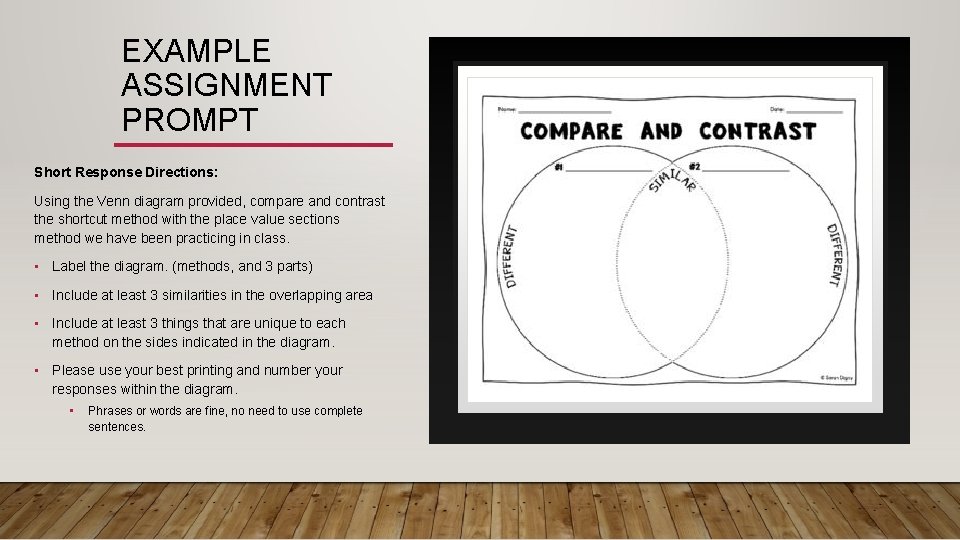
EXAMPLE ASSIGNMENT PROMPT Short Response Directions: Using the Venn diagram provided, compare and contrast the shortcut method with the place value sections method we have been practicing in class. • Label the diagram. (methods, and 3 parts) • Include at least 3 similarities in the overlapping area • Include at least 3 things that are unique to each method on the sides indicated in the diagram. • Please use your best printing and number your responses within the diagram. • Phrases or words are fine, no need to use complete sentences.
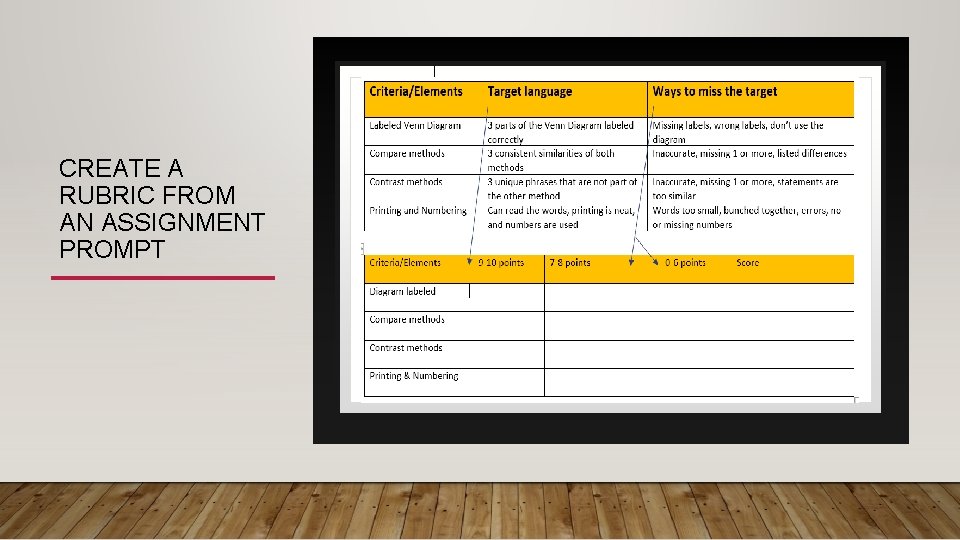
CREATE A RUBRIC FROM AN ASSIGNMENT PROMPT
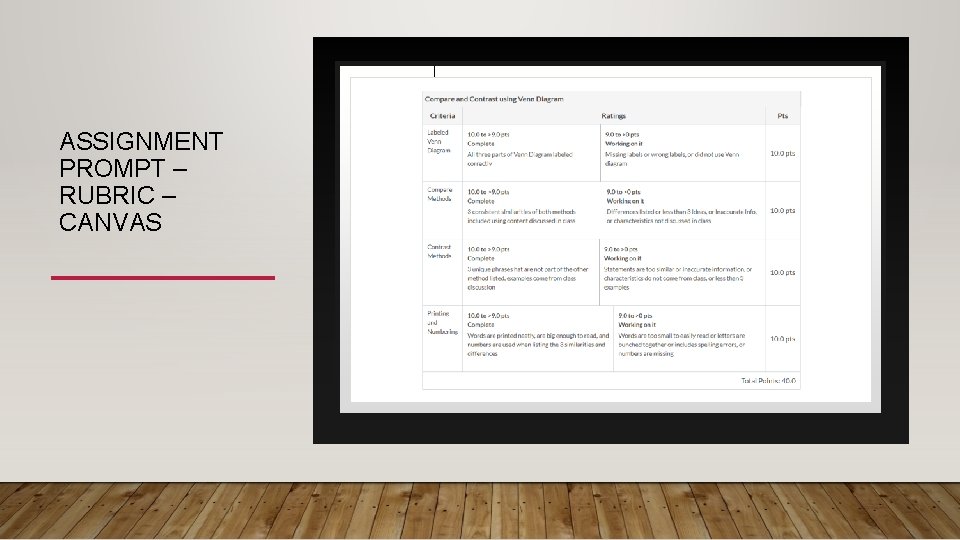
ASSIGNMENT PROMPT – RUBRIC – CANVAS

QUESTIONS OR COMMENTS
FINDING A RUBRIC AND EDITING TO FIT • Search for sample rubrics – formats vary • Look for key words and phrases that fit with your assignment • Keep it simple • Focus on the 4 -6 most important elements of the assignment, let the rest go
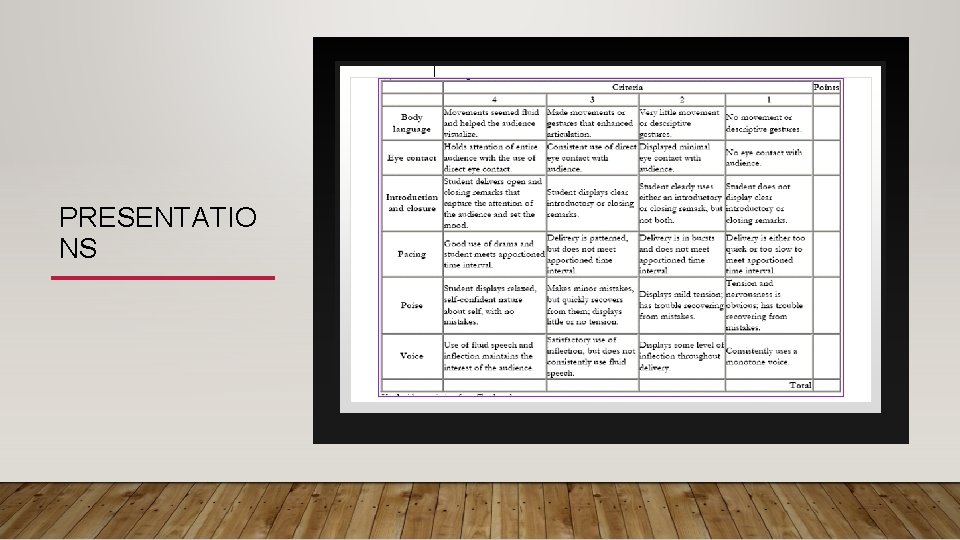
PRESENTATIO NS
GENERAL RUBRIC TIPS • One concept per row • Describe the words that can be misunderstood • Use your past feedback concepts in your rubric • Additional feedback can be used sparingly, if any • Use a range of scores for the quality levels • Each criteria/element does not have to be worth the same points. Points can be determined based on the value you put on each criteria.
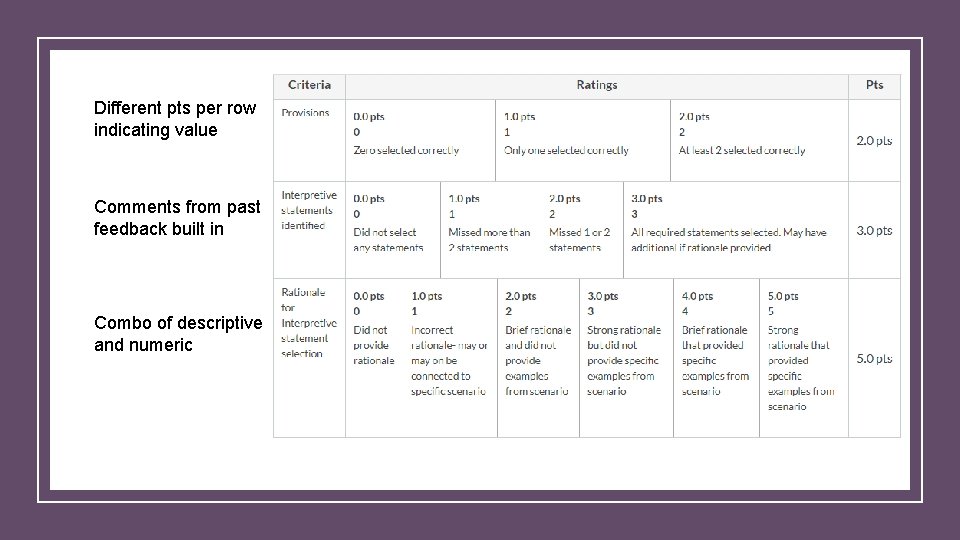
Different pts per row indicating value Comments from past feedback built in Combo of descriptive and numeric
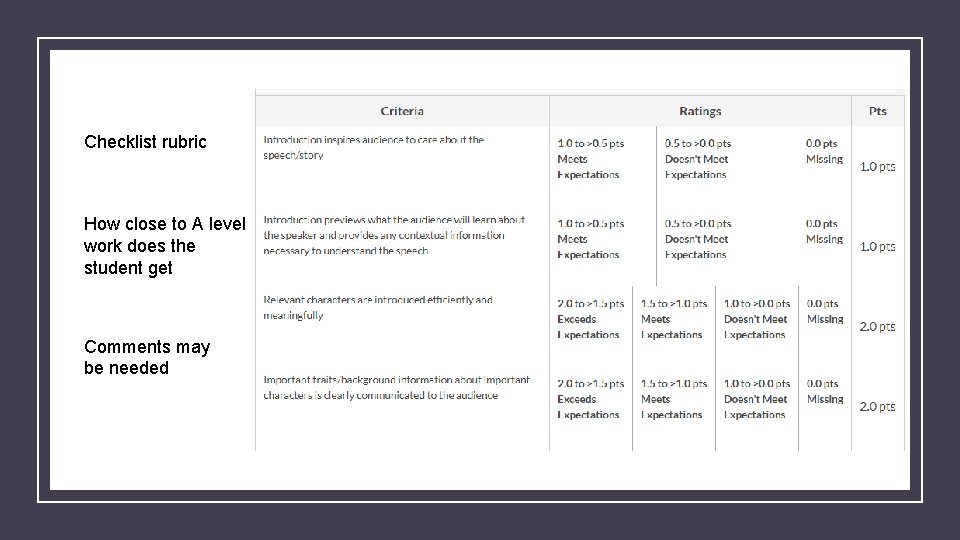
Checklist rubric How close to A level work does the student get Comments may be needed

QUESTIONS OR COMMENTS
HOW CAN I CREATE A RUBRIC IN CANVAS? CANVAS FOR EDUCATORS COURSE - EXTRA’S
MORE ABOUT RUBRICS Contact CETL@uwec. edu to meet with someone to talk through rubric creation, editing, or using the Canvas rubrics tool. More example rubrics on the CETL webpage
- Slides: 21