
ALL 203 IBM Lotus Notes and Domino 7
ALL 203 IBM Lotus Notes and Domino 7 Andrew Pollack Northern Collaborative Technologies Lotus. Advisor. Events. com
Who am I? Andrew Pollack n n n Principal, Northern Collaborative Technologies Certified with Lotus Notes since version 2 IBM Lotus Beacon Award t Finalist in 1999, Winner in 2003 u Author of NCT Search for Lotus Domino u Proud member of the The Penumbra Group u Firefighter – When not driving a keyboard, I drive the big red truck Lotus. Advisor. Events. com
About this Presentation u This is a ‘fly-by’ of new features u Focus is on what’s Important about 7 n n u What IBM says is Important What I think is import Created in August based on “Milestone 2” n n Updates are likely, and will be posted BASED ON BETA – Things WILL change u Focus on Admin, Designer, & Client u I try to put the ‘meat’ on the slides Lotus. Advisor. Events. com
The Obligatory Commercial u Most of the speakers at this conference are available to help you! n n That’s the real reason we do this Real experts guarantee results If this was TIVO I could fast forward… Catch up with me during the conference if you want expert help u Now, on with the show. . . Major Release Lotus. Advisor. Events. com
Perspective: What makes this a “Major Release” u To IBM: No longer the odd man out n n u I say so! Real Integration with IBM DB 2 Real Integration with Tivoli Enhanced Integration with WAS Major Release The beginning of integration with Workplace To Developers: Works & plays better with others n n Much easier to build Java or VS front end tools Much better for relational data storage Much better Java support Integration with new MS Office features Lotus. Advisor. Events. com
The Lotus Notes 7 Macintosh Story -- Two slices u u Commitment to Lotus Notes 7 on Macintosh became public in August Initial client to be based on 6. 5. 4 code stream, certified to work with ND 7 Stay tuned to fined out what this means n Full featured N 7 client with instant messaging probably a maintenance release u Lotus. Advisor. Events. com
New Server & Administrative Features Lotus Notes and Domino 7 are huge for back end management Lotus. Advisor. Events. com
The Lotus Domino 7 Server u DB 2 Integration n u Performance Enhancements n u Well thought through -- it provides the basis for more relational, and more traditional applications Reports of 50% increase in performance on Notes. Bench using R 6 Mail and R 6 i. Notes Management Enhancements n ND 7 really fleshes out SMTP controls & policy enforcement Lotus. Advisor. Events. com
Three kinds of DB 2 Integration u Store Domino Data within DB 2 Access Specific Domino Data from DB 2 Create a Notes view of DB 2 Data u Overview here, Details in “ALL 307” u u Lotus. Advisor. Events. com
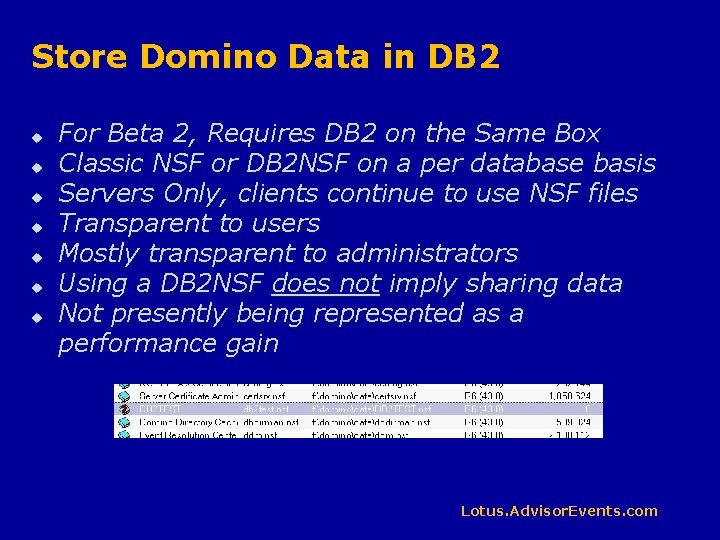
Store Domino Data in DB 2 u u u u For Beta 2, Requires DB 2 on the Same Box Classic NSF or DB 2 NSF on a per database basis Servers Only, clients continue to use NSF files Transparent to users Mostly transparent to administrators Using a DB 2 NSF does not imply sharing data Not presently being represented as a performance gain Lotus. Advisor. Events. com
Give DB 2 Access to Domino Data u Design Element called a “DB 2 Access View” n Defines data in Domino as a Table to DB 2 t t Not the same as a Notes View No access from Notes Client l u Exception: SQL Views see it as DB 2 Data Domino Security Is Enforced n Including Reader Names Lotus. Advisor. Events. com
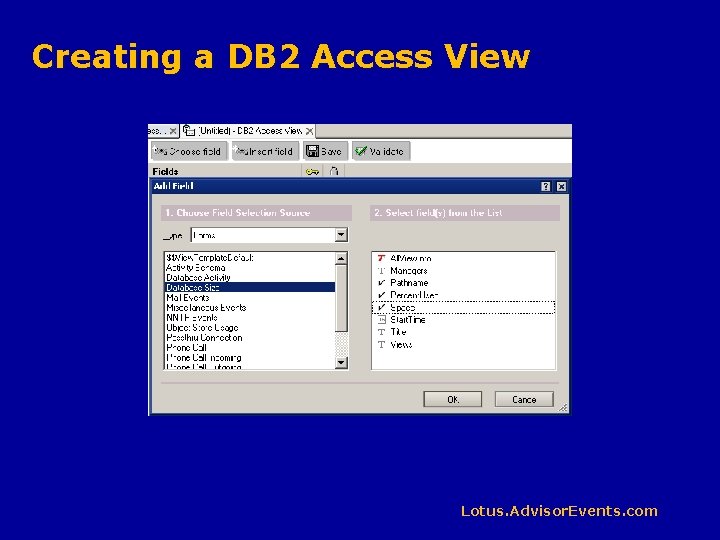
Creating a DB 2 Access View Lotus. Advisor. Events. com
Use a “Query View” to access DB 2 Data u Data may be from a Domino DB 2 Access View n u Query can be dynamic n u To open the note, you must include the noteid in the SQL select statement Example: @Prompt() popup to determine view content Query can “Join” DB 2 data n Join two Domino DB 2 Access Views to see data from more than one Domino database in a single view Lotus. Advisor. Events. com
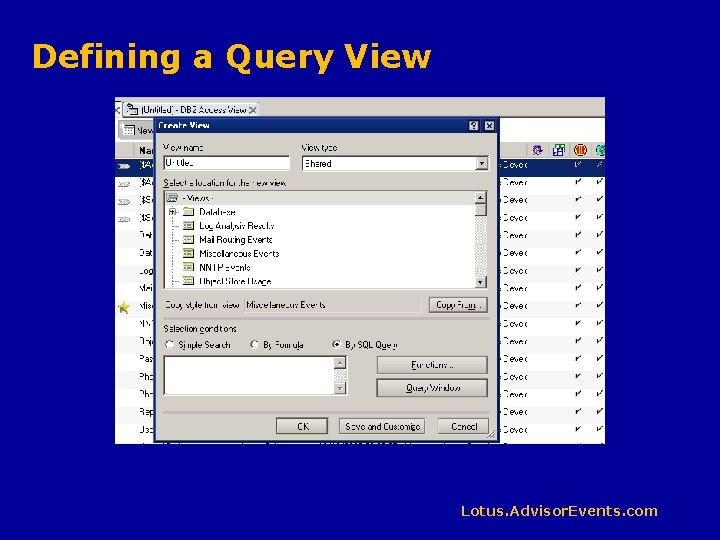
Defining a Query View Lotus. Advisor. Events. com
Domino Domain Monitoring (DDM) u Tivoli Autonomic Monitoring Engine (TAME) n n n Consolidates reporting across servers Works by itself in Domino Integrates with Tivoli Enterprise Console Supports 3 rd Party Plug-ins Highly programmable automatic responses Lotus. Advisor. Events. com
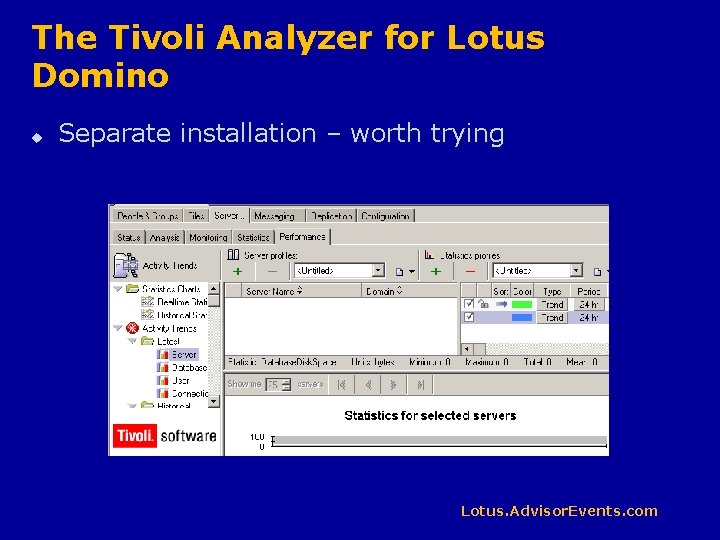
The Tivoli Analyzer for Lotus Domino u Separate installation – worth trying Lotus. Advisor. Events. com
Domino Domain Monitoring (DDM) u Individual monitoring probes are tailored to Domino issues n More than just “Is the server running” t n u Example: Report on Agent Manager sessions that run long or use too much memory Build your own “probes” that check specific aspects of your custom applications Provides likely causes and common solutions to reported problems Lotus. Advisor. Events. com
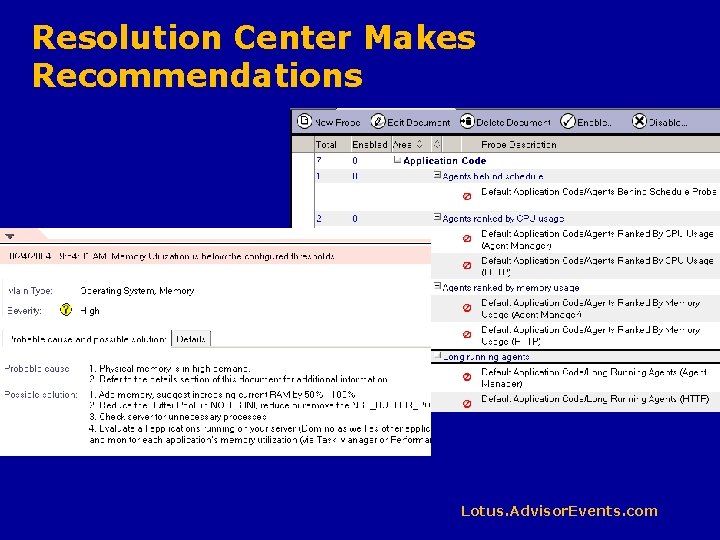
Resolution Center Makes Recommendations Lotus. Advisor. Events. com
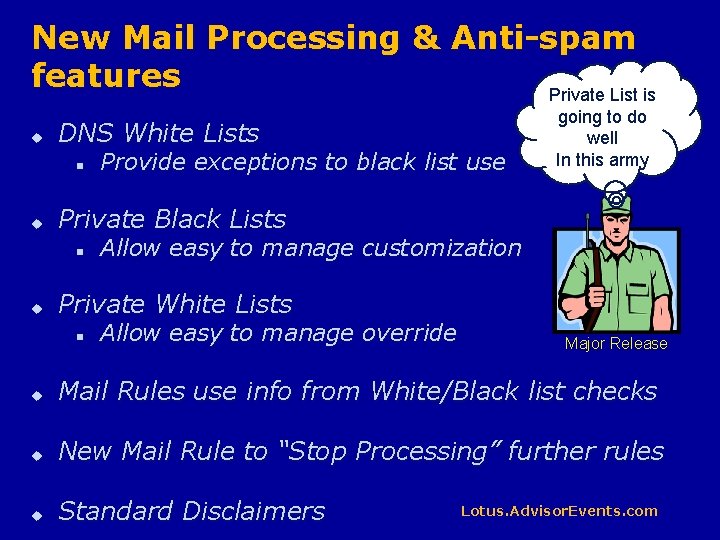
New Mail Processing & Anti-spam features Private List is u DNS White Lists n u Private Black Lists n u Provide exceptions to black list use going to do well In this army Allow easy to manage customization Private White Lists n Allow easy to manage override Major Release u Mail Rules use info from White/Black list checks u New Mail Rule to “Stop Processing” further rules u Standard Disclaimers Lotus. Advisor. Events. com
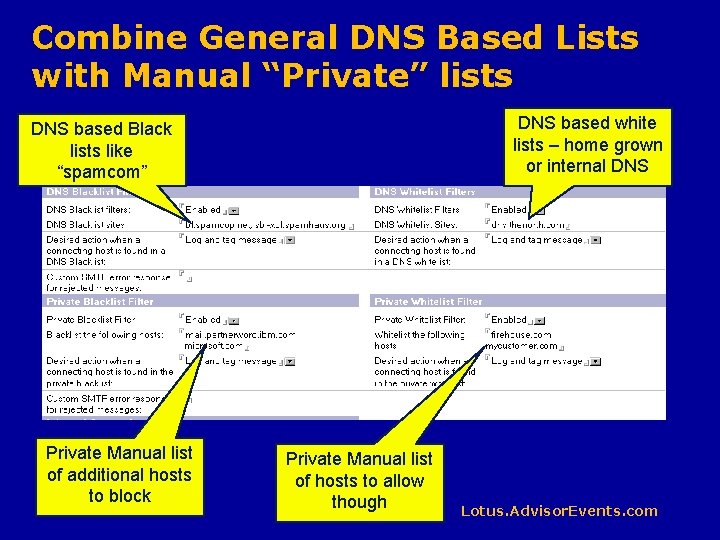
Combine General DNS Based Lists with Manual “Private” lists DNS based white lists – home grown or internal DNS based Black lists like “spamcom” Private Manual list of additional hosts to block Private Manual list of hosts to allow though Lotus. Advisor. Events. com
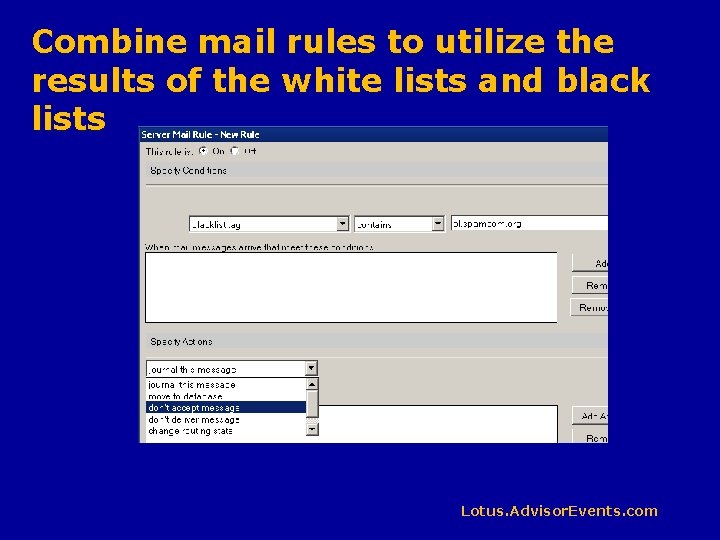
Combine mail rules to utilize the results of the white lists and black lists Lotus. Advisor. Events. com
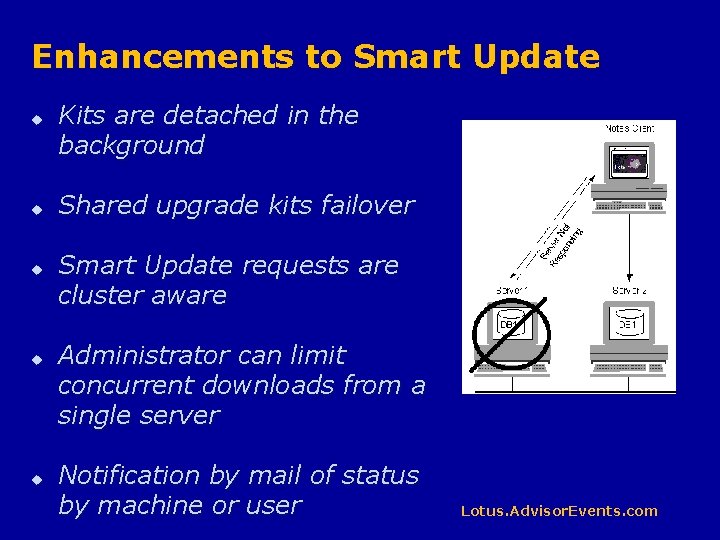
Enhancements to Smart Update u u u Kits are detached in the background Shared upgrade kits failover Smart Update requests are cluster aware Administrator can limit concurrent downloads from a single server Notification by mail of status by machine or user Lotus. Advisor. Events. com
LEI Improvements u LEI now supports failover n processing will switch to cluster peers u LEI Administrator is IM aware u Better testing for connections from forms u Improved scheduling for activities u Virtual Documents support backend changes u Behavior controls can be based on dependant process outcome Lotus. Advisor. Events. com
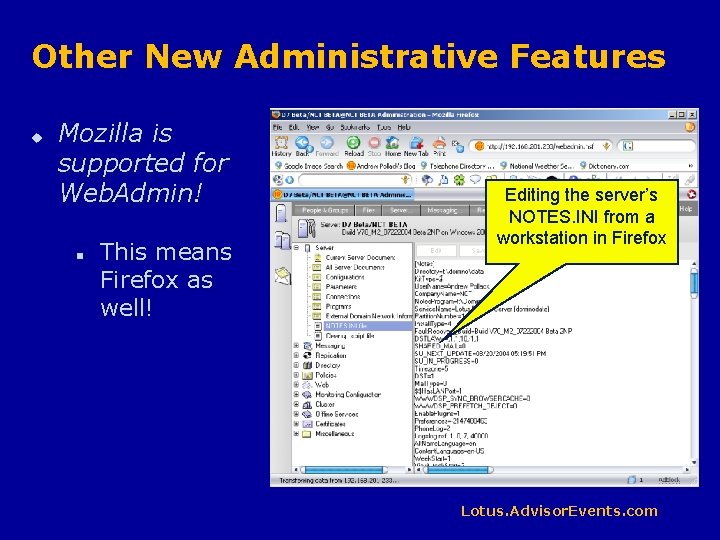
Other New Administrative Features u Mozilla is supported for Web. Admin! n This means Firefox as well! Editing the server’s NOTES. INI from a workstation in Firefox Lotus. Advisor. Events. com
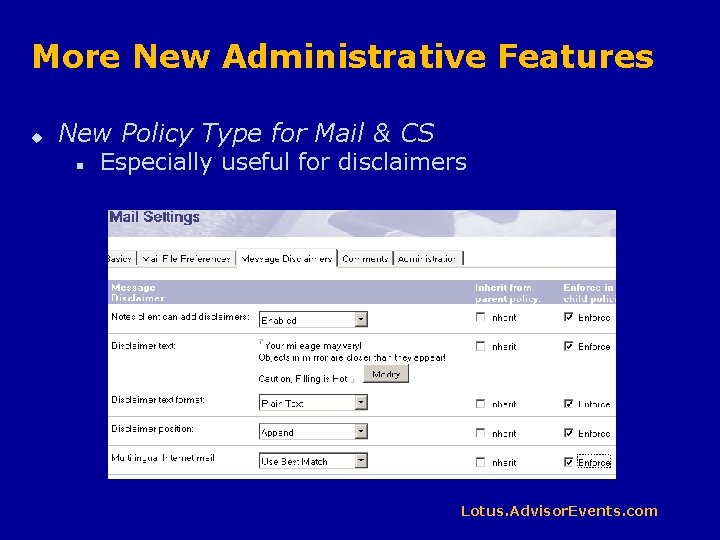
More New Administrative Features u New Policy Type for Mail & CS n Especially useful for disclaimers Lotus. Advisor. Events. com
Even More New Administrative Features u Client side HTTP compression supported u Policy Lock Down n u u u Force clients to accept and use admin policies IPv 6 is now supported Support for 1024 -bit RSA and 128 -bit RC 2 Notes Keys LDAP now supports Aliases & UNIDs Lotus. Advisor. Events. com
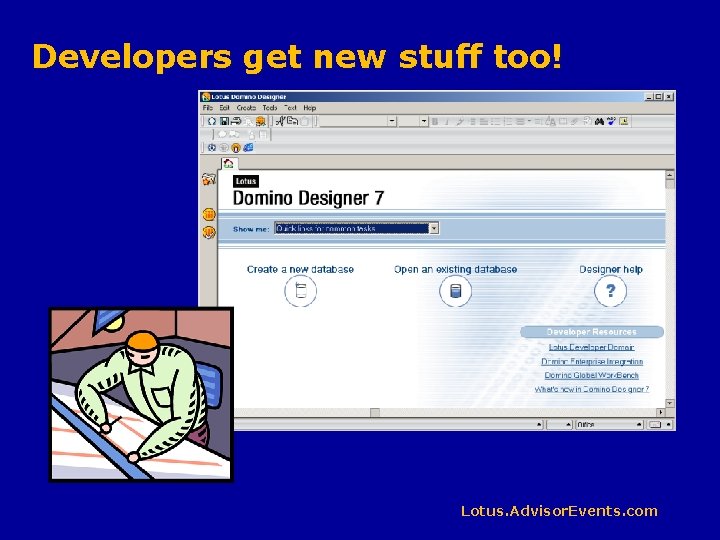
Developers get new stuff too! Lotus. Advisor. Events. com
The Designer Perspective u DB 2 Integration n n u It REALY means new solutions to old problems The biggest new thing, to IBM Standards march forward n Native Web Services t t n n u Major step forward toward hybrid applications The biggest new developer thing, to Andrew Java support enhanced XML Parser updated A few new design features Lotus. Advisor. Events. com
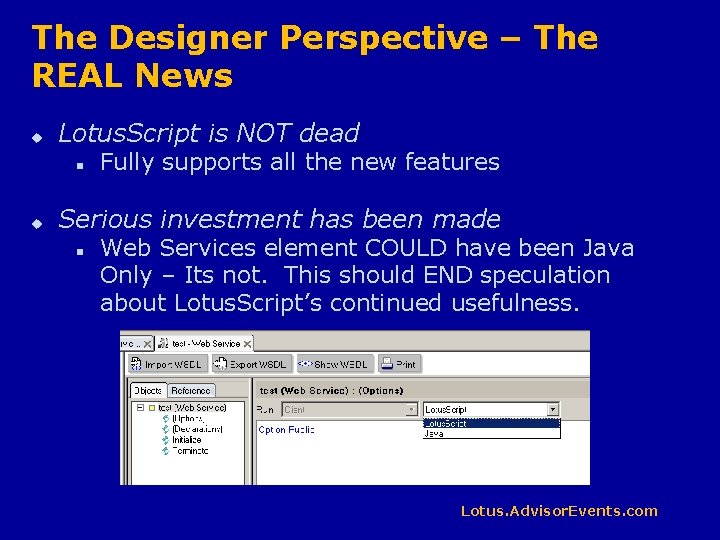
The Designer Perspective – The REAL News u Lotus. Script is NOT dead n u Fully supports all the new features Serious investment has been made n Web Services element COULD have been Java Only – Its not. This should END speculation about Lotus. Script’s continued usefulness. Lotus. Advisor. Events. com
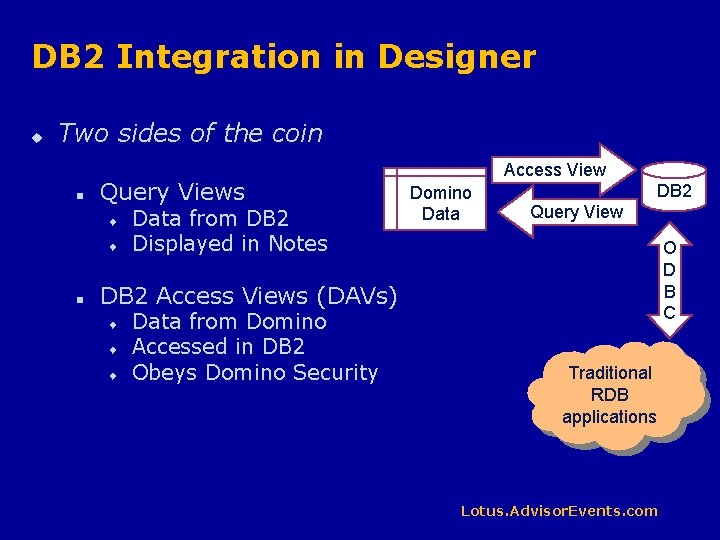
DB 2 Integration in Designer u Two sides of the coin n Query Views t t n Data from DB 2 Displayed in Notes Access View Domino Data DB 2 Query View O D B C DB 2 Access Views (DAVs) t t t Data from Domino Accessed in DB 2 Obeys Domino Security Traditional RDB applications Lotus. Advisor. Events. com
Query Views – Data from DB 2 displayed in Notes u No pre-built indexes in the NSF n u Possible storage and performance boost for databases that change frequently Selection can be changed on the fly per user n n Use @Prompt narrow selection Complex SQL can fit different kinds of data into the same view design t n Does this make the Notes client a reporting tool? Finally, use @Username to select data Lotus. Advisor. Events. com
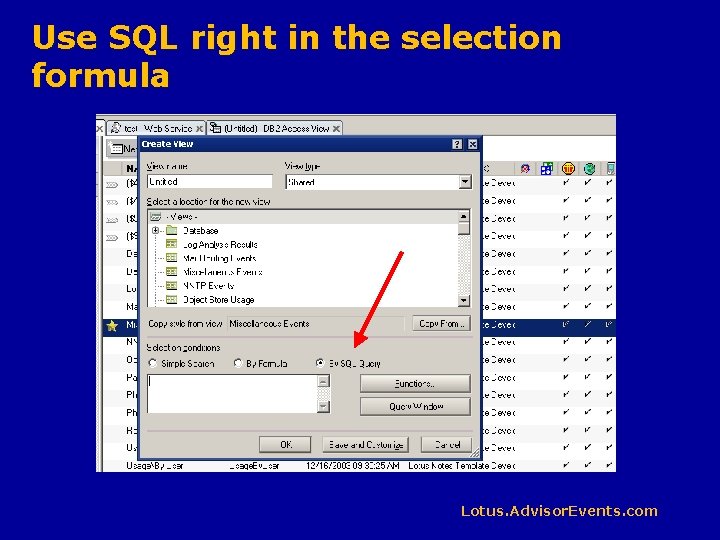
Use SQL right in the selection formula Lotus. Advisor. Events. com
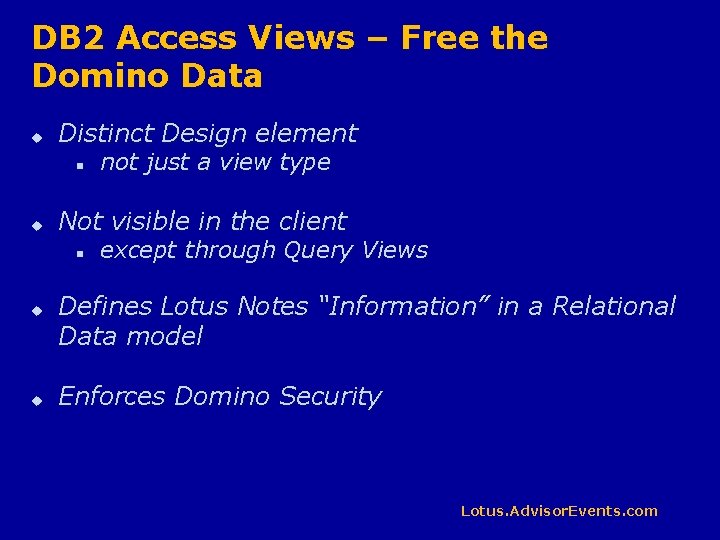
DB 2 Access Views – Free the Domino Data u Distinct Design element n u Not visible in the client n u u not just a view type except through Query Views Defines Lotus Notes “Information” in a Relational Data model Enforces Domino Security Lotus. Advisor. Events. com
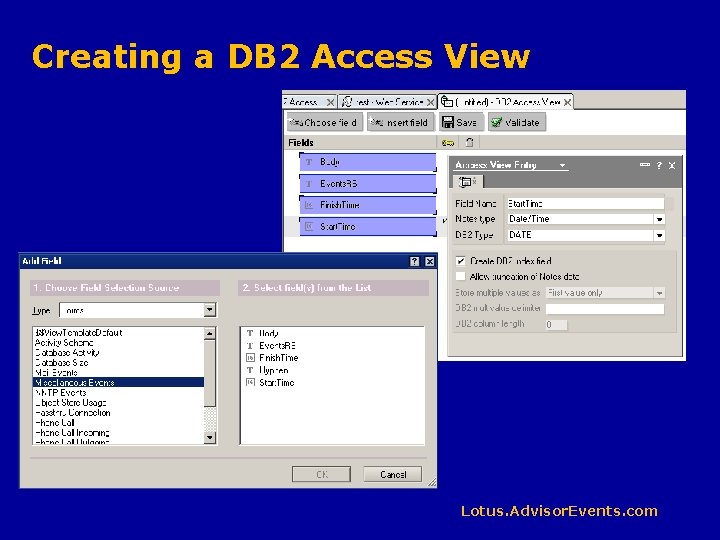
Creating a DB 2 Access View Lotus. Advisor. Events. com
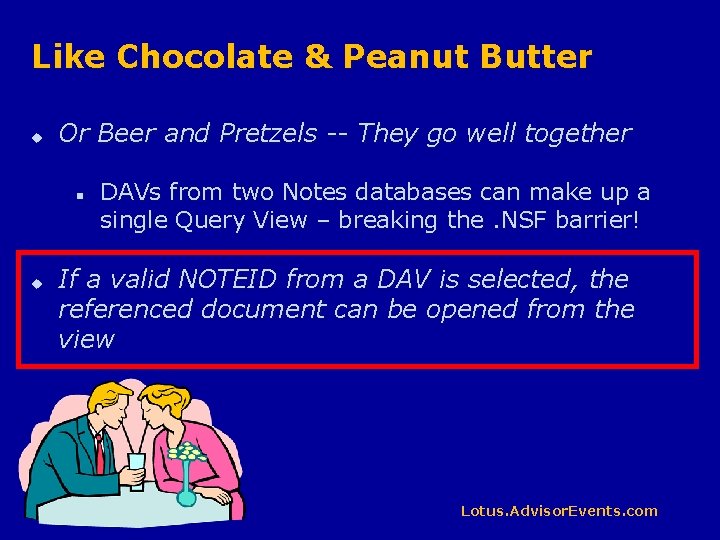
Like Chocolate & Peanut Butter u Or Beer and Pretzels -- They go well together n u DAVs from two Notes databases can make up a single Query View – breaking the. NSF barrier! If a valid NOTEID from a DAV is selected, the referenced document can be opened from the view Lotus. Advisor. Events. com
Standards March Forward – Java Improvements u The JVM is now 1. 4. 1 u Remote Java Debugging n Use 3 rd party debuggers, like Eclipse t This is a good thing Standards are great! Especially when there are more than one! Major Release Lotus. Advisor. Events. com
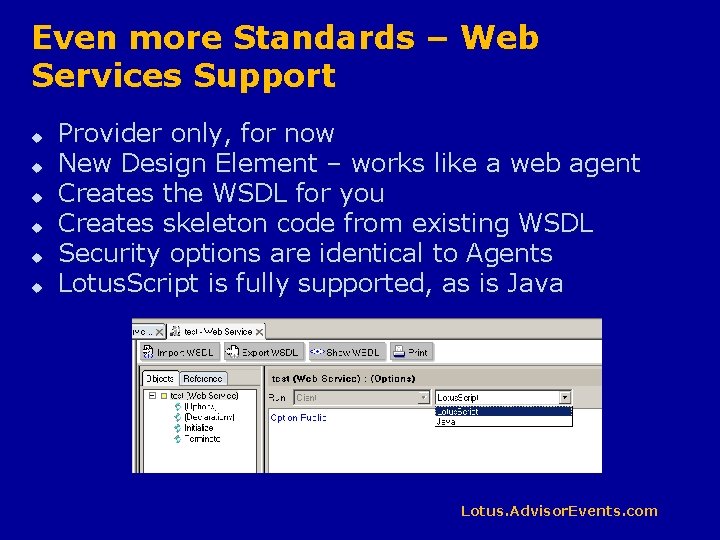
Even more Standards – Web Services Support u u u Provider only, for now New Design Element – works like a web agent Creates the WSDL for you Creates skeleton code from existing WSDL Security options are identical to Agents Lotus. Script is fully supported, as is Java Lotus. Advisor. Events. com
New Methods & Properties n Notes. Administration. Process. Approve. Hosted. Org. St orage. Deletion t n Notes. Database. Get. Modified. Documents t n Like notes. Database. search(@modifed. . ) but includes design notes as well Notes. Document. Collection. Until. Time t n Primarily used by the Admin client An upper limit (less than) time on which notes to return in a collection Notes. DOMNode t t Namespace. URI, Create. Attribute. Node. NS, Create. Element. Node. NS Get. Elements. By. Tag. Name. NS, Get. Attribute. Node. NS, Get. Attribute. NS Get. Elements. By. Tag. Name. NS, Remove. Attribute. NS, Set. Attribute. Node. NS Set. Attribute. NS Lotus. Advisor. Events. com
New Formula Language Additions u u Not many needed – Formula language was vastly improved in ND 6 @Policy. Is. Field. Locked n u For use in hide-when formulas, determines if a field is locked @Command([Discover. Folders]) n Pops up the dialog box showing which folders contain the document Lotus. Advisor. Events. com
Autosave option in form design u u Saves a local copy of the current document periodically in case of crash Document is NOT updated to the server at this time Used to avoid loss of work when documents are open in edit mode for long periods of time Designer option to ENABLE the feature for a form, user option to make use of it Lotus. Advisor. Events. com
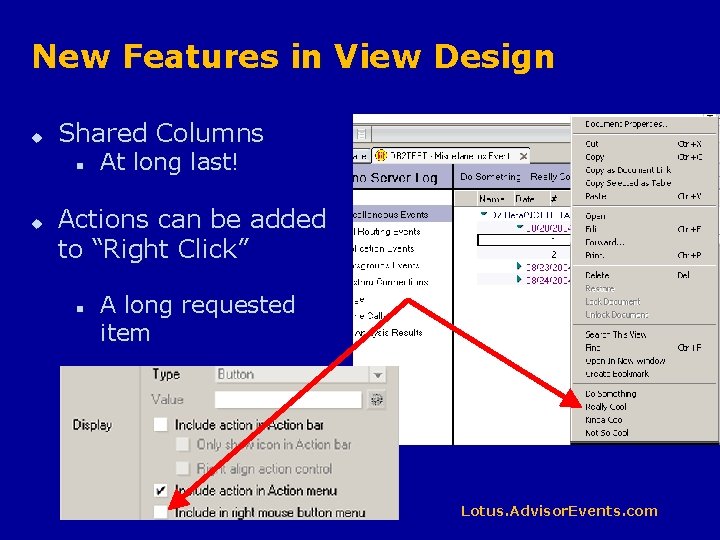
New Features in View Design u Shared Columns n u At long last! Actions can be added to “Right Click” n A long requested item Lotus. Advisor. Events. com
Other New Designer Features u Java & Lotus. Script Agent Performance Profiler n Works on Web Services too u XML Parser has been updated u Toggle icon for debugger u Design element lists show more information, easier to edit Lotus. Advisor. Events. com

Updates to the Lotus Notes 7 Client Lotus. Advisor. Events. com
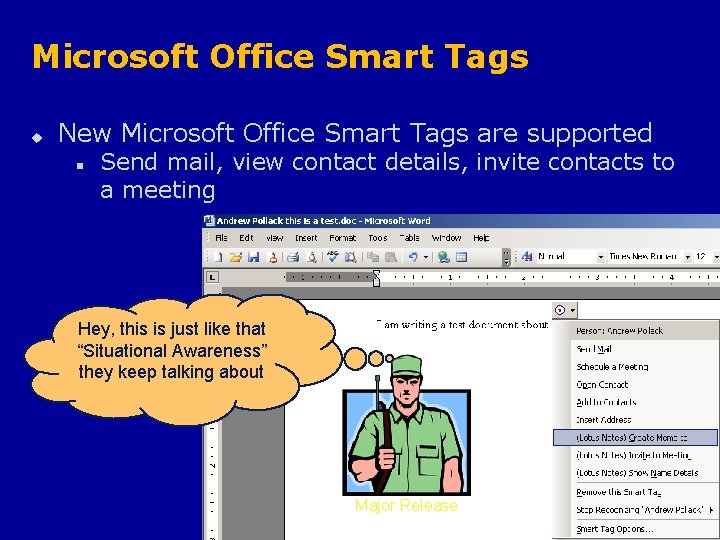
Microsoft Office Smart Tags u New Microsoft Office Smart Tags are supported n Send mail, view contact details, invite contacts to a meeting Hey, this is just like that “Situational Awareness” they keep talking about Major Release Lotus. Advisor. Events. com
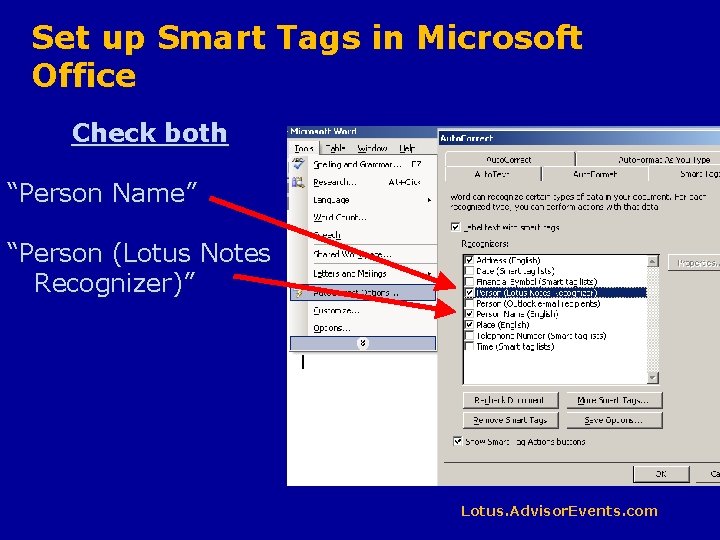
Set up Smart Tags in Microsoft Office Check both “Person Name” “Person (Lotus Notes Recognizer)” Lotus. Advisor. Events. com
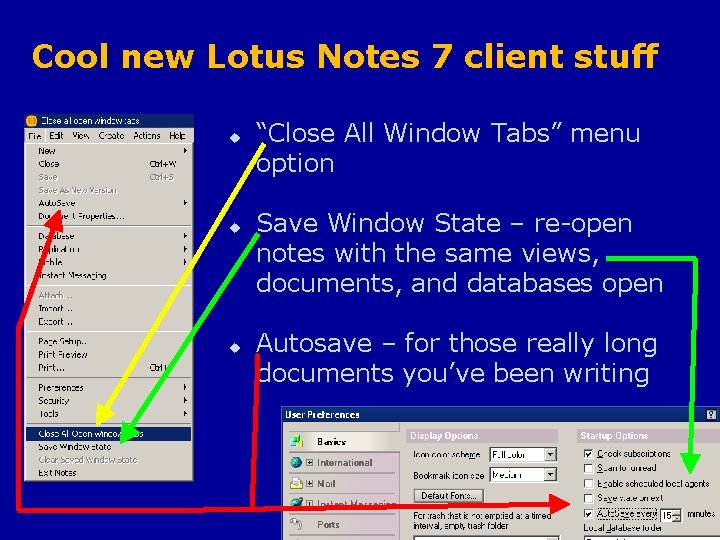
Cool new Lotus Notes 7 client stuff u u u “Close All Window Tabs” menu option Save Window State – re-open notes with the same views, documents, and databases open Autosave – for those really long documents you’ve been writing Lotus. Advisor. Events. com
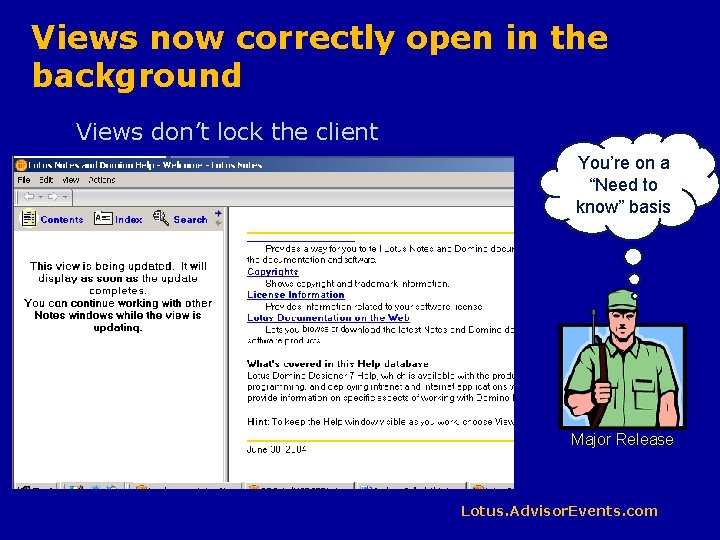
Views now correctly open in the background Views don’t lock the client You’re on a “Need to know” basis Major Release Lotus. Advisor. Events. com
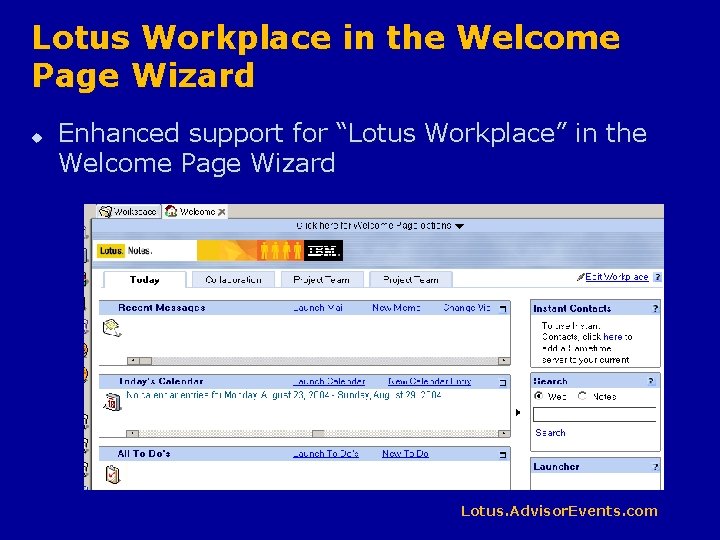
Lotus Workplace in the Welcome Page Wizard u Enhanced support for “Lotus Workplace” in the Welcome Page Wizard Lotus. Advisor. Events. com
Instant Messaging awareness has been added almost everywhere u More awareness in the mail client u Awareness in the address books Awareness in more templates Awareness in configuration docs u Could we be more aware? u u u Expect awareness to be pretty much universal by the time this thing is released Keep your eyes open and stay aware! Major Release Lotus. Advisor. Events. com
The Lotus Notes Client – Mail Updates u Note: Mail Template updates are frequently the last things added to the beta versions. Watch for more as the release gets closer u “No Subject” warning when sending mail u Mail can be sorted by subject u Mail threads can be made visible within mail documents Lotus. Advisor. Events. com
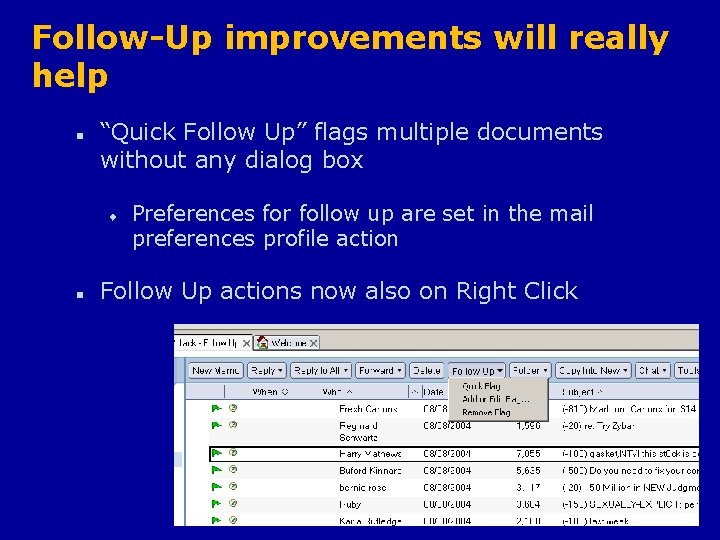
Follow-Up improvements will really help n “Quick Follow Up” flags multiple documents without any dialog box t n Preferences for follow up are set in the mail preferences profile action Follow Up actions now also on Right Click Lotus. Advisor. Events. com
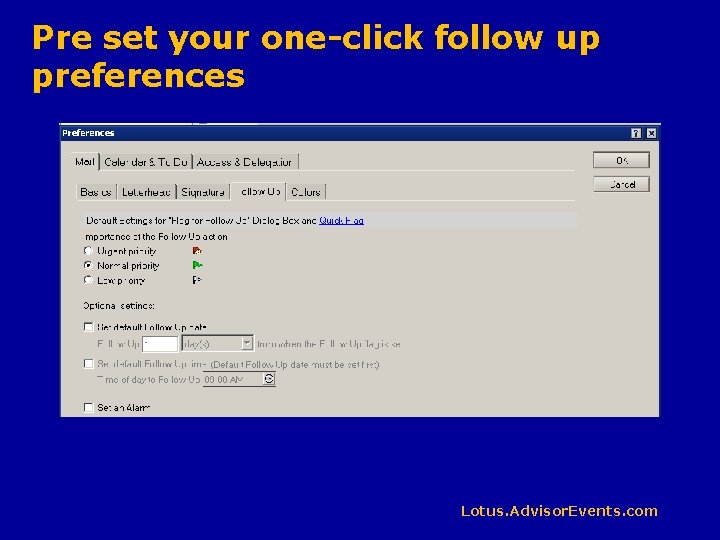
Pre set your one-click follow up preferences Lotus. Advisor. Events. com
Domino Web Access u Mozilla based browsers are now supported u Full S/MIME Support u Custom stationary is now supported u Features improved to more closely match Notes Client features u Single Click “Follow-Up” support has been added u More forwarding options have been added Lotus. Advisor. Events. com
ADVISOR LIVE Web Update Page Advisor. Events. com/CXX 0411 p. nsf/w/CXX 0411 ud This session WILL have updates Also available on my site www. thenorth. com Got Questions? I want to hear from you andrewp@thenorth. com www. thenorth. com/apblog Major Release Lotus. Advisor. Events. com
Thank you! Please remember to fill out your evaluation. I want to hear from you andrewp@thenorth. com www. thenorth. com/apblog Lotus. Advisor. Events. com
- Slides: 55