
ALGORITMA PEMROGRAMAN 1 M 2 SCRATCH PROGRAMMING BASIC
ALGORITMA & PEMROGRAMAN 1 M 2. SCRATCH PROGRAMMING BASIC & ENVIRONTMENT
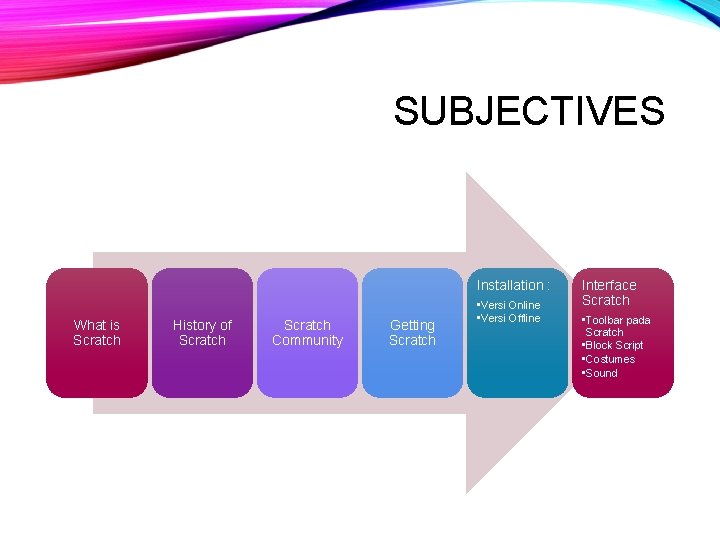
SUBJECTIVES Installation : What is Scratch History of Scratch Community Getting Scratch • Versi Online • Versi Offline Interface Scratch • Toolbar pada Scratch • Block Script • Costumes • Sound
What is Scratch?
What is Scratch? • Scratch is a programming language developed to help young people between ages of 8 and 16 learn 21 st century skill by developing computer programs.

What is Scratch? • With traditional computer and Internet Applications, users are limited to working with applications in the way the programmers who developed the applications designed. • Scratch turns things around by letting users become programmers.
What is Scratch? • Many People regard computer programming as a mysterious and complex process that requires advanced technical and education. • This is a misperception. • Programming languages like BASIC have been around decades and were developed expressly for the purpose of teaching first-time programmers how to program.
What is Scratch? • In recent years, a new crop programming languages has appeared, specifically geared towards helping children and students learn to program. • One of the very best and newest of the languages is SCRATCH So, what exactly Scratch?
What is Scratch? Scratch • Scratch is a visual programming language that is made up of a graphic interface that supports application development in which new project are created by mixing together images, sound, and video under the control of scripts, which specify the applications’s programming logic.

What is Scratch? Script • Script are created by snapping blocks together, much in the message way that Lego blocks are snapped together to create all sorts unique creation. • Each block reprrsents a different command or action that tells the application how to execute. • Scratch also provides programmers with access to all kinds of media, including graphics and sounds as well as tools that can be used to create new graphics and sound files

What is Scratch? • Witch Scratch, you can program your own interactive stories, games, and animations – and share your creations with others in the online community. • Scratch helps young people learn to thinks creatively, reason systematically, and work collaboratively – essential sklills for life in the 21 st century.
What is Scratch? • Scratch is a projects of the Lifelong Kindergarten Group at the MIT Media Lab. free of charge
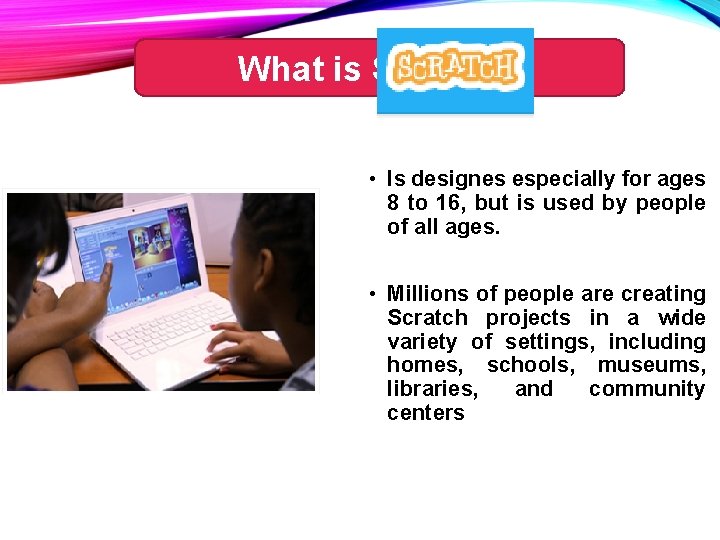
What is Scratch? • Is designes especially for ages 8 to 16, but is used by people of all ages. • Millions of people are creating Scratch projects in a wide variety of settings, including homes, schools, museums, libraries, and community centers
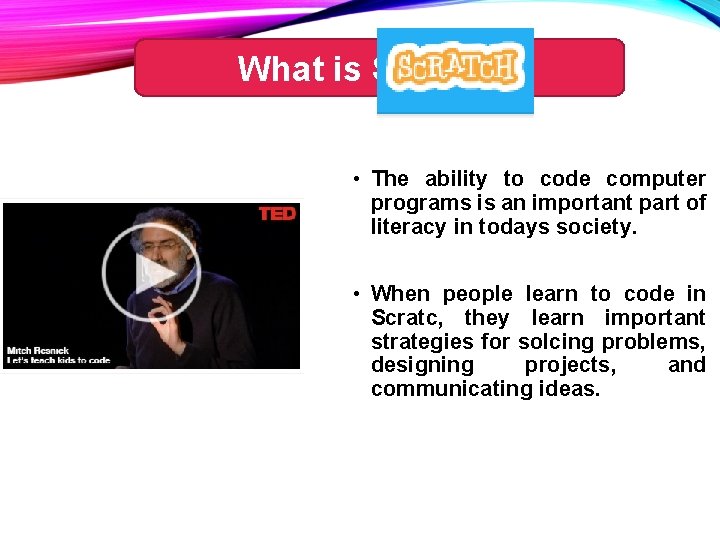
What is Scratch? • The ability to code computer programs is an important part of literacy in todays society. • When people learn to code in Scratc, they learn important strategies for solcing problems, designing projects, and communicating ideas.
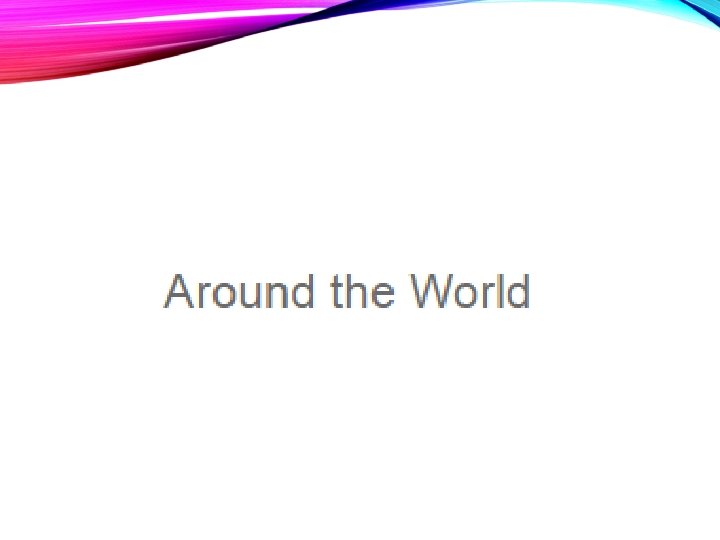
What is Scratch? • Scratch is used in more that 150 different countries and available in more that 40 languages. • Toc hange languages, click the menu at the bottom of the page. • Or, in the Project Editor, click the globe at the top of the page. • To add or improve a translation, see the tranlation page.
What is Scratch?
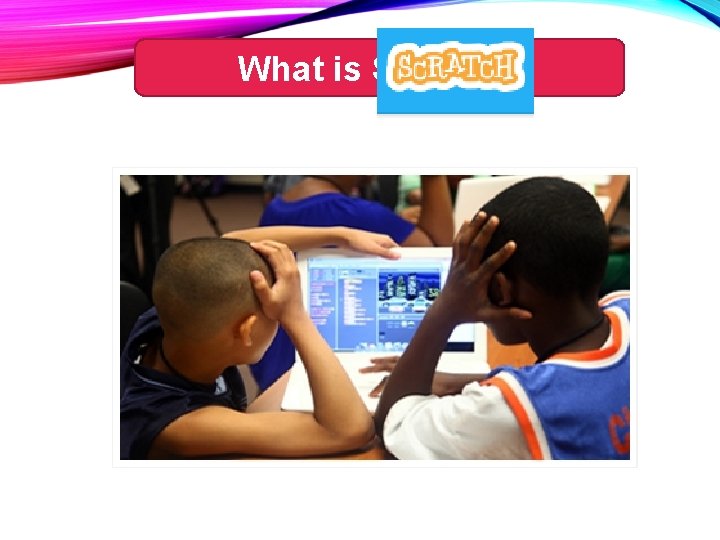
What is Scratch? • Students are learning with Scratch at all levels (from elementary school to college) and across disciplines (such as math, computer science, language arts, social studies). • Educators share stories, exchange resources, ask questions, and find people on the Scratch. Ed website.
• Educators are using Scratch in a wide variety of: 1. Settings: School, museums, libraries, community centers 2. Grade Levels : Elementary, middle, and high school (and some colleges too!) 3. Subjects areas: Language arts, science, social studies, math, computer, foreign languages, and the arts.
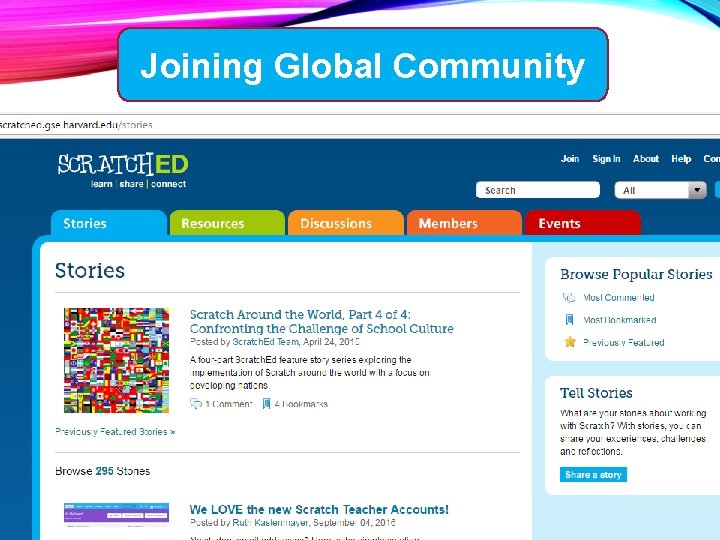
• Scratch. Ed is an online community where Scratch educators share stories, exchange resources, ask questions, and find people. • Scratch. Ed is developed and supported by the Harvard Graduate School of Education.
• Scratch Educator Meetups are gatherings of Scratch Educators who want to learn with and from each other, sharing their ideas and strategies for supporting computational creativity in all its forms.
SLOGAN of SCRATCH
SLOGAN of SCRATCH
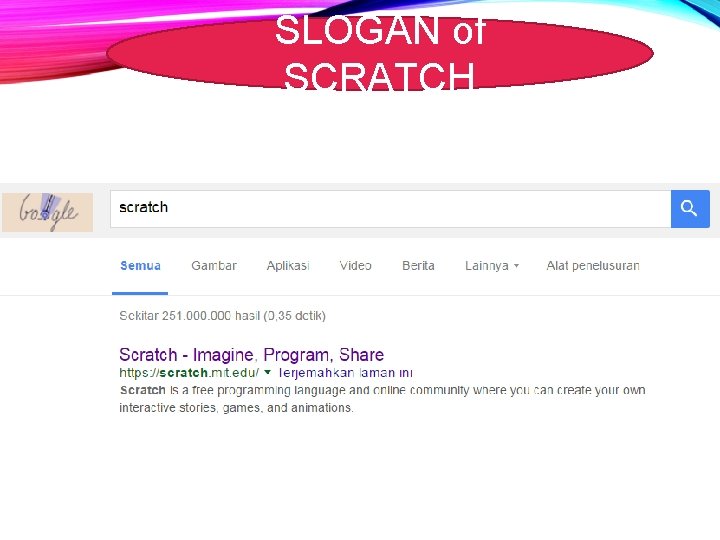
SLOGAN of SCRATCH • Scratch’s slogan is Imagine—Program—Share! It is designed to encourage teens’ creativity by providing them with an easy to learn yet powerful programming environment in which they can unleash the power of their imagination. • Scratch encourages and facilitates the development of application projects using a mixture of media, graphics, sound, and video in order to create something new.
SLOGAN of SCRATCH • Scratch provides new programmers with everything needed to create and execute new application projects. • Its programming language is designed to make it as easy as possible for new programmers to jump in and get their feet wet and to receive immediate feedback on their progress. • Scratch promotes an understanding of programming concepts, including conditional and iterative logic, event programming, the use of variables, mathematics, and the use of graphics, and sound effects.
SLOGAN of SCRATCH • By learning to program with Scratch, new programmers develop an understanding and appreciation of the design process, from idea generation to program development, then testing and debugging and the incorporation of user feedback. • People, especially kids, love to share, as demonstrated through the amazing success of websites like You. Tube, which allows people to share home video. • Sharing is a fundamental programming experience. part of the Scratch
History of Scratch
History of Scratch • Scratch is developed by the Lifelong Kindergarten Group at the MIT Media Lab. • And Scratch website describes Scratch : • “Scratch is a new programming language that makes it easy to create your own interactive stories, animations, games, music, and art -- and share your creations on the web”
History of Scratch • Year : 2006 • Designed By : Mitchel Resnick • Developed By : MIT Media Lab Lifelong Kindergarten Group • New Release : 2. 0 / 9 Mei, 2013 • Writing System : Dynamic • Implementation : Scratch
History of Scratch • Year : 2006 • Designed By : Mitchel Resnick • Developed By : MIT Media Lab Lifelong Kindergarten Group • New Release : 2. 0 / 9 Mei, 2013 • Writing System : Dynamic • Implementation : Scratch
History of Scratch • Inpirred By : Logo, Smalltalk, Hyper. Card, Star. Logo, Agent. Sheets, Etoys • License : GPLv 2 and Scratch Source Code License • Situs : scratch. mit. edu
History of Scratch • The development of Scratch was inspired by the scratching process that DJs use to create new sounds and music by rubbing old-style vinyl records back and forth on record turntables, creating a new and distinctively different sound out of something that already exists. • In similar fashion, Scratch application projects mix together graphics and sounds in order to use them in new and different ways.
Joining Global Community
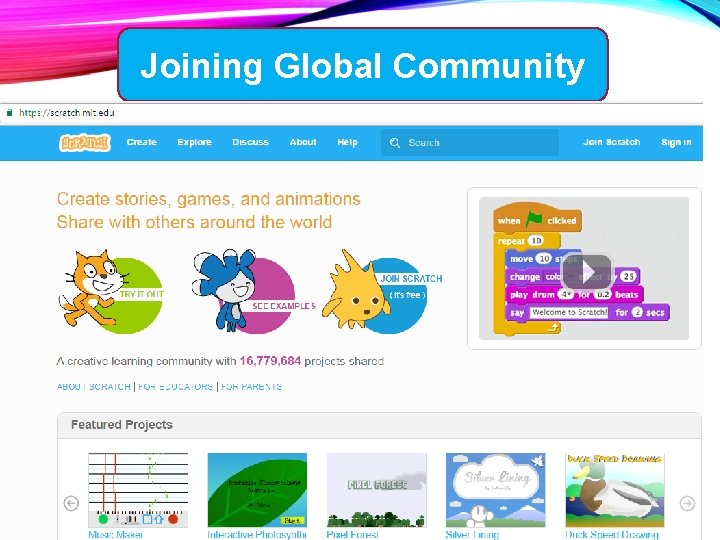
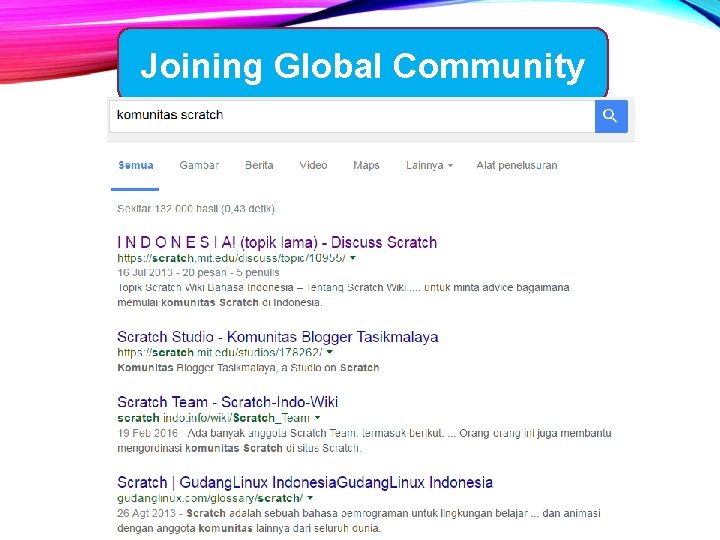
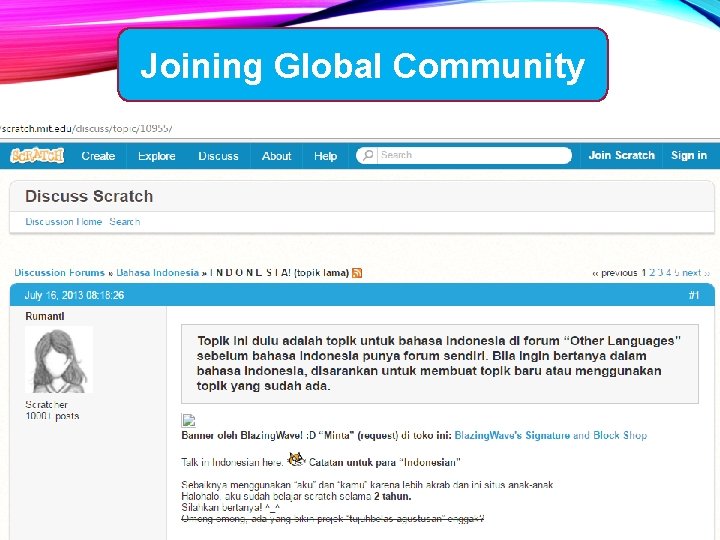
Joining Global Community • Scratch is supported by a global community of students, teachers, schools, parents, and computer enthusiasts and hobbyists. • Scratch is available in many languages, including English, Spanish, German, French, Italian, Hungarian, Hebrew, Polish, Dutch, Romanian, and Russian. The Scratch website, located at http: //scratch. mit. edu and shown in Figure 1. 14, helps bring together people from around the world and facilitates the development of the Scratch community.
Joining Global Community
Joining Global Community
Joining Global Community • The Scratch website provides access to all kinds of resources that help Scratch programmers learn more about the language. • It provides access to online documentation and training videos. • It also provides access to the help screen packed with documentation on how to work with Scratch code blocks.
Joining Global Community
Joining Global Community
Getting Scratch
Getting Scratch
INSTALLATION
INSTALASI SCRATCH • Scratch merupakan suatu aplikasi yang berjalan dalam internet atau aplikasi yang berbasiskan web browser, namun Scratch juga menyediakan untuk versi offline.
SCRATCH VERSI ONLINE
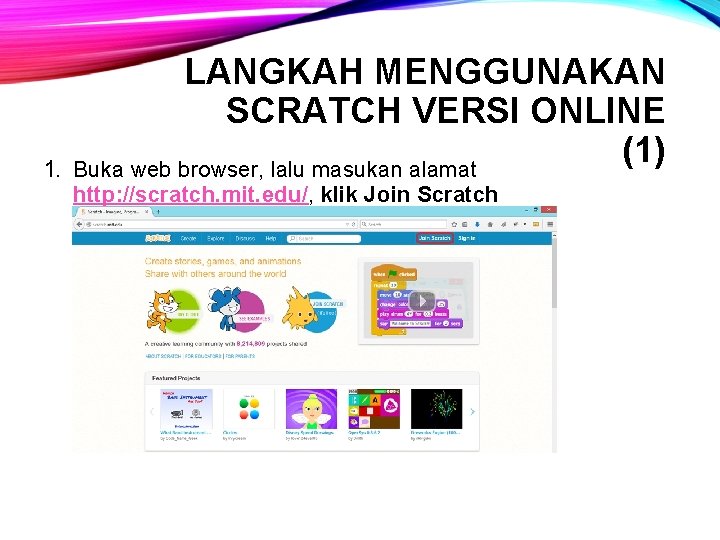
1. LANGKAH MENGGUNAKAN SCRATCH VERSI ONLINE (1) Buka web browser, lalu masukan alamat http: //scratch. mit. edu/, klik Join Scratch
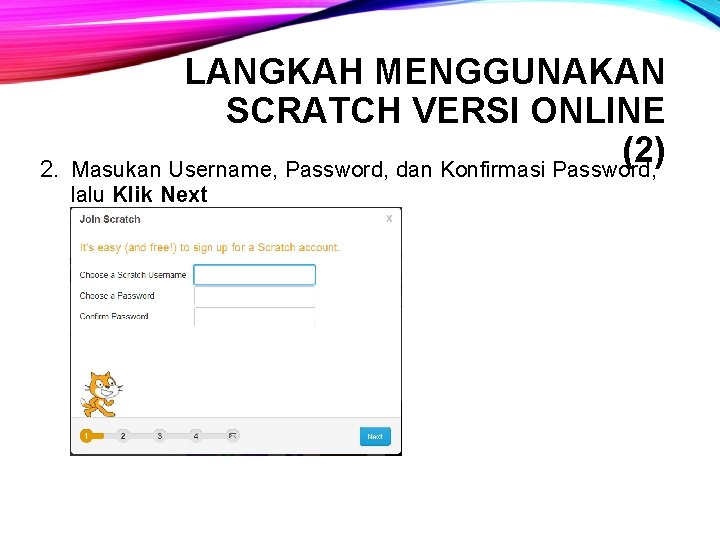
2. LANGKAH MENGGUNAKAN SCRATCH VERSI ONLINE (2) Masukan Username, Password, dan Konfirmasi Password, lalu Klik Next
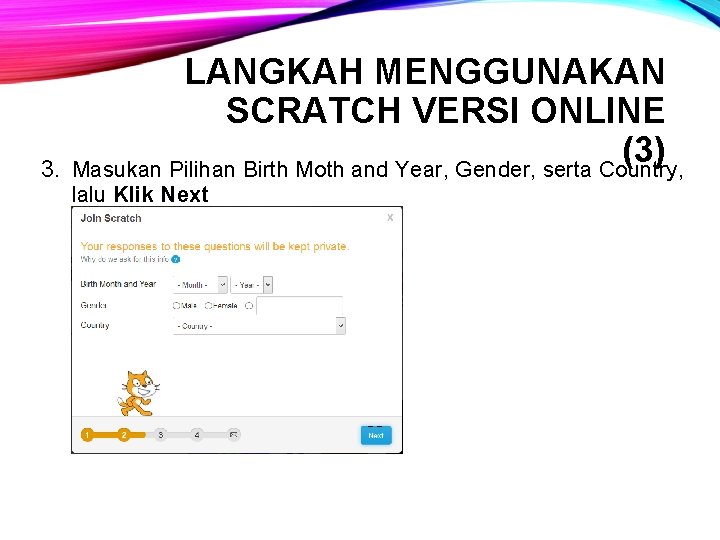
3. LANGKAH MENGGUNAKAN SCRATCH VERSI ONLINE (3) Masukan Pilihan Birth Moth and Year, Gender, serta Country, lalu Klik Next
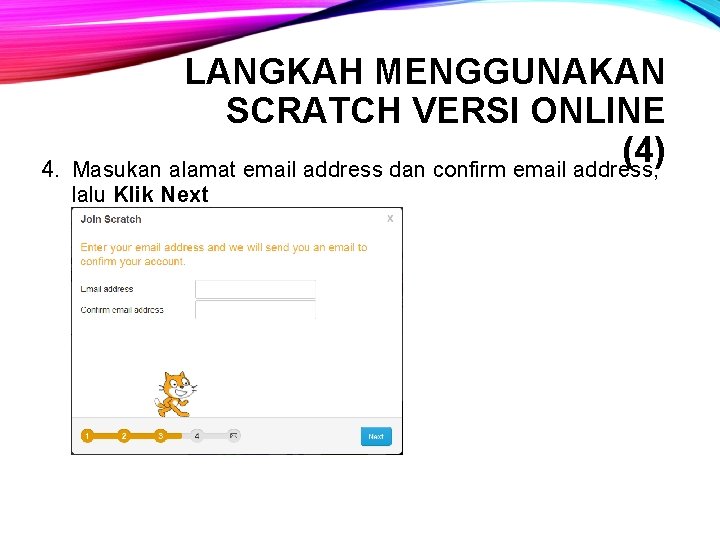
4. LANGKAH MENGGUNAKAN SCRATCH VERSI ONLINE (4) Masukan alamat email address dan confirm email address, lalu Klik Next
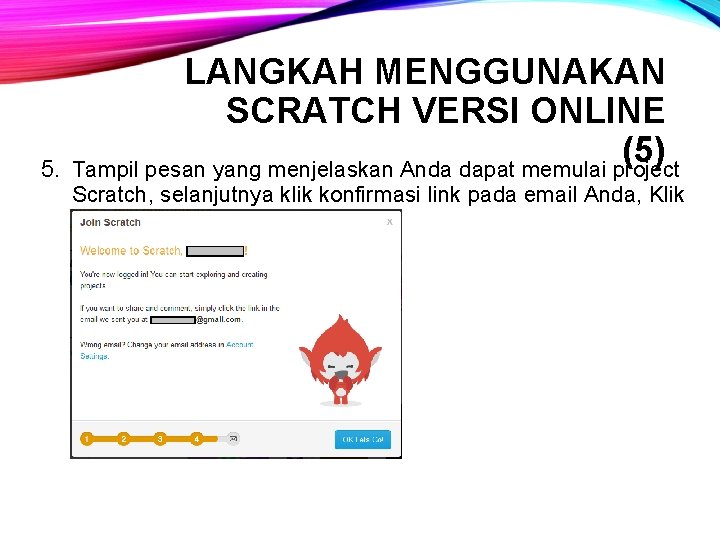
5. LANGKAH MENGGUNAKAN SCRATCH VERSI ONLINE (5) Tampil pesan yang menjelaskan Anda dapat memulai project Scratch, selanjutnya klik konfirmasi link pada email Anda, Klik OK Lets Go!
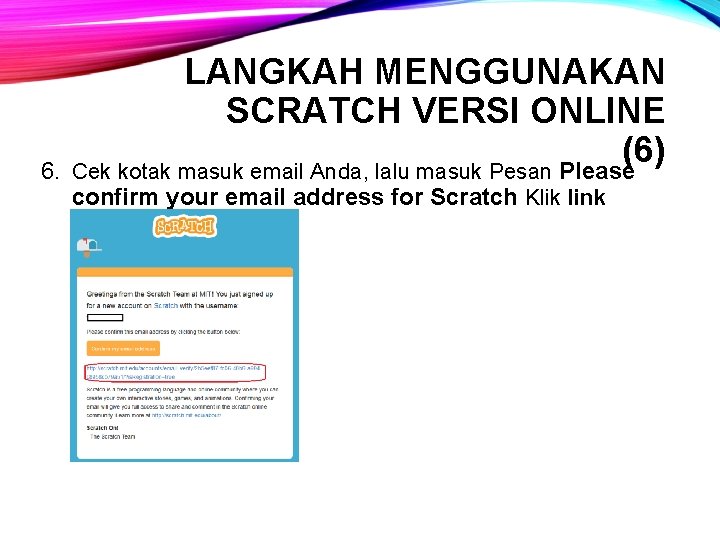
6. LANGKAH MENGGUNAKAN SCRATCH VERSI ONLINE (6) Cek kotak masuk email Anda, lalu masuk Pesan Please confirm your email address for Scratch Klik link konfirmasi email
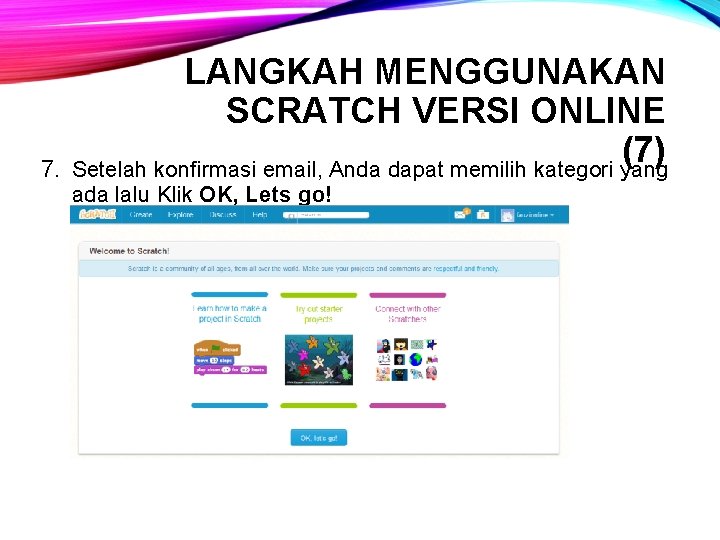
7. LANGKAH MENGGUNAKAN SCRATCH VERSI ONLINE (7) Setelah konfirmasi email, Anda dapat memilih kategori yang ada lalu Klik OK, Lets go!
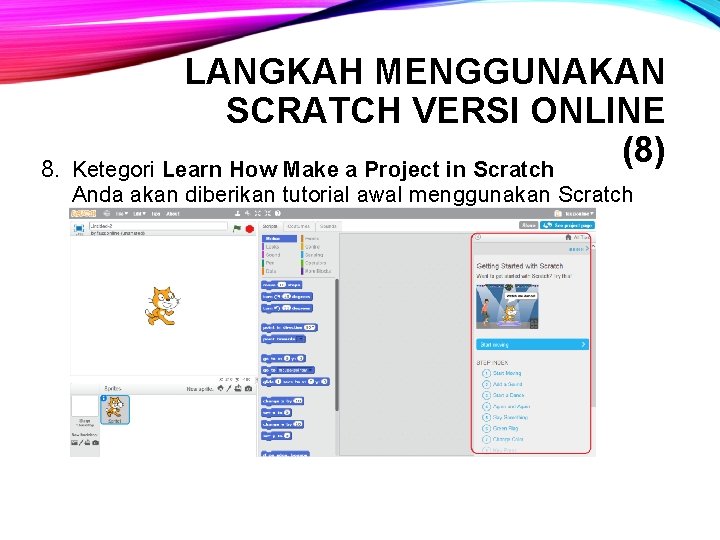
8. LANGKAH MENGGUNAKAN SCRATCH VERSI ONLINE (8) Ketegori Learn How Make a Project in Scratch Anda akan diberikan tutorial awal menggunakan Scratch
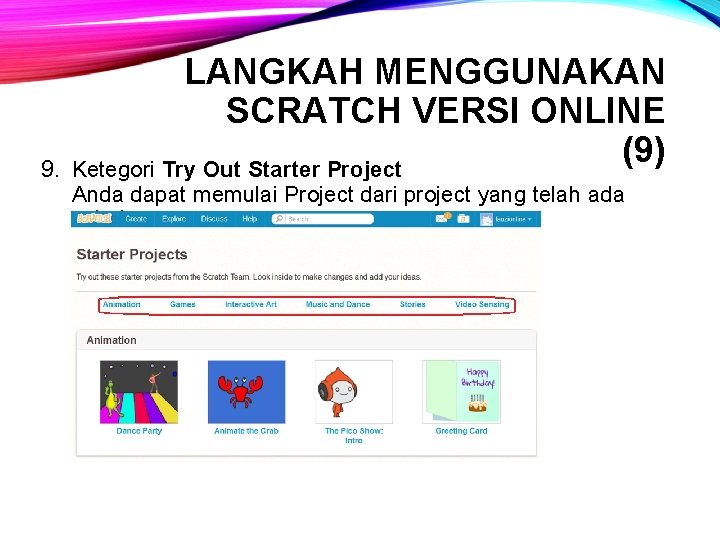
9. LANGKAH MENGGUNAKAN SCRATCH VERSI ONLINE (9) Ketegori Try Out Starter Project Anda dapat memulai Project dari project yang telah ada sebelumnya.
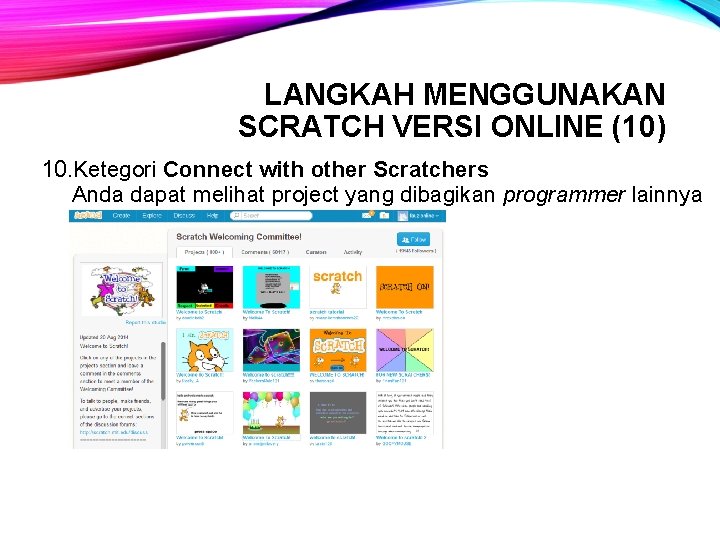
LANGKAH MENGGUNAKAN SCRATCH VERSI ONLINE (10) 10. Ketegori Connect with other Scratchers Anda dapat melihat project yang dibagikan programmer lainnya
SCRATCH VERSI OFFLINE
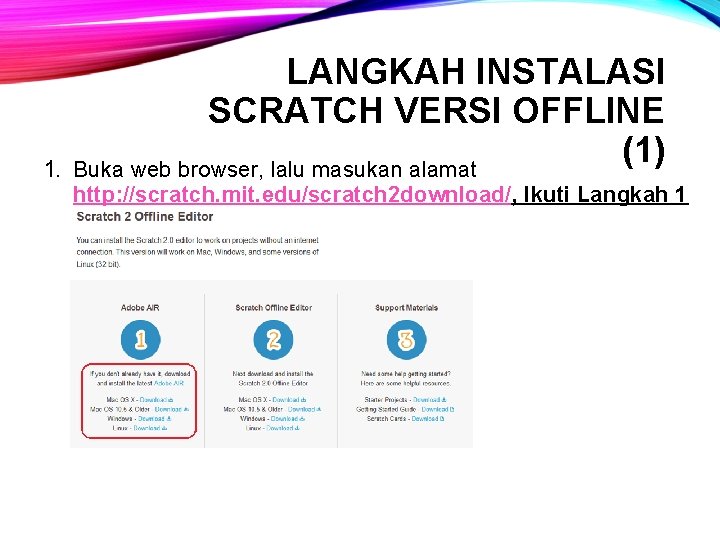
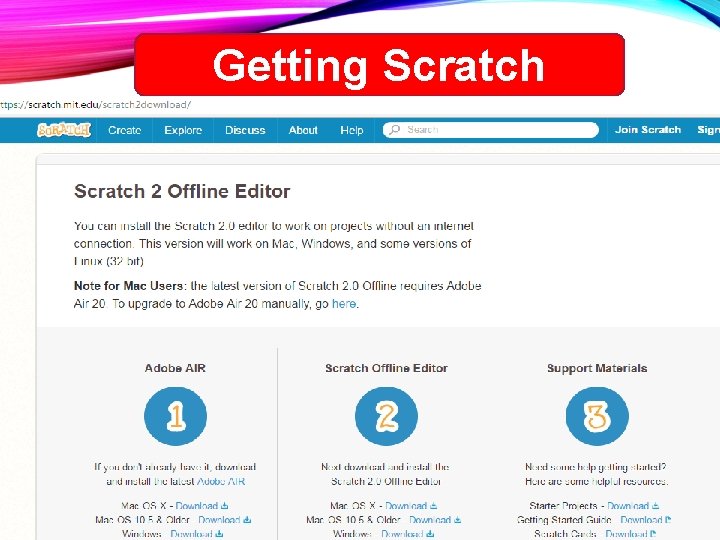
1. LANGKAH INSTALASI SCRATCH VERSI OFFLINE (1) Buka web browser, lalu masukan alamat http: //scratch. mit. edu/scratch 2 download/, Ikuti Langkah 1
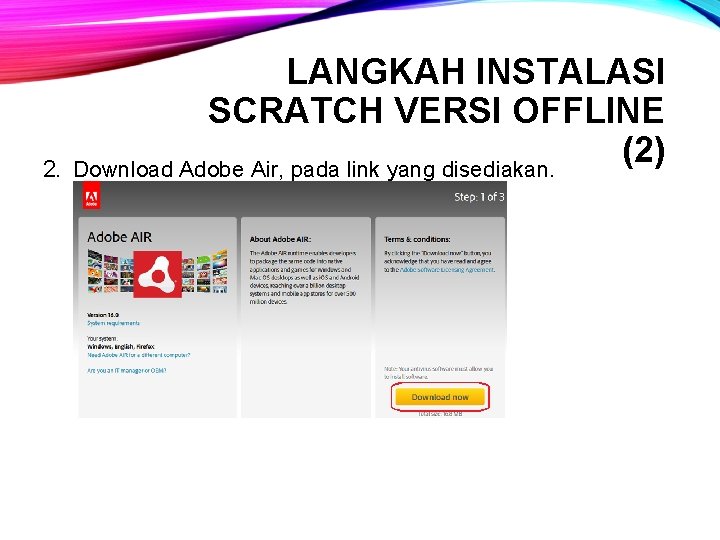
2. LANGKAH INSTALASI SCRATCH VERSI OFFLINE (2) Download Adobe Air, pada link yang disediakan.
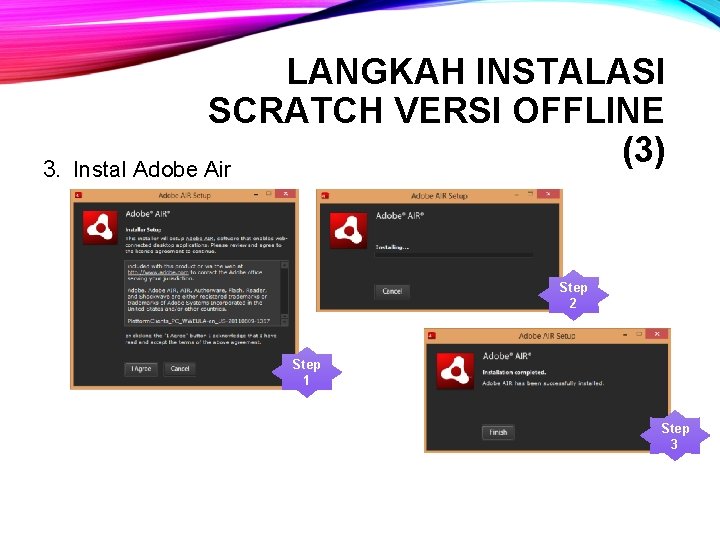
3. LANGKAH INSTALASI SCRATCH VERSI OFFLINE (3) Instal Adobe Air Step 2 Step 1 Step 3
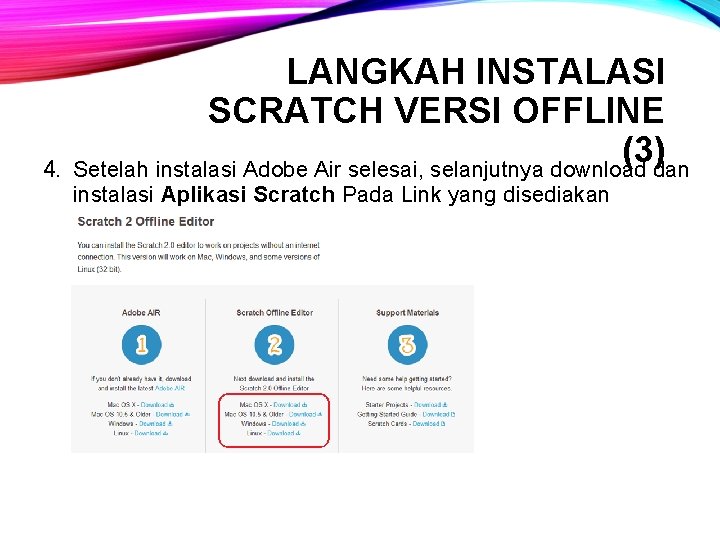
4. LANGKAH INSTALASI SCRATCH VERSI OFFLINE (3) Setelah instalasi Adobe Air selesai, selanjutnya download dan instalasi Aplikasi Scratch Pada Link yang disediakan
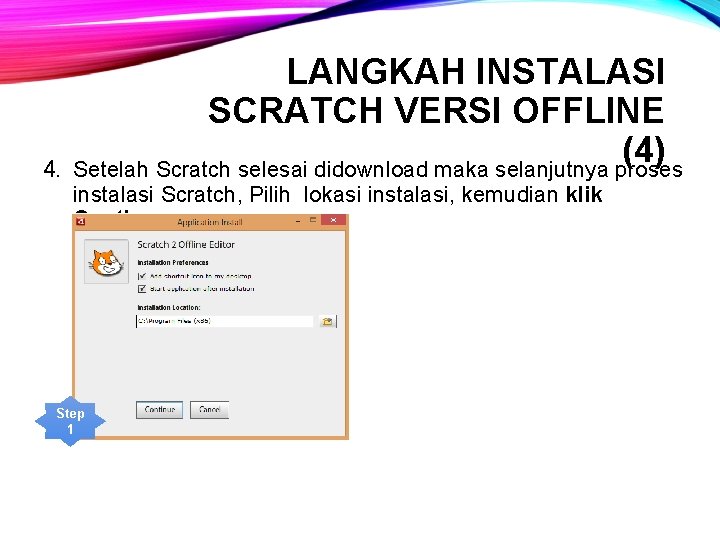
4. LANGKAH INSTALASI SCRATCH VERSI OFFLINE (4) Setelah Scratch selesai didownload maka selanjutnya proses instalasi Scratch, Pilih lokasi instalasi, kemudian klik Continue Step 1
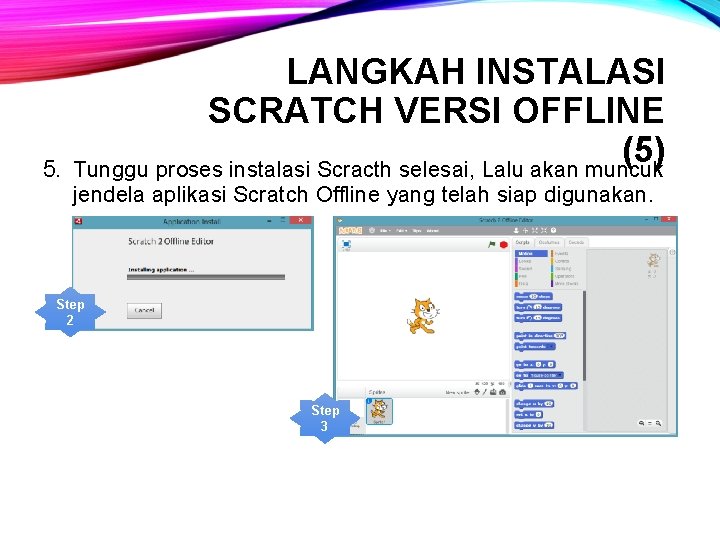
5. LANGKAH INSTALASI SCRATCH VERSI OFFLINE (5) Tunggu proses instalasi Scracth selesai, Lalu akan muncuk jendela aplikasi Scratch Offline yang telah siap digunakan. Step 2 Step 3
- Slides: 64