
ALEPH User Security and the Admin Module What

- Slides: 25
ALEPH User Security and the Admin Module What Is To Be Done? Larry Deck Assistant Systems Librarian Mc. Gill University
I will be talking about: • the Oracle tables that (mostly) control user security in ALEPH • the Admin Module’s interface for updating those tables – v. 14. 2 • problems with this interface and how to get around some of them • my dreams of a better setup and interface for institutions like Mc. Gill with many users
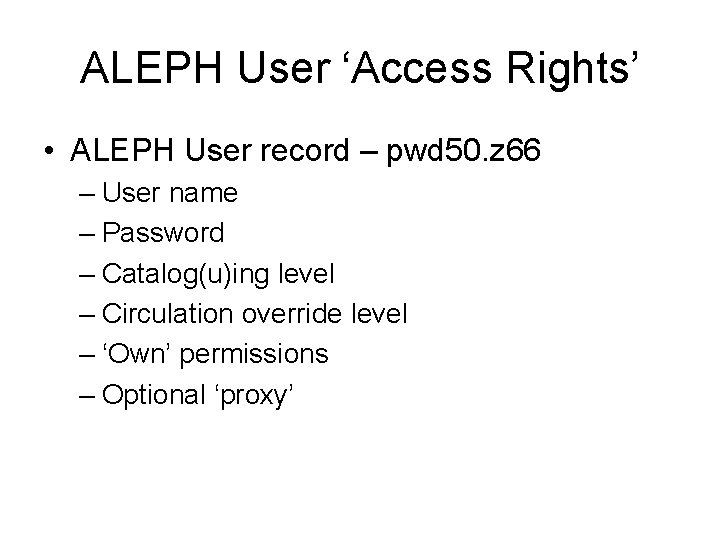
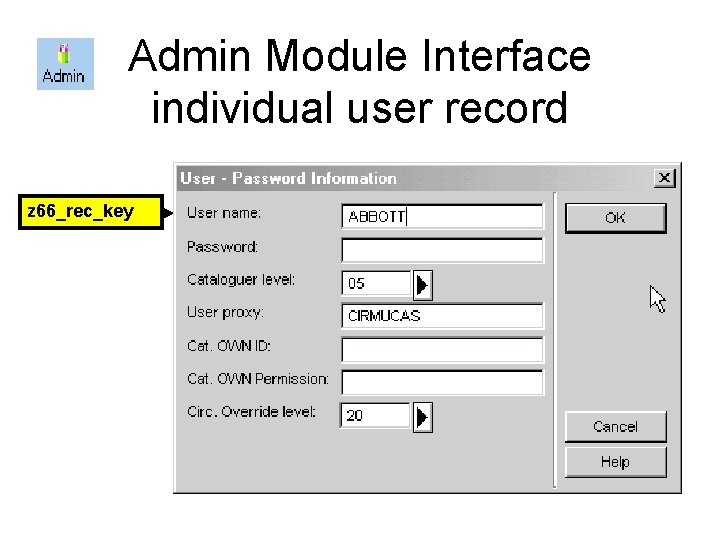
ALEPH User ‘Access Rights’ • ALEPH User record – pwd 50. z 66 – User name – Password – Catalog(u)ing level – Circulation override level – ‘Own’ permissions – Optional ‘proxy’
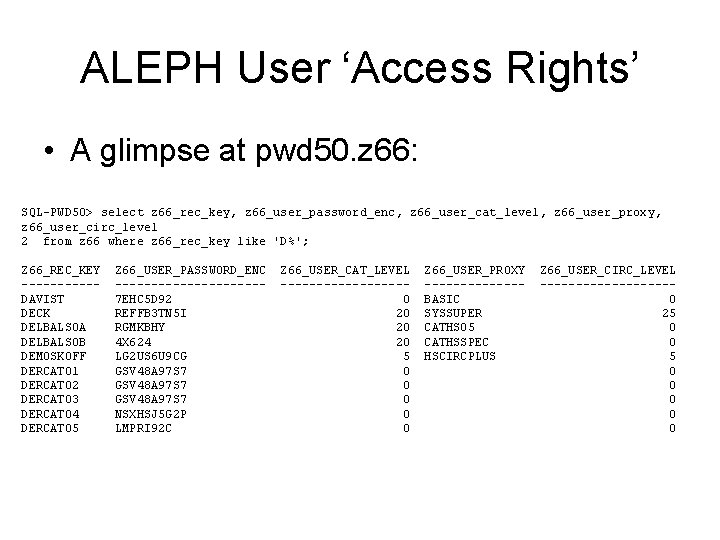
ALEPH User ‘Access Rights’ • A glimpse at pwd 50. z 66: SQL-PWD 50> select z 66_rec_key, z 66_user_password_enc, z 66_user_cat_level, z 66_user_proxy, z 66_user_circ_level 2 from z 66 where z 66_rec_key like 'D%'; Z 66_REC_KEY -----DAVIST DECK DELBALSOA DELBALSOB DEMOSKOFF DERCAT 01 DERCAT 02 DERCAT 03 DERCAT 04 DERCAT 05 Z 66_USER_PASSWORD_ENC ----------7 EHC 5 D 92 REFFB 3 TN 5 I RGMKBHY 4 X 624 LG 2 US 6 U 9 CG GSV 48 A 97 S 7 NSXHSJ 5 G 2 P LMPRI 92 C Z 66_USER_CAT_LEVEL ---------0 20 20 20 5 0 0 0 Z 66_USER_PROXY -------BASIC SYSSUPER CATHS 05 CATHSSPEC HSCIRCPLUS Z 66_USER_CIRC_LEVEL ---------0 25 0 0 0 0 0
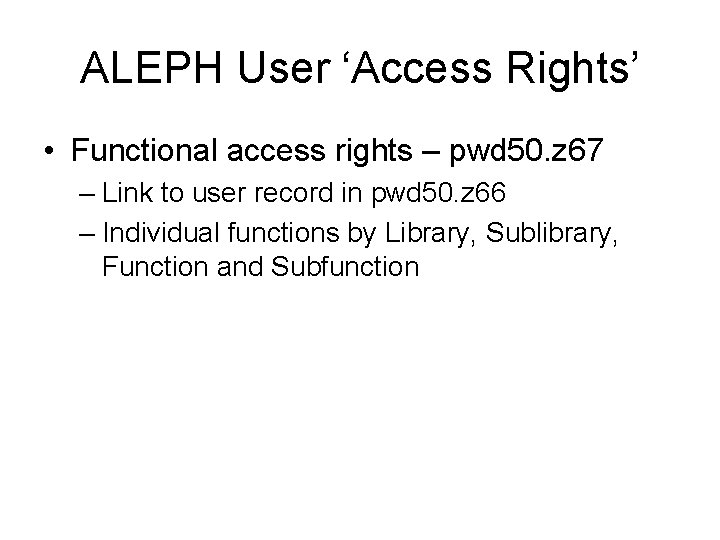
ALEPH User ‘Access Rights’ • Functional access rights – pwd 50. z 67 – Link to user record in pwd 50. z 66 – Individual functions by Library, Sublibrary, Function and Subfunction
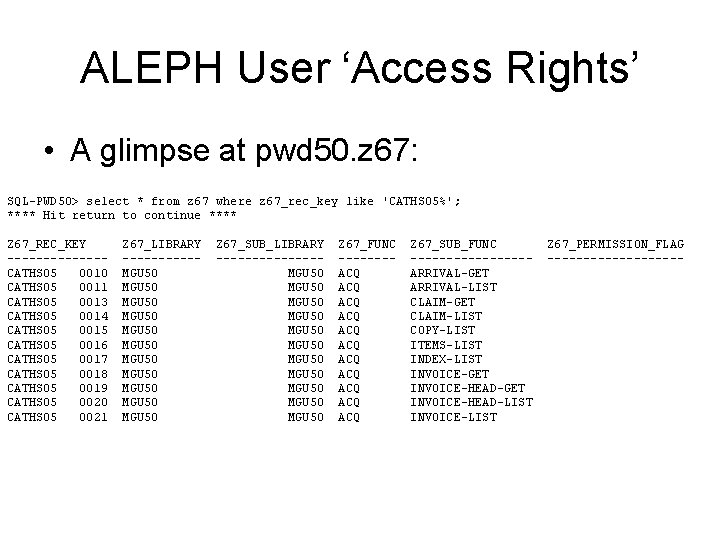
ALEPH User ‘Access Rights’ • A glimpse at pwd 50. z 67: SQL-PWD 50> select * from z 67 where z 67_rec_key like 'CATHS 05%'; **** Hit return to continue **** Z 67_REC_KEY -------CATHS 05 0010 CATHS 05 0011 CATHS 05 0013 CATHS 05 0014 CATHS 05 0015 CATHS 05 0016 CATHS 05 0017 CATHS 05 0018 CATHS 05 0019 CATHS 05 0020 CATHS 05 0021 Z 67_LIBRARY -----MGU 50 MGU 50 MGU 50 Z 67_SUB_LIBRARY -------MGU 50 MGU 50 MGU 50 Z 67_FUNC -------ACQ ACQ ACQ Z 67_SUB_FUNC --------ARRIVAL-GET ARRIVAL-LIST CLAIM-GET CLAIM-LIST COPY-LIST ITEMS-LIST INDEX-LIST INVOICE-GET INVOICE-HEAD-LIST INVOICE-LIST Z 67_PERMISSION_FLAG ----------
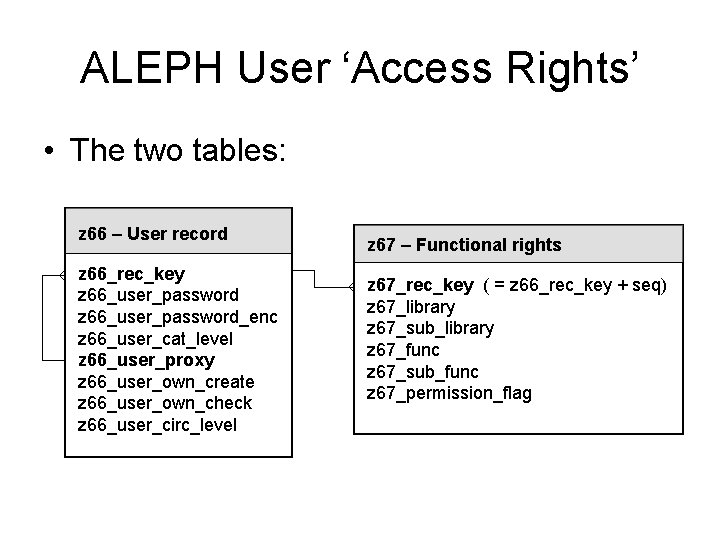
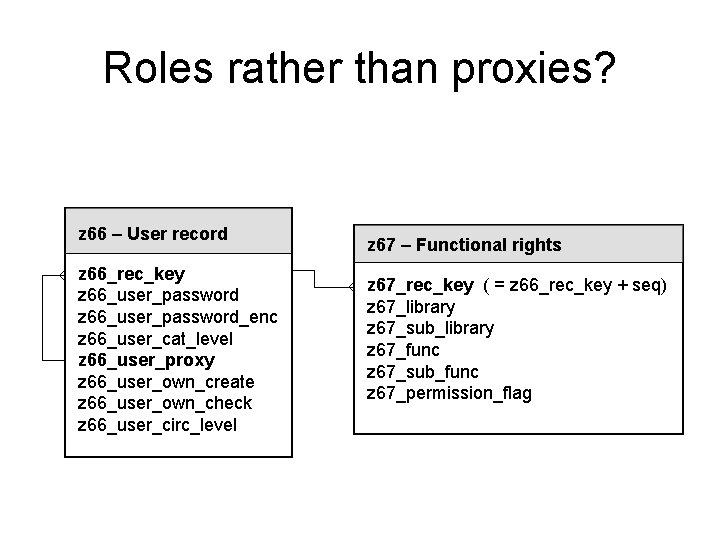
ALEPH User ‘Access Rights’ • The two tables: z 66 – User record z 66_rec_key z 66_user_password_enc z 66_user_cat_level z 66_user_proxy z 66_user_own_create z 66_user_own_check z 66_user_circ_level z 67 – Functional rights z 67_rec_key ( = z 66_rec_key + seq) z 67_library z 67_sub_library z 67_func z 67_sub_func z 67_permission_flag
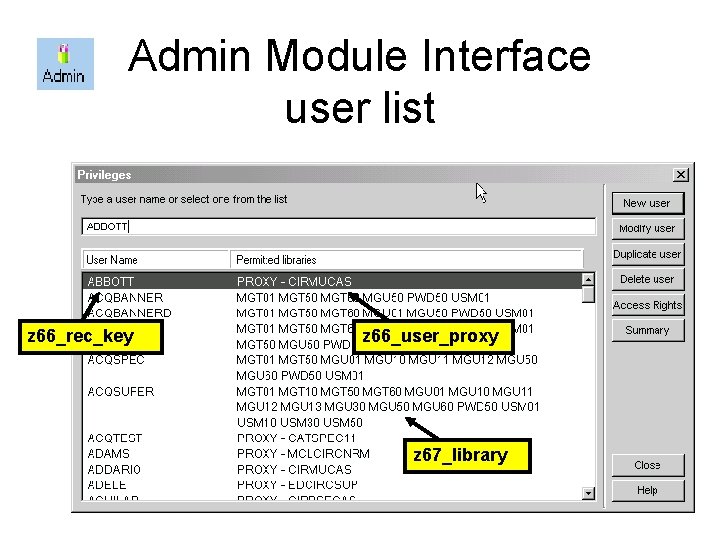
Admin Module Interface user list z 66_rec_key z 66_user_proxy z 67_library
Admin Module Interface individual user record z 66_rec_key
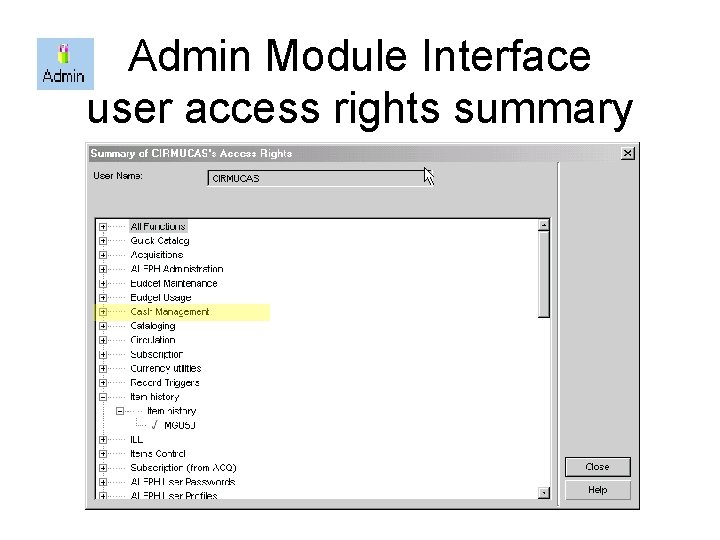
Admin Module Interface user access rights summary
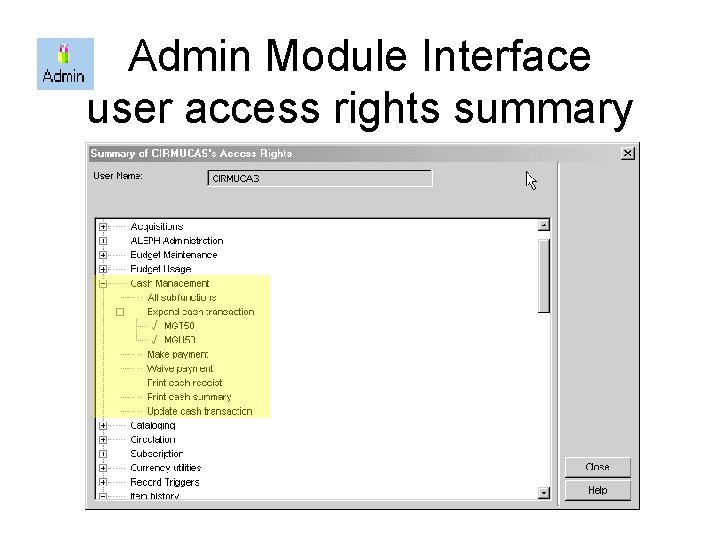
Admin Module Interface user access rights summary
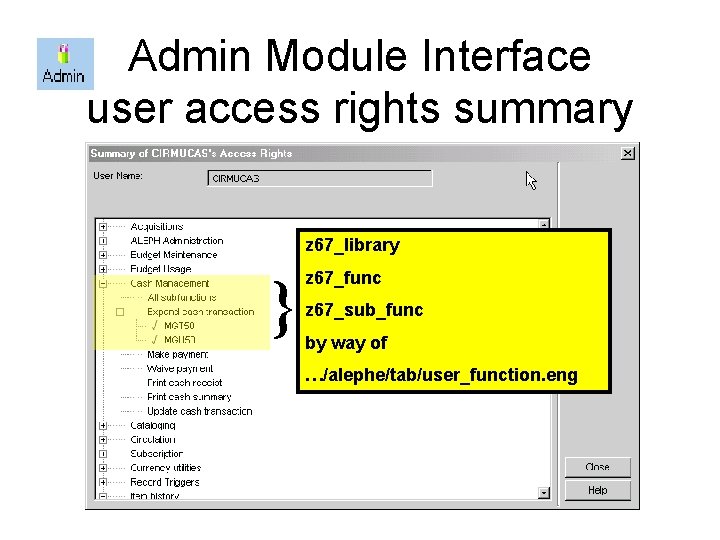
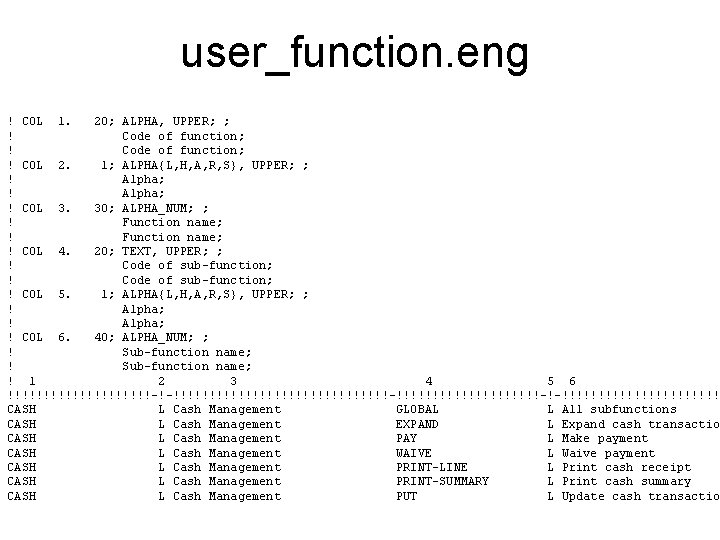
Admin Module Interface user access rights summary z 67_library } z 67_func z 67_sub_func by way of …/alephe/tab/user_function. eng
user_function. eng ! COL 1. 20; ALPHA, UPPER; ; ! Code of function; ! COL 2. 1; ALPHA{L, H, A, R, S}, UPPER; ; ! Alpha; ! COL 3. 30; ALPHA_NUM; ; ! Function name; ! COL 4. 20; TEXT, UPPER; ; ! Code of sub-function; ! COL 5. 1; ALPHA{L, H, A, R, S}, UPPER; ; ! Alpha; ! COL 6. 40; ALPHA_NUM; ; ! Sub-function name; ! 1 2 3 4 5 6 !!!!!!!!!!-!-!!!!!!!!!!!!!!!-!!!!!!!!!!-!-!!!!!!!!!!! CASH L Cash Management GLOBAL L All subfunctions CASH L Cash Management EXPAND L Expand cash transactio CASH L Cash Management PAY L Make payment CASH L Cash Management WAIVE L Waive payment CASH L Cash Management PRINT-LINE L Print cash receipt CASH L Cash Management PRINT-SUMMARY L Print cash summary CASH L Cash Management PUT L Update cash transactio
Admin Module Interface – some problems with SQL solutions • Opaque tree structure of functional rights list prevents ‘full view’ of rights • No straightforward print function • No ‘reverse indexes’ – which users are proxied to x? – which users have rights to perform function y?
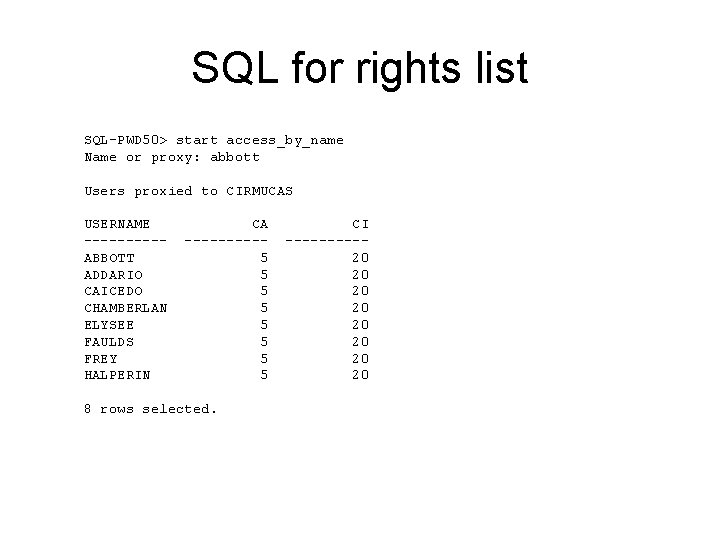
SQL for rights list SQL-PWD 50> start access_by_name Name or proxy: abbott Users proxied to CIRMUCAS USERNAME -----ABBOTT ADDARIO CAICEDO CHAMBERLAN ELYSEE FAULDS FREY HALPERIN CA -----5 5 5 5 8 rows selected. CI -----20 20
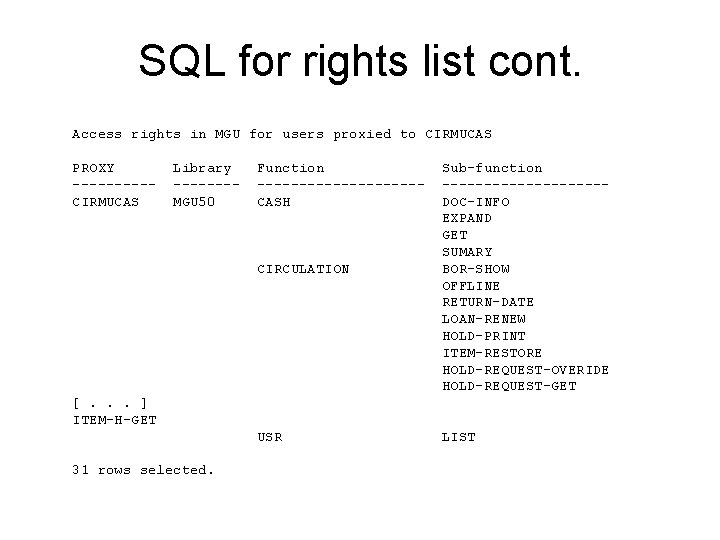
SQL for rights list cont. Access rights in MGU for users proxied to CIRMUCAS PROXY -----CIRMUCAS Library -------MGU 50 Function ----------CASH CIRCULATION Sub-function ----------DOC-INFO EXPAND GET SUMARY BOR-SHOW OFFLINE RETURN-DATE LOAN-RENEW HOLD-PRINT ITEM-RESTORE HOLD-REQUEST-OVERIDE HOLD-REQUEST-GET [. . . ] ITEM-H-GET USR 31 rows selected. LIST
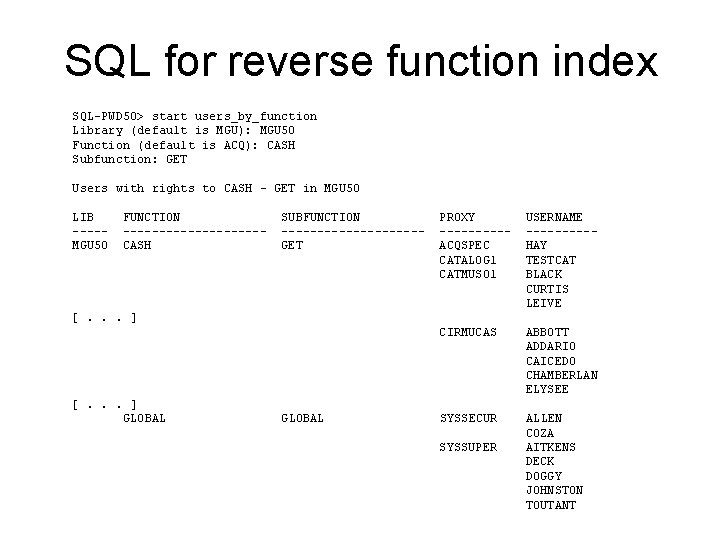
SQL for reverse function index SQL-PWD 50> start users_by_function Library (default is MGU): MGU 50 Function (default is ACQ): CASH Subfunction: GET Users with rights to CASH - GET in MGU 50 LIB ----MGU 50 FUNCTION ----------CASH SUBFUNCTION ----------GET PROXY -----ACQSPEC CATALOG 1 CATMUS 01 USERNAME -----HAY TESTCAT BLACK CURTIS LEIVE CIRMUCAS ABBOTT ADDARIO CAICEDO CHAMBERLAN ELYSEE SYSSECUR ALLEN COZA AITKENS DECK DOGGY JOHNSTON TOUTANT [. . . ] GLOBAL SYSSUPER
Admin Module Interface – some other problems • Not always clear how module functions correspond to z 67_func/sub_funcs • Cumbersome for adding blocks of rights – abstract ‘roles’ as opposed to proxies?
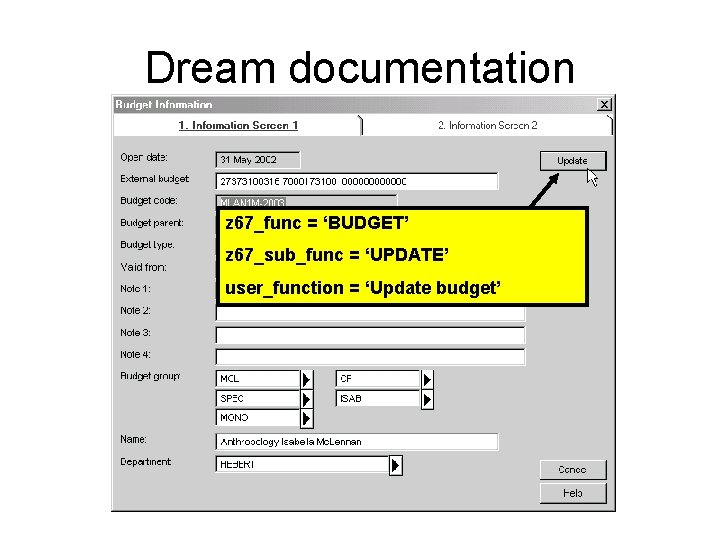
Dream documentation z 67_func = ‘BUDGET’ z 67_sub_func = ‘UPDATE’ user_function = ‘Update budget’
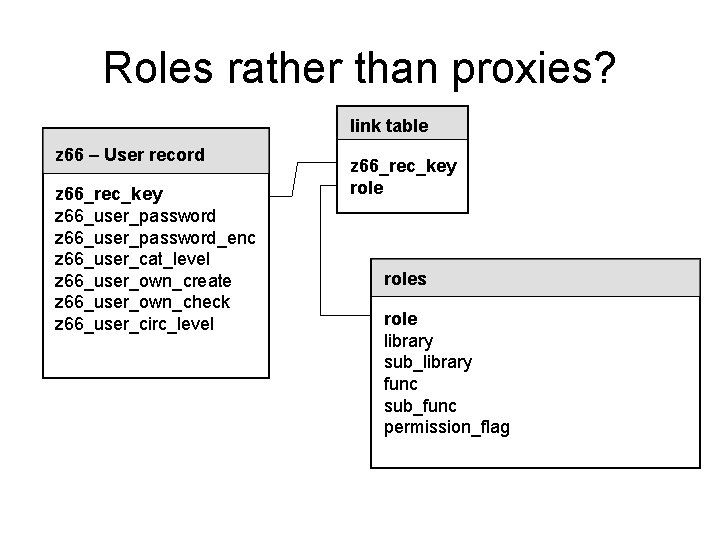
Roles rather than proxies? z 66 – User record z 66_rec_key z 66_user_password_enc z 66_user_cat_level z 66_user_proxy z 66_user_own_create z 66_user_own_check z 66_user_circ_level z 67 – Functional rights z 67_rec_key ( = z 66_rec_key + seq) z 67_library z 67_sub_library z 67_func z 67_sub_func z 67_permission_flag
Roles rather than proxies? link table z 66 – User record z 66_rec_key z 66_user_password_enc z 66_user_cat_level z 66_user_own_create z 66_user_own_check z 66_user_circ_level z 66_rec_key roles role library sub_library func sub_func permission_flag
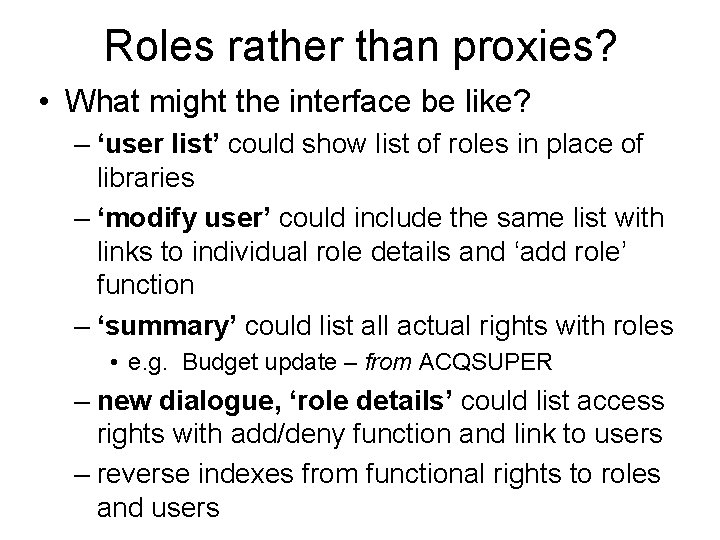
Roles rather than proxies? • What might the interface be like? – ‘user list’ could show list of roles in place of libraries – ‘modify user’ could include the same list with links to individual role details and ‘add role’ function – ‘summary’ could list all actual rights with roles • e. g. Budget update – from ACQSUPER – new dialogue, ‘role details’ could list access rights with add/deny function and link to users – reverse indexes from functional rights to roles and users
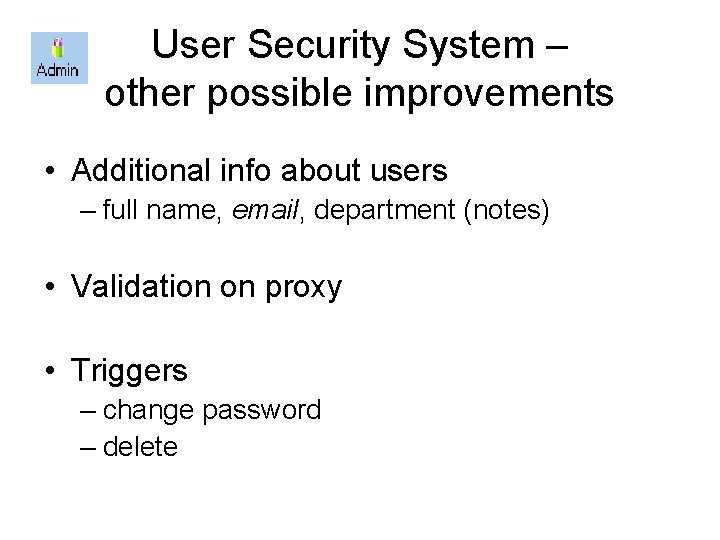
User Security System – other possible improvements • Additional info about users – full name, email, department (notes) • Validation on proxy • Triggers – change password – delete
Further reading • Systems Administration Enhancement Group – 2002, Proposal for Development Work # 2: Staff Users Privileges online at http: //www. naaug. org/enhancements/