
Air Pollution Dispersion Models Applications with the AERMOD



- Slides: 19
Air Pollution Dispersion Models: Applications with the AERMOD Modeling System AERSURFACE HANDS-ON COURSE #423 DAY 1 AFTERNOON
DAY 1 AFTERNOON: AERSURFACE HANDS-ON This presentation has been developed using the draft version of AERSURFACE (19039_DRFT). In this exercise, the updated version will process 2011 National Land Cover Dataset (NLCD) land cover, canopy, and impervious surface data.
LEARNING OBJECTIVES At the end of this lesson the student should be able to: Ø Download land use data ? ? ? Ø Construct an input control file for AERSURFACE Ø Run the AERSURFACE program Ø Analyze the AERSURFACE results Ø Input the AERSURFACE results into an AERMOD input file
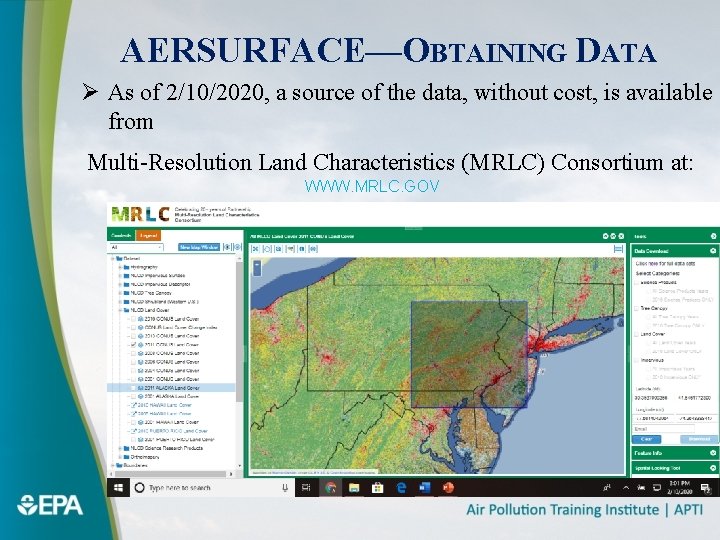
AERSURFACE—OBTAINING DATA Ø As of 2/10/2020, a source of the data, without cost, is available from Multi-Resolution Land Characteristics (MRLC) Consortium at: WWW. MRLC. GOV
AERSURFACE—FILES Ø The program executable needed to complete this hands-on activity can be found in the following directory: APTI 423Hands-OnAERSURFACE aersurface. exe Ø The two sets of surface characteristics can be found in the following two directories: APTI 423Hands-OnAERSURFACENLCDMC APTI 423Hands-OnAERSURFACENLCDKABE
AERSURFACE—FILES Ø Each directory contain three. tif files: 1. Land use 2. Tree canopy 3. Impervious surface data Ø A set of three files are needed for the two meteorological data sites being used: 1. Martins Creek onsite data 2. Lehigh Valley International airport (KABE)— The closest NWS site
AERSURFACE—FILES Ø Reference input and output files § MCComplete_Run § KABEComplete_Run Ø The land cover data used for each set of surface characteristics are stored in a subfolder named “NLCD” § MCNLCD NLCD 2011_LC_N 39 W 075. tif: 2011 land cover file § MCNLCD NLCD 2011_IMP_N 39 W 075. tif: 2011 impervious pct file § MCNLCD NLCD 2011_CAN_N 39 W 075. tif: 2011 canopy pct file
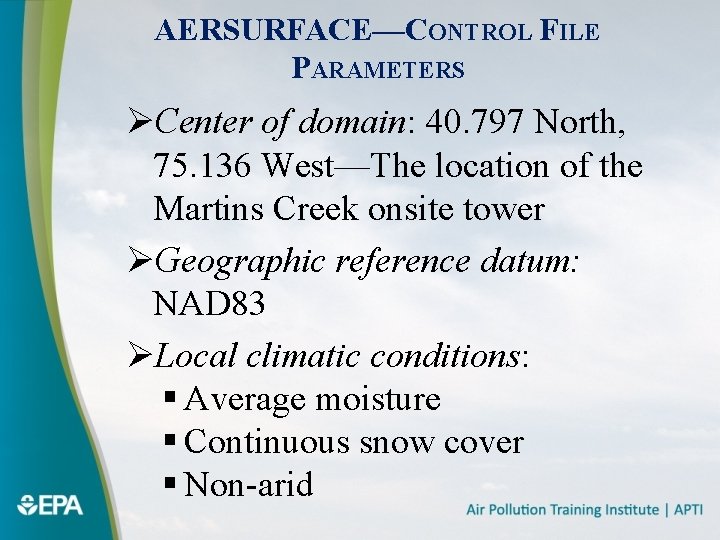
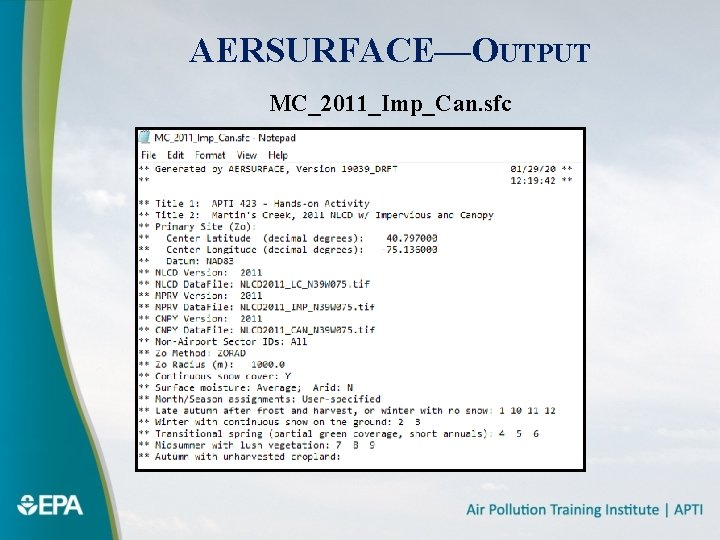
AERSURFACE—CONTROL FILE PARAMETERS ØCenter of domain: 40. 797 North, 75. 136 West—The location of the Martins Creek onsite tower ØGeographic reference datum: NAD 83 ØLocal climatic conditions: § Average moisture § Continuous snow cover § Non-arid
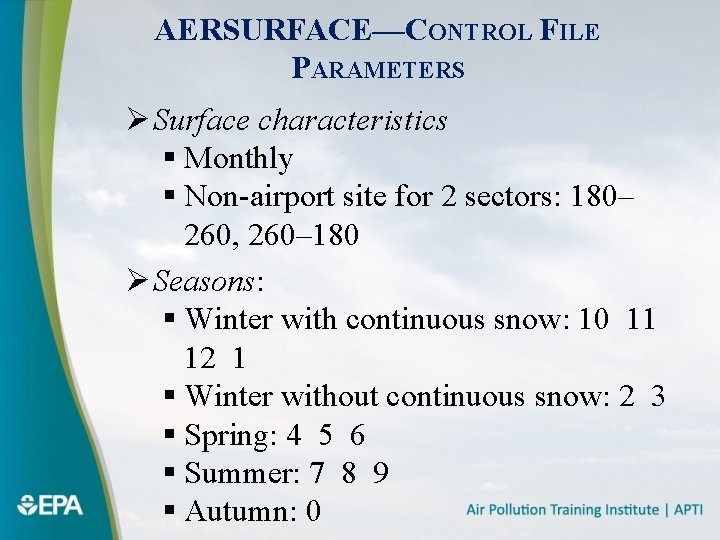
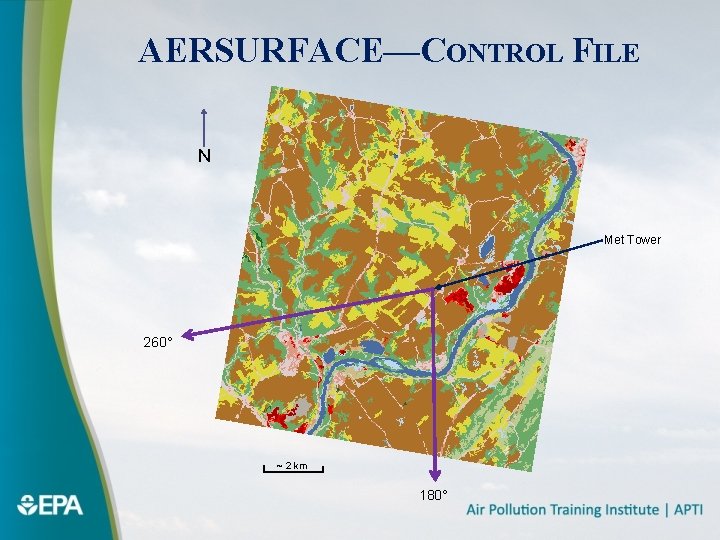
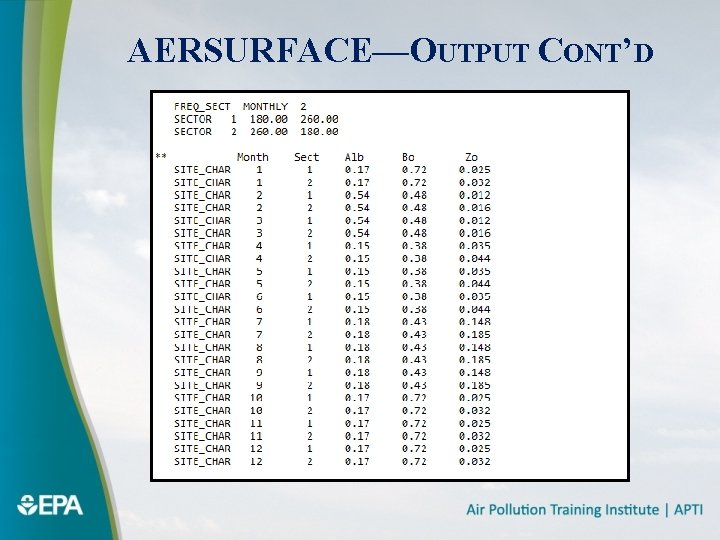
AERSURFACE—CONTROL FILE PARAMETERS Ø Surface characteristics § Monthly § Non-airport site for 2 sectors: 180– 260, 260– 180 Ø Seasons: § Winter with continuous snow: 10 11 12 1 § Winter without continuous snow: 2 3 § Spring: 4 5 6 § Summer: 7 8 9 § Autumn: 0
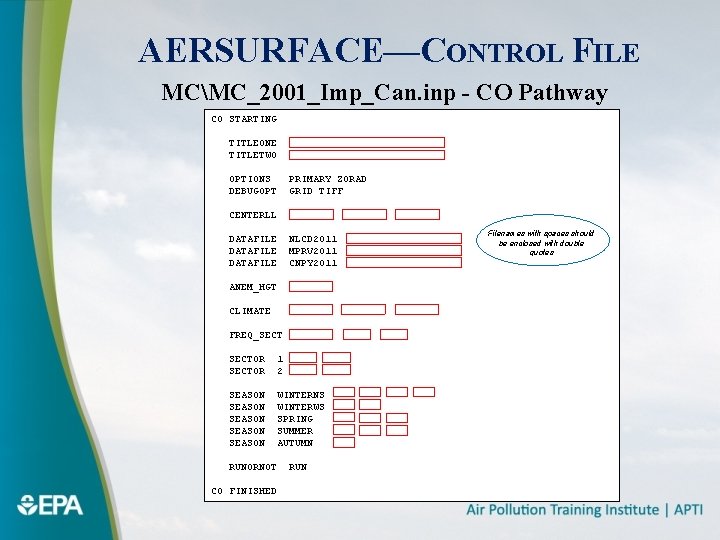
AERSURFACE—CONTROL FILE MCMC_2001_Imp_Can. inp - CO Pathway CO STARTING TITLEONE TITLETWO OPTIONS DEBUGOPT PRIMARY ZORAD GRID TIFF CENTERLL DATAFILE NLCD 2011 MPRV 2011 CNPY 2011 ANEM_HGT CLIMATE FREQ_SECTOR 1 2 SEASON SEASON WINTERNS WINTERWS SPRING SUMMER AUTUMN RUNORNOT CO FINISHED RUN Filenames with spaces should be enclosed with double quotes
AERSURFACE—CONTROL FILE N Met Tower 260° ~ 2 km 180°
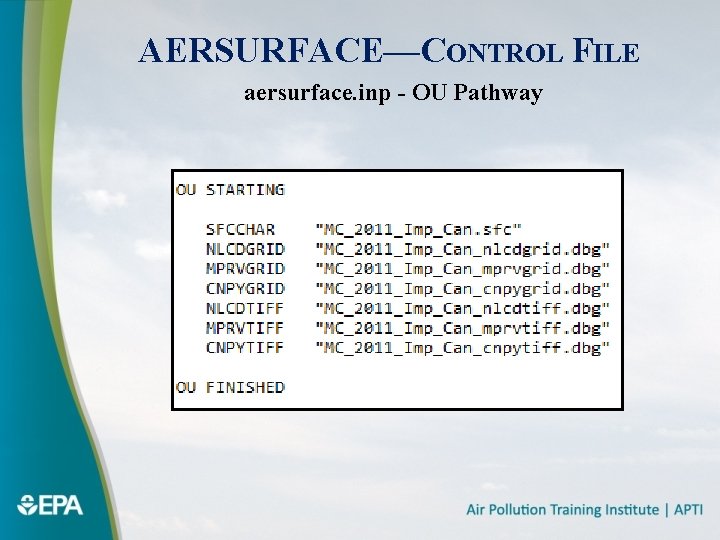
AERSURFACE—CONTROL FILE aersurface. inp - OU Pathway
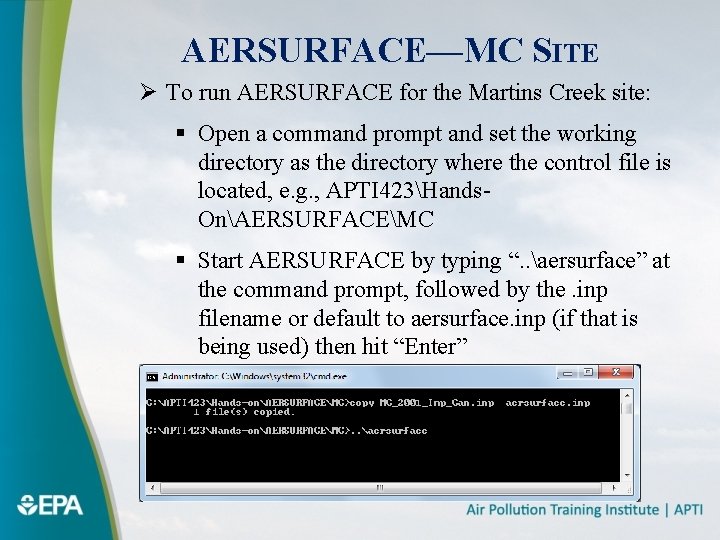
AERSURFACE—MC SITE Ø To run AERSURFACE for the Martins Creek site: § Open a command prompt and set the working directory as the directory where the control file is located, e. g. , APTI 423Hands. OnAERSURFACEMC § Start AERSURFACE by typing “. . aersurface” at the command prompt, followed by the. inp filename or default to aersurface. inp (if that is being used) then hit “Enter”
AERSURFACE—OUTPUT MC_2011_Imp_Can. sfc
AERSURFACE—OUTPUT CONT’D
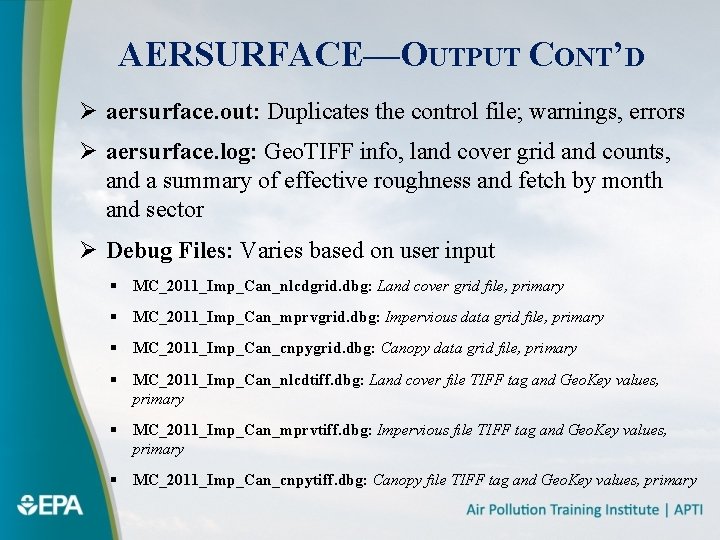
AERSURFACE—OUTPUT CONT’D Ø aersurface. out: Duplicates the control file; warnings, errors Ø aersurface. log: Geo. TIFF info, land cover grid and counts, and a summary of effective roughness and fetch by month and sector Ø Debug Files: Varies based on user input § MC_2011_Imp_Can_nlcdgrid. dbg: Land cover grid file, primary § MC_2011_Imp_Can_mprvgrid. dbg: Impervious data grid file, primary § MC_2011_Imp_Can_cnpygrid. dbg: Canopy data grid file, primary § MC_2011_Imp_Can_nlcdtiff. dbg: Land cover file TIFF tag and Geo. Key values, primary § MC_2011_Imp_Can_mprvtiff. dbg: Impervious file TIFF tag and Geo. Key values, primary § MC_2011_Imp_Can_cnpytiff. dbg: Canopy file TIFF tag and Geo. Key values, primary
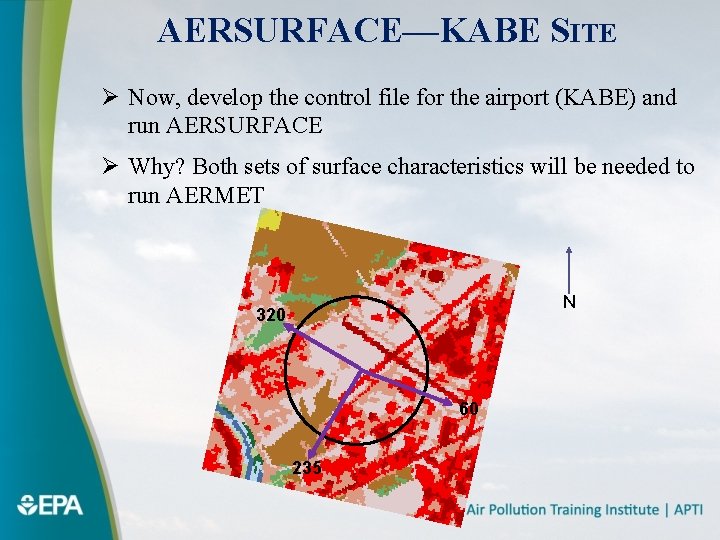
AERSURFACE—KABE SITE Ø Now, develop the control file for the airport (KABE) and run AERSURFACE Ø Why? Both sets of surface characteristics will be needed to run AERMET N 320 60 235
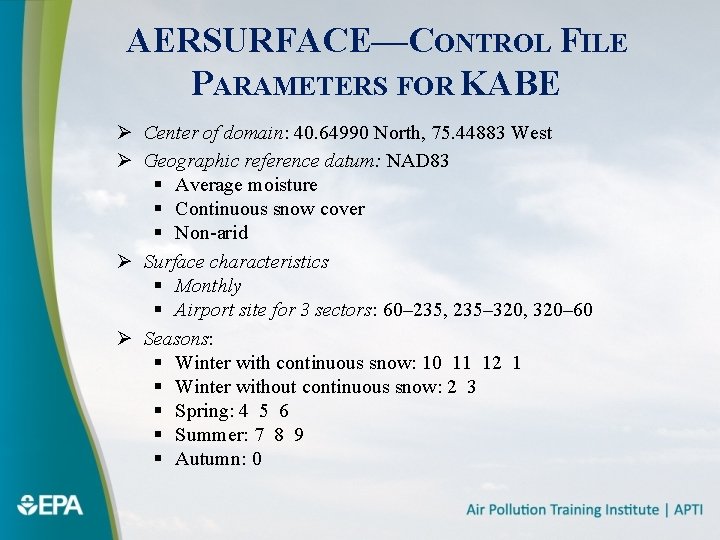
AERSURFACE—CONTROL FILE PARAMETERS FOR KABE Ø Center of domain: 40. 64990 North, 75. 44883 West Ø Geographic reference datum: NAD 83 § Average moisture § Continuous snow cover § Non-arid Ø Surface characteristics § Monthly § Airport site for 3 sectors: 60– 235, 235– 320, 320– 60 Ø Seasons: § Winter with continuous snow: 10 11 12 1 § Winter without continuous snow: 2 3 § Spring: 4 5 6 § Summer: 7 8 9 § Autumn: 0
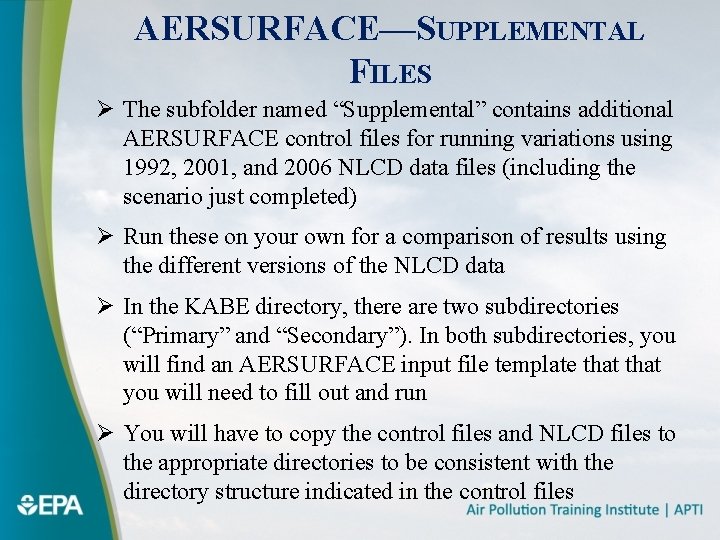
AERSURFACE—SUPPLEMENTAL FILES Ø The subfolder named “Supplemental” contains additional AERSURFACE control files for running variations using 1992, 2001, and 2006 NLCD data files (including the scenario just completed) Ø Run these on your own for a comparison of results using the different versions of the NLCD data Ø In the KABE directory, there are two subdirectories (“Primary” and “Secondary”). In both subdirectories, you will find an AERSURFACE input file template that you will need to fill out and run Ø You will have to copy the control files and NLCD files to the appropriate directories to be consistent with the directory structure indicated in the control files