
Air Force Security Assistance and Cooperation Directorate Supply
- Slides: 28
Air Force Security Assistance and Cooperation Directorate Supply Discrepancy Reports (SDRs) “SDR Process Overview” AFSAC SDR Office AFLCMC/WFALB September 2018 Air. Force. FMS. SDR. Automation@us. af. mil For Official Use Only AFLCMC … Providing the Warfighter’s Edge This briefing/presentation/document is for Information Only. No USG commitment to sell, loan, lease, co-develop or co-produce defense articles or provide defense articles is implied or intended.
Overview • • What is a Supply Discrepancy Report (SDR)? International Partner Responsibilities SDR Office Responsibilities SDR Directives Submission Guidelines Supporting Documentation Air Force SDR-A (Automation) – – – How Does SDR Process Work AFSAC Online SDR Submission Wizard SDR Customer Query SDR Monthly Report SDR Metrics • How SDR Office Can Help You • Summary
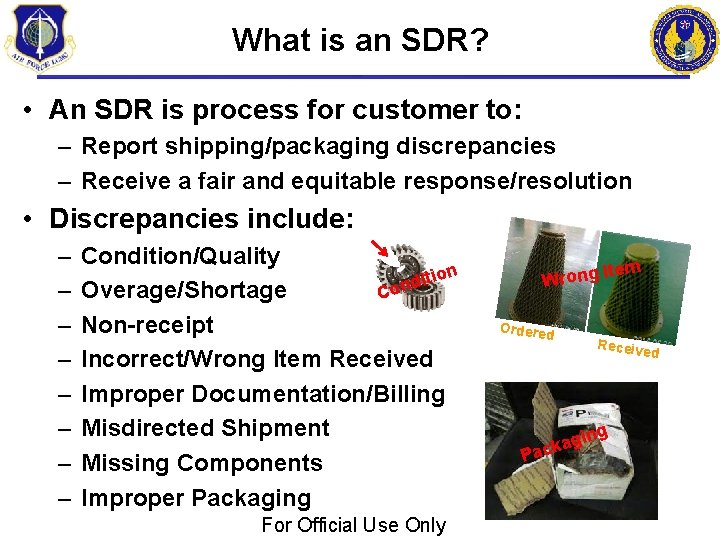
What is an SDR? • An SDR is process for customer to: – Report shipping/packaging discrepancies – Receive a fair and equitable response/resolution • Discrepancies include: – – – – Condition/Quality ion t i d Overage/Shortage Con Non-receipt Incorrect/Wrong Item Received Improper Documentation/Billing Misdirected Shipment Missing Components Improper Packaging For Official Use Only Wrong Ordere d Item Receive d ing g a k Pac
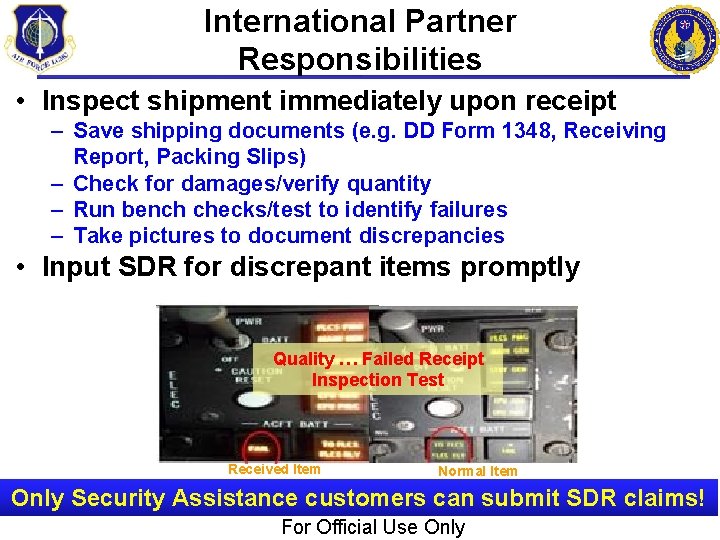
International Partner Responsibilities • Inspect shipment immediately upon receipt – Save shipping documents (e. g. DD Form 1348, Receiving Report, Packing Slips) – Check for damages/verify quantity – Run bench checks/test to identify failures – Take pictures to document discrepancies • Input SDR for discrepant items promptly Quality … Failed Receipt Inspection Test Received Item Normal Item Only Security Assistance customers can submit SDR claims! For Official Use Only
SDR Office Responsibilities (Unclassified) • The USAF International Logistics Control Office (ILCO) = AFLCMC/WFALB Section (SDR Office) • SDR Office’s Responsibilities are: – Process/validate incoming SDRs (Automated and hardcopy) – Monitor SDR progress & generate follow-ups • To Source of Supply (like ASC, DLA, AFGLSC (ALC), WWRS, PROS, etc) • To Country – Validate & process Source of Supply SDR replies to customers – Provide Source of Supply’s disposition instructions and establish ‘material return suspense dates’ – Track SDR exhibit returns from customer notification to receipt at final destination – Monitor SDR decisions to ensure required financial adjustments process – Process transportation reimbursement on approved SDRs Goal: Obtain fair and equitable SDR resolutions!
SDR Directives • Letter of Offer and Acceptance (LOA), Standard Terms and Conditions, Section 5. 4 • Do. D 5105. 38 -M, Security Assistance Management Manual (SAMM), Ch 6. 4. 10 • DLM 4000. 25, Volume 2, Chapter 17, Supply Discrepancy Reporting Letter of Offer and – Detail SDR processing guideline – SDR submission/reply codes defined Vol 2, Appendix 7. 28 • AFMAN 16 -101, International Affairs and Security Assistance Management, Ch 6. 4. 5 Acceptance “Do. D will not accept claims related to items of $200 or less for overages, shortages, damages, nonshipment, or non performance. ” (LOA para 5. 4)
SDR Directives (continued) In accordance with the LOA Standard Terms and Conditions, all FMS customers should be directed to submit an SDR whenever they receive discrepant materiel that meets the dollar and time frame threshold*. Customers should be directed to submit a Product Quality Deficiency Report (PQDR) only when the discrepancy falls outside the SDR criteria and is a Safety of Flight issue. * See slide notes for more information.
SDR Submission Guidelines • Only Security Assistance customers can submit SDRs – Separate SDR for every discrepant shipment/suffix – For best results…Input into SDR-A Submission Wizard – Other submission options: o Load into SCIP or STARR/PC Creates skeleton record but SDR invalid until customer emails copy of SF 364 plus supporting documents to ILCO o Send signed SF 364 plus supporting documents to ILCO for manual entry • Value must be >= $200 – If value <$200, but if transportation and PC&H charges increase value to >=$200, SDR can be submitted • If <$200, country may submit “Info Copy” SDR – Informs action activity of issue(s) w/shipment or item – No financial restitution – Exception: SDRs for ‘Wrong Item’ and ‘Misdirected Shipments’ will be honored at any $ value
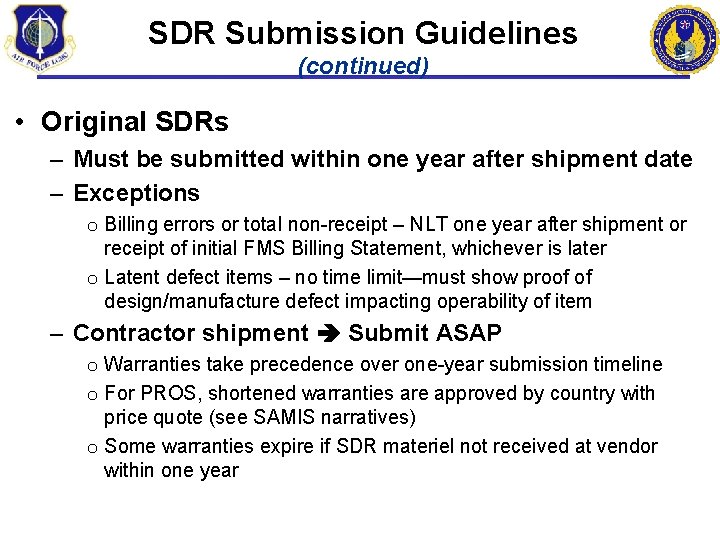
SDR Submission Guidelines (continued) • Original SDRs – Must be submitted within one year after shipment date – Exceptions o Billing errors or total non-receipt – NLT one year after shipment or receipt of initial FMS Billing Statement, whichever is later o Latent defect items – no time limit—must show proof of design/manufacture defect impacting operability of item – Contractor shipment Submit ASAP o Warranties take precedence over one-year submission timeline o For PROS, shortened warranties are approved by country with price quote (see SAMIS narratives) o Some warranties expire if SDR materiel not received at vendor within one year
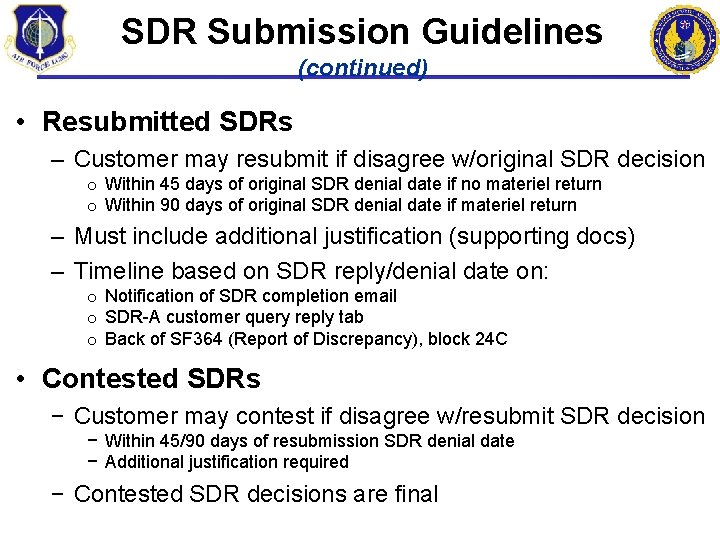
SDR Submission Guidelines (continued) • Resubmitted SDRs – Customer may resubmit if disagree w/original SDR decision o Within 45 days of original SDR denial date if no materiel return o Within 90 days of original SDR denial date if materiel return – Must include additional justification (supporting docs) – Timeline based on SDR reply/denial date on: o Notification of SDR completion email o SDR-A customer query reply tab o Back of SF 364 (Report of Discrepancy), block 24 C • Contested SDRs − Customer may contest if disagree w/resubmit SDR decision − Within 45/90 days of resubmission SDR denial date − Additional justification required − Contested SDR decisions are final
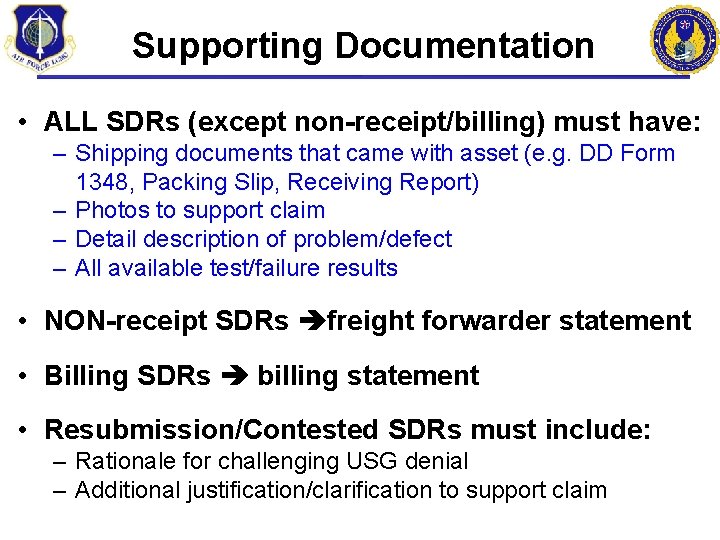
Supporting Documentation • ALL SDRs (except non-receipt/billing) must have: – Shipping documents that came with asset (e. g. DD Form 1348, Packing Slip, Receiving Report) – Photos to support claim – Detail description of problem/defect – All available test/failure results • NON-receipt SDRs freight forwarder statement • Billing SDRs billing statement • Resubmission/Contested SDRs must include: – Rationale for challenging USG denial – Additional justification/clarification to support claim
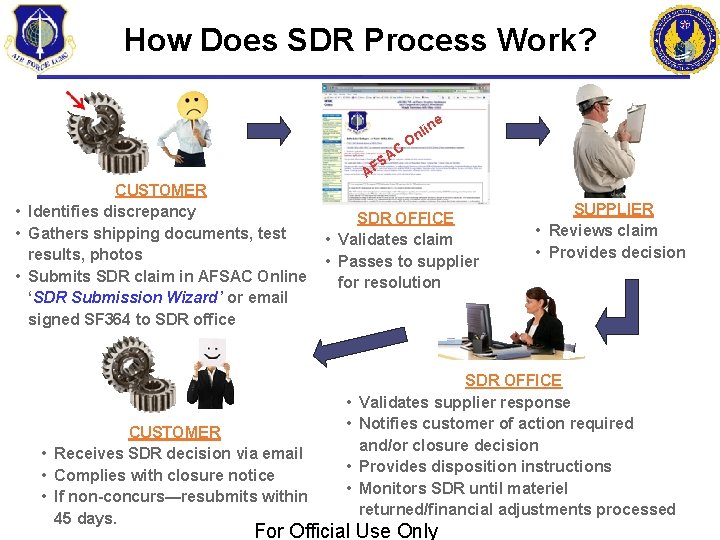
How Does SDR Process Work? e A FS C lin n O A CUSTOMER • Identifies discrepancy • Gathers shipping documents, test results, photos • Submits SDR claim in AFSAC Online ‘SDR Submission Wizard’ or email signed SF 364 to SDR office CUSTOMER • Receives SDR decision via email • Complies with closure notice • If non-concurs—resubmits within 45 days. SDR OFFICE • Validates claim • Passes to supplier for resolution • • SUPPLIER • Reviews claim • Provides decision SDR OFFICE Validates supplier response Notifies customer of action required and/or closure decision Provides disposition instructions Monitors SDR until materiel returned/financial adjustments processed For Official Use Only
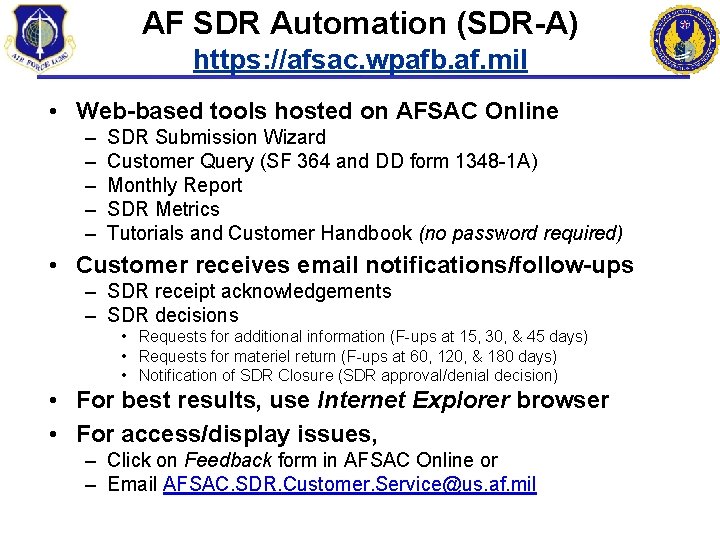
AF SDR Automation (SDR-A) https: //afsac. wpafb. af. mil • Web-based tools hosted on AFSAC Online – – – SDR Submission Wizard Customer Query (SF 364 and DD form 1348 -1 A) Monthly Report SDR Metrics Tutorials and Customer Handbook (no password required) • Customer receives email notifications/follow-ups – SDR receipt acknowledgements – SDR decisions • Requests for additional information (F-ups at 15, 30, & 45 days) • Requests for materiel return (F-ups at 60, 120, & 180 days) • Notification of SDR Closure (SDR approval/denial decision) • For best results, use Internet Explorer browser • For access/display issues, – Click on Feedback form in AFSAC Online or – Email AFSAC. SDR. Customer. Service@us. af. mil
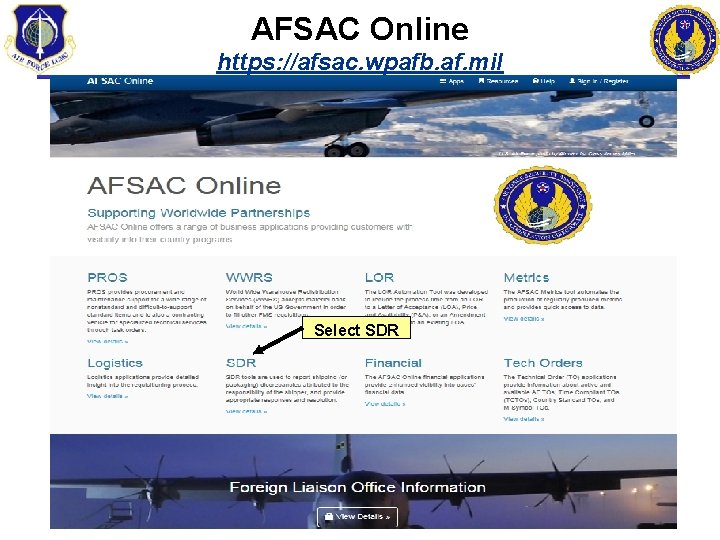
AFSAC Online https: //afsac. wpafb. af. mil Select SDR
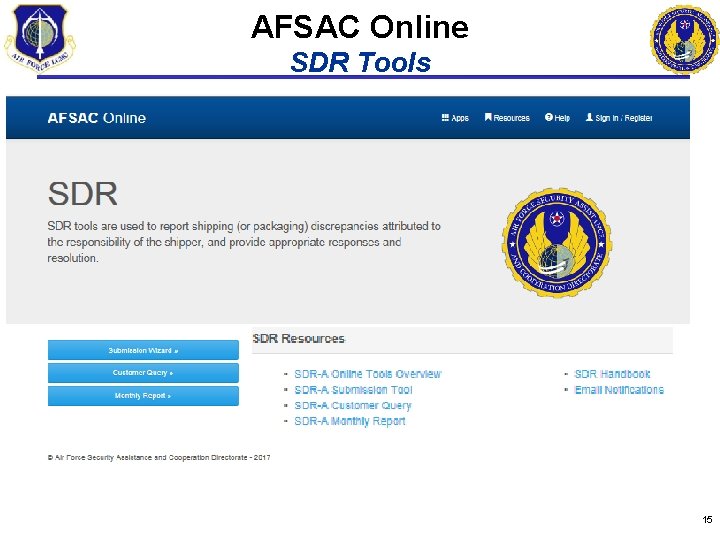
AFSAC Online SDR Tools 15
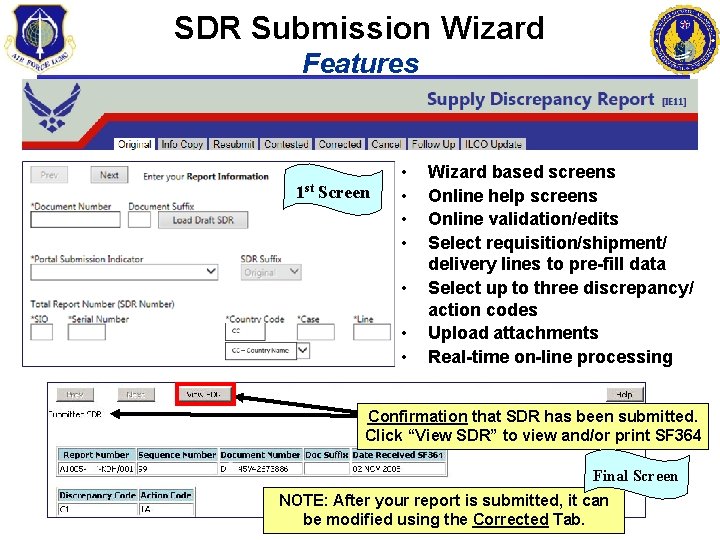
SDR Submission Wizard Features 1 st Screen • • Wizard based screens Online help screens Online validation/edits Select requisition/shipment/ delivery lines to pre-fill data Select up to three discrepancy/ action codes Upload attachments Real-time on-line processing Confirmation that SDR has been submitted. Click “View SDR” to view and/or print SF 364 Final Screen NOTE: After your report is submitted, it can be modified using the Corrected Tab.
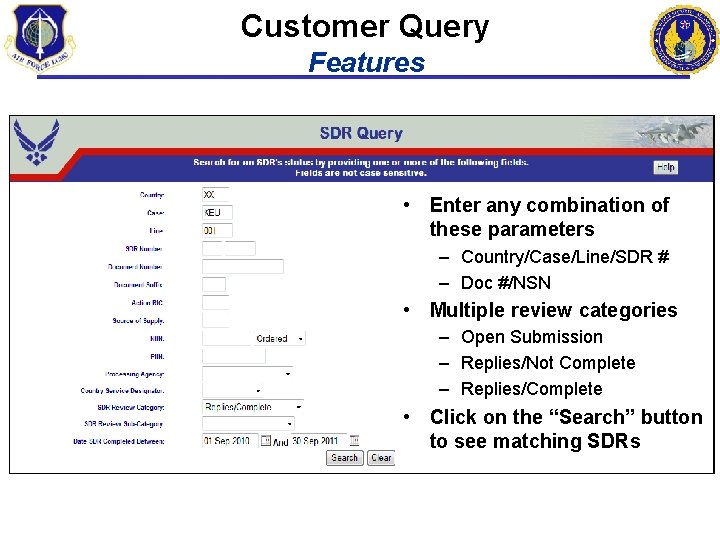
Customer Query Features • Enter any combination of these parameters – Country/Case/Line/SDR # – Doc #/NSN • Multiple review categories – Open Submission – Replies/Not Complete – Replies/Complete • Click on the “Search” button to see matching SDRs
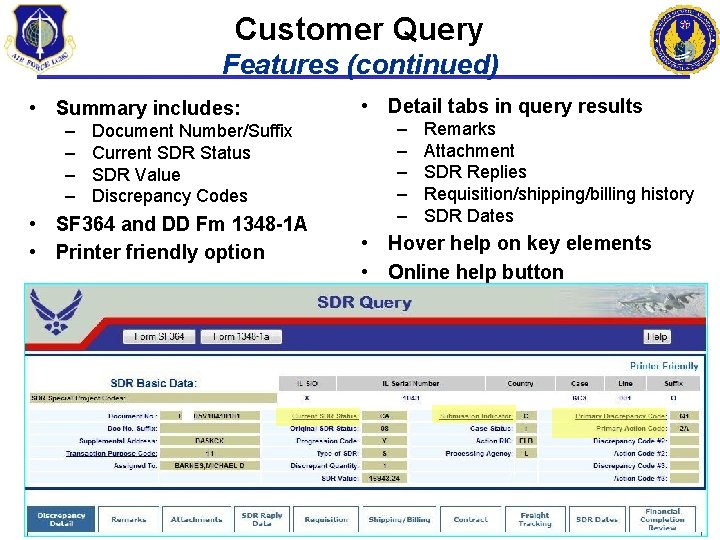
Customer Query Features (continued) • Summary includes: – – Document Number/Suffix Current SDR Status SDR Value Discrepancy Codes • SF 364 and DD Fm 1348 -1 A • Printer friendly option • Detail tabs in query results – – – Remarks Attachment SDR Replies Requisition/shipping/billing history SDR Dates • Hover help on key elements • Online help button
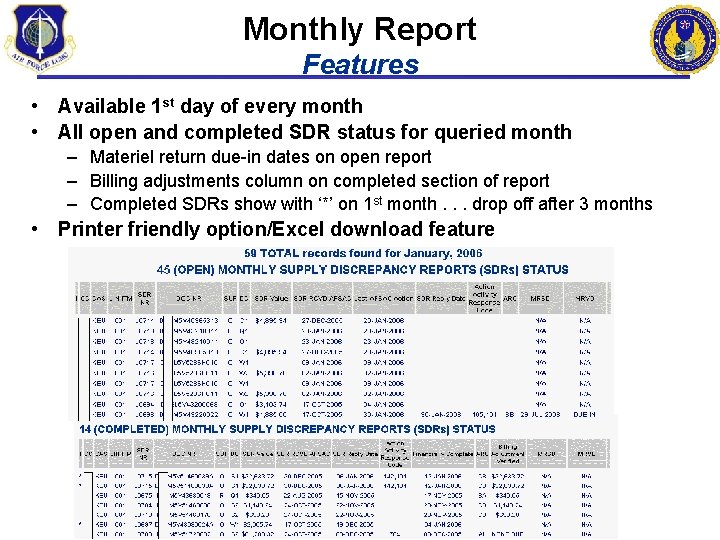
Monthly Report Features • Available 1 st day of every month • All open and completed SDR status for queried month – Materiel return due-in dates on open report – Billing adjustments column on completed section of report – Completed SDRs show with ‘*’ on 1 st month. . . drop off after 3 months • Printer friendly option/Excel download feature
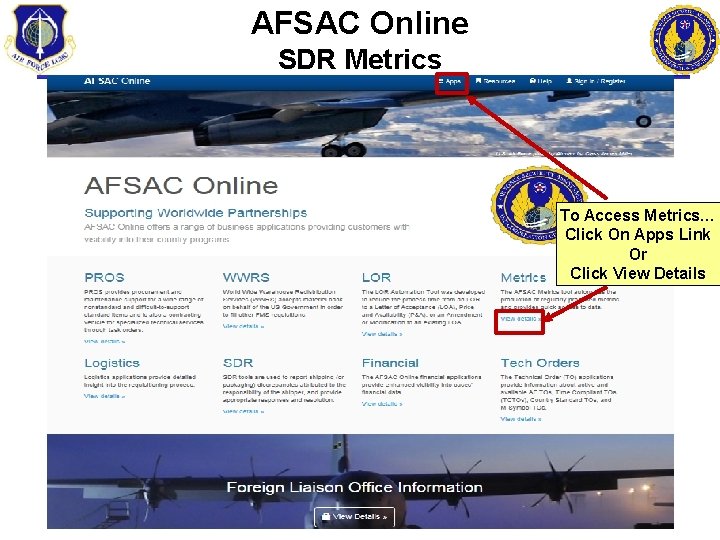
AFSAC Online SDR Metrics To Access Metrics… Click On Apps Link Or Click View Details
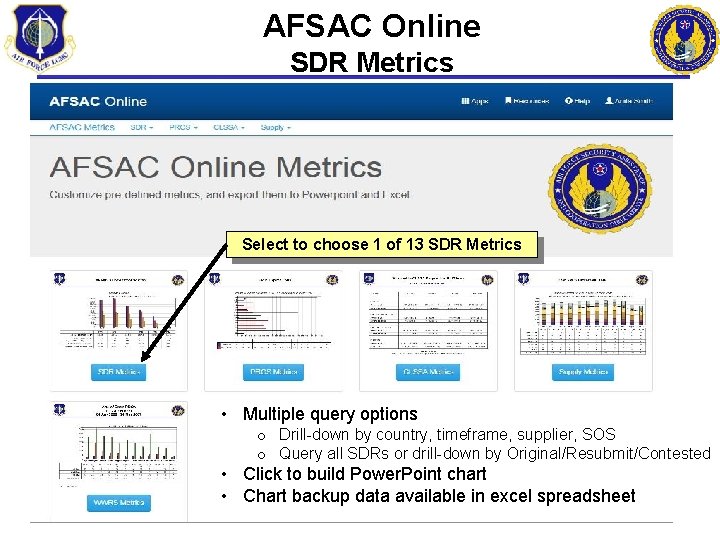
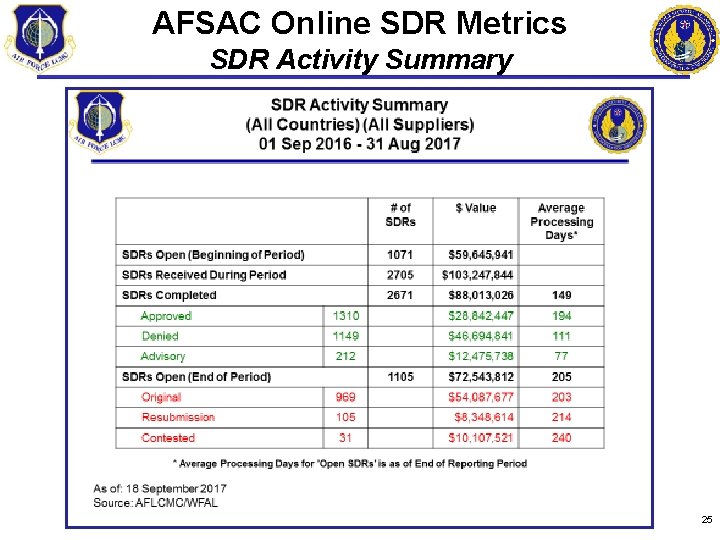
AFSAC Online SDR Metrics Select to choose 1 of 13 SDR Metrics • Multiple query options o Drill-down by country, timeframe, supplier, SOS o Query all SDRs or drill-down by Original/Resubmit/Contested • Click to build Power. Point chart • Chart backup data available in excel spreadsheet
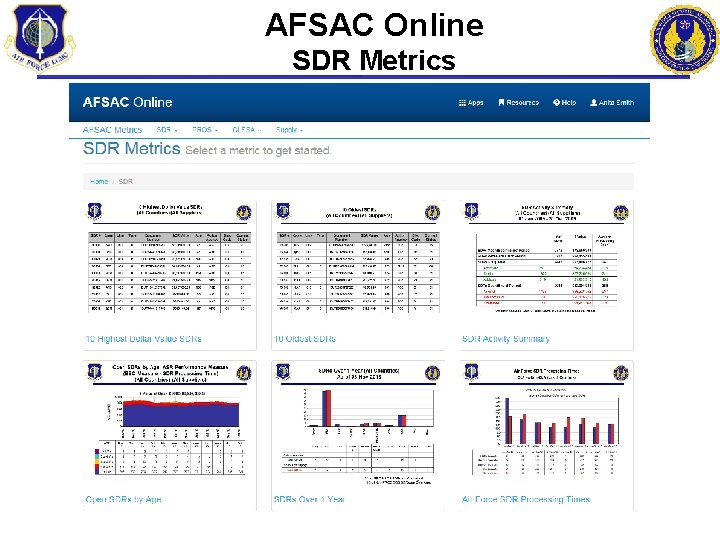
AFSAC Online SDR Metrics
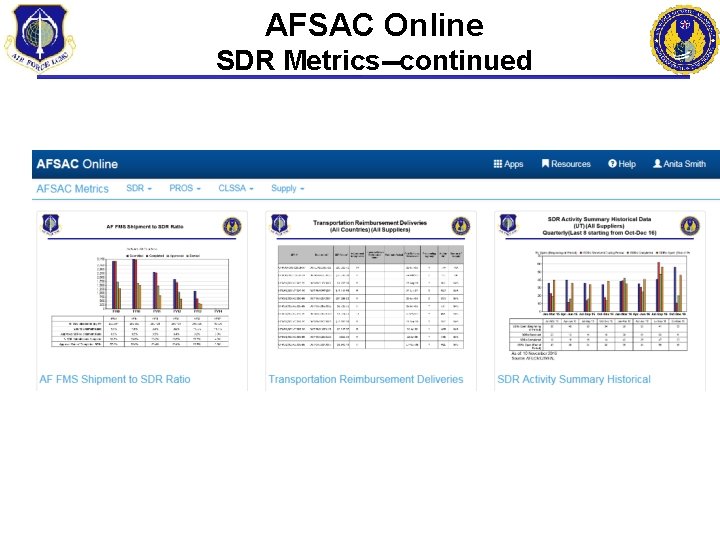
AFSAC Online SDR Metrics--continued
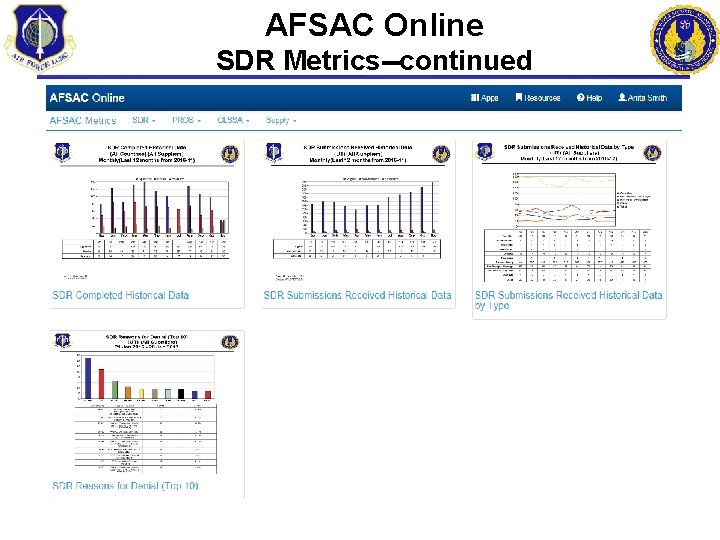
AFSAC Online SDR Metrics--continued
AFSAC Online SDR Metrics SDR Activity Summary 25
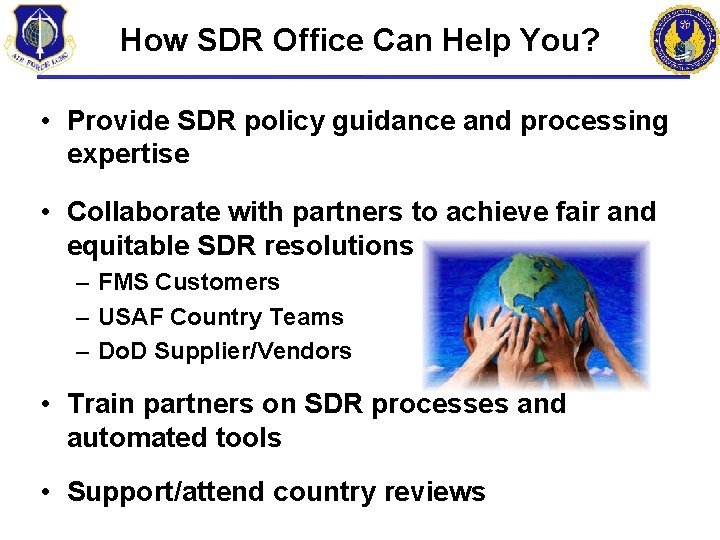
How SDR Office Can Help You? • Provide SDR policy guidance and processing expertise • Collaborate with partners to achieve fair and equitable SDR resolutions – FMS Customers – USAF Country Teams – Do. D Supplier/Vendors • Train partners on SDR processes and automated tools • Support/attend country reviews
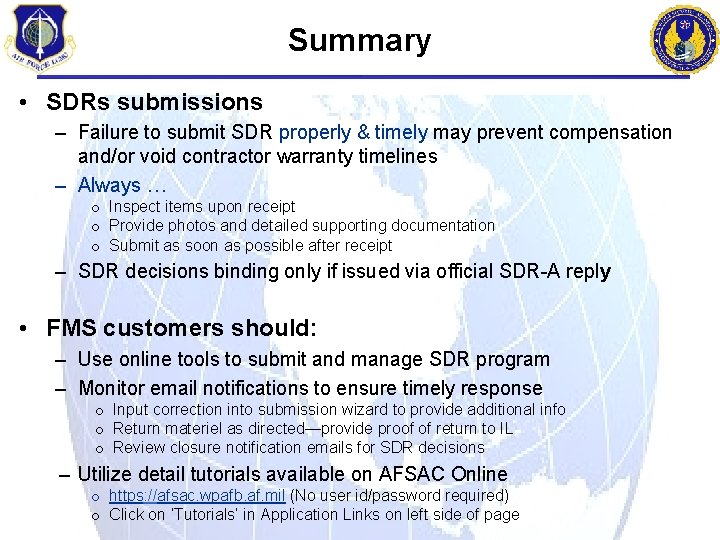
Summary • SDRs submissions – Failure to submit SDR properly & timely may prevent compensation and/or void contractor warranty timelines – Always … o Inspect items upon receipt o Provide photos and detailed supporting documentation o Submit as soon as possible after receipt – SDR decisions binding only if issued via official SDR-A reply • FMS customers should: – Use online tools to submit and manage SDR program – Monitor email notifications to ensure timely response o Input correction into submission wizard to provide additional info o Return materiel as directed—provide proof of return to IL o Review closure notification emails for SDR decisions – Utilize detail tutorials available on AFSAC Online o https: //afsac. wpafb. af. mil (No user id/password required) o Click on ‘Tutorials’ in Application Links on left side of page
SDR Process Overview Summary Email questions about SDR Processing to: AFSAC. SDR. Customer. Service@us. af. mil Air Force Security and Cooperation Directorate (AFSAC) Delivering Airpower Capability To Our Partner Nations … Since 1978! Priorities: Ø Take care of people Ø Deliver capability Ø Meet commitments Ø Maintain strong partnerships Ø Improve