
Agile Requirements PRIMER Jeff Bitner and Paige English
Agile Requirements PRIMER Jeff Bitner and Paige English & March 30, 2017
Topics • • • Brief Agile Primer Differences between Agile and Traditional Requirements Characteristics Agile Requirement Types User Story Basics Lifecycle of a User Story • Understanding User Story Context • Discovering User Stories • Grooming User Stories • Special Topics • Role of the BA • Definition of Done • BABOK Agile Extension Bitner & English
Agile Primer
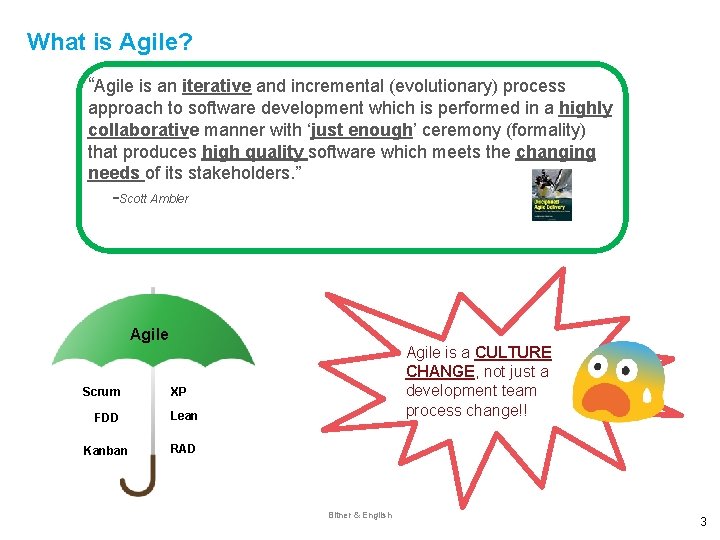
What is Agile? “Agile is an iterative and incremental (evolutionary) process approach to software development which is performed in a highly collaborative manner with ‘just enough’ ceremony (formality) that produces high quality software which meets the changing needs of its stakeholders. ” -Scott Ambler Agile Scrum Agile is a CULTURE CHANGE, not just a development team process change!! XP FDD Lean Kanban RAD Bitner & English 3
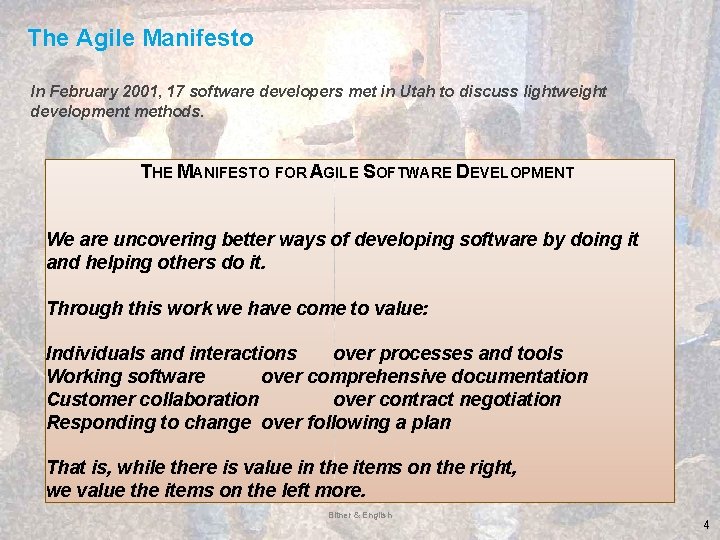
The Agile Manifesto In February 2001, 17 software developers met in Utah to discuss lightweight development methods. THE MANIFESTO FOR AGILE SOFTWARE DEVELOPMENT We are uncovering better ways of developing software by doing it and helping others do it. Through this work we have come to value: Individuals and interactions over processes and tools Working software over comprehensive documentation Customer collaboration over contract negotiation Responding to change over following a plan That is, while there is value in the items on the right, we value the items on the left more. Bitner & English 4
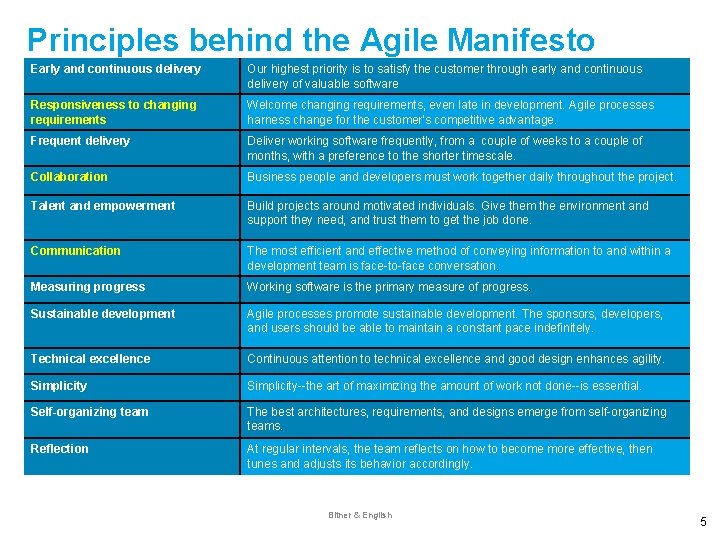
Principles behind the Agile Manifesto Early and continuous delivery Our highest priority is to satisfy the customer through early and continuous delivery of valuable software Responsiveness to changing requirements Welcome changing requirements, even late in development. Agile processes harness change for the customer's competitive advantage. Frequent delivery Deliver working software frequently, from a couple of weeks to a couple of months, with a preference to the shorter timescale. Collaboration Business people and developers must work together daily throughout the project. Talent and empowerment Build projects around motivated individuals. Give them the environment and support they need, and trust them to get the job done. Communication The most efficient and effective method of conveying information to and within a development team is face-to-face conversation. Measuring progress Working software is the primary measure of progress. Sustainable development Agile processes promote sustainable development. The sponsors, developers, and users should be able to maintain a constant pace indefinitely. Technical excellence Continuous attention to technical excellence and good design enhances agility. Simplicity--the art of maximizing the amount of work not done--is essential. Self-organizing team The best architectures, requirements, and designs emerge from self-organizing teams. Reflection At regular intervals, the team reflects on how to become more effective, then tunes and adjusts its behavior accordingly. Bitner & English 5
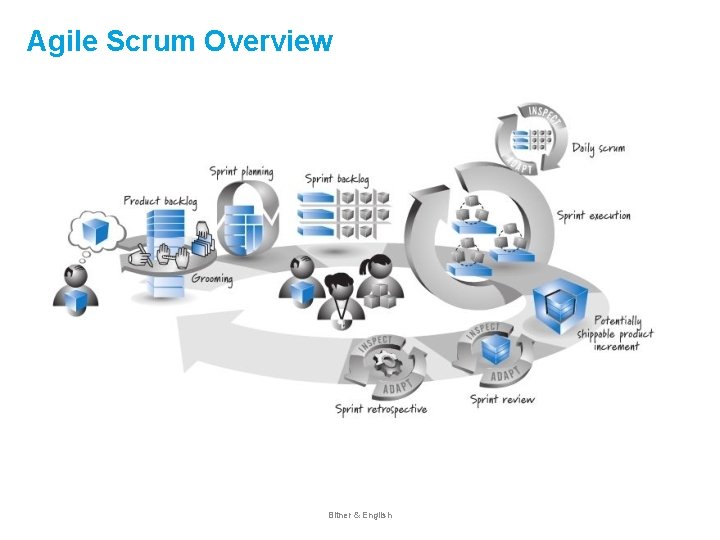
Agile Scrum Overview Bitner & English
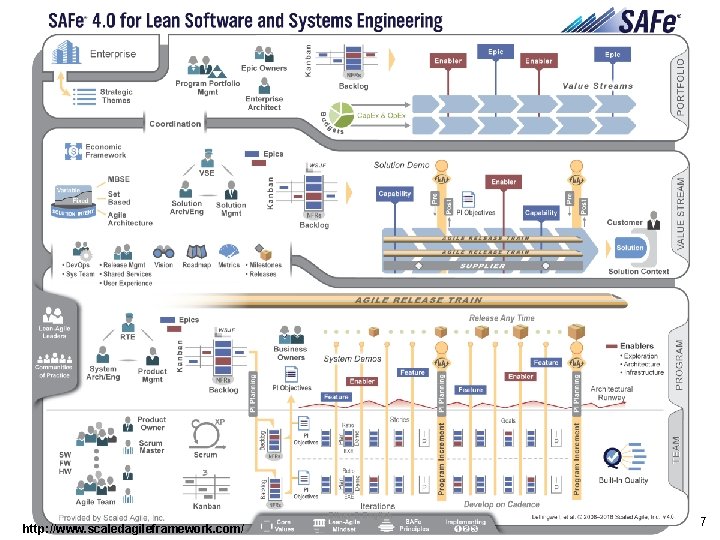
Bitner & English http: //www. scaledagileframework. com/ 7
Agile & Traditional Requirements Differences
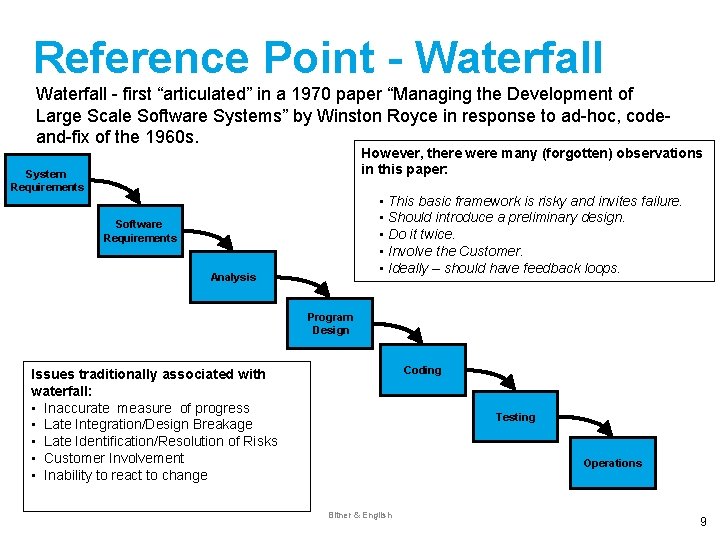
Reference Point - Waterfall - first “articulated” in a 1970 paper “Managing the Development of Large Scale Software Systems” by Winston Royce in response to ad-hoc, codeand-fix of the 1960 s. However, there were many (forgotten) observations in this paper: System Requirements • This basic framework is risky and invites failure. • Should introduce a preliminary design. • Do it twice. • Involve the Customer. • Ideally – should have feedback loops. Software Requirements Analysis Program Design Coding Issues traditionally associated with waterfall: • Inaccurate measure of progress • Late Integration/Design Breakage • Late Identification/Resolution of Risks • Customer Involvement • Inability to react to change Testing Operations Bitner & English 9
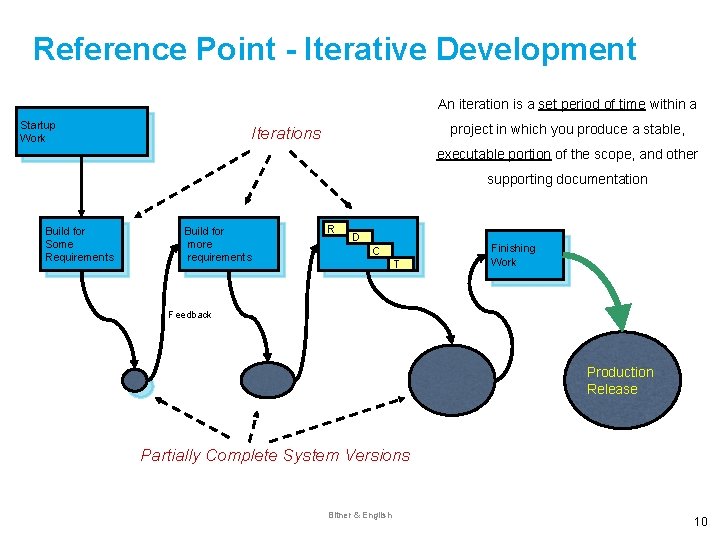
Reference Point - Iterative Development An iteration is a set period of time within a Startup Work project in which you produce a stable, Iterations executable portion of the scope, and other supporting documentation Build for Some Requirements Build for more requirements R D C T Finishing Work Feedback Production Release Partially Complete System Versions Bitner & English 10
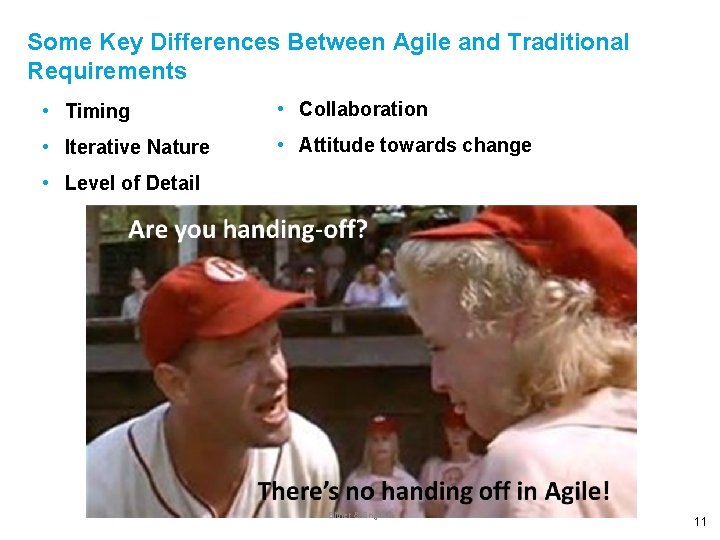
Some Key Differences Between Agile and Traditional Requirements • Timing • Collaboration • Iterative Nature • Attitude towards change • Level of Detail Bitner & English 11
Requirements Characteristics
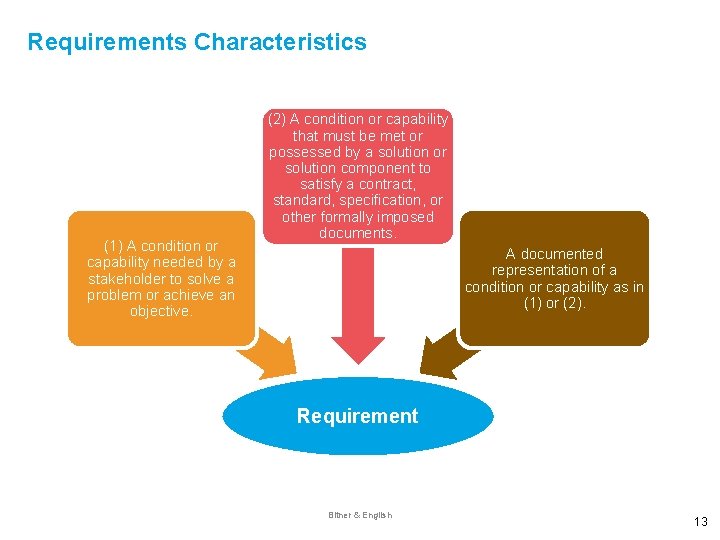
Requirements Characteristics (1) A condition or capability needed by a stakeholder to solve a problem or achieve an objective. (2) A condition or capability that must be met or possessed by a solution or solution component to satisfy a contract, standard, specification, or other formally imposed documents. A documented representation of a condition or capability as in (1) or (2). Requirement Bitner & English 13
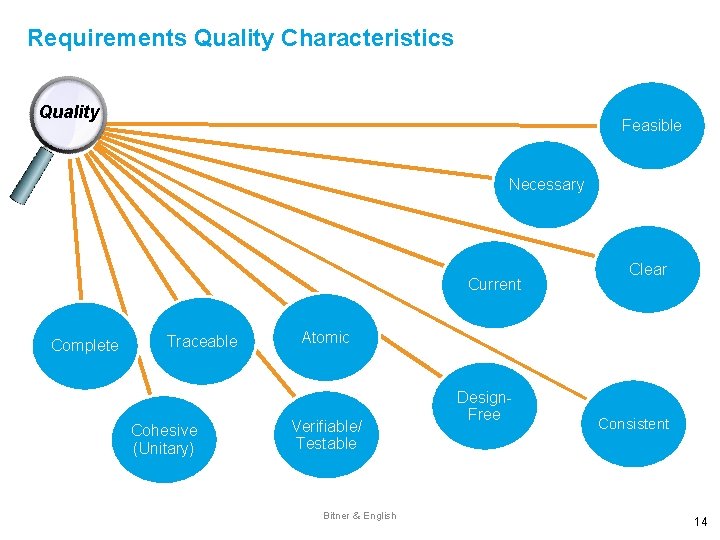
Requirements Quality Characteristics Quality Feasible Necessary Current Complete Traceable Cohesive (Unitary) Clear Atomic Verifiable/ Testable Bitner & English Design. Free Consistent 14
Agile & Traditional Requirements Differences
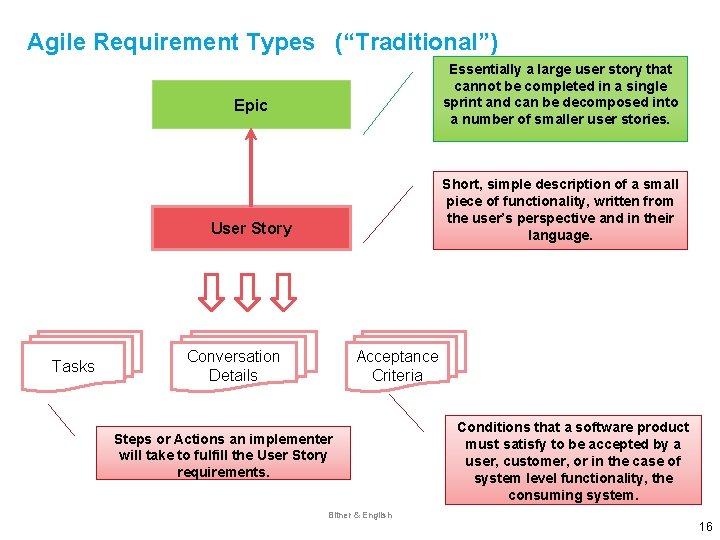
Agile Requirement Types (“Traditional”) Essentially a large user story that cannot be completed in a single sprint and can be decomposed into a number of smaller user stories. Epic Short, simple description of a small piece of functionality, written from the user’s perspective and in their language. User Story Tasks Conversation Details Acceptance Criteria Steps or Actions an implementer will take to fulfill the User Story requirements. Conditions that a software product must satisfy to be accepted by a user, customer, or in the case of system level functionality, the consuming system. Bitner & English 16
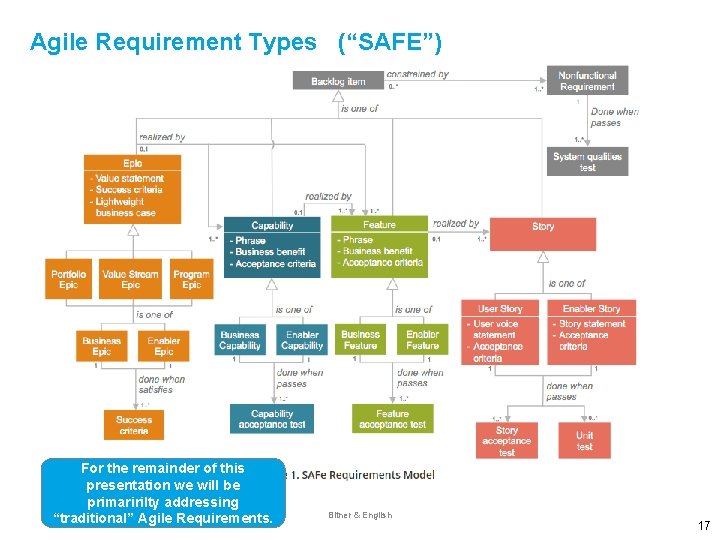
Agile Requirement Types (“SAFE”) Acceptance Criteria For the remainder of this presentation we will be primaririlty addressing “traditional” Agile Requirements. Bitner & English 17
User Story Basics
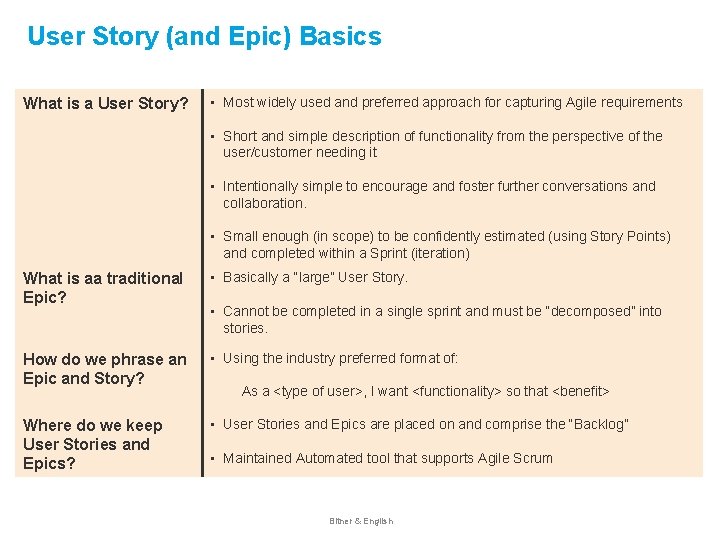
User Story (and Epic) Basics What is a User Story? • Most widely used and preferred approach for capturing Agile requirements • Short and simple description of functionality from the perspective of the user/customer needing it • Intentionally simple to encourage and foster further conversations and collaboration. • Small enough (in scope) to be confidently estimated (using Story Points) and completed within a Sprint (iteration) What is aa traditional Epic? • Basically a “large” User Story. How do we phrase an Epic and Story? • Using the industry preferred format of: Where do we keep User Stories and Epics? • User Stories and Epics are placed on and comprise the “Backlog” • Cannot be completed in a single sprint and must be “decomposed” into stories. As a <type of user>, I want <functionality> so that <benefit> • Maintained Automated tool that supports Agile Scrum Bitner & English
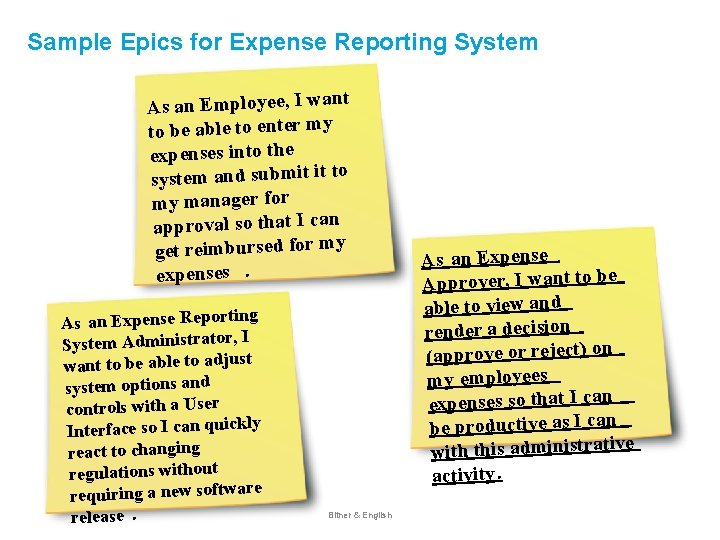
Sample Epics for Expense Reporting System t As an Employee, I wan to be able to enter my expenses into the system and submit it to my manager for approval so that I can get reimbursed for my expenses. As an Expense Reporting System Administrator, I want to be able to adjust system options and controls with a User y Interface so I can quickl react to changing regulations without requiring a new software release. Bitner & English As an Expense Approver, I want to be able to view and render a decision (approve or reject) on my employees expenses so that I can be productive as I can e with this administrativ activity.
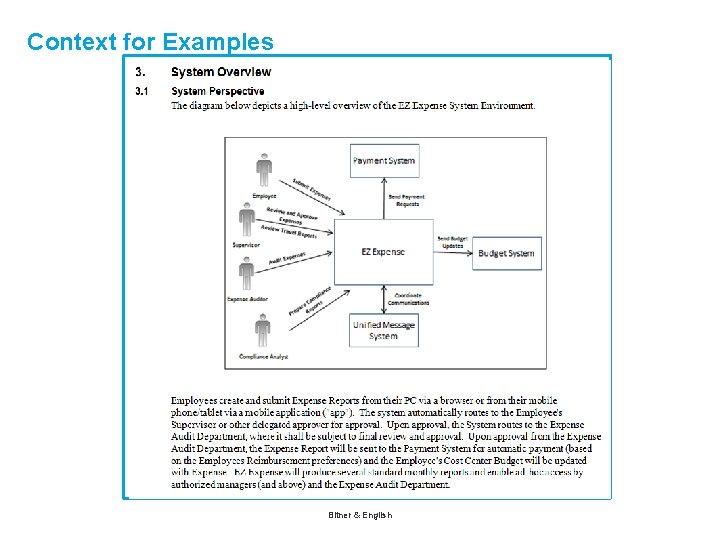
Context for Examples Bitner & English
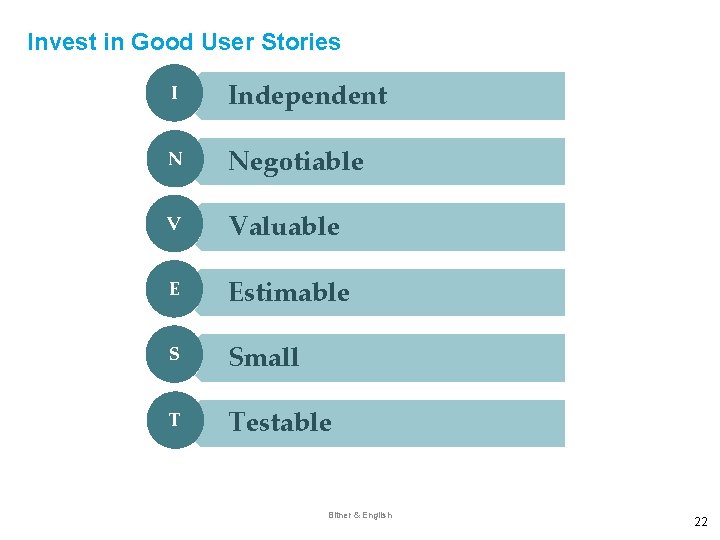
Invest in Good User Stories I Independent N Negotiable V Valuable E Estimable S Small T Testable Bitner & English 22
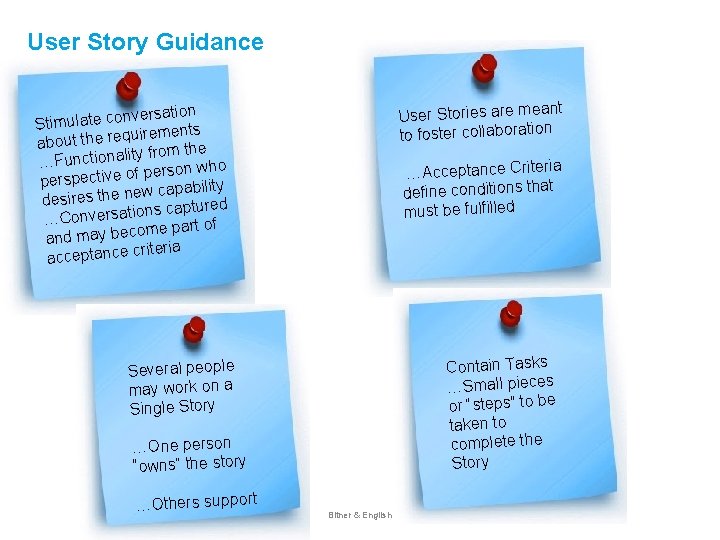
User Story Guidance nt User Stories are mea to foster collaboration ersation v n o c te la u m Sti uirements q e r e th t u o b a ty from the …Functionali rson who e p f o e v ti c e persp capability w e n e h t s e ir des ons captured ti a rs e v n o C … ome part of c e b y a m d n a riteria acceptance c ia …Acceptance Criter define conditions that must be fulfilled Contain Tasks …Small pieces or “steps” to be taken to complete the Story Several people may work on a Single Story …One person “owns” the story …Others support Bitner & English
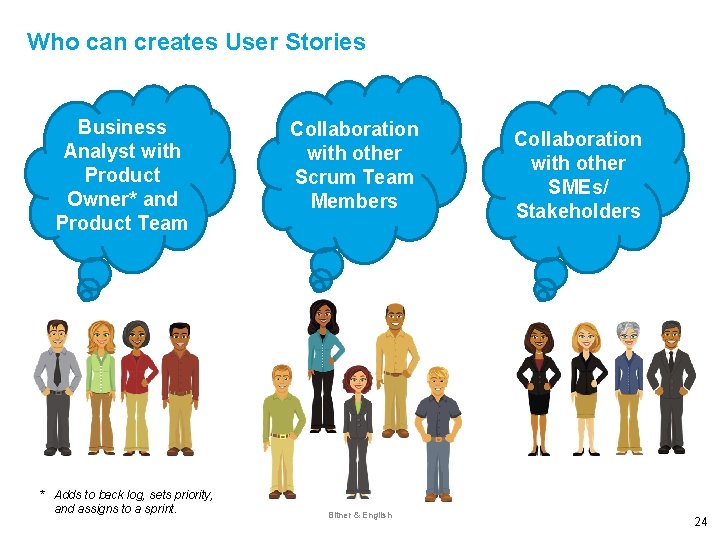
Who can creates User Stories Business Analyst with Product Owner* and Product Team * Adds to back log, sets priority, and assigns to a sprint. Collaboration with other Scrum Team Members Bitner & English Collaboration with other SMEs/ Stakeholders 24
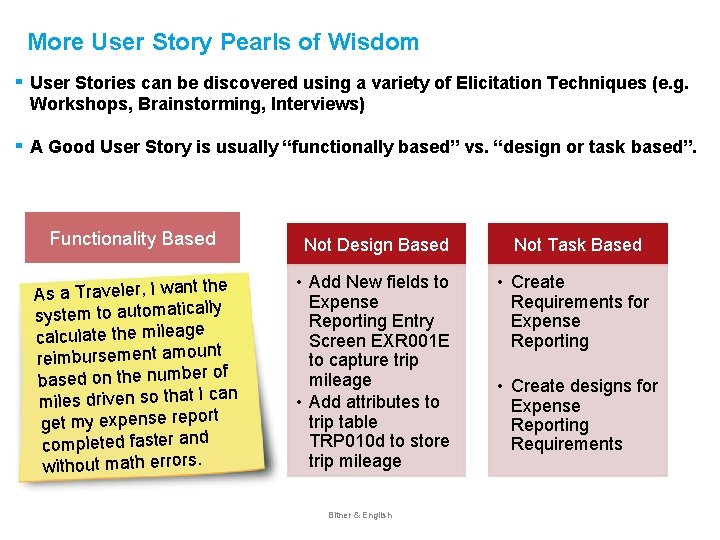
More User Story Pearls of Wisdom ▪ User Stories can be discovered using a variety of Elicitation Techniques (e. g. Workshops, Brainstorming, Interviews) ▪ A Good User Story is usually “functionally based” vs. “design or task based”. Functionality Based e As a Traveler, I want th system to automatically calculate the mileage t reimbursement amoun of based on the number n miles driven so that I ca get my expense report completed faster and without math errors. Not Design Based Not Task Based • Add New fields to Expense Reporting Entry Screen EXR 001 E to capture trip mileage • Add attributes to trip table TRP 010 d to store trip mileage • Create Requirements for Expense Reporting Bitner & English • Create designs for Expense Reporting Requirements
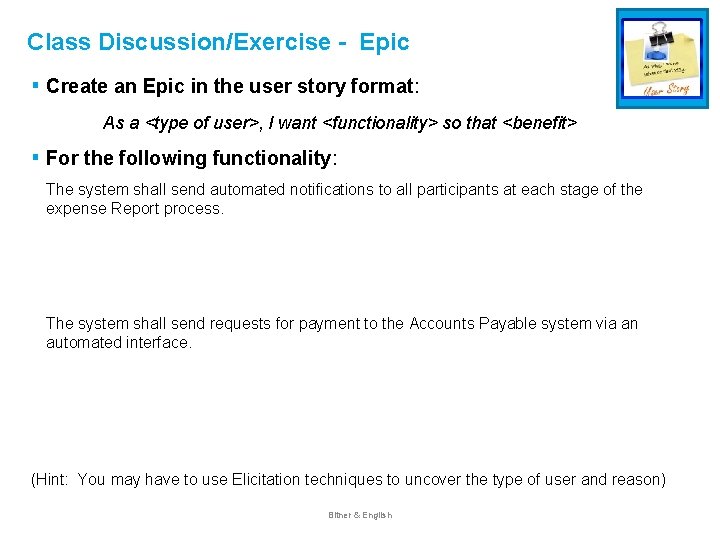
Class Discussion/Exercise - Epic ▪ Create an Epic in the user story format: As a <type of user>, I want <functionality> so that <benefit> ▪ For the following functionality: The system shall send automated notifications to all participants at each stage of the expense Report process. The system shall send requests for payment to the Accounts Payable system via an automated interface. (Hint: You may have to use Elicitation techniques to uncover the type of user and reason) Bitner & English
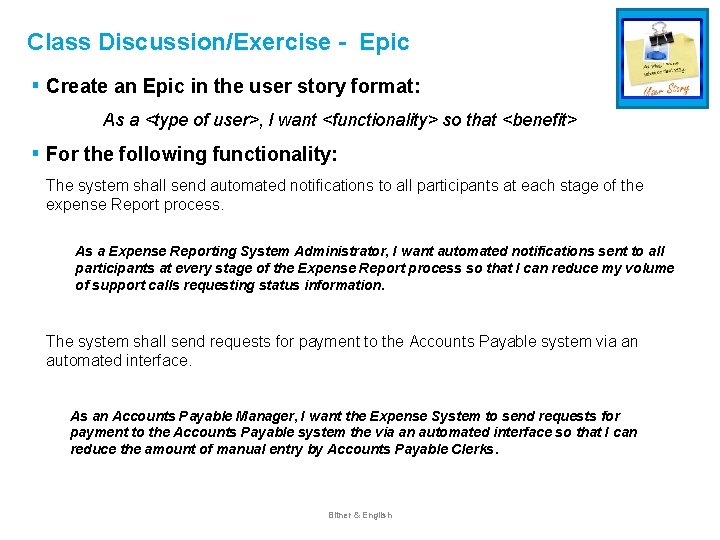
Class Discussion/Exercise - Epic ▪ Create an Epic in the user story format: As a <type of user>, I want <functionality> so that <benefit> ▪ For the following functionality: The system shall send automated notifications to all participants at each stage of the expense Report process. As a Expense Reporting System Administrator, I want automated notifications sent to all participants at every stage of the Expense Report process so that I can reduce my volume of support calls requesting status information. The system shall send requests for payment to the Accounts Payable system via an automated interface. As an Accounts Payable Manager, I want the Expense System to send requests for payment to the Accounts Payable system the via an automated interface so that I can reduce the amount of manual entry by Accounts Payable Clerks. Bitner & English
Lifecycle of a User Story
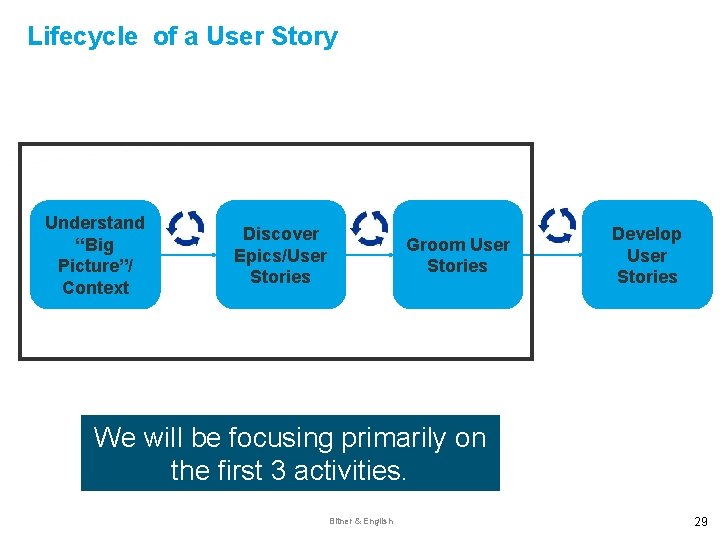
Lifecycle of a User Story Understand “Big Picture”/ Context Discover Epics/User Stories Groom User Stories Develop User Stories We will be focusing primarily on the first 3 activities. Bitner & English 29
Understanding User Story Context
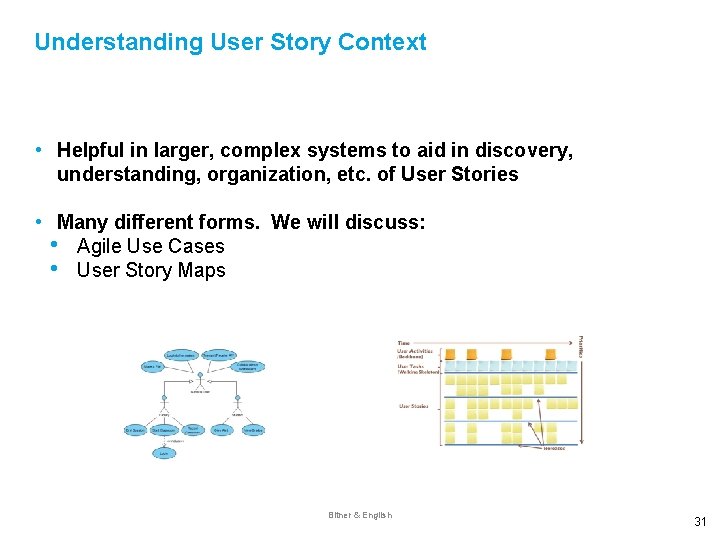
Understanding User Story Context • Helpful in larger, complex systems to aid in discovery, understanding, organization, etc. of User Stories • Many different forms. We will discuss: • Agile Use Cases • User Story Maps Bitner & English 31
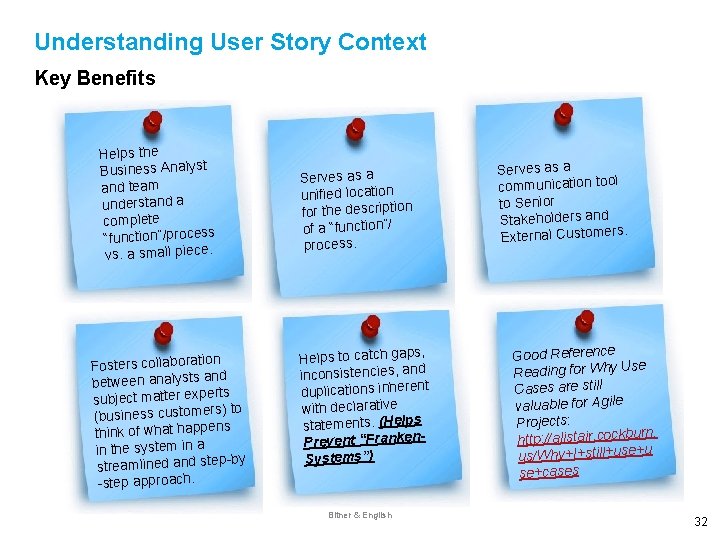
Understanding User Story Context Key Benefits Helps the Business Analyst and team understand a complete “function”/process vs. a small piece. n Fosters collaboratio nd between analysts a rts subject matter expe s) to (business customer ns think of what happe in the system in a p-by streamlined and ste -step approach. Serves as a unified location for the description of a “function”/ process. Helps to catch gaps, inconsistencies, and duplications inherent with declarative statements. (Helps Prevent “Franken. Systems”) Bitner & English Serves as a communication tool to Senior Stakeholders and External Customers. Good Reference Reading for Why Use Cases are still valuable for Agile Projects: rn. http: //alistair. cockbu u us/Why+I+still+use+ se+cases 32
Using Agile Use Cases to Discover User Stories Bitner & English
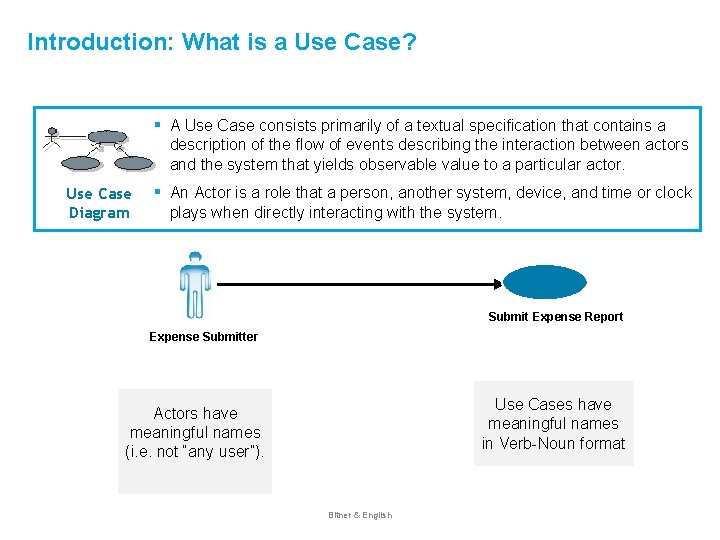
Introduction: What is a Use Case? Use Case Diagram ▪ A Use Case consists primarily of a textual specification that contains a description of the flow of events describing the interaction between actors and the system that yields observable value to a particular actor. ▪ An Actor is a role that a person, another system, device, and time or clock plays when directly interacting with the system. Submit Expense Report Expense Submitter Use Cases have meaningful names in Verb-Noun format Actors have meaningful names (i. e. not “any user”). Bitner & English
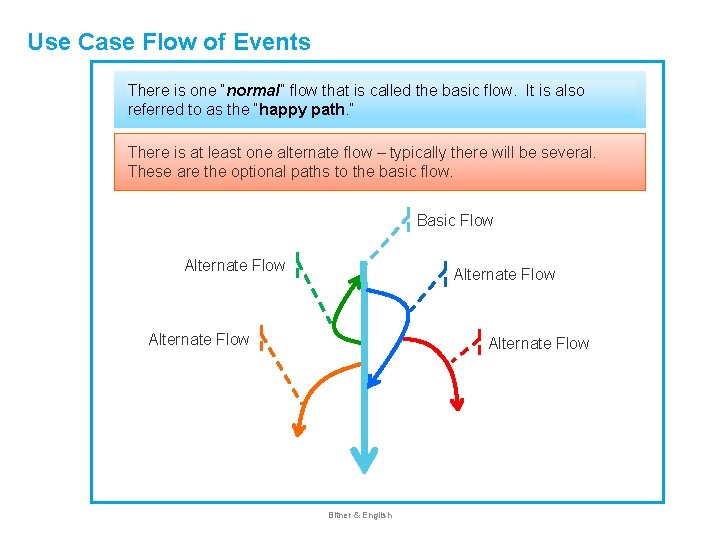
Use Case Flow of Events There is one “normal” flow that is called the basic flow. It is also referred to as the “happy path. ” There is at least one alternate flow – typically there will be several. These are the optional paths to the basic flow. Basic Flow Alternate Flow Bitner & English
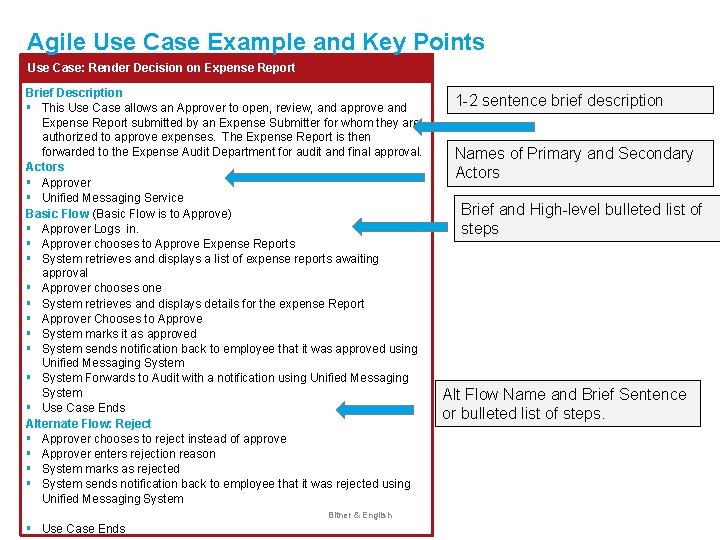
Agile Use Case Example and Key Points Use Case: Render Decision on Expense Report Brief Description ▪ This Use Case allows an Approver to open, review, and approve and Expense Report submitted by an Expense Submitter for whom they are authorized to approve expenses. The Expense Report is then forwarded to the Expense Audit Department for audit and final approval. Actors ▪ Approver ▪ Unified Messaging Service Basic Flow (Basic Flow is to Approve) ▪ Approver Logs in. ▪ Approver chooses to Approve Expense Reports ▪ System retrieves and displays a list of expense reports awaiting approval ▪ Approver chooses one ▪ System retrieves and displays details for the expense Report ▪ Approver Chooses to Approve ▪ System marks it as approved ▪ System sends notification back to employee that it was approved using Unified Messaging System ▪ System Forwards to Audit with a notification using Unified Messaging System ▪ Use Case Ends Alternate Flow: Reject ▪ Approver chooses to reject instead of approve ▪ Approver enters rejection reason ▪ System marks as rejected ▪ System sends notification back to employee that it was rejected using Unified Messaging System ▪ Bitner & English Use Case Ends 1 -2 sentence brief description Names of Primary and Secondary Actors Brief and High-level bulleted list of steps Alt Flow Name and Brief Sentence or bulleted list of steps.
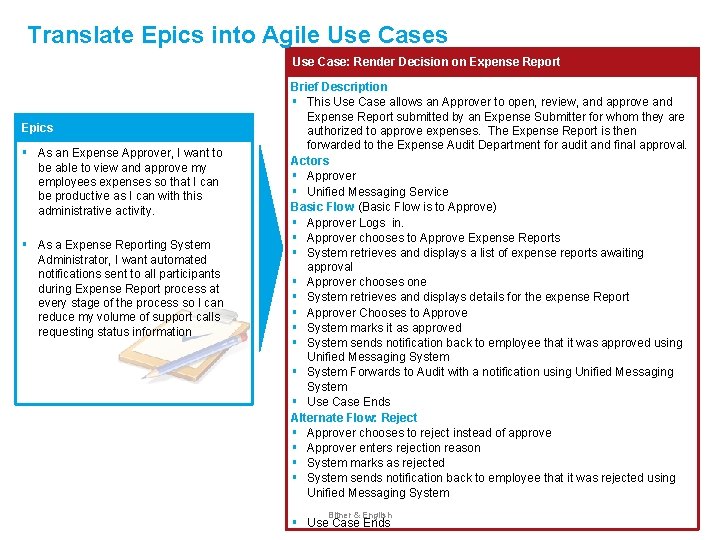
Translate Epics into Agile Use Cases Use Case: Render Decision on Expense Report Epics ▪ As an Expense Approver, I want to be able to view and approve my employees expenses so that I can be productive as I can with this administrative activity. ▪ As a Expense Reporting System Administrator, I want automated notifications sent to all participants during Expense Report process at every stage of the process so I can reduce my volume of support calls requesting status information Brief Description ▪ This Use Case allows an Approver to open, review, and approve and Expense Report submitted by an Expense Submitter for whom they are authorized to approve expenses. The Expense Report is then forwarded to the Expense Audit Department for audit and final approval. Actors ▪ Approver ▪ Unified Messaging Service Basic Flow (Basic Flow is to Approve) ▪ Approver Logs in. ▪ Approver chooses to Approve Expense Reports ▪ System retrieves and displays a list of expense reports awaiting approval ▪ Approver chooses one ▪ System retrieves and displays details for the expense Report ▪ Approver Chooses to Approve ▪ System marks it as approved ▪ System sends notification back to employee that it was approved using Unified Messaging System ▪ System Forwards to Audit with a notification using Unified Messaging System ▪ Use Case Ends Alternate Flow: Reject ▪ Approver chooses to reject instead of approve ▪ Approver enters rejection reason ▪ System marks as rejected ▪ System sends notification back to employee that it was rejected using Unified Messaging System ▪ Bitner & English Use Case Ends
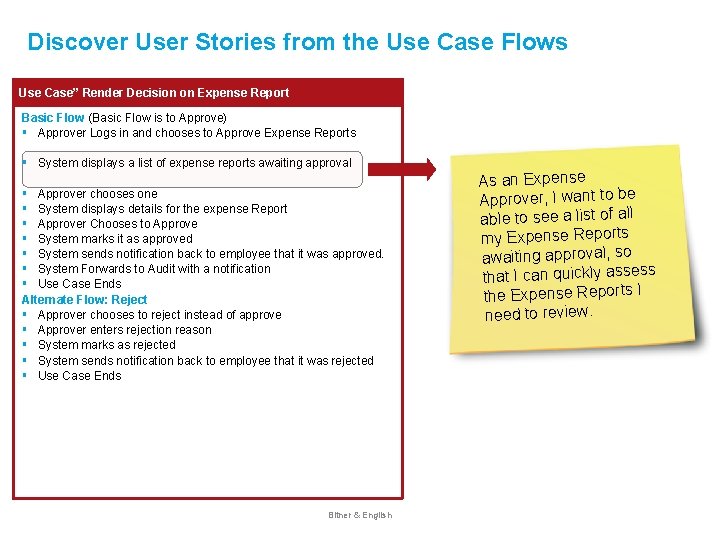
Discover User Stories from the Use Case Flows Use Case” Render Decision on Expense Report Basic Flow (Basic Flow is to Approve) ▪ Approver Logs in and chooses to Approve Expense Reports ▪ System displays a list of expense reports awaiting approval ▪ ▪ ▪ ▪ Approver chooses one System displays details for the expense Report Approver Chooses to Approve System marks it as approved System sends notification back to employee that it was approved. System Forwards to Audit with a notification Use Case Ends Alternate Flow: Reject ▪ Approver chooses to reject instead of approve ▪ Approver enters rejection reason ▪ System marks as rejected ▪ System sends notification back to employee that it was rejected ▪ Use Case Ends Bitner & English As an Expense Approver, I want to be able to see a list of all my Expense Reports awaiting approval, so that I can quickly assess the Expense Reports I need to review.
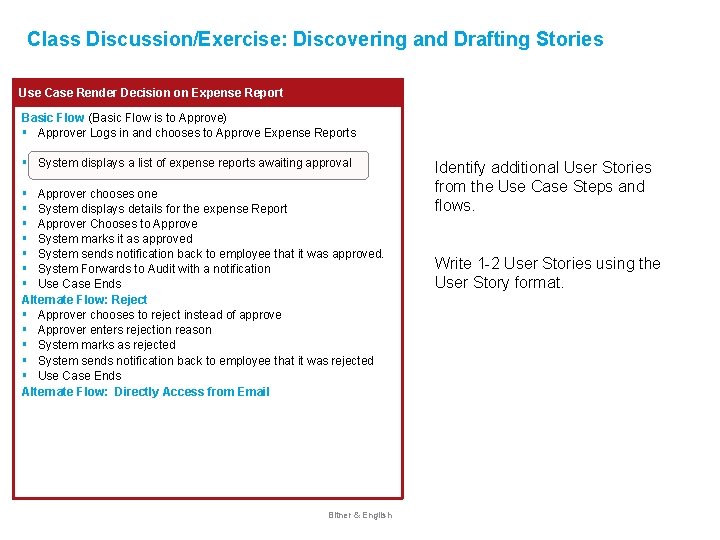
Class Discussion/Exercise: Discovering and Drafting Stories Use Case Render Decision on Expense Report Basic Flow (Basic Flow is to Approve) ▪ Approver Logs in and chooses to Approve Expense Reports ▪ System displays a list of expense reports awaiting approval ▪ ▪ ▪ ▪ Approver chooses one System displays details for the expense Report Approver Chooses to Approve System marks it as approved System sends notification back to employee that it was approved. System Forwards to Audit with a notification Use Case Ends Alternate Flow: Reject ▪ Approver chooses to reject instead of approve ▪ Approver enters rejection reason ▪ System marks as rejected ▪ System sends notification back to employee that it was rejected ▪ Use Case Ends Alternate Flow: Directly Access from Email Bitner & English Identify additional User Stories from the Use Case Steps and flows. Write 1 -2 User Stories using the User Story format.
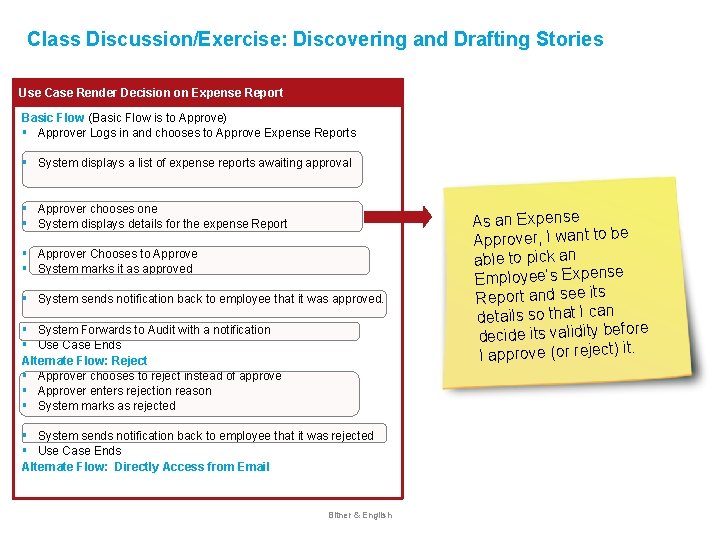
Class Discussion/Exercise: Discovering and Drafting Stories Use Case Render Decision on Expense Report Basic Flow (Basic Flow is to Approve) ▪ Approver Logs in and chooses to Approve Expense Reports ▪ System displays a list of expense reports awaiting approval ▪ ▪ Approver chooses one System displays details for the expense Report ▪ ▪ Approver Chooses to Approve System marks it as approved ▪ System sends notification back to employee that it was approved. ▪ ▪ System Forwards to Audit with a notification Use Case Ends Alternate Flow: Reject ▪ Approver chooses to reject instead of approve ▪ Approver enters rejection reason ▪ System marks as rejected ▪ ▪ System sends notification back to employee that it was rejected Use Case Ends Alternate Flow: Directly Access from Email Bitner & English As an Expense Approver, I want to be able to pick an Employee’s Expense Report and see its details so that I can ore decide its validity bef. I approve (or reject) it
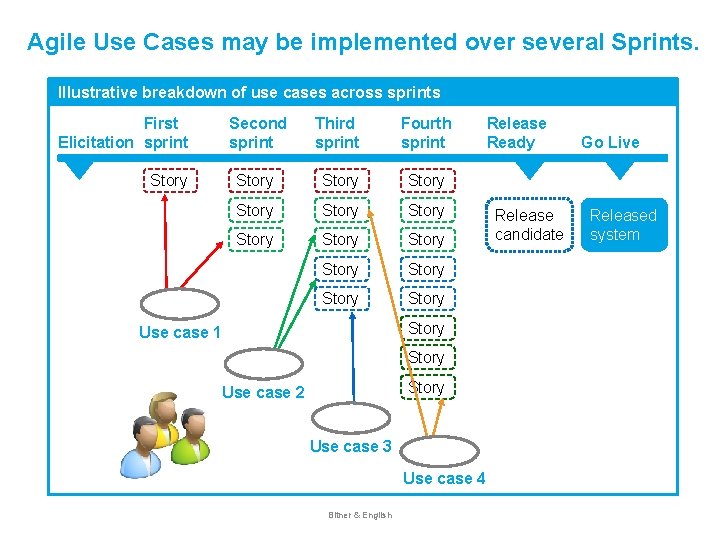
Agile Use Cases may be implemented over several Sprints. Illustrative breakdown of use cases across sprints First Elicitation sprint Story Second sprint Third sprint Fourth sprint Story Story Story Story Use case 1 Story Use case 2 Use case 3 Use case 4 Bitner & English Release Ready Release candidate Go Live Released system
Using User Story Maps to Discover User Stories Bitner & English
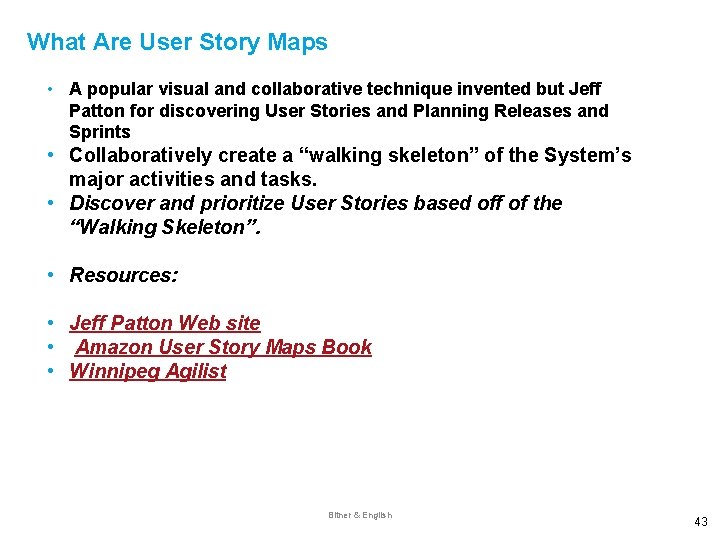
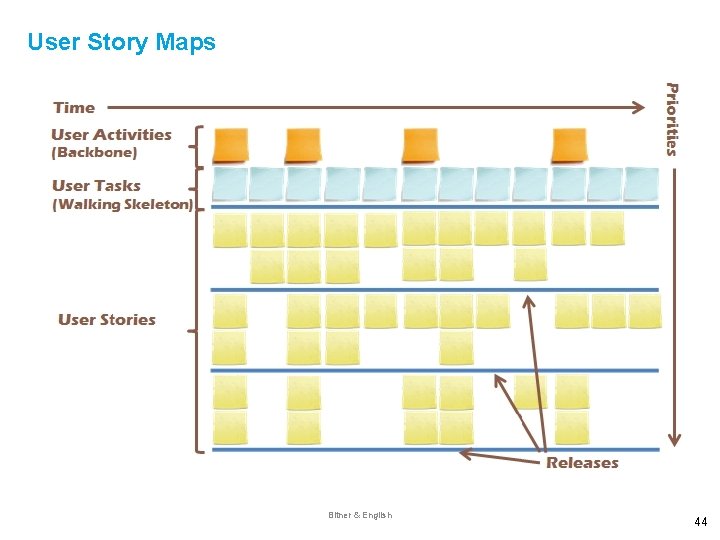
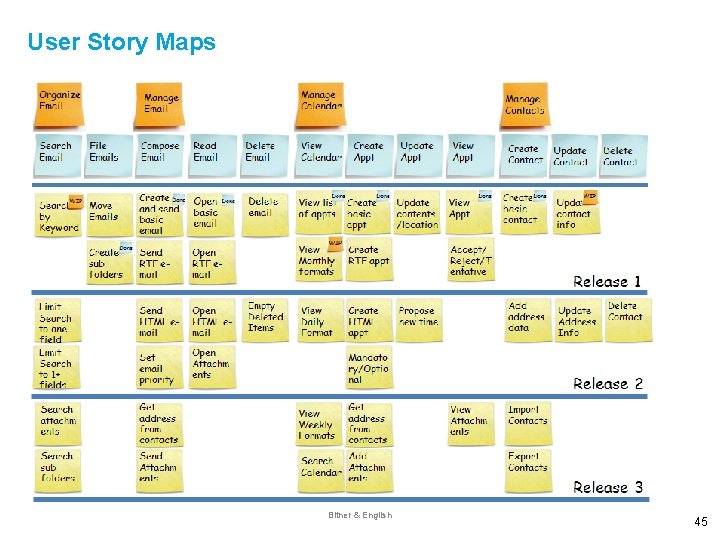
What Are User Story Maps • A popular visual and collaborative technique invented but Jeff Patton for discovering User Stories and Planning Releases and Sprints • Collaboratively create a “walking skeleton” of the System’s major activities and tasks. • Discover and prioritize User Stories based off of the “Walking Skeleton”. • Resources: • Jeff Patton Web site • Amazon User Story Maps Book • Winnipeg Agilist Bitner & English 43
User Story Maps Bitner & English 44
User Story Maps Bitner & English 45
Grooming User Stories
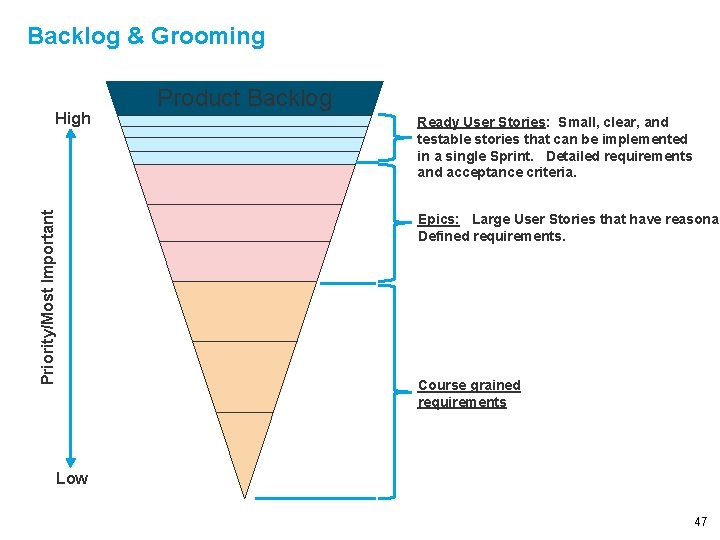
Backlog & Grooming Priority/Most Important High Product Backlog Ready User Stories: Small, clear, and testable stories that can be implemented in a single Sprint. Detailed requirements and acceptance criteria. Epics: Large User Stories that have reasonab Defined requirements. Course grained requirements Low 47
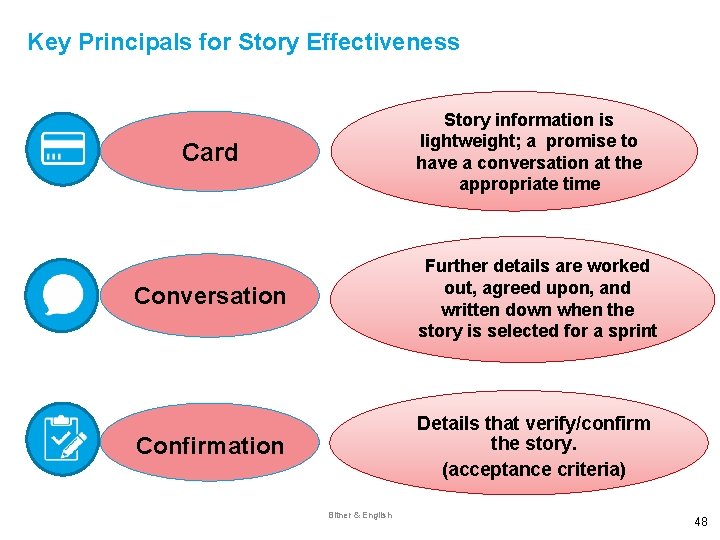
Key Principals for Story Effectiveness Story information is lightweight; a promise to have a conversation at the appropriate time Card Conversation Further details are worked out, agreed upon, and written down when the story is selected for a sprint Confirmation Details that verify/confirm the story. (acceptance criteria) Bitner & English 48
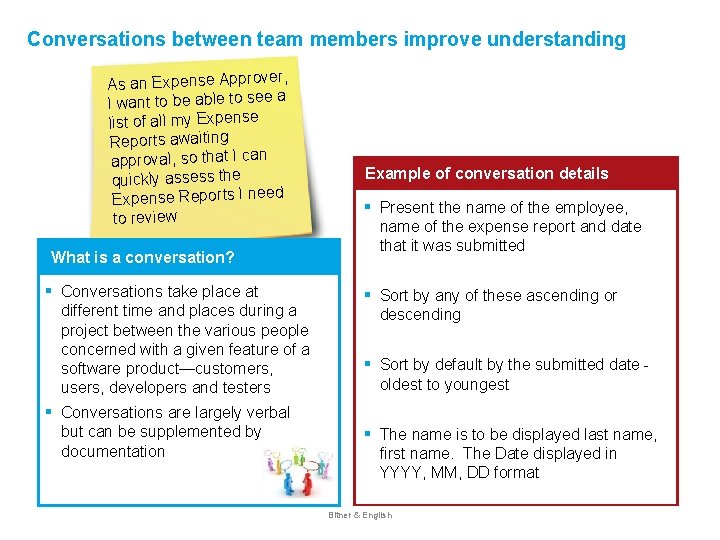
Conversations between team members improve understanding r, As an Expense Approve I want to be able to see a list of all my Expense Reports awaiting approval, so that I can quickly assess the Expense Reports I need to review Example of conversation details ▪ Present the name of the employee, name of the expense report and date that it was submitted ▪ Sort by any of these ascending or descending ▪ Sort by default by the submitted date - oldest to youngest ▪ The name is to be displayed last name, first name. The Date displayed in YYYY, MM, DD format What is a conversation? ▪ ▪ Conversations take place at different time and places during a project between the various people concerned with a given feature of a software product—customers, users, developers and testers Conversations are largely verbal but can be supplemented by documentation Bitner & English
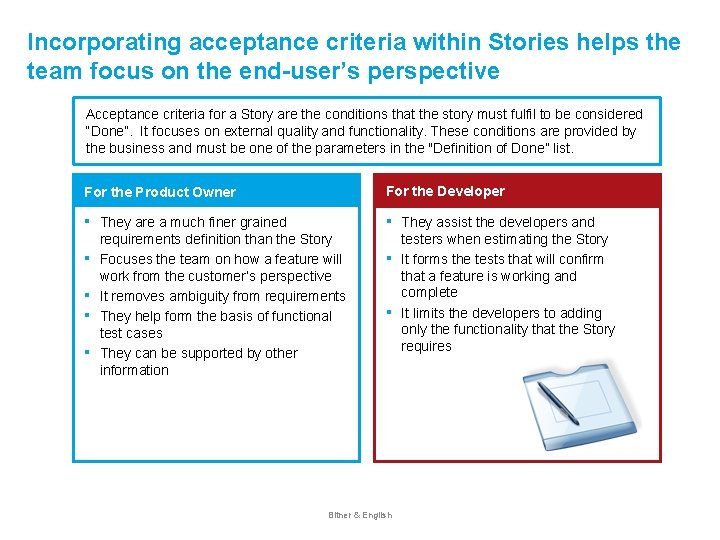
Incorporating acceptance criteria within Stories helps the team focus on the end-user’s perspective Acceptance criteria for a Story are the conditions that the story must fulfil to be considered “Done”. It focuses on external quality and functionality. These conditions are provided by the business and must be one of the parameters in the "Definition of Done” list. For the Product Owner For the Developer ▪ ▪ ▪ They are a much finer grained requirements definition than the Story Focuses the team on how a feature will work from the customer’s perspective It removes ambiguity from requirements They help form the basis of functional test cases They can be supported by other information ▪ ▪ Bitner & English They assist the developers and testers when estimating the Story It forms the tests that will confirm that a feature is working and complete It limits the developers to adding only the functionality that the Story requires
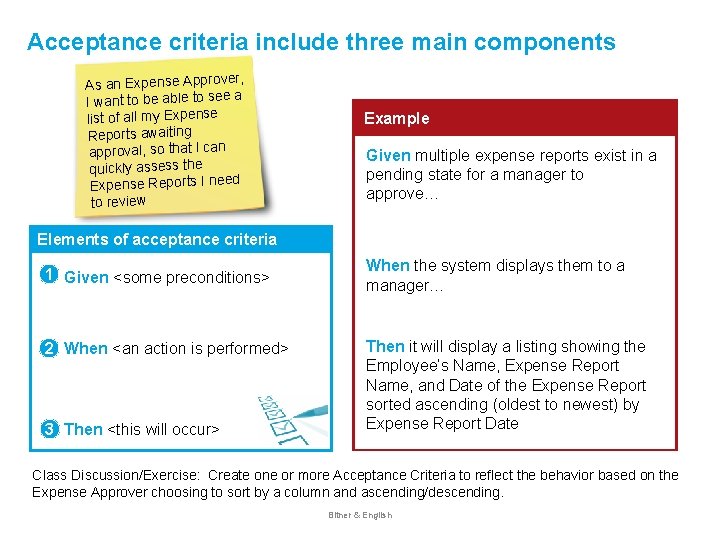
Acceptance criteria include three main components , As an Expense Approver I want to be able to see a list of all my Expense Reports awaiting approval, so that I can quickly assess the Expense Reports I need to review Example Given multiple expense reports exist in a pending state for a manager to approve… Elements of acceptance criteria 1▪ Given <some preconditions> When the system displays them to a manager… 2▪ When <an action is performed> Then it will display a listing showing the Employee’s Name, Expense Report Name, and Date of the Expense Report sorted ascending (oldest to newest) by Expense Report Date 3▪ Then <this will occur> Class Discussion/Exercise: Create one or more Acceptance Criteria to reflect the behavior based on the Expense Approver choosing to sort by a column and ascending/descending. Bitner & English
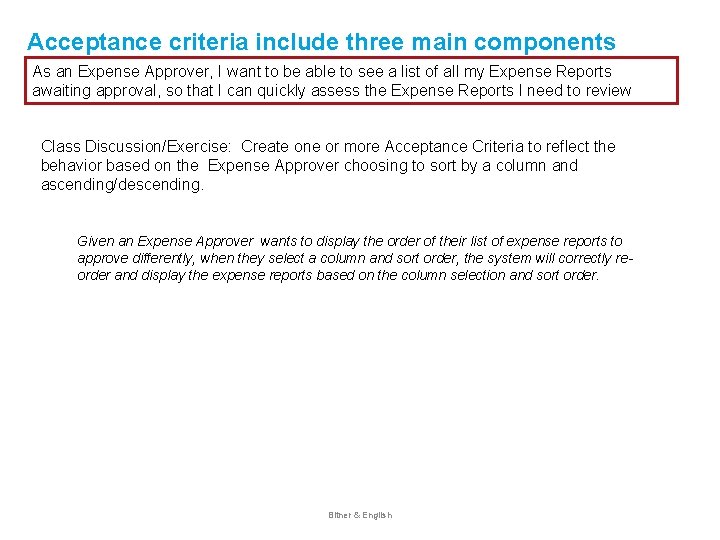
Acceptance criteria include three main components As an Expense Approver, I want to be able to see a list of all my Expense Reports awaiting approval, so that I can quickly assess the Expense Reports I need to review Class Discussion/Exercise: Create one or more Acceptance Criteria to reflect the behavior based on the Expense Approver choosing to sort by a column and ascending/descending. Given an Expense Approver wants to display the order of their list of expense reports to approve differently, when they select a column and sort order, the system will correctly reorder and display the expense reports based on the column selection and sort order. Bitner & English
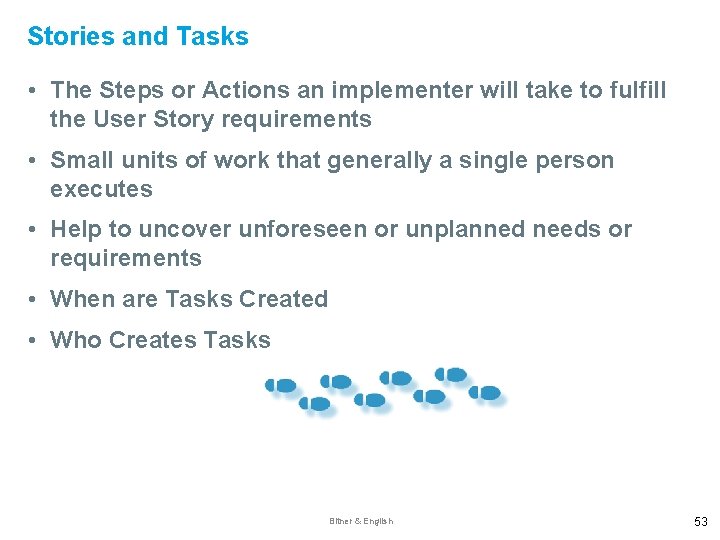
Stories and Tasks • The Steps or Actions an implementer will take to fulfill the User Story requirements • Small units of work that generally a single person executes • Help to uncover unforeseen or unplanned needs or requirements • When are Tasks Created • Who Creates Tasks Bitner & English 53
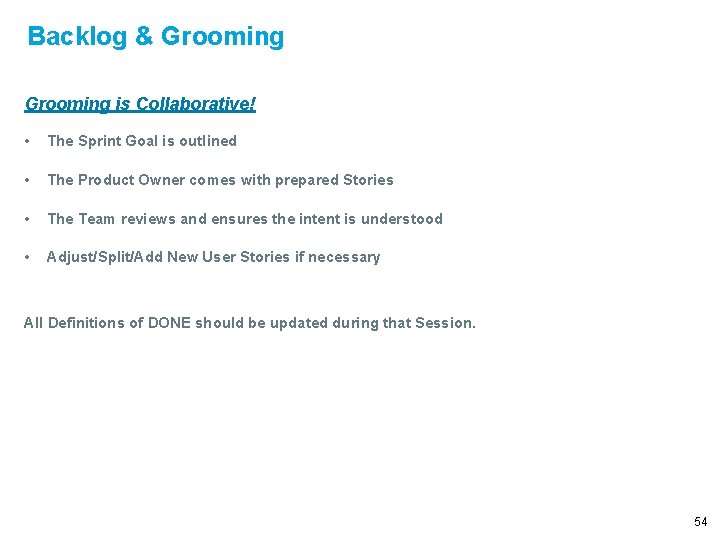
Backlog & Grooming is Collaborative! • The Sprint Goal is outlined • The Product Owner comes with prepared Stories • The Team reviews and ensures the intent is understood • Adjust/Split/Add New User Stories if necessary All Definitions of DONE should be updated during that Session. 54
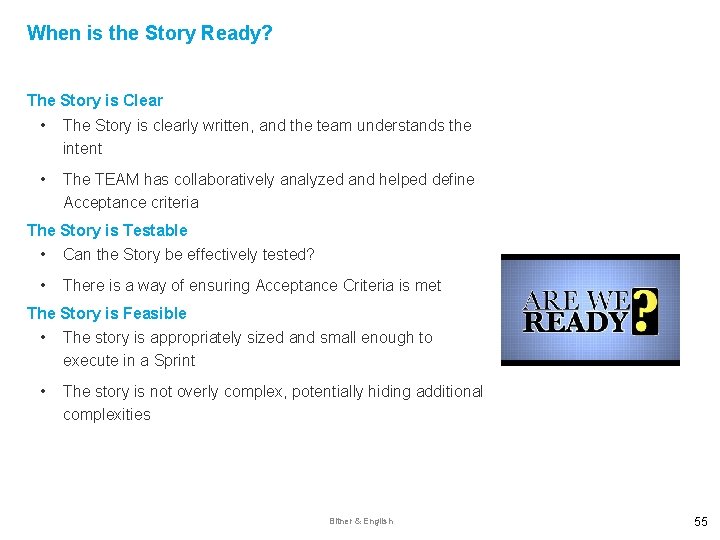
When is the Story Ready? The Story is Clear • The Story is clearly written, and the team understands the intent • The TEAM has collaboratively analyzed and helped define Acceptance criteria The Story is Testable • Can the Story be effectively tested? • There is a way of ensuring Acceptance Criteria is met The Story is Feasible • The story is appropriately sized and small enough to execute in a Sprint • The story is not overly complex, potentially hiding additional complexities Bitner & English 55

Special Topics Bitner & English
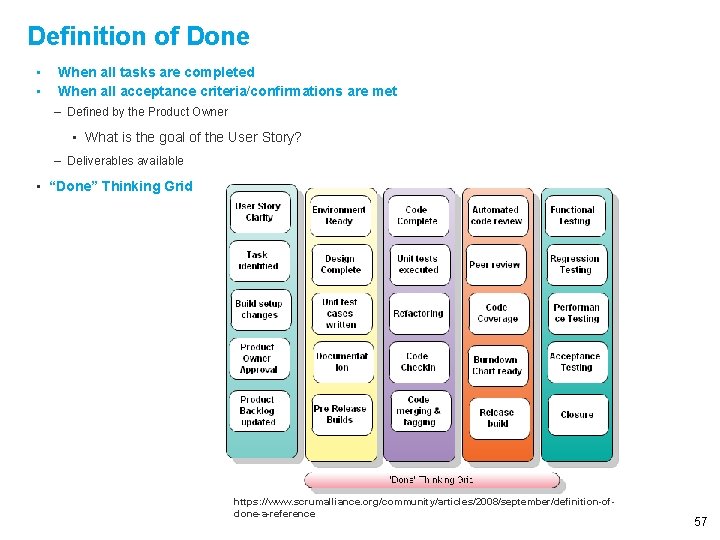
Definition of Done • • When all tasks are completed When all acceptance criteria/confirmations are met – Defined by the Product Owner • What is the goal of the User Story? – Deliverables available • “Done” Thinking Grid https: //www. scrumalliance. org/community/articles/2008/september/definition-ofdone-a-reference 57
Role of the Business Analyst • Create, develops and test user stories • Provides “relative size” estimates • Collaborates with Product Owner /team and key stakeholders • Can be a liaison/ go between to Product Owner or stakeholders. • Participates in Grooming, Daily Standups, Sprint Planning and Sprint Reviews and other ceremonies • Elicit and describe epics, use cases, and user stories • Provides “relative size” estimates • Collaborates actively and frequently with Scrum teams to clarify requirements • Develops Acceptance Criteria BA Activities can be performed by an explicit Business Analyst working on the team, by customer rep or product owner, or distributing these activities throughout the team. Bitner & English 58
The Agile Extension to the BABOK
BABOK and Agile • The BABOK 3. 0 contains specific Agile Guidance for Business Analysts in the form of: • An Agile Perspective Extension describing some unique characteristics of business analysis when practiced in the context of agile environments. • Additional Agile techniques. • Highlighting of existing BABOK competency and techniques that are particularly relevant to Agile Initiatives. • **Note: The Agile “Extension” is still “BA-centric” and not “Agile-centric” which may cause “heartburn” for some Agile “purists” 60
- Slides: 61