
Agenda Welcome back What to expect Questions Begin
Agenda üWelcome back üWhat to expect üQuestions üBegin Chapter 8 üDemo HTML table üContinue at your own pace üQuestions 1
Chapter 8 Tables 2

Learning Objectives 8. 1 Create a basic table with the table, table row, table header, and table cell elements 8. 2 Configure table sections with thead, tbody, and tfoot elements 8. 3 Increase the accessibility of a table 8. 4 Style an HTML table with CSS 8. 5 Describe the purpose of CSS structural pseudoclasses 3
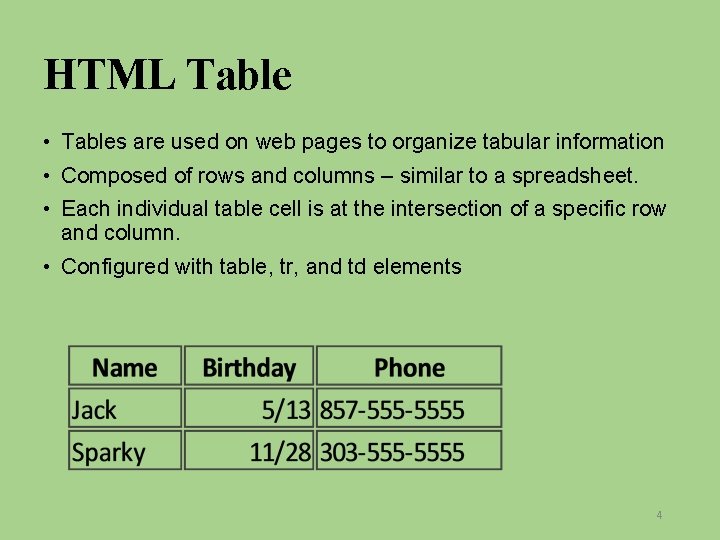
HTML Table • Tables are used on web pages to organize tabular information • Composed of rows and columns – similar to a spreadsheet. • Each individual table cell is at the intersection of a specific row and column. • Configured with table, tr, and td elements 4
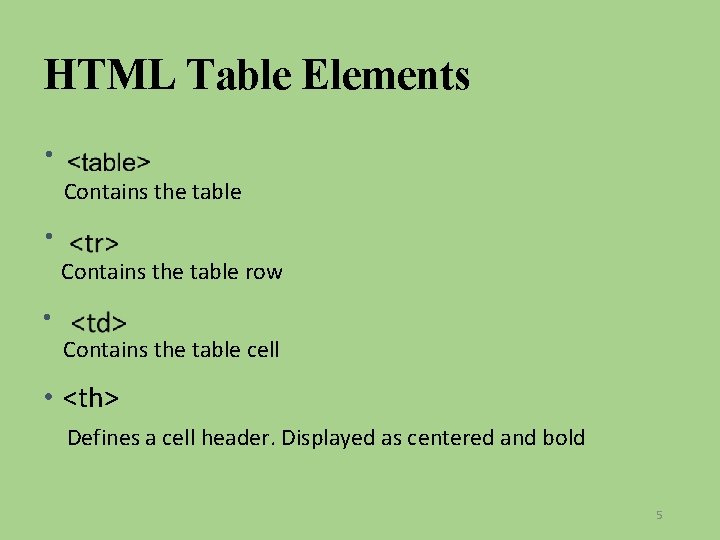
HTML Table Elements • Contains the table row • Contains the table cell • <th> Defines a cell header. Displayed as centered and bold 5
Some Obsolete Table Attributes • • align (obsolete) bgcolor (obsolete) align (obsolete) cellpadding (obsolete) cellspacing (obsolete) height (obsolete) width (obsolete) Use CSS to configure table characteristics instead of HTML attributes. 6
QUICK DEMO q I’m moving over to codepen. io for quick demo q No need to follow along, but… q I’ll link you to 13 minutes of You. Tube Videos where you can follow at your own pace. 7
What’s Next q Watch the You. Tube video for some quick hands on. § Link to basic tables, 10 min. § Link to colspan, 3 min. q Read and work through the chapter for more details. q We will finish up on Wednesday. 8
- Slides: 8