
Af NOG 2019 SIE Scalable Network Infrastructure What
Af. NOG 2019 SI-E Scalable Network Infrastructure
What you will learn • • Internet Protocol stack IP Addressing (IPv 4 and IPv 6) Static routing Dynamic routing with OSPF Exterior routing with BGP Router management Network operations and management Internet exchange points
Instructors • • Dev Jeenia (MU) Frank Habicht (TZ) Geert Jan de Groot (NL) Maina Noah (TZ) Nishal Goburdhan (ZA) Patience Ngcaba (UG) Sara Alamin Mohammed Hassan (SD) Stephen Honlue (CM) (remote)
Participants • Entire Workshop: • 150 participants • 29 Countries • 8 tracks • This track: 25 participants • Please introduce yourselves now.
Let us know … • … if we speak too fast • … if you can’t see • … if you don’t understand! • The only stupid question is one you don’t ask!
You should have received. . • Name badges (Please wear these at all times!) • Folder with: • Notepad • Pen • Information Pack
You will receive … • ebooks • workshop materials on USB flash drives • Take them back, and teach others!
Extra room charges • Af. NOG will not pay for hotel “extras” such as: • telephone calls • room service • bar • mini-bar in your hotel room • laundry • etc. .
Hotel Internet Access • Free Wifi at the Hotel • (or else at the conference. . )
Internet access in classrooms • Wi. Fi access should work on your personal devices. • SSID “AIS” • WPA-2 password “success!” • No charge • If you abuse this, you may be blocked!
Internet use in class • Please focus on the class (do not read email/browse the web during sessions). • You can download most of the training materials from the workshop website: • http: //www. ws. afnog. org/afnog 2019 • > SI-E • > Detailed timetable
Af. NOG electronic resources • Workshop web site • http: //www. ws. afnog. org • During the workshop, this will contain a “work-inprogress” site. • After the workshop, it will contain a copy of the materials. • Mailing List • afnog@afnog. org • subscribe via https: //www. afnog. org
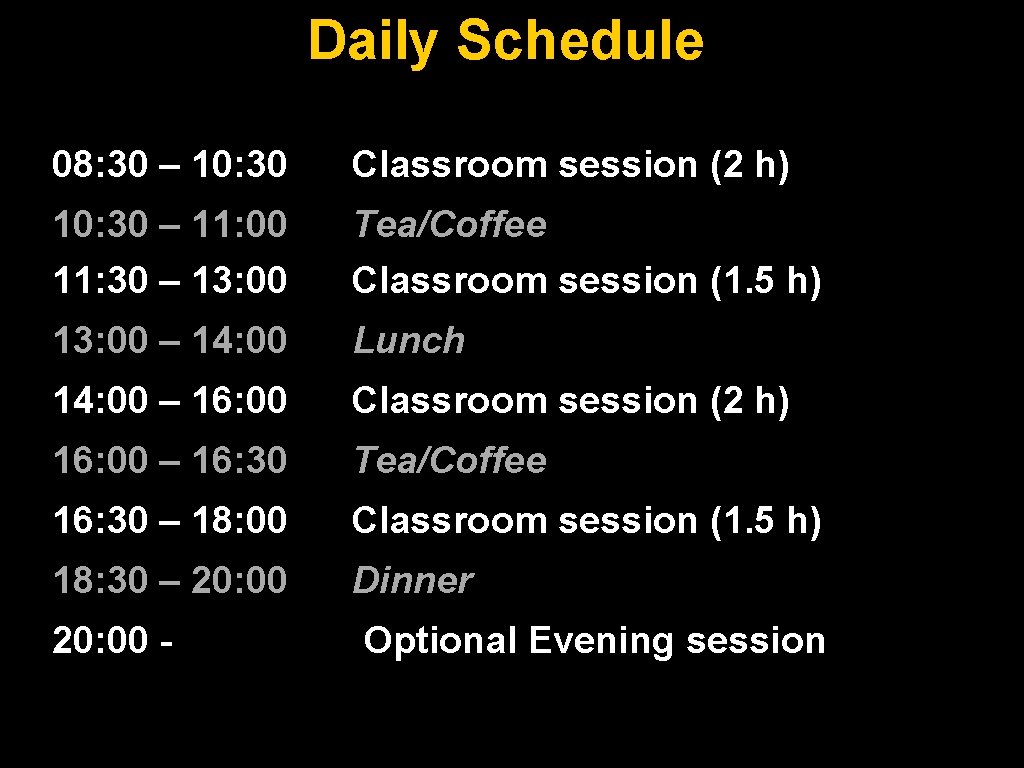
Daily Schedule 08: 30 – 10: 30 Classroom session (2 h) 10: 30 – 11: 00 11: 30 – 13: 00 Tea/Coffee Classroom session (1. 5 h) 13: 00 – 14: 00 Lunch 14: 00 – 16: 00 Classroom session (2 h) 16: 00 – 16: 30 Tea/Coffee 16: 30 – 18: 00 Classroom session (1. 5 h) 18: 30 – 20: 00 Dinner 20: 00 - Optional Evening session
Time Keeping • Please be on time. • We have a lot of material to cover and we won’t be able to, if breaks get extended. • Latecomers may be refused re-admission !
Evening sessions • There might be optional evening sessions. • If you’d like us to cover a specific topic, please let us know (writing pad at the back)
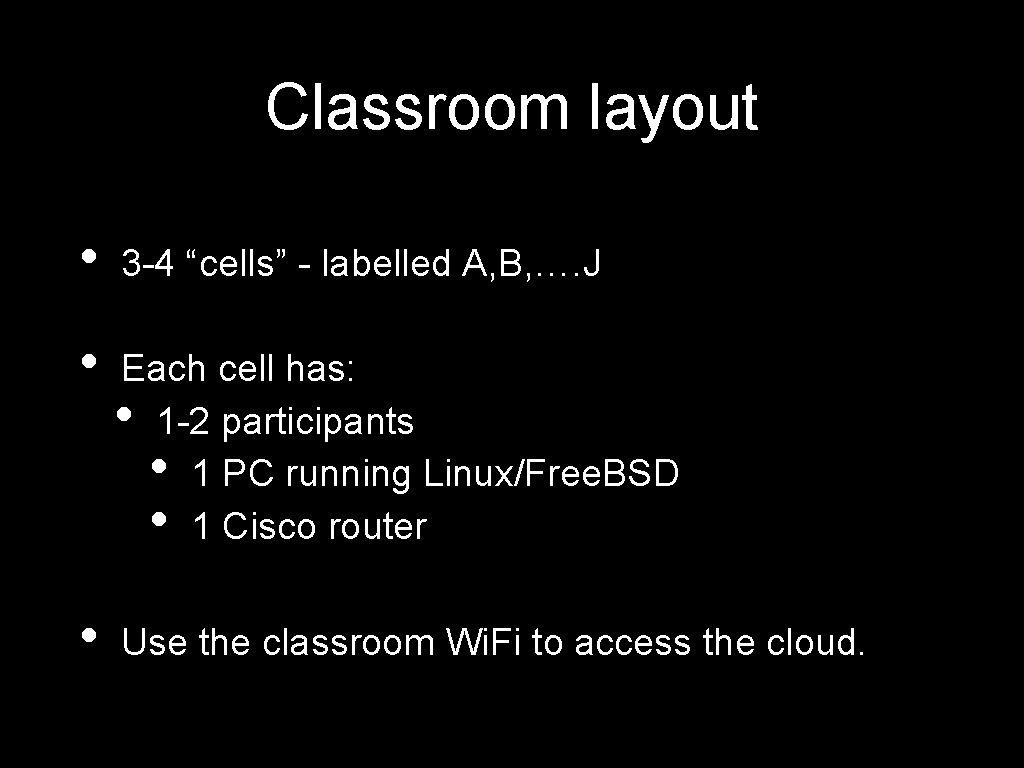
Classroom layout • 3 -4 “cells” - labelled A, B, …. J • Each cell has: • 1 -2 participants • 1 PC running Linux/Free. BSD • 1 Cisco router • Use the classroom Wi. Fi to access the cloud.
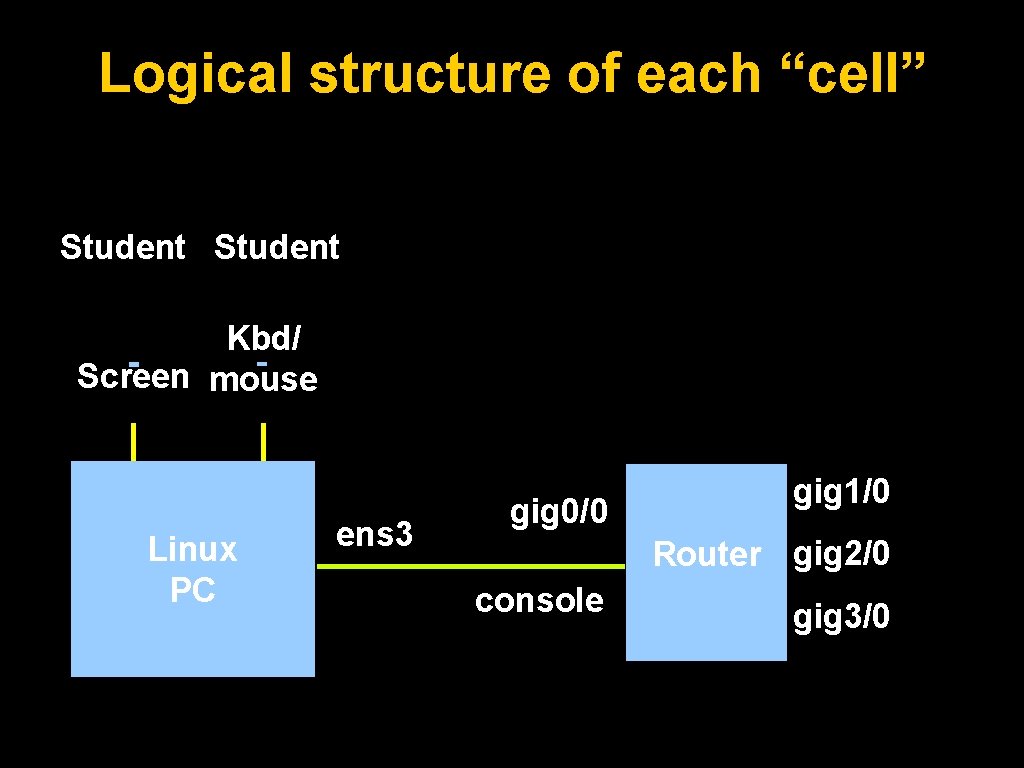
Logical structure of each “cell” Student Kbd/ Screen mouse Linux PC ens 3 gig 0/0 gig 1/0 Router gig 2/0 console gig 3/0
Where are the routers and the PCs? • Virtual devices inside one or two real PCs with a lot of memory. • Special IP addresses and port numbers connect the outside world to the virtual devices. • Instructors can do things like connect the ethernet port of two virtual routers together, or connect the ethernet port of a PC to the ethernet port of a router.
Access to virtual PCs and Routers • Use VNC to a special hostname and port to connect to your virtual PC. • Use telnet to a special hostname and port to access the serial console of your virtual router. • See notes for details: • > SI-E, • > Details • > Monday morning session • > Equipment access details.
Install VNC and Telnet/SSH clients • • • Windows: • Search for “VNC viewer”. Tight. VNC or Real. VNC are both fine • Search for “putty ssh” Linux: • Install “vinagre” or any other VNC package • Telnet and SSH are built in Mac: • VNC, Telnet and SSH are already built in
PC Configuration • • • Ubuntu Linux “root” password is “afnog” user “afnog” password is “afnog” Do NOT change passwords Do NOT patch security holes Do NOT install DNS resolvers.
Open Questions • Please feel free to ask any questions during the sessions. • Please interrupt us if you don’t understand anything, or if you have a question. • Please ask questions : -)
WELCOME to AFNOG Learn everything you can, Have fun, Take photos, Network, Ask questions, you’ll make the instructors happy.
- Slides: 23