
Advanced Topics In Hardware You will learn the
- Slides: 39
Advanced Topics In Hardware You will learn the inner workings of the hardware components introduced in the previous section. James Tam
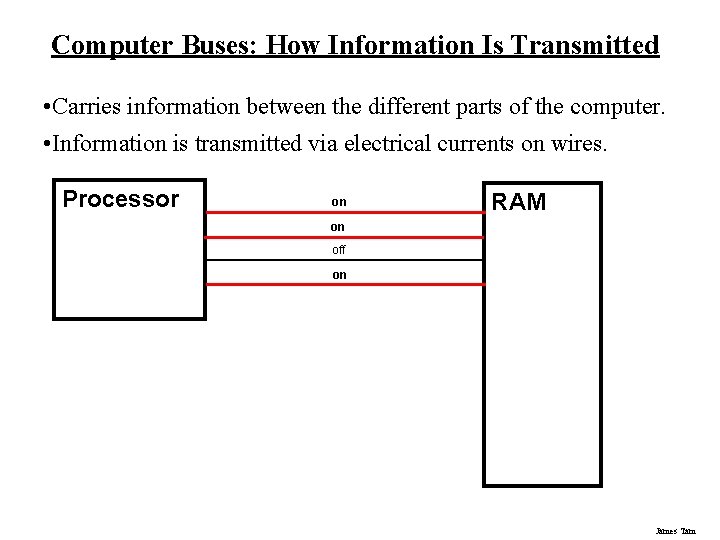
Computer Buses: How Information Is Transmitted • Carries information between the different parts of the computer. • Information is transmitted via electrical currents on wires. Processor on RAM on off on James Tam
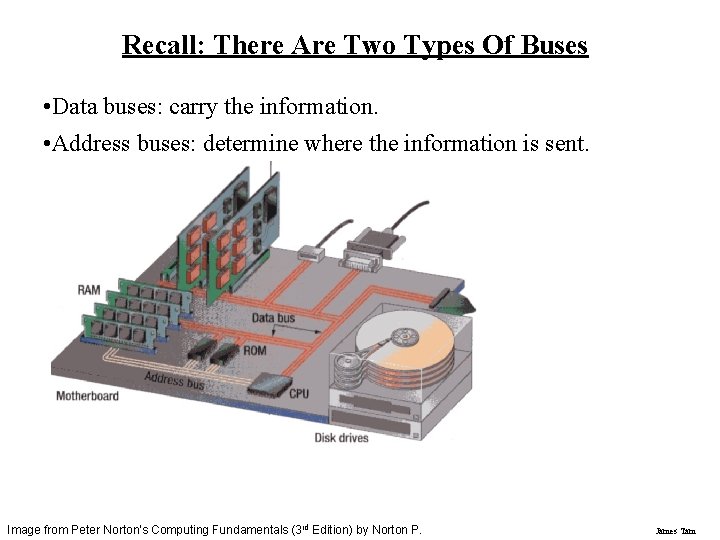
Recall: There Are Two Types Of Buses • Data buses: carry the information. • Address buses: determine where the information is sent. Image from Peter Norton's Computing Fundamentals (3 rd Edition) by Norton P. James Tam
Word Size • Word size: - It’s the width of a bus (number of wires). - Typical word size for home computers is 32 bits (although support for 64 bit buses is becoming more common). - Very powerful computers may have a word size of 128 bits. • Data bus: - The word size of the data bus determines how much information can be transported. • Address bus: - The word size of the address bus determines how many locations that information can be sent to. James Tam
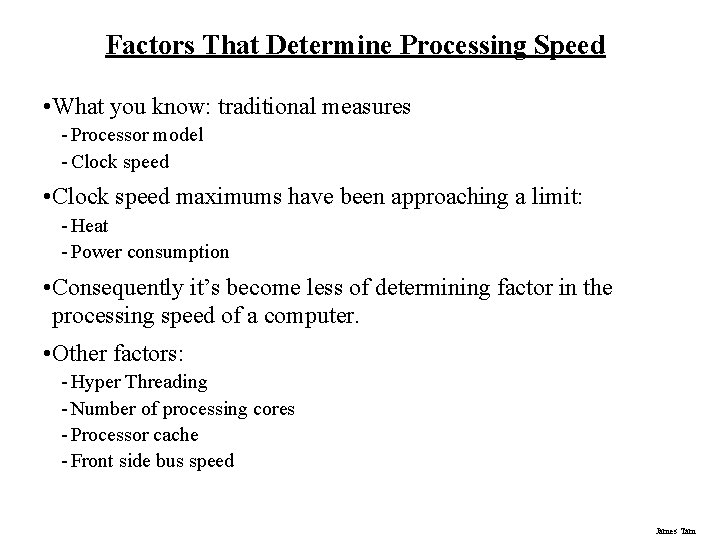
Factors That Determine Processing Speed • What you know: traditional measures - Processor model - Clock speed • Clock speed maximums have been approaching a limit: - Heat - Power consumption • Consequently it’s become less of determining factor in the processing speed of a computer. • Other factors: - Hyper Threading - Number of processing cores - Processor cache - Front side bus speed James Tam
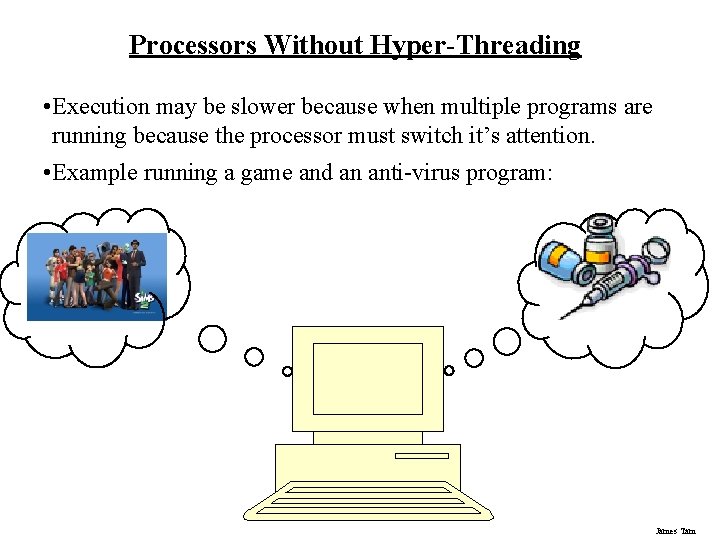
Processors Without Hyper-Threading • Execution may be slower because when multiple programs are running because the processor must switch it’s attention. • Example running a game and an anti-virus program: James Tam
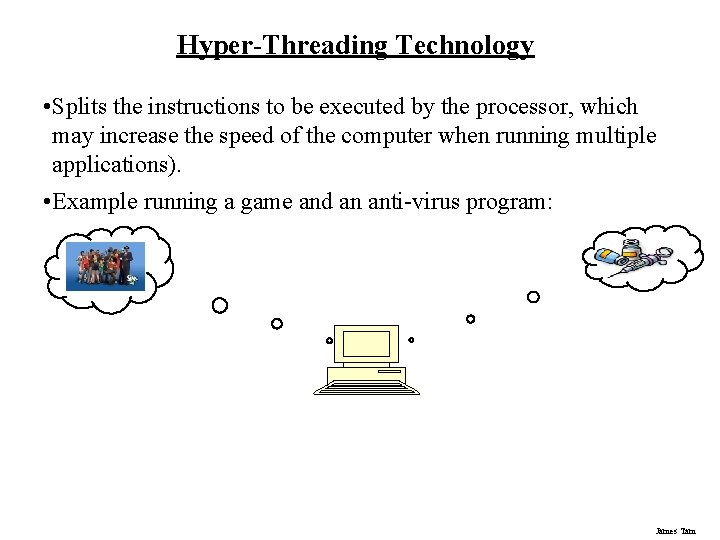
Hyper-Threading Technology • Splits the instructions to be executed by the processor, which may increase the speed of the computer when running multiple applications). • Example running a game and an anti-virus program: James Tam
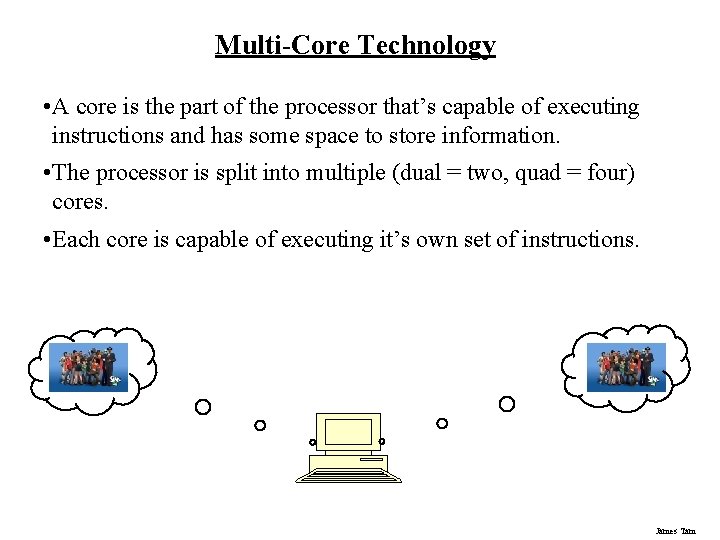
Multi-Core Technology • A core is the part of the processor that’s capable of executing instructions and has some space to store information. • The processor is split into multiple (dual = two, quad = four) cores. • Each core is capable of executing it’s own set of instructions. James Tam
Do You Need Multiple Processing Cores? • Going from a single core to a multi-core system will not automatically result in an increase in speed. • Two situations where speed will increase: 1. You simultaneously run two or more programs that are processor intensive. 2. You run a single program that is processor intensive and it is written specifically for a multi-core processor. • When having multiple cores won’t increase speed: - Opposite of the above: • You don’t run multiple processor intensive programs at the same time. • The single processor intensive program that you do run is not optimized to run on a multi-core processor. James Tam
Do You Need Multiple Processing Cores? (2) • Examples of processor intensive tasks: - Video editing (saving). Playing videos. Ripping CD’s. Running security software (e. g. , anti-virus). Many of the newer computer games are processor intensive (at least to a degree). James Tam
The Processor Cache • The cache is fast memory that’s either on or near the processor. • The processor and RAM operate at different speeds: The cache bridges the speed difference between the processor and RAM. • There’s different “levels” of processor caches (L 1, L 2, L 3) but the one that typically has the greatest effect on speed is the L 2 cache: - (Very) old processors: no cache - Budget processors: ~2 – 6 MB L 2 cache - Higher end processors: ~4 – 12 MB L 2 cache James Tam
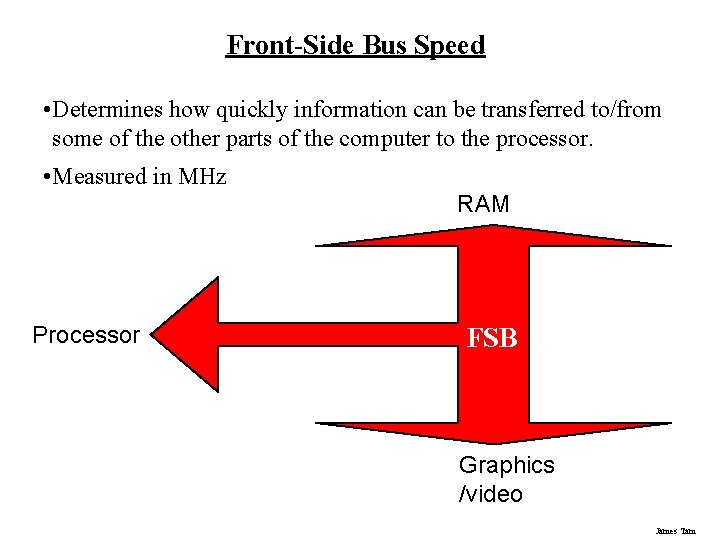
Front-Side Bus Speed • Determines how quickly information can be transferred to/from some of the other parts of the computer to the processor. • Measured in MHz RAM Processor FSB Graphics /video James Tam
Common Front Side Bus Speeds • Budget processors - (Laptop): 800 – 1033 MHz - (Desktop): 800 – 1333 MHz • Higher-end processors - 1066, 1333, 1600 MHz James Tam
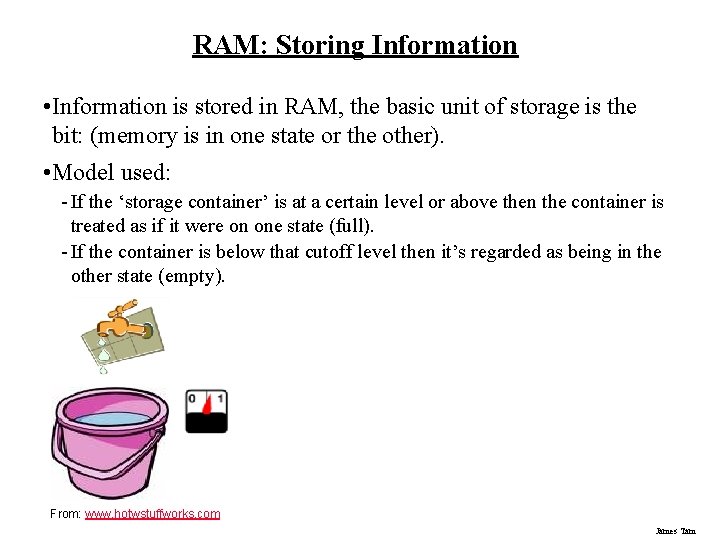
RAM: Storing Information • Information is stored in RAM, the basic unit of storage is the bit: (memory is in one state or the other). • Model used: - If the ‘storage container’ is at a certain level or above then the container is treated as if it were on one state (full). - If the container is below that cutoff level then it’s regarded as being in the other state (empty). From: www. hotwstuffworks. com James Tam
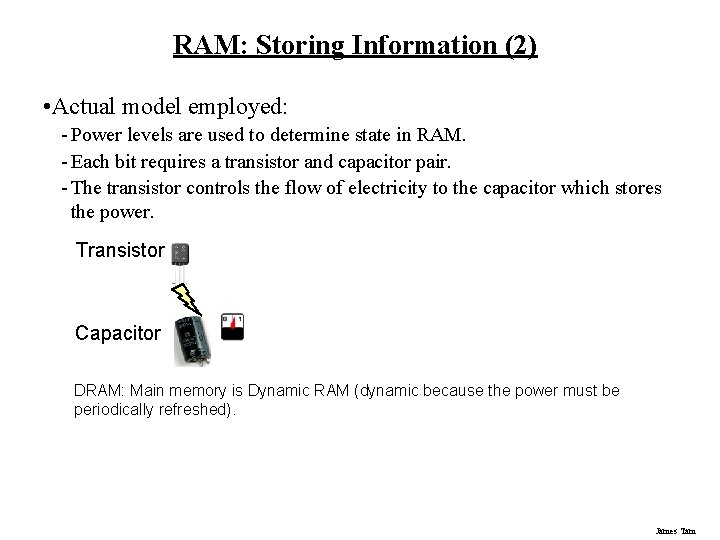
RAM: Storing Information (2) • Actual model employed: - Power levels are used to determine state in RAM. - Each bit requires a transistor and capacitor pair. - The transistor controls the flow of electricity to the capacitor which stores the power. Transistor Capacitor DRAM: Main memory is Dynamic RAM (dynamic because the power must be periodically refreshed). James Tam
Static RAM (SRAM) • Static: Stores information based on power levels (on/off) but unlike Dynamic RAM it does not need to be refreshed (which takes time) so SRAM is faster than DRAM. • As long as the computer is powered, SRAM can retain information about which state it’s currently in. • SRAM is more expensive and is used in a more limited fashion, typically just in faster memory (e. g. , cache). James Tam
Types Of DRAM 1. SD-RAM (Synchronous dynamic random access memory) • Synchronous: Timed with the processor • Widely available since the 1990’s 2. DDR (Double data rate) SD-RAM • 2001+ • Doubles the transfer rate of regular SD-RAM 3. DDR 2 SD-RAM • 2003+ • Doubles again the transfer rate of DDR SD-RAM 4. DDR 3 SD-RAM • Latter half of 2007 • Doubles again the transfer rate of DDR 2 SD-RAM James Tam
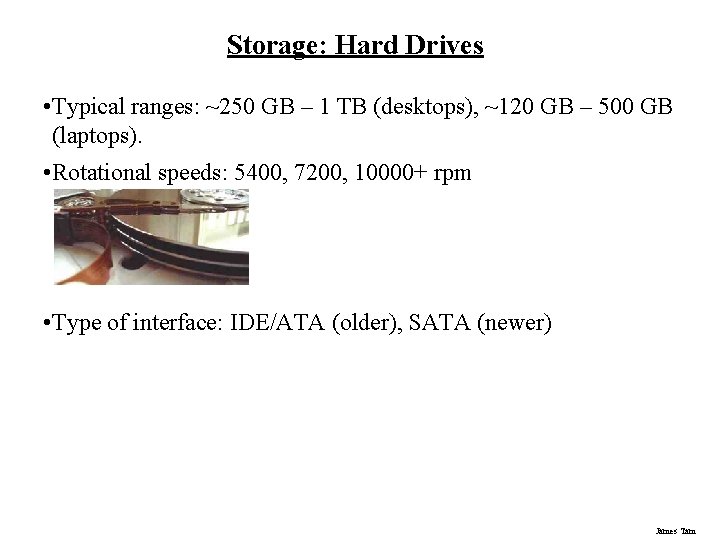
Storage: Hard Drives • Typical ranges: ~250 GB – 1 TB (desktops), ~120 GB – 500 GB (laptops). • Rotational speeds: 5400, 7200, 10000+ rpm • Type of interface: IDE/ATA (older), SATA (newer) James Tam
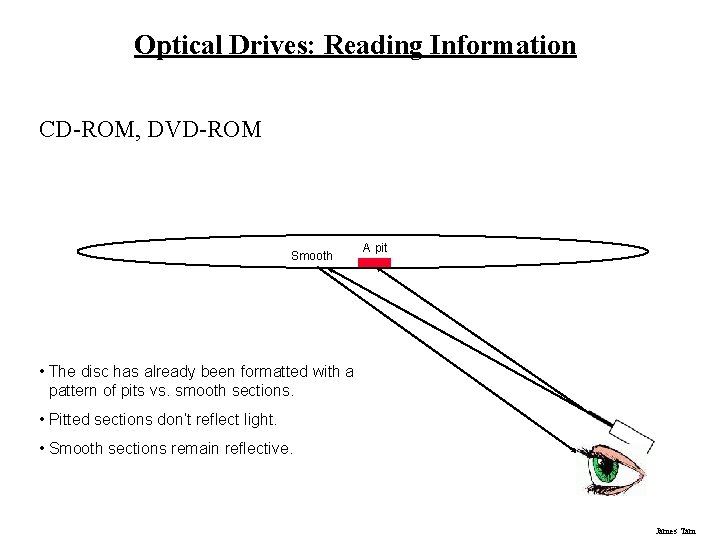
Optical Drives: Reading Information CD-ROM, DVD-ROM Smooth A pit • The disc has already been formatted with a pattern of pits vs. smooth sections. • Pitted sections don’t reflect light. • Smooth sections remain reflective. James Tam
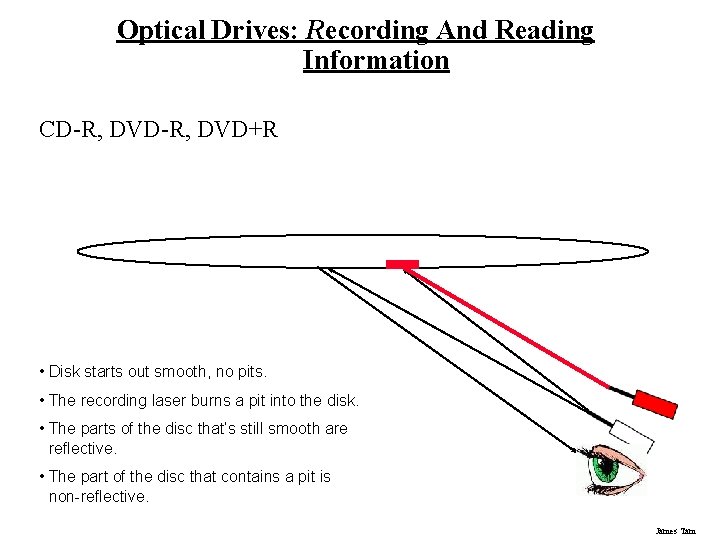
Optical Drives: Recording And Reading Information CD-R, DVD+R • Disk starts out smooth, no pits. • The recording laser burns a pit into the disk. • The parts of the disc that’s still smooth are reflective. • The part of the disc that contains a pit is non-reflective. James Tam
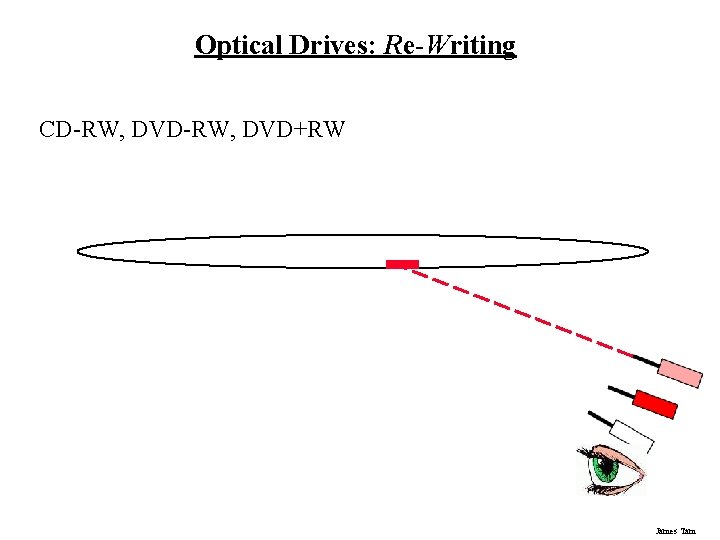
Optical Drives: Re-Writing CD-RW, DVD+RW James Tam
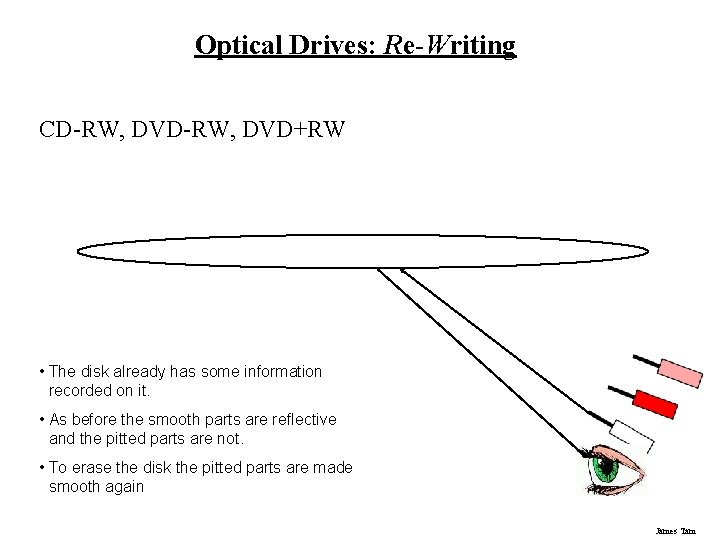
Optical Drives: Re-Writing CD-RW, DVD+RW • The disk already has some information recorded on it. • As before the smooth parts are reflective and the pitted parts are not. • To erase the disk the pitted parts are made smooth again James Tam
CD/DVD Drives • Some considerations: - Speed - Single layer/single sided and dual layer/double sided - Next generation DVD: Blu-ray, HD-DVD (discontinued) James Tam
CD/DVD: Speed • CD Speeds: - Stated in the form of 3 numbers e. g. , 52 x 32 x 52 - These three numbers state the maximums for: • (Write speed) x (Re-write speed) x (Read speed) • DVD Speeds: - Sometimes they are listed in the same format as CD speeds - Other times they are listed in the form of two numbers e. g. , 16 x 16 • (Write speed with ‘plus’ DVD discs) x (Write speed with ‘minus’ DVD discs) - Or they may be listed as a single number e. g. , x 16 • (Write speed with ‘plus’ or ‘minus’ DVD discs James Tam
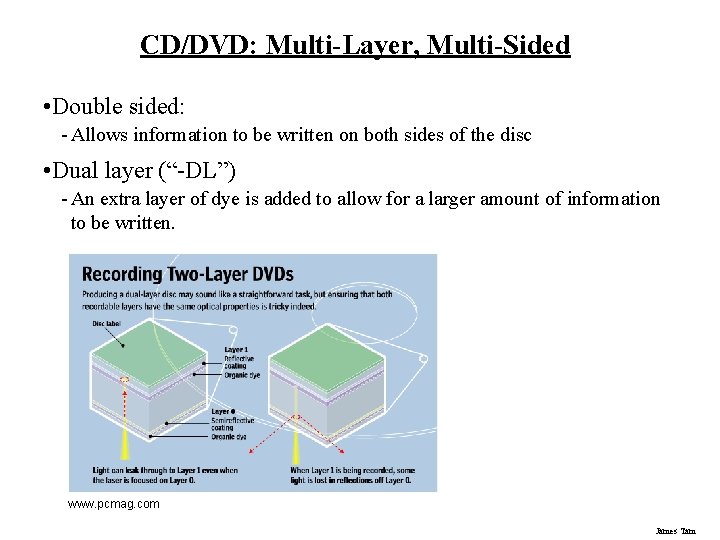
CD/DVD: Multi-Layer, Multi-Sided • Double sided: - Allows information to be written on both sides of the disc • Dual layer (“-DL”) - An extra layer of dye is added to allow for a larger amount of information to be written. www. pcmag. com James Tam
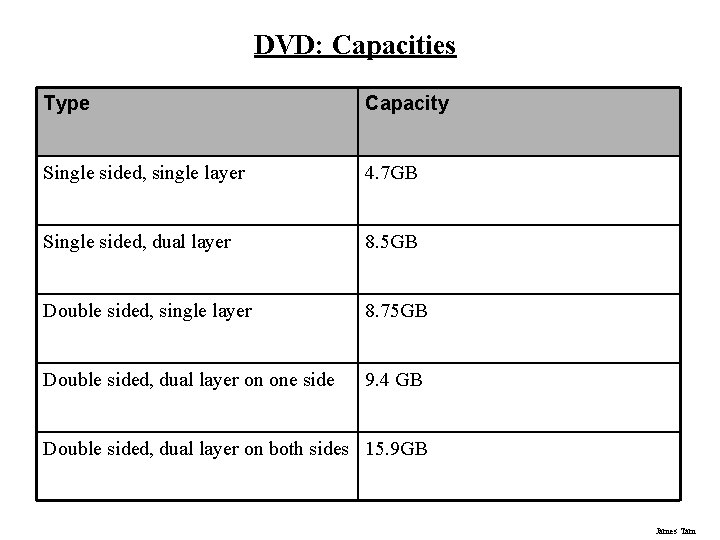
DVD: Capacities Type Capacity Single sided, single layer 4. 7 GB Single sided, dual layer 8. 5 GB Double sided, single layer 8. 75 GB Double sided, dual layer on one side 9. 4 GB Double sided, dual layer on both sides 15. 9 GB James Tam
A Next Generation DVD Format: Blu-Ray • Uses a different light frequency for the laser. • Results in high capacity storage: - 25 GB (single layer) - 50 GB (dual layer) • Backward (but not forward) compatibility is possible James Tam
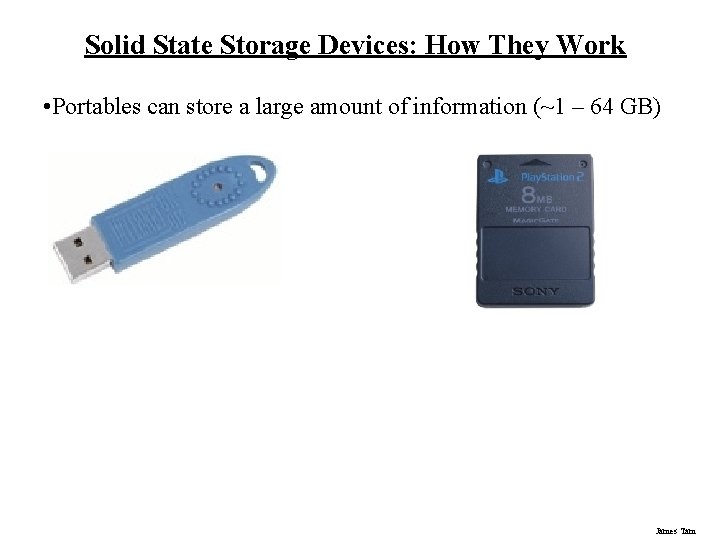
Solid State Storage Devices: How They Work • Portables can store a large amount of information (~1 – 64 GB) James Tam
Graphics/Video Cards • Sometimes they’re built into the main part of the computer (integrated graphics) and not a separate card. - Integrated graphics: sufficient for applications that don’t display complex graphics e. g. , word processing, browsing pages with just text and images on the web. • Other types of applications require dedicated hardware for graphics (separate graphic/video card): - Games: Drawing high quality graphics and producing realistic looking animations is obviously crucial for running some of the newest games. - Productivity software e. g. , 3 D drawing programs, video editing, CAD programs etc. • Also it can be an important consideration if you upgrade your operating system to Windows Vista. James Tam
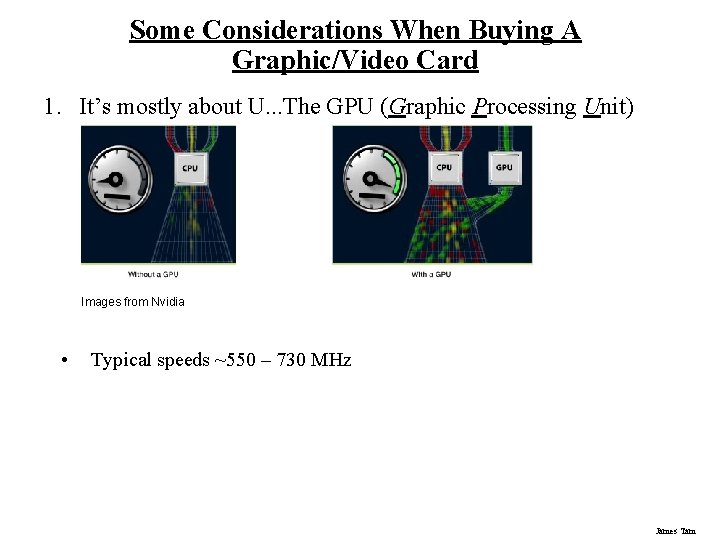
Some Considerations When Buying A Graphic/Video Card 1. It’s mostly about U. . . The GPU (Graphic Processing Unit) Images from Nvidia • Typical speeds ~550 – 730 MHz James Tam
Some Considerations When Buying A Graphic/Video Card (2) 2. Don’t forget about memory (of the graphics/video card). a) Video cards also have dedicated memory (VRAM). b) All things being equal a video card with a fast GPU will deliver better performance than one with a slower GPU but more memory. c) However with GPU’s being equal the video card with additional memory may deliver superior performance. d) Typical ranges 256 MB – 1 GB. James Tam
Some Considerations When Buying A Graphic/Video Card (3) 3. Direct. X 10 support. . . especially if you have Vista. 4. Type of interface: PCI (very old), AGP, PCI-E (newest) James Tam
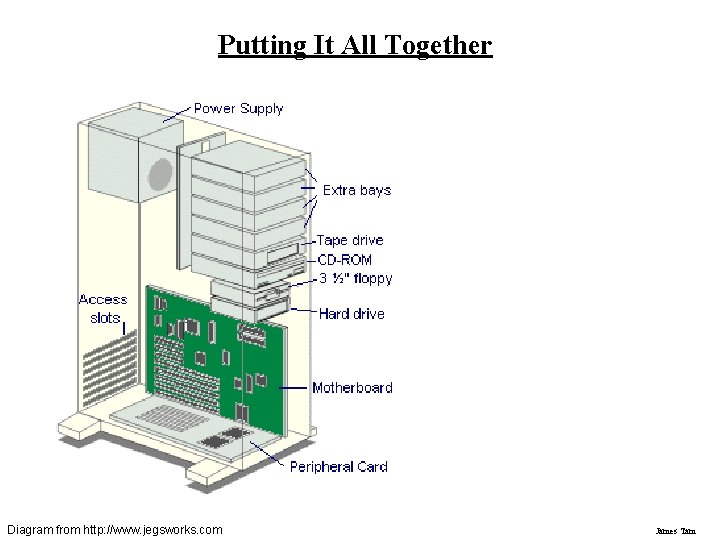
Putting It All Together Diagram from http: //www. jegsworks. com James Tam
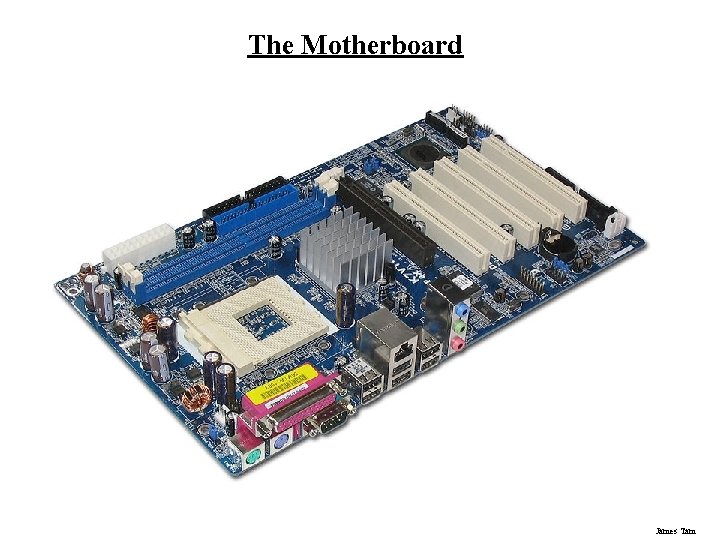
The Motherboard James Tam
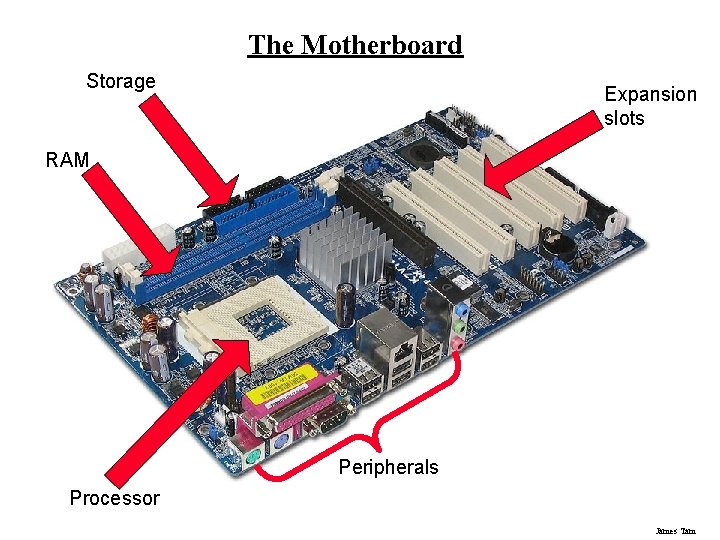
The Motherboard Storage Expansion slots RAM Peripherals Processor James Tam
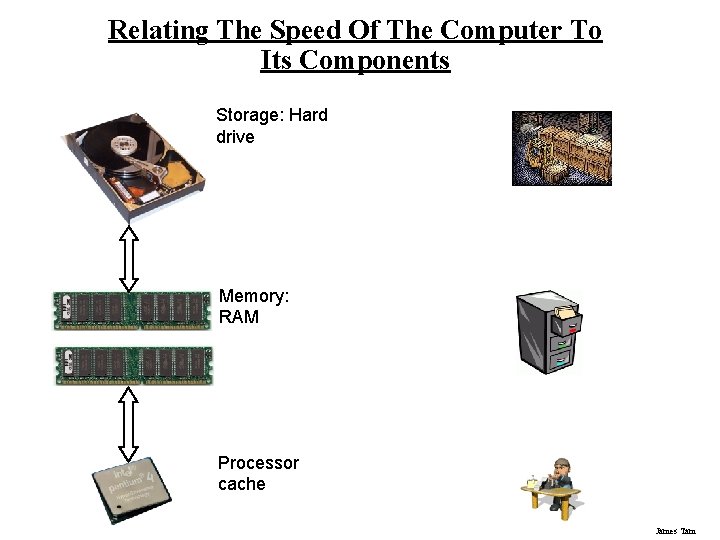
Relating The Speed Of The Computer To Its Components Storage: Hard drive Memory: RAM Processor cache James Tam
You Should Now Know • What are the two types of buses and the purpose of each • How a data bus transmits information using different combinations of on and off (bit states) • How the word size of the address and data bus effect the capabilities of a computer • What are the factors that effect processing speed beyond the model and clock speed - When technology such as hyper threading and multi-core processors increase speed when running a single program and when running multiple programs, and when they have no effect • How is a bit stored in RAM • What is the difference between SRAM and DRAM James Tam
You Should Now Know (2) • The amount of memory that typically comes with a modern computer • What are the different types of DRAM and the approximate speed of each • Some important technical characteristics of hard drives • The approximate storage capacities of the various storage devices • How optical drives retrieve, store and erase information on discs • Technical considerations to when buying an optical drive • Approximate storage capacities of different optical drives • How flash memory works James Tam
You Should Now Know (3) • Some of the important considerations when buying a graphics/video card • How the different parts of the computer are related to each other and how speed is determined by multiple hardware devices • What is a motherboard James Tam