
Advanced System Management Advanced System Management Presented by
Advanced System Management
Advanced System Management • • • Presented by Andrew Kutz Principal lostcreations akutz@lostcreations. com www. lostcreations. com
Abstract • After an environment is virtualized, IT professionals are faced with managing a virtualized architecture on an enterprise scale likely for the first time in their career. • This session goes beyond the point level GUI-driven management solutions offered by each virtualization platform vendor, instead examining scripting solutions for virtualization management. • You’ll also get a review of the available tools for centrally managing the virtual enterprise.
WHAT I ASSUME YOU (THE AUDIENCE) KNOWS • Virtualization platform familiarity • Basic knowledge of virtualization management concepts and problems
BY THE END OF THE SESSION, YOU’LL KNOW THE FOLLOWING • Post deployment tuning • How to overcome common management challenges
Post Deployment Tuning • Disk/Storage • Network • Routine Performance Spikes
General Tuning • Disable unused ports and devices • USB, Floppy, CD-ROM • Do not use virtual SMP unless required by apps • Disable unnecessary programs and services • Run a single application per VM • Consolidate virtual memory maps by grouping like OS/applications
General Tuning • Install VM Tools or additions • Install paravirtualized drivers whenever possible • Video • Disable screen savers • Do not run X Windows
Management Tools • Point-level • Centralized management • CA Unicenter ASM • SWsoft • ZENworks Virtual Machine Management
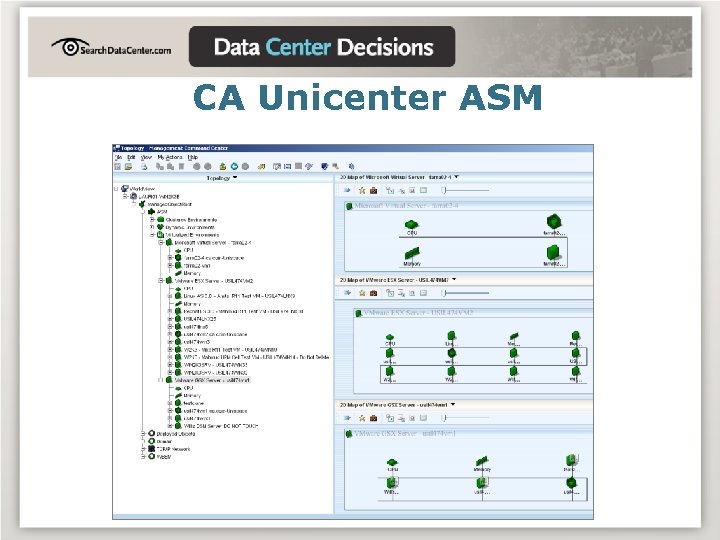
CA Unicenter ASM
Controlling VM Sprawl • Domain VHD Audit Script • Connect to domain • Collect list of all computers • Connect to each computer and list all VHD, VMDK, and files over 800 MB http: //downloads. chriswolf. com
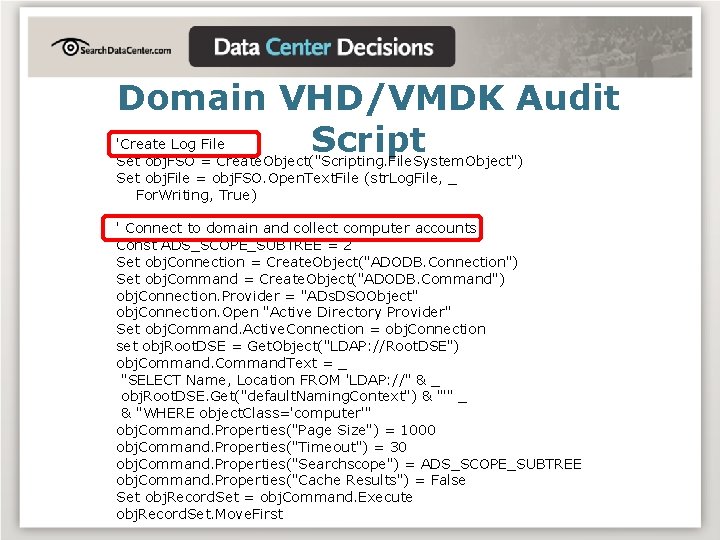
Domain VHD/VMDK Audit Script 'Create Log File Set obj. FSO = Create. Object("Scripting. File. System. Object") Set obj. File = obj. FSO. Open. Text. File (str. Log. File, _ For. Writing, True) ' Connect to domain and collect computer accounts Const ADS_SCOPE_SUBTREE = 2 Set obj. Connection = Create. Object("ADODB. Connection") Set obj. Command = Create. Object("ADODB. Command") obj. Connection. Provider = "ADs. DSOObject" obj. Connection. Open "Active Directory Provider" Set obj. Command. Active. Connection = obj. Connection set obj. Root. DSE = Get. Object("LDAP: //Root. DSE") obj. Command. Text = _ "SELECT Name, Location FROM 'LDAP: //" & _ obj. Root. DSE. Get("default. Naming. Context") & "'" _ & "WHERE object. Class='computer'" obj. Command. Properties("Page Size") = 1000 obj. Command. Properties("Timeout") = 30 obj. Command. Properties("Searchscope") = ADS_SCOPE_SUBTREE obj. Command. Properties("Cache Results") = False Set obj. Record. Set = obj. Command. Execute obj. Record. Set. Move. First
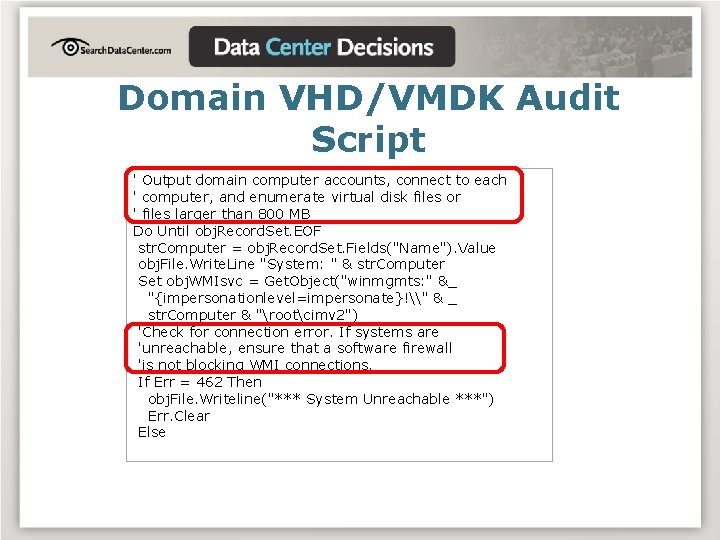
Domain VHD/VMDK Audit Script ' Output domain computer accounts, connect to each ' computer, and enumerate virtual disk files or ' files larger than 800 MB Do Until obj. Record. Set. EOF str. Computer = obj. Record. Set. Fields("Name"). Value obj. File. Write. Line "System: " & str. Computer Set obj. WMIsvc = Get. Object("winmgmts: " &_ "{impersonationlevel=impersonate}!\" & _ str. Computer & "rootcimv 2") 'Check for connection error. If systems are 'unreachable, ensure that a software firewall 'is not blocking WMI connections. If Err = 462 Then obj. File. Writeline("*** System Unreachable ***") Err. Clear Else
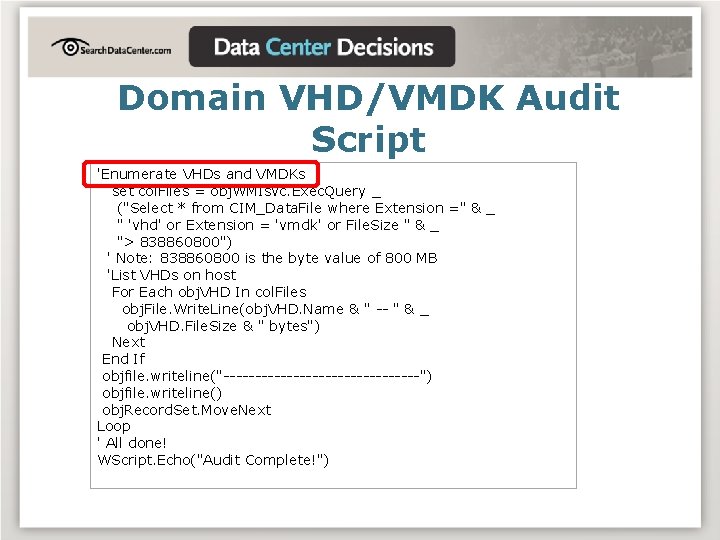
Domain VHD/VMDK Audit Script 'Enumerate VHDs and VMDKs set col. Files = obj. WMIsvc. Exec. Query _ ("Select * from CIM_Data. File where Extension =" & _ " 'vhd' or Extension = 'vmdk' or File. Size " & _ "> 838860800") ' Note: 838860800 is the byte value of 800 MB 'List VHDs on host For Each obj. VHD In col. Files obj. File. Write. Line(obj. VHD. Name & " -- " & _ obj. VHD. File. Size & " bytes") Next End If objfile. writeline("----------------") objfile. writeline() obj. Record. Set. Move. Next Loop ' All done! WScript. Echo("Audit Complete!")
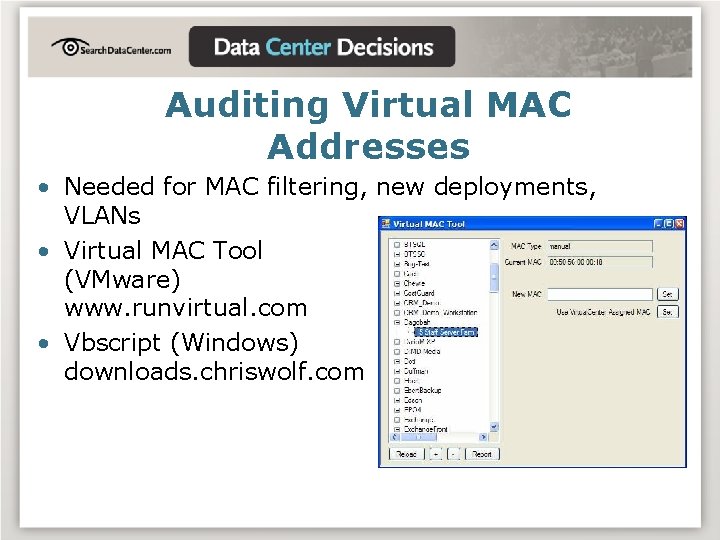
Auditing Virtual MAC Addresses • Needed for MAC filtering, new deployments, VLANs • Virtual MAC Tool (VMware) www. runvirtual. com • Vbscript (Windows) downloads. chriswolf. com
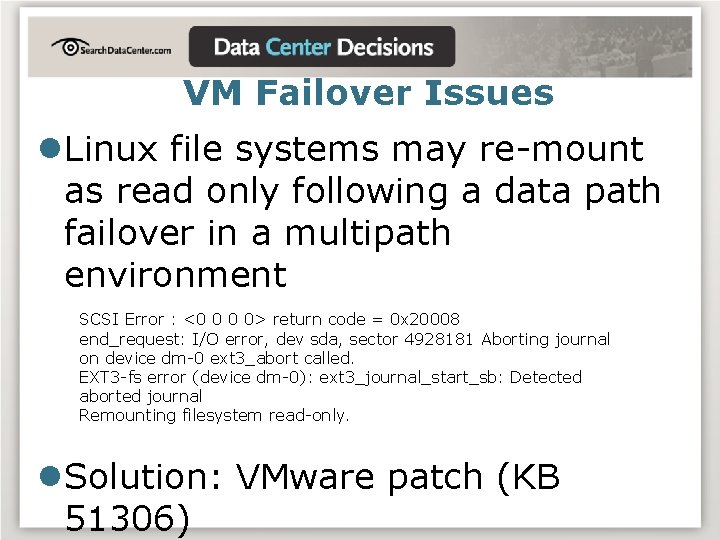
VM Failover Issues l. Linux file systems may re-mount as read only following a data path failover in a multipath environment SCSI Error : <0 0 0 0> return code = 0 x 20008 end_request: I/O error, dev sda, sector 4928181 Aborting journal on device dm-0 ext 3_abort called. EXT 3 -fs error (device dm-0): ext 3_journal_start_sb: Detected aborted journal Remounting filesystem read-only. l. Solution: VMware patch (KB 51306)
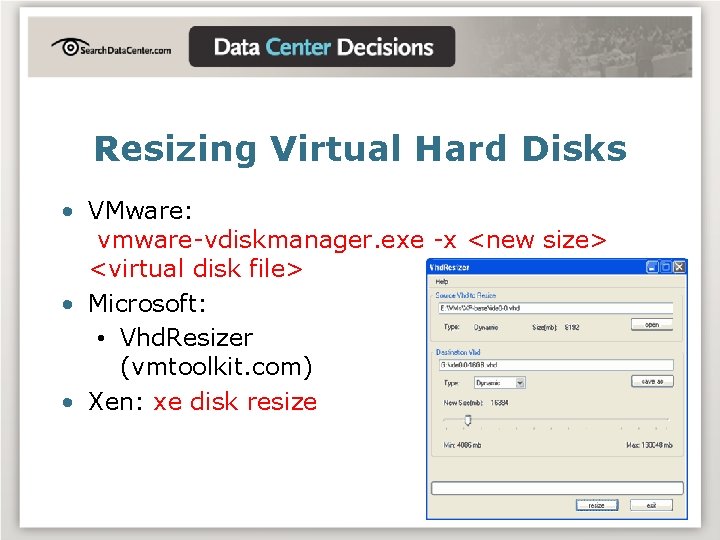
Resizing Virtual Hard Disks • VMware: vmware-vdiskmanager. exe -x <new size> <virtual disk file> • Microsoft: • Vhd. Resizer (vmtoolkit. com) • Xen: xe disk resize
Adding a “VM” Property to AD Objects • Useful for knowing which servers are virtual and which are physical • Requires a schema modification • Requires scripted AD integration to initially set the property
Management Resources • Chriswolf. com • VMware, Xen. Source, MS, Virtual Iron, SWsoft scripting downloads • VMware SDK http: //www. vmware. com/support/developer/ • Xen. Source KB http: //kb. xensource. com/kbindex. jspa
USE AT THE OFFICE • http: //downloads. chriswolf. com • Tons o’ scripts • VM appliances • Resource guides
RECOMMENDATIONS / SUMMARY • Don’t assume anything works as promised until you validate it • Centralized monitoring and script support make life easier • Share your experiences!
QUESTIONS? • Audience Q&A • akutz@lostcreations. com
FOR MORE INFORMATION • Virtualization: From the Desktop to the Enterprise • www. chriswolf. com • www. searchservervirtualization. com • www. vmblog. com • www. virtualization. info
- Slides: 23