
Advanced Python Course Steven Wingett Babraham Bioinformatics version
Advanced Python Course Steven Wingett, Babraham Bioinformatics version 2020 -08
Licence This presentation is © 2020, Steven Wingett & Simon Andrews. This presentation is distributed under the creative commons Attribution-Non-Commercial-Share Alike 2. 0 licence. This means that you are free: • to copy, distribute, display, and perform the work • to make derivative works Under the following conditions: • Attribution. You must give the original author credit. • Non-Commercial. You may not use this work for commercial purposes. • Share Alike. If you alter, transform, or build upon this work, you may distribute the resulting work only under a licence identical to this one. Please note that: • For any reuse or distribution, you must make clear to others the licence terms of this work. • Any of these conditions can be waived if you get permission from the copyright holder. • Nothing in this license impairs or restricts the author's moral rights. Full details of this licence can be found at http: //creativecommons. org/licenses/by-nc-sa/2. 0/uk/legalcode
Writing better code Part 1
Comprehensions • Elegant way to achieve same tasks as using loops, but in a single line • Used to create sets, lists or dictionaries from a collection
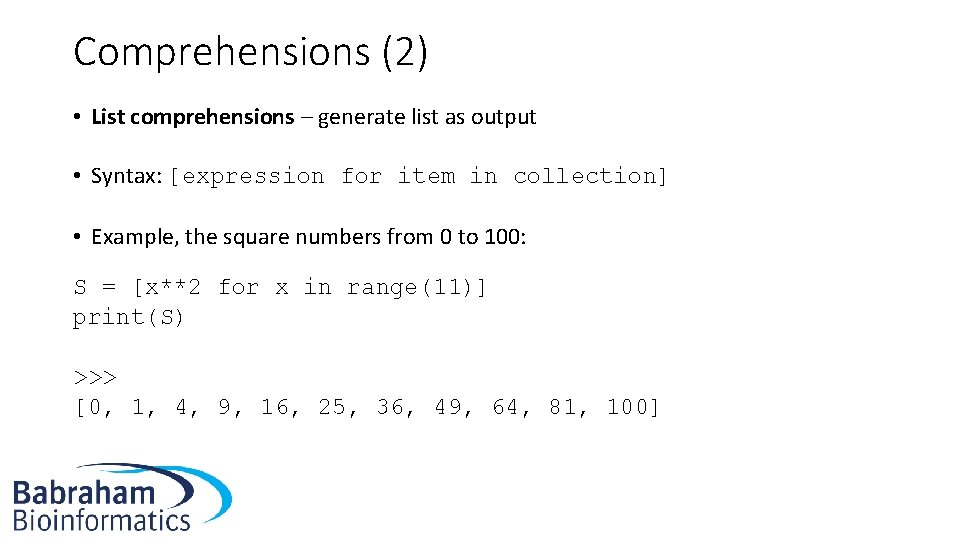
Comprehensions (2) • List comprehensions – generate list as output • Syntax: [expression for item in collection] • Example, the square numbers from 0 to 100: S = [x**2 for x in range(11)] print(S) >>> [0, 1, 4, 9, 16, 25, 36, 49, 64, 81, 100]
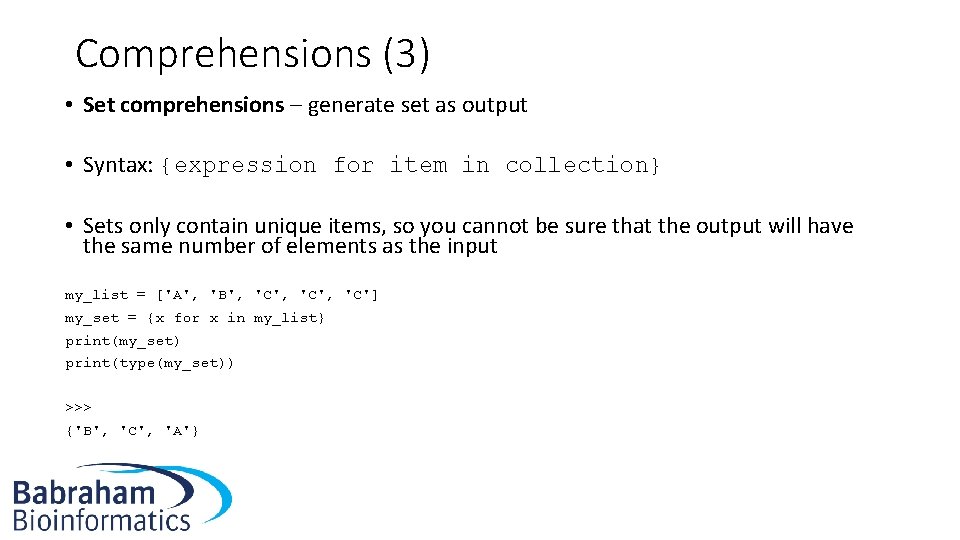
Comprehensions (3) • Set comprehensions – generate set as output • Syntax: {expression for item in collection} • Sets only contain unique items, so you cannot be sure that the output will have the same number of elements as the input my_list = ['A', 'B', 'C', 'C'] my_set = {x for x in my_list} print(my_set) print(type(my_set)) >>> {'B', 'C', 'A'}
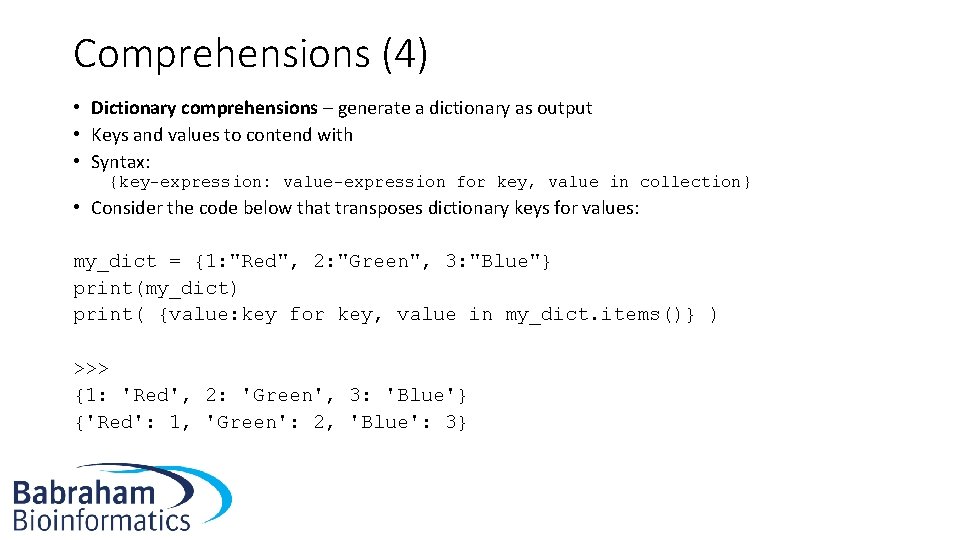
Comprehensions (4) • Dictionary comprehensions – generate a dictionary as output • Keys and values to contend with • Syntax: {key-expression: value-expression for key, value in collection} • Consider the code below that transposes dictionary keys for values: my_dict = {1: "Red", 2: "Green", 3: "Blue"} print(my_dict) print( {value: key for key, value in my_dict. items()} ) >>> {1: 'Red', 2: 'Green', 3: 'Blue'} {'Red': 1, 'Green': 2, 'Blue': 3}
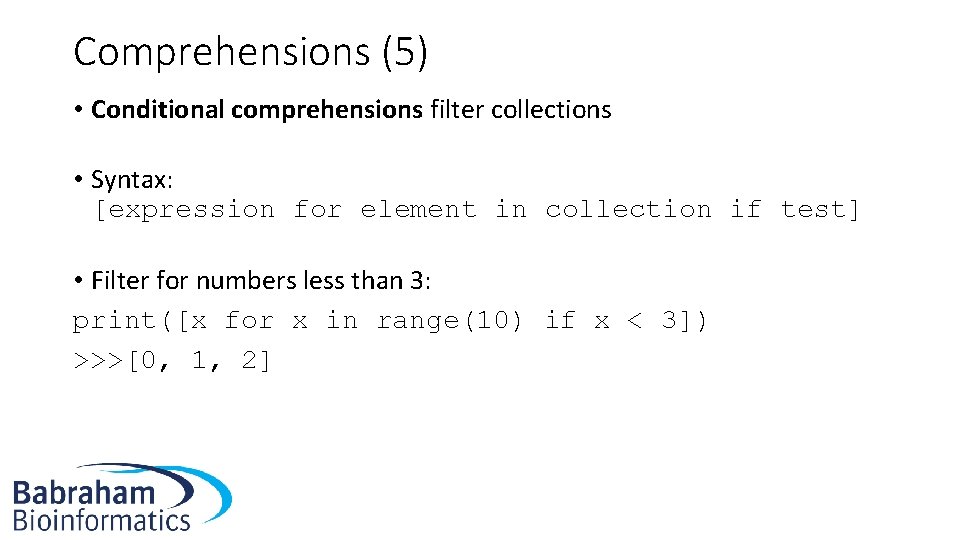
Comprehensions (5) • Conditional comprehensions filter collections • Syntax: [expression for element in collection if test] • Filter for numbers less than 3: print([x for x in range(10) if x < 3]) >>>[0, 1, 2]
Exercises • Exercise 1. 1 – Comprehensions
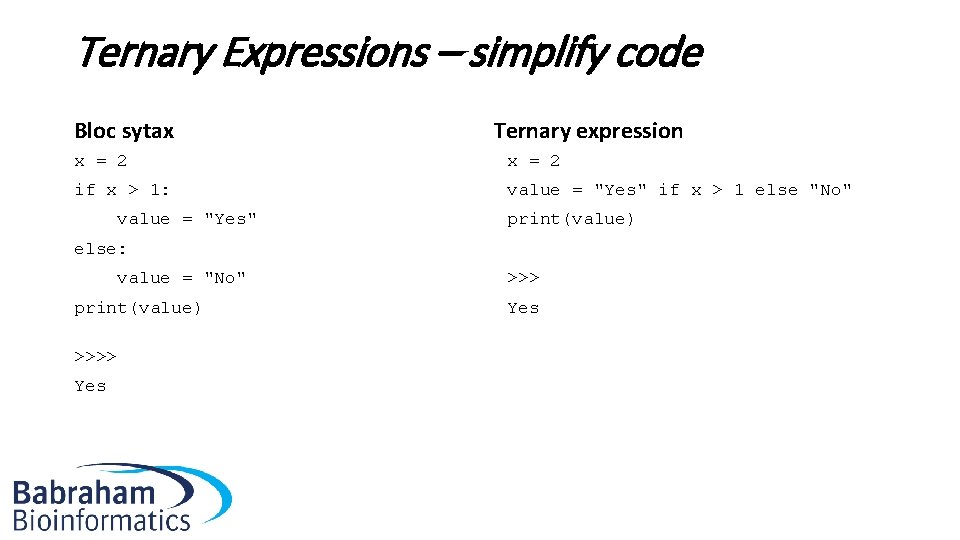
Ternary Expressions – simplify code Bloc sytax Ternary expression x = 2 if x > 1: value = "Yes" if x > 1 else "No" value = "Yes" print(value) else: value = "No" >>> print(value) Yes >>>> Yes
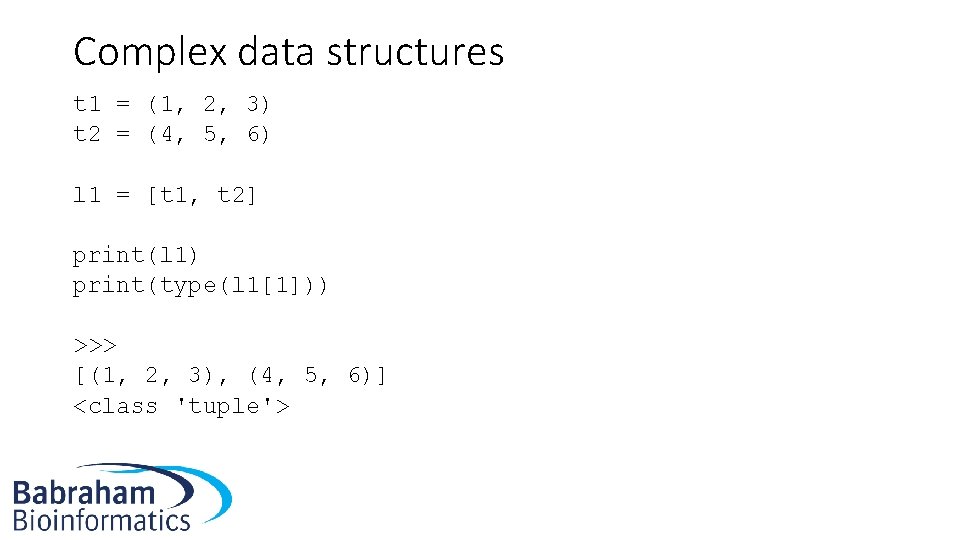
Complex data structures t 1 = (1, 2, 3) t 2 = (4, 5, 6) l 1 = [t 1, t 2] print(l 1) print(type(l 1[1])) >>> [(1, 2, 3), (4, 5, 6)] <class 'tuple'>
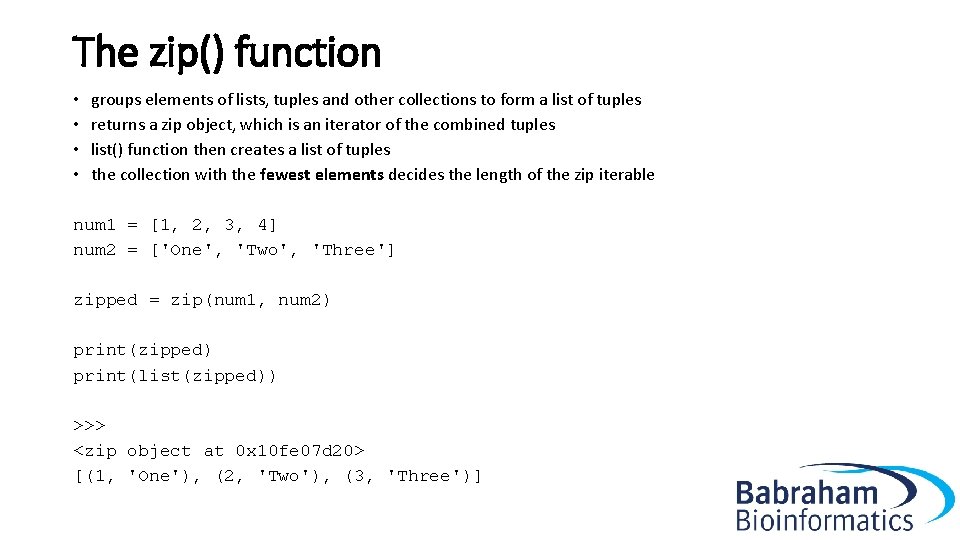
The zip() function • groups elements of lists, tuples and other collections to form a list of tuples • returns a zip object, which is an iterator of the combined tuples • list() function then creates a list of tuples • the collection with the fewest elements decides the length of the zip iterable num 1 = [1, 2, 3, 4] num 2 = ['One', 'Two', 'Three'] zipped = zip(num 1, num 2) print(zipped) print(list(zipped)) >>> <zip object at 0 x 10 fe 07 d 20> [(1, 'One'), (2, 'Two'), (3, 'Three')]
Exercises • Exercise 1. 2 – Complex data structures
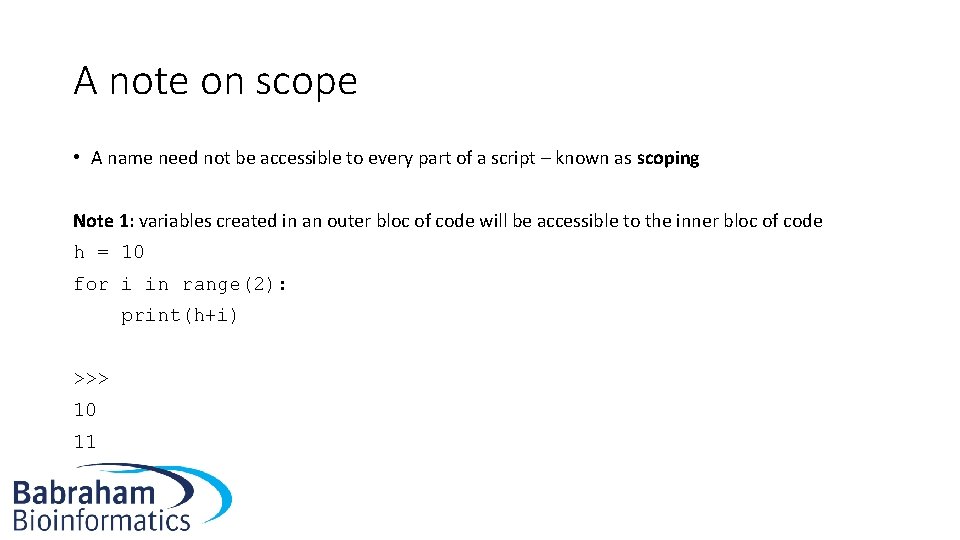
A note on scope • A name need not be accessible to every part of a script – known as scoping Note 1: variables created in an outer bloc of code will be accessible to the inner bloc of code h = 10 for i in range(2): print(h+i) >>> 10 11
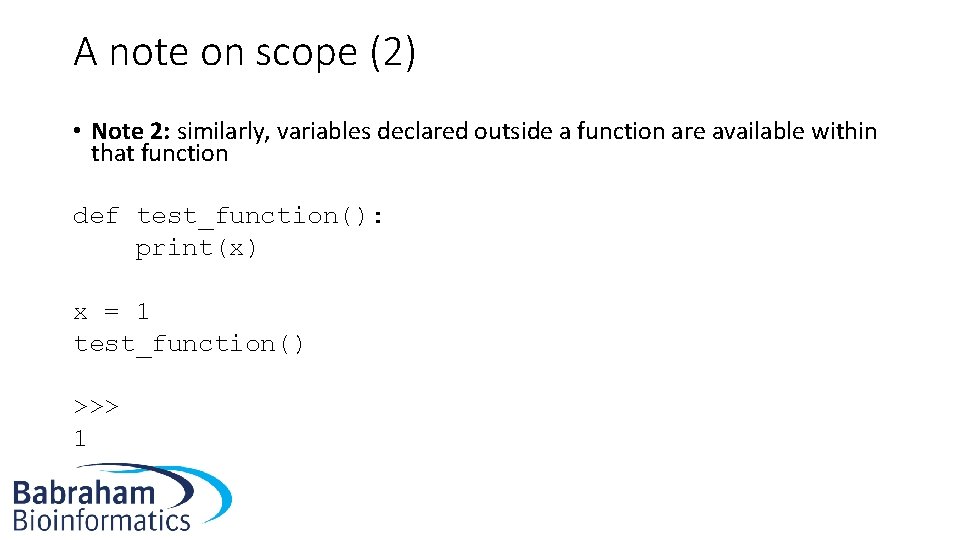
A note on scope (2) • Note 2: similarly, variables declared outside a function are available within that function def test_function(): print(x) x = 1 test_function() >>> 1
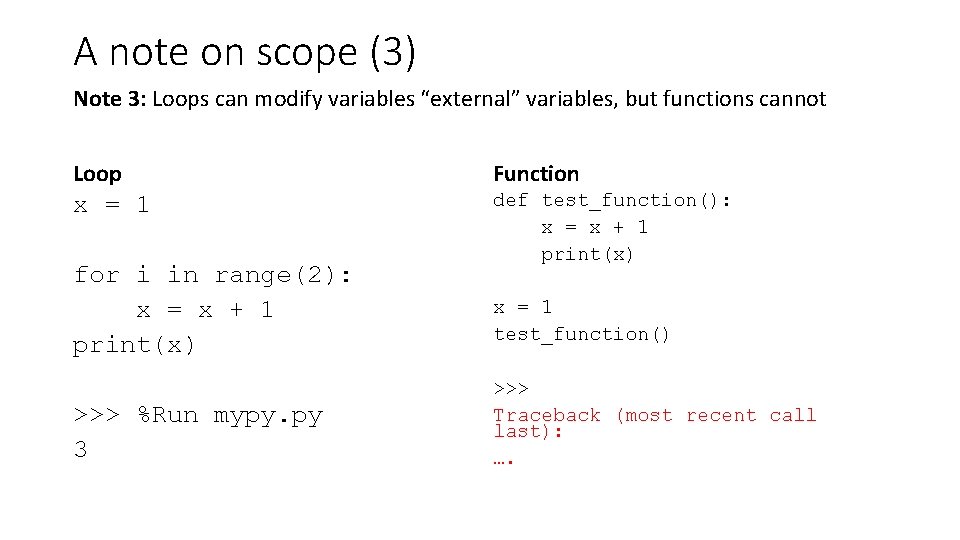
A note on scope (3) Note 3: Loops can modify variables “external” variables, but functions cannot Loop Function x = 1 for i in range(2): x = x + 1 print(x) >>> %Run mypy. py 3 def test_function(): x = x + 1 print(x) x = 1 test_function() >>> Traceback (most recent call last): ….
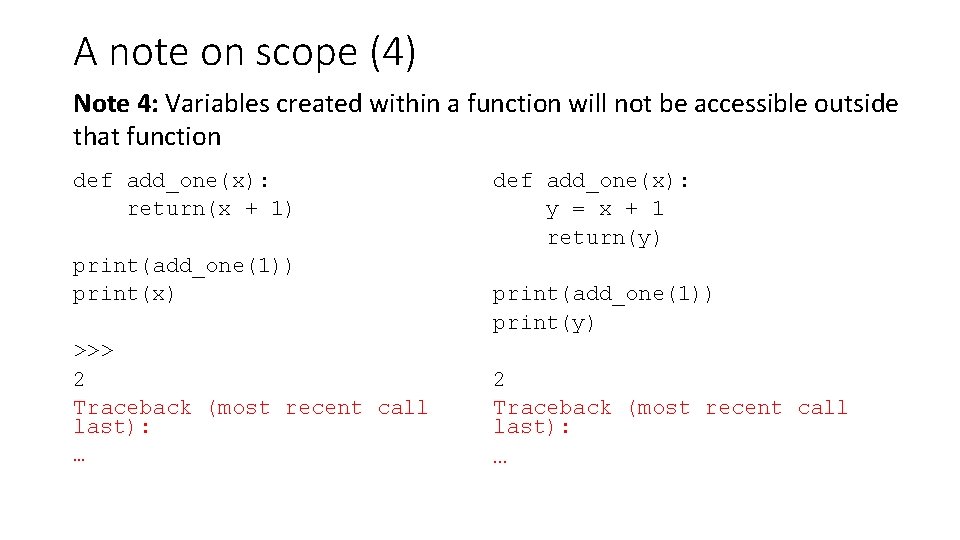
A note on scope (4) Note 4: Variables created within a function will not be accessible outside that function def add_one(x): return(x + 1) print(add_one(1)) print(x) >>> 2 Traceback (most recent call last): … def add_one(x): y = x + 1 return(y) print(add_one(1)) print(y) 2 Traceback (most recent call last): …
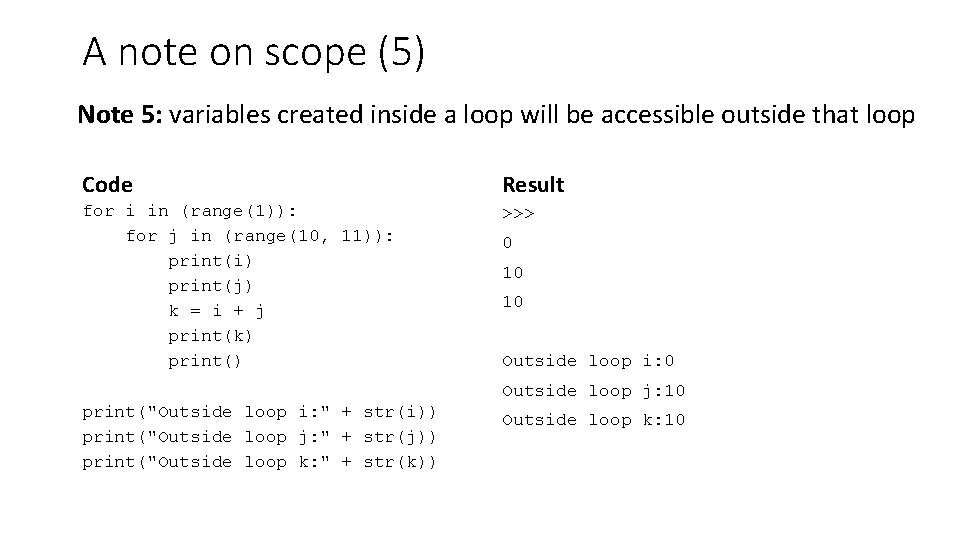
A note on scope (5) Note 5: variables created inside a loop will be accessible outside that loop Code Result for i in (range(1)): for j in (range(10, 11)): print(i) print(j) k = i + j print(k) print("Outside loop i: " + str(i)) print("Outside loop j: " + str(j)) print("Outside loop k: " + str(k)) >>> 0 10 10 Outside loop i: 0 Outside loop j: 10 Outside loop k: 10
Exercises Scope: exercises 1. 3 and 1. 4
Introduction to object-oriented programming • So far dealt with Python as a procedural language – a series of instructions (like a food recipe) • Easy to loose track of everything for big projects • Object-oriented programming (OOP) designed to make it easier to writing more complex projects • It is better suited to the human brain • In fact, everything in Python is an object
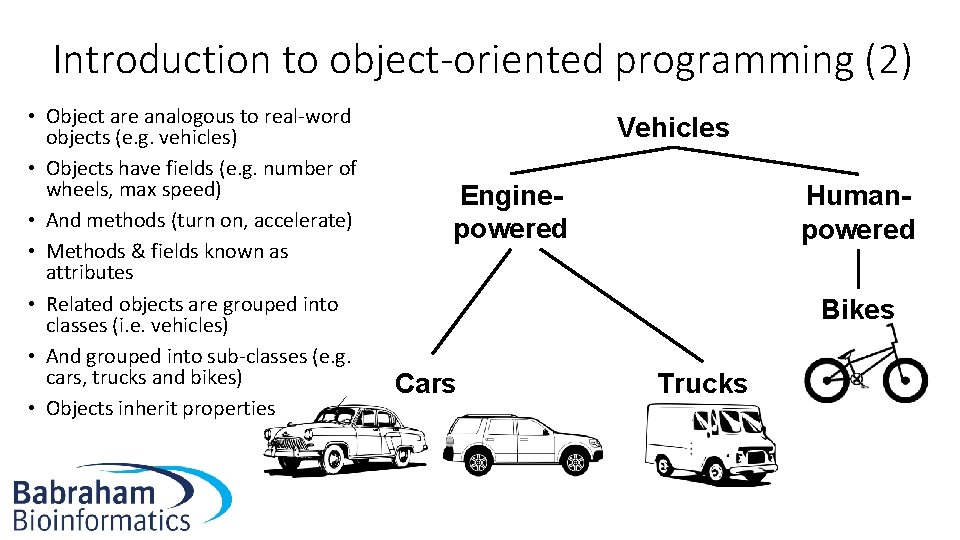
Introduction to object-oriented programming (2) • Object are analogous to real-word objects (e. g. vehicles) • Objects have fields (e. g. number of wheels, max speed) • And methods (turn on, accelerate) • Methods & fields known as attributes • Related objects are grouped into classes (i. e. vehicles) • And grouped into sub-classes (e. g. cars, trucks and bikes) • Objects inherit properties Vehicles Enginepowered Humanpowered Bikes Cars Trucks
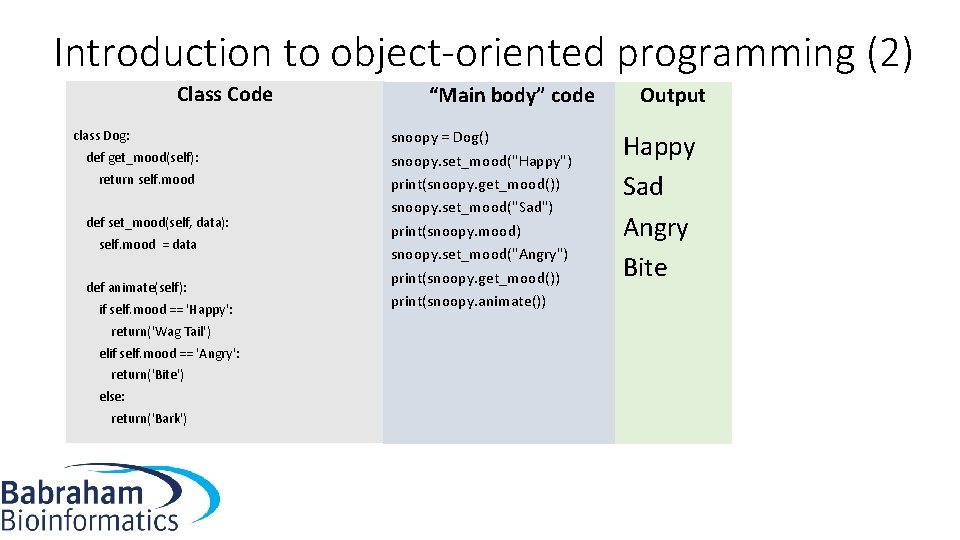
Introduction to object-oriented programming (2) Class Code class Dog: def get_mood(self): return self. mood def set_mood(self, data): self. mood = data def animate(self): if self. mood == 'Happy': return('Wag Tail') elif self. mood == 'Angry': return('Bite') else: return('Bark') “Main body” code snoopy = Dog() snoopy. set_mood("Happy") print(snoopy. get_mood()) snoopy. set_mood("Sad") print(snoopy. mood) snoopy. set_mood("Angry") print(snoopy. get_mood()) print(snoopy. animate()) Output Happy Sad Angry Bite
Exercises • Object orientated programming: Exercise 1. 5
Generators • As previously noted, generators produce a stream of data • Often preferable to keeping a very large list in memory, and then selecting a value from the list when required • Syntax almost identical to that of a function • Except, the generator code uses the keyword yield instead of return • next instigates each iteration of the generator • Generators keep track of “where they have got to” • Can (in theory) produce an infinite number of values • Alternatively, we can specify limit after which Stop. Iteration error occurs
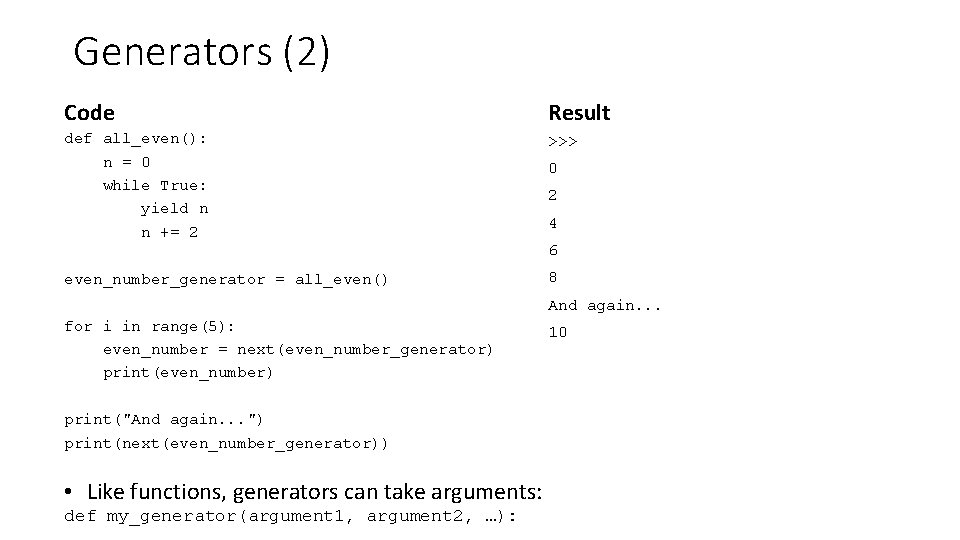
Generators (2) Code Result def all_even(): n = 0 while True: yield n n += 2 even_number_generator = all_even() for i in range(5): even_number = next(even_number_generator) print(even_number) print("And again. . . ") print(next(even_number_generator)) >>> • Like functions, generators can take arguments: def my_generator(argument 1, argument 2, …): 0 2 4 6 8 And again. . . 10
Generators • Exercises: 1. 6, 1. 7, 1. 8 • Optional: 1. 9*, 1. 10*
Exception handling: how to handle errors • You will have seen Traceback messages by now • These occur when there are errors in your code • Sometimes these are because your code cannot be interpreted (syntactically incorrect) – solution: re-write your code • Sometimes there is no way to re-write code to avoid errors • Errors detected during runtime are called exceptions • We can handle them exceptions and make our program “fail gracefully” • Unhandled exceptions will result in a traceback message
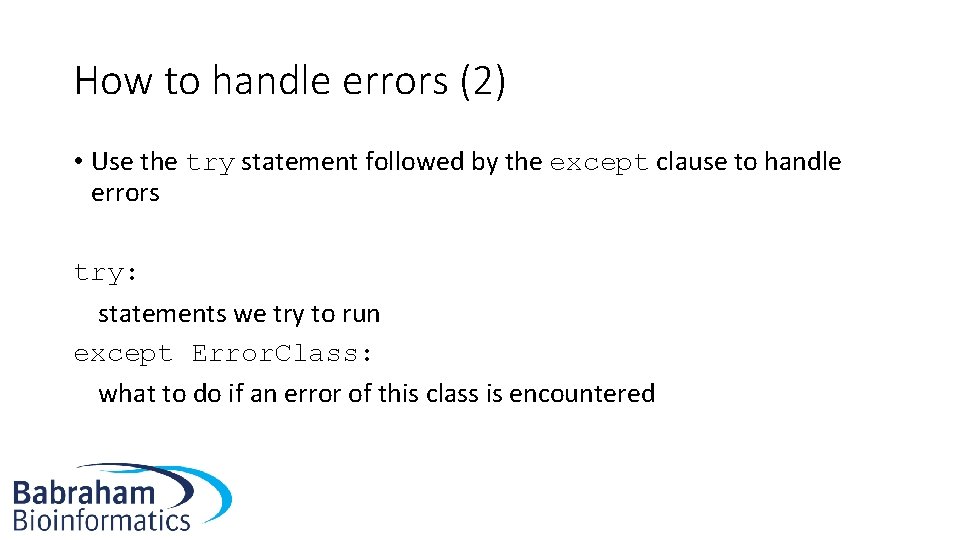
How to handle errors (2) • Use the try statement followed by the except clause to handle errors try: statements we try to run except Error. Class: what to do if an error of this class is encountered
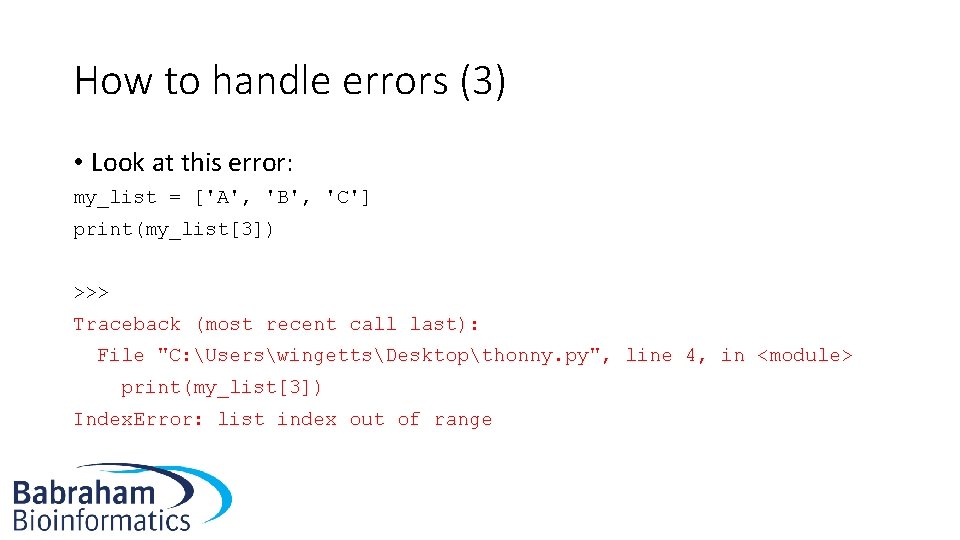
How to handle errors (3) • Look at this error: my_list = ['A', 'B', 'C'] print(my_list[3]) >>> Traceback (most recent call last): File "C: UserswingettsDesktopthonny. py", line 4, in <module> print(my_list[3]) Index. Error: list index out of range
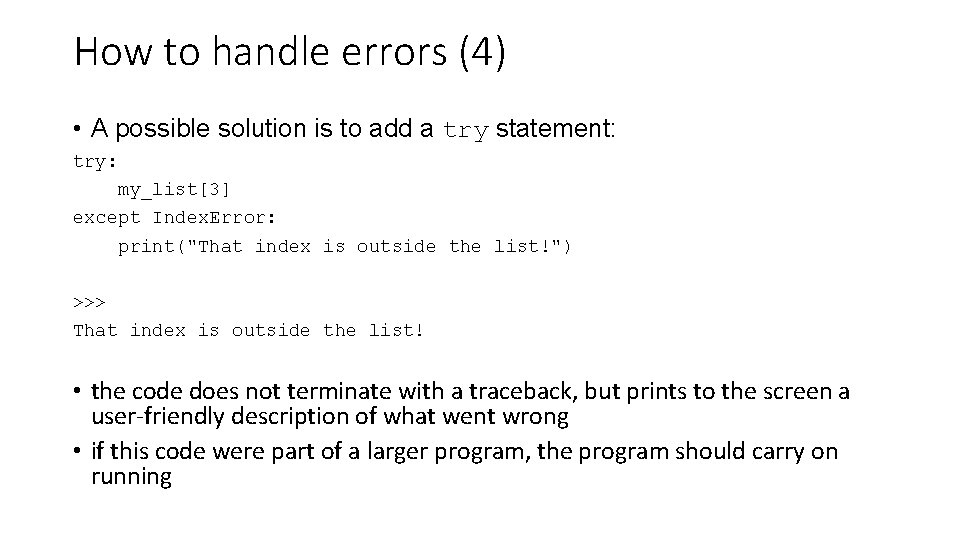
How to handle errors (4) • A possible solution is to add a try statement: try: my_list[3] except Index. Error: print("That index is outside the list!") >>> That index is outside the list! • the code does not terminate with a traceback, but prints to the screen a user-friendly description of what went wrong • if this code were part of a larger program, the program should carry on running
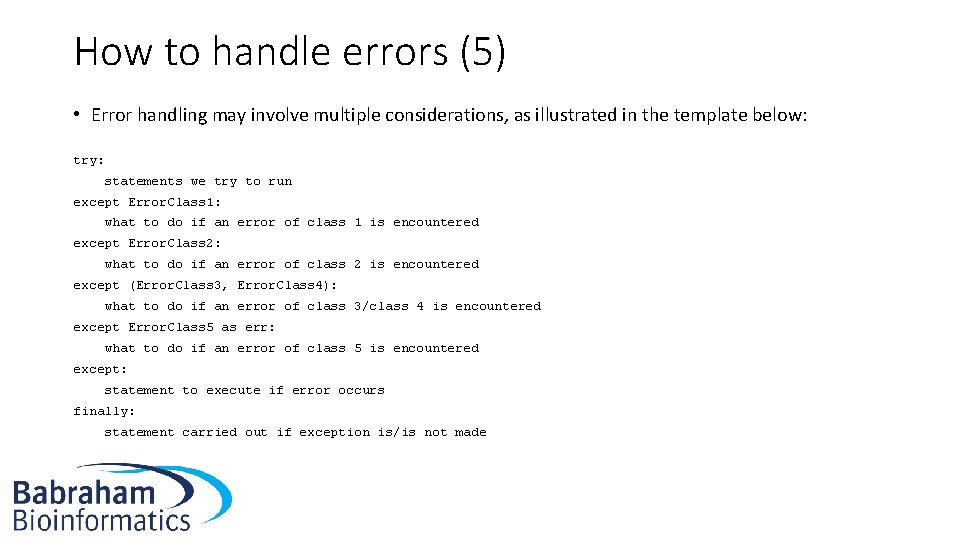
How to handle errors (5) • Error handling may involve multiple considerations, as illustrated in the template below: try: statements we try to run except Error. Class 1: what to do if an error of class 1 is encountered except Error. Class 2: what to do if an error of class 2 is encountered except (Error. Class 3, Error. Class 4): what to do if an error of class 3/class 4 is encountered except Error. Class 5 as err: what to do if an error of class 5 is encountered except: statement to execute if error occurs finally: statement carried out if exception is/is not made
Error handling • Exercises 1. 11 and 1. 12 • Optional 1. 13*
Modules Part 2
Modules • Modules make available to the user a much greater range of data types, functions, and methods • Many in-built modules and many external modules • Modules are files placed in a library directory during Python installation • To import os module: import os • Reference module when accessing newly imported name or method: os. getcwd() • To import specific names only from a module: from os import getcwd • Now you can refer to getcwd()directly (no need of os)
Getting used to modules • So now let’s look at some of the modules that you will most likely find useful • When you want to perform a task with an additional module, there is often some degree of research involved • Does my desired module actually exist? Check existing modules • Check the Python documentation and online to find a module that appears suitable • Reading the module’s documentation • Incorporate module into codebase • The exercises for this chapter were designed to help you go through some of this process yourself
Module: datetime • For handling date / time data • Online documentation for modules: https: //docs. python. org/3/library/datetime. html • Quite technical, but you should be able to understand some of it and this will get easier to understand
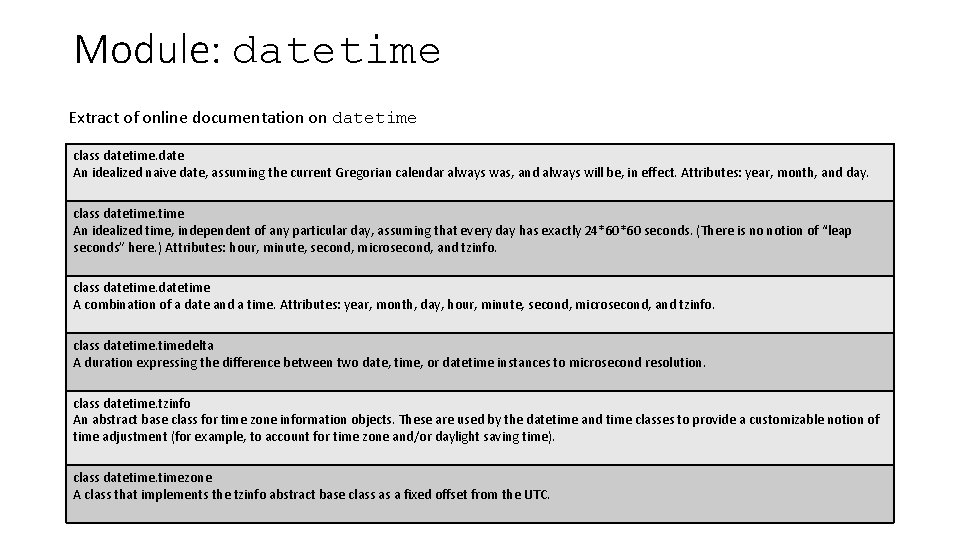
Module: datetime Extract of online documentation on datetime class datetime. date An idealized naive date, assuming the current Gregorian calendar always was, and always will be, in effect. Attributes: year, month, and day. class datetime An idealized time, independent of any particular day, assuming that every day has exactly 24*60*60 seconds. (There is no notion of “leap seconds” here. ) Attributes: hour, minute, second, microsecond, and tzinfo. class datetime A combination of a date and a time. Attributes: year, month, day, hour, minute, second, microsecond, and tzinfo. class datetimedelta A duration expressing the difference between two date, time, or datetime instances to microsecond resolution. class datetime. tzinfo An abstract base class for time zone information objects. These are used by the datetime and time classes to provide a customizable notion of time adjustment (for example, to account for time zone and/or daylight saving time). class datetimezone A class that implements the tzinfo abstract base class as a fixed offset from the UTC.
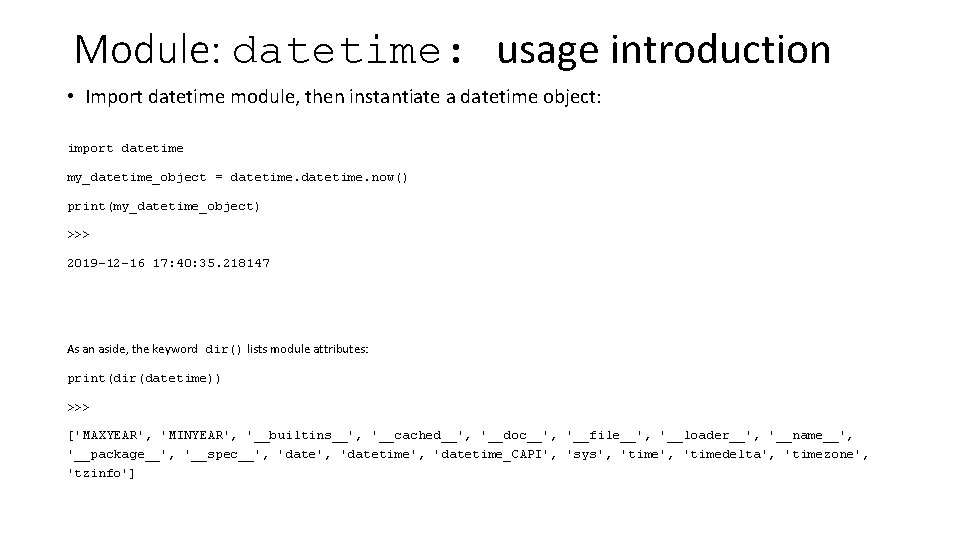
Module: datetime: usage introduction • Import datetime module, then instantiate a datetime object: import datetime my_datetime_object = datetime. now() print(my_datetime_object) >>> 2019 -12 -16 17: 40: 35. 218147 As an aside, the keyword dir() lists module attributes: print(dir(datetime)) >>> ['MAXYEAR', 'MINYEAR', '__builtins__', '__cached__', '__doc__', '__file__', '__loader__', '__name__', '__package__', '__spec__', 'datetime', 'datetime_CAPI', 'sys', 'timedelta', 'timezone', 'tzinfo']
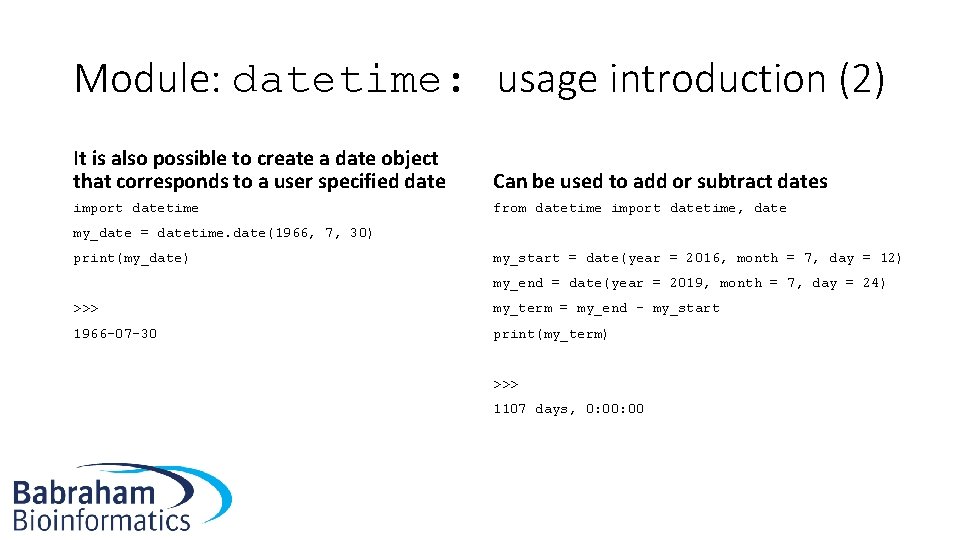
Module: datetime: usage introduction (2) It is also possible to create a date object that corresponds to a user specified date Can be used to add or subtract dates import datetime from datetime import datetime, date my_date = datetime. date(1966, 7, 30) print(my_date) my_start = date(year = 2016, month = 7, day = 12) my_end = date(year = 2019, month = 7, day = 24) >>> my_term = my_end - my_start 1966 -07 -30 print(my_term) >>> 1107 days, 0: 00
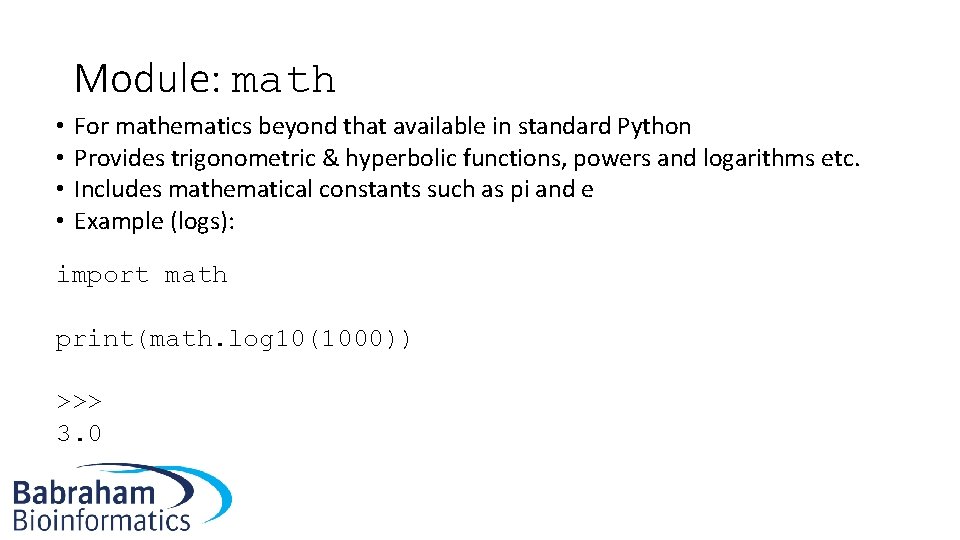
Module: math • • For mathematics beyond that available in standard Python Provides trigonometric & hyperbolic functions, powers and logarithms etc. Includes mathematical constants such as pi and e Example (logs): import math print(math. log 10(1000)) >>> 3. 0
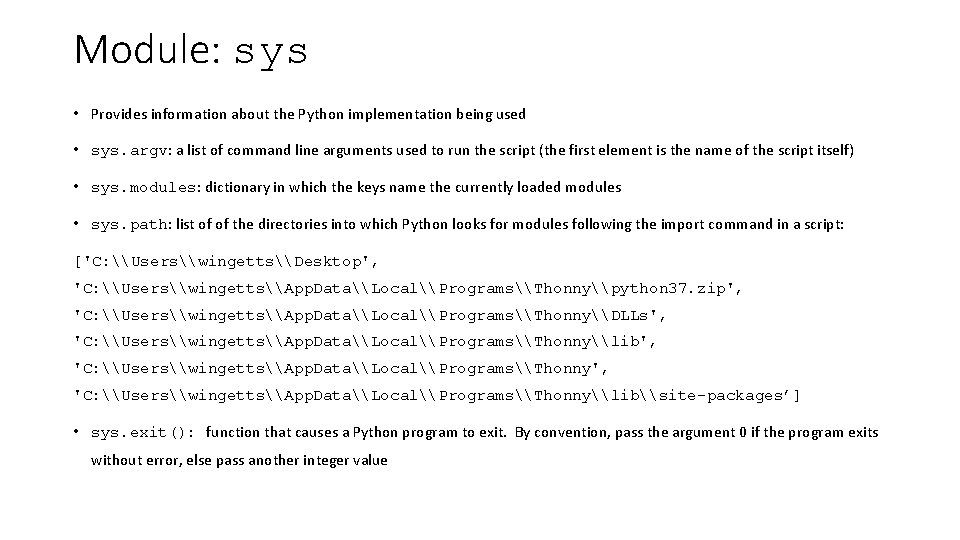
Module: sys • Provides information about the Python implementation being used • sys. argv: a list of command line arguments used to run the script (the first element is the name of the script itself) • sys. modules: dictionary in which the keys name the currently loaded modules • sys. path: list of of the directories into which Python looks for modules following the import command in a script: ['C: \Users\wingetts\Desktop', 'C: \Users\wingetts\App. Data\Local\Programs\Thonny\python 37. zip', 'C: \Users\wingetts\App. Data\Local\Programs\Thonny\DLLs', 'C: \Users\wingetts\App. Data\Local\Programs\Thonny\lib', 'C: \Users\wingetts\App. Data\Local\Programs\Thonny\lib\site-packages’] • sys. exit(): function that causes a Python program to exit. By convention, pass the argument 0 if the program exits without error, else pass another integer value
Module: time • Most likely to use the function: time. sleep()from this module • Causes the program to wait for the specified number of seconds passed as an argument to the function • Slowing down a program is a useful way to check output written to the screen at a pace that is readable by a human • Sometimes we may add a delay to a script if it is part of a pipeline
Exercises • Exercises 2. 1, 2. 2, 2. 3 and 2. 4
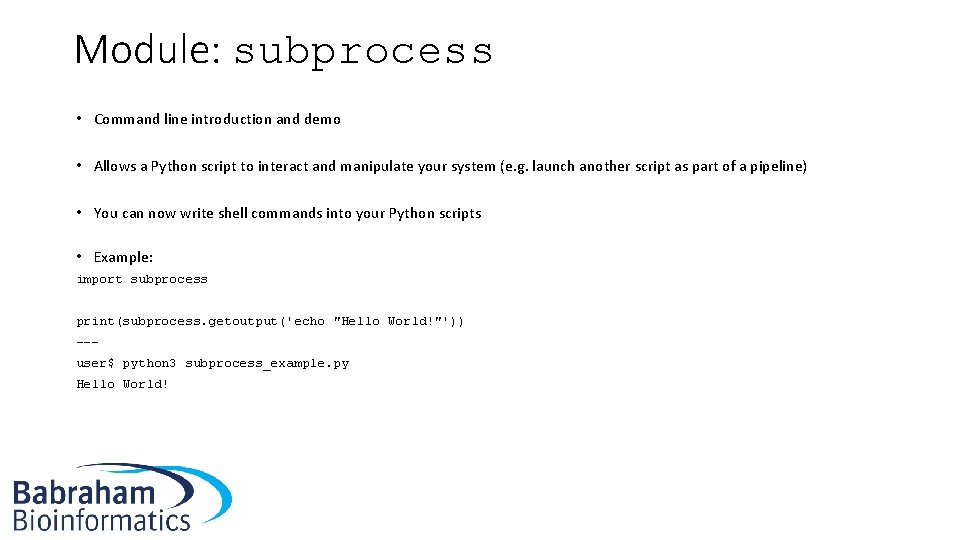
Module: subprocess • Command line introduction and demo • Allows a Python script to interact and manipulate your system (e. g. launch another script as part of a pipeline) • You can now write shell commands into your Python scripts • Example: import subprocess print(subprocess. getoutput('echo "Hello World!"')) --user$ python 3 subprocess_example. py Hello World!
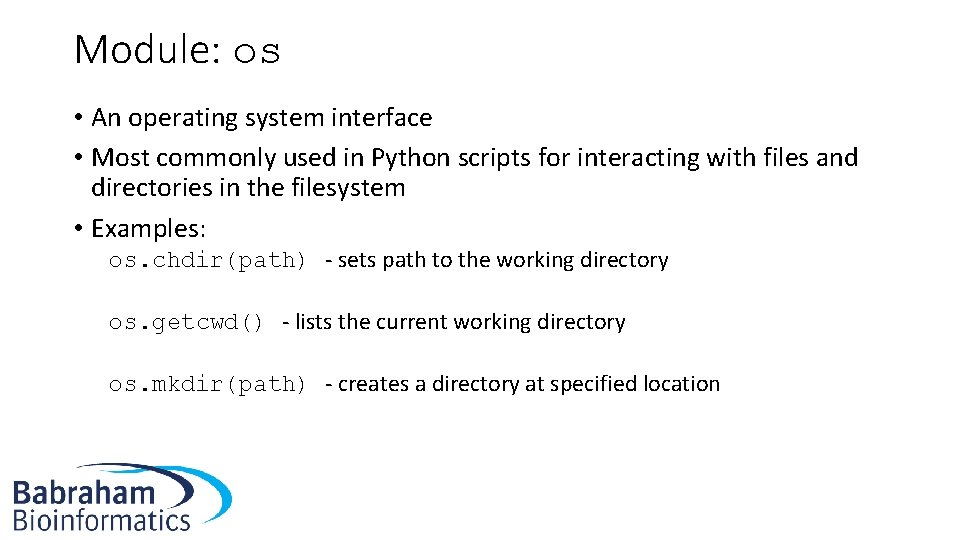
Module: os • An operating system interface • Most commonly used in Python scripts for interacting with files and directories in the filesystem • Examples: os. chdir(path) - sets path to the working directory os. getcwd() - lists the current working directory os. mkdir(path) - creates a directory at specified location
Module: tempfile • A Python script may, during processing, write out a temporary file • What happens if you are running multiple instances of the same script? Will the temporary file be overwritten? • Not a trivial problem to solve, but tempfile does it for you
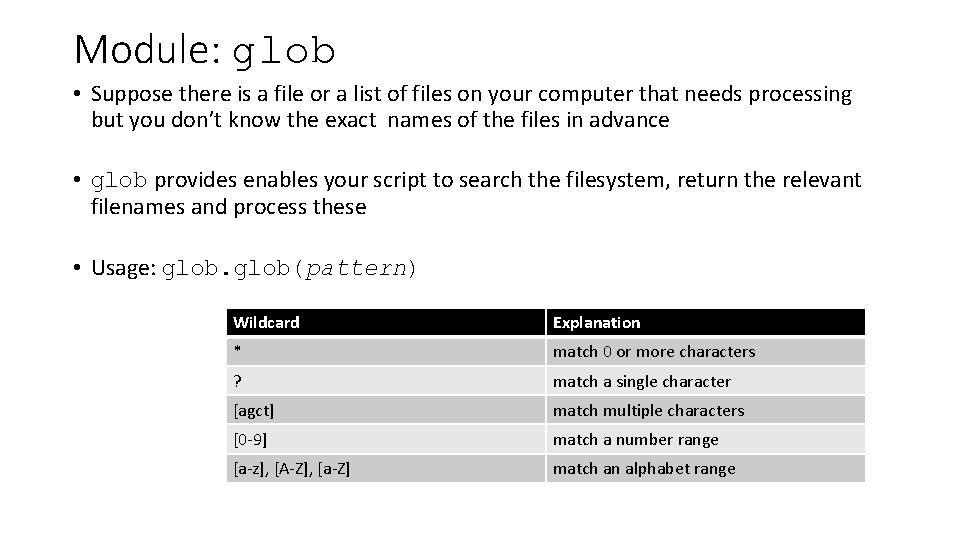
Module: glob • Suppose there is a file or a list of files on your computer that needs processing but you don’t know the exact names of the files in advance • glob provides enables your script to search the filesystem, return the relevant filenames and process these • Usage: glob(pattern) Wildcard Explanation * match 0 or more characters ? match a single character [agct] match multiple characters [0 -9] match a number range [a-z], [A-Z], [a-Z] match an alphabet range
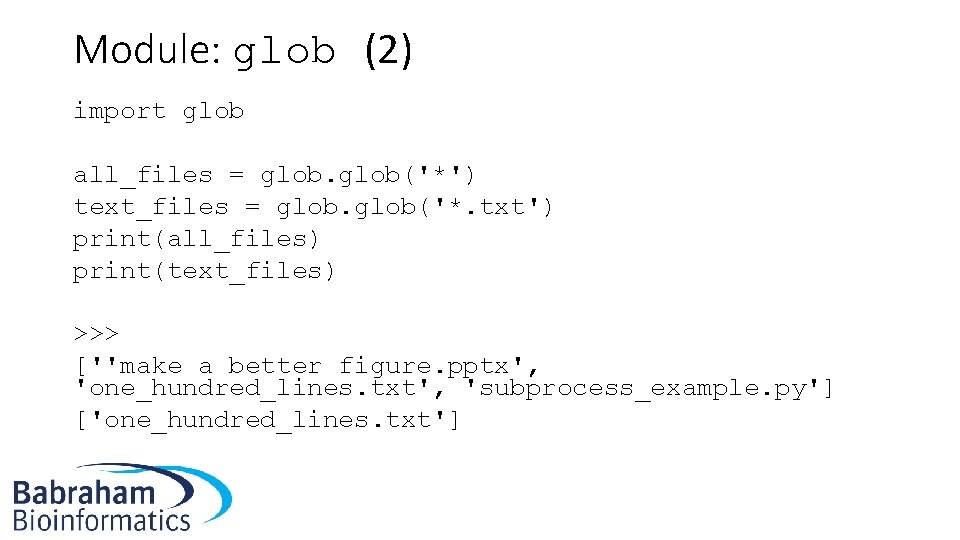
Module: glob (2) import glob all_files = glob('*') text_files = glob('*. txt') print(all_files) print(text_files) >>> [''make a better figure. pptx', 'one_hundred_lines. txt', 'subprocess_example. py'] ['one_hundred_lines. txt']
Module: string • The string module (not the str data type) contains a range of useful values and functions • For example, it contains all the upper- and lowercase letters in: string. ascii_uppercase string. ascii_lowercase • Also names representing digits, punctuation and a range of other string values
Exercises • Exercises 2. 5, 2. 6, 2. 7 and 2. 8
Module: csv • Data files often use comma-separated values (CSV) • Stores a table or matrix (with layout similar to that of MS Excel), only it uses commas to separate columns. • Uses newline character to separate rows • Similarly, tab-separated values (or tab-delimited) format uses tabs to separate columns • The csv module enables a Python script to read from or write to these types of file.
Modules: zlib and gzip • Modern life science data files are often are very large • So may be compressed as either zip or gzip files • zlib and gzip modules enable reading from or writing to such files • Syntax similar to that of opening a regular file • One important difference: returned data a sequence of bytes (note a b before the quotation mark when printing to the screen) • The bytes datatype can be decoded to a string with the decode method decode('utf-8'). UTF-8 is the type of Unicode format to which the bytes should be decoded
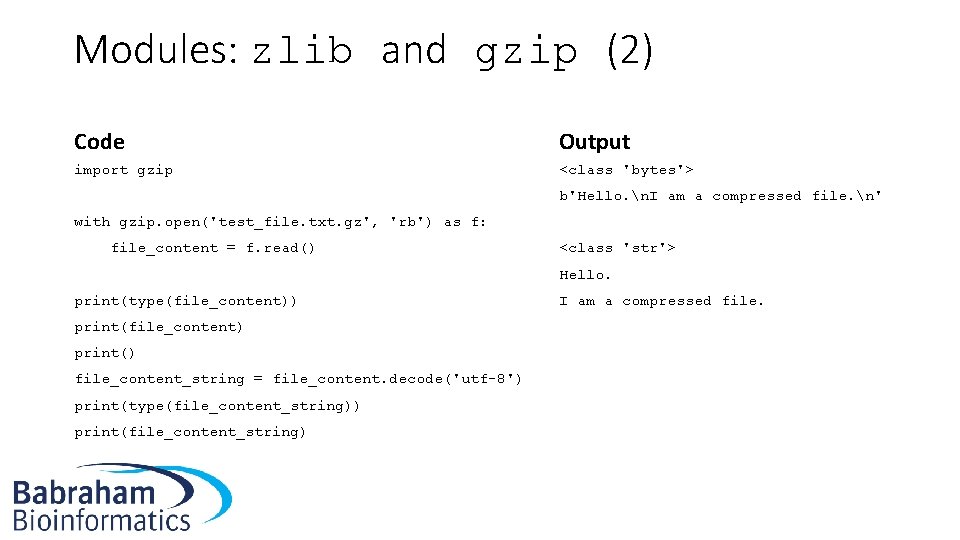
Modules: zlib and gzip (2) Code Output import gzip <class 'bytes'> b'Hello. n. I am a compressed file. n' with gzip. open('test_file. txt. gz', 'rb') as f: file_content = f. read() <class 'str'> Hello. print(type(file_content)) I am a compressed file. print(file_content) print() file_content_string = file_content. decode('utf-8') print(type(file_content_string)) print(file_content_string)
Module: textwrap • For formatting text in a consistent, neat and logical manner • A lengthy string may be converted into a list by textwrap • And then may be subsequently printed out using a for loop • In contrast, the input may be formatted into a new string using textwrap. fill • Both these functions take optional integer arguments specifying the maximum character length of each line
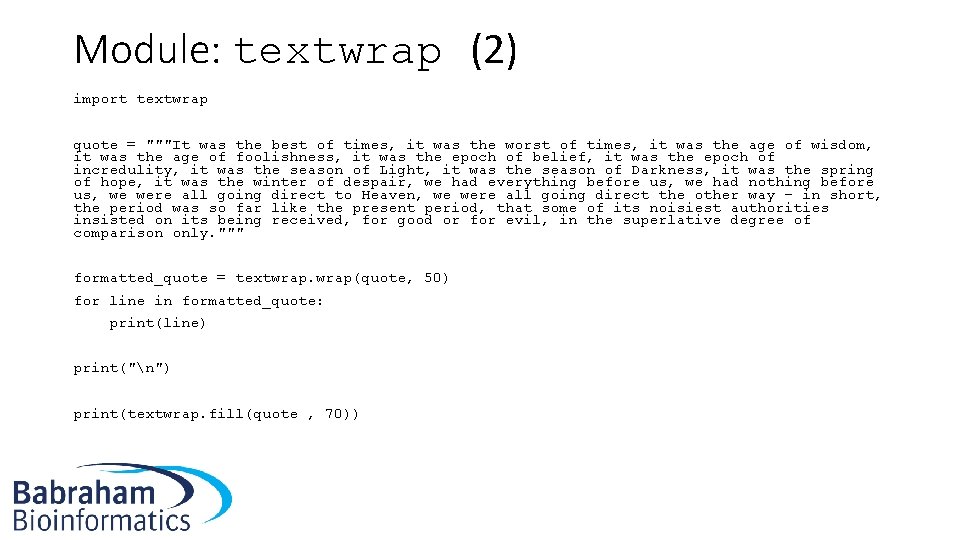
Module: textwrap (2) import textwrap quote = """It was the best of times, it was the worst of times, it was the age of wisdom, it was the age of foolishness, it was the epoch of belief, it was the epoch of incredulity, it was the season of Light, it was the season of Darkness, it was the spring of hope, it was the winter of despair, we had everything before us, we had nothing before us, we were all going direct to Heaven, we were all going direct the other way – in short, the period was so far like the present period, that some of its noisiest authorities insisted on its being received, for good or for evil, in the superlative degree of comparison only. """ formatted_quote = textwrap(quote, 50) for line in formatted_quote: print(line) print("n") print(textwrap. fill(quote , 70))
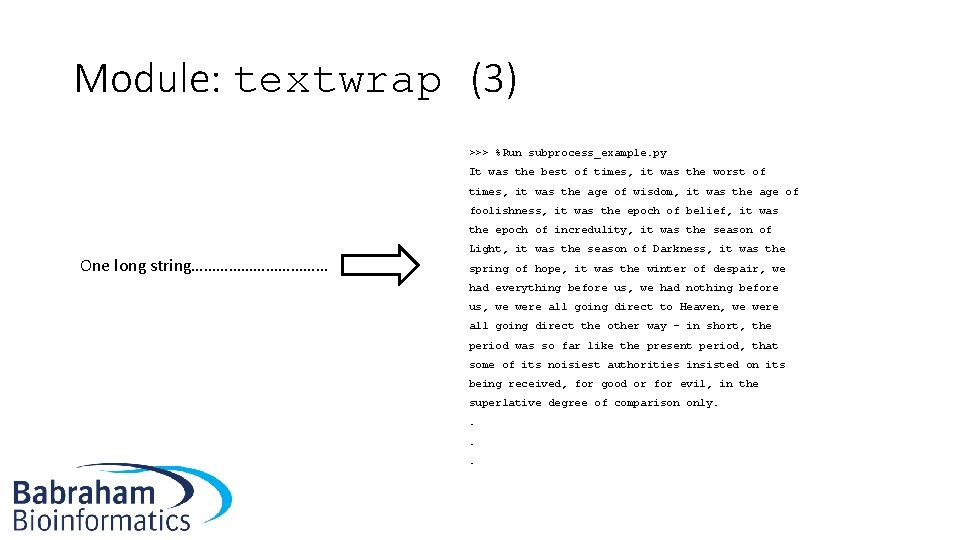
Module: textwrap (3) >>> %Run subprocess_example. py It was the best of times, it was the worst of times, it was the age of wisdom, it was the age of foolishness, it was the epoch of belief, it was the epoch of incredulity, it was the season of One long string……………… Light, it was the season of Darkness, it was the spring of hope, it was the winter of despair, we had everything before us, we had nothing before us, we were all going direct to Heaven, we were all going direct the other way – in short, the period was so far like the present period, that some of its noisiest authorities insisted on its being received, for good or for evil, in the superlative degree of comparison only. .
Exercise • Exercises 2. 9, 2. 10 and 2. 11 • Optional 2. 12* and 2. 13*
Module: argparse • Makes it possible to modify the action of a Python script via the command line: python 3 my. Python. Script. py –k --length 500 --mode fast file 1. txt file 2. txt • Enables arguments to be passed • Enables flags • Flags with additional arguments (and specifing whether these should be integers or strings) • Automatically generates a --help option
Exercises • Exercise 2. 14
Installing Modules and Packages • Up until now the modules discussed are distributed with Python and so can be simply be made accessible via the import command • There are many modules (e. g. in bioinformatics) that require downloading and installation • If all goes well, this process should be quite simple thanks to the pip installer, which is included by default with Python since version 3. 4
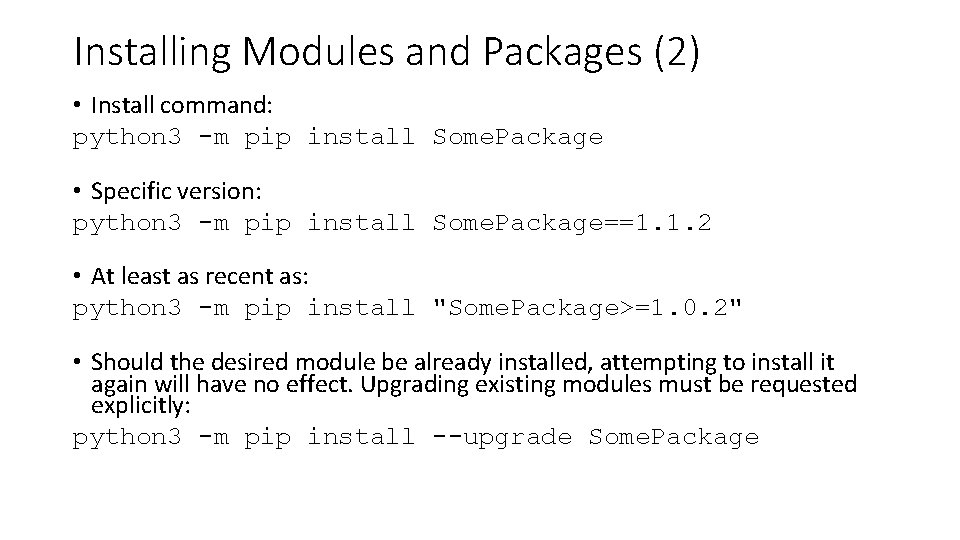
Installing Modules and Packages (2) • Install command: python 3 -m pip install Some. Package • Specific version: python 3 -m pip install Some. Package==1. 1. 2 • At least as recent as: python 3 -m pip install "Some. Package>=1. 0. 2" • Should the desired module be already installed, attempting to install it again will have no effect. Upgrading existing modules must be requested explicitly: python 3 -m pip install --upgrade Some. Package
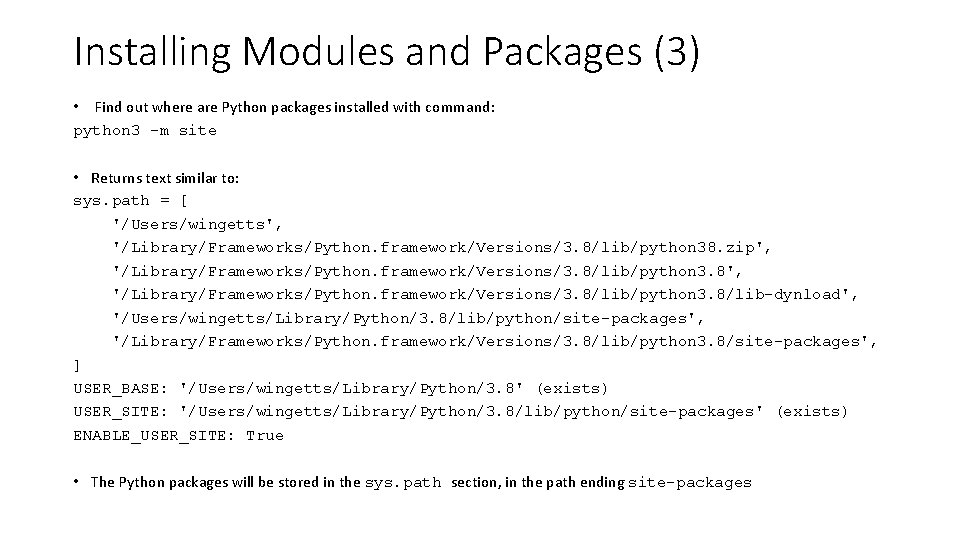
Installing Modules and Packages (3) • Find out where are Python packages installed with command: python 3 -m site • Returns text similar to: sys. path = [ '/Users/wingetts', '/Library/Frameworks/Python. framework/Versions/3. 8/lib/python 38. zip', '/Library/Frameworks/Python. framework/Versions/3. 8/lib/python 3. 8/lib-dynload', '/Users/wingetts/Library/Python/3. 8/lib/python/site-packages', '/Library/Frameworks/Python. framework/Versions/3. 8/lib/python 3. 8/site-packages', ] USER_BASE: '/Users/wingetts/Library/Python/3. 8' (exists) USER_SITE: '/Users/wingetts/Library/Python/3. 8/lib/python/site-packages' (exists) ENABLE_USER_SITE: True • The Python packages will be stored in the sys. path section, in the path ending site-packages
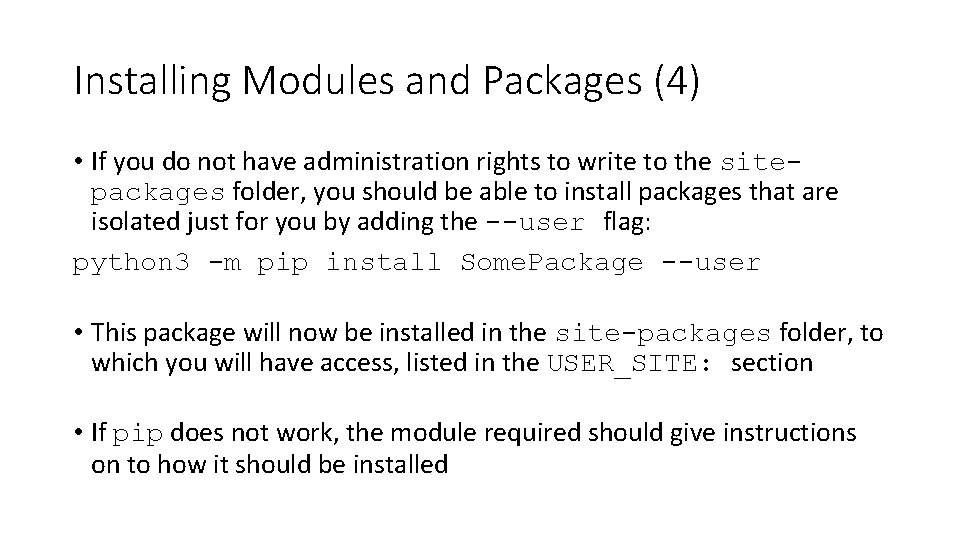
Installing Modules and Packages (4) • If you do not have administration rights to write to the sitepackages folder, you should be able to install packages that are isolated just for you by adding the --user flag: python 3 -m pip install Some. Package --user • This package will now be installed in the site-packages folder, to which you will have access, listed in the USER_SITE: section • If pip does not work, the module required should give instructions on to how it should be installed
Virtual Environments • Allows Python packages to be installed in an isolated location for a particular application, rather than being installed globally • You can install Python packages expressly for one (or several) particular applications without changing the global setup of your system • You then simply start the virtual environment when trying the application of interest, and then exit when done
Biopython • Biopython is a set of freely available Python tools for biological computation • The Biopython homepage is found at: https: //biopython. org/ • To install: python 3 -m pip install biopython --user
Biopython (2) • Example to parse a Genbank format file to a FASTA file: from Bio import Seq. IO with open("cor 6_6. gb", "r. U") as input_handle: with open("cor 6_6. fasta", "w") as output_handle: sequences = Seq. IO. parse(input_handle, "genbank") count = Seq. IO. write(sequences, output_handle, "fasta") • Very efficient, saving you time and writing code • Reduces the chance of mistakes, since many people use this codebase
Exercises • Exercise 2. 15
Regular expressions Part 3
Introducing regular expressions • Regular expressions (regexes or REs) enable advanced pattern matching of strings • Very useful in a range a situations e. g. matching nucleic acid sequences • Almost a programming language in their own right! • Once you have learnt for Python, you should be able to use them in Java, Perl etc. • Import the re module which provides an interface to the regular expression engine
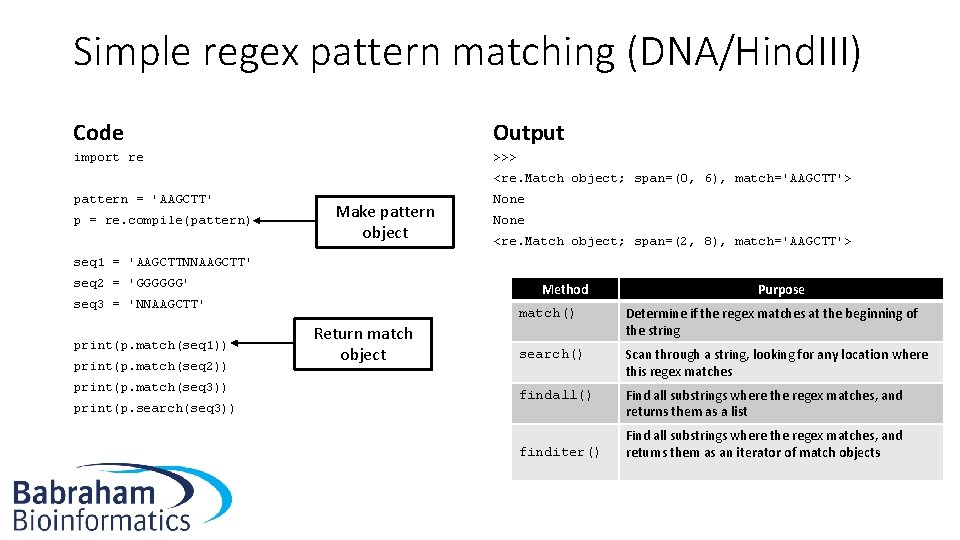
Simple regex pattern matching (DNA/Hind. III) Code Output import re >>> <re. Match object; span=(0, 6), match='AAGCTT'> pattern = 'AAGCTT' p = re. compile(pattern) Make pattern object None <re. Match object; span=(2, 8), match='AAGCTT'> seq 1 = 'AAGCTTNNAAGCTT' seq 2 = 'GGGGGG' Method seq 3 = 'NNAAGCTT' print(p. match(seq 1)) print(p. match(seq 2)) print(p. match(seq 3)) print(p. search(seq 3)) Return match object Purpose match() Determine if the regex matches at the beginning of the string search() Scan through a string, looking for any location where this regex matches findall() Find all substrings where the regex matches, and returns them as a list finditer() Find all substrings where the regex matches, and returns them as an iterator of match objects
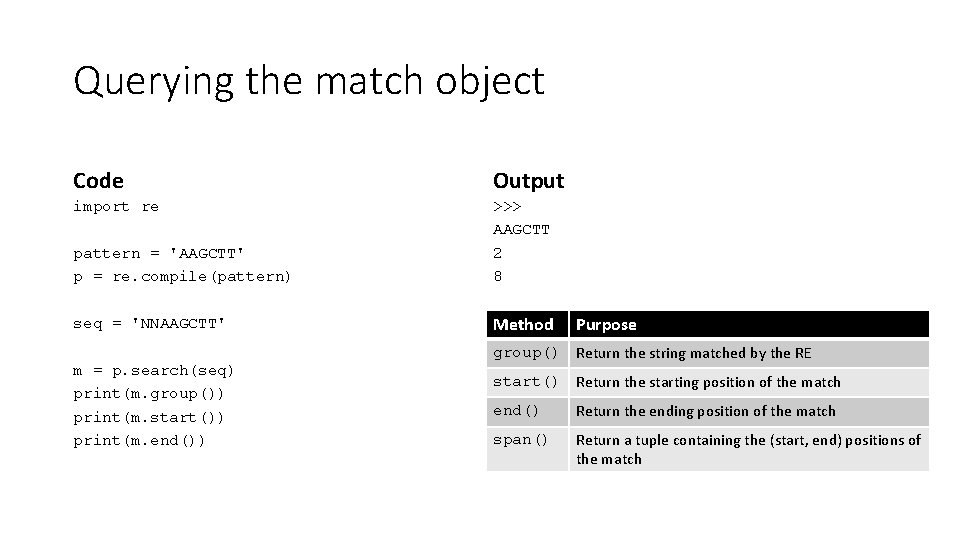
Querying the match object Code Output import re pattern = 'AAGCTT' p = re. compile(pattern) >>> AAGCTT 2 8 seq = 'NNAAGCTT' Method m = p. search(seq) print(m. group()) print(m. start()) print(m. end()) Purpose group() Return the string matched by the RE start() Return the starting position of the match end() Return the ending position of the match span() Return a tuple containing the (start, end) positions of the match
Exercises • Exercise 3. 1
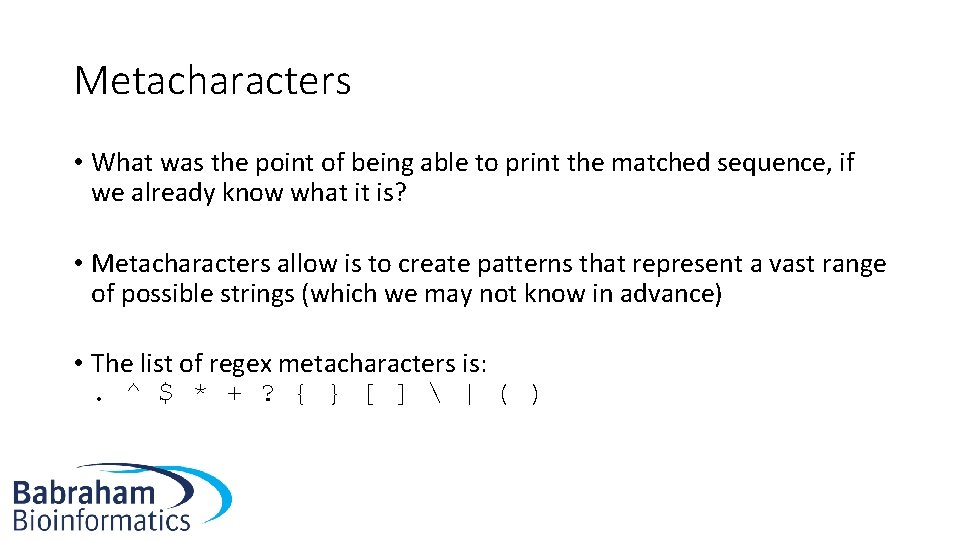
Metacharacters • What was the point of being able to print the matched sequence, if we already know what it is? • Metacharacters allow is to create patterns that represent a vast range of possible strings (which we may not know in advance) • The list of regex metacharacters is: . ^ $ * + ? { } [ ] | ( )
![Metacharacters: Character classes • metacharacters [ and ] are used to define classes of](http://slidetodoc.com/presentation_image_h/766d75fa54e52996a6c4baa7c17bf787/image-74.jpg "Metacharacters: Character classes • metacharacters [ and ] are used to define classes of")
Metacharacters: Character classes • metacharacters [ and ] are used to define classes of characters • [abc] means match the letters a or b or c • [a-c] will also achieve the goal • Similarly [a-z] matches all lowercase characters • Metacharacters generally lose their special properties inside the square brackets • Caret complements a set: [^7] will match any character except 7
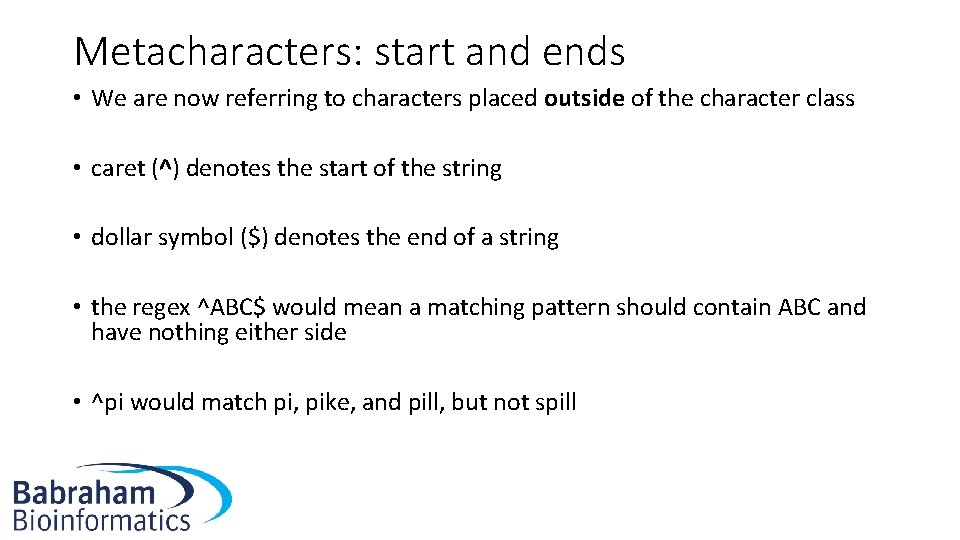
Metacharacters: start and ends • We are now referring to characters placed outside of the character class • caret (^) denotes the start of the string • dollar symbol ($) denotes the end of a string • the regex ^ABC$ would mean a matching pattern should contain ABC and have nothing either side • ^pi would match pi, pike, and pill, but not spill
Metacharacters: dot (. ) • Matches any character, except newline characters
Metacharacters: pipe (|) • The pipe metacharacter (|) means ‘or’ in a regex • a|b is the same as [ab])
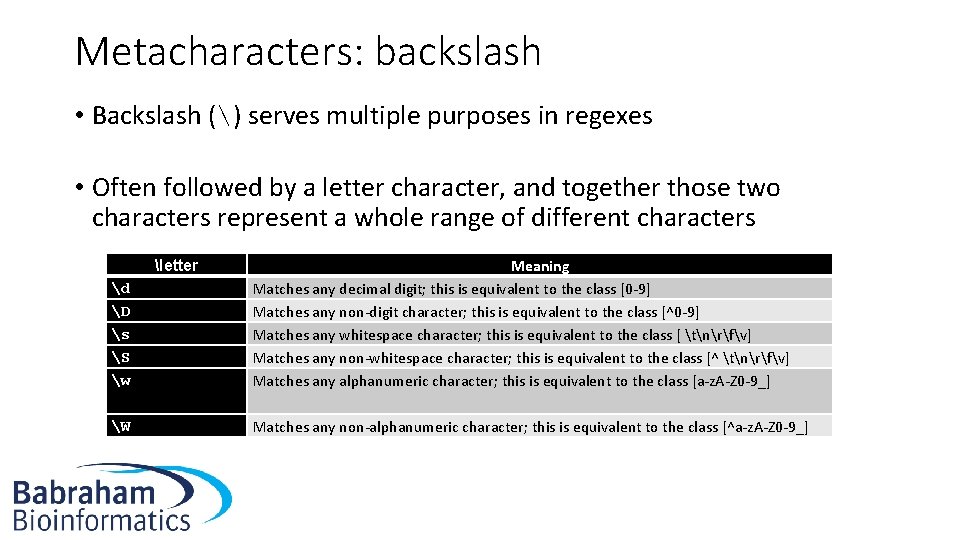
Metacharacters: backslash • Backslash () serves multiple purposes in regexes • Often followed by a letter character, and together those two characters represent a whole range of different characters letter d D s S w W Meaning Matches any decimal digit; this is equivalent to the class [0 -9] Matches any non-digit character; this is equivalent to the class [^0 -9] Matches any whitespace character; this is equivalent to the class [ tnrfv] Matches any non-whitespace character; this is equivalent to the class [^ tnrfv] Matches any alphanumeric character; this is equivalent to the class [a-z. A-Z 0 -9_] Matches any non-alphanumeric character; this is equivalent to the class [^a-z. A-Z 0 -9_]
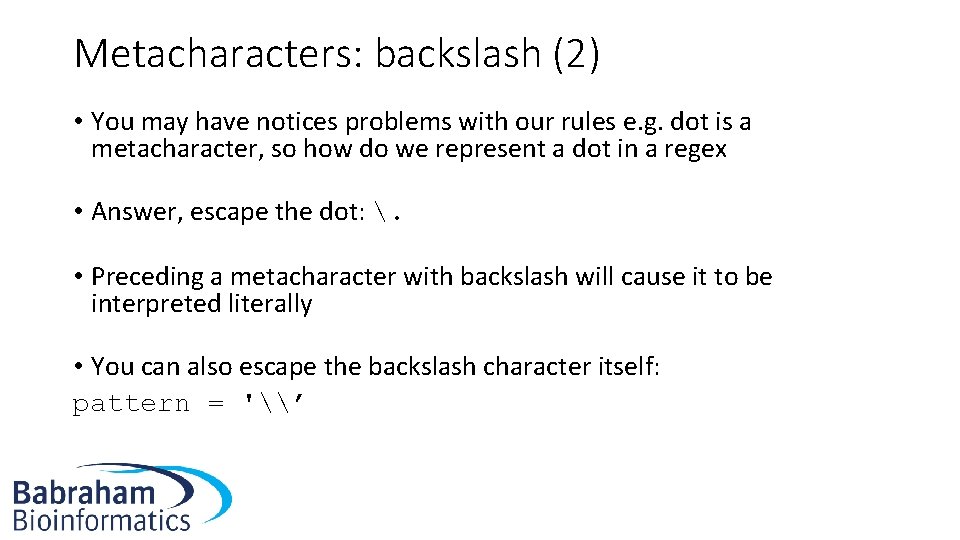
Metacharacters: backslash (2) • You may have notices problems with our rules e. g. dot is a metacharacter, so how do we represent a dot in a regex • Answer, escape the dot: . • Preceding a metacharacter with backslash will cause it to be interpreted literally • You can also escape the backslash character itself: pattern = '\’
Exercises • Exercise 3. 2
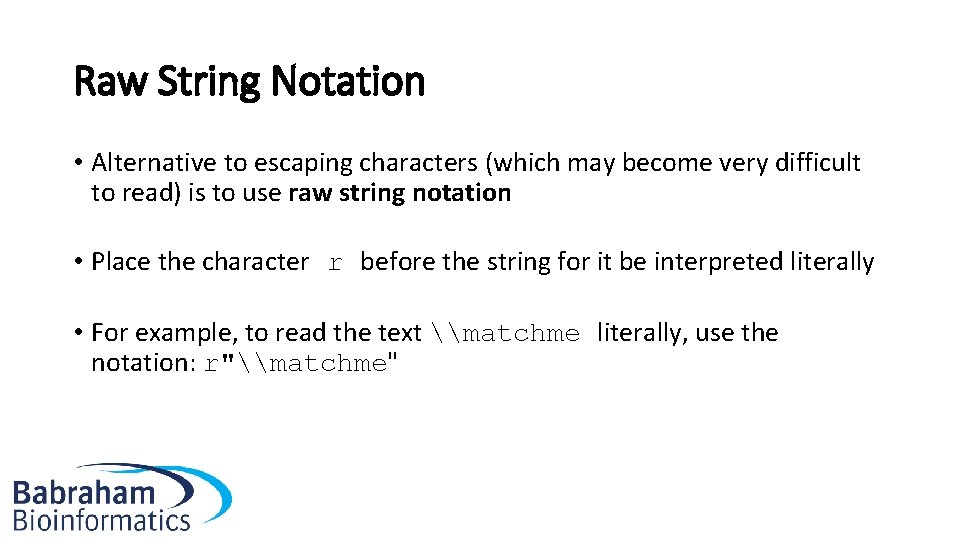
Raw String Notation • Alternative to escaping characters (which may become very difficult to read) is to use raw string notation • Place the character r before the string for it be interpreted literally • For example, to read the text \matchme literally, use the notation: r"\matchme"
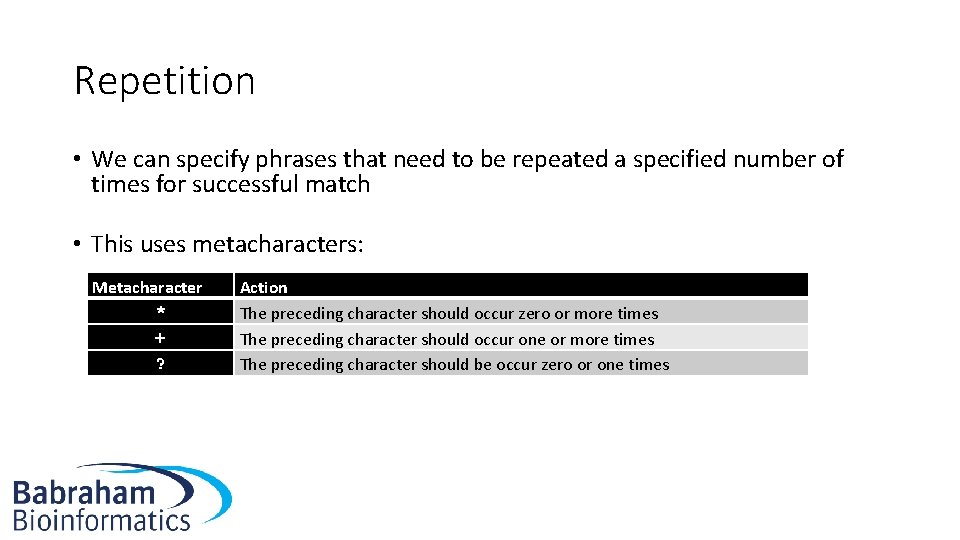
Repetition • We can specify phrases that need to be repeated a specified number of times for successful match • This uses metacharacters: Metacharacter * + ? Action The preceding character should occur zero or more times The preceding character should occur one or more times The preceding character should be occur zero or one times
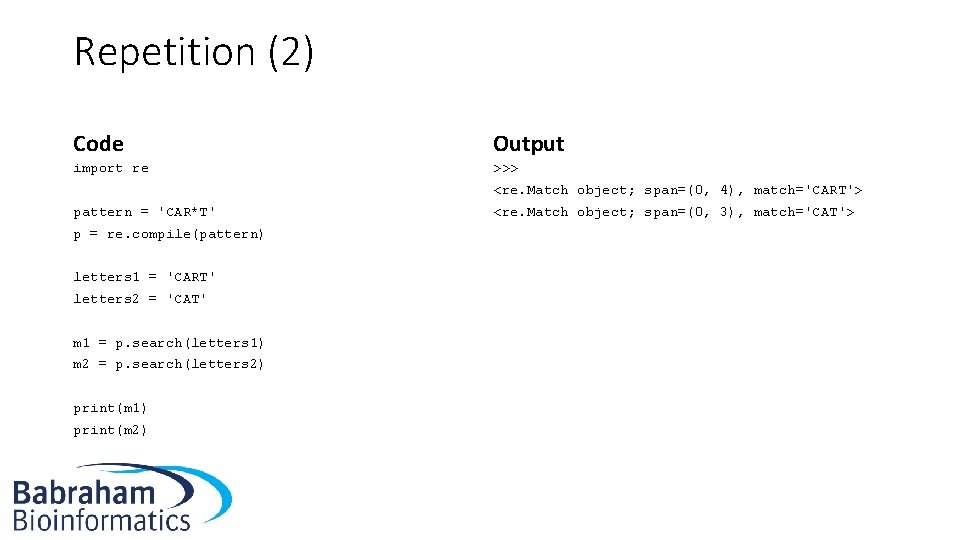
Repetition (2) Code Output import re >>> <re. Match object; span=(0, 4), match='CART'> pattern = 'CAR*T' p = re. compile(pattern) letters 1 = 'CART' letters 2 = 'CAT' m 1 = p. search(letters 1) m 2 = p. search(letters 2) print(m 1) print(m 2) <re. Match object; span=(0, 3), match='CAT'>
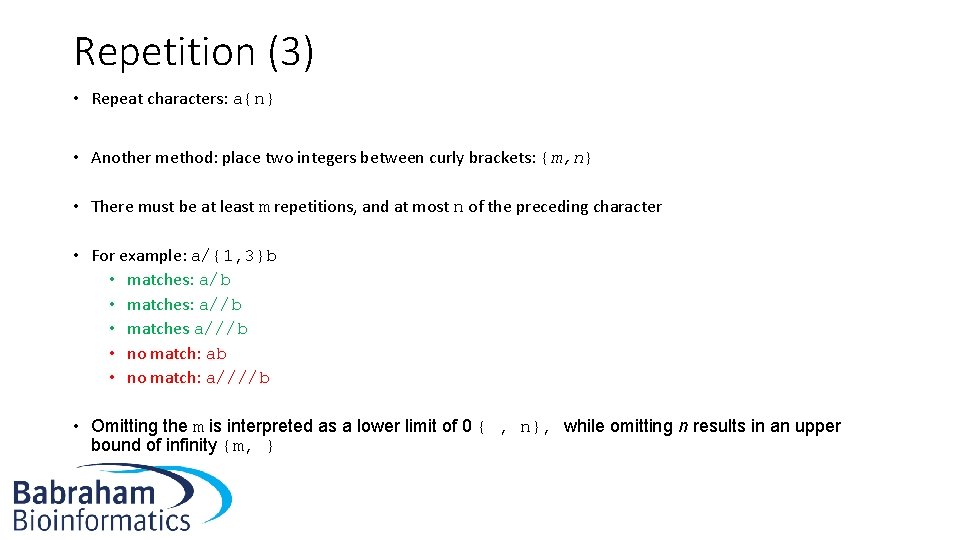
Repetition (3) • Repeat characters: a{n} • Another method: place two integers between curly brackets: {m, n} • There must be at least m repetitions, and at most n of the preceding character • For example: a/{1, 3}b • matches: a//b • matches a///b • no match: a////b • Omitting the m is interpreted as a lower limit of 0 { , n}, while omitting n results in an upper bound of infinity {m, }
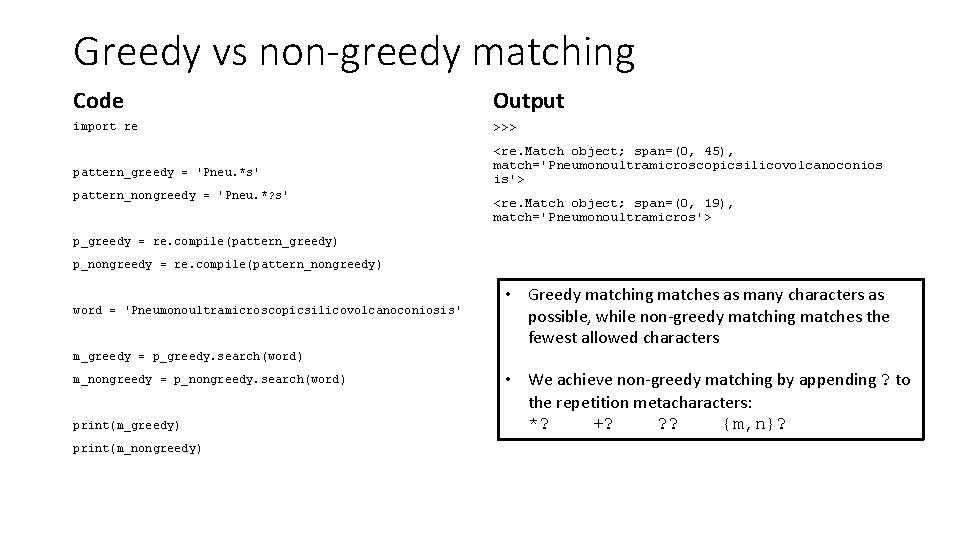
Greedy vs non-greedy matching Code Output import re >>> pattern_greedy = 'Pneu. *s' pattern_nongreedy = 'Pneu. *? s' <re. Match object; span=(0, 45), match='Pneumonoultramicroscopicsilicovolcanoconios is'> <re. Match object; span=(0, 19), match='Pneumonoultramicros'> p_greedy = re. compile(pattern_greedy) p_nongreedy = re. compile(pattern_nongreedy) word = 'Pneumonoultramicroscopicsilicovolcanoconiosis' • Greedy matching matches as many characters as possible, while non-greedy matching matches the fewest allowed characters m_greedy = p_greedy. search(word) m_nongreedy = p_nongreedy. search(word) print(m_greedy) print(m_nongreedy) • We achieve non-greedy matching by appending ? to the repetition metacharacters: *? +? ? ? {m, n}?
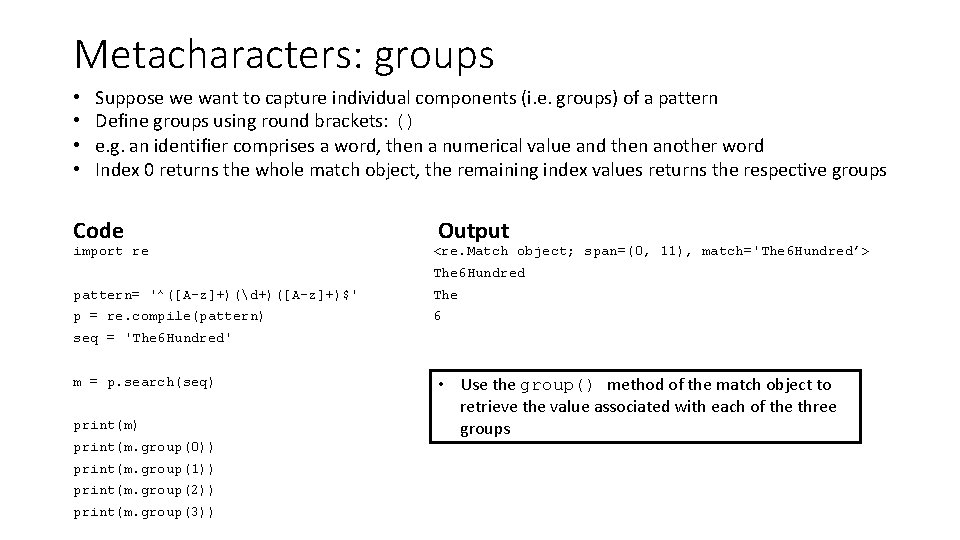
Metacharacters: groups • • Suppose we want to capture individual components (i. e. groups) of a pattern Define groups using round brackets: () e. g. an identifier comprises a word, then a numerical value and then another word Index 0 returns the whole match object, the remaining index values returns the respective groups Code import re Output <re. Match object; span=(0, 11), match='The 6 Hundred’> The 6 Hundred pattern= '^([A-z]+)(d+)([A-z]+)$' The p = re. compile(pattern) 6 seq = 'The 6 Hundred' m = p. search(seq) print(m. group(0)) print(m. group(1)) print(m. group(2)) print(m. group(3)) • Use the group() method of the match object to retrieve the value associated with each of the three groups
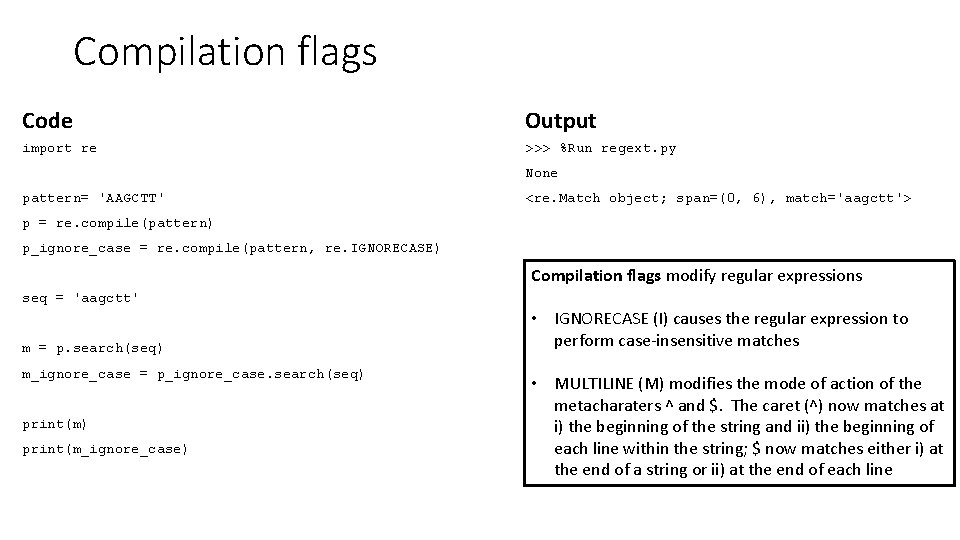
Compilation flags Code Output import re >>> %Run regext. py None pattern= 'AAGCTT' <re. Match object; span=(0, 6), match='aagctt'> p = re. compile(pattern) p_ignore_case = re. compile(pattern, re. IGNORECASE) Compilation flags modify regular expressions seq = 'aagctt' m = p. search(seq) m_ignore_case = p_ignore_case. search(seq) print(m_ignore_case) • IGNORECASE (I) causes the regular expression to perform case-insensitive matches • MULTILINE (M) modifies the mode of action of the metacharaters ^ and $. The caret (^) now matches at i) the beginning of the string and ii) the beginning of each line within the string; $ now matches either i) at the end of a string or ii) at the end of each line
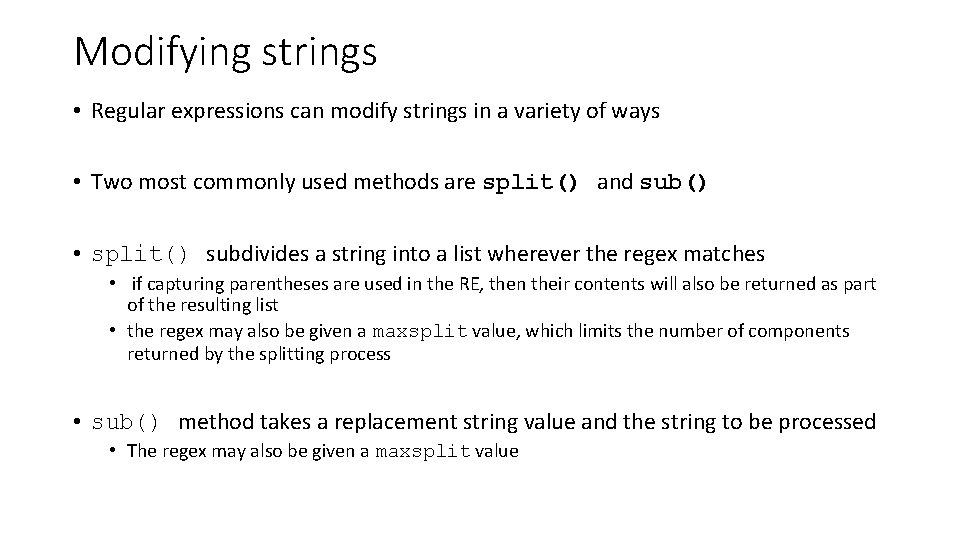
Modifying strings • Regular expressions can modify strings in a variety of ways • Two most commonly used methods are split() and sub() • split() subdivides a string into a list wherever the regex matches • if capturing parentheses are used in the RE, then their contents will also be returned as part of the resulting list • the regex may also be given a maxsplit value, which limits the number of components returned by the splitting process • sub() method takes a replacement string value and the string to be processed • The regex may also be given a maxsplit value
![Modifying strings (2) import re pattern= '[A-z]+$' p = re. compile(pattern) seq = 'The](http://slidetodoc.com/presentation_image_h/766d75fa54e52996a6c4baa7c17bf787/image-89.jpg "Modifying strings (2) import re pattern= '[A-z]+$' p = re. compile(pattern) seq = 'The")
Modifying strings (2) import re pattern= '[A-z]+$' p = re. compile(pattern) seq = 'The 6 Hundred' m = p. sub('Thousand', seq) print(m) >>> The 6 Thousand
Exercises • Exercise 3. 3
Exercises • Exercise 3. 4
Concluding remarks • We have covered a lot of material ! • You should now be familiar with the Python datatypes, understand concepts such as functions and methods and how programs are controlled using loops and conditional operators • We have also introduced object orientated programming • We strongly recommend that you go out of your way to find reasons to write code over the next few weeks – else you will forget! • Learning Python is akin to learning a foreign language
Resources We would like to bring to your attention the following resources that may help you in your future Python career: www. python. org – the homepage of Python. This should often be your first port of call for Python-related queries. www. jupyter. org – many bioinformaticians and computational biologist are adopting Jupyter notebooks to write code and share results in a structured and reproducible fashion. www. matplotlib. org – a popular resource for using Python to produce graphs and charts. www. biopython. org – a set of freely available tools for biological computation. Also, don’t forget the Babraham Bioinformatics pages listing available courses and providing training materials: https: //www. bioinformatics. babraham. ac. uk/training
How do you get to Carnegie Hall? Practice, practice. Happy coding! The Babraham Bioinformatics Team
- Slides: 94