
Advanced Pandas Part 2 Using Apply Lets see

- Slides: 23
Advanced Pandas – Part 2
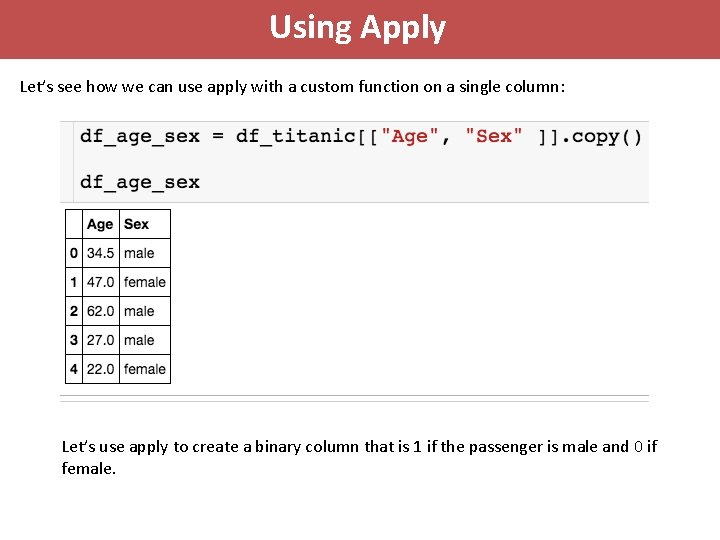
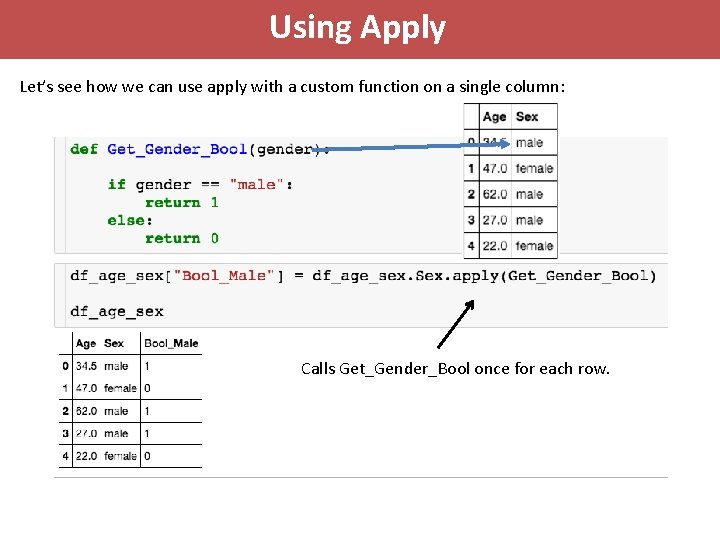
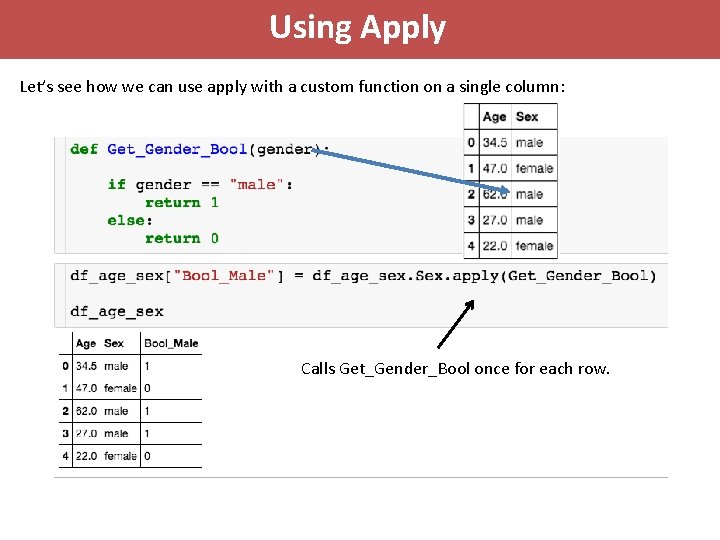
Using Apply Let’s see how we can use apply with a custom function on a single column: Let’s use apply to create a binary column that is 1 if the passenger is male and 0 if female.
Using Apply Let’s see how we can use apply with a custom function on a single column: Calls Get_Gender_Bool once for each row.
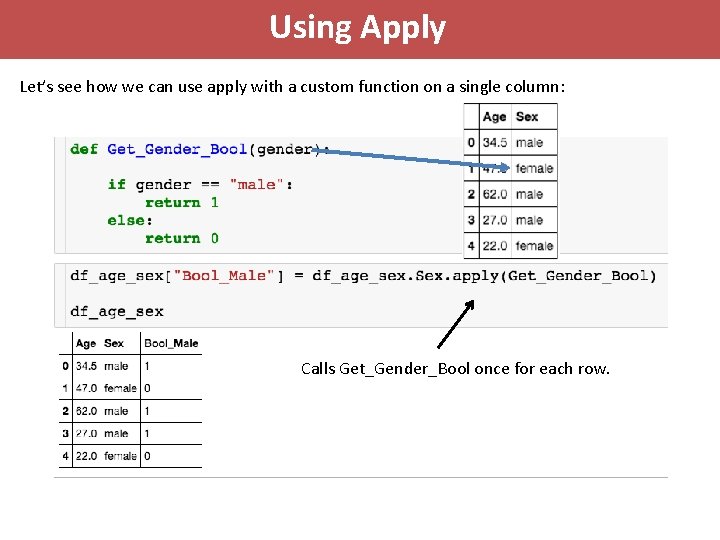
Using Apply Let’s see how we can use apply with a custom function on a single column: Calls Get_Gender_Bool once for each row.
Using Apply Let’s see how we can use apply with a custom function on a single column: Calls Get_Gender_Bool once for each row.
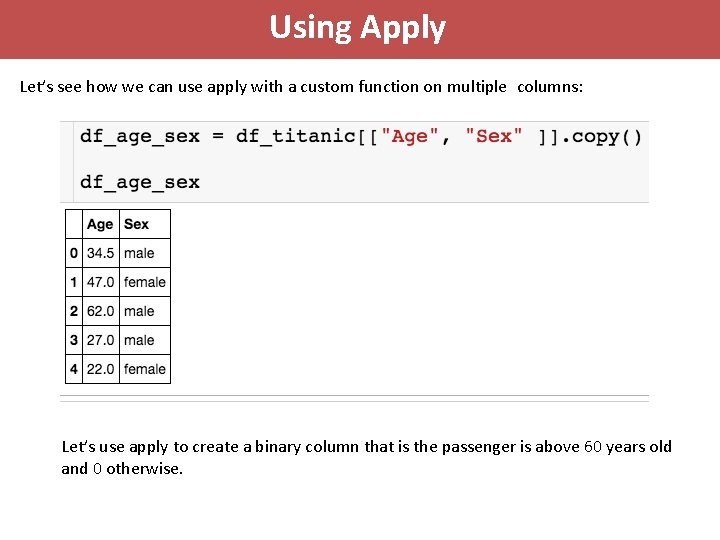
Using Apply Let’s see how we can use apply with a custom function on multiple columns: Let’s use apply to create a binary column that is the passenger is above 60 years old and 0 otherwise.
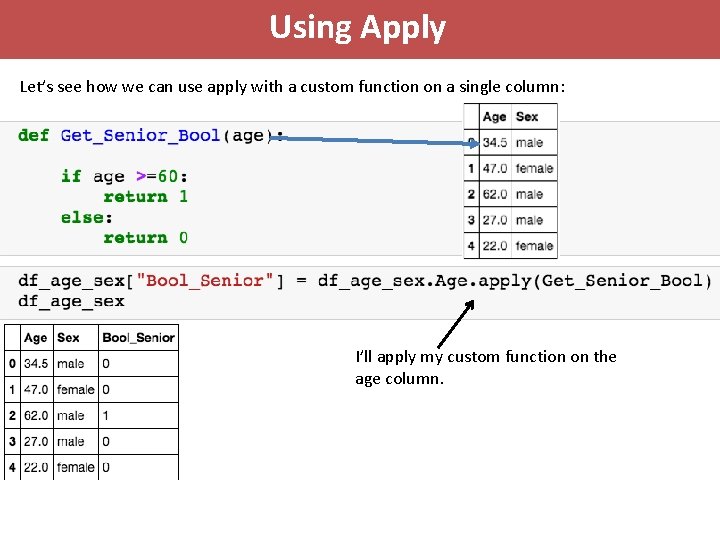
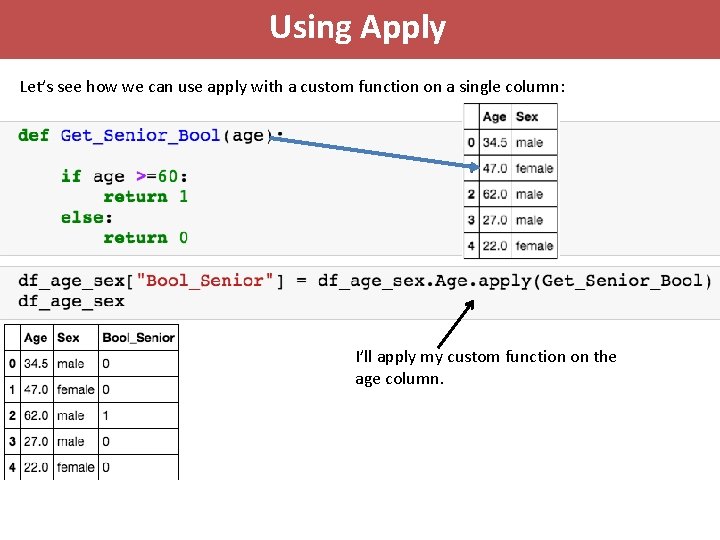
Using Apply Let’s see how we can use apply with a custom function on a single column: I’ll apply my custom function on the age column.
Using Apply Let’s see how we can use apply with a custom function on a single column: I’ll apply my custom function on the age column.
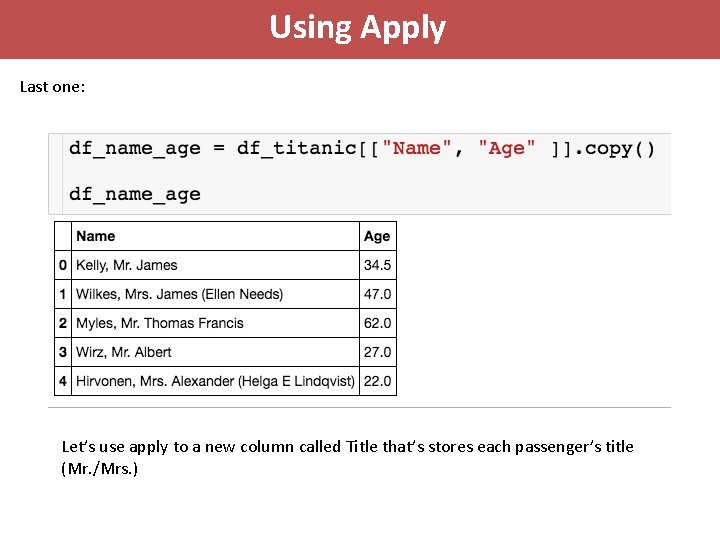
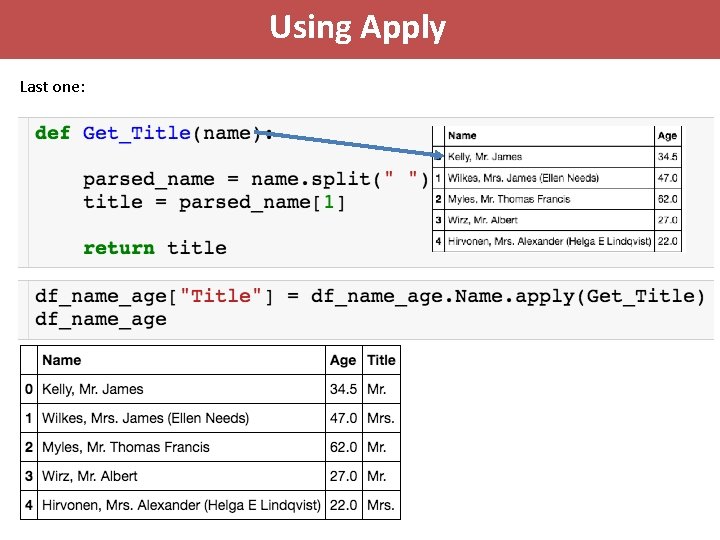
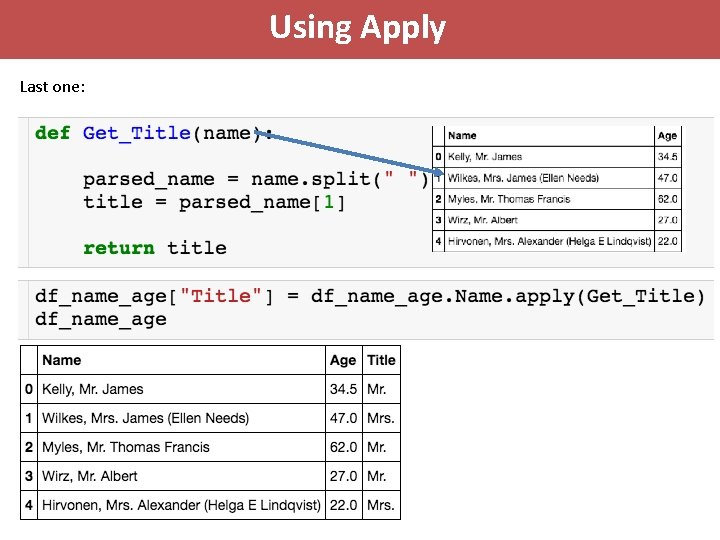
Using Apply Last one: Let’s use apply to a new column called Title that’s stores each passenger’s title (Mr. /Mrs. )
Using Apply Last one:
Using Apply Last one:
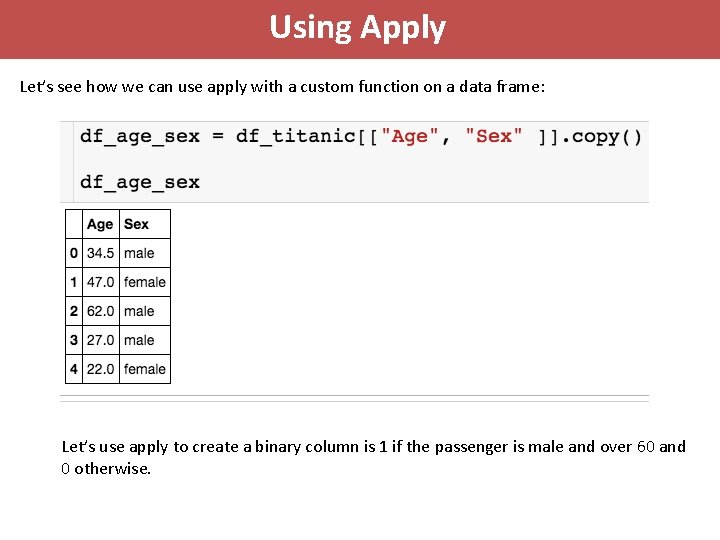
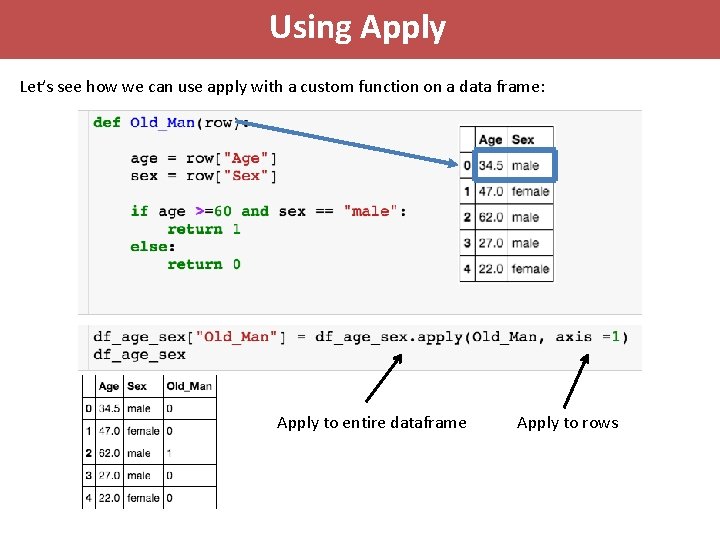
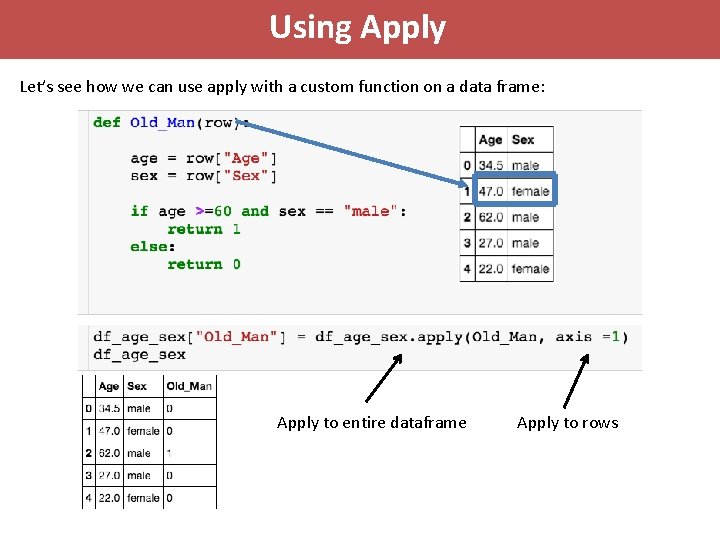
Using Apply Let’s see how we can use apply with a custom function on a data frame: Let’s use apply to create a binary column is 1 if the passenger is male and over 60 and 0 otherwise.
Using Apply Let’s see how we can use apply with a custom function on a data frame: Apply to entire dataframe Apply to rows
Using Apply Let’s see how we can use apply with a custom function on a data frame: Apply to entire dataframe Apply to rows
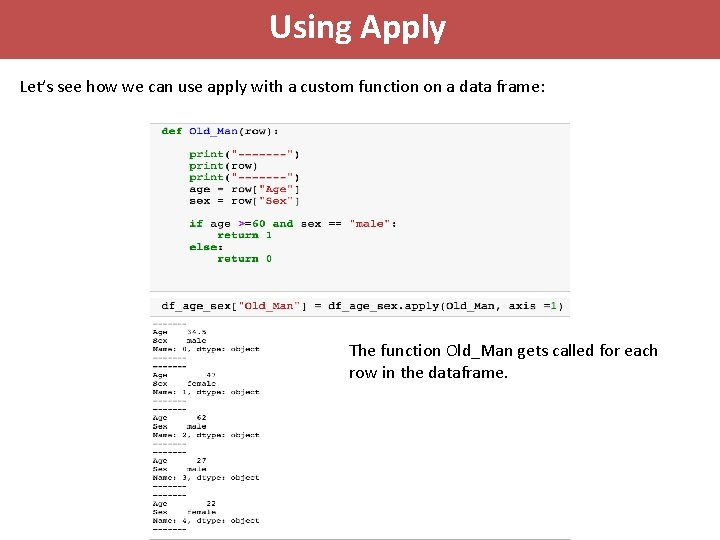
Using Apply Let’s see how we can use apply with a custom function on a data frame: The function Old_Man gets called for each row in the dataframe.
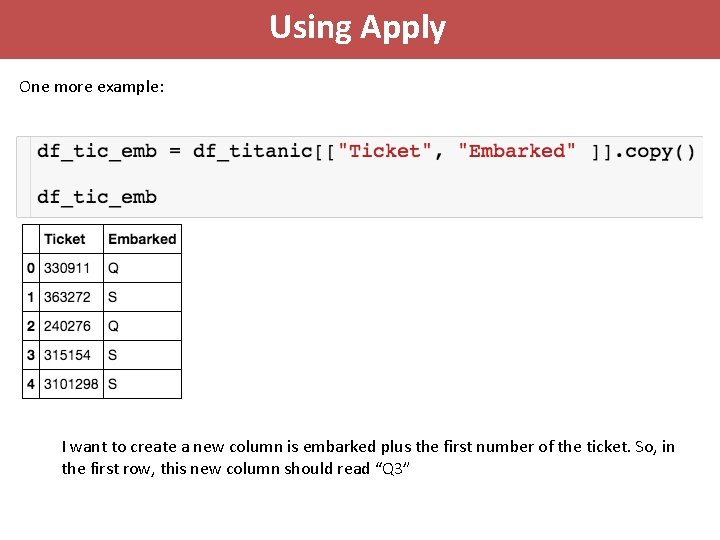
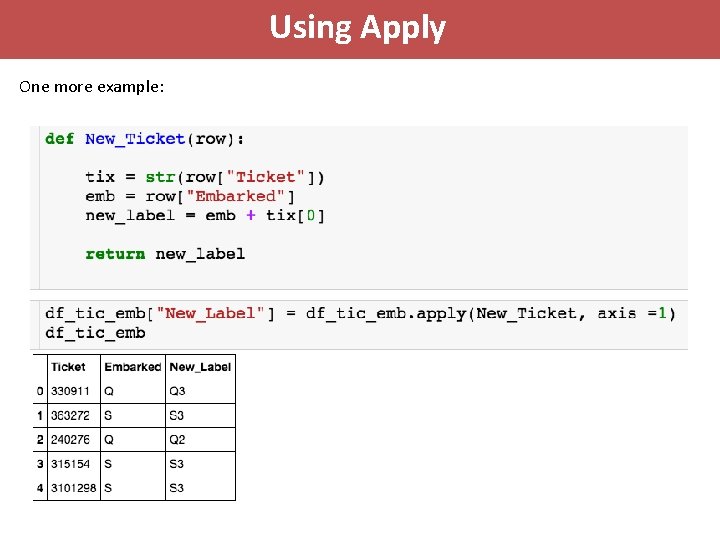
Using Apply One more example: I want to create a new column is embarked plus the first number of the ticket. So, in the first row, this new column should read “Q 3”
Using Apply One more example:
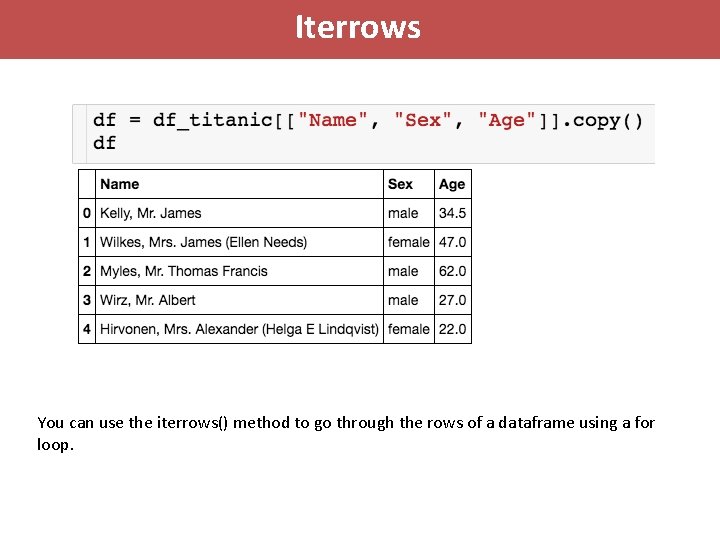
Iterrows You can use the iterrows() method to go through the rows of a dataframe using a for loop.
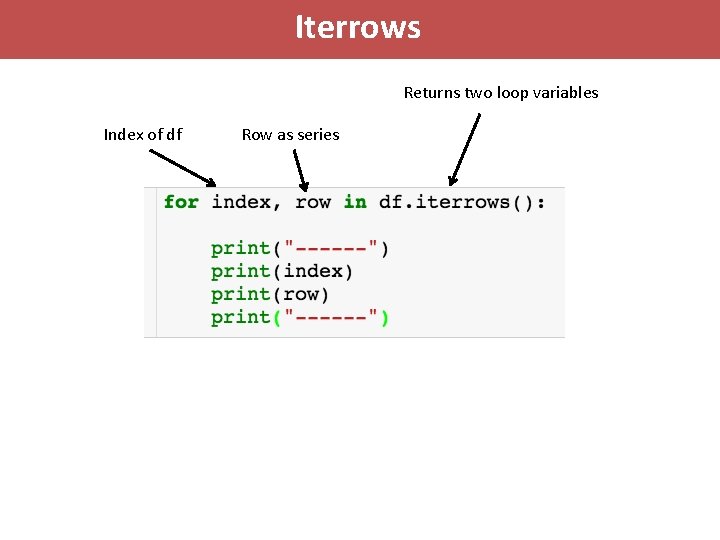
Iterrows Returns two loop variables Index of df Row as series
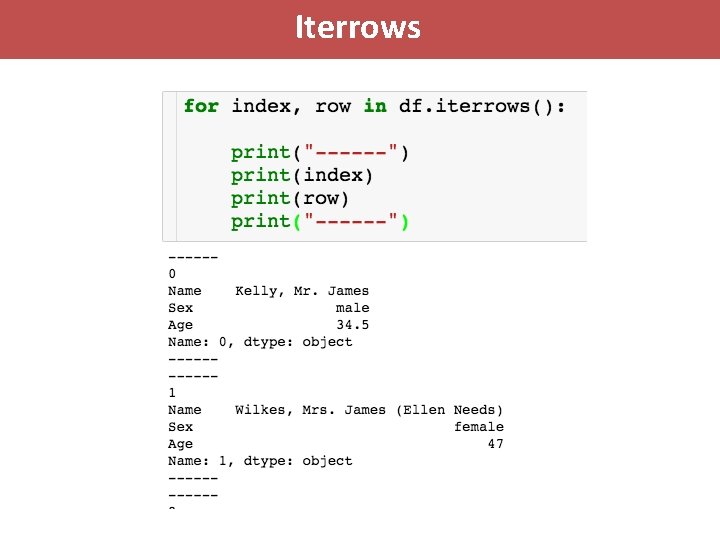
Iterrows
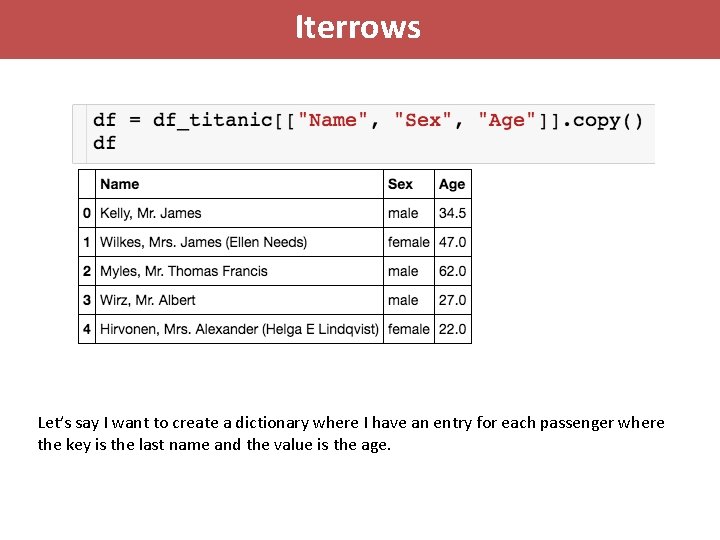
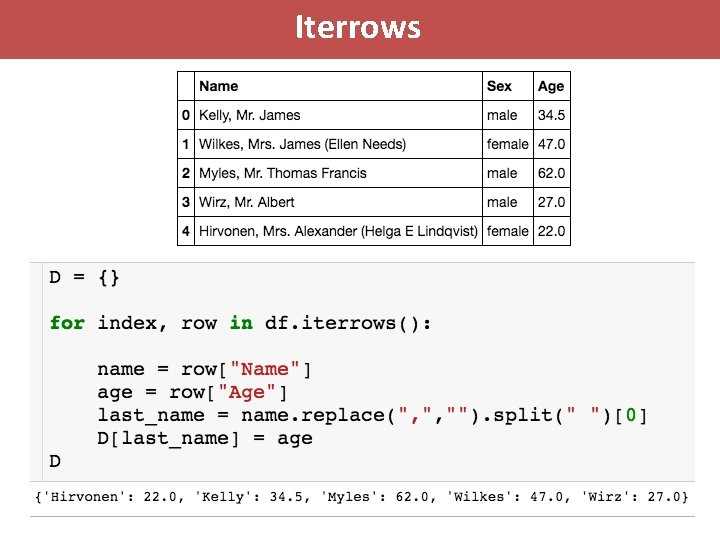
Iterrows Let’s say I want to create a dictionary where I have an entry for each passenger where the key is the last name and the value is the age.
Iterrows