
Advanced JDBC Session 15 Objectives n Describe the
Advanced JDBC Session 15
Objectives n Describe the Prepared. Statement interface n Describe the Callable. Statement interface n n Discuss the Database. Metadata interface and its various methods Work with Result. Sets Advanced JDBC / 2 of 40
Introduction n An individual is always on the lookout for a more efficient and speedier ways to accomplish a task A better way of performing a task improves the style of functioning Better features are incorporated in the newer version of a software program n n For example : to This session covers the different classes and interfaces in JDBC Advanced JDBC / 3 of 40
The Prepared. Statement interface (1) n n n Prepared. Statement interface inherits from the Statement interface Prepared. Statement increases the efficiency of the program Prepared. Statement objects help specify multiple arguments for a particular SQL command Advanced JDBC / 4 of 40
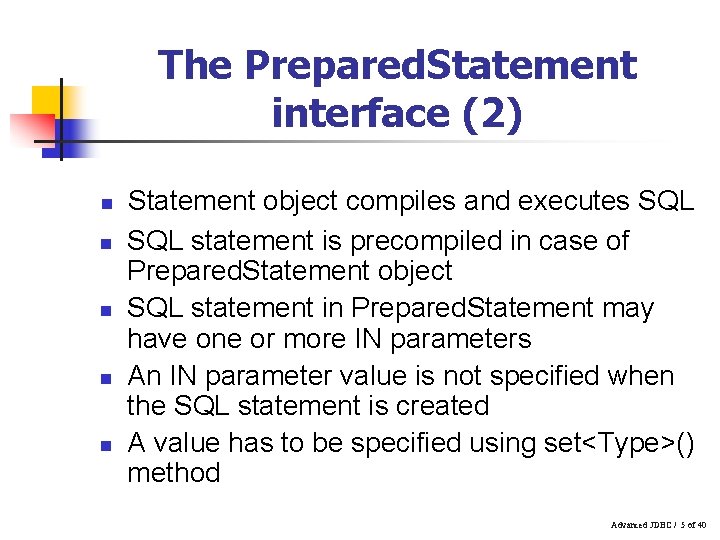
The Prepared. Statement interface (2) n n n Statement object compiles and executes SQL statement is precompiled in case of Prepared. Statement object SQL statement in Prepared. Statement may have one or more IN parameters An IN parameter value is not specified when the SQL statement is created A value has to be specified using set<Type>() method Advanced JDBC / 5 of 40
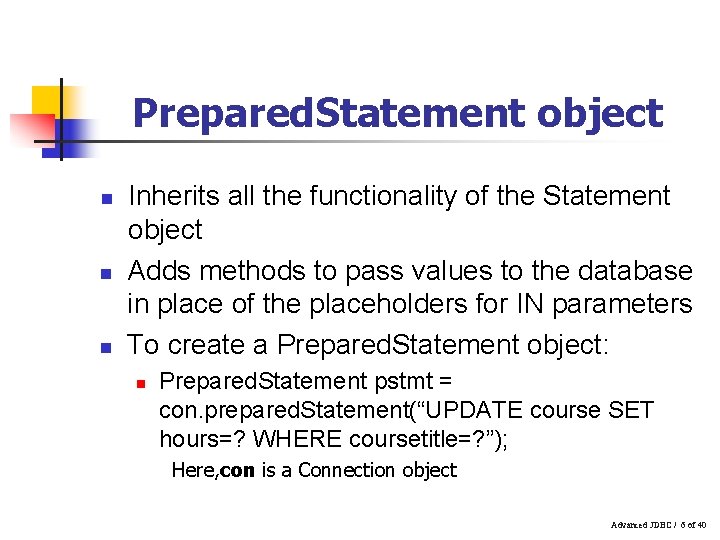
Prepared. Statement object n n n Inherits all the functionality of the Statement object Adds methods to pass values to the database in place of the placeholders for IN parameters To create a Prepared. Statement object: n Prepared. Statement pstmt = con. prepared. Statement(“UPDATE course SET hours=? WHERE coursetitle=? ”); Here, con is a Connection object Advanced JDBC / 6 of 40
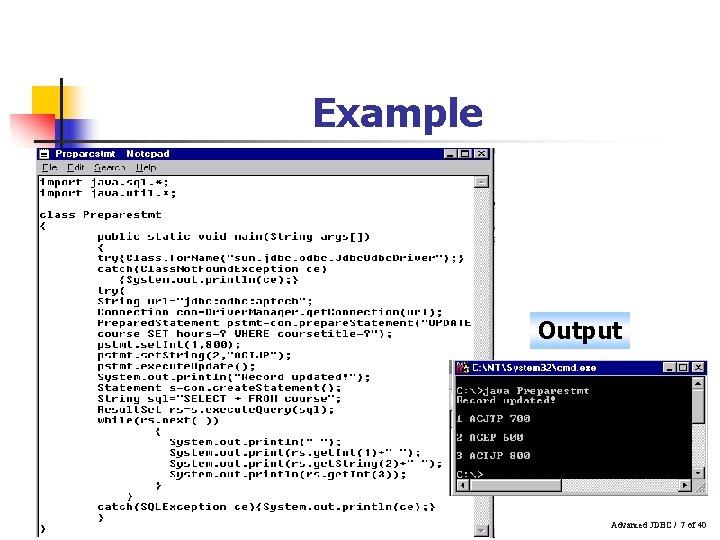
Example Output Advanced JDBC / 7 of 40
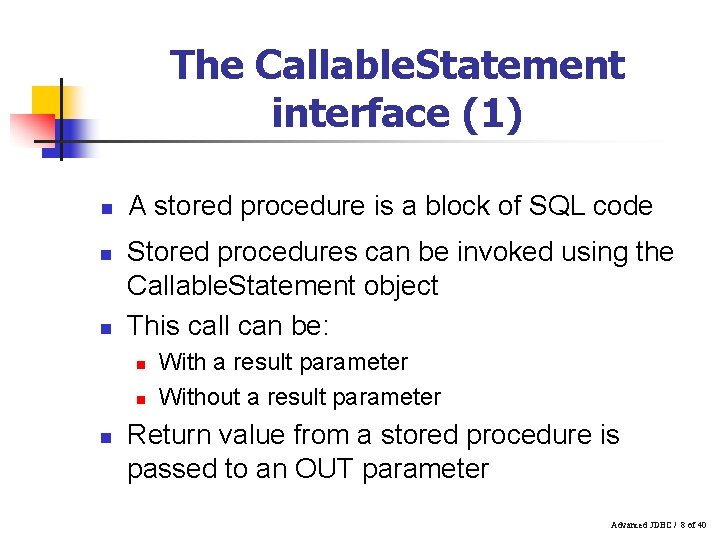
The Callable. Statement interface (1) n n n A stored procedure is a block of SQL code Stored procedures can be invoked using the Callable. Statement object This call can be: n n n With a result parameter Without a result parameter Return value from a stored procedure is passed to an OUT parameter Advanced JDBC / 8 of 40
The Callable. Statement interface (2) n The calls have different number of parameters used as: n n n Input (IN parameters) Output (OUT parameters) Both (INOUT parameters) ? Represents a placeholder for a parameter Inherits methods from the Statement and Prepared. Statement objects Advanced JDBC / 9 of 40
The Callable. Statement interface (3) n To create a Callable. Statement object: n n n Callable. Statement cstm = con. prepare. Call( “{call get. Data(? , ? )}” ); get. Data() has two arguments and no result parameter The type of ? whether it is IN, OUT or INOUT depends on the stored procedure “get. Data()” Advanced JDBC / 10 of 40
Parameters (1) n IN n set<Type>() methods are used to pass any IN parameter values to a Callable. Statement object n n Example : set. Float() to pass a float value OUT n n n In case stored procedures return values, then JDBC type of each OUT parameter has to be registered register. Out. Parameter is used to register JDBC type After registration, get<Type>() methods of Callable. Statement are used to retrieve the parameter value Advanced JDBC / 11 of 40
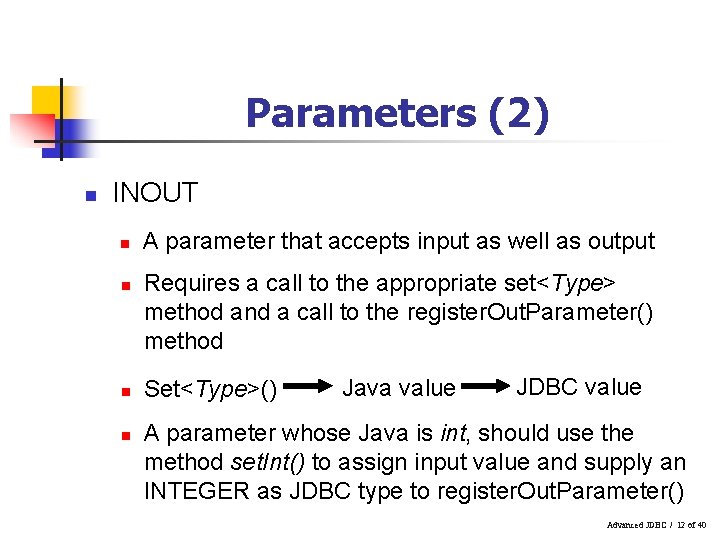
Parameters (2) n INOUT n n A parameter that accepts input as well as output Requires a call to the appropriate set<Type> method and a call to the register. Out. Parameter() method Set<Type>() Java value JDBC value A parameter whose Java is int, should use the method set. Int() to assign input value and supply an INTEGER as JDBC type to register. Out. Parameter() Advanced JDBC / 12 of 40
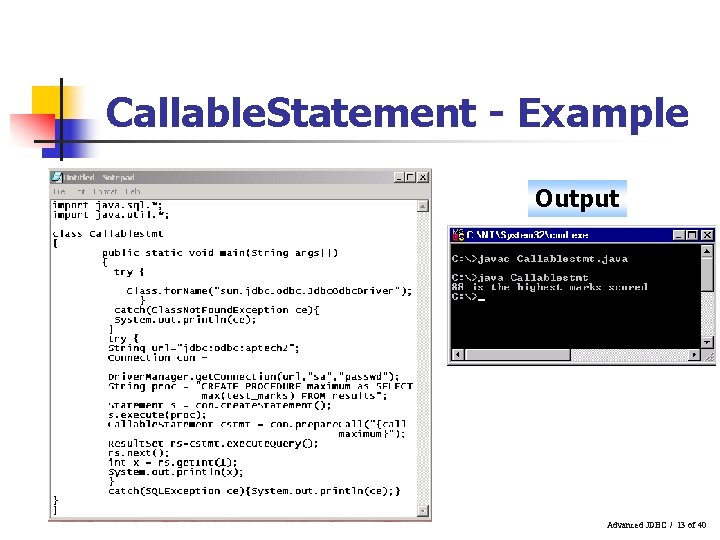
Callable. Statement - Example Output Advanced JDBC / 13 of 40
Database. Meta. Data interface n n Data in a database is of interest to any user At times, one needs to have information about the database as a whole Database. Meta. Data interface is the largest interface in the java. sql package It provides methods to find out the RDBMS and database state properties dynamically Advanced JDBC / 14 of 40
Methods to identify the RDBMS and its version n get. Database. Product. Name() n n get. Database. Product. Version() n n returns the product name returns the version number of the database get. Table. Types() n returns the table types available in the database Advanced JDBC / 15 of 40
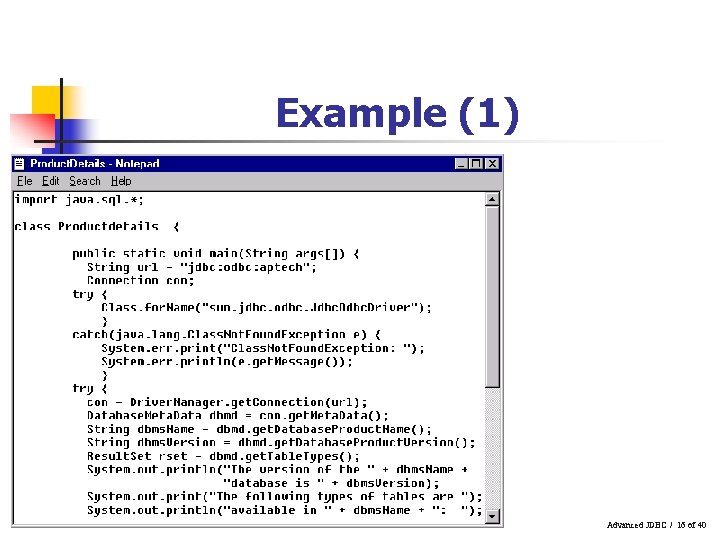
Example (1) Advanced JDBC / 16 of 40
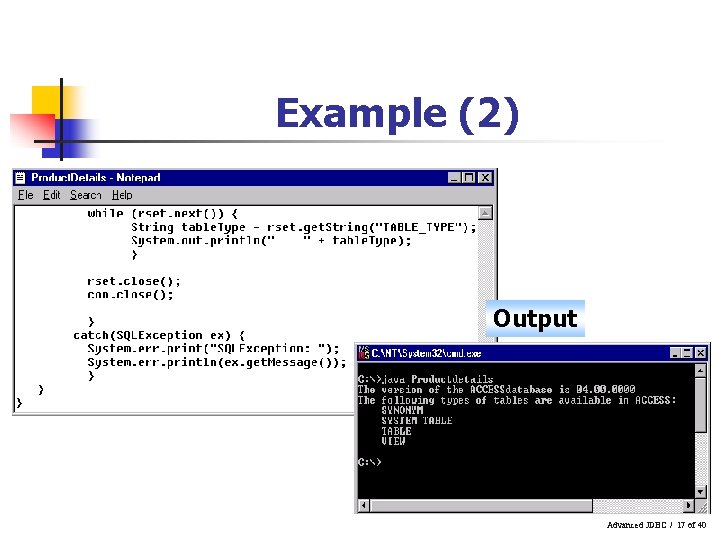
Example (2) Output Advanced JDBC / 17 of 40
Methods to detect the available JDBC Drivers n n get. Drivername() n returns the name of the current JDBC driver get. Driver. Version() n returns the version number of this driver get. Driver. Major. Version() n returns the major version number of the JDBC driver get. Driver. Minor. Version() n returns the minor version number of the JDBC driver Advanced JDBC / 18 of 40
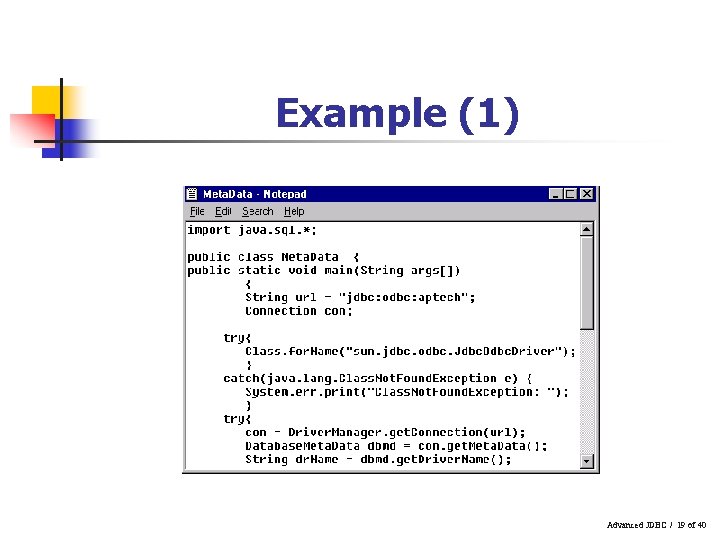
Example (1) Advanced JDBC / 19 of 40
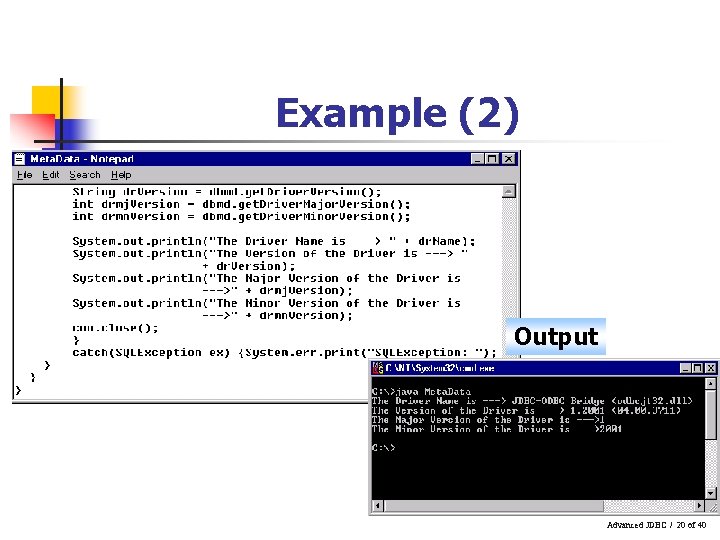
Example (2) Output Advanced JDBC / 20 of 40
Working with Tables (1) n Methods to determine the name and properties of the table are: n n get. Table. Types() – retrieves a list of the types of tables available in the database get. Table. Privileges() – used to determine the users privileges or access rights for any particular table. Also enables us to grant privileges for the table Advanced JDBC / 21 of 40
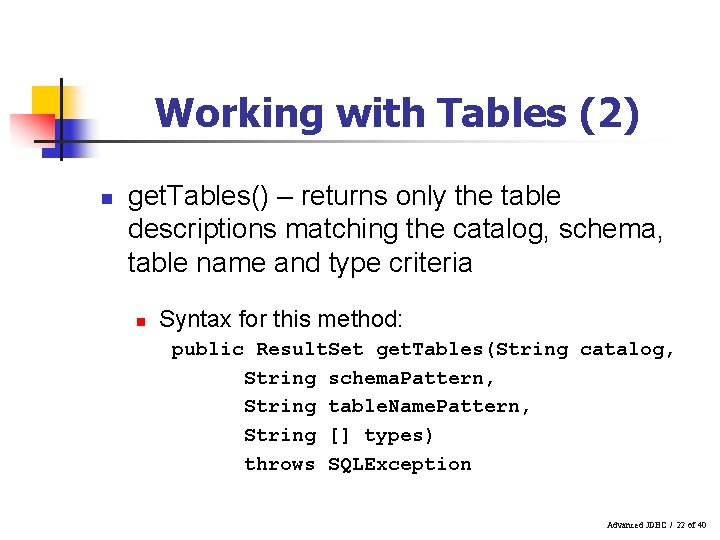
Working with Tables (2) n get. Tables() – returns only the table descriptions matching the catalog, schema, table name and type criteria n Syntax for this method: public Result. Set get. Tables(String catalog, String schema. Pattern, String table. Name. Pattern, String [] types) throws SQLException Advanced JDBC / 22 of 40
Stored Procedures n Methods used to access stored procedure names and structures stored in a database: n get. Procedure. Term() n n supports. Stored. Procedure() n n returns true/false depending on whether the database supports stored procedures get. Procedures() n n returns vendor specific name returns Result. Set containing a list of procedure names and their types get. Procedure. Columns() n returns Result. Set containing description of parameters and column names used in a particular procedure Advanced JDBC / 23 of 40
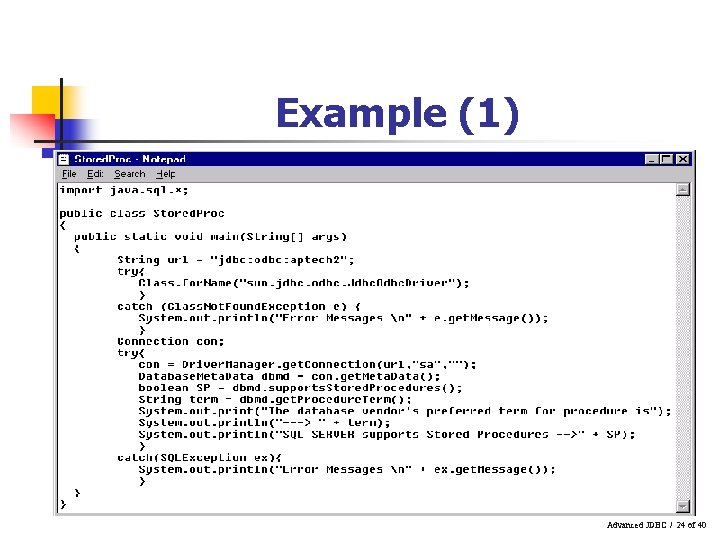
Example (1) Advanced JDBC / 24 of 40
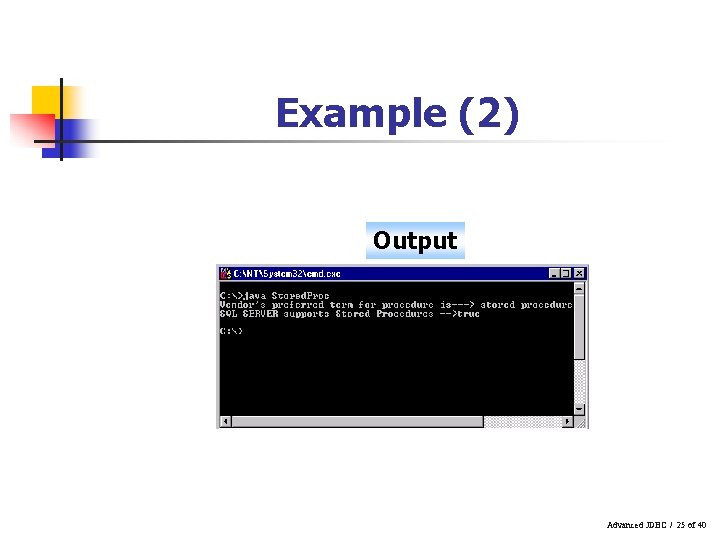
Example (2) Output Advanced JDBC / 25 of 40
Working with Result. Sets n n Databases are made of rows and columns A query on the database returns the result in the form of a table The Result. Set interface gives access to this tabular format Result. Set maintains a pointer that keeps track of the current row Advanced JDBC / 26 of 40
Result. Set interface n n n Result. Set objects are entirely dependent on the Statement and Connection objects Execution of Result. Set overwrites the previous results Result. Set object automatically closes when the related Statement is closed Advanced JDBC / 27 of 40
Result. Set interface functions n next() n n get. Row() n n positions Result. Set to the next row determines the number of rows retrieved by the Result. Set object get<Type>() n returns the data from the Result. Set object n n get. String() – retrieves character type data get. Int() – retrieves integer type data Advanced JDBC / 28 of 40
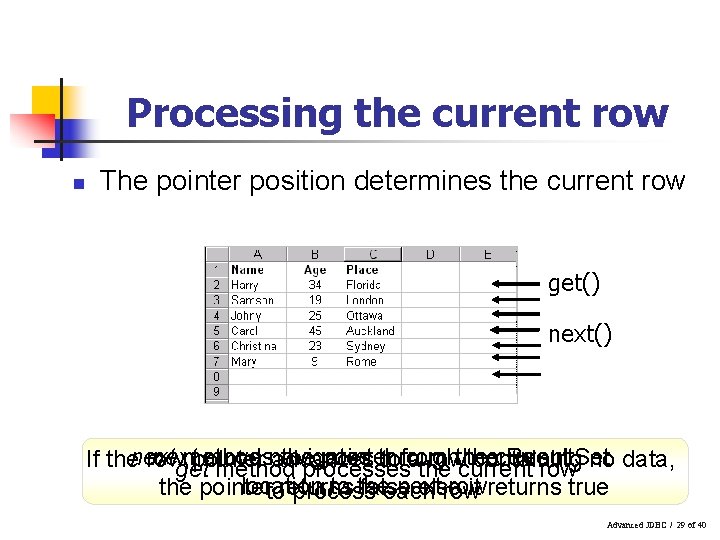
Processing the current row n The pointer position determines the current row get() next method movesnavigates the pointer through the current Result. Set If thenext row pointer advances tofrom athe rowthe containing get method processes current row no data, location to the next row the pointer false else it returns true toreturns process each row Advanced JDBC / 29 of 40
Processing the columns n n Columns can be directly accessed using the get<Type>() method “get” method has two forms n n One takes the column name as its argument The other takes column index number as its argument Advanced JDBC / 30 of 40
Working with Result. Set. Meta. Data object n n Used to get information about the types and properties of columns in a Result. Set object Uses the get. Column. Count() method to return the number of columns in the tabular data accessed by the Result. Set get. Column. Name() method returns the column name get. Column. Type() method returns the type of column Advanced JDBC / 31 of 40
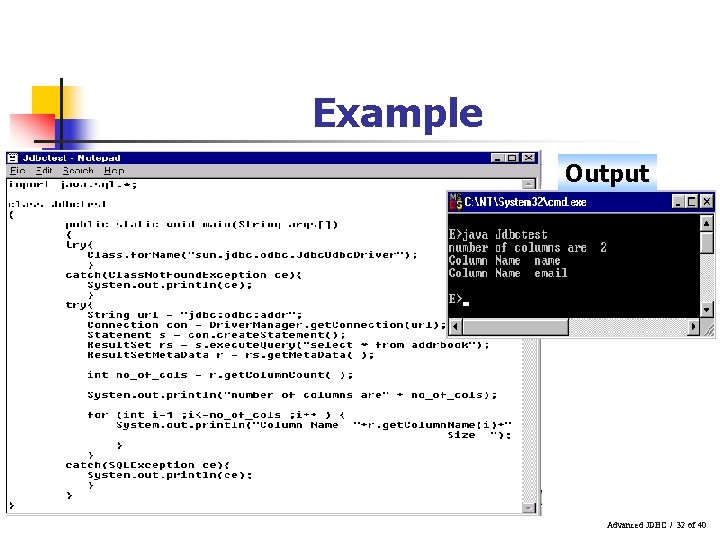
Example Output Advanced JDBC / 32 of 40
Using Transactions (1) n n n Distributed databases are becoming increasingly popular Related data may be stored in different computers Transactions help an action to be initiated if another action is successful Transaction is a set of statements executed together as a unit Either all statements are executed or none of them Advanced JDBC / 33 of 40
Using Transactions (2) n n A connection by default is in auto-commit mode Each SQL statement is treated as a transaction Auto-commit mode has to be disabled to allow two or more statements to be grouped Once auto-commit mode is disabled, No SQL statement will be committed until one calls the method explicitly Advanced JDBC / 34 of 40
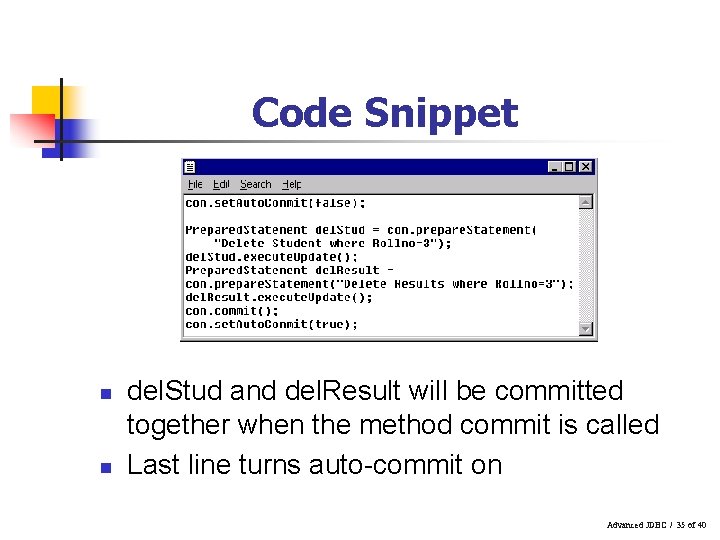
Code Snippet n n del. Stud and del. Result will be committed together when the method commit is called Last line turns auto-commit on Advanced JDBC / 35 of 40
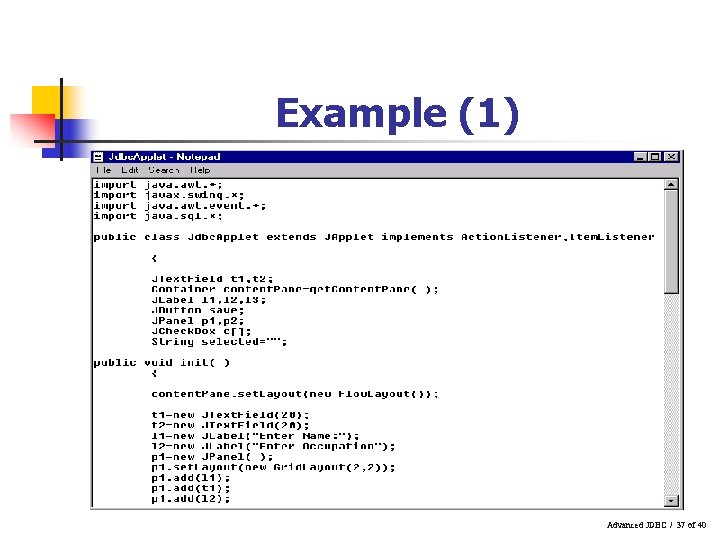
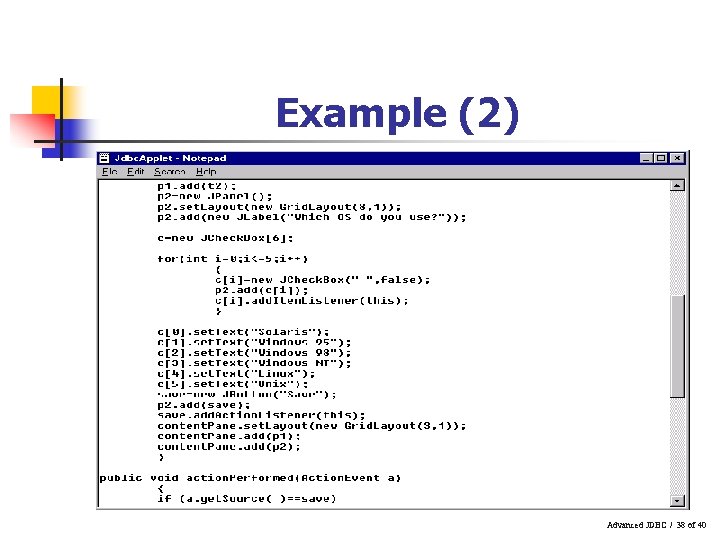
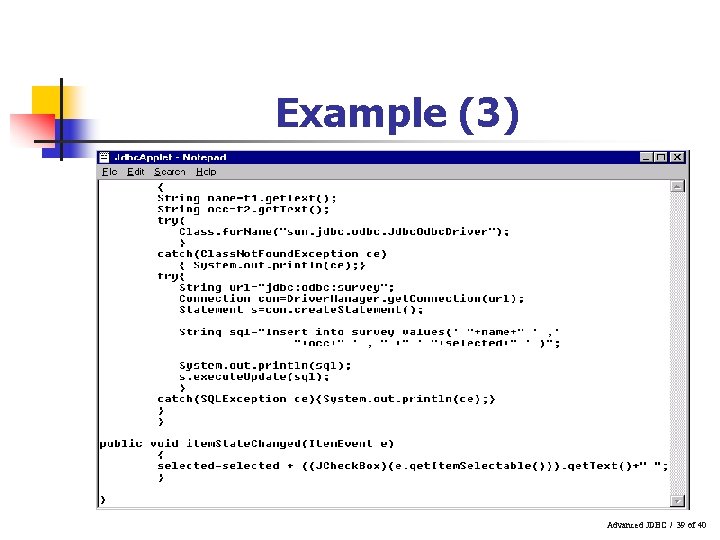
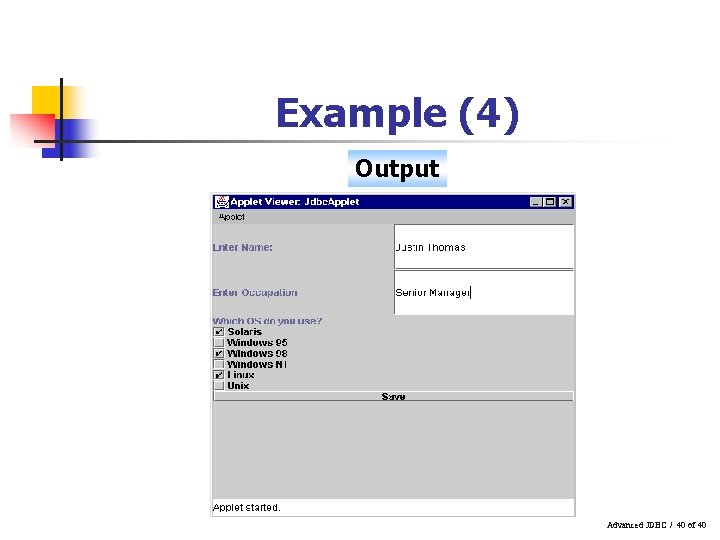
Using java. sql with applets n n n Applets help display results in a graphical interface Applets can communicate with databases using any type of JDBC driver JDBC-Net pure Java driver is the best, as it is not required to be installed on the client’s system Advanced JDBC / 36 of 40
Example (1) Advanced JDBC / 37 of 40
Example (2) Advanced JDBC / 38 of 40
Example (3) Advanced JDBC / 39 of 40
Example (4) Output Advanced JDBC / 40 of 40
- Slides: 40