
Advanced Informer Features PRESENTER Robin Lamb Associate Director

Advanced Informer Features PRESENTER: Robin Lamb| Associate Director Customer Service| Entrinsik, Inc. | April 27, 2017 © 2017 Entrinsik, Inc.
Agenda • • • Code Files User Fields Aggregate columns Date Keywords Schedules PDF Templates © 2017 Entrinsik, Inc.
Code Files Code files can be used in multiple different ways • Create checkbox lists for selection criteria • Create new tables that are not in database to use in queries or report results • Translate codes to Text – Example: M or F to display Male or Female © 2017 Entrinsik, Inc.
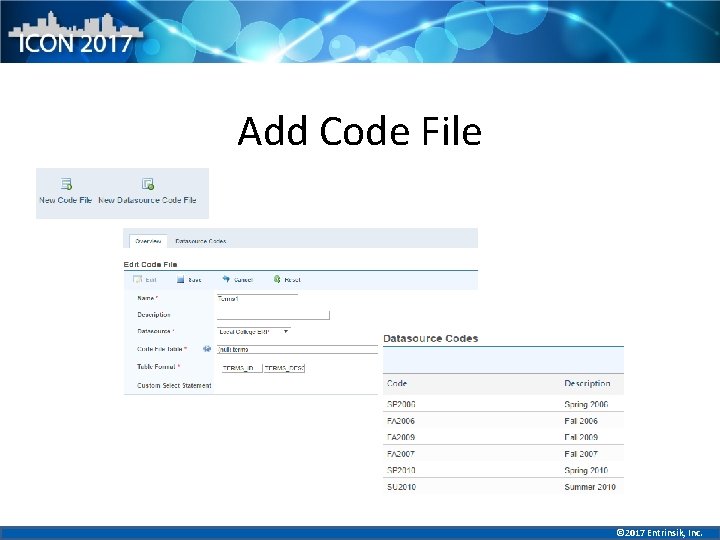
Add Code File © 2017 Entrinsik, Inc.
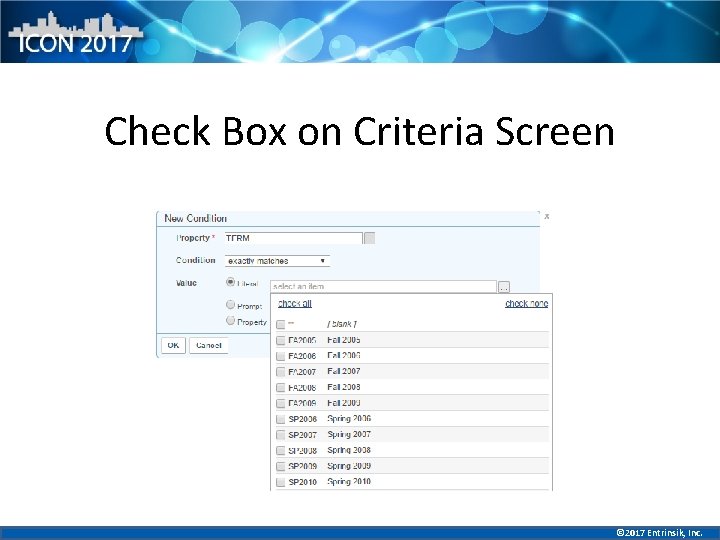
Check Box on Criteria Screen © 2017 Entrinsik, Inc.
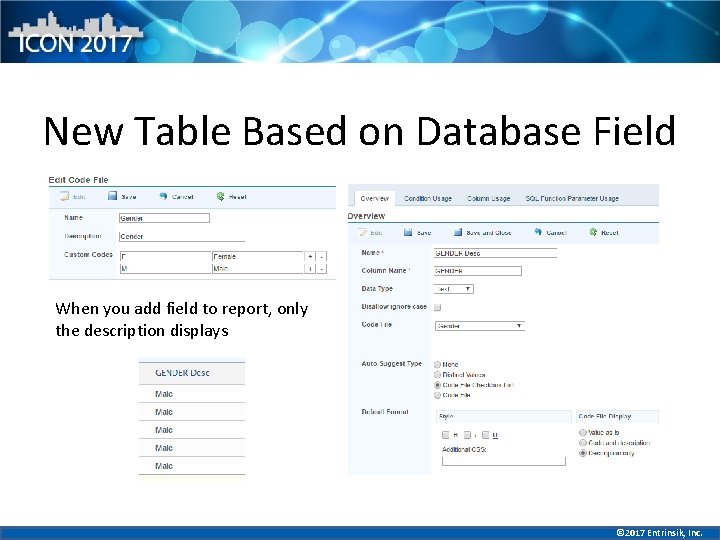
New Table Based on Database Field When you add field to report, only the description displays © 2017 Entrinsik, Inc.
User Fields • What are they and how are they used? • Row level security based on user login • Set up manually by user in Informer or create plugin based on database field – Examples: User attached to Department in database. Run the query based on Department field, it return only the rows of data of the department that the user is attached to © 2017 Entrinsik, Inc.
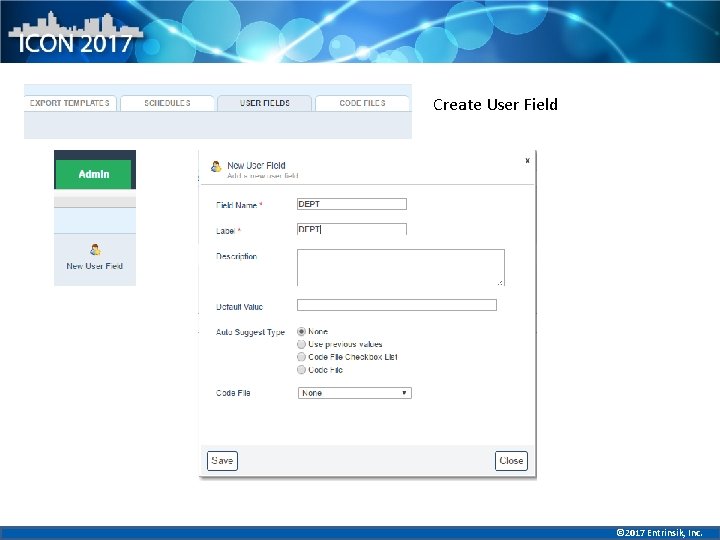
Create User Field © 2017 Entrinsik, Inc.
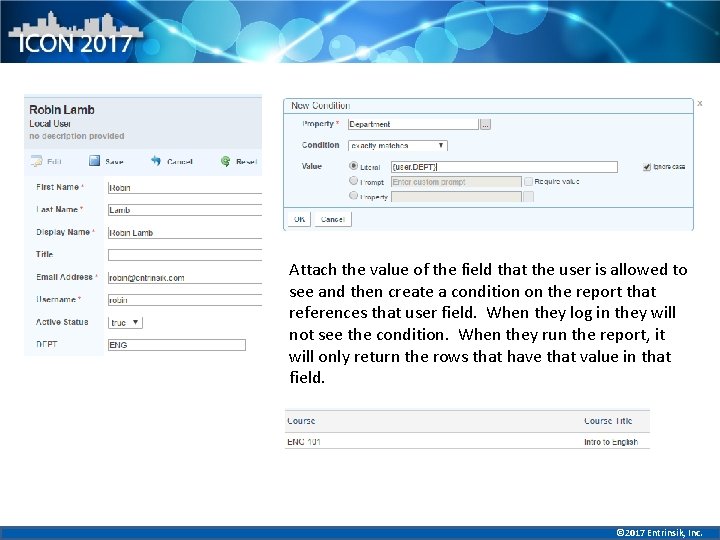
Attach the value of the field that the user is allowed to see and then create a condition on the report that references that user field. When they log in they will not see the condition. When they run the report, it will only return the rows that have that value in that field. © 2017 Entrinsik, Inc.
Aggregate Columns • What are aggregate columns? • Aggregates are based on the other columns in report (group by each column in output) – Max/min value – could be earliest or latest date – Count of values – Total or average of value © 2017 Entrinsik, Inc.
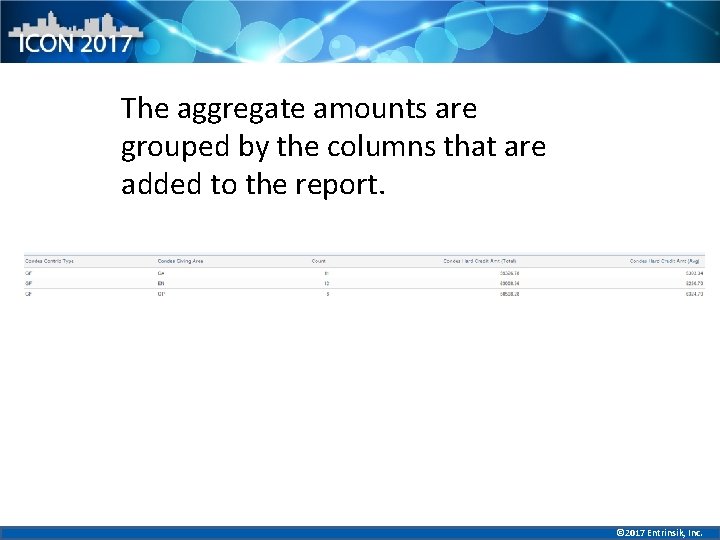
The aggregate amounts are grouped by the columns that are added to the report. © 2017 Entrinsik, Inc.
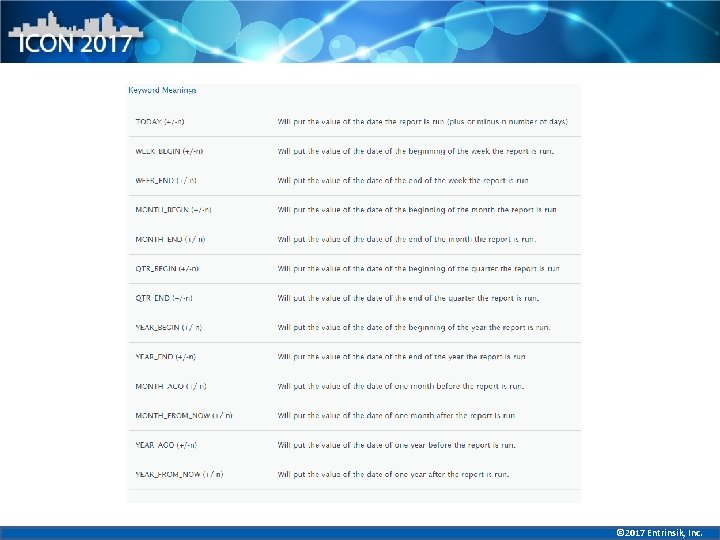
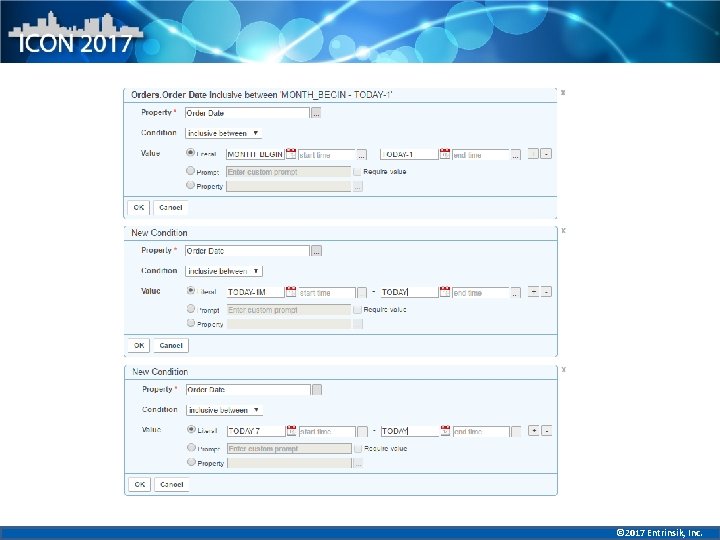
Date Runtime Keywords • Use runtime keywords to automate business processes – MTD reports using MONTH_BEGIN to TODAY – Create reports with data from this year and the same time last year – Daily, Weekly, or Monthly reports without having to set specific dates © 2017 Entrinsik, Inc.
© 2017 Entrinsik, Inc.
© 2017 Entrinsik, Inc.
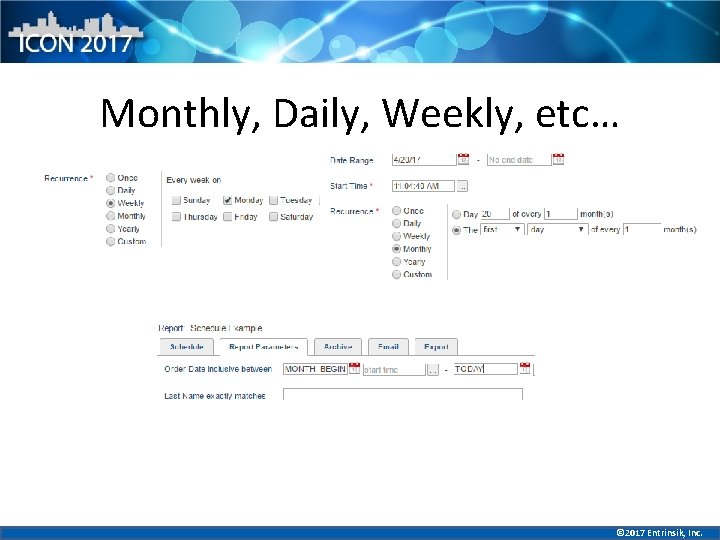
Schedules to Automate Processes • Daily, monthly, weekly or yearly reports • Error reports • Use schedule to separate data based on criteria – multiple schedules per report • Archive data to use in dashboards to create trend charts • Export to a mapped drive or create a saved list for U 2 customers © 2017 Entrinsik, Inc.
Monthly, Daily, Weekly, etc… © 2017 Entrinsik, Inc.
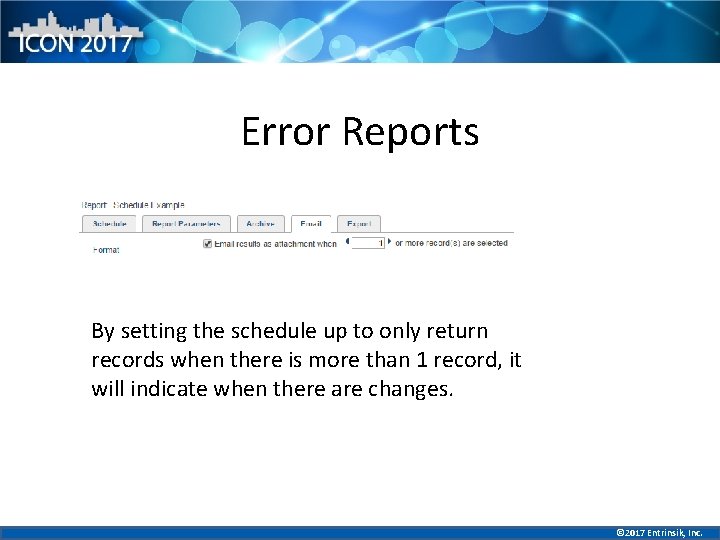
Error Reports By setting the schedule up to only return records when there is more than 1 record, it will indicate when there are changes. © 2017 Entrinsik, Inc.
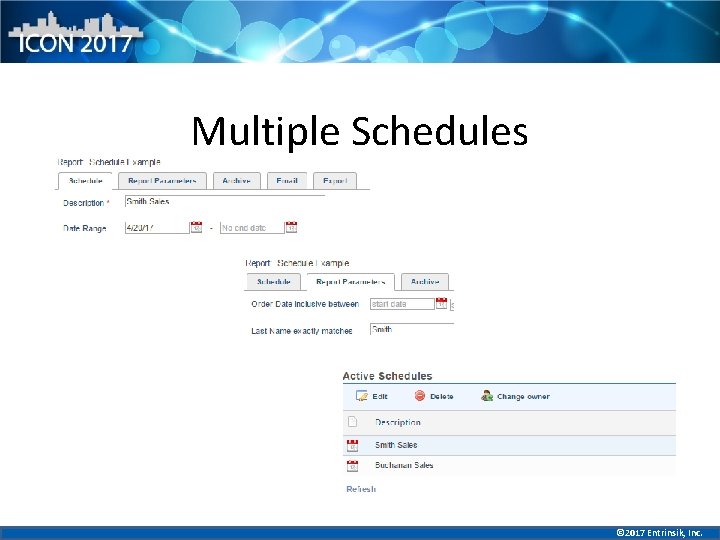
Multiple Schedules © 2017 Entrinsik, Inc.
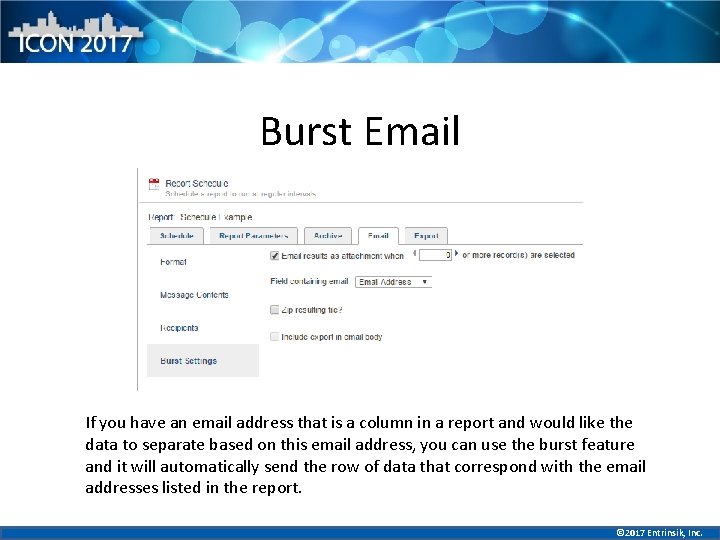
Burst Email If you have an email address that is a column in a report and would like the data to separate based on this email address, you can use the burst feature and it will automatically send the row of data that correspond with the email addresses listed in the report. © 2017 Entrinsik, Inc.
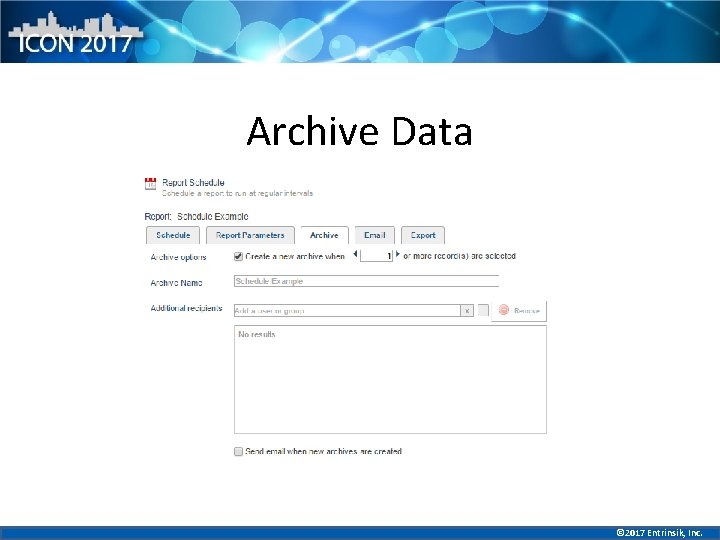
Archive Data © 2017 Entrinsik, Inc.
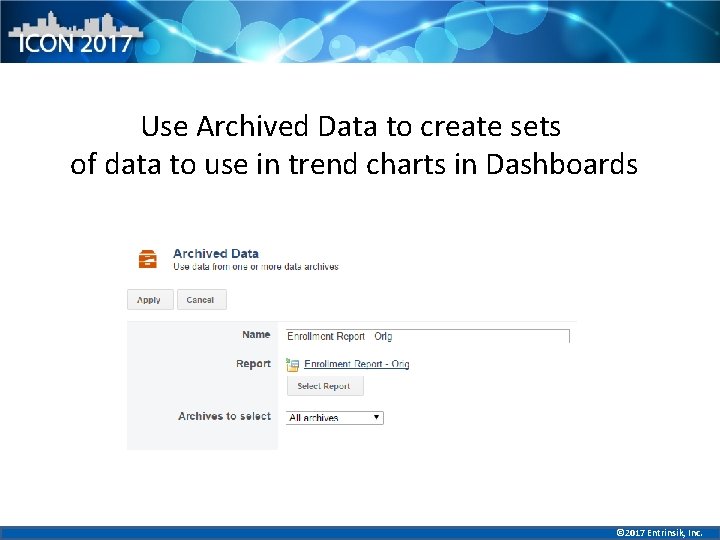
Use Archived Data to create sets of data to use in trend charts in Dashboards © 2017 Entrinsik, Inc.
PDF Templates • Use to customize output – Upload a watermark for template – Upload images for template (logos, pictures, etc) – Create documents to use in schedule or burst feature © 2017 Entrinsik, Inc.
Thank you! Any questions? © 2017 Entrinsik, Inc.
- Slides: 23