
Advanced Features of Data Protection Manager 2007 jbuffmicrosoft

Advanced Features of Data Protection Manager 2007 jbuff@microsoft. com http: //Jason. Buffington. com Jason Buffington Senior Technical Product Manager Microsoft Corporation Session Code: MGT 415
This is a Multi-Part Series MGTxxx – Technical Introduction (webcast) www. microsoft. com/DPM Overview of DPM 2007 Setup & protection Recovering data Where DPM fits MGT 314 – Protecting Applications Exchange SQL Server Share. Point SVR 318 – Protecting Virtual Hosts MGT 415 – Advanced Features Disaster Recovery Command Line control via Power. Shell™ and Pre-/Post- Scripting Monitoring with System Center Operations Manager Bare Metal Recovery … with the System Recovery Tool (SRT)
Agenda Disaster Recovery Command-Line control with Power. Shell™ Pre-/Post- Scripting System Center Operations Manager – Management Pack SRT – System Recovery Tool Questions and Answers
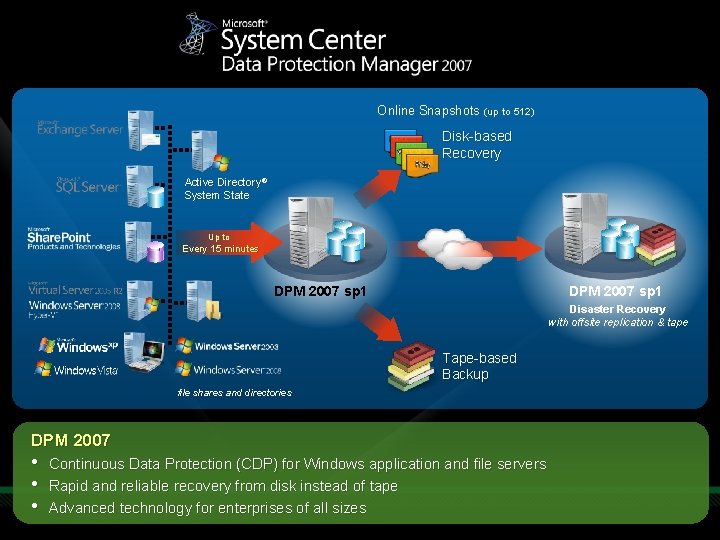
Online Snapshots (up to 512) Disk-based Recovery Active Directory® System State Up to Every 15 minutes DPM 2007 sp 1 Disaster Recovery with offsite replication & tape Tape-based Backup file shares and directories DPM 2007 • • • Continuous Data Protection (CDP) for Windows application and file servers Rapid and reliable recovery from disk instead of tape Advanced technology for enterprises of all sizes
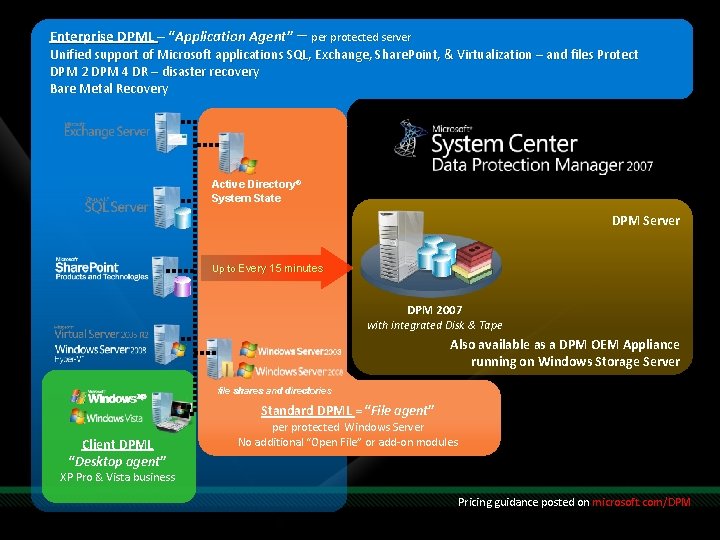
Enterprise DPML – “Application Agent” – per protected server Unified support of Microsoft applications SQL, Exchange, Share. Point, & Virtualization – and files Protect DPM 2 DPM 4 DR – disaster recovery Bare Metal Recovery Active Directory® System State DPM Server Up to Every 15 minutes DPM 2007 with integrated Disk & Tape Also available as a DPM OEM Appliance running on Windows Storage Server file shares and directories Standard DPML = “File agent” Client DPML “Desktop agent” per protected Windows Server No additional “Open File” or add-on modules XP Pro & Vista business Pricing guidance posted on microsoft. com/DPM
DPM – Disaster Recovery DPM 2 DPM 4 DR
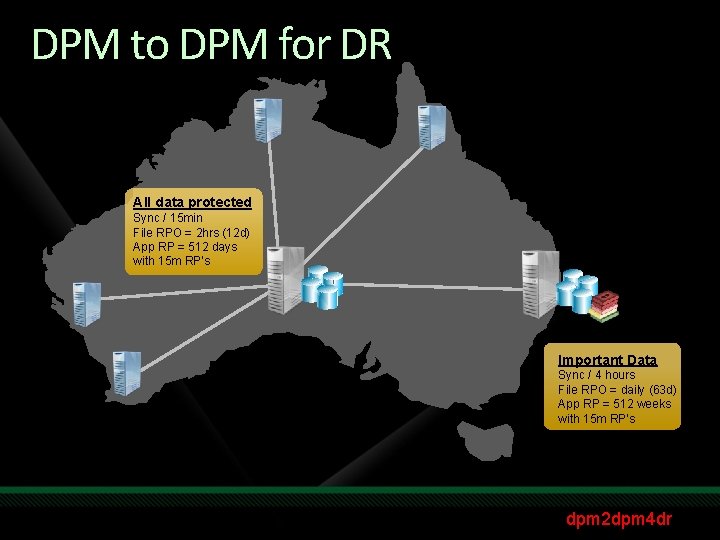
DPM to DPM for DR All data protected Sync / 15 min File RPO = 2 hrs (12 d) App RP = 512 days with 15 m RP’s Important Data Sync / 4 hours File RPO = daily (63 d) App RP = 512 weeks with 15 m RP’s dpm 2 dpm 4 dr
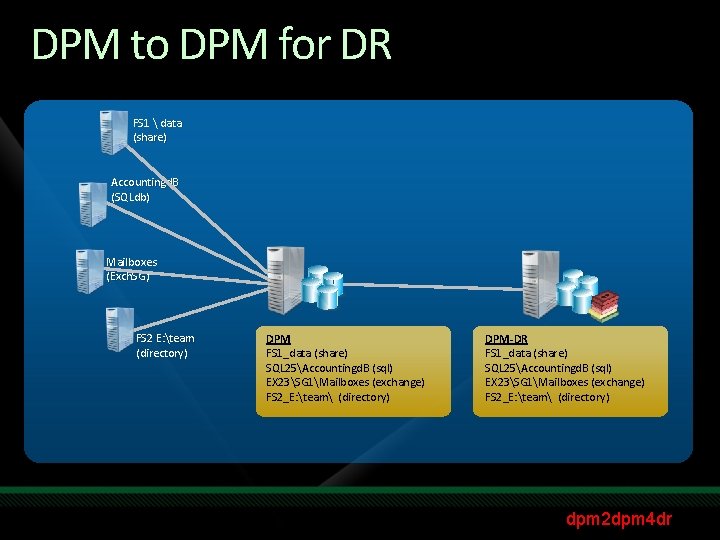
DPM to DPM for DR FS 1 data (share) Accountingd. B (SQLdb) Mailboxes (Exch. SG) FS 2 E: team (directory) DPM FS 1_data (share) SQL 25Accountingd. B (sql) EX 23SG 1Mailboxes (exchange) FS 2_E: team (directory) DPM-DR FS 1_data (share) SQL 25Accountingd. B (sql) EX 23SG 1Mailboxes (exchange) FS 2_E: team (directory) dpm 2 dpm 4 dr
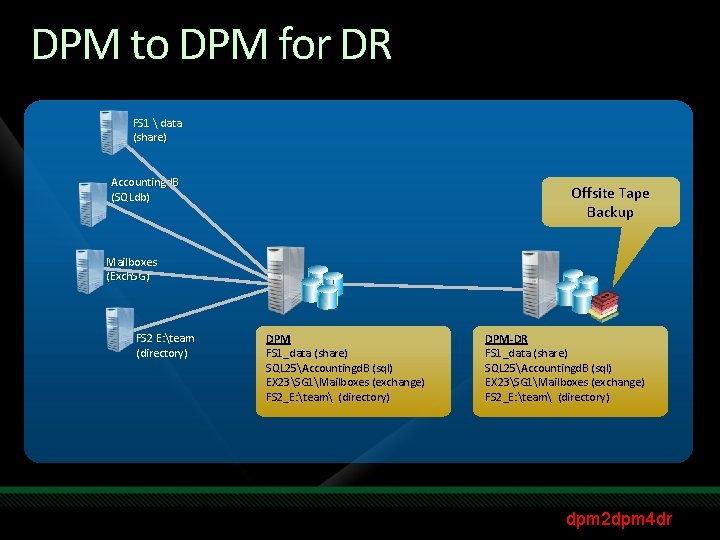
DPM to DPM for DR FS 1 data (share) Accountingd. B (SQLdb) Offsite Tape Backup Mailboxes (Exch. SG) FS 2 E: team (directory) DPM FS 1_data (share) SQL 25Accountingd. B (sql) EX 23SG 1Mailboxes (exchange) FS 2_E: team (directory) DPM-DR FS 1_data (share) SQL 25Accountingd. B (sql) EX 23SG 1Mailboxes (exchange) FS 2_E: team (directory) dpm 2 dpm 4 dr
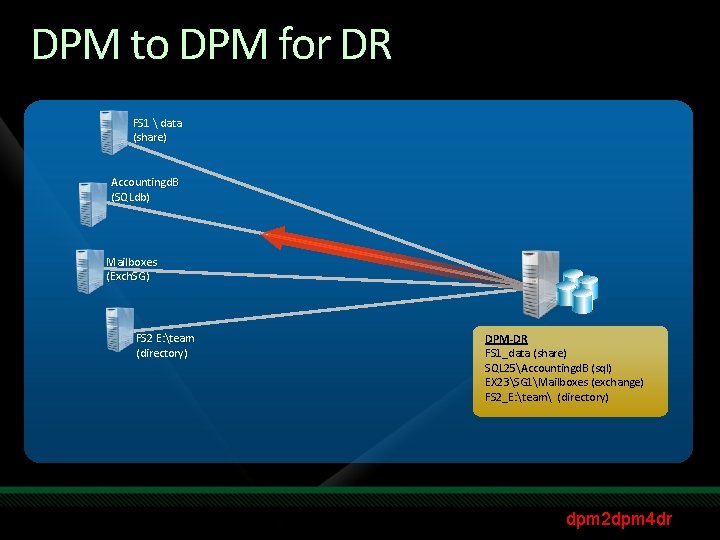
DPM to DPM for DR FS 1 data (share) Accountingd. B (SQLdb) Mailboxes (Exch. SG) FS 2 E: team (directory) DPM-DR FS 1_data (share) SQL 25Accountingd. B (sql) EX 23SG 1Mailboxes (exchange) FS 2_E: team (directory) dpm 2 dpm 4 dr
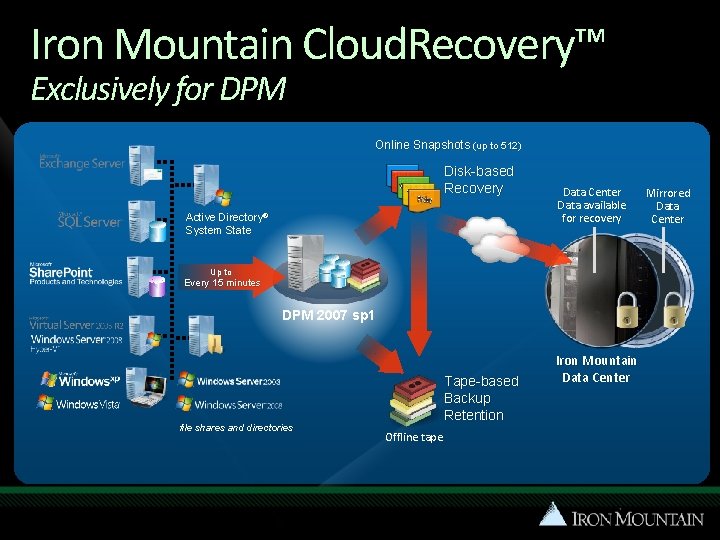
Iron Mountain Cloud. Recovery™ Exclusively for DPM Online Snapshots (up to 512) Disk-based Recovery Active Directory® System State Data Center Data available for recovery Up to Every 15 minutes DPM 2007 sp 1 file shares and directories Tape-based Backup Retention Offline tape Iron Mountain Data Center Mirrored Data Center
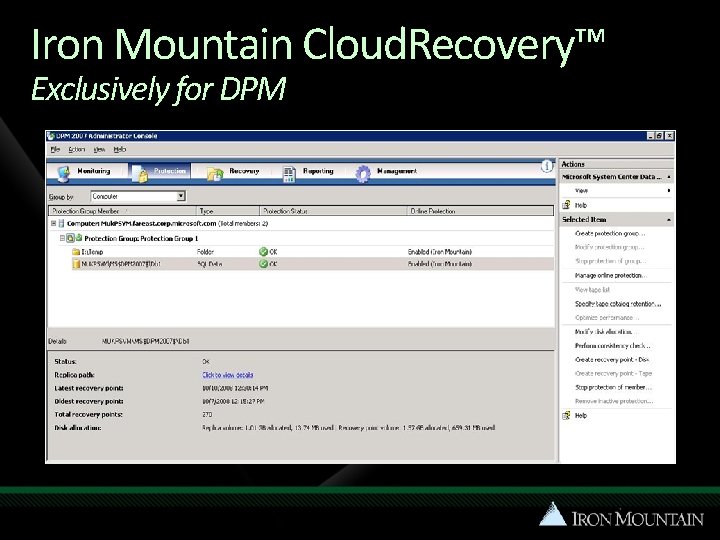
Iron Mountain Cloud. Recovery™ Exclusively for DPM
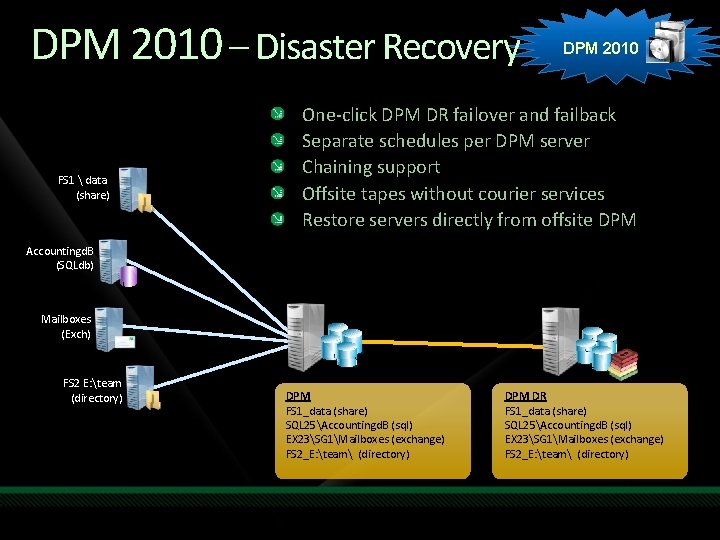
DPM 2010 – Disaster Recovery FS 1 data (share) DPM 2010 One-click DPM DR failover and failback Separate schedules per DPM server Chaining support Offsite tapes without courier services Restore servers directly from offsite DPM Accountingd. B (SQLdb) Mailboxes (Exch) FS 2 E: team (directory) DPM FS 1_data (share) SQL 25Accountingd. B (sql) EX 23SG 1Mailboxes (exchange) FS 2_E: team (directory) DPM DR FS 1_data (share) SQL 25Accountingd. B (sql) EX 23SG 1Mailboxes (exchange) FS 2_E: team (directory)
Command Line Management via Power. Shell Scenarios and Sample Scripts blogs. technet. com/DPM
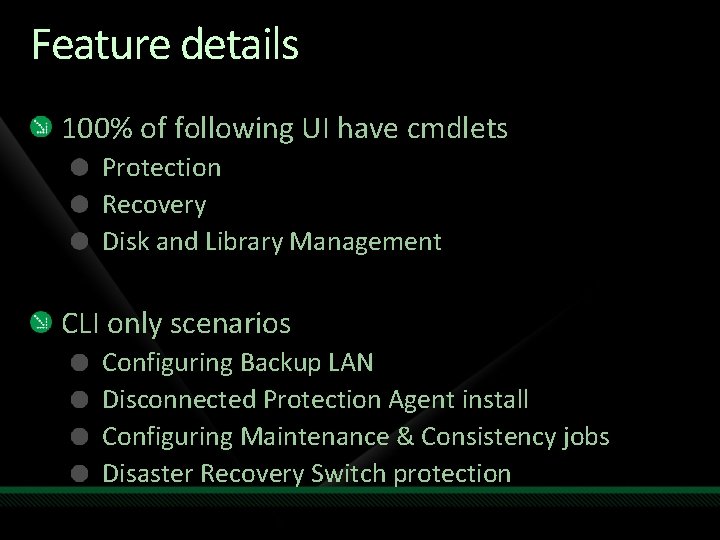
Feature details 100% of following UI have cmdlets Protection Recovery Disk and Library Management CLI only scenarios Configuring Backup LAN Disconnected Protection Agent install Configuring Maintenance & Consistency jobs Disaster Recovery Switch protection
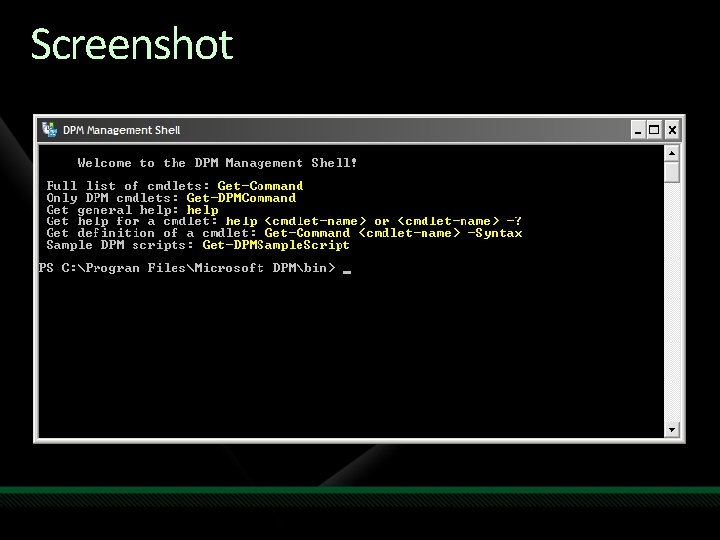
Screenshot
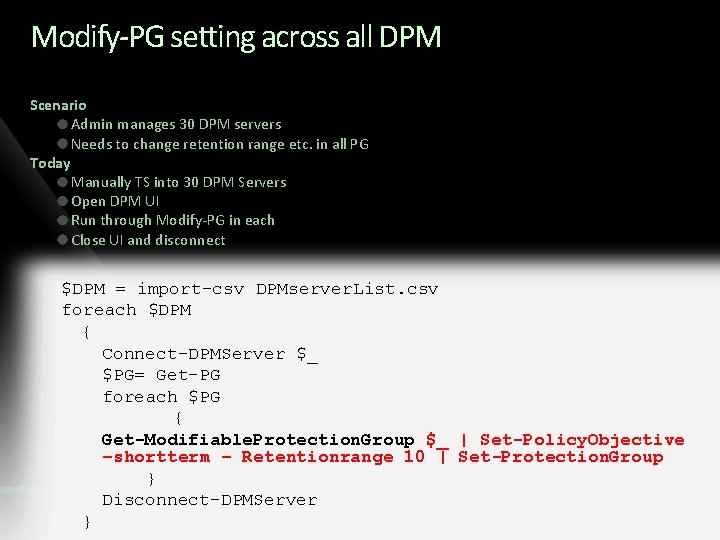
Modify-PG setting across all DPM Scenario Admin manages 30 DPM servers Needs to change retention range etc. in all PG Today Manually TS into 30 DPM Servers Open DPM UI Run through Modify-PG in each Close UI and disconnect $DPM = import-csv DPMserver. List. csv foreach $DPM { Connect-DPMServer $_ $PG= Get-PG foreach $PG { Get-Modifiable. Protection. Group $_ | Set-Policy. Objective –shortterm – Retentionrange 10 | Set-Protection. Group } Disconnect-DPMServer }
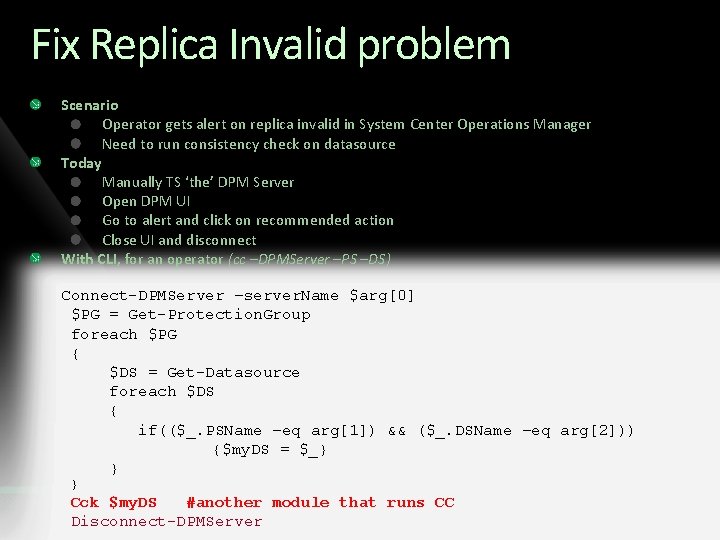
Fix Replica Invalid problem Scenario Operator gets alert on replica invalid in System Center Operations Manager Need to run consistency check on datasource Today Manually TS ‘the’ DPM Server Open DPM UI Go to alert and click on recommended action Close UI and disconnect With CLI, for an operator (cc –DPMServer –PS –DS) Connect-DPMServer –server. Name $arg[0] $PG = Get-Protection. Group foreach $PG { $DS = Get-Datasource foreach $DS { if(($_. PSName –eq arg[1]) && ($_. DSName –eq arg[2])) {$my. DS = $_} } } Cck $my. DS #another module that runs CC Disconnect-DPMServer
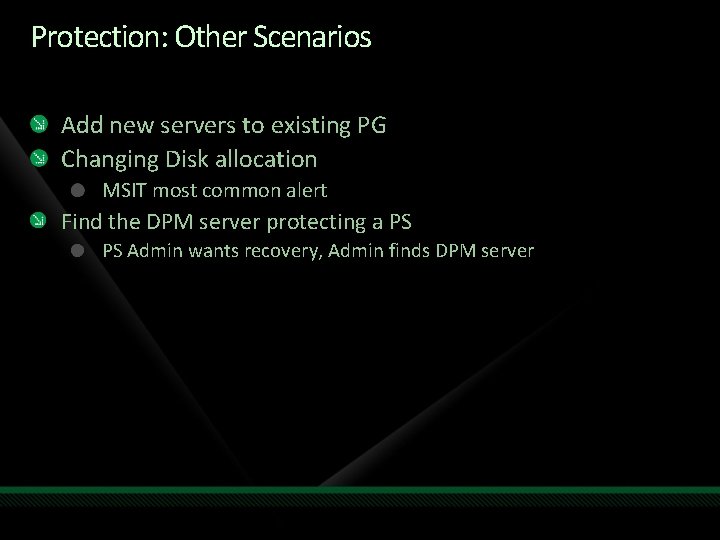
Protection: Other Scenarios Add new servers to existing PG Changing Disk allocation MSIT most common alert Find the DPM server protecting a PS PS Admin wants recovery, Admin finds DPM server
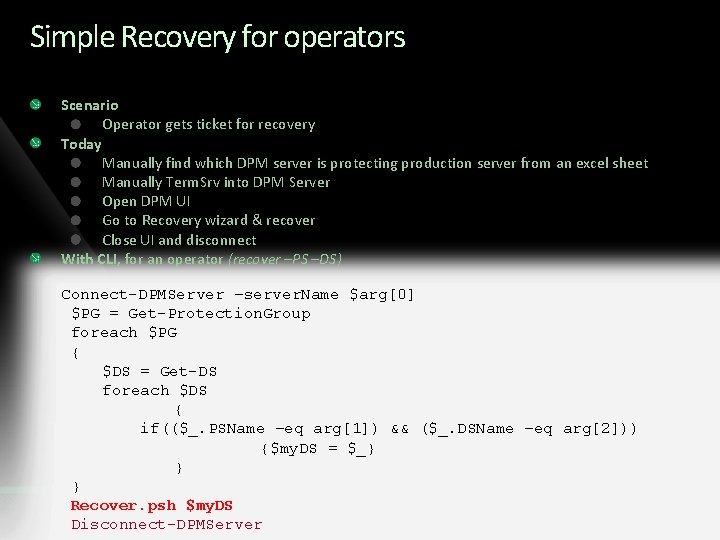
Simple Recovery for operators Scenario Operator gets ticket for recovery Today Manually find which DPM server is protecting production server from an excel sheet Manually Term. Srv into DPM Server Open DPM UI Go to Recovery wizard & recover Close UI and disconnect With CLI, for an operator (recover –PS –DS) Connect-DPMServer –server. Name $arg[0] $PG = Get-Protection. Group foreach $PG { $DS = Get-DS foreach $DS { if(($_. PSName –eq arg[1]) && ($_. DSName –eq arg[2])) {$my. DS = $_} } } Recover. psh $my. DS Disconnect-DPMServer
Recovery: Other Scenarios EUR (for apps, web-based etc. )
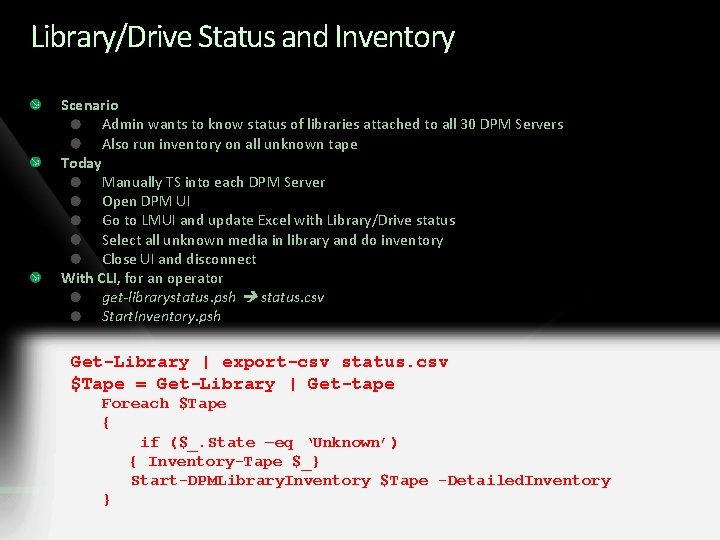
Library/Drive Status and Inventory Scenario Admin wants to know status of libraries attached to all 30 DPM Servers Also run inventory on all unknown tape Today Manually TS into each DPM Server Open DPM UI Go to LMUI and update Excel with Library/Drive status Select all unknown media in library and do inventory Close UI and disconnect With CLI, for an operator get-librarystatus. psh status. csv Start. Inventory. psh Get-Library | export-csv status. csv $Tape = Get-Library | Get-tape Foreach $Tape { if ($_. State –eq ‘Unknown’) { Inventory-Tape $_} Start-DPMLibrary. Inventory $Tape -Detailed. Inventory }
Library & Tape: Other scenarios Finding the tape Tape with <barcode> is needed for recovery Finding all tapes for offsite or that are decommissioned Web based status of all Library and Drives in an org
Other Scenarios Simple dashboards for showing status for all DPM servers Datacenters Web-based protection status Web-based DPM Management (ISV) Break-fix from MOM (limited)
Other Resources Rich help in Command line itself with examples Sample scripts and explanatory documents getting posted online DPM newsgroup for community support Sample scripts on blogs. technet. com/DPM
Backup Scripting Pre-backup & Post-backup
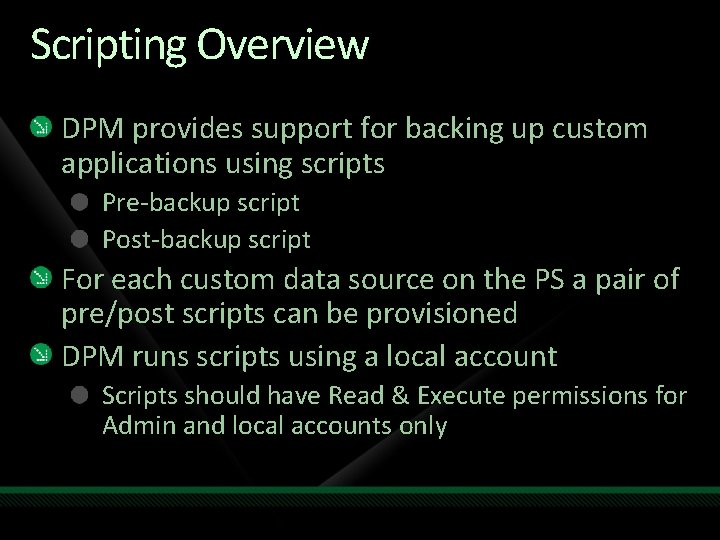
Scripting Overview DPM provides support for backing up custom applications using scripts Pre-backup script Post-backup script For each custom data source on the PS a pair of pre/post scripts can be provisioned DPM runs scripts using a local account Scripts should have Read & Execute permissions for Admin and local accounts only
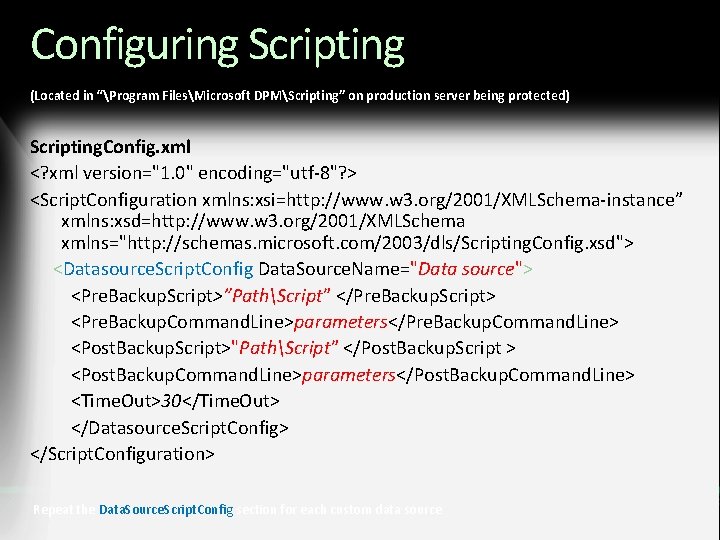
Configuring Scripting (Located in “Program FilesMicrosoft DPMScripting” on production server being protected) Scripting. Config. xml <? xml version="1. 0" encoding="utf-8"? > <Script. Configuration xmlns: xsi=http: //www. w 3. org/2001/XMLSchema-instance” xmlns: xsd=http: //www. w 3. org/2001/XMLSchema xmlns="http: //schemas. microsoft. com/2003/dls/Scripting. Config. xsd"> <Datasource. Script. Config Data. Source. Name="Data source"> <Pre. Backup. Script>”PathScript” </Pre. Backup. Script> <Pre. Backup. Command. Line>parameters</Pre. Backup. Command. Line> <Post. Backup. Script>"PathScript” </Post. Backup. Script > <Post. Backup. Command. Line>parameters</Post. Backup. Command. Line> <Time. Out>30</Time. Out> </Datasource. Script. Config> </Script. Configuration> Repeat the Data. Source. Script. Config section for each custom data source
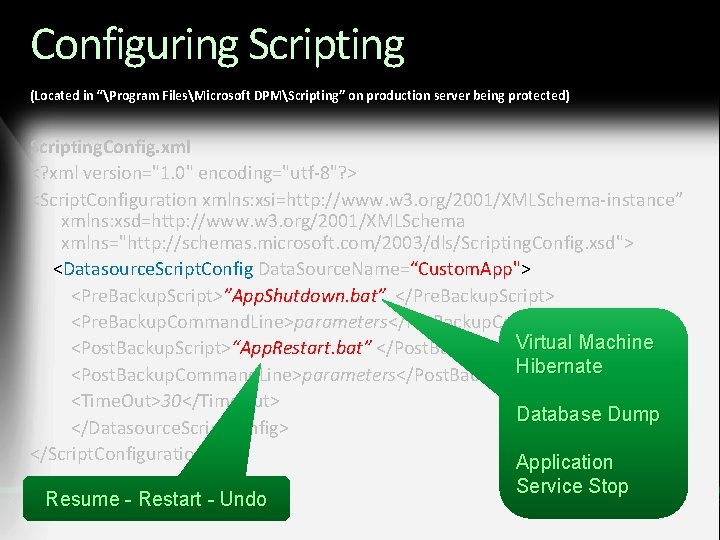
Configuring Scripting (Located in “Program FilesMicrosoft DPMScripting” on production server being protected) Scripting. Config. xml <? xml version="1. 0" encoding="utf-8"? > <Script. Configuration xmlns: xsi=http: //www. w 3. org/2001/XMLSchema-instance” xmlns: xsd=http: //www. w 3. org/2001/XMLSchema xmlns="http: //schemas. microsoft. com/2003/dls/Scripting. Config. xsd"> <Datasource. Script. Config Data. Source. Name=“Custom. App"> <Pre. Backup. Script>”App. Shutdown. bat” </Pre. Backup. Script> <Pre. Backup. Command. Line>parameters</Pre. Backup. Command. Line> Virtual <Post. Backup. Script>“App. Restart. bat” </Post. Backup. Script > Machine Hibernate <Post. Backup. Command. Line>parameters</Post. Backup. Command. Line> <Time. Out>30</Time. Out> Database Dump </Datasource. Script. Config> </Script. Configuration> Application Resume - Restart - Undo Service Stop
demo Enterprise Monitoring and Management System Center Operations Manager 2007 – Management Pack

partner SC DPM Online. com David Adams – Inframon UK
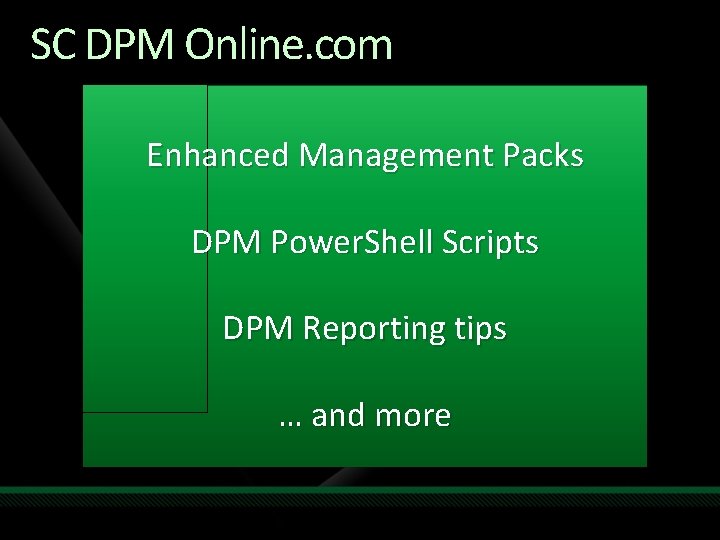
SC DPM Online. com Enhanced Management Packs DPM Power. Shell Scripts DPM Reporting tips … and more
Enterprise. Deployment with. Configuration. Manager 2007
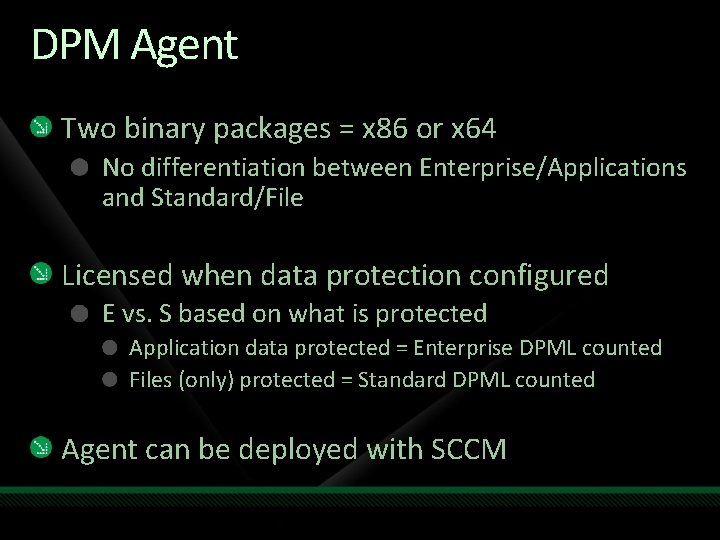
DPM Agent Two binary packages = x 86 or x 64 No differentiation between Enterprise/Applications and Standard/File Licensed when data protection configured E vs. S based on what is protected Application data protected = Enterprise DPML counted Files (only) protected = Standard DPML counted Agent can be deployed with SCCM
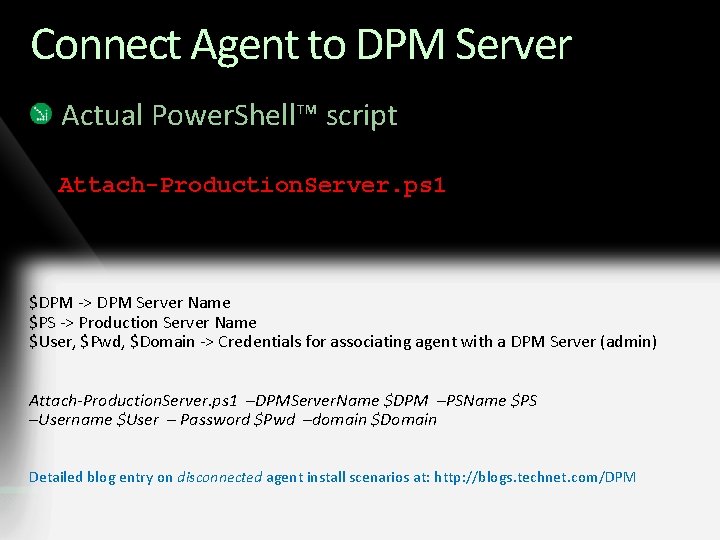
Connect Agent to DPM Server Actual Power. Shell™ script Attach-Production. Server. ps 1 $DPM -> DPM Server Name $PS -> Production Server Name $User, $Pwd, $Domain -> Credentials for associating agent with a DPM Server (admin) Attach-Production. Server. ps 1 –DPMServer. Name $DPM –PSName $PS –Username $User – Password $Pwd –domain $Domain Detailed blog entry on disconnected agent install scenarios at: http: //blogs. technet. com/DPM
Bare Metal Recovery System Recovery Tool (SRT) Bare Metal Restore
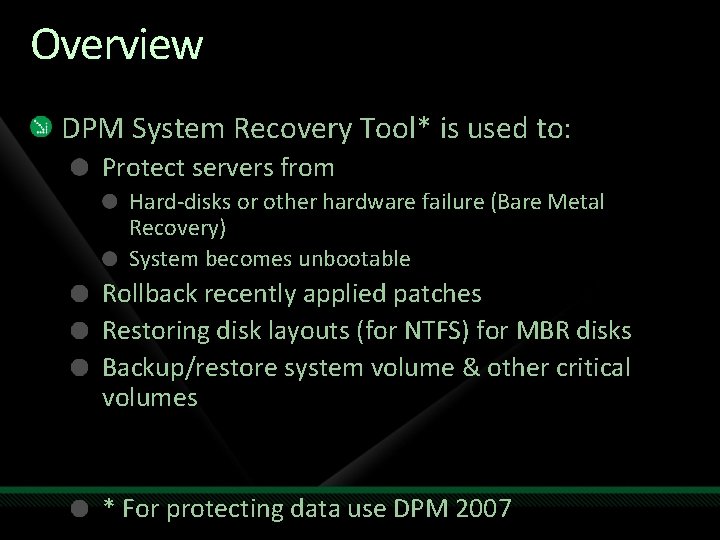
Overview DPM System Recovery Tool* is used to: Protect servers from Hard-disks or other hardware failure (Bare Metal Recovery) System becomes unbootable Rollback recently applied patches Restoring disk layouts (for NTFS) for MBR disks Backup/restore system volume & other critical volumes * For protecting data use DPM 2007
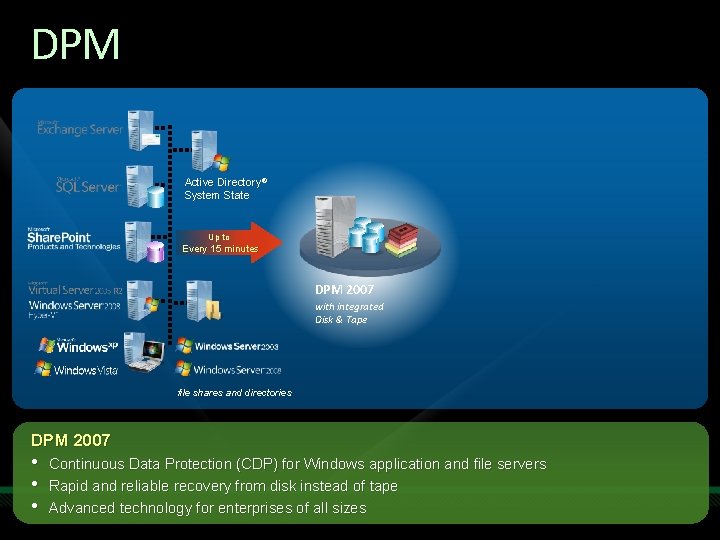
DPM Active Directory® System State Up to Every 15 minutes DPM 2007 with integrated Disk & Tape file shares and directories DPM 2007 • • • Continuous Data Protection (CDP) for Windows application and file servers Rapid and reliable recovery from disk instead of tape Advanced technology for enterprises of all sizes
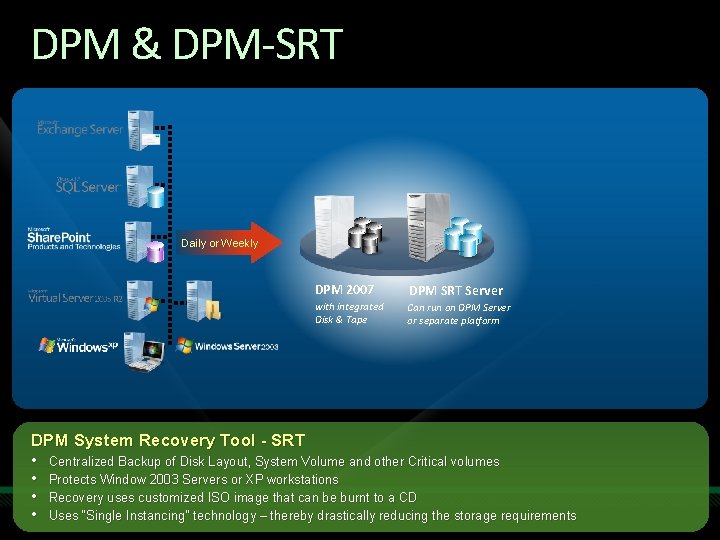
DPM & DPM-SRT Daily or Weekly DPM 2007 DPM SRT Server with integrated Disk & Tape Can run on DPM Server or separate platform DPM System Recovery Tool - SRT • Centralized Backup of Disk Layout, System Volume and other Critical volumes • Protects Window 2003 Servers or XP workstations • Recovery uses customized ISO image that can be burnt to a CD • Uses “Single Instancing” technology – thereby drastically reducing the storage requirements
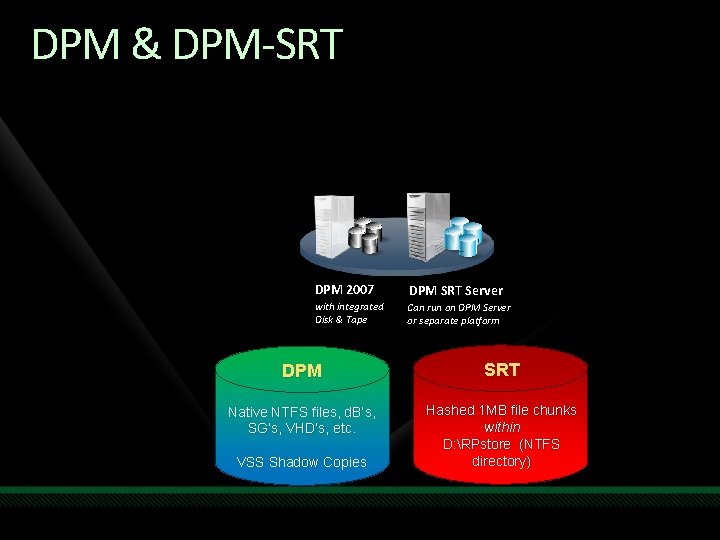
DPM & DPM-SRT DPM 2007 DPM SRT Server with integrated Disk & Tape Can run on DPM Server or separate platform DPM SRT Native NTFS files, d. B’s, SG’s, VHD’s, etc. Hashed 1 MB file chunks within D: RPstore (NTFS directory) VSS Shadow Copies
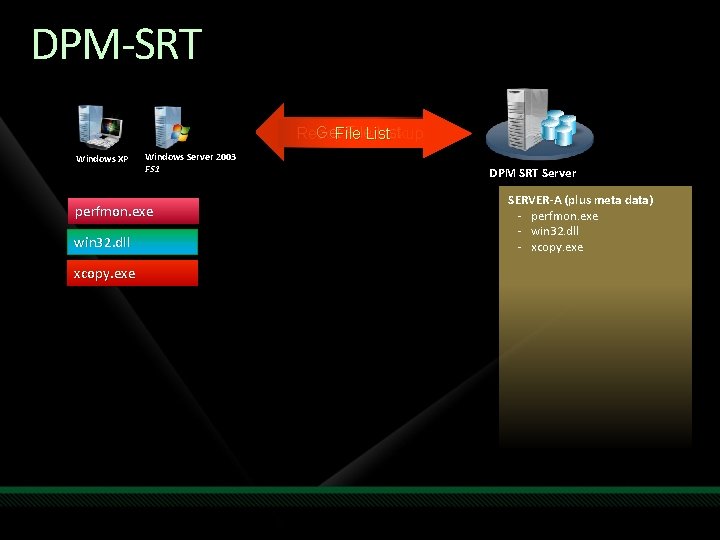
DPM-SRT Get. File List Ready for. List Backup Windows XP Windows Server 2003 FS 1 perfmon. exe win 32. dll xcopy. exe DPM SRT Server SERVER-A (plus meta data) - perfmon. exe - win 32. dll - xcopy. exe
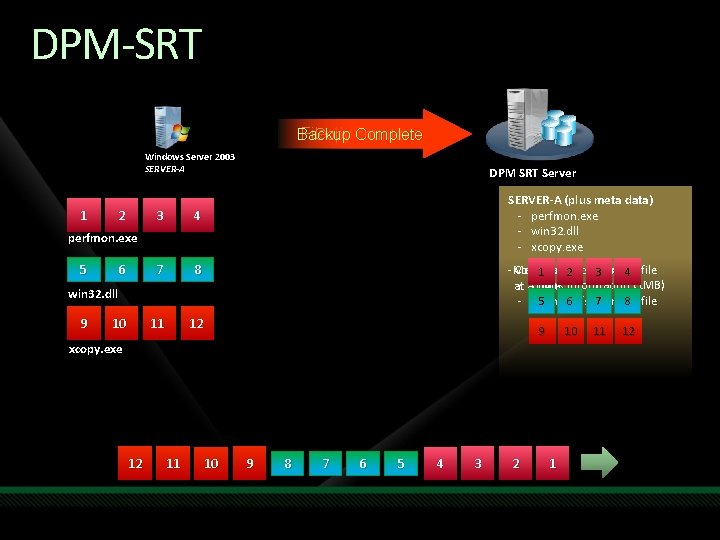
DPM-SRT File 1 MB chunks Backup Complete Copy chunks Windows Server 2003 SERVER-A 1 2 3 4 7 8 11 12 DPM SRT Server SERVER-A (plus meta data) - perfmon. exe - win 32. dll - xcopy. exe perfmon. exe 5 6 -Meta Copies chunks over 1 data 2 includes 3 one 4 file - a. Chunk at time information (1 MB) 5 6 Offsets 7 in the 8 file - Chunk win 32. dll 9 10 xcopy. exe 12 11 10 9 8 7 6 5 4 3 2 1 11 12
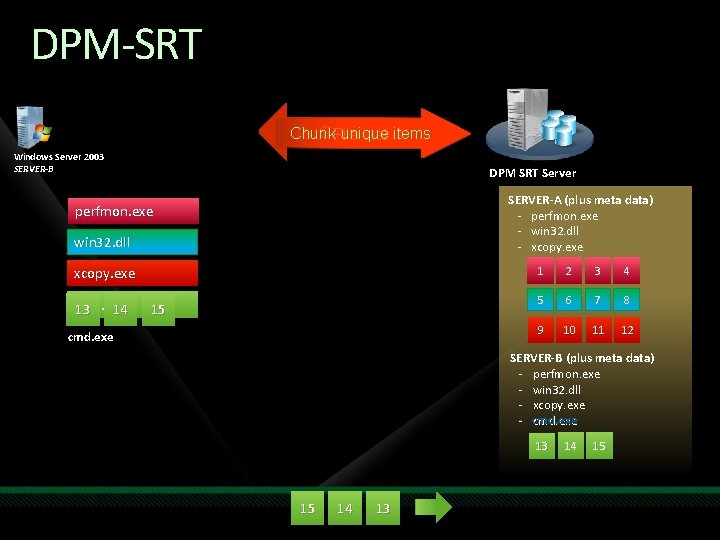
DPM-SRT Get File List Chunk unique items Ready for Backup File List Windows Server 2003 SERVER-B DPM SRT Server SERVER-A (plus meta data) - perfmon. exe - win 32. dll - xcopy. exe perfmon. exe win 32. dll xcopy. exe cmd. exe 13 14 15 cmd. exe 1 2 3 4 5 6 7 8 9 10 11 12 SERVER-B (plus meta data) - perfmon. exe - win 32. dll - xcopy. exe - cmd. exe 13 15 14 13 14 15
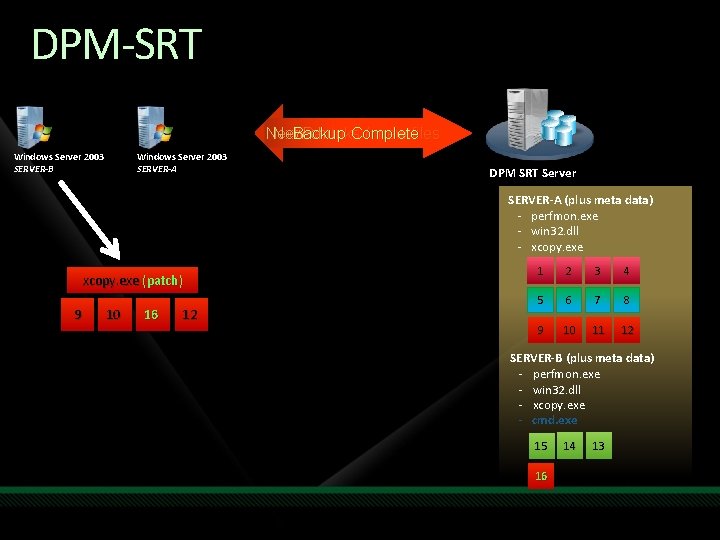
DPM-SRT Backup Complete Next Backup –/ new New chunks newfiles? files Backup Complete Windows Server 2003 SERVER-B Windows Server 2003 SERVER-A DPM SRT Server SERVER-A (plus meta data) - perfmon. exe - win 32. dll - xcopy. exe (patch) 9 10 16 12 1 2 3 4 5 6 7 8 9 10 11 12 SERVER-B (plus meta data) - perfmon. exe - win 32. dll - xcopy. exe - cmd. exe 15 16 14 13
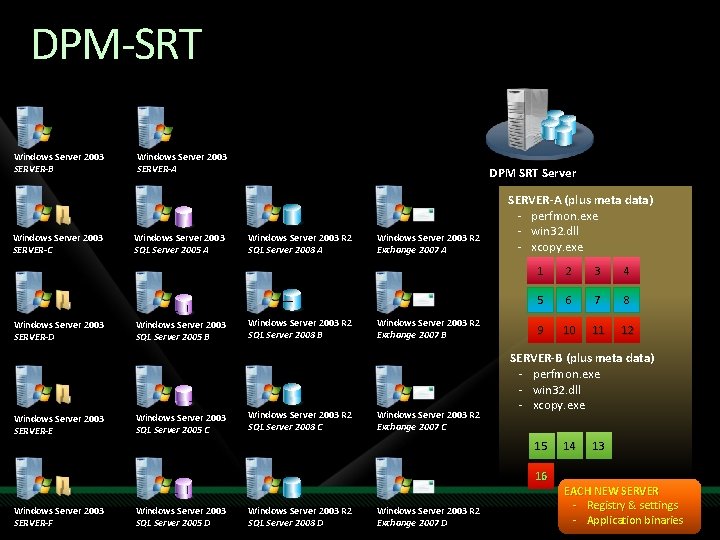
DPM-SRT Windows Server 2003 SERVER-B Windows Server 2003 SERVER-C Windows Server 2003 SERVER-D Windows Server 2003 SERVER-E Windows Server 2003 SERVER-A Windows Server 2003 SQL Server 2005 B Windows Server 2003 SQL Server 2005 C DPM SRT Server Windows Server 2003 R 2 SQL Server 2008 A Windows Server 2003 R 2 SQL Server 2008 B Windows Server 2003 R 2 SQL Server 2008 C Windows Server 2003 R 2 Exchange 2007 A Windows Server 2003 R 2 Exchange 2007 B Windows Server 2003 R 2 Exchange 2007 C SERVER-A (plus meta data) - perfmon. exe - win 32. dll - xcopy. exe 1 2 3 4 5 6 7 8 9 10 11 12 SERVER-B (plus meta data) - perfmon. exe - win 32. dll - xcopy. exe 15 16 Windows Server 2003 SERVER-F Windows Server 2003 SQL Server 2005 D Windows Server 2003 R 2 SQL Server 2008 D Windows Server 2003 R 2 Exchange 2007 D 14 13 EACH NEW SERVER - Registry & settings - Application binaries
SRT – Protection System Recovery Tool … for Bare Metal Recovery
Schedule Console Administration console for managing Recovery Point Schedules Recovery Points Recovery Sets It is a Microsoft Management Console (MMC) snap-in New Schedule Wizard is automatically launched if no existing schedules are found Set Properties Email Notification Aging older Recovery Points Performance
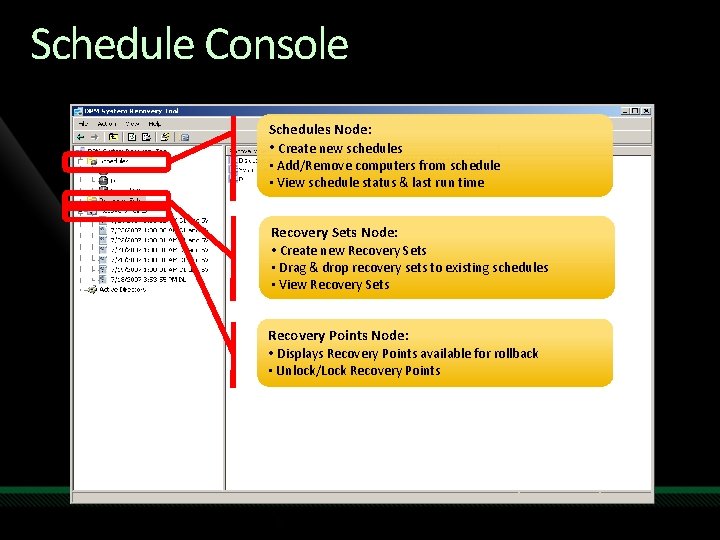
Schedule Console Schedules Node: • Create new schedules • Add/Remove computers from schedule • View schedule status & last run time Recovery Sets Node: • Create new Recovery Sets • Drag & drop recovery sets to existing schedules • View Recovery Sets Recovery Points Node: • Displays Recovery Points available for rollback • Unlock/Lock Recovery Points
SRT – Recovery System Recovery Tool … for Bare Metal Recovery
Recovery Center Launch it from the Desktop shortcut OR by right -clicking on a desired schedule Rollback computers to a previous state Locked computers OR Unbootable computers Access to various reports Also allows you to launch the Boot Client Wizard
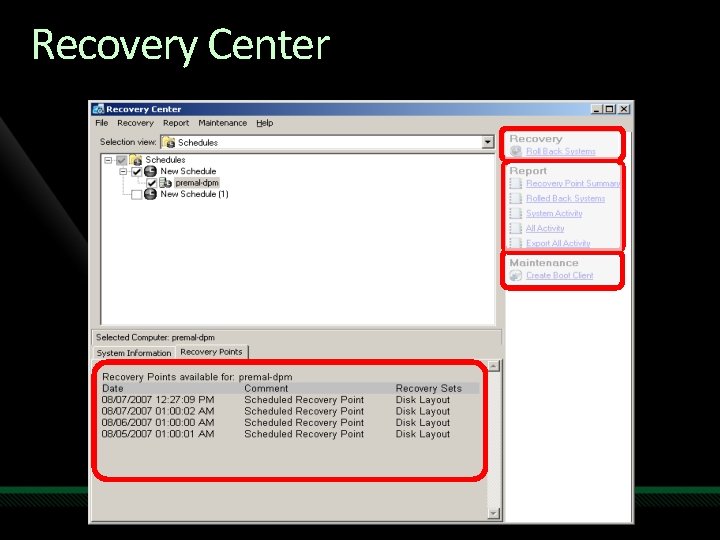
Recovery Center
Boot Client Wizard Allows users to create an ISO image Special drivers for Mass Storage Controllers & Network Controllers can be added to the image ISO image can be used to boot Production Servers (PS) that are unbootable Burn to ISO to media OR Mount it remotely To begin recovery – PS should be booted using Boot Client and in waiting mode
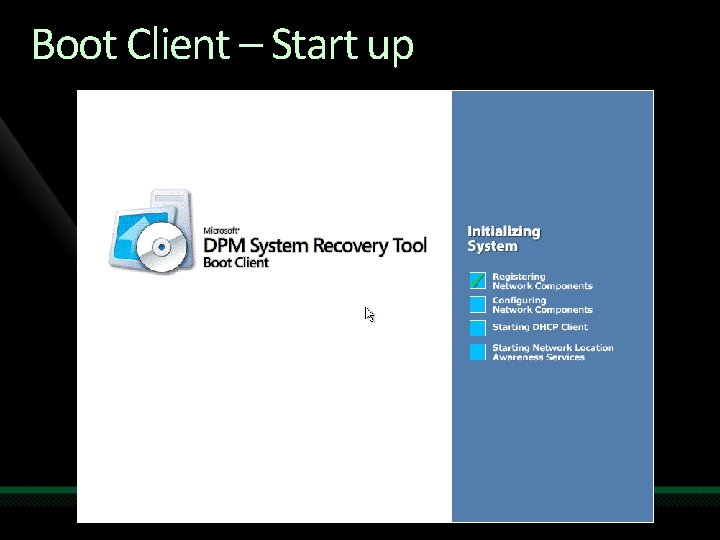
Boot Client – Start up
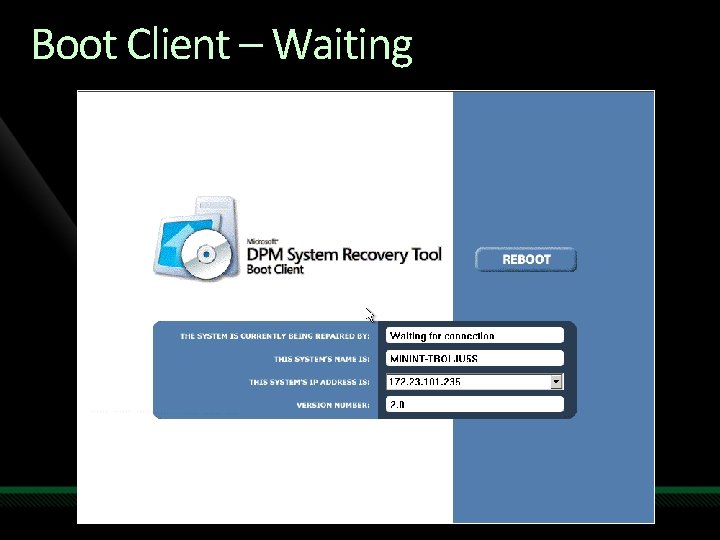
Boot Client – Waiting
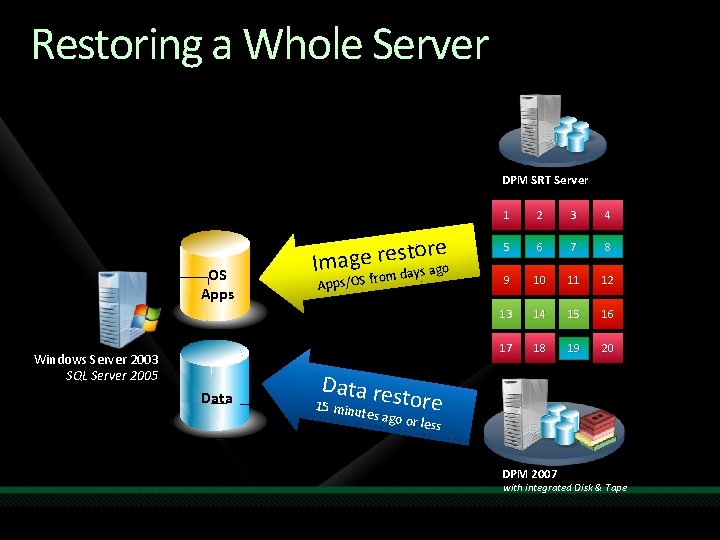
Restoring a Whole Server DPM SRT Server OS Apps Windows Server 2003 SQL Server 2005 Data ore t s e r e g a Im ays ago from Apps/OS d 1 2 3 4 5 6 7 8 9 10 11 12 13 14 15 16 17 18 19 20 Data res tore 15 minu tes ago or less DPM 2007 with integrated Disk & Tape
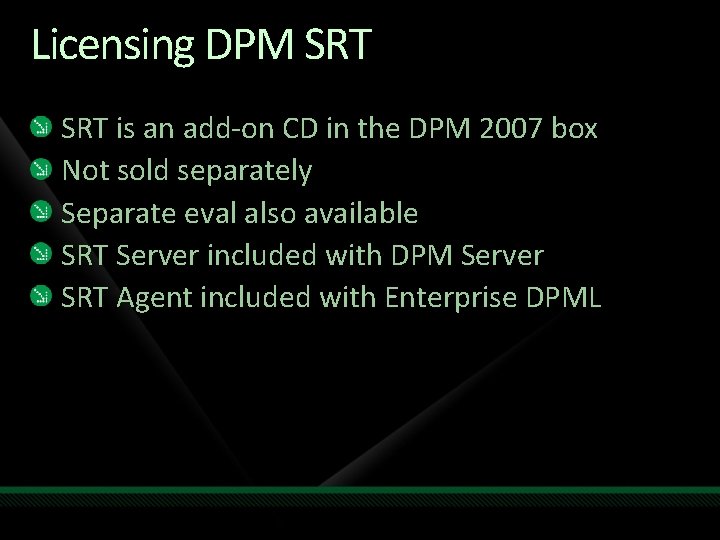
Licensing DPM SRT is an add-on CD in the DPM 2007 box Not sold separately Separate eval also available SRT Server included with DPM Server SRT Agent included with Enterprise DPML
SRT Information Tech. Net Webcast – December 2007 “Advanced Features of DPM 2007”
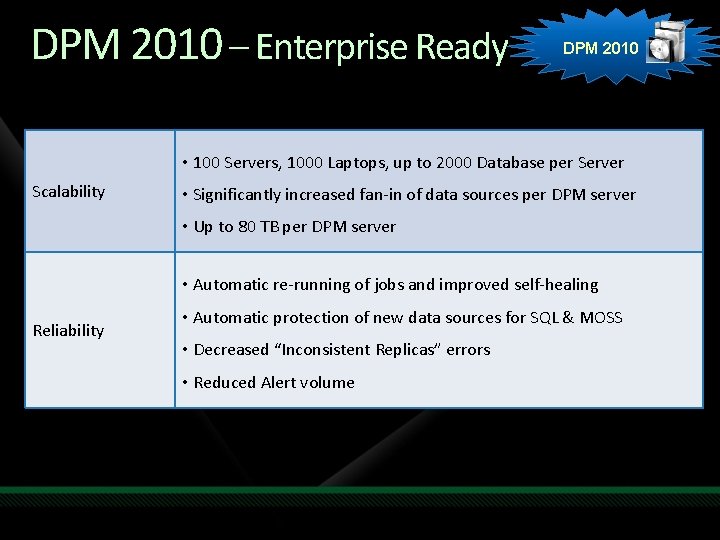
DPM 2010 – Enterprise Ready DPM 2010 • 100 Servers, 1000 Laptops, up to 2000 Database per Server Scalability • Significantly increased fan-in of data sources per DPM server • Up to 80 TB per DPM server • Automatic re-running of jobs and improved self-healing Reliability • Automatic protection of new data sources for SQL & MOSS • Decreased “Inconsistent Replicas” errors • Reduced Alert volume
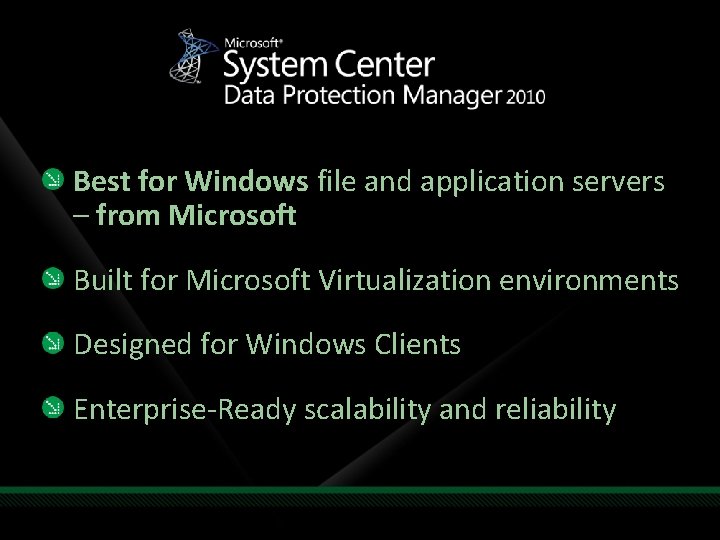
Best for Windows file and application servers – from Microsoft Built for Microsoft Virtualization environments Designed for Windows Clients Enterprise-Ready scalability and reliability
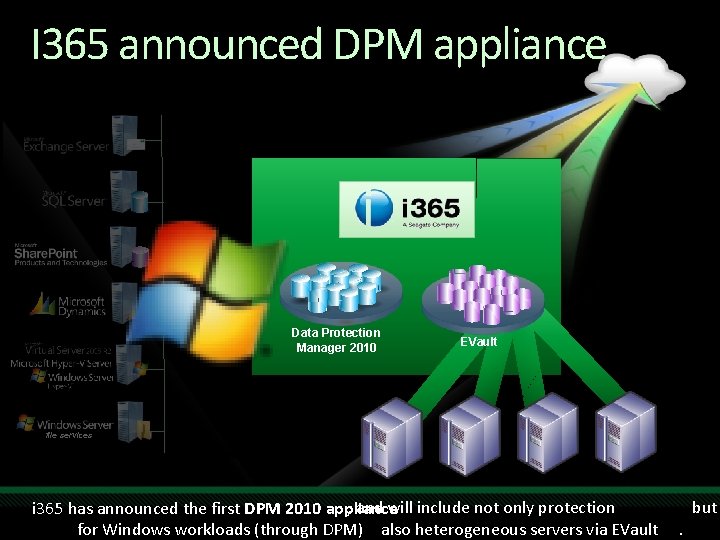
I 365 announced DPM appliance Data Protection Manager 2010 EVault file services , and will include not only protection i 365 has announced the first DPM 2010 appliance. for Windows workloads (through DPM), t also heterogeneous servers via EVault . but
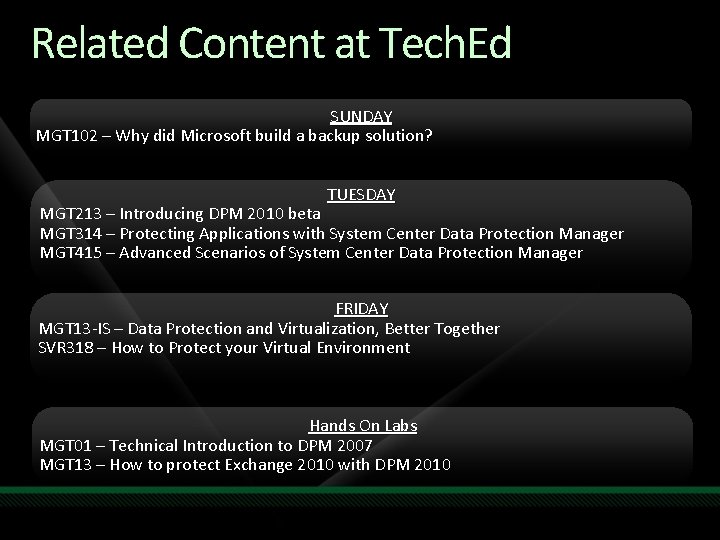
Related Content at Tech. Ed SUNDAY MGT 102 – Why did Microsoft build a backup solution? TUESDAY MGT 213 – Introducing DPM 2010 beta MGT 314 – Protecting Applications with System Center Data Protection Manager MGT 415 – Advanced Scenarios of System Center Data Protection Manager FRIDAY MGT 13 -IS – Data Protection and Virtualization, Better Together SVR 318 – How to Protect your Virtual Environment Hands On Labs MGT 01 – Technical Introduction to DPM 2007 MGT 13 – How to protect Exchange 2010 with DPM 2010
Resources & Tools for DPM Web Site Info www. microsoft. com/DPM blogs. technet. com/DPM 2007 overview datasheet and webcast Datasheets, technical white papers, and on-demand webcasts: How to Protect SQL Server with DPM 2007 How to Protect Microsoft Exchange with DPM 2007 How to Protect Share. Point with DPM 2007 How to Protect Virtualized Environments with DPM 2007 Tech. Net virtual labs - for hands-on learning with DPM 2010 overview information and webcast E-mail dpm. INFO@microsoft. com

question & answer jbuff@microsoft. com http: //Jason. Buffington. com

Complete an evaluation on Comm. Net and enter to win an Xbox 360 Elite!

© 2009 Microsoft Corporation. All rights reserved. Microsoft, Windows Vista and other product names are or may be registered trademarks and/or trademarks in the U. S. and/or other countries. The information herein is for informational purposes only and represents the current view of Microsoft Corporation as of the date of this presentation. Because Microsoft must respond to changing market conditions, it should not be interpreted to be a commitment on the part of Microsoft, and Microsoft cannot guarantee the accuracy of any information provided after the date of this presentation. MICROSOFT MAKES NO WARRANTIES, EXPRESS, IMPLIED OR STATUTORY, AS TO THE INFORMATION IN THIS PRESENTATION.
- Slides: 66