
Advanced Development Techniques DLL Reflection Advanced Development Techniques
![Attributes • Serialization (binary, xml, json. . . ) [Serializable] class Settings { public](https://slidetodoc.com/presentation_image_h2/6bd3c02bea0d90f0a53975903c943606/image-34.jpg "Attributes • Serialization (binary, xml, json. . . ) [Serializable] class Settings { public")


- Slides: 46
Advanced Development Techniques DLL Reflection
Advanced Development Techniques DLL Reflection
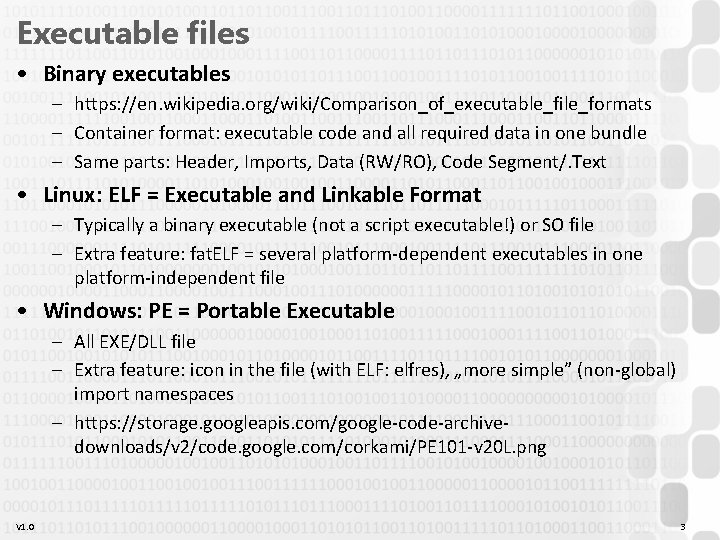
Executable files • Binary executables – https: //en. wikipedia. org/wiki/Comparison_of_executable_file_formats – Container format: executable code and all required data in one bundle – Same parts: Header, Imports, Data (RW/RO), Code Segment/. Text • Linux: ELF = Executable and Linkable Format – Typically a binary executable (not a script executable!) or SO file – Extra feature: fat. ELF = several platform-dependent executables in one platform-independent file • Windows: PE = Portable Executable – All EXE/DLL file – Extra feature: icon in the file (with ELF: elfres), „more simple” (non-global) import namespaces – https: //storage. googleapis. com/google-code-archivedownloads/v 2/code. google. com/corkami/PE 101 -v 20 L. png V 1. 0 3
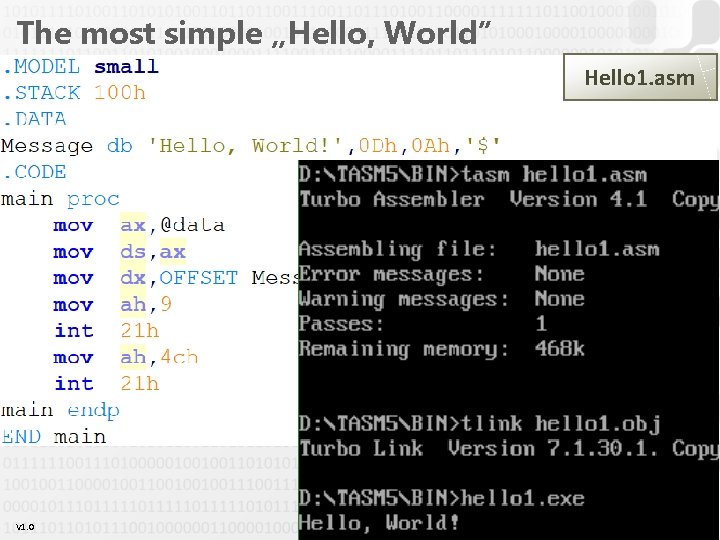
The most simple „Hello, World” Hello 1. asm V 1. 0 4
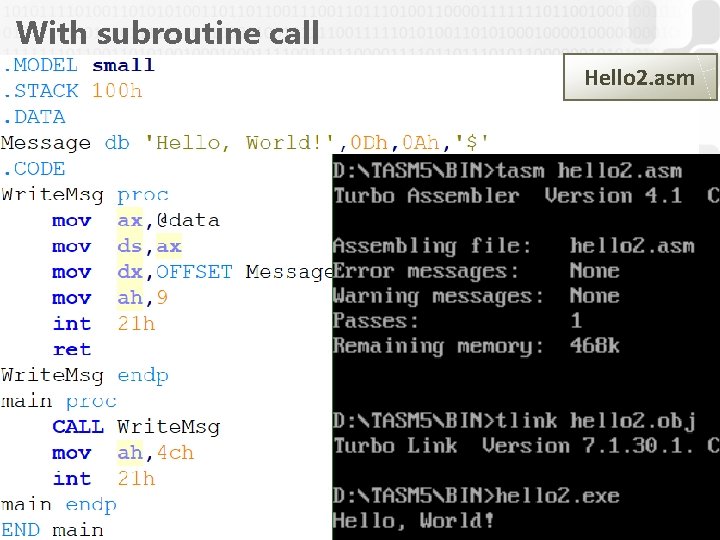
With subroutine call Hello 2. asm V 1. 0 5
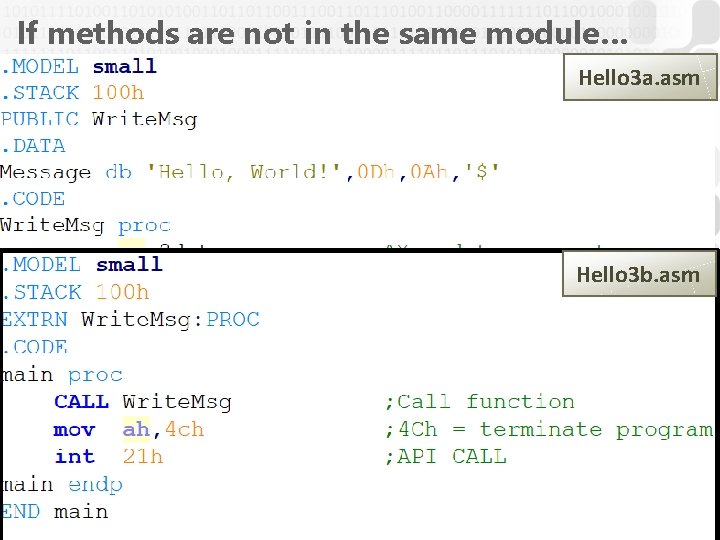
If methods are not in the same module… Hello 3 a. asm Hello 3 b. asm V 1. 0 6
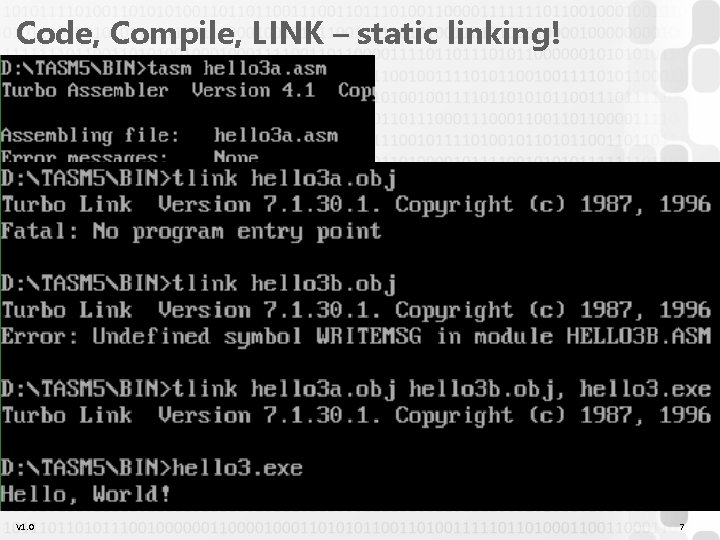
Code, Compile, LINK – static linking! V 1. 0 7
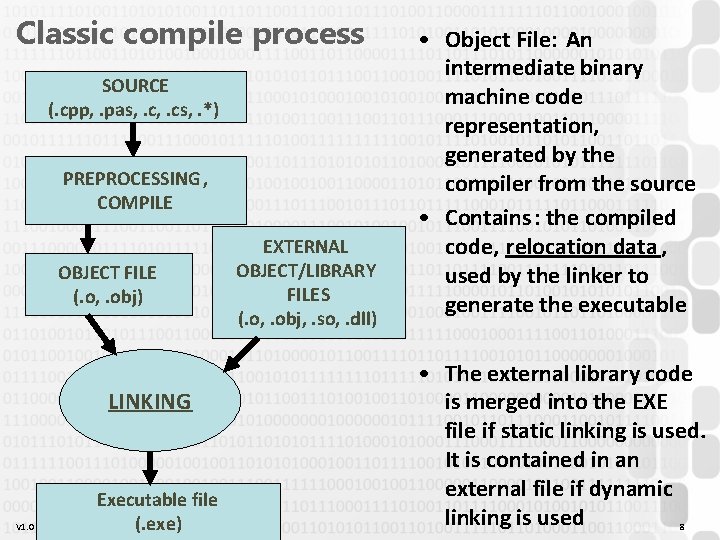
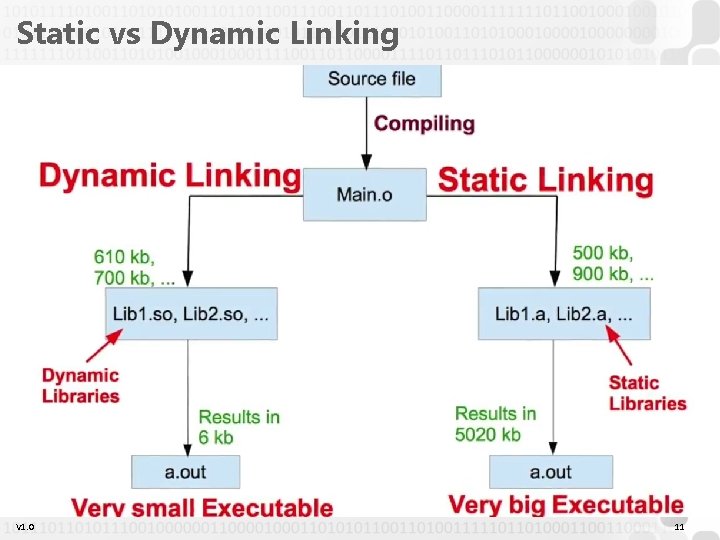
Classic compile process SOURCE (. cpp, . pas, . cs, . *) PREPROCESSING , COMPILE OBJECT FILE (. o, . obj) LINKING V 1. 0 Executable file (. exe) EXTERNAL OBJECT/LIBRARY FILES (. o, . obj, . so, . dll) • Object File: An intermediate binary machine code representation, generated by the compiler from the source • Contains: the compiled code, relocation data , used by the linker to generate the executable • The external library code is merged into the EXE file if static linking is used. It is contained in an external file if dynamic linking is used 8
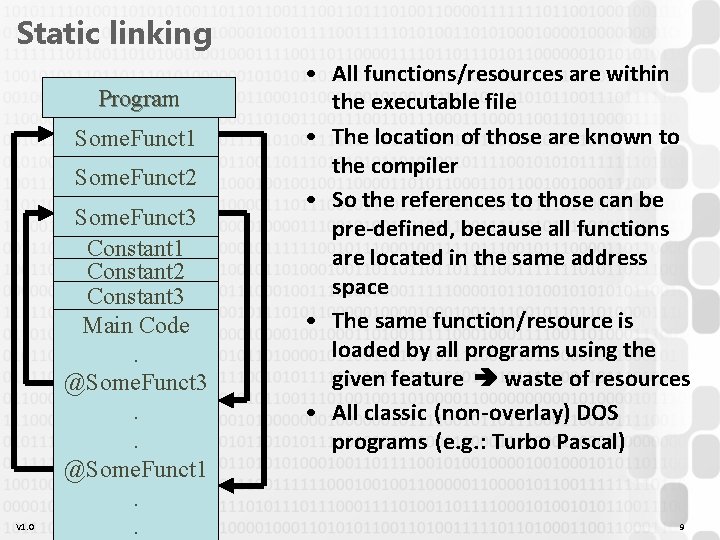
Static linking Program Some. Funct 1 Some. Funct 2 V 1. 0 Some. Funct 3 Constant 1 Constant 2 Constant 3 Main Code. @Some. Funct 3. . @Some. Funct 1. . • All functions/resources are within the executable file • The location of those are known to the compiler • So the references to those can be pre-defined, because all functions are located in the same address space • The same function/resource is loaded by all programs using the given feature waste of resources • All classic (non-overlay) DOS programs (e. g. : Turbo Pascal) 9
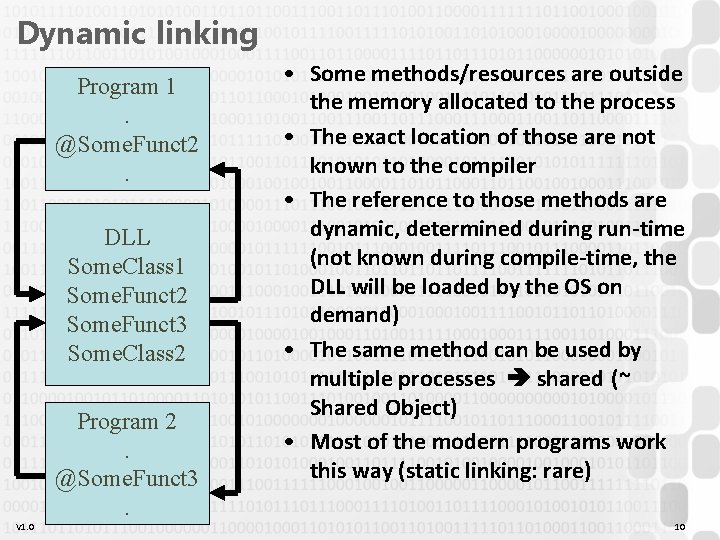
Dynamic linking Program 1. @Some. Funct 2. DLL Some. Class 1 Some. Funct 2 Some. Funct 3 Some. Class 2 V 1. 0 Program 2. @Some. Funct 3. • Some methods/resources are outside the memory allocated to the process • The exact location of those are not known to the compiler • The reference to those methods are dynamic, determined during run-time (not known during compile-time, the DLL will be loaded by the OS on demand) • The same method can be used by multiple processes shared (~ Shared Object) • Most of the modern programs work this way (static linking: rare) 10
Static vs Dynamic Linking V 1. 0 11
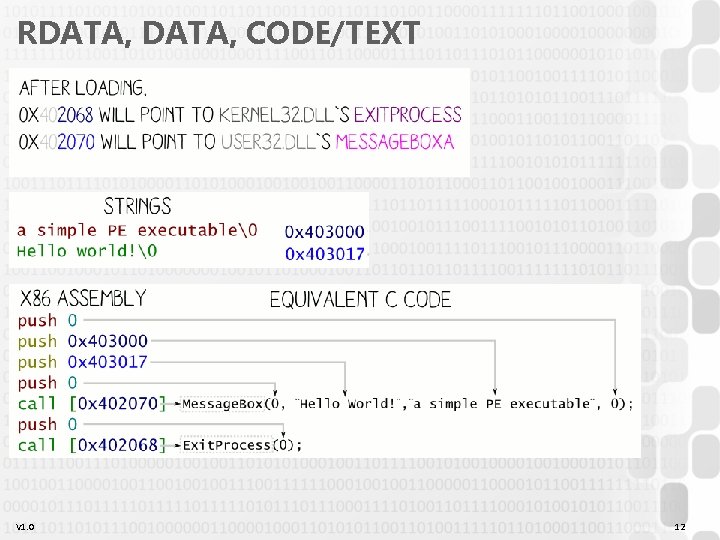
RDATA, CODE/TEXT V 1. 0 12
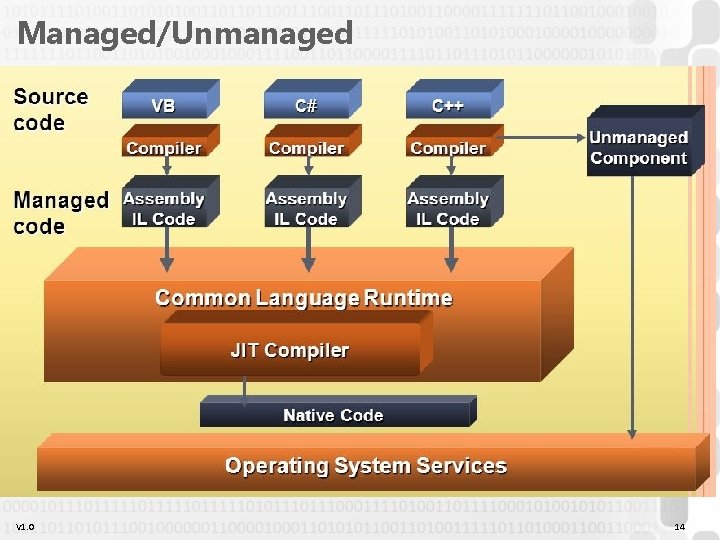
Dynamic Link Library / Shared Object • Almost all modern applications work this way; static linking is still possible but almost never used • Same task: Windows has DLL files, Linux has SO files – Separately compiled, only attached to the executable during the execution (= dynamic, true for both) – Only loaded to the memory once, multiple programs can use the same file (= shared, true for both, in. NET only partially (App. Domain)) • Windows OS: distinguish between native and managed executables : V 1. 0 – Native / Unmanaged: It contains binary code that is processed directly by the OS/CPU; procedural code, simple types, direct HW access Language-independent (anything can be compiled to this kind of EXE/DLL files), but platform-independent – Managed: Contains one (or more) classes, only the. NET/JVM framework can work with it Language- and platform-independent (if the. NET/JVM system is available) With. NET, these are DLL/EXE files, in JVM these are CLASS/JAR files 13
Managed/Unmanaged V 1. 0 14
Native DLL files • Loaded from the current directory or from %PATH% – %PATH% = a WINDOWS, SYSTEM 32 folders • Slow load time • DLL HELL – – – No solution for versioning Different apps require different versions of the same DLL The different versions might cause problems, especially when uninstalling „Solution”: DLL stomping OR all DLL next to the EXE… Linux solution: file-level package manager + versioned symlinks. NET solution: GAC = Global Assembly Cache • Windows API – – V 1. 0 A set of unmanaged DLL files, containing system methods Low-level operations, HW access All public functionality of the OS is available The more important features have. NET wrappers, but the lowest level still 15 uses WINAPI calls (e. g. System. Diagnostics. Stopwatch =
Calling a native DLL • Platform-dependent – 32 / 64 bits (CPU bit length) – OS dependent • Language independent ? – – – Theoretically yes, but… Passing parameters Returning a result (complex types? ) Who frees what? Possibilities: cdecl, stdcall, fastcall, … https: //en. wikipedia. org/wiki/X 86_calling_conventions • Accessible methods ? – Cannot be queried from code, must be verified during development – dumpbin /exports • The dependencies of the used DLL V 1. 0 – Cannot be queried from code, must be verified during development – Dependency Walker 16
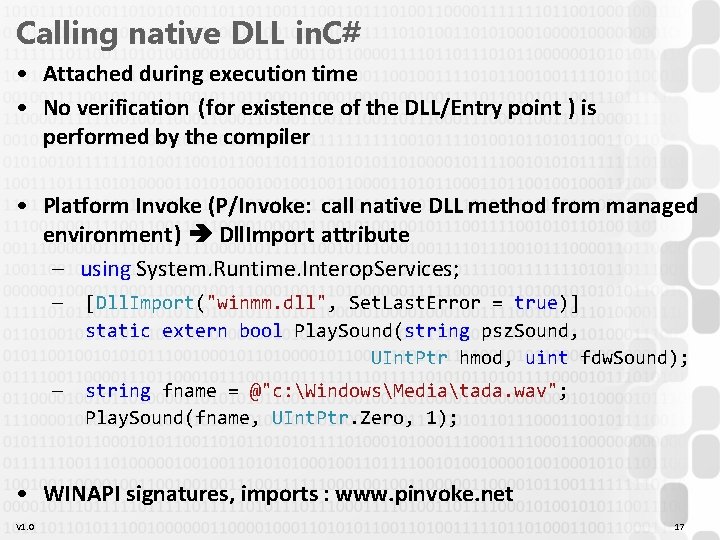
Calling native DLL in. C# • Attached during execution time • No verification (for existence of the DLL/Entry point ) is performed by the compiler • Platform Invoke (P/Invoke: call native DLL method from managed environment) Dll. Import attribute – using System. Runtime. Interop. Services; — [Dll. Import("winmm. dll", Set. Last. Error = true)] static extern bool Play. Sound(string psz. Sound, UInt. Ptr hmod, uint fdw. Sound); — string fname = @"c: WindowsMediatada. wav"; Play. Sound(fname, UInt. Ptr. Zero, 1); • WINAPI signatures, imports : www. pinvoke. net V 1. 0 17
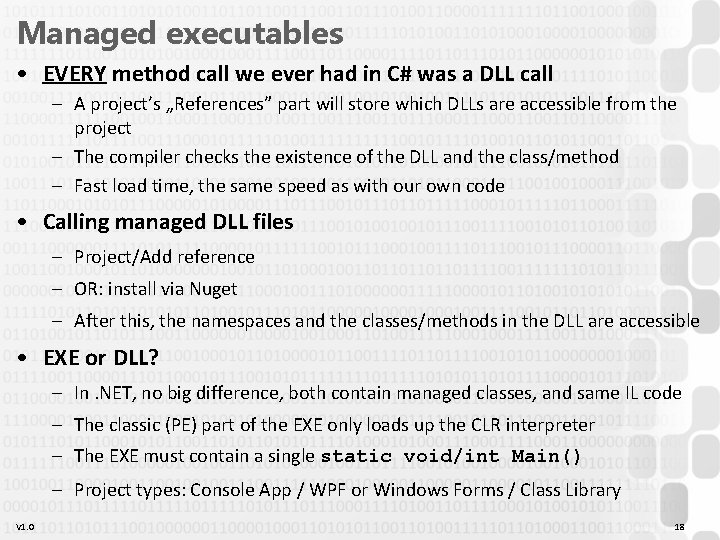
Managed executables • EVERY method call we ever had in C# was a DLL call – A project’s „References” part will store which DLLs are accessible from the project – The compiler checks the existence of the DLL and the class/method – Fast load time, the same speed as with our own code • Calling managed DLL files – Project/Add reference – OR: install via Nuget – After this, the namespaces and the classes/methods in the DLL are accessible • EXE or DLL? – In. NET, no big difference, both contain managed classes, and same IL code – The classic (PE) part of the EXE only loads up the CLR interpreter – The EXE must contain a single static void/int Main() – Project types: Console App / WPF or Windows Forms / Class Library V 1. 0 18
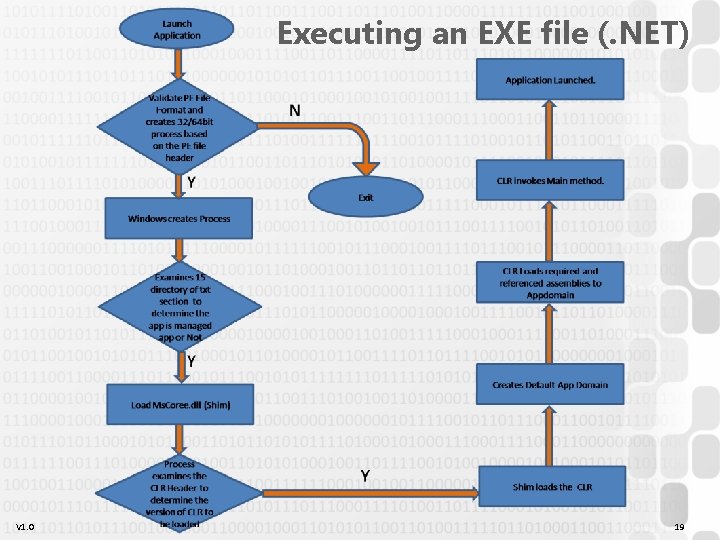
Executing an EXE file (. NET) V 1. 0 19
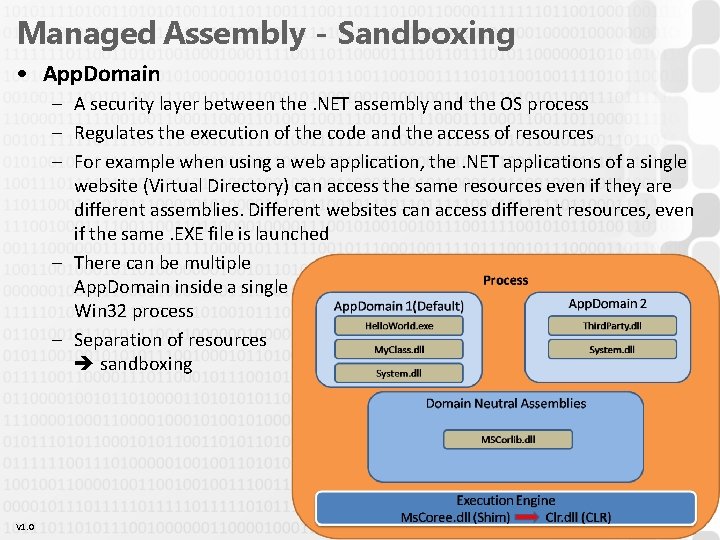
Managed Assembly - Sandboxing • App. Domain – A security layer between the. NET assembly and the OS process – Regulates the execution of the code and the access of resources – For example when using a web application, the. NET applications of a single website (Virtual Directory) can access the same resources even if they are different assemblies. Different websites can access different resources, even if the same. EXE file is launched – There can be multiple App. Domain inside a single Win 32 process – Separation of resources sandboxing V 1. 0 20
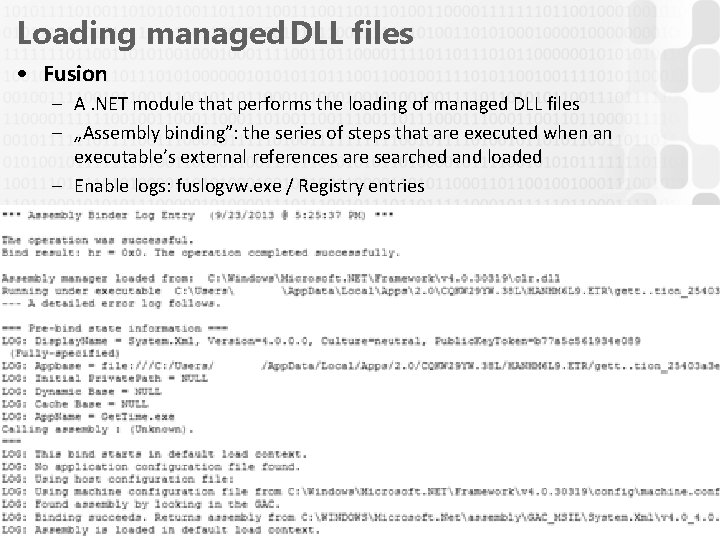
Loading managed DLL files • Fusion – A. NET module that performs the loading of managed DLL files – „Assembly binding”: the series of steps that are executed when an executable’s external references are searched and loaded – Enable logs: fuslogvw. exe / Registry entries V 1. 0 21
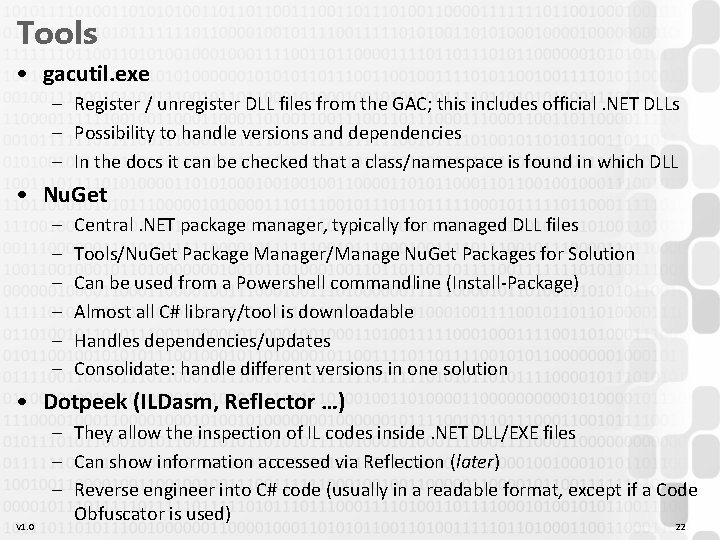
Tools • gacutil. exe – Register / unregister DLL files from the GAC; this includes official. NET DLLs – Possibility to handle versions and dependencies – In the docs it can be checked that a class/namespace is found in which DLL • Nu. Get – – – Central. NET package manager, typically for managed DLL files Tools/Nu. Get Package Manager/Manage Nu. Get Packages for Solution Can be used from a Powershell commandline (Install-Package) Almost all C# library/tool is downloadable Handles dependencies/updates Consolidate: handle different versions in one solution • Dotpeek (ILDasm, Reflector …) V 1. 0 – They allow the inspection of IL codes inside. NET DLL/EXE files – Can show information accessed via Reflection (later) – Reverse engineer into C# code (usually in a readable format, except if a Code Obfuscator is used) 22
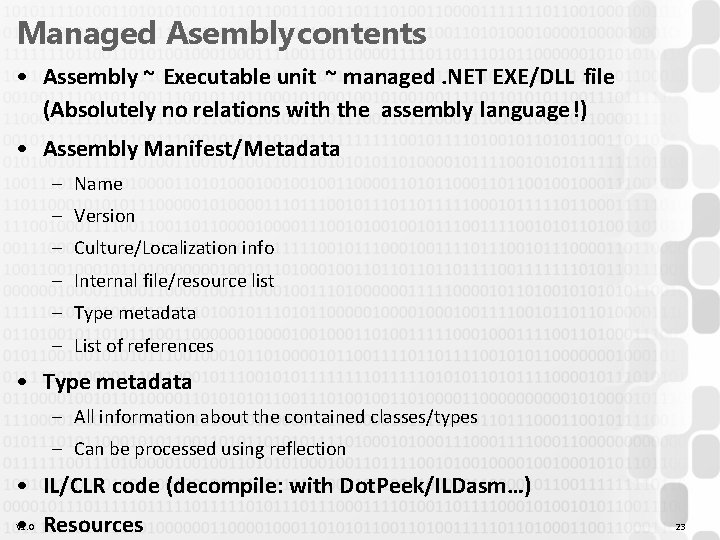
Managed Asembly contents • Assembly ~ Executable unit ~ managed. NET EXE/DLL file (Absolutely no relations with the assembly language!) • Assembly Manifest/Metadata – Name – Version – Culture/Localization info – Internal file/resource list – Type metadata – List of references • Type metadata – All information about the contained classes/types – Can be processed using reflection • IL/CLR code (decompile: with Dot. Peek/ILDasm…) • Resources V 1. 0 23
Advanced Development Techniques DLL Reflection
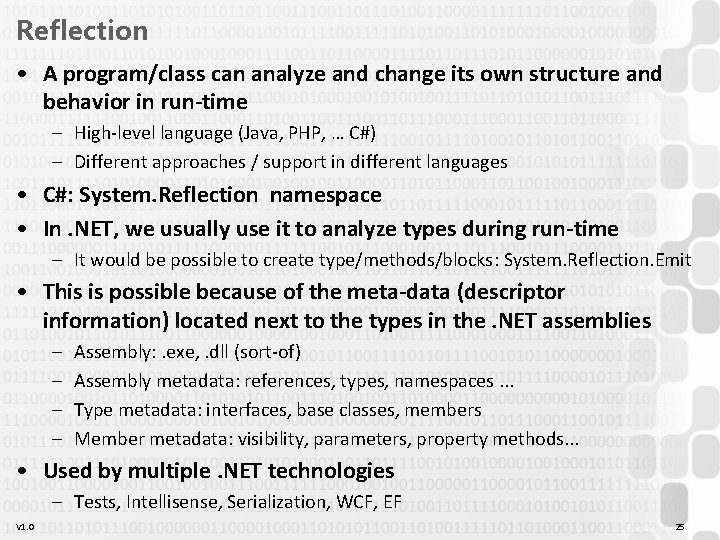
Reflection • A program/class can analyze and change its own structure and behavior in run-time – High-level language (Java, PHP, … C#) – Different approaches / support in different languages • C#: System. Reflection namespace • In. NET, we usually use it to analyze types during run-time – It would be possible to create type/methods/blocks: System. Reflection. Emit • This is possible because of the meta-data (descriptor information) located next to the types in the. NET assemblies – – Assembly: . exe, . dll (sort-of) Assembly metadata: references, types, namespaces. . . Type metadata: interfaces, base classes, members Member metadata: visibility, parameters, property methods. . . • Used by multiple. NET technologies – Tests, Intellisense, Serialization, WCF, EF V 1. 0 25
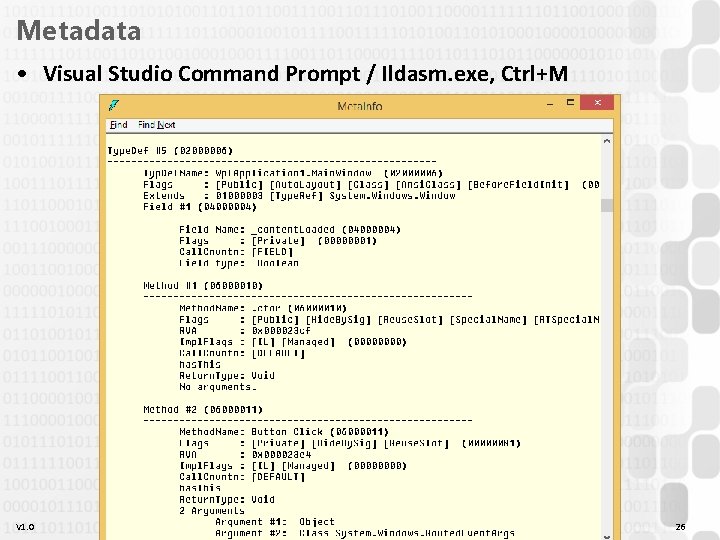
Metadata • Visual Studio Command Prompt / Ildasm. exe, Ctrl+M V 1. 0 26
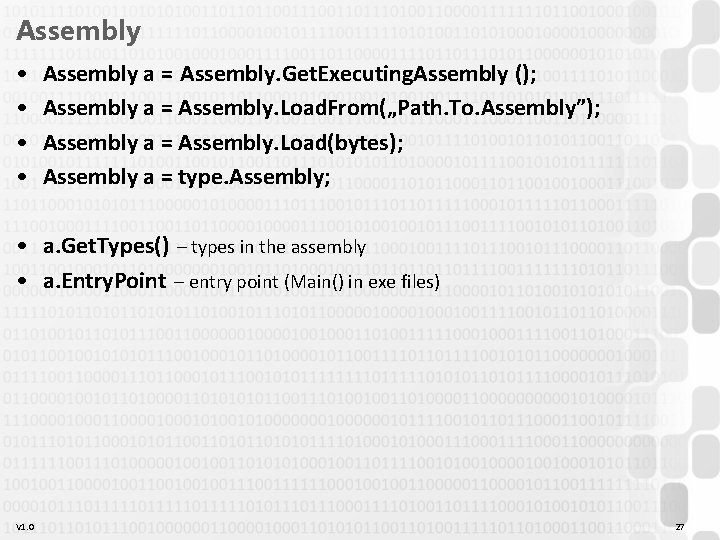
Assembly • • Assembly a = Assembly. Get. Executing. Assembly (); Assembly a = Assembly. Load. From(„Path. To. Assembly”); Assembly a = Assembly. Load(bytes); Assembly a = type. Assembly; • a. Get. Types() – types in the assembly • a. Entry. Point – entry point (Main() in exe files) V 1. 0 27
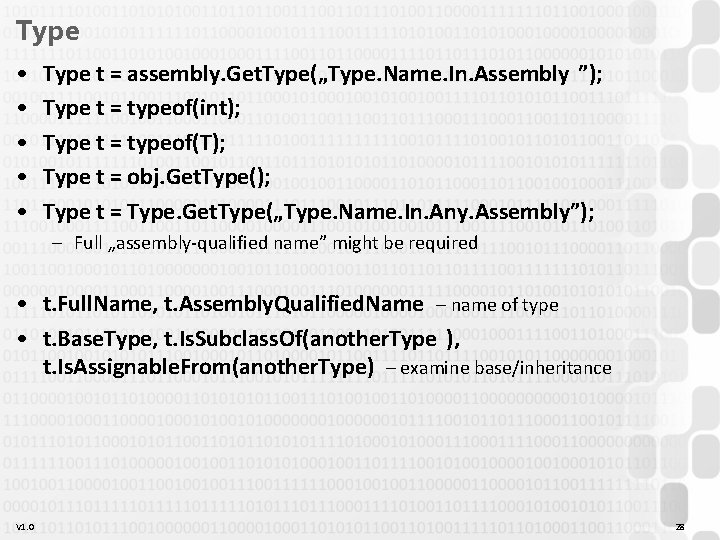
Type • • • Type t = assembly. Get. Type(„Type. Name. In. Assembly ”); Type t = typeof(int); Type t = typeof(T); Type t = obj. Get. Type(); Type t = Type. Get. Type(„Type. Name. In. Any. Assembly”); – Full „assembly-qualified name” might be required • t. Full. Name, t. Assembly. Qualified. Name – name of type • t. Base. Type, t. Is. Subclass. Of(another. Type ), t. Is. Assignable. From(another. Type) – examine base/inheritance V 1. 0 28
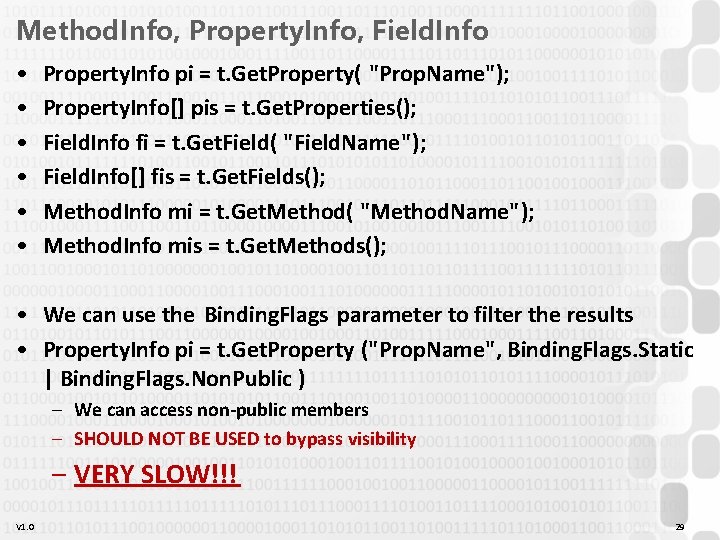
Method. Info, Property. Info, Field. Info • • • Property. Info pi = t. Get. Property( "Prop. Name"); Property. Info[] pis = t. Get. Properties(); Field. Info fi = t. Get. Field( "Field. Name"); Field. Info[] fis = t. Get. Fields(); Method. Info mi = t. Get. Method( "Method. Name"); Method. Info mis = t. Get. Methods(); • We can use the Binding. Flags parameter to filter the results • Property. Info pi = t. Get. Property ("Prop. Name", Binding. Flags. Static | Binding. Flags. Non. Public ) – We can access non-public members – SHOULD NOT BE USED to bypass visibility – VERY SLOW!!! V 1. 0 29
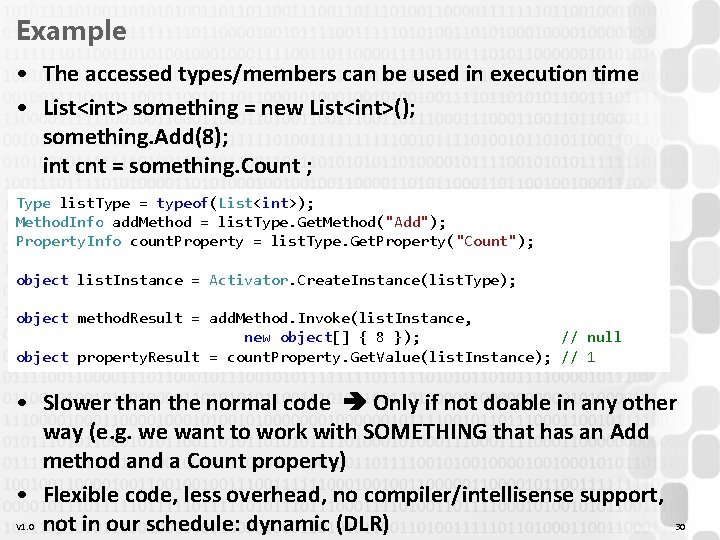
Example • The accessed types/members can be used in execution time • List<int> something = new List<int>(); something. Add(8); int cnt = something. Count ; Type list. Type = typeof(List<int>); Method. Info add. Method = list. Type. Get. Method("Add"); Property. Info count. Property = list. Type. Get. Property("Count"); object list. Instance = Activator. Create. Instance(list. Type); object method. Result = add. Method. Invoke(list. Instance, new object[] { 8 }); // null object property. Result = count. Property. Get. Value(list. Instance); // 1 • Slower than the normal code Only if not doable in any other way (e. g. we want to work with SOMETHING that has an Add method and a Count property) • Flexible code, less overhead, no compiler/intellisense support, V 1. 0 not in our schedule: dynamic (DLR) 30
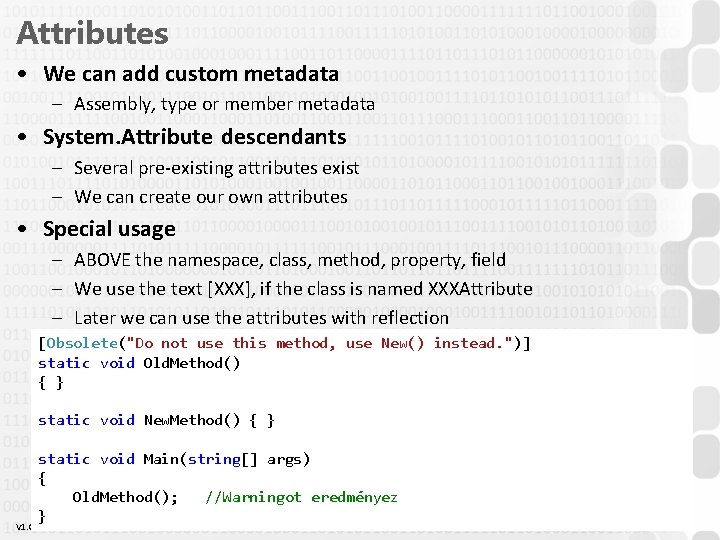
Attributes • We can add custom metadata – Assembly, type or member metadata • System. Attribute descendants – Several pre-existing attributes exist – We can create our own attributes • Special usage – ABOVE the namespace, class, method, property, field – We use the text [XXX], if the class is named XXXAttribute – Later we can use the attributes with reflection [Obsolete("Do not use this method, use New() instead. ")] static void Old. Method() { } static void New. Method() { } V 1. 0 static void Main(string[] args) { Old. Method(); //Warningot eredményez } 31
Typical use cases • The attribute does not affect the normal use of the decorated code – All methods, properties, etc. can be accessed/called in a normal way • We need “someone else” that will use reflection to check for the existence of the attribute, and perform operations • Typical use case: automatic operations/checks – Help other programmer: Obsolete, Display. Name, Description – Affect the behavior of the Visual Studio debugger: Debugger. Display, Debugger. Step. Through – Visual Studio, automatic code generation: Web. Method, Service. Contract, Operation. Contract, Fault. Contract, Data. Meber – Usage of code: Serializable, Flags, Thread. Static, Dll. Import – Support various automatic features: Test. Class, Test. Method, Key, Foreign. Key, Column – Other (self-made) metadata: with self-made attribute classes V 1. 0 32
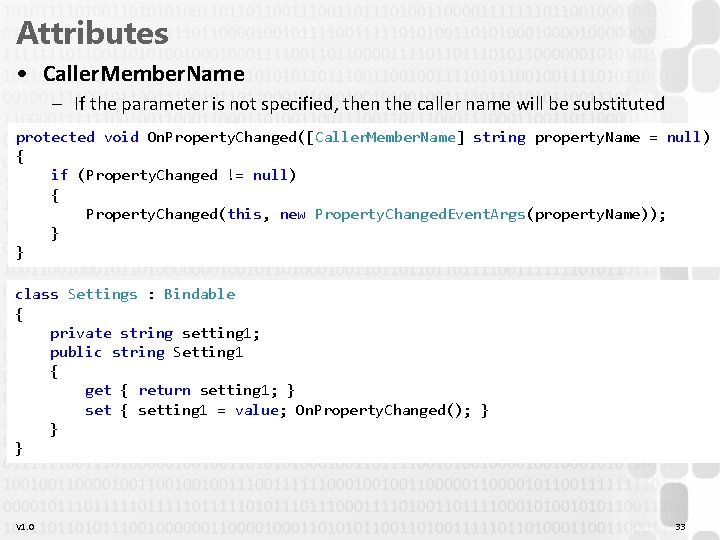
Attributes • Caller. Member. Name – If the parameter is not specified, then the caller name will be substituted protected void On. Property. Changed([Caller. Member. Name] string property. Name = null) { if (Property. Changed != null) { Property. Changed(this, new Property. Changed. Event. Args(property. Name)); } } class Settings : Bindable { private string setting 1; public string Setting 1 { get { return setting 1; } set { setting 1 = value; On. Property. Changed(); } } } V 1. 0 33
Attributes • Serialization (binary, xml, json. . . ) [Serializable] class Settings { public string Setting 1 { get; set; } public int Setting 2 { get; set; } [Non. Serialized] private int temp; } V 1. 0 class Program { static void Main(string[] args) { Settings settings = new Settings(); //. . . Binary. Formatter formatter = new Binary. Formatter(); using (File. Stream stream = new File. Stream("settings. dat", File. Mode. Create)) { formatter. Serialize(stream, settings); } } } 34
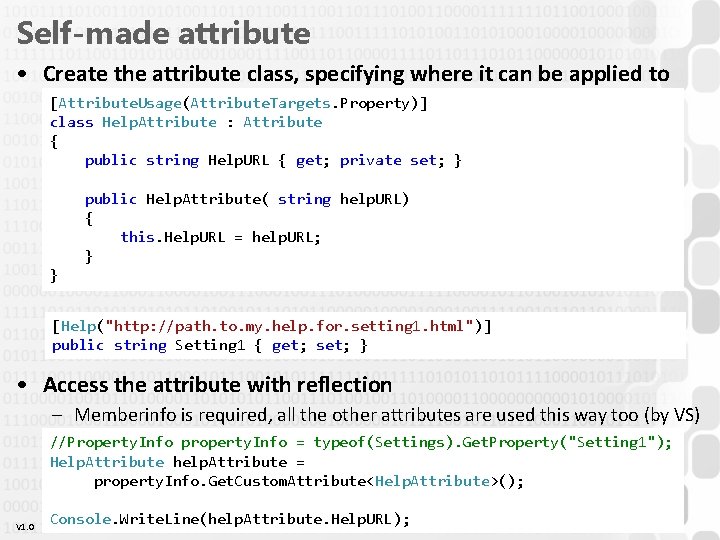
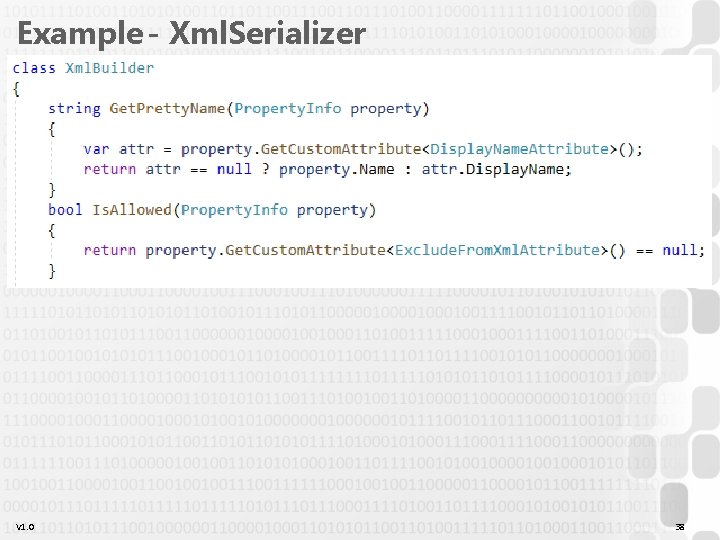
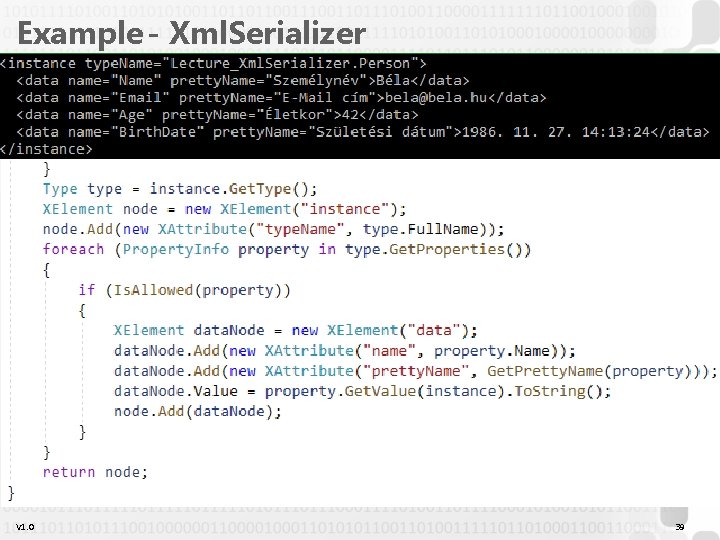
Self-made attribute • Create the attribute class, specifying where it can be applied to [Attribute. Usage(Attribute. Targets. Property)] class Help. Attribute : Attribute { public string Help. URL { get; private set; } public Help. Attribute( string help. URL) { this. Help. URL = help. URL; } } [Help("http: //path. to. my. help. for. setting 1. html")] public string Setting 1 { get; set; } • Access the attribute with reflection – Memberinfo is required, all the other attributes are used this way too (by VS) //Property. Info property. Info = typeof(Settings). Get. Property("Setting 1"); Help. Attribute help. Attribute = property. Info. Get. Custom. Attribute<Help. Attribute>(); V 1. 0 Console. Write. Line(help. Attribute. Help. URL); 35
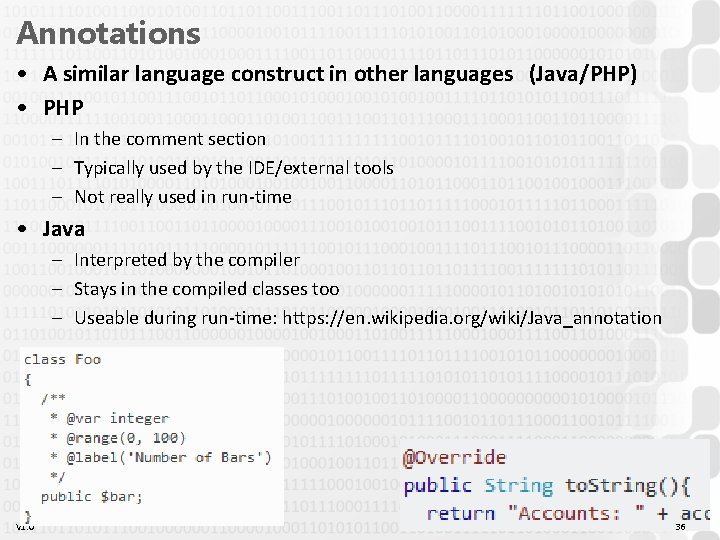
Annotations • A similar language construct in other languages (Java/PHP) • PHP – In the comment section – Typically used by the IDE/external tools – Not really used in run-time • Java – Interpreted by the compiler – Stays in the compiled classes too – Useable during run-time: https: //en. wikipedia. org/wiki/Java_annotation V 1. 0 36
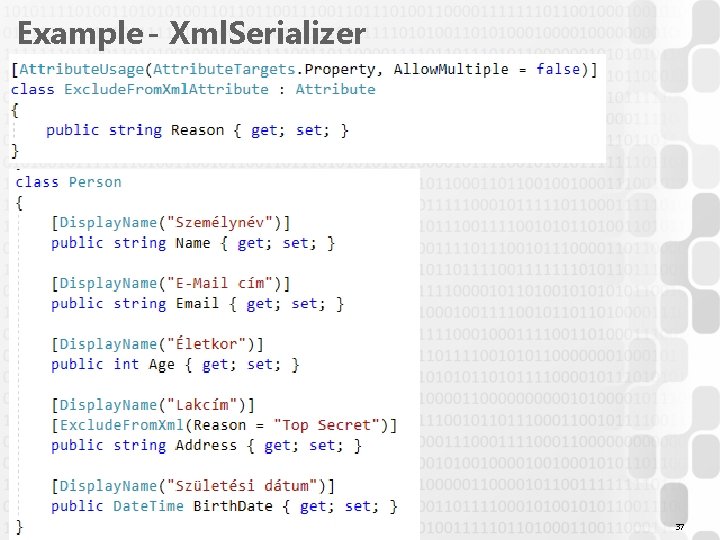
Example - Xml. Serializer V 1. 0 37
Example - Xml. Serializer V 1. 0 38
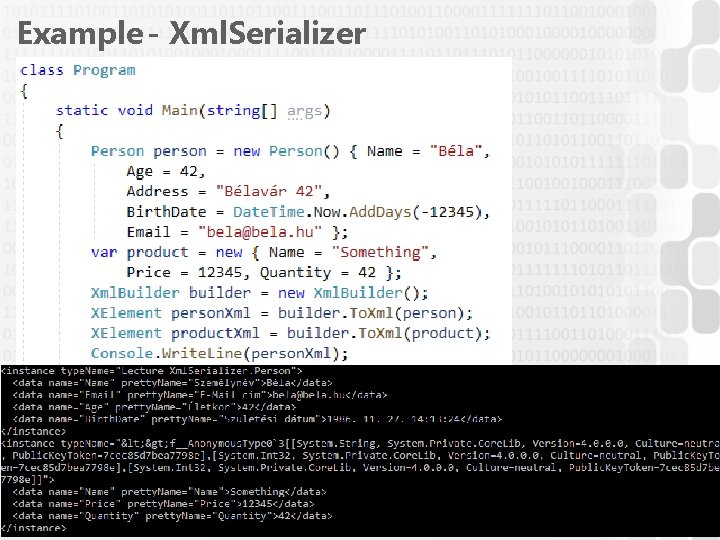
Example - Xml. Serializer V 1. 0 39
Example - Xml. Serializer V 1. 0 40
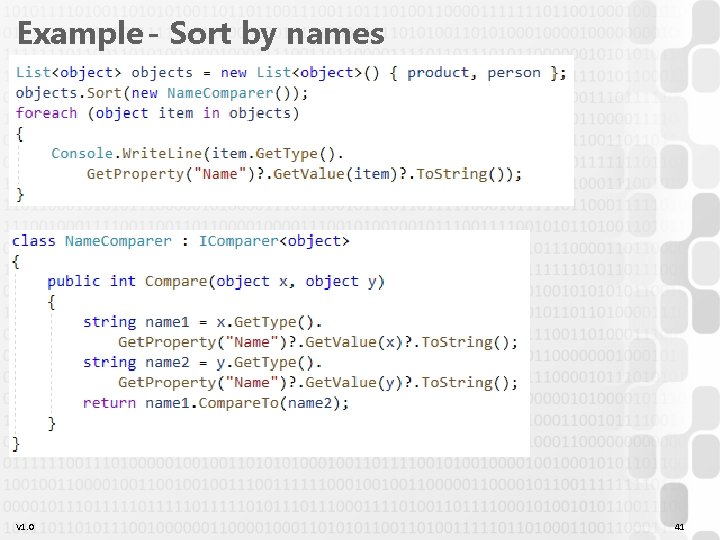
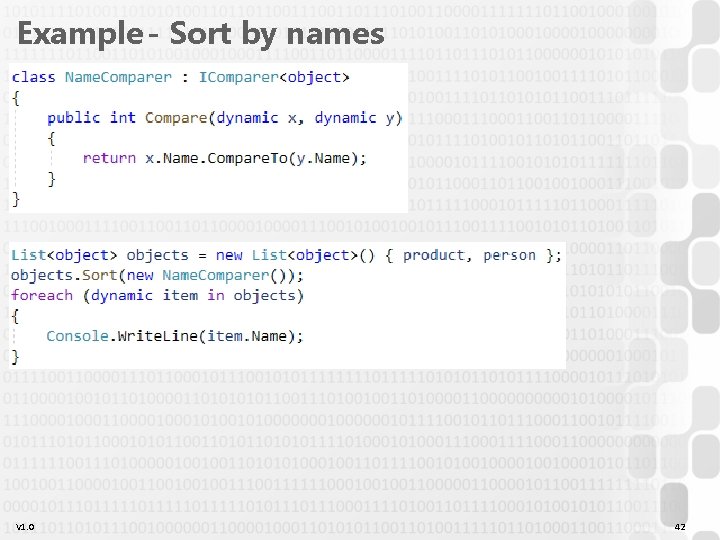
Example - Sort by names V 1. 0 41
Example - Sort by names V 1. 0 42
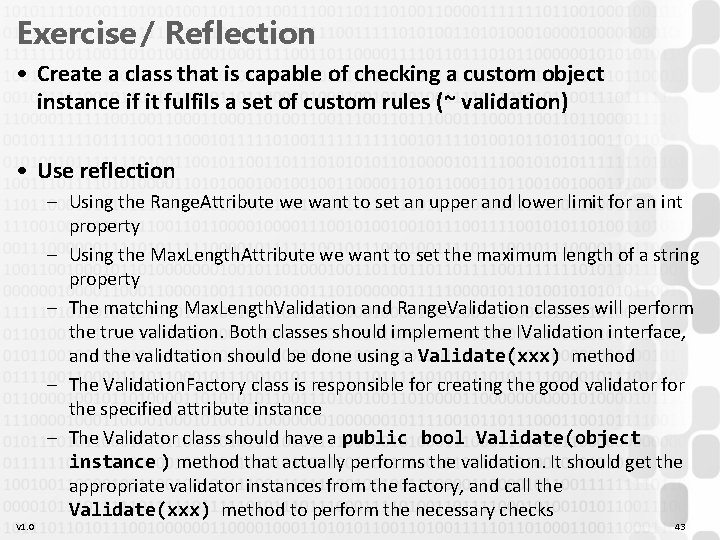
Exercise / Reflection • Create a class that is capable of checking a custom object instance if it fulfils a set of custom rules (~ validation) • Use reflection V 1. 0 – Using the Range. Attribute we want to set an upper and lower limit for an int property – Using the Max. Length. Attribute we want to set the maximum length of a string property – The matching Max. Length. Validation and Range. Validation classes will perform the true validation. Both classes should implement the IValidation interface, and the validtation should be done using a Validate(xxx) method – The Validation. Factory class is responsible for creating the good validator for the specified attribute instance – The Validator class should have a public bool Validate(object instance ) method that actually performs the validation. It should get the appropriate validator instances from the factory, and call the Validate(xxx) method to perform the necessary checks 43
SOLID principles • S = Single Responsibility V 1. 0 44