
Advanced Computer Networks CHAPTER 6 InterVLAN Routing Lecturer



- Slides: 33
Advanced Computer Networks CHAPTER 6 Inter-VLAN Routing Lecturer: Eng. Ahmed Hemaid E-mail : ahemaid@iugaza. edu. ps Office: I 114 SICT 7 2 3 4 1
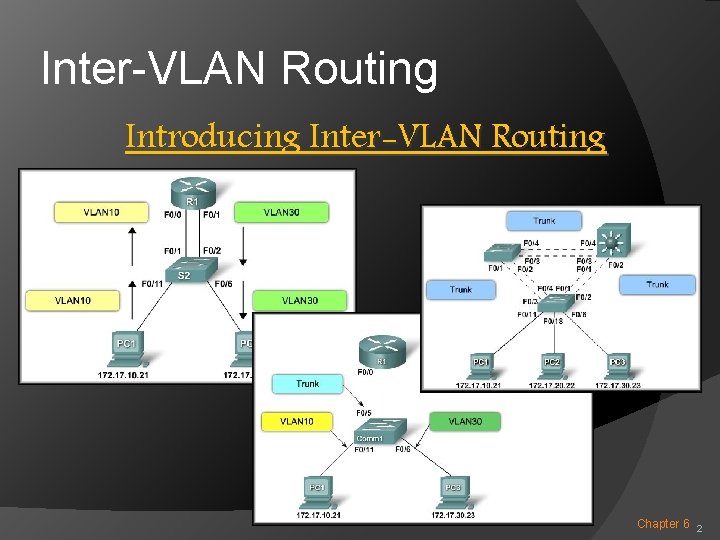
Inter-VLAN Routing Introducing Inter-VLAN Routing Chapter 6 2
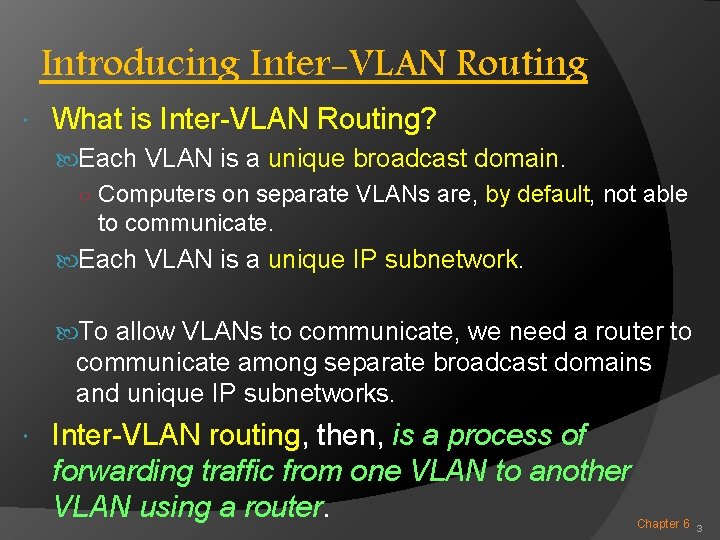
Introducing Inter-VLAN Routing What is Inter-VLAN Routing? Each VLAN is a unique broadcast domain. ○ Computers on separate VLANs are, by default, not able to communicate. Each VLAN is a unique IP subnetwork. To allow VLANs to communicate, we need a router to communicate among separate broadcast domains and unique IP subnetworks. Inter-VLAN routing, then, is a process of forwarding traffic from one VLAN to another VLAN using a router. Chapter 6 3
Introducing Inter-VLAN Routing Methods: Traditional Inter-VLAN Routing. Router-on-a-stick Inter-VLAN Routing. Switch Based Inter-VLAN Routing. Chapter 6 4
Introducing Inter-VLAN Routing Traditional Inter-VLAN Routing: Internally Routed to One router interface per VLAN. the proper subnet. VLAN Tag removed Tagged Chapter 6 5
Introducing Inter-VLAN Routing Router-on-a-stick Inter-VLAN Routing: Internally Routed to the proper subnet. One router interface for all VLANs. VLAN Tag removed Tagged Chapter 6 6
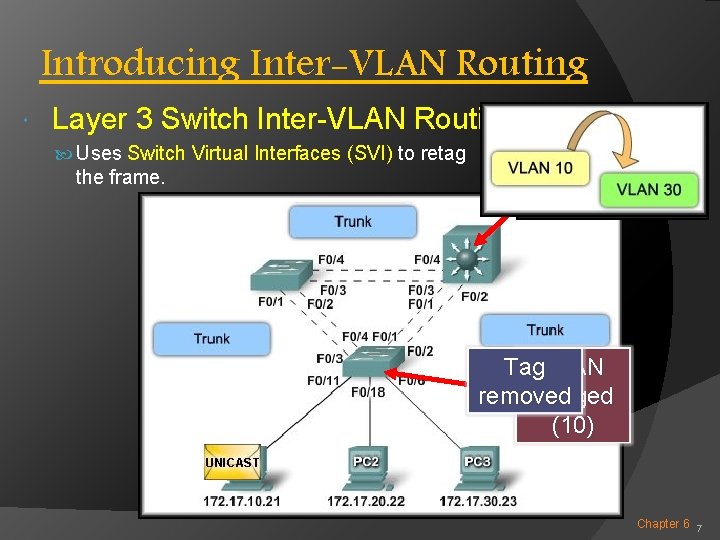
Introducing Inter-VLAN Routing Layer 3 Switch Inter-VLAN Routing: Uses Switch Virtual Interfaces (SVI) to retag the frame. Tag. VLAN removed Tagged (10) Chapter 6 7
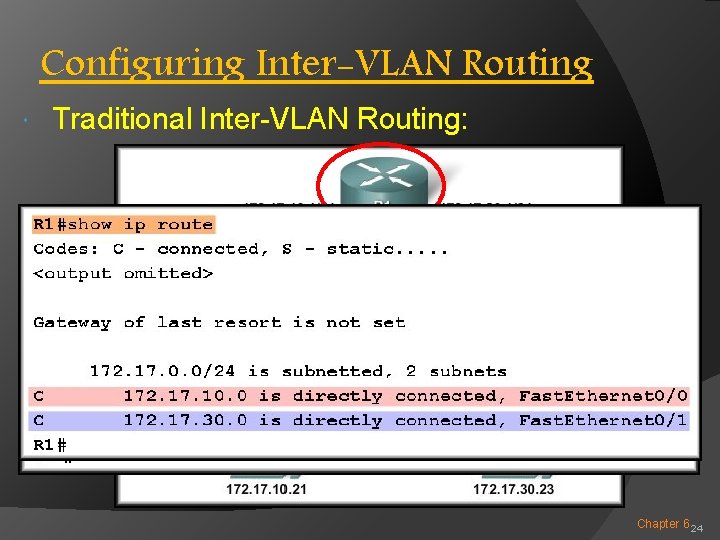
Interfaces and Subinterfaces Traditional Inter-VLAN Routing: Traditional routing requires routers to have multiple physical interfaces to facilitate inter-VLAN routing. Each interface is also configured with an IP address for the subnet associated with the particular VLAN that it is connected to. In this configuration, network devices can use the router as a gateway to access the devices connected to the other VLANs. Chapter 6 8
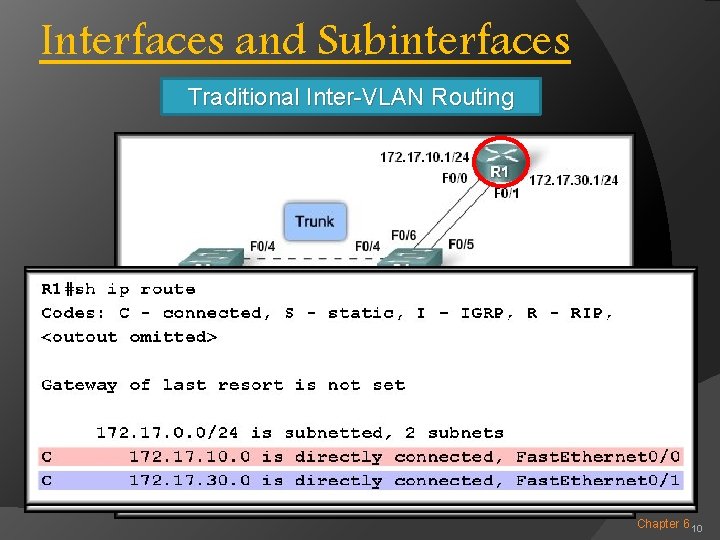
Interfaces and Subinterfaces Router tags Router Traditional Inter-VLAN Routing the frame Responds for VLAN 30 Routing table: And switches it 172. 17. 10. 0 – F 0/0 to Port F 0/1. 172. 17. 30. 0 – F 0/1 Tagged Tag Removed VLAN 10 Chapter 6 9
Interfaces and Subinterfaces Traditional Inter-VLAN Routing Chapter 6 10
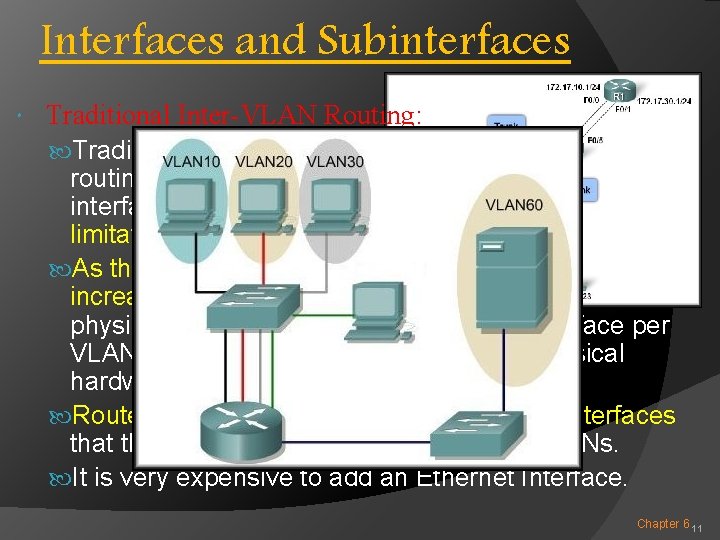
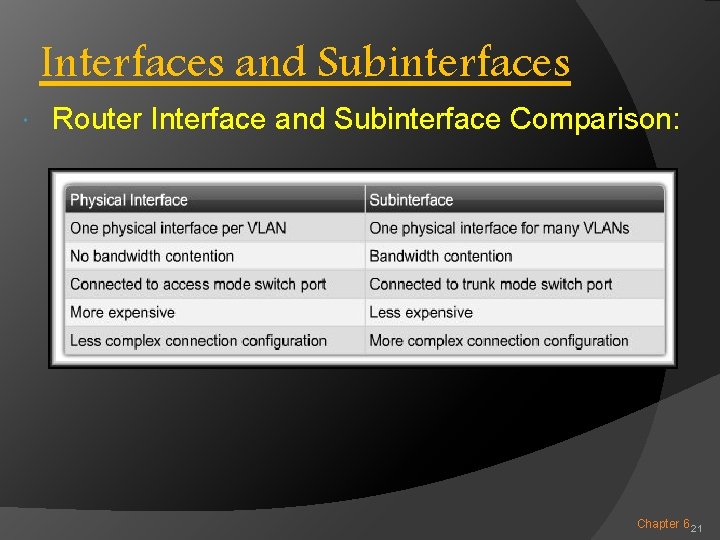
Interfaces and Subinterfaces Traditional Inter-VLAN Routing: Traditional inter-VLAN routing using physical interfaces does have a limitation. As the number of VLANs increases on a network, the physical approach of having one router interface per VLAN quickly becomes hindered by the physical hardware limitations of a router. Routers have a limited number of physical interfaces that they can use to connect to different VLANs. It is very expensive to add an Ethernet Interface. Chapter 6 11
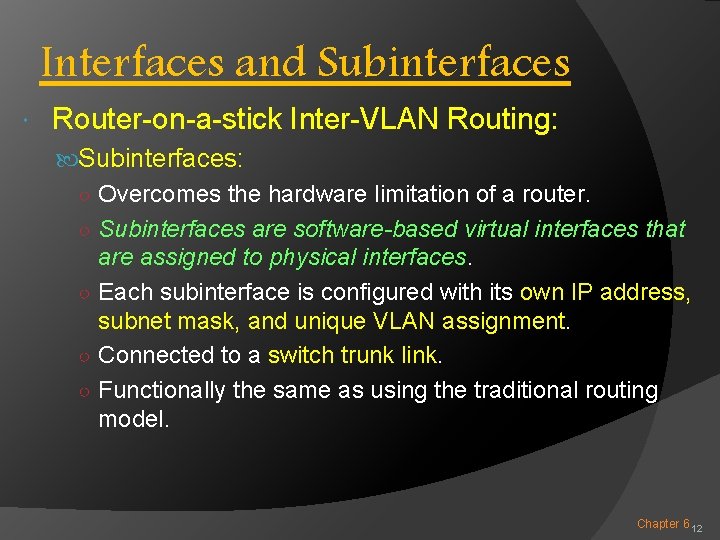
Interfaces and Subinterfaces Router-on-a-stick Inter-VLAN Routing: Subinterfaces: ○ Overcomes the hardware limitation of a router. ○ Subinterfaces are software-based virtual interfaces that are assigned to physical interfaces. ○ Each subinterface is configured with its own IP address, subnet mask, and unique VLAN assignment. ○ Connected to a switch trunk link. ○ Functionally the same as using the traditional routing model. Chapter 6 12
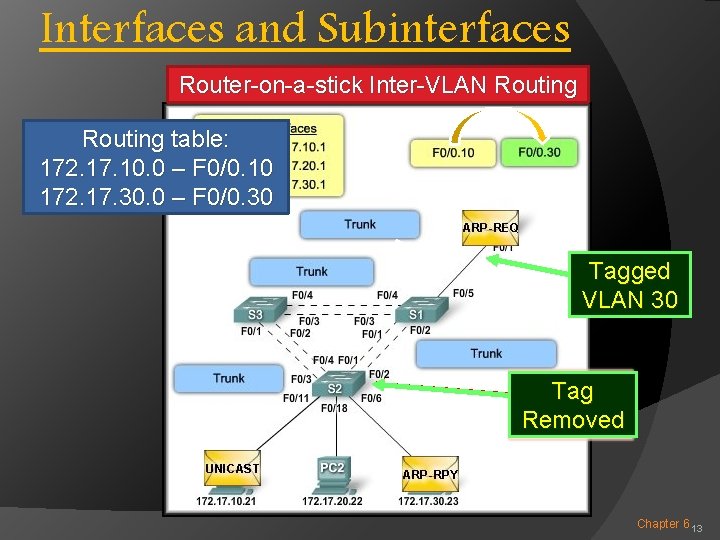
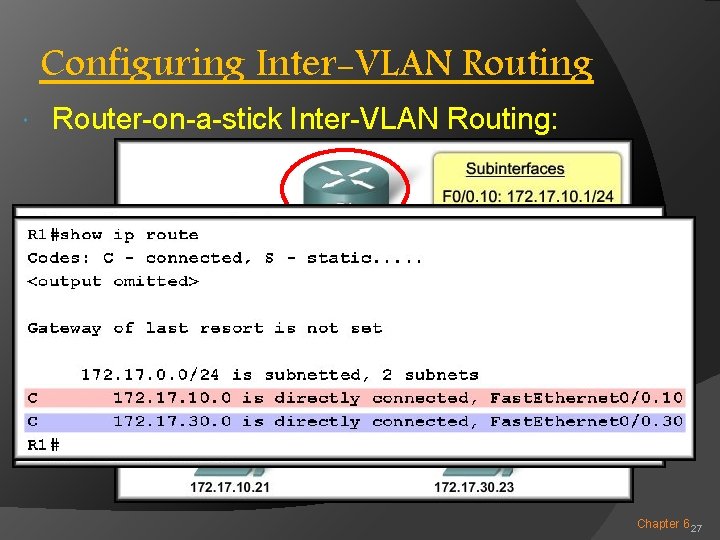
Interfaces and Subinterfaces Router-on-a-stick Inter-VLAN Routing table: 172. 17. 10. 0 – F 0/0. 10 172. 17. 30. 0 – F 0/0. 30 Tagged VLAN 30 Tagged Tag Removed VLAN 30 10 Chapter 6 13
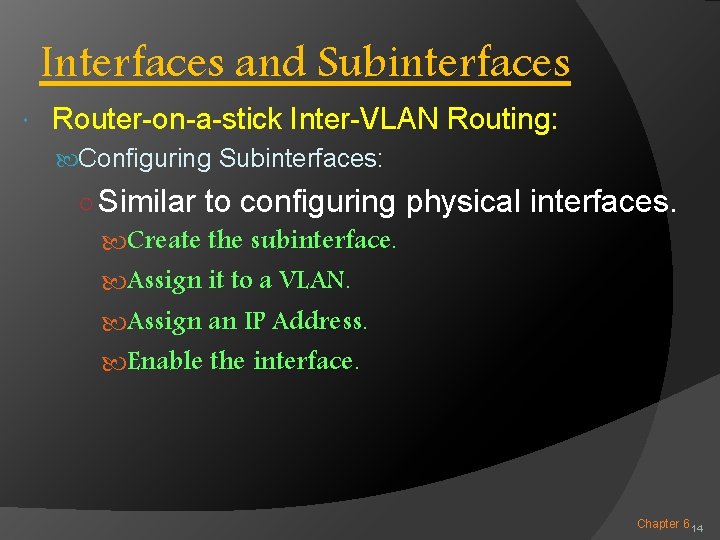
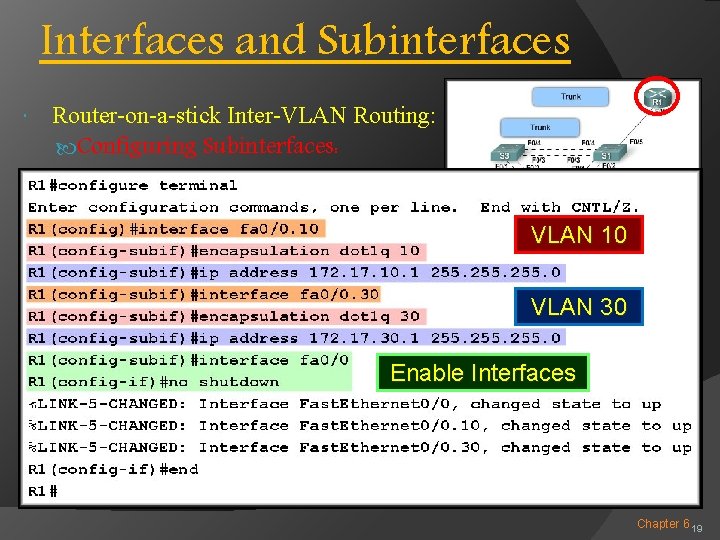
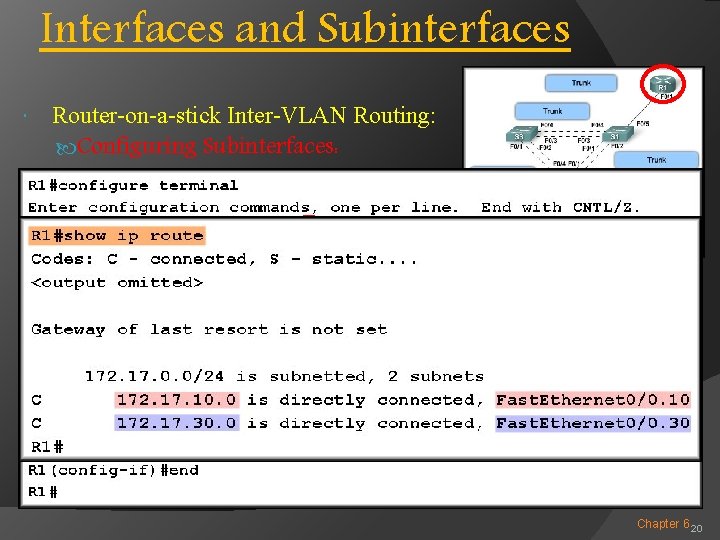
Interfaces and Subinterfaces Router-on-a-stick Inter-VLAN Routing: Configuring Subinterfaces: ○ Similar to configuring physical interfaces. Create the subinterface. Assign it to a VLAN. Assign an IP Address. Enable the interface. Chapter 6 14
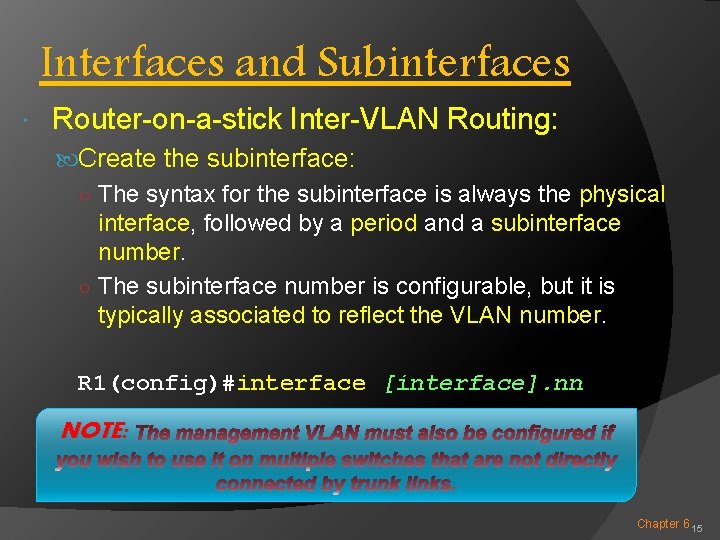
Interfaces and Subinterfaces Router-on-a-stick Inter-VLAN Routing: Create the subinterface: ○ The syntax for the subinterface is always the physical interface, followed by a period and a subinterface number. ○ The subinterface number is configurable, but it is typically associated to reflect the VLAN number. R 1(config)#interface [interface]. nn NOTE: Chapter 6 15
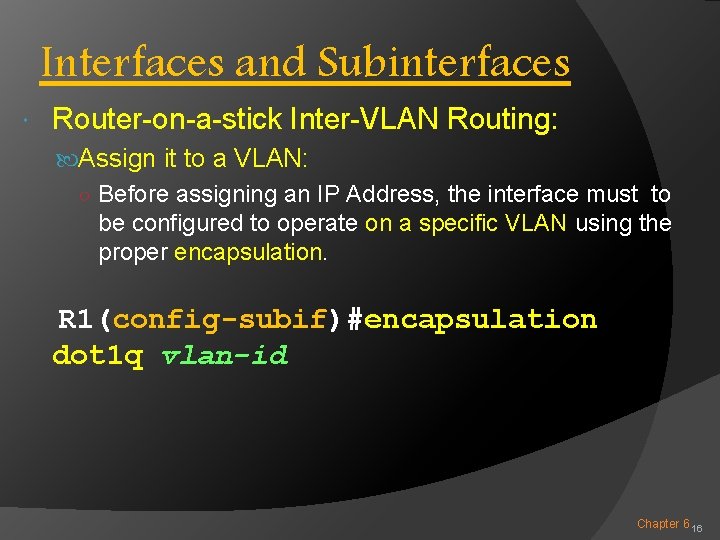
Interfaces and Subinterfaces Router-on-a-stick Inter-VLAN Routing: Assign it to a VLAN: ○ Before assigning an IP Address, the interface must to be configured to operate on a specific VLAN using the proper encapsulation. R 1(config-subif)#encapsulation dot 1 q vlan-id Chapter 6 16
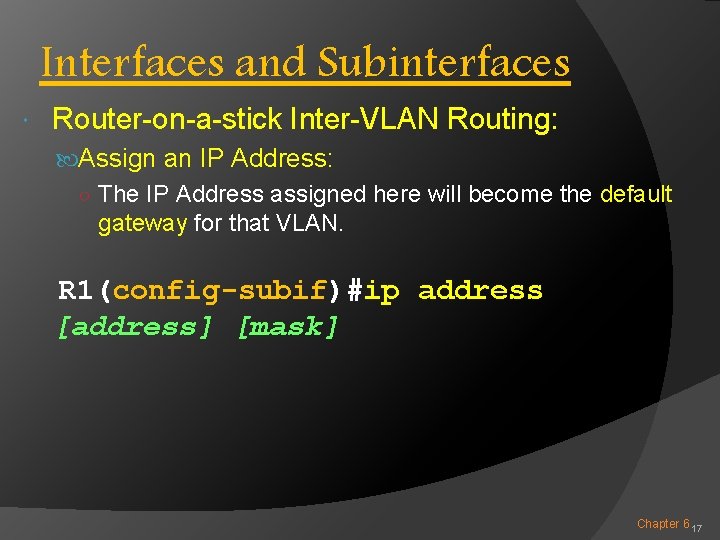
Interfaces and Subinterfaces Router-on-a-stick Inter-VLAN Routing: Assign an IP Address: ○ The IP Address assigned here will become the default gateway for that VLAN. R 1(config-subif)#ip address [address] [mask] Chapter 6 17
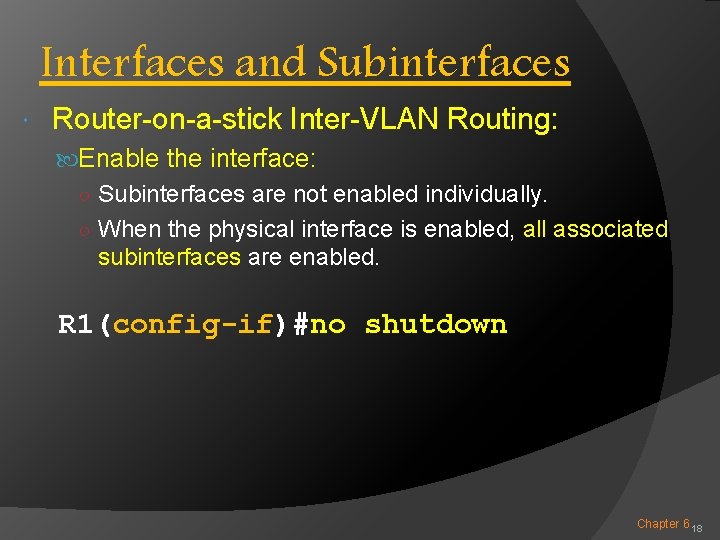
Interfaces and Subinterfaces Router-on-a-stick Inter-VLAN Routing: Enable the interface: ○ Subinterfaces are not enabled individually. ○ When the physical interface is enabled, all associated subinterfaces are enabled. R 1(config-if)#no shutdown Chapter 6 18
Interfaces and Subinterfaces Router-on-a-stick Inter-VLAN Routing: Configuring Subinterfaces: VLAN 10 VLAN 30 Enable Interfaces Chapter 6 19
Interfaces and Subinterfaces Router-on-a-stick Inter-VLAN Routing: Configuring Subinterfaces: Planning! Chapter 6 20
Interfaces and Subinterfaces Router Interface and Subinterface Comparison: Chapter 6 21
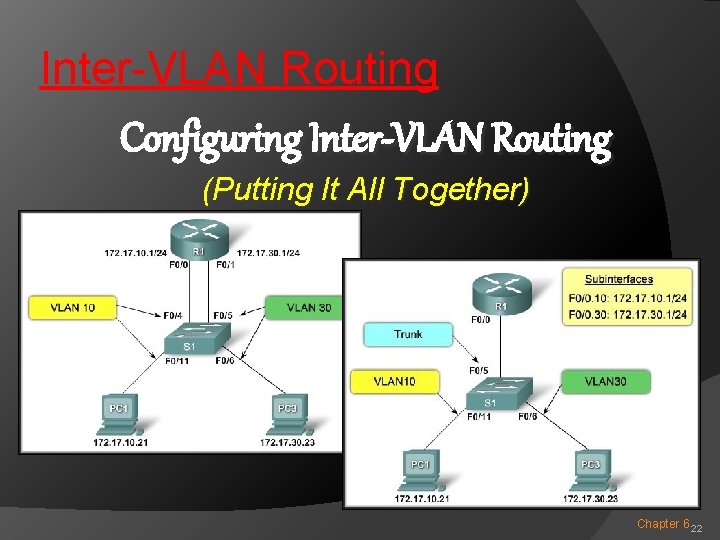
Inter-VLAN Routing Configuring Inter-VLAN Routing (Putting It All Together) Chapter 6 22
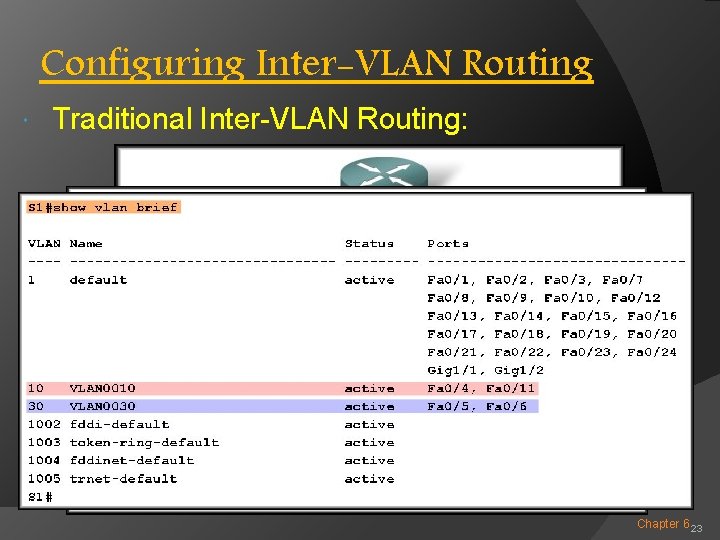
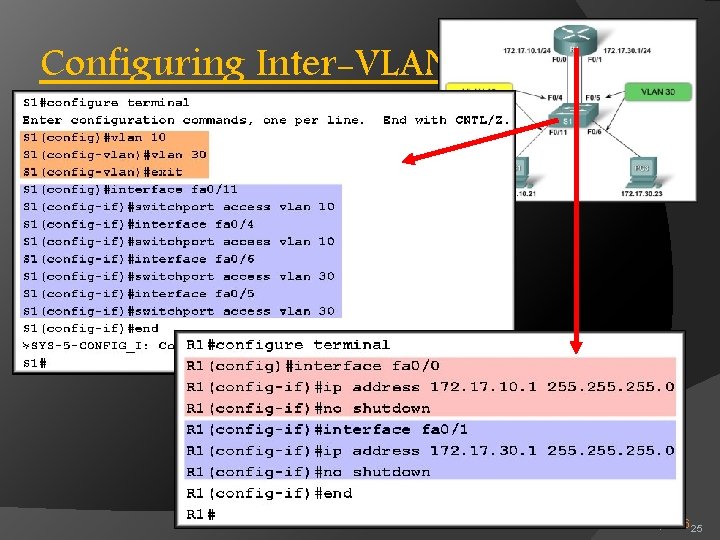
Configuring Inter-VLAN Routing Traditional Inter-VLAN Routing: Chapter 6 23
Configuring Inter-VLAN Routing Traditional Inter-VLAN Routing: Chapter 6 24
Configuring Inter-VLAN Routing Traditional Inter-VLAN Routing: Chapter 6 25
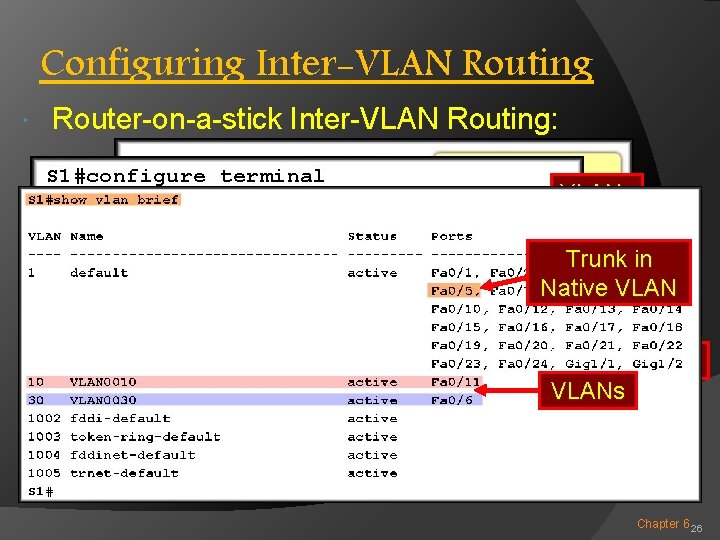
Configuring Inter-VLAN Routing Router-on-a-stick Inter-VLAN Routing: VLANs Trunk in Trunk Native VLAN Interfaces VLANs Chapter 6 26
Configuring Inter-VLAN Routing Router-on-a-stick Inter-VLAN Routing: VLAN 10 VLAN 30 Enable All Subinterfaces Chapter 6 27
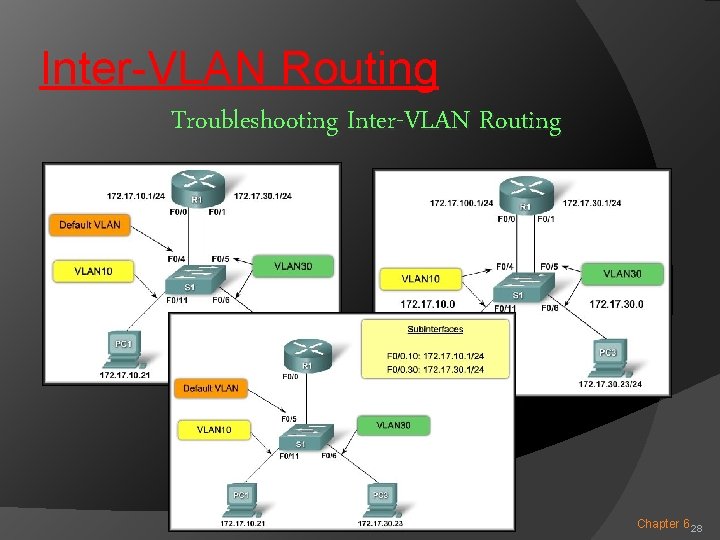
Inter-VLAN Routing Troubleshooting Inter-VLAN Routing Chapter 6 28
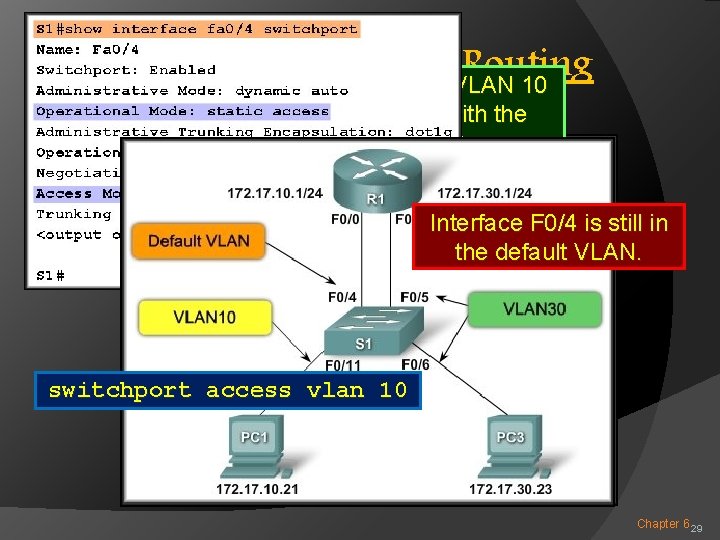
Configuring Inter-VLAN Routing VLAN 30 is working but VLAN 10 cannot communicate Switch Configuration Issues: with the router or VLAN 30. Interface F 0/4 is still in the default VLAN. switchport access vlan 10 Chapter 6 29
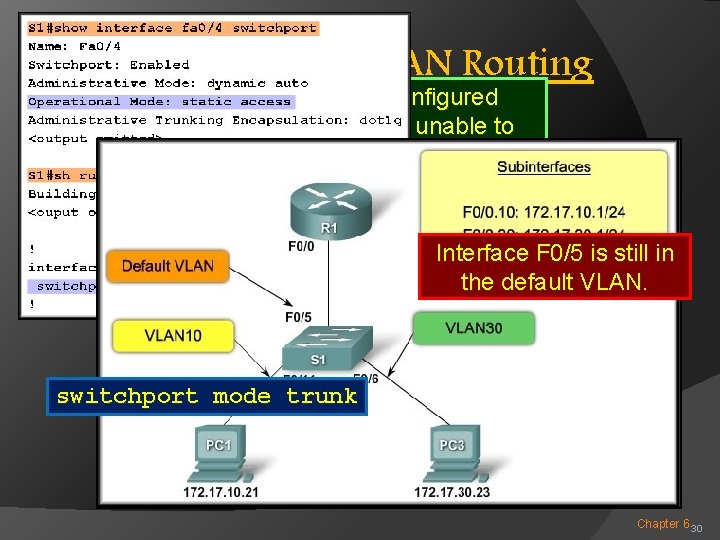
Configuring Inter-VLAN Routing Switch Each of the configured Configuration Issues: subinterfaces is unable to send or receive VLAN traffic. Interface F 0/5 is still in the default VLAN. switchport mode trunk Chapter 6 30
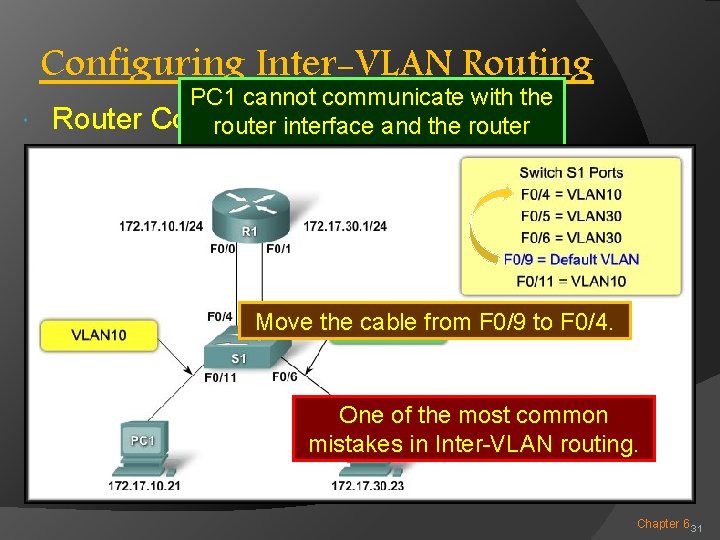
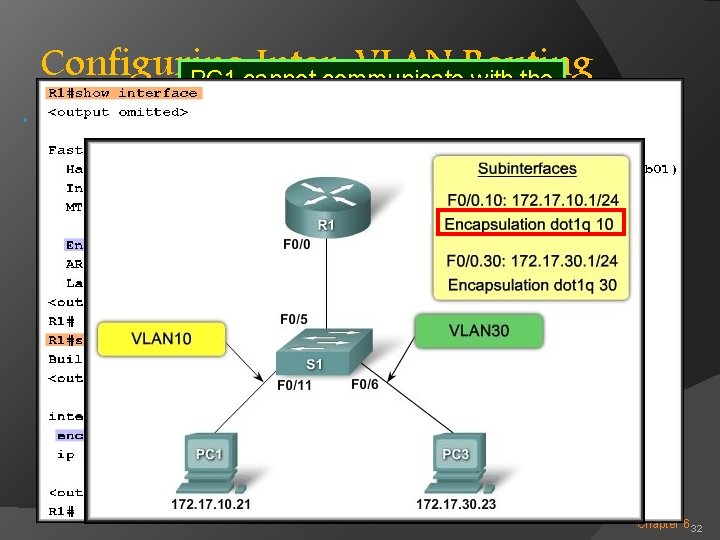
Configuring Inter-VLAN Routing Router PC 1 cannot communicate with the Configuration Issues: router interface and the router cannot route to VLAN 30. Switch port F 0/4 is for VLAN 10. Move the cable from F 0/9 to F 0/4. One of the most common mistakes in Inter-VLAN routing. Chapter 6 31
Configuring Inter-VLAN PC 1 cannot communicate. Routing with the Router router interface and the router Configuration Issues: cannot route to VLAN 30. Chapter 6 32
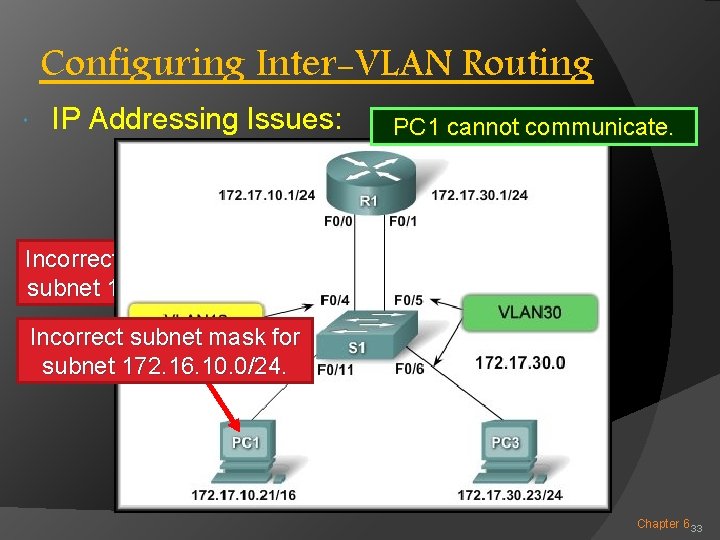
Configuring Inter-VLAN Routing IP Addressing Issues: PC 1 cannot communicate. Incorrect IP address for subnet 172. 16. 10. 0/24. Incorrect IP subnet address mask forfor subnet 172. 16. 10. 0/24. Chapter 6 33