
Advanced Caches Smruti R Sarangi Time to go

- Slides: 35
Advanced Caches Smruti R. Sarangi
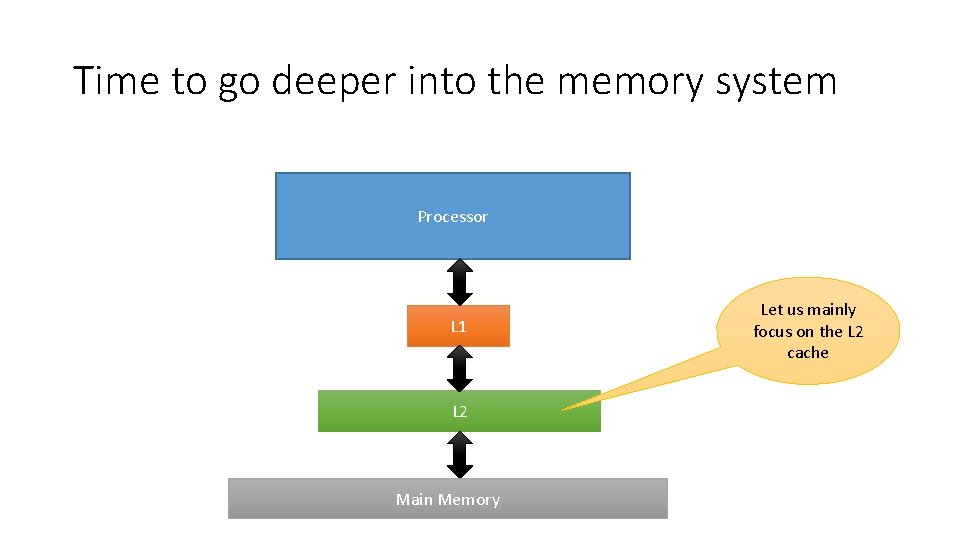
Time to go deeper into the memory system Processor L 1 L 2 Main Memory Let us mainly focus on the L 2 cache
Outline • Modeling and simulating caches • Structure of a large L 2 Cache • Non-uniform Caches • S-NUCA • D-NUCA • R-NUCA
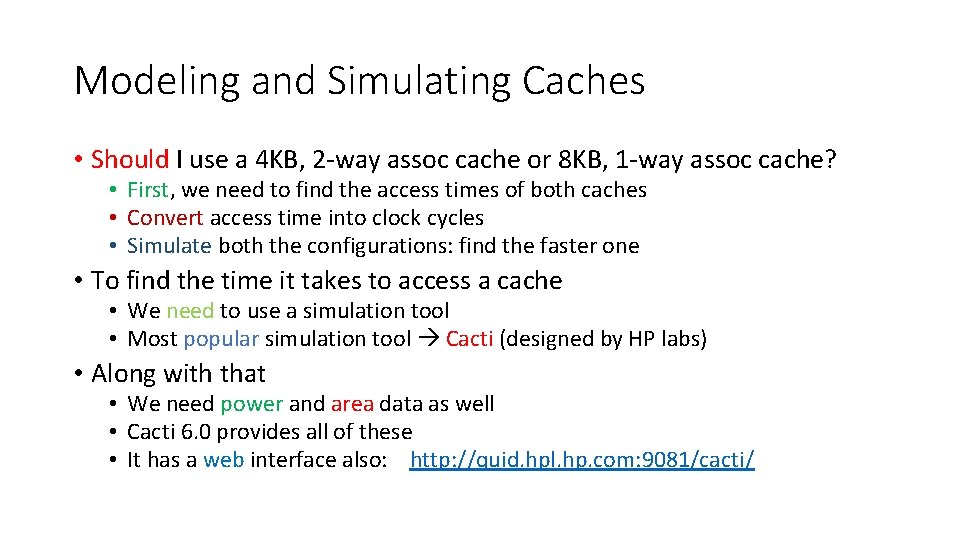
Modeling and Simulating Caches • Should I use a 4 KB, 2 -way assoc cache or 8 KB, 1 -way assoc cache? • First, we need to find the access times of both caches • Convert access time into clock cycles • Simulate both the configurations: find the faster one • To find the time it takes to access a cache • We need to use a simulation tool • Most popular simulation tool Cacti (designed by HP labs) • Along with that • We need power and area data as well • Cacti 6. 0 provides all of these • It has a web interface also: http: //quid. hpl. hp. com: 9081/cacti/
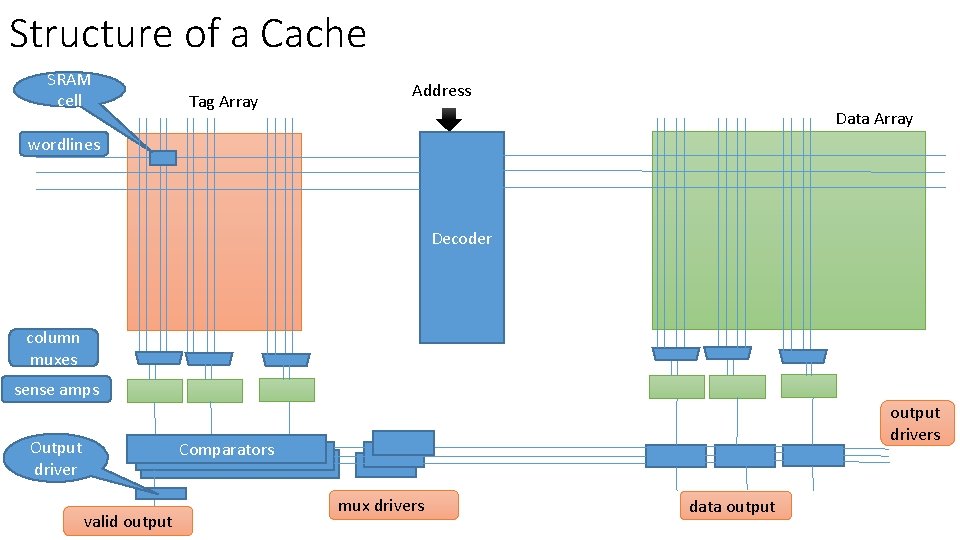
Structure of a Cache SRAM cell Tag Array Address Data Array wordlines Decoder column muxes sense amps Output driver output drivers Comparators valid output mux drivers data output
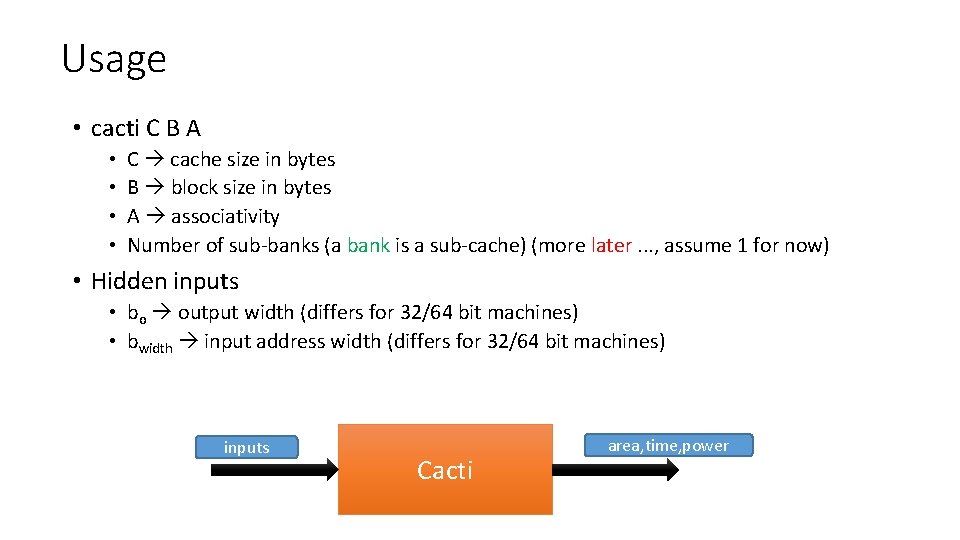
Usage • cacti C B A • • C cache size in bytes B block size in bytes A associativity Number of sub-banks (a bank is a sub-cache) (more later. . . , assume 1 for now) • Hidden inputs • bo output width (differs for 32/64 bit machines) • bwidth input address width (differs for 32/64 bit machines) inputs Cacti area, time, power
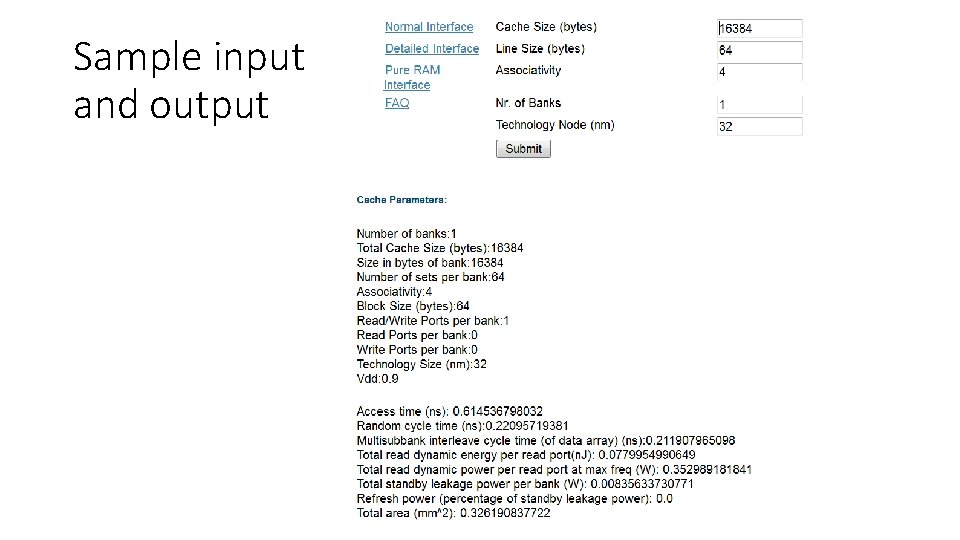
Sample input and output
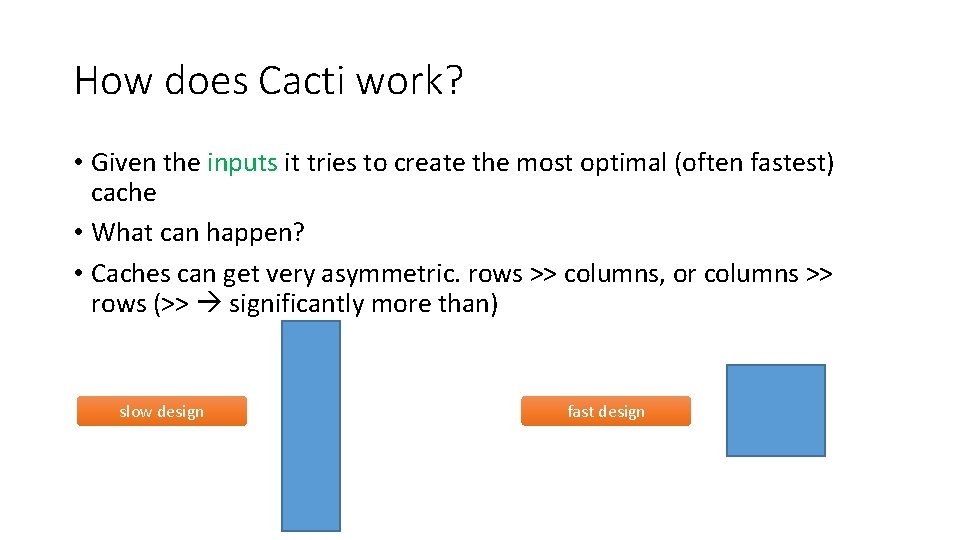
How does Cacti work? • Given the inputs it tries to create the most optimal (often fastest) cache • What can happen? • Caches can get very asymmetric. rows >> columns, or columns >> rows (>> significantly more than) slow design fast design
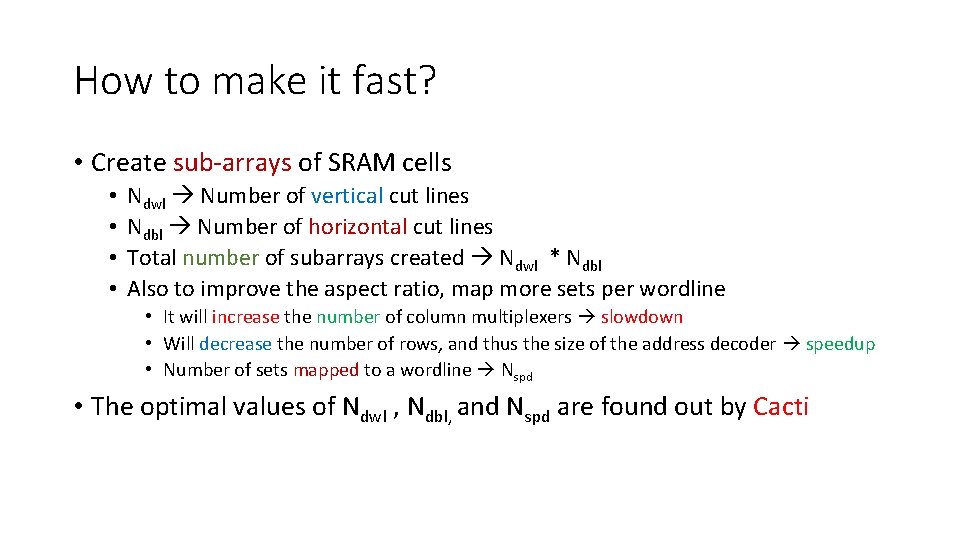
How to make it fast? • Create sub-arrays of SRAM cells • • Ndwl Number of vertical cut lines Ndbl Number of horizontal cut lines Total number of subarrays created Ndwl * Ndbl Also to improve the aspect ratio, map more sets per wordline • It will increase the number of column multiplexers slowdown • Will decrease the number of rows, and thus the size of the address decoder speedup • Number of sets mapped to a wordline Nspd • The optimal values of Ndwl , Ndbl, and Nspd are found out by Cacti
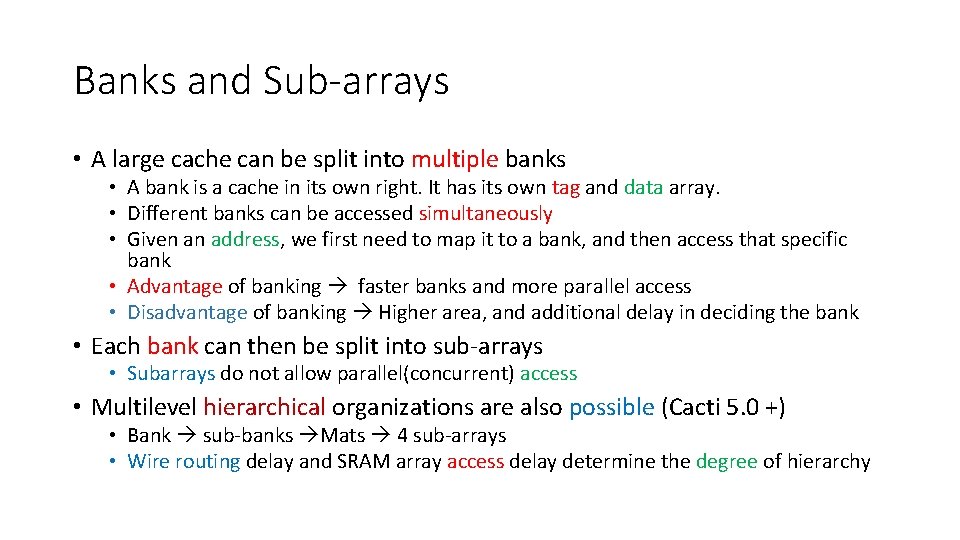
Banks and Sub-arrays • A large cache can be split into multiple banks • A bank is a cache in its own right. It has its own tag and data array. • Different banks can be accessed simultaneously • Given an address, we first need to map it to a bank, and then access that specific bank • Advantage of banking faster banks and more parallel access • Disadvantage of banking Higher area, and additional delay in deciding the bank • Each bank can then be split into sub-arrays • Subarrays do not allow parallel(concurrent) access • Multilevel hierarchical organizations are also possible (Cacti 5. 0 +) • Bank sub-banks Mats 4 sub-arrays • Wire routing delay and SRAM array access delay determine the degree of hierarchy
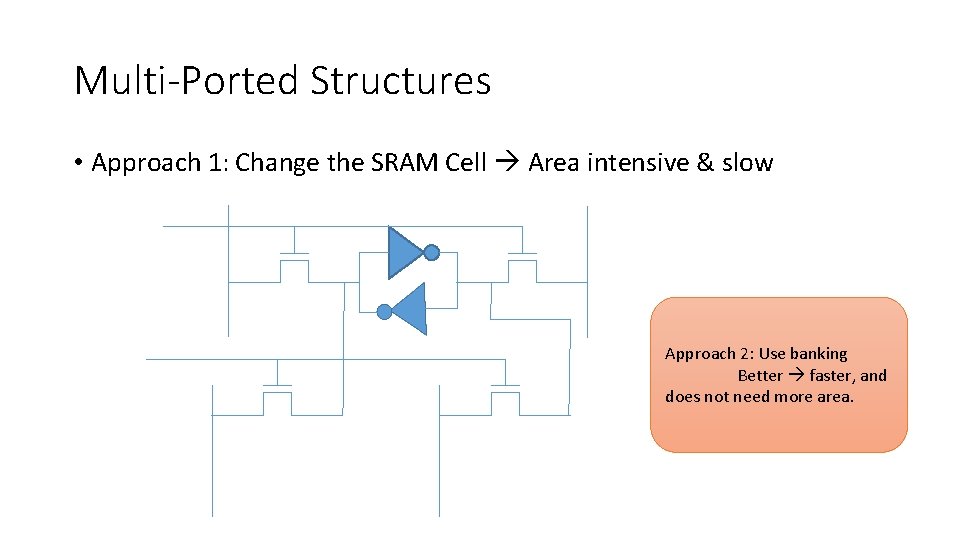
Multi-Ported Structures • Approach 1: Change the SRAM Cell Area intensive & slow Approach 2: Use banking Better faster, and does not need more area.
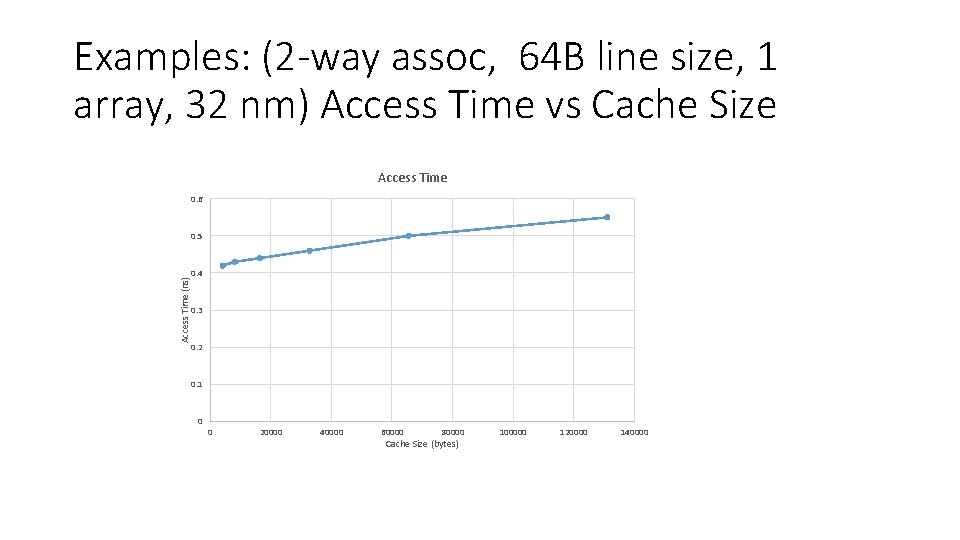
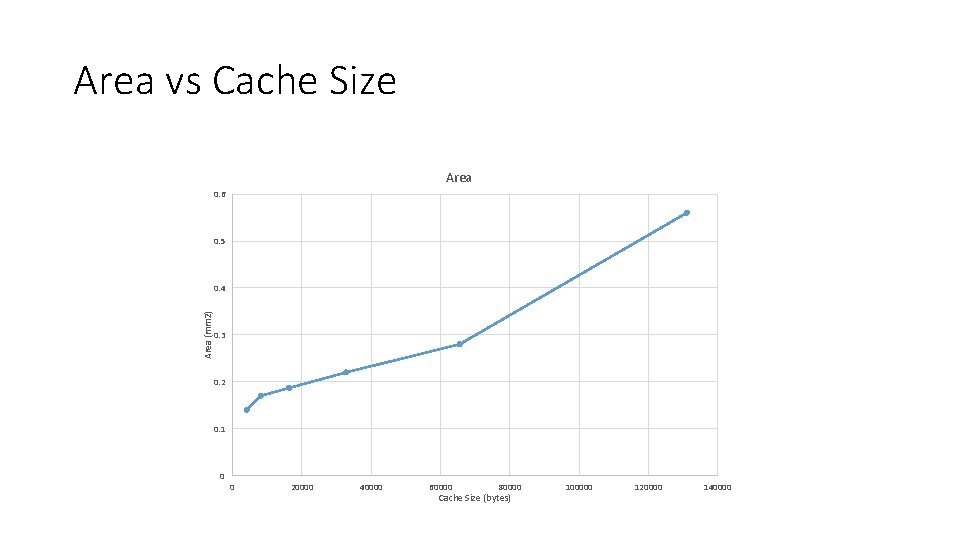
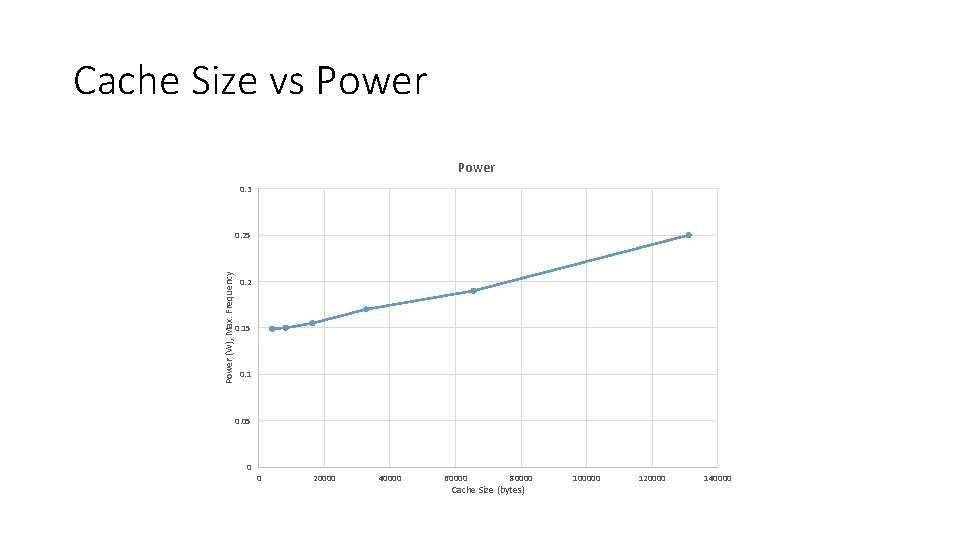
Examples: (2 -way assoc, 64 B line size, 1 array, 32 nm) Access Time vs Cache Size Access Time 0. 6 Access Time (ns) 0. 5 0. 4 0. 3 0. 2 0. 1 0 0 20000 40000 60000 80000 Cache Size (bytes) 100000 120000 140000
Area vs Cache Size Area 0. 6 0. 5 Area (mm 2) 0. 4 0. 3 0. 2 0. 1 0 0 20000 40000 60000 80000 Cache Size (bytes) 100000 120000 140000
Cache Size vs Power 0. 3 Power (W), Max. Frequency 0. 25 0. 2 0. 15 0. 1 0. 05 0 0 20000 40000 60000 80000 Cache Size (bytes) 100000 120000 140000
Outline • Modeling and simulating caches • Structure of a large L 2 cache • Non-uniform Caches • S-NUCA • D-NUCA • R-NUCA
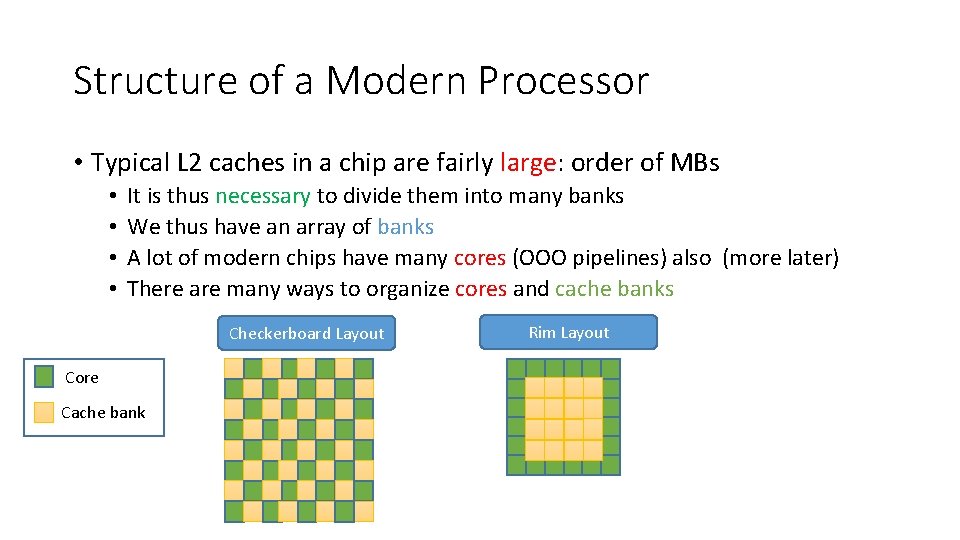
Structure of a Modern Processor • Typical L 2 caches in a chip are fairly large: order of MBs • • It is thus necessary to divide them into many banks We thus have an array of banks A lot of modern chips have many cores (OOO pipelines) also (more later) There are many ways to organize cores and cache banks Checkerboard Layout Core Cache bank Rim Layout
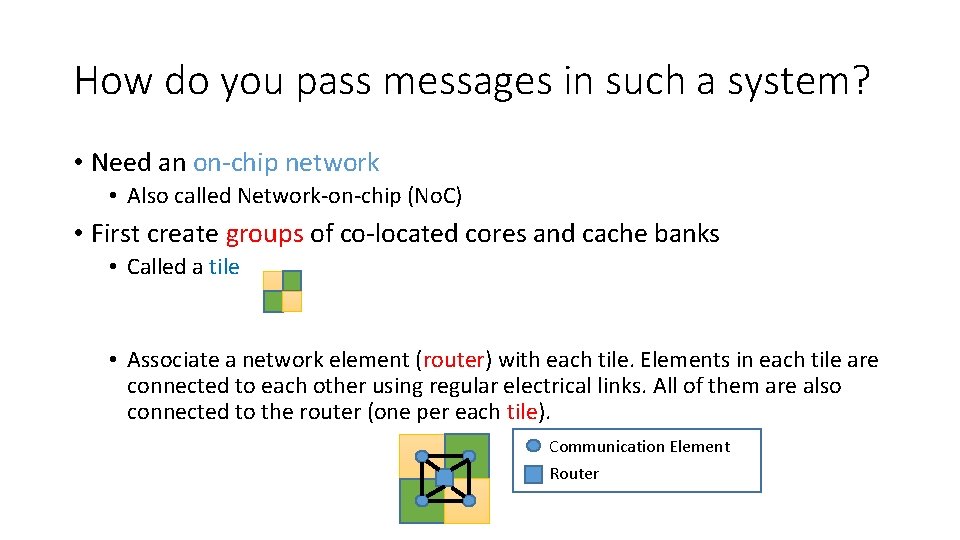
How do you pass messages in such a system? • Need an on-chip network • Also called Network-on-chip (No. C) • First create groups of co-located cores and cache banks • Called a tile • Associate a network element (router) with each tile. Elements in each tile are connected to each other using regular electrical links. All of them are also connected to the router (one per each tile). Communication Element Router
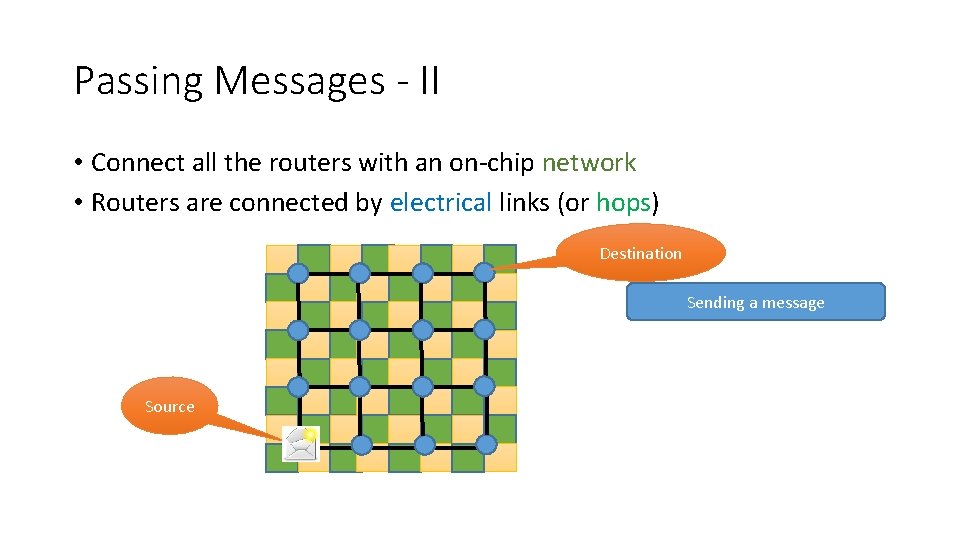
Passing Messages - II • Connect all the routers with an on-chip network • Routers are connected by electrical links (or hops) Destination Sending a message Source
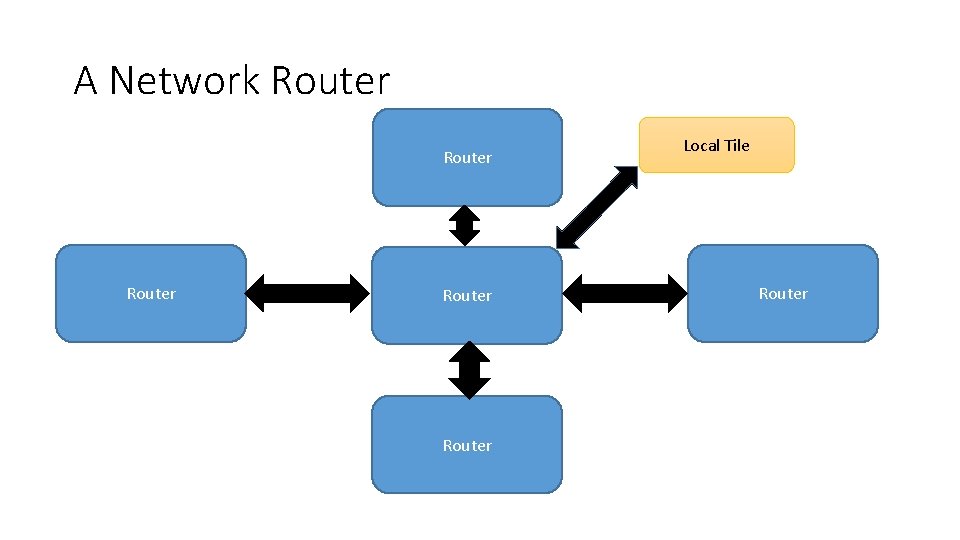
A Network Router Router Local Tile Router
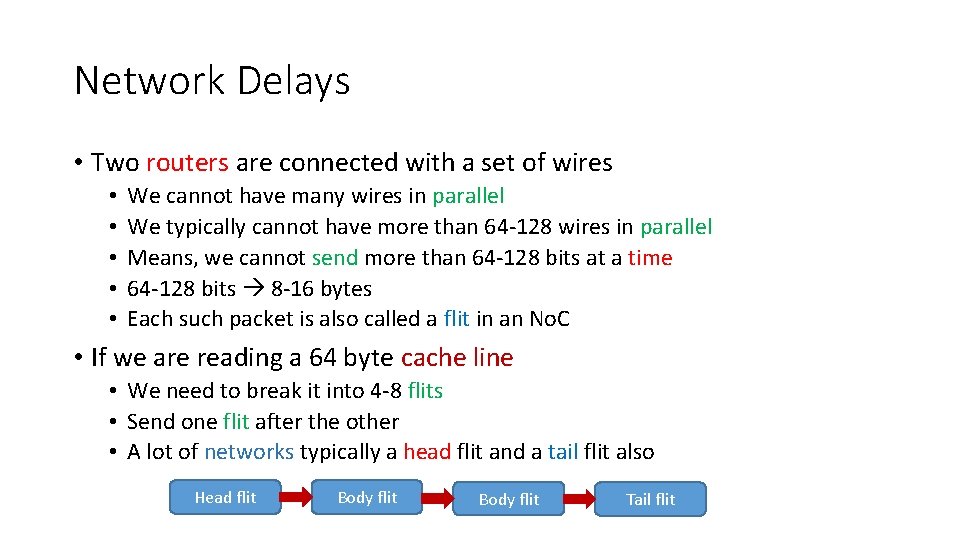
Network Delays • Two routers are connected with a set of wires • • • We cannot have many wires in parallel We typically cannot have more than 64 -128 wires in parallel Means, we cannot send more than 64 -128 bits at a time 64 -128 bits 8 -16 bytes Each such packet is also called a flit in an No. C • If we are reading a 64 byte cache line • We need to break it into 4 -8 flits • Send one flit after the other • A lot of networks typically a head flit and a tail flit also Head flit Body flit Tail flit
Network Delays • Flits typically 1 cycle to traverse a hop • Sending delay by the transmitter • Signal propagation time • Receiving delay • What does the router do? • • If the flit belongs to the local time send it to the local tile Figure out the next router to send the packet to Take congestion and deadlocks into account Router has a delay of 2 -3 cycles • Total delay: at least 3 -4 cycles
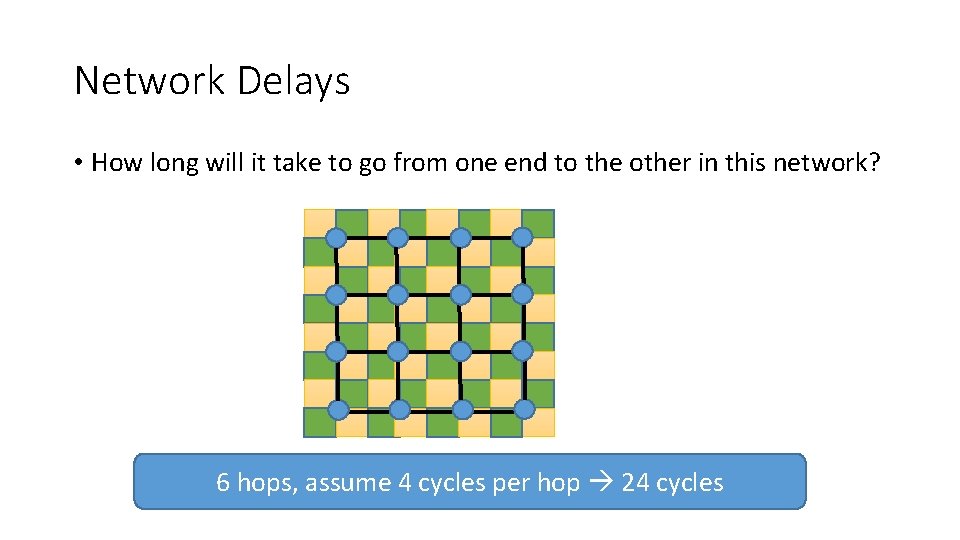
Network Delays • How long will it take to go from one end to the other in this network? 6 hops, assume 4 cycles per hop 24 cycles
Non Uniform Caches • L 2/L 3 caches are large. • If you find data in a nearby bank a couple of cycles • If it is a remote bank 20 -50 cycles (depending on the size of the network and the degree of congestion) • Cache access times can be very variable depending on where the data is • This is called a non-uniform cache (NUCA cache) • Can we take advantage of this non-uniformity? • ANSWER: Place frequently used data closer
Outline • Modeling and simulating caches • Structure of a large L 2 cache • Non-uniform Caches • S-NUCA • D-NUCA • R-NUCA
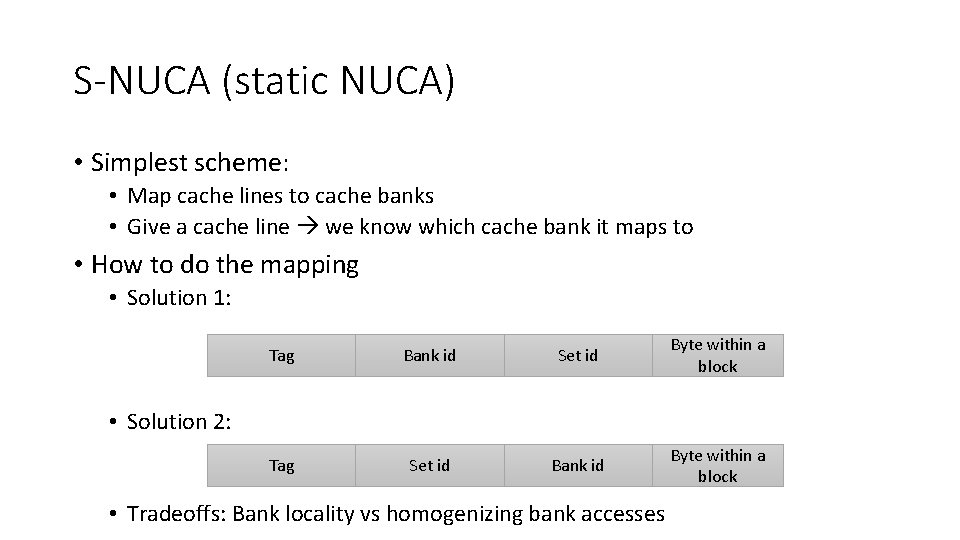
S-NUCA (static NUCA) • Simplest scheme: • Map cache lines to cache banks • Give a cache line we know which cache bank it maps to • How to do the mapping • Solution 1: Tag Bank id Set id Byte within a block Tag Set id Bank id Byte within a block • Solution 2: • Tradeoffs: Bank locality vs homogenizing bank accesses
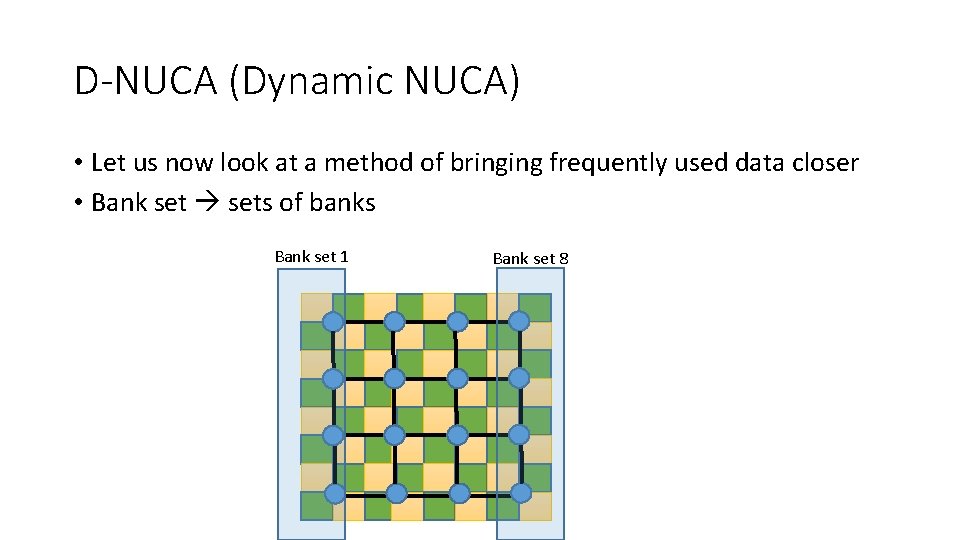
D-NUCA (Dynamic NUCA) • Let us now look at a method of bringing frequently used data closer • Bank sets of banks Bank set 1 Bank set 8
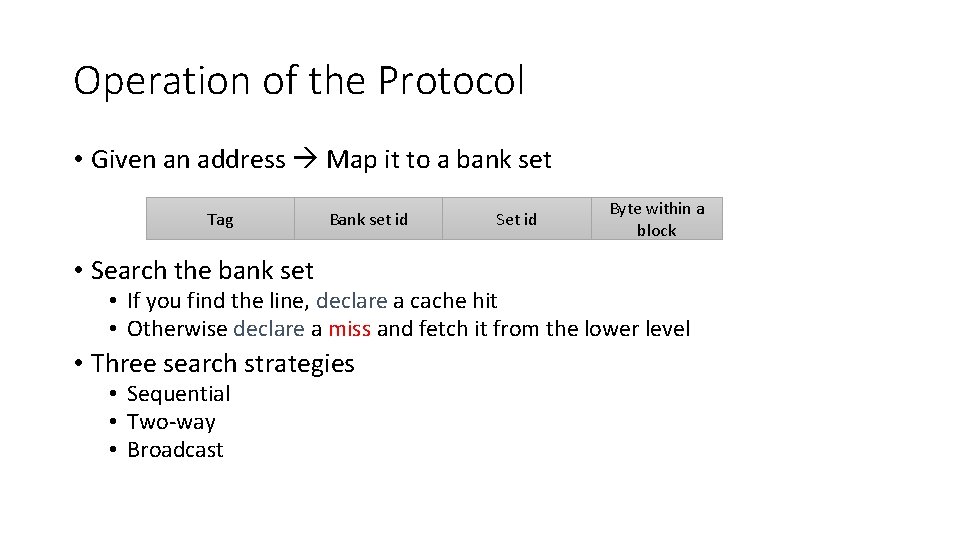
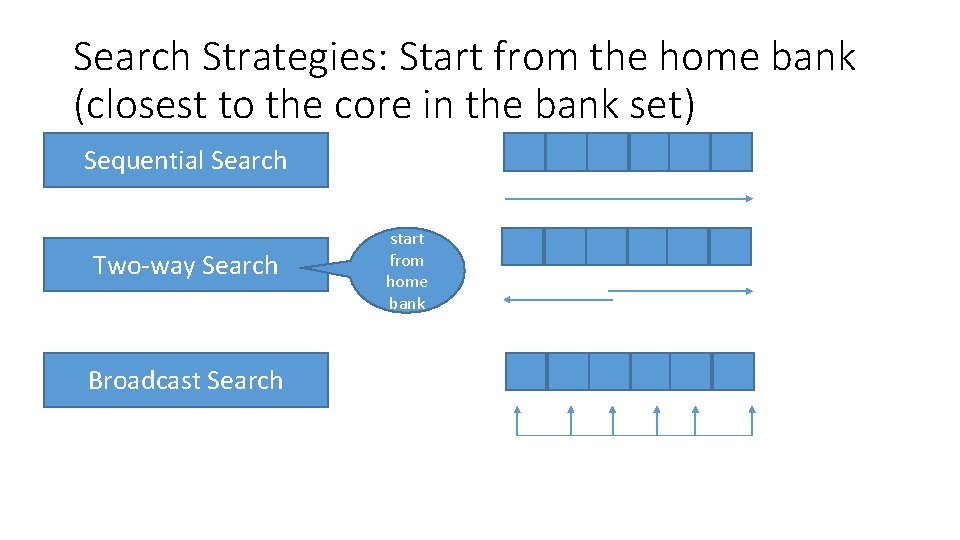
Operation of the Protocol • Given an address Map it to a bank set Tag Bank set id • Search the bank set Set id Byte within a block • If you find the line, declare a cache hit • Otherwise declare a miss and fetch it from the lower level • Three search strategies • Sequential • Two-way • Broadcast
Search Strategies: Start from the home bank (closest to the core in the bank set) Sequential Search Two-way Search Broadcast Search start from home bank
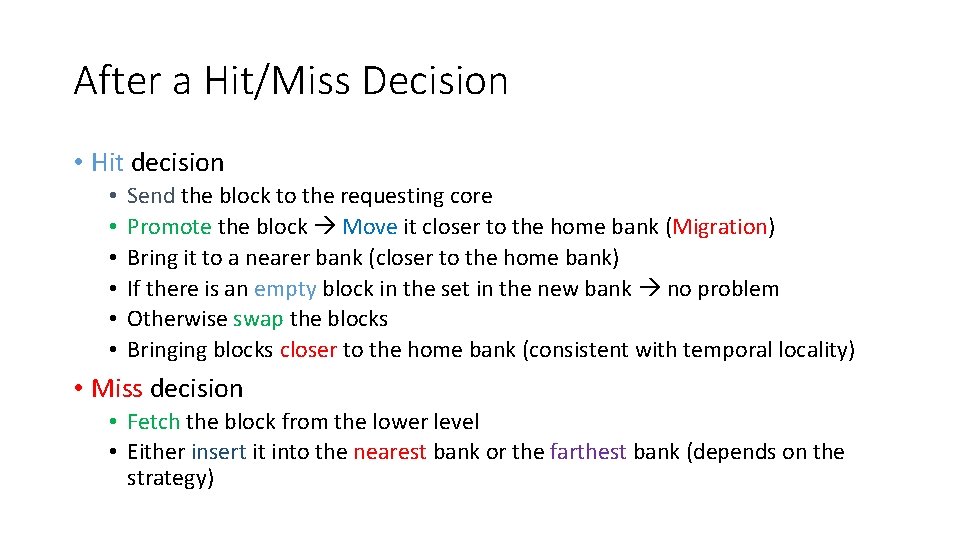
After a Hit/Miss Decision • Hit decision • • • Send the block to the requesting core Promote the block Move it closer to the home bank (Migration) Bring it to a nearer bank (closer to the home bank) If there is an empty block in the set in the new bank no problem Otherwise swap the blocks Bringing blocks closer to the home bank (consistent with temporal locality) • Miss decision • Fetch the block from the lower level • Either insert it into the nearest bank or the farthest bank (depends on the strategy)
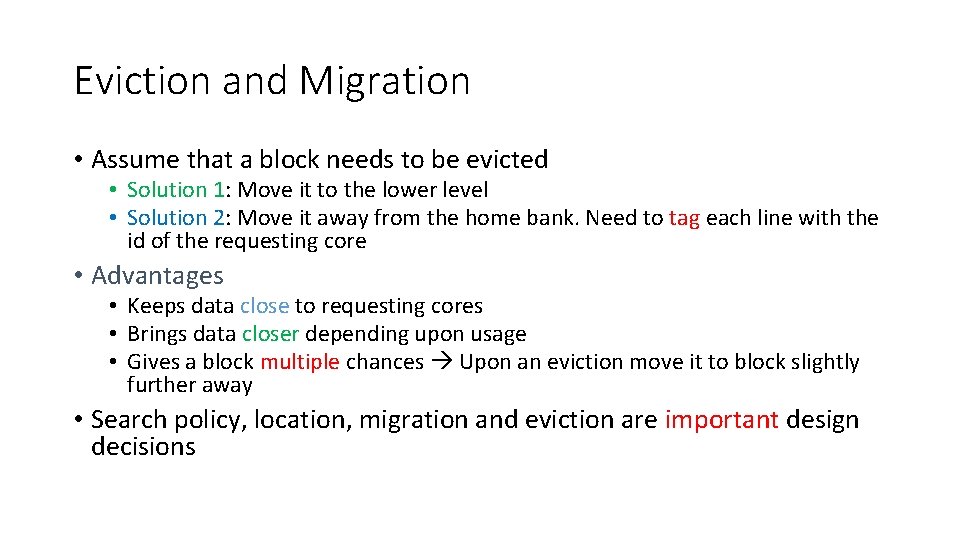
Eviction and Migration • Assume that a block needs to be evicted • Solution 1: Move it to the lower level • Solution 2: Move it away from the home bank. Need to tag each line with the id of the requesting core • Advantages • Keeps data close to requesting cores • Brings data closer depending upon usage • Gives a block multiple chances Upon an eviction move it to block slightly further away • Search policy, location, migration and eviction are important design decisions
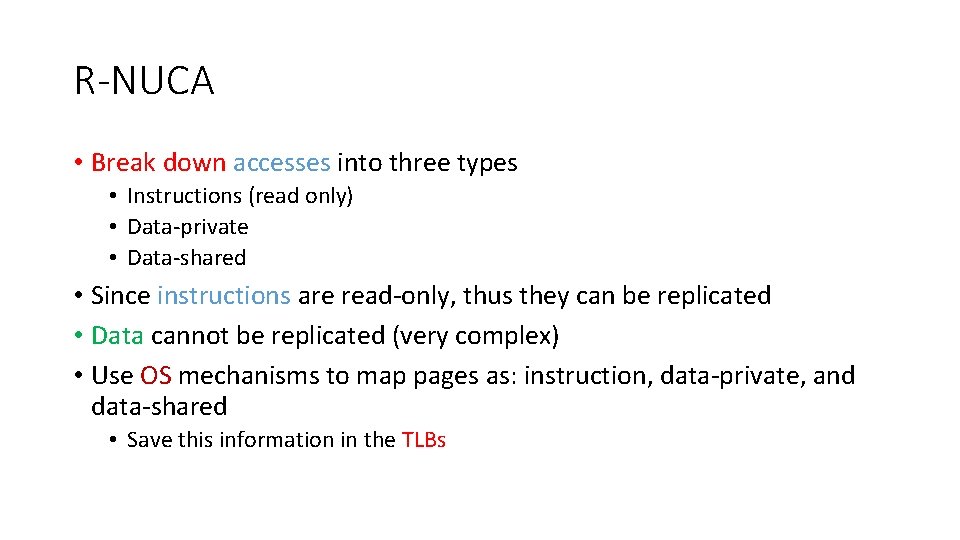
R-NUCA • Break down accesses into three types • Instructions (read only) • Data-private • Data-shared • Since instructions are read-only, thus they can be replicated • Data cannot be replicated (very complex) • Use OS mechanisms to map pages as: instruction, data-private, and data-shared • Save this information in the TLBs
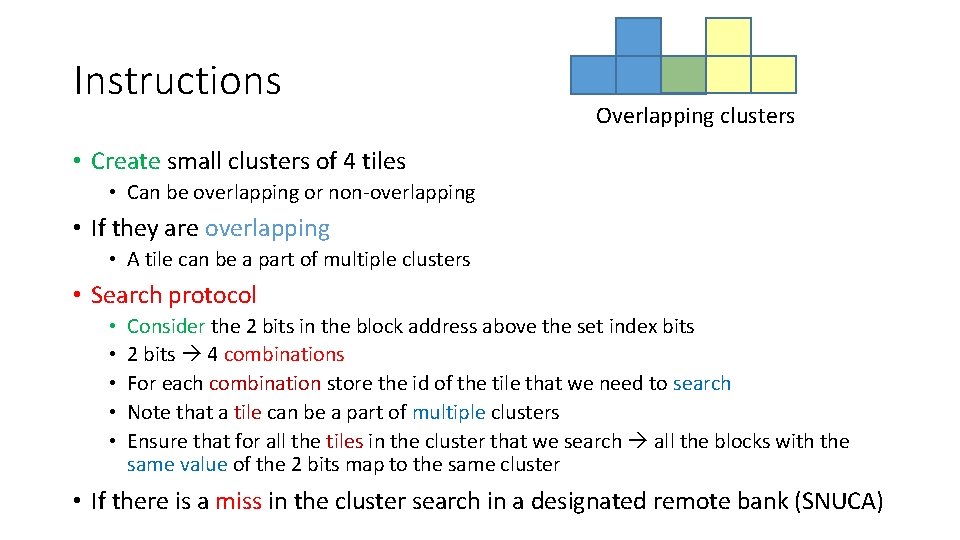
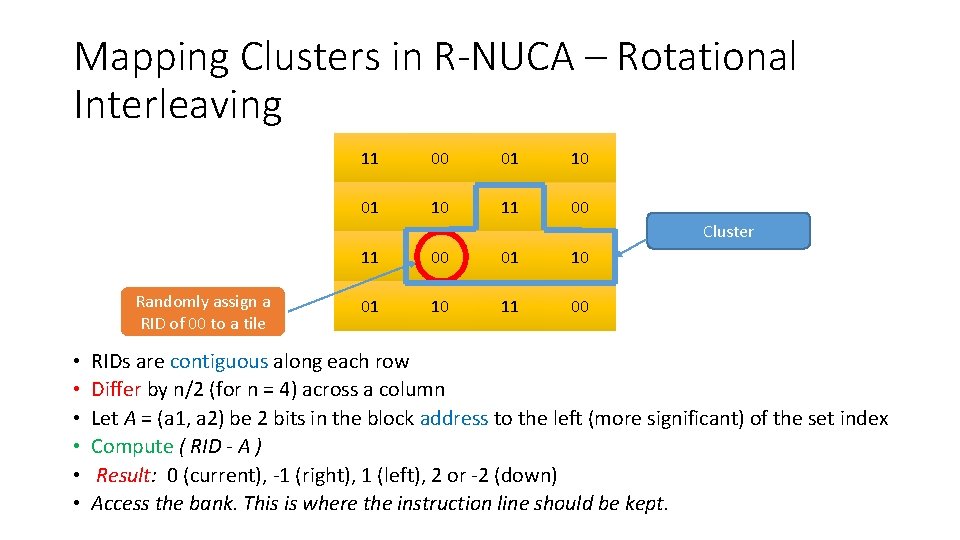
Instructions Overlapping clusters • Create small clusters of 4 tiles • Can be overlapping or non-overlapping • If they are overlapping • A tile can be a part of multiple clusters • Search protocol • • • Consider the 2 bits in the block address above the set index bits 2 bits 4 combinations For each combination store the id of the tile that we need to search Note that a tile can be a part of multiple clusters Ensure that for all the tiles in the cluster that we search all the blocks with the same value of the 2 bits map to the same cluster • If there is a miss in the cluster search in a designated remote bank (SNUCA)
Mapping Clusters in R-NUCA – Rotational Interleaving 11 00 01 10 11 00 Cluster Randomly assign a RID of 00 to a tile • • • 11 00 01 10 11 00 RIDs are contiguous along each row Differ by n/2 (for n = 4) across a column Let A = (a 1, a 2) be 2 bits in the block address to the left (more significant) of the set index Compute ( RID - A ) Result: 0 (current), -1 (right), 1 (left), 2 or -2 (down) Access the bank. This is where the instruction line should be kept.
Data • Private data Store it only within the bank in the tile • Shared data Use SNUCA • Advantages: • Limited replication ensures good instruction hit rates • Does not add the complexity of maintaining replicas for read-write data
THE END