
Adoption and Use of a PresenceChat Application in

- Slides: 32
Adoption and Use of a Presence/Chat Application in Globally-Distributed Software Development James Herbsleb Institute for Software Research, International School of Computer Science 1321 Wean Hall Carnegie Mellon University Pittsburgh, PA, USA 15213 +1 412 268 -8933 jdh@cs. cmu. edu
Research Team • University of Michigan – Tom Finholt – Mark Handel • Carnegie Mellon University – Alberto Espinosa • Bell Labs Research – – – – David Atkins David Boyer James Herbsleb Stacie Hibino Audris Mockus Dewayne Perry Larry Votta Graham Wills 2
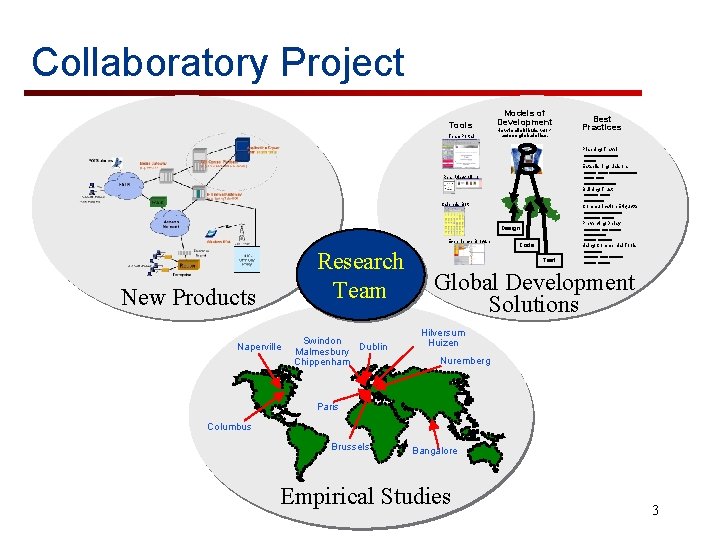
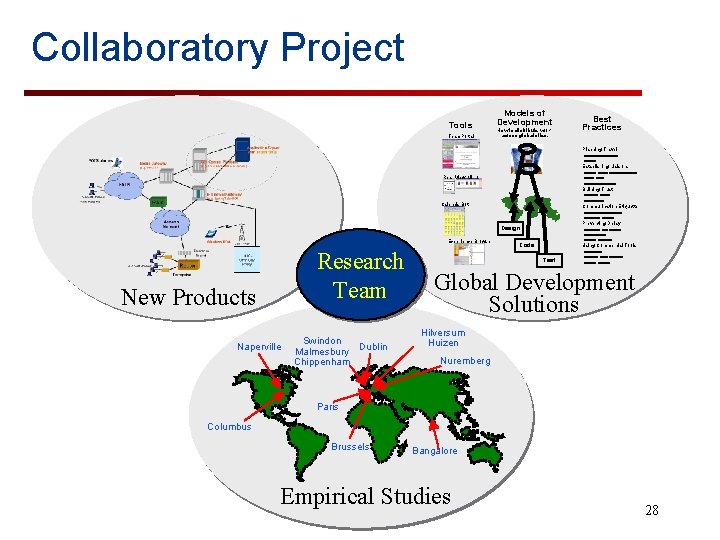
Collaboratory Project Tools Team. Portal Models of Development How to distribute work across global sites. Best Practices Planning Travel xxxxxxxxx Establishing Liaisons xxxxxxx xxxxxxxx Rear View Mirror Building Trust xxxxxxx Calendar. Bot Communication Etiquette xxxxxxxxxx xxxxxx Preventing Delay Design Experience Browser Research Team New Products Naperville Swindon Malmesbury Dublin Chippenham xxxxxx xxxxxxx Code Using Commercial Tools Test xxxxxxx xxxxxx Global Development Solutions Hilversum Huizen Nuremberg Paris Columbus Brussels Bangalore Empirical Studies 3
Collaboration Over Distance • • Work items split across sites take much longer Many fewer communication paths across distance Much less frequent communication across distance Less comfortable communicating with remote colleagues Much more difficult to identify distant colleagues with needed expertise Much more difficult to communicate effectively Less likely to perceive themselves as part of the same team Common view of priorities – no difference 4
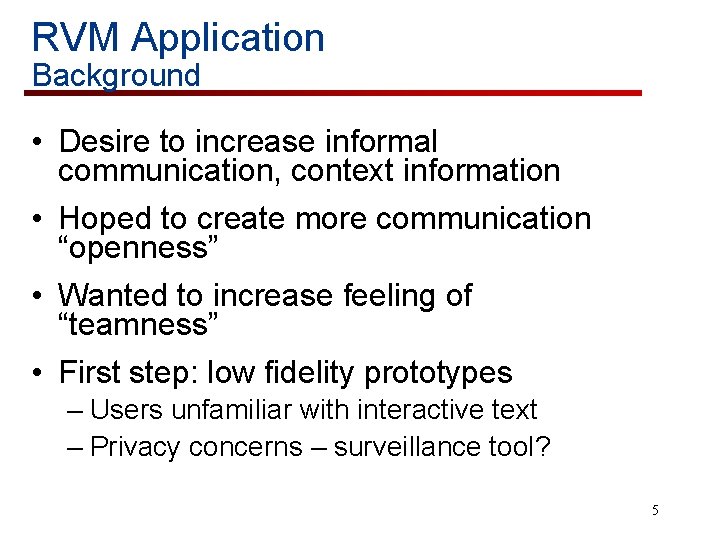
RVM Application Background • Desire to increase informal communication, context information • Hoped to create more communication “openness” • Wanted to increase feeling of “teamness” • First step: low fidelity prototypes – Users unfamiliar with interactive text – Privacy concerns – surveillance tool? 5
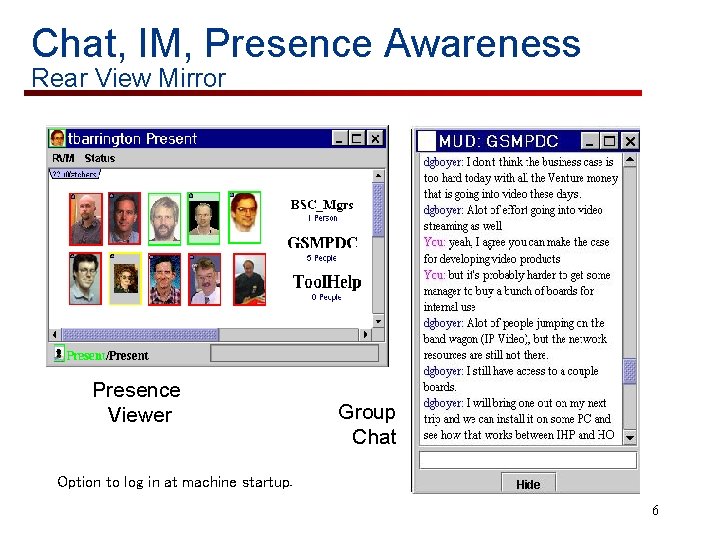
Chat, IM, Presence Awareness Rear View Mirror Presence Viewer Group Chat Option to log in at machine startup. 6
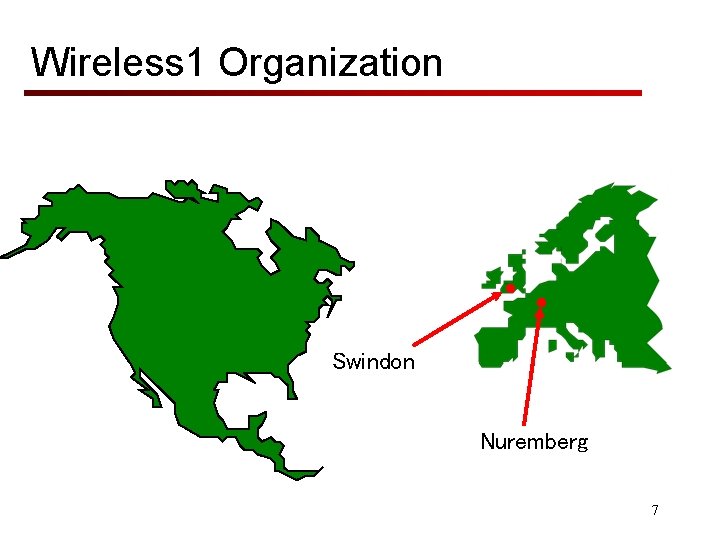
Wireless 1 Organization Swindon Nuremberg 7
Data Collection • Study covered 17 months – March 2000 – initial introduction – August 2001 – server shut down • Qualitative data – Twenty interviews – Two focus groups • Data from usage logs – Who logged in each day – Group Activity – Group chat messages (not IM messages) 8
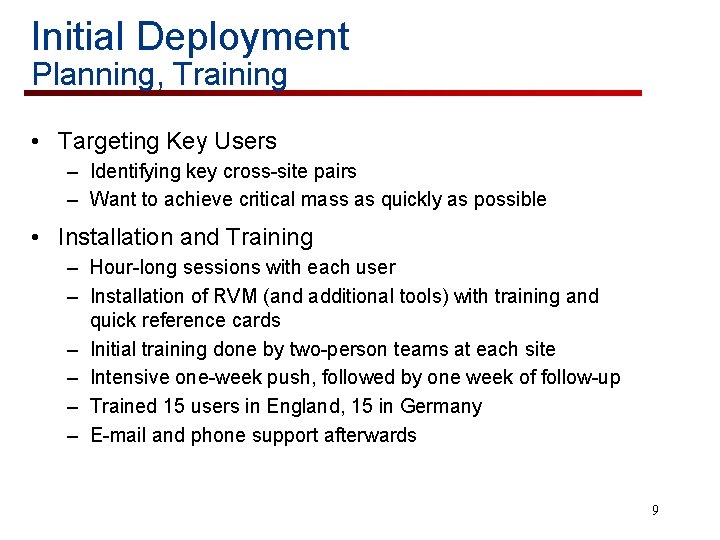
Initial Deployment Planning, Training • Targeting Key Users – Identifying key cross-site pairs – Want to achieve critical mass as quickly as possible • Installation and Training – Hour-long sessions with each user – Installation of RVM (and additional tools) with training and quick reference cards – Initial training done by two-person teams at each site – Intensive one-week push, followed by one week of follow-up – Trained 15 users in England, 15 in Germany – E-mail and phone support afterwards 9
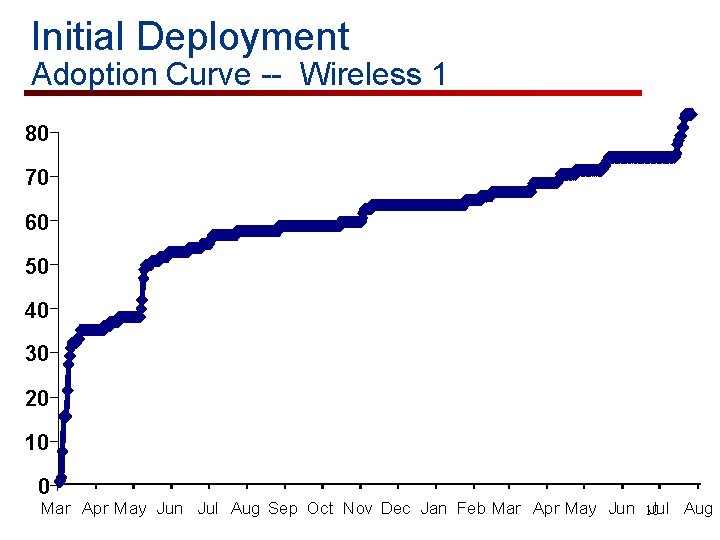
Initial Deployment Adoption Curve -- Wireless 1 80 70 60 50 40 30 20 10 0 Mar Apr May Jun Jul Aug Sep Oct Nov Dec Jan Feb Mar Apr May Jun 10 Jul Aug
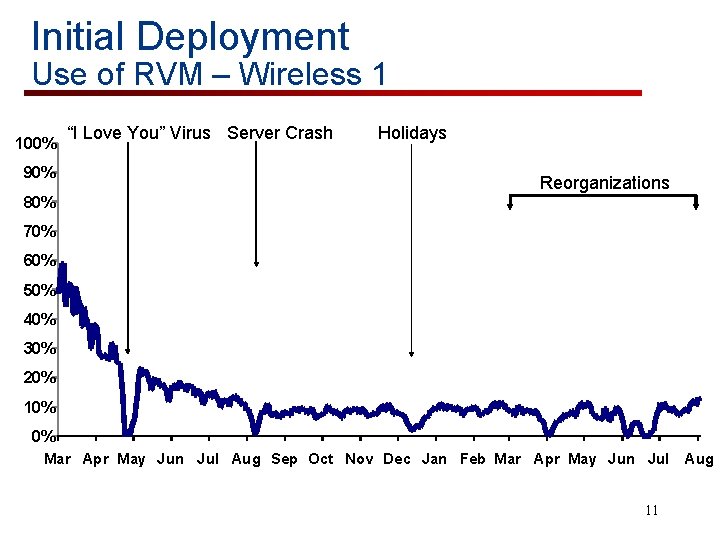
Initial Deployment Use of RVM – Wireless 1 100% 90% “I Love You” Virus Server Crash Holidays Reorganizations 80% 70% 60% 50% 40% 30% 20% 10% 0% Mar Apr May Jun Jul Aug Sep Oct Nov Dec Jan Feb Mar Apr May Jun Jul 11 Aug
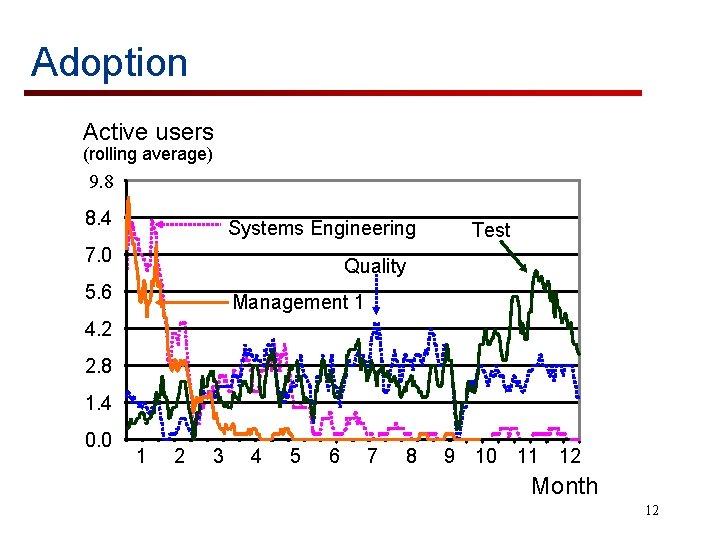
Adoption Active users (rolling average) 9. 8 8. 4 Systems Engineering 7. 0 Test Quality 5. 6 Management 1 4. 2 2. 8 1. 4 0. 0 1 2 3 4 5 6 7 8 9 10 11 12 Month 12
Initial Deployment Adoption Issues • Reliability, usability • Teams -- key unit for adoption • Some users -- quick look, duck out style of use • Individual training sessions – little visible activity • Privacy versus setup time – Individual permissions very unwieldy 13
Retooling, Rethinking • Changes in RVM – Bug fixes, testing – Group chat persistence – Group-based security • Deployment – Team focus • Targeting users • Training and setup – Learn how to collaborate, not just how to use the tool 14
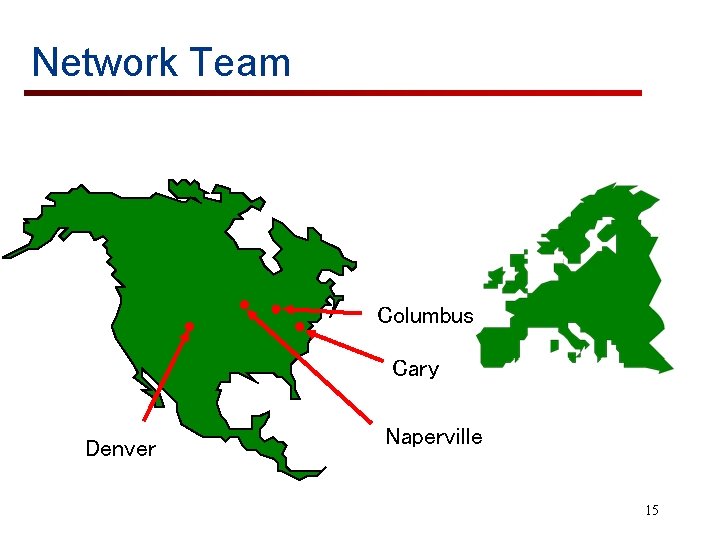
Network Team Columbus Cary Denver Naperville 15
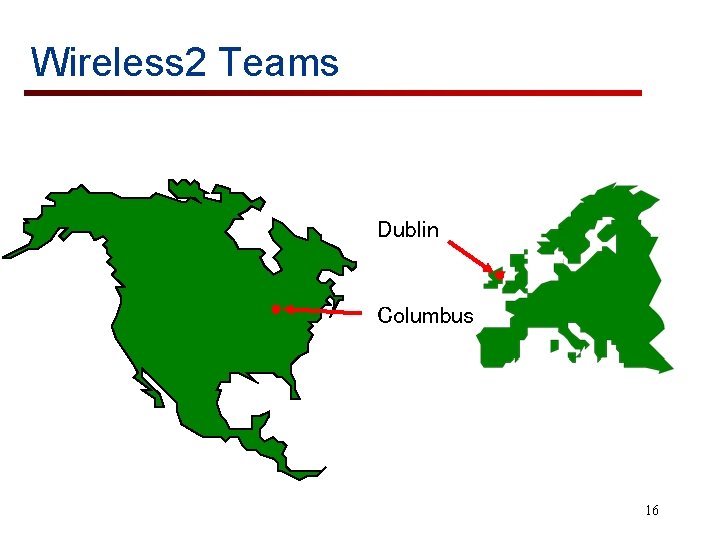
Wireless 2 Teams Dublin Columbus 16
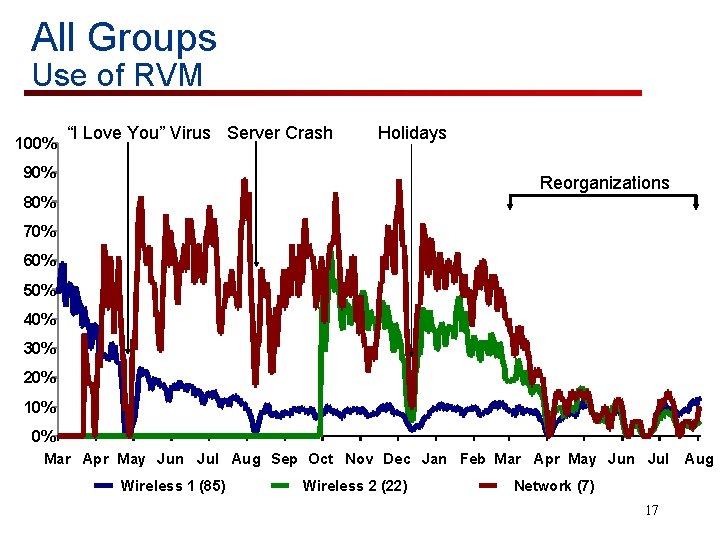
All Groups Use of RVM 100% “I Love You” Virus Server Crash Holidays 90% Reorganizations 80% 70% 60% 50% 40% 30% 20% 10% 0% Mar Apr May Jun Jul Aug Sep Oct Nov Dec Jan Feb Mar Apr May Jun Jul Wireless 1 (85) Wireless 2 (22) Network (7) 17 Aug
What Is It Good for? A Pessimistic View. . . Messages that pop up on screen at an inopportune moment (sometimes from the next cubicle) are destroying workers' concentration. Thoughtless text scrawled and sent in haste can spark online arguments. And in some offices, the question of who is privileged enough to receive certain instant messages is creating the kind of tortured pecking order last seen in high school. Slatalla, M. , The office meeting that never ends. New York Times, Sept. 23, 1999. 18
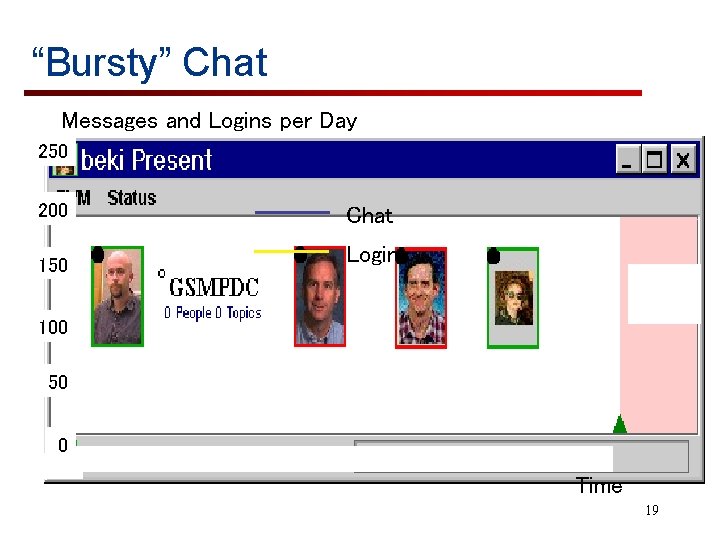
“Bursty” Chat Messages and Logins per Day 250 200 Chat 150 Logins 100 50 0 Time 19
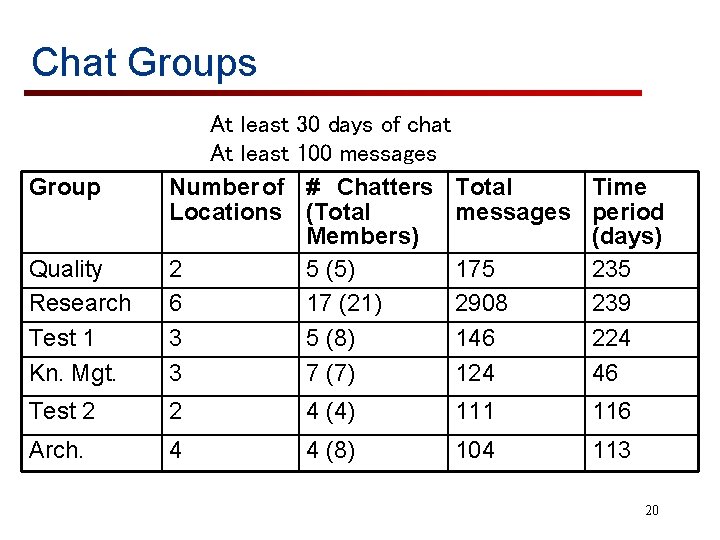
Chat Groups Group At least Number of Locations 30 days of chat 100 messages # Chatters Total (Total messages Members) 5 (5) 175 17 (21) 2908 5 (8) 146 7 (7) 124 Time period (days) 235 239 224 46 Quality Research Test 1 Kn. Mgt. 2 6 3 3 Test 2 2 4 (4) 111 116 Arch. 4 4 (8) 104 113 20
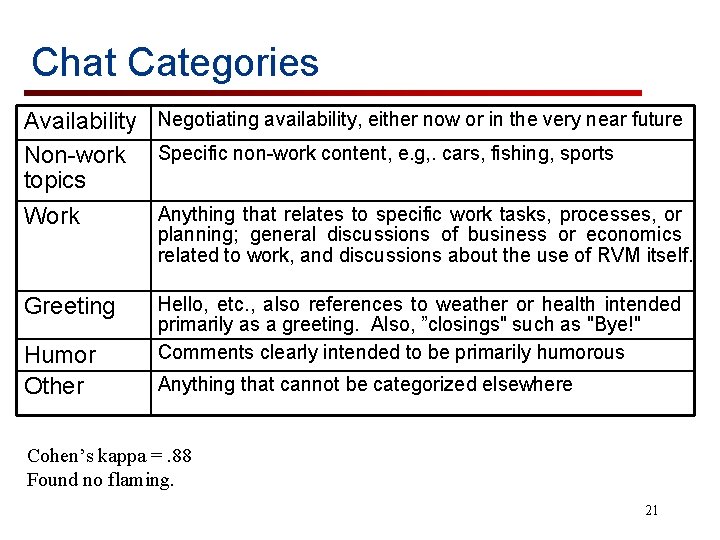
Chat Categories Availability Negotiating availability, either now or in the very near future Non-work Specific non-work content, e. g, . cars, fishing, sports topics Work Anything that relates to specific work tasks, processes, or planning; general discussions of business or economics related to work, and discussions about the use of RVM itself. Greeting Hello, etc. , also references to weather or health intended primarily as a greeting. Also, ”closings" such as "Bye!" Comments clearly intended to be primarily humorous Humor Other Anything that cannot be categorized elsewhere Cohen’s kappa =. 88 Found no flaming. 21
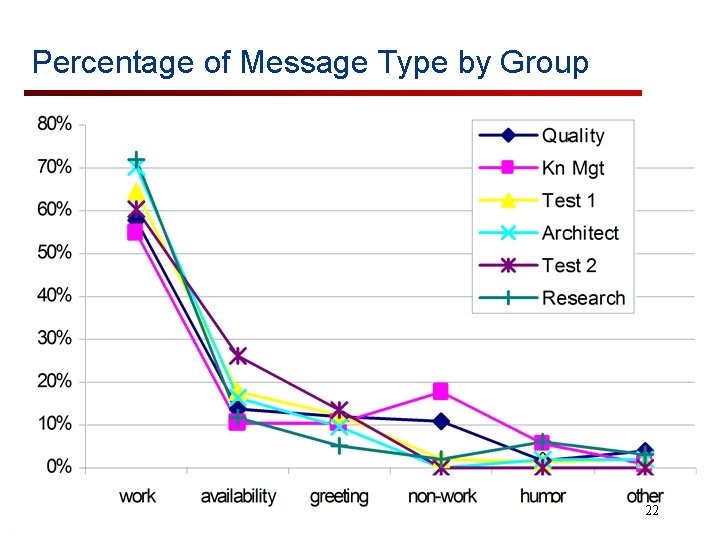
Percentage of Message Type by Group 22
Types of Content by Time of Day Percentage within category 23
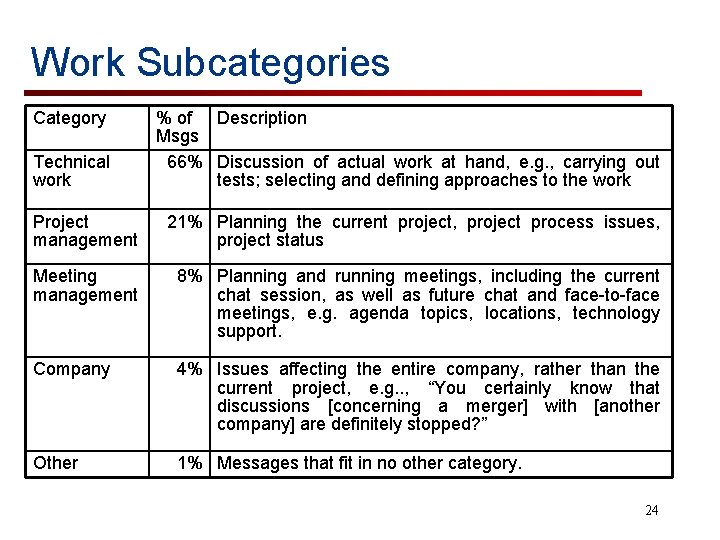
Work Subcategories Category Technical work % of Description Msgs 66% Discussion of actual work at hand, e. g. , carrying out tests; selecting and defining approaches to the work Project management 21% Planning the current project, project process issues, project status Meeting management 8% Planning and running meetings, including the current chat session, as well as future chat and face-to-face meetings, e. g. agenda topics, locations, technology support. Company 4% Issues affecting the entire company, rather than the current project, e. g. . , “You certainly know that discussions [concerning a merger] with [another company] are definitely stopped? ” Other 1% Messages that fit in no other category. 24
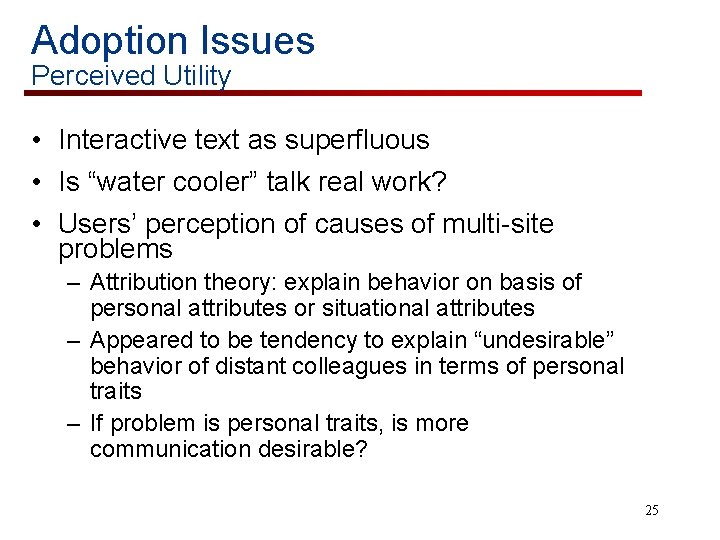
Adoption Issues Perceived Utility • Interactive text as superfluous • Is “water cooler” talk real work? • Users’ perception of causes of multi-site problems – Attribution theory: explain behavior on basis of personal attributes or situational attributes – Appeared to be tendency to explain “undesirable” behavior of distant colleagues in terms of personal traits – If problem is personal traits, is more communication desirable? 25
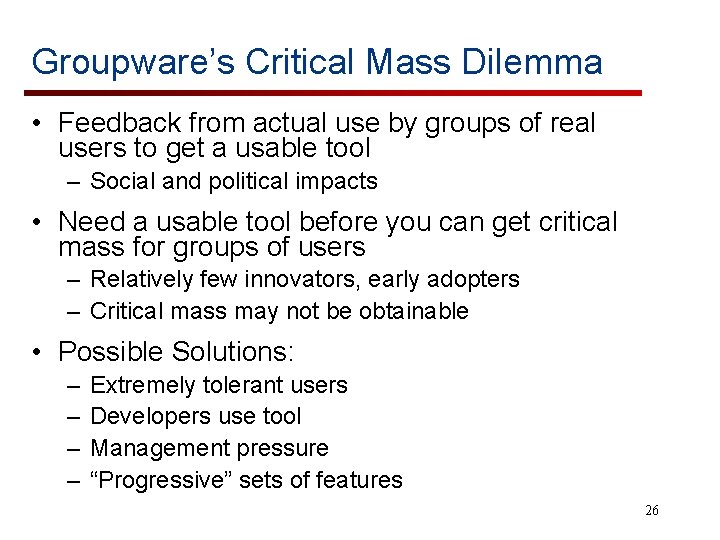
Groupware’s Critical Mass Dilemma • Feedback from actual use by groups of real users to get a usable tool – Social and political impacts • Need a usable tool before you can get critical mass for groups of users – Relatively few innovators, early adopters – Critical mass may not be obtainable • Possible Solutions: – – Extremely tolerant users Developers use tool Management pressure “Progressive” sets of features 26
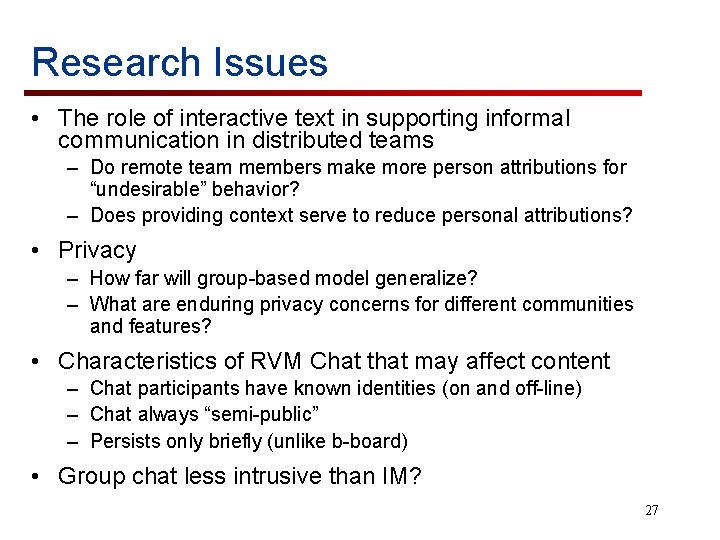
Research Issues • The role of interactive text in supporting informal communication in distributed teams – Do remote team members make more person attributions for “undesirable” behavior? – Does providing context serve to reduce personal attributions? • Privacy – How far will group-based model generalize? – What are enduring privacy concerns for different communities and features? • Characteristics of RVM Chat that may affect content – Chat participants have known identities (on and off-line) – Chat always “semi-public” – Persists only briefly (unlike b-board) • Group chat less intrusive than IM? 27
Collaboratory Project Tools Team. Portal Models of Development How to distribute work across global sites. Best Practices Planning Travel xxxxxxxxx Establishing Liaisons xxxxxxx xxxxxxxx Rear View Mirror Building Trust xxxxxxx Calendar. Bot Communication Etiquette xxxxxxxxxx xxxxxx Preventing Delay Design Experience Browser Research Team New Products Naperville Swindon Malmesbury Dublin Chippenham xxxxxx xxxxxxx Code Using Commercial Tools Test xxxxxxx xxxxxx Global Development Solutions Hilversum Huizen Nuremberg Paris Columbus Brussels Bangalore Empirical Studies 28
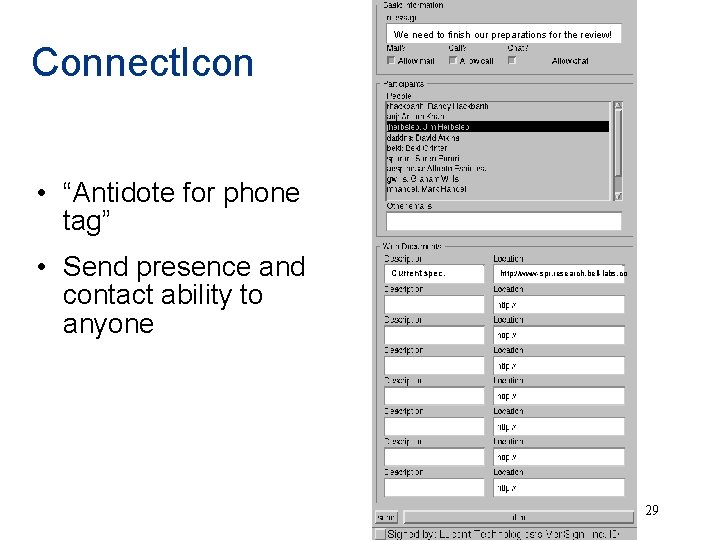
Connect. Icon We need to finish our preparations for the review! • “Antidote for phone tag” • Send presence and contact ability to anyone Current spec. http: //www-spr. research. bell-labs. co 29
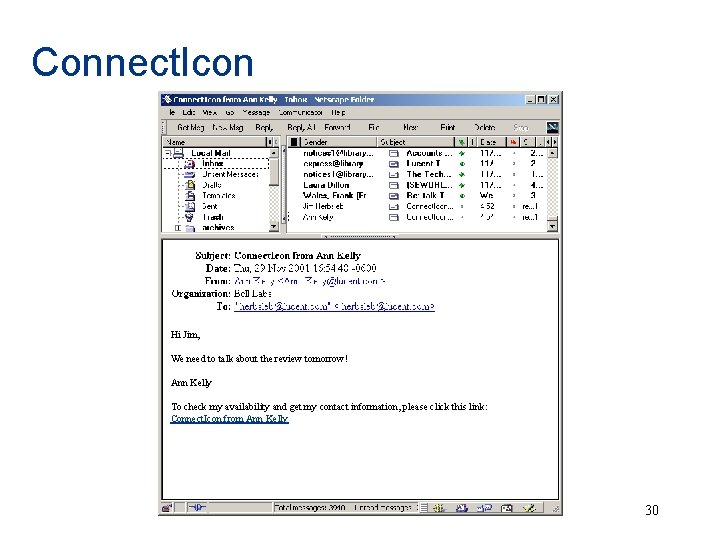
Connect. Icon Hi Jim, We need to talk about the review tomorrow! Ann Kelly To check my availability and get my contact information, please click this link: Connect. Icon from Ann Kelly 30
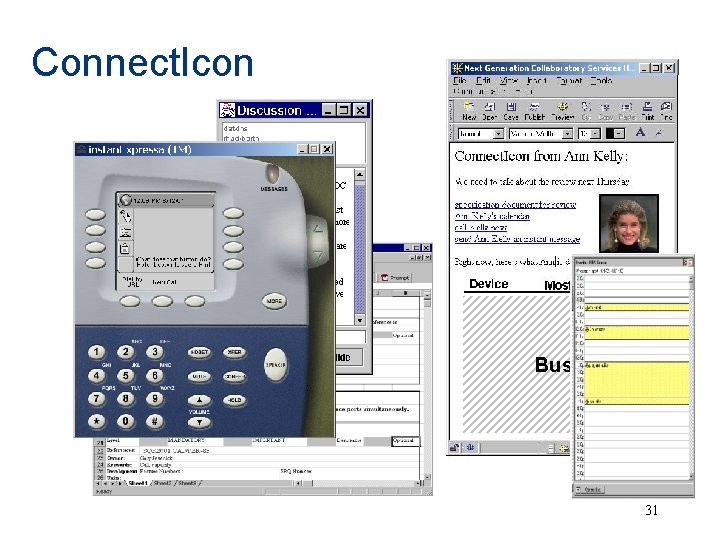
Connect. Icon 3 days ago Currently in use 23 hours ago Busy 10 20 minutes hours ago 26 hours ago 31
32