
Adobe Story Plus HOW TO INSTALL Story Plus
Adobe Story Plus HOW TO INSTALL
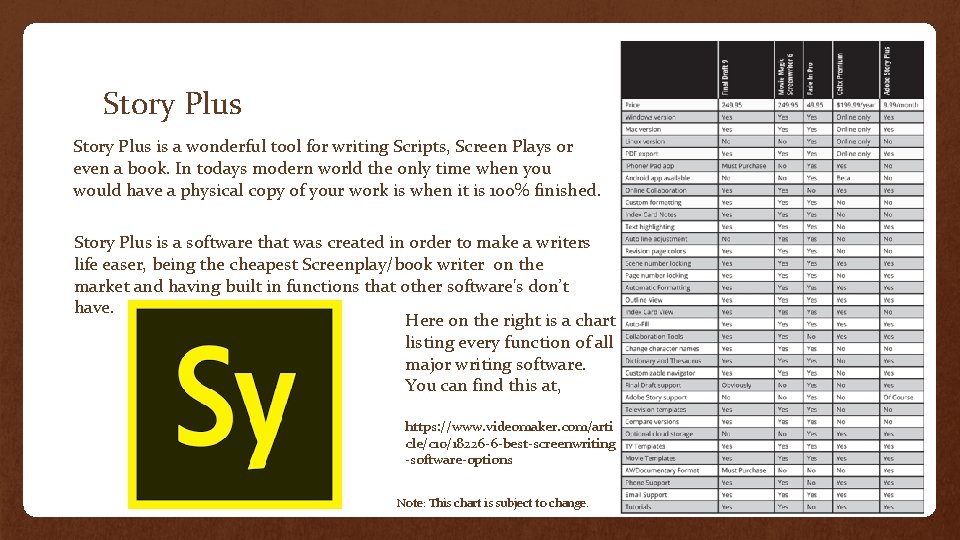
Story Plus is a wonderful tool for writing Scripts, Screen Plays or even a book. In todays modern world the only time when you would have a physical copy of your work is when it is 100% finished. Story Plus is a software that was created in order to make a writers life easer, being the cheapest Screenplay/book writer on the market and having built in functions that other software's don’t have. Here on the right is a chart listing every function of all major writing software. You can find this at, https: //www. videomaker. com/arti cle/c 10/18226 -6 -best-screenwriting -software-options Note: This chart is subject to change.
So thanks to the power of the Creative Cloud, a $10 per month subscription You get accesses to all kinds of software's like Photoshop, In. Design and Illustrator.
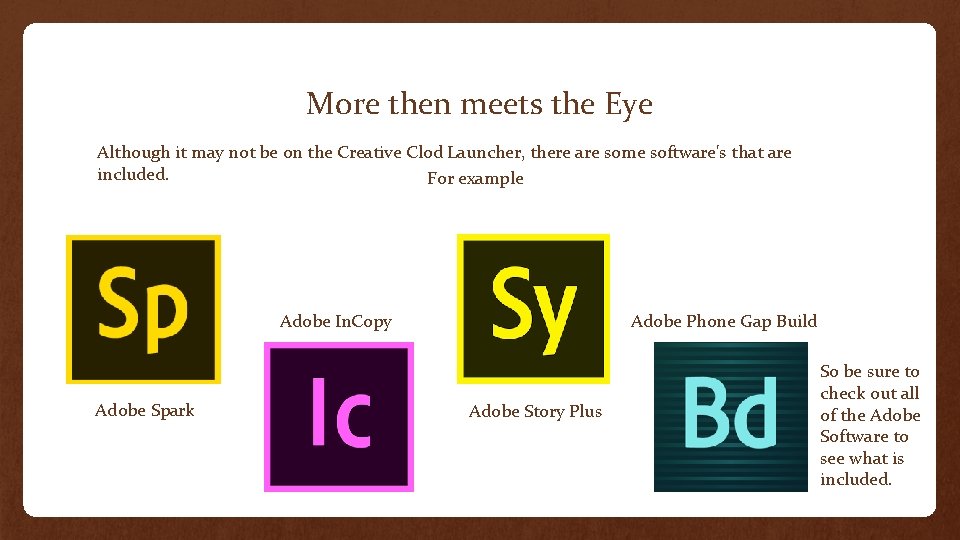
More then meets the Eye Although it may not be on the Creative Clod Launcher, there are some software's that are included. For example Adobe In. Copy Adobe Spark Adobe Phone Gap Build Adobe Story Plus So be sure to check out all of the Adobe Software to see what is included.
System Requirements Story Plus is a vary simple program and will install on any computer as long as these requirements match up with you personal or work computer 1 GHz or faster processor Microsoft® Windows® XP, 7, 8 or 10 512 MB of RAM recommended SVGA 1280 x 768 display Microsoft Internet Explorer 8 or 9, Firefox 9 or 10, or Chrome 16 512 Kbps or faster Internet connection required Browser SSL support, Java. Script support, and cookies must be enabled Adobe® Flash® Player 10. 1 software required 1 GHz or faster processor Mac OS X v 10. 6. 8, v 10. 7 or higher 512 MB of RAM recommended SVGA 1280 x 768 display Apple Safari 5, Firefox 9 or 10, or Chrome 16 512 Kbps or faster Internet connection required Browser SSL support, Java. Script support, and cookies must be enabled Adobe Flash Player 10. 1 software required All computers will meet these requirements and will work with any OS as long as your computer and OS are not older then OSv 10. 6. 8 or Windows XP, if your computer doesn't meet these requirements it may be time to upgrade.
Installing will vary depending on your Browser and OS In this tutorial I will be using Windows 10 and Google Chrome, but the instillation should be the same across all browsers.

You Have Finished Instillation After you install and sigh in you are done and reedy to start writing Now lets take a look at the basics of Story Plus
Lets start writing Story Plus is full of tool’s to help all writers start out Lets start by opening Story Plus or Story CC depending on when you downloaded the software. The following videos will show you the basic of Story
The basics So now you known what things are lets create a new screen and character. The following video will show you how to create an exterior seen in Adobe Story Creating an Exterior or Interior scene is vary simple with Story Plus, almost anyone can do it.
Write Something Today Now with the basics of scene and characters understood, go and right something. Writing is an experiment and there may not always be a person or tutorial. Don’t forget all writers have a different writing style and will use different tools so if you ever have any questions Do your research, check out the Adobe tutorials and write something awesome.
- Slides: 10