
ADO Recordsets Using SQL Select Queries and ADO
- Slides: 70
ADO Recordsets Using SQL Select Queries and ADO to populate web pages. ASP & ADO Recordsets
ADO What is it? • Active. X Data Objects (ADO) is a cursor library. • It allows SQL to be sent to the server and status messages, rows and columns to be returned to the client. • It consists of a series of objects that are create-able with the “Server. Create. Object()” method. • All ADO Objects are derived from two projects ‘ADODB’ and ‘ADOR’. • ADO is Microsoft’s ultimate replacement for all other cursor libraries. • Fast and lightweight. 5/19/2021 ASP & ADO Recordsets 2
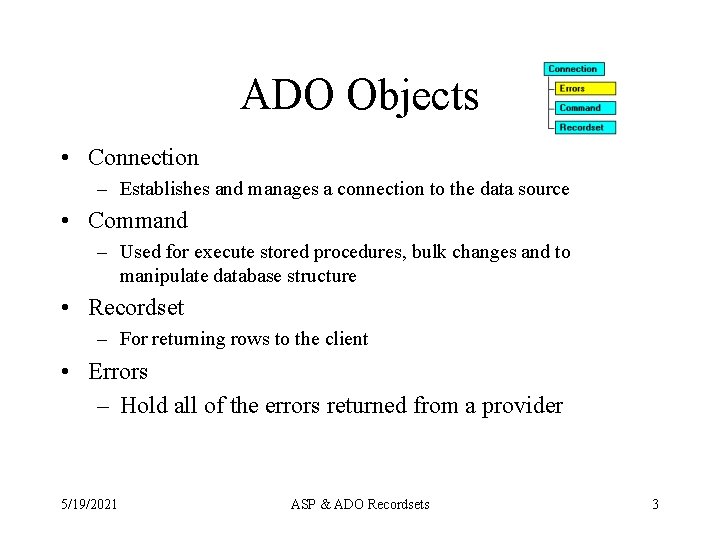
ADO Objects • Connection – Establishes and manages a connection to the data source • Command – Used for execute stored procedures, bulk changes and to manipulate database structure • Recordset – For returning rows to the client • Errors – Hold all of the errors returned from a provider 5/19/2021 ASP & ADO Recordsets 3
ADO Objects Organization • Although nominally all objects are decedents of the connection object all ADO objects may be created and used separately. • If you only need one instance of any of the ado objects, it is faster and cheaper to create just that one object without creating a connection object. • However, if you need multiple instances, a connection object will let you "pool" the connections. 5/19/2021 ASP & ADO Recordsets 4
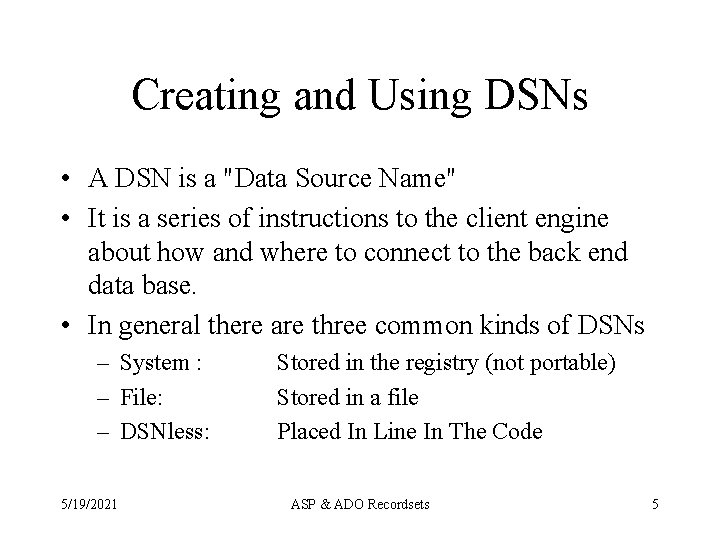
Creating and Using DSNs • A DSN is a "Data Source Name" • It is a series of instructions to the client engine about how and where to connect to the back end data base. • In general there are three common kinds of DSNs – System : – File: – DSNless: 5/19/2021 Stored in the registry (not portable) Stored in a file Placed In Line In The Code ASP & ADO Recordsets 5
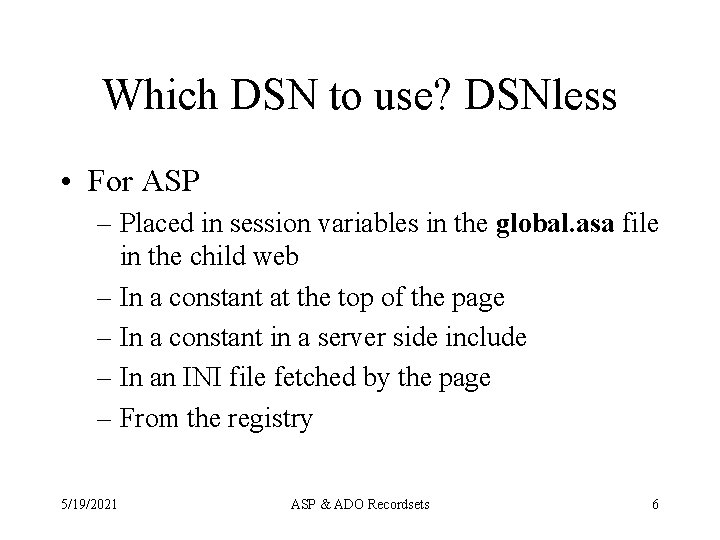
Which DSN to use? DSNless • For ASP – Placed in session variables in the global. asa file in the child web – In a constant at the top of the page – In a constant in a server side include – In an INI file fetched by the page – From the registry 5/19/2021 ASP & ADO Recordsets 6
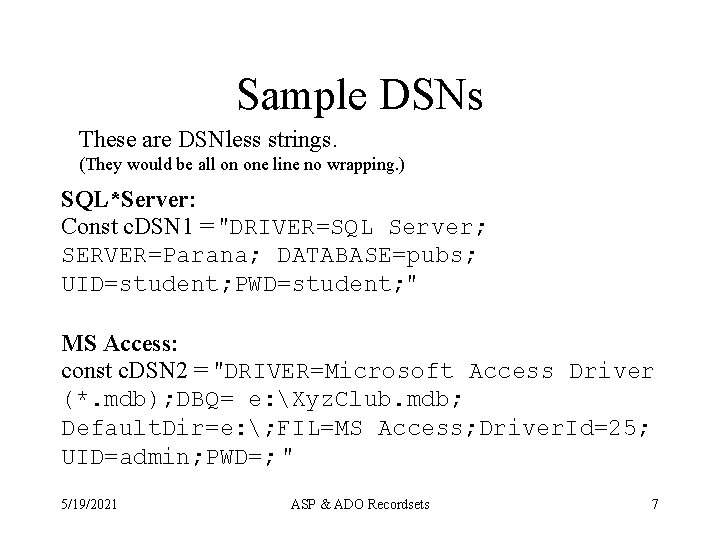
Sample DSNs These are DSNless strings. (They would be all on one line no wrapping. ) SQL*Server: Const c. DSN 1 = "DRIVER=SQL Server; SERVER=Parana; DATABASE=pubs; UID=student; PWD=student; " MS Access: const c. DSN 2 = "DRIVER=Microsoft Access Driver (*. mdb); DBQ= e: Xyz. Club. mdb; Default. Dir=e: ; FIL=MS Access; Driver. Id=25; UID=admin; PWD=; " 5/19/2021 ASP & ADO Recordsets 7
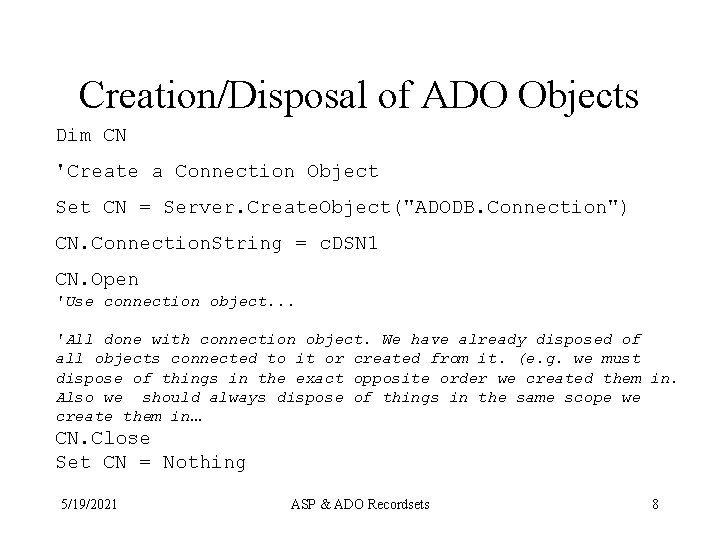
Creation/Disposal of ADO Objects Dim CN 'Create a Connection Object Set CN = Server. Create. Object("ADODB. Connection") CN. Connection. String = c. DSN 1 CN. Open 'Use connection object. . . 'All done with connection object. We have already disposed of all objects connected to it or created from it. (e. g. we must dispose of things in the exact opposite order we created them in. Also we should always dispose of things in the same scope we create them in… CN. Close Set CN = Nothing 5/19/2021 ASP & ADO Recordsets 8
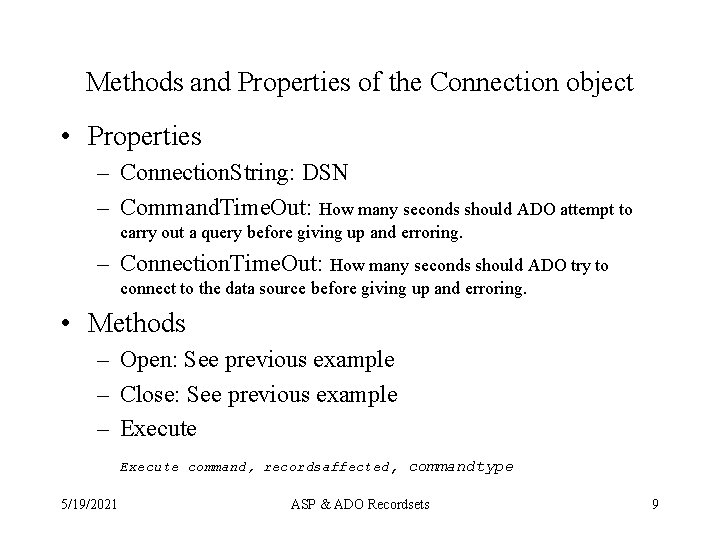
Methods and Properties of the Connection object • Properties – Connection. String: DSN – Command. Time. Out: How many seconds should ADO attempt to carry out a query before giving up and erroring. – Connection. Time. Out: How many seconds should ADO try to connect to the data source before giving up and erroring. • Methods – Open: See previous example – Close: See previous example – Execute command, recordsaffected, commandtype 5/19/2021 ASP & ADO Recordsets 9
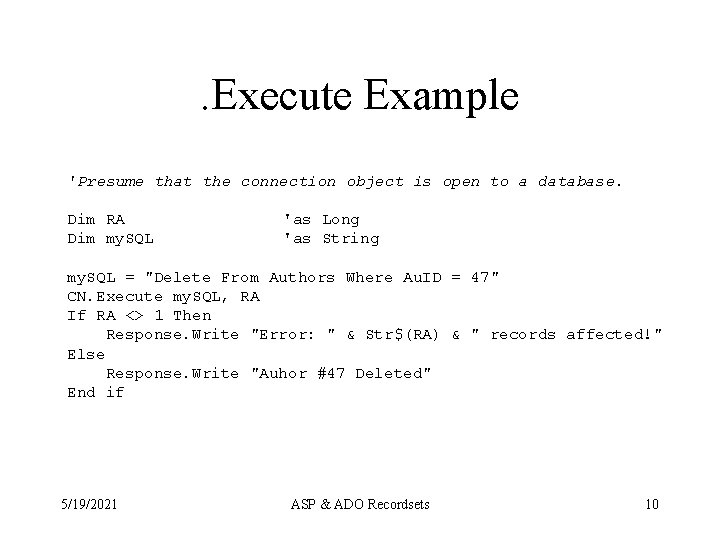
. Execute Example 'Presume that the connection object is open to a database. Dim RA Dim my. SQL 'as Long 'as String my. SQL = "Delete From Authors Where Au. ID = 47" CN. Execute my. SQL, RA If RA <> 1 Then Response. Write "Error: " & Str$(RA) & " records affected!" Else Response. Write "Auhor #47 Deleted" End if 5/19/2021 ASP & ADO Recordsets 10
The Record. Set Object • Used to return rows to the client. • #1 most used part of ADO • Can be created alone or with a connection object to "pool" connections. • Can be used to execute stored procedures without parameters. • Can be created w/o a connection object • Is created from "ADODB. Recordset" 5/19/2021 ASP & ADO Recordsets 11
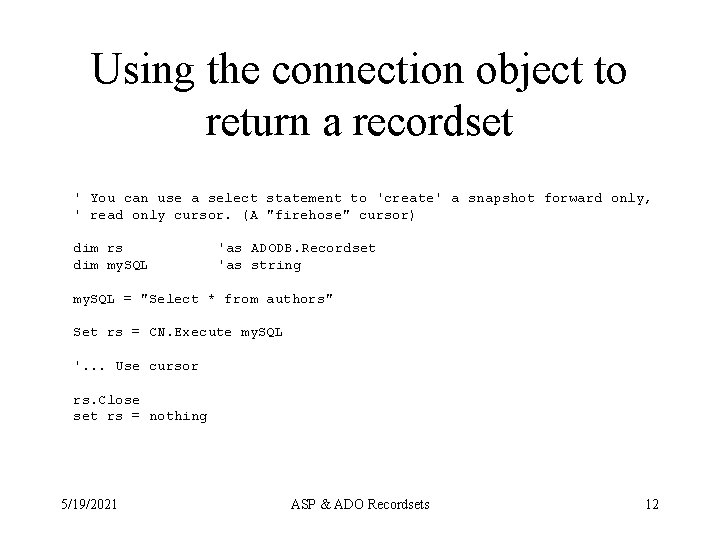
Using the connection object to return a recordset ' You can use a select statement to 'create' a snapshot forward only, ' read only cursor. (A "firehose" cursor) dim rs dim my. SQL 'as ADODB. Recordset 'as string my. SQL = "Select * from authors" Set rs = CN. Execute my. SQL '. . . Use cursor rs. Close set rs = nothing 5/19/2021 ASP & ADO Recordsets 12
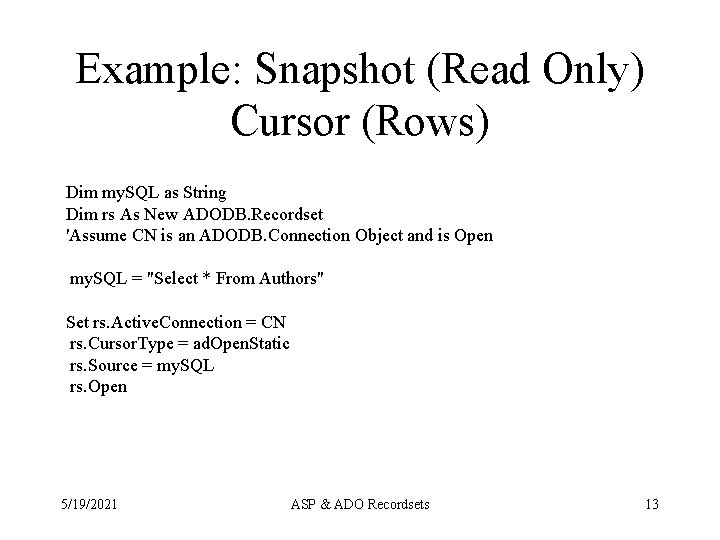
Example: Snapshot (Read Only) Cursor (Rows) Dim my. SQL as String Dim rs As New ADODB. Recordset 'Assume CN is an ADODB. Connection Object and is Open my. SQL = "Select * From Authors" Set rs. Active. Connection = CN rs. Cursor. Type = ad. Open. Static rs. Source = my. SQL rs. Open 5/19/2021 ASP & ADO Recordsets 13
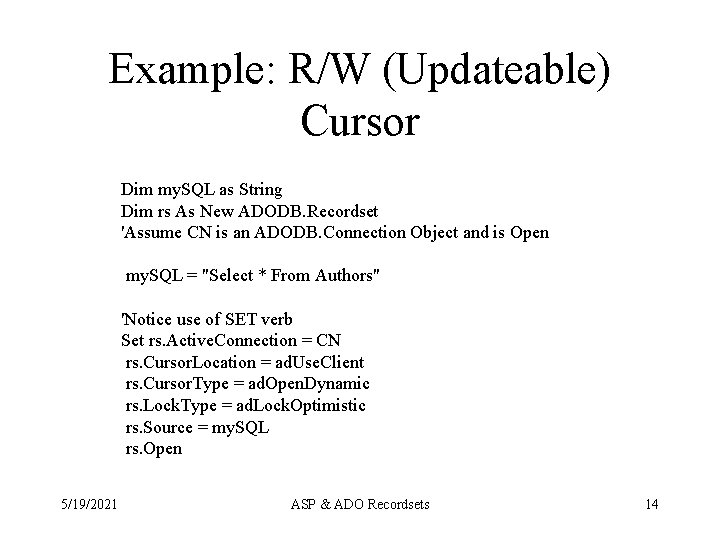
Example: R/W (Updateable) Cursor Dim my. SQL as String Dim rs As New ADODB. Recordset 'Assume CN is an ADODB. Connection Object and is Open my. SQL = "Select * From Authors" 'Notice use of SET verb Set rs. Active. Connection = CN rs. Cursor. Location = ad. Use. Client rs. Cursor. Type = ad. Open. Dynamic rs. Lock. Type = ad. Lock. Optimistic rs. Source = my. SQL rs. Open 5/19/2021 ASP & ADO Recordsets 14
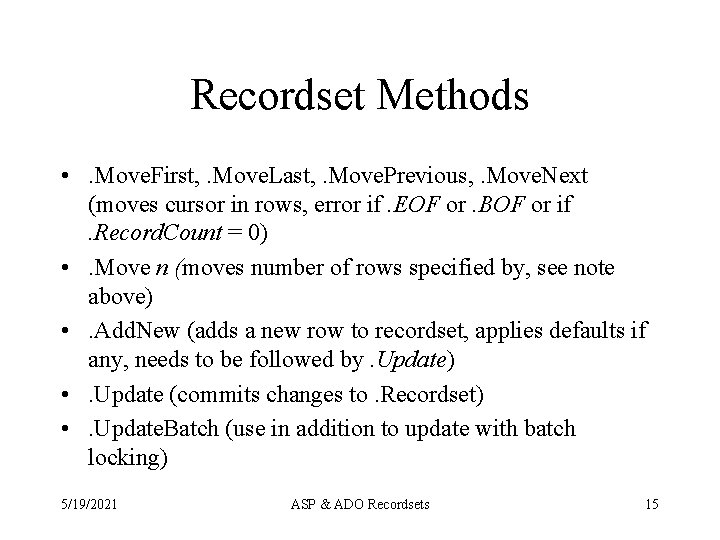
Recordset Methods • . Move. First, . Move. Last, . Move. Previous, . Move. Next (moves cursor in rows, error if. EOF or. BOF or if. Record. Count = 0) • . Move n (moves number of rows specified by, see note above) • . Add. New (adds a new row to recordset, applies defaults if any, needs to be followed by. Update) • . Update (commits changes to. Recordset) • . Update. Batch (use in addition to update with batch locking) 5/19/2021 ASP & ADO Recordsets 15
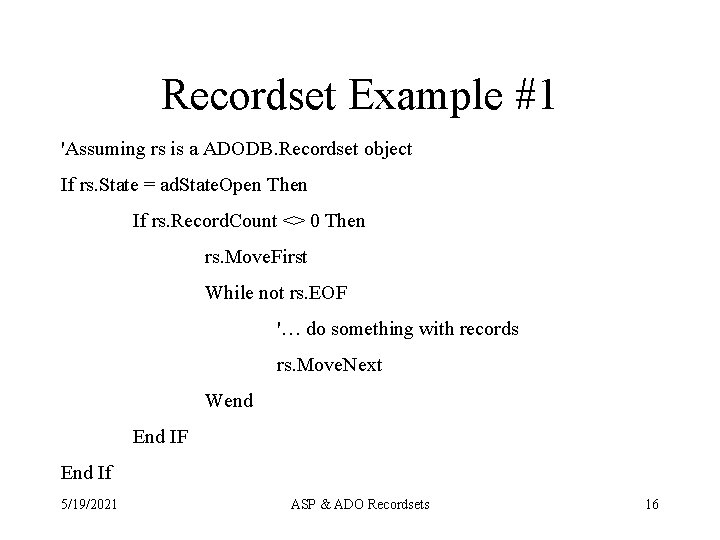
Recordset Example #1 'Assuming rs is a ADODB. Recordset object If rs. State = ad. State. Open Then If rs. Record. Count <> 0 Then rs. Move. First While not rs. EOF '… do something with records rs. Move. Next Wend End IF End If 5/19/2021 ASP & ADO Recordsets 16
Explanations #1 a • EOF and BOF are functions that return true if we are at the end or beginning of a recordset. To check to make sure we are actually on a good (usable record) we should: If not (rs. EOF or rs. BOF) Then 5/19/2021 ASP & ADO Recordsets 17
Explanations #1 b • The. Record. Count property returns the number of records: -1: Unknown (Any updatable recordset has this value (use the previous EOF/BOF test) 0: No records 1…n (only valid for static type (read only) recordsets) • Never use Record. Count to loop • Always test for <> 0, not a value 5/19/2021 ASP & ADO Recordsets 18
Explanations #1 c • . State Property – ad. State. Open (Recordset is opened and has a valid cursor, notice this does not imply there are rows!) – ad. State. Closed (Recordset is closed, cursor is invalid) 5/19/2021 ASP & ADO Recordsets 19
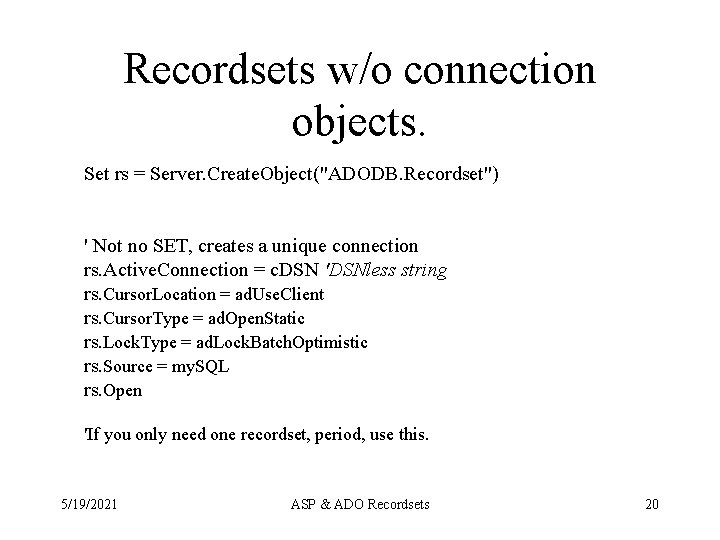
Recordsets w/o connection objects. Set rs = Server. Create. Object("ADODB. Recordset") ' Not no SET, creates a unique connection rs. Active. Connection = c. DSN 'DSNless string rs. Cursor. Location = ad. Use. Client rs. Cursor. Type = ad. Open. Static rs. Lock. Type = ad. Lock. Batch. Optimistic rs. Source = my. SQL rs. Open 'If you only need one recordset, period, use this. 5/19/2021 ASP & ADO Recordsets 20
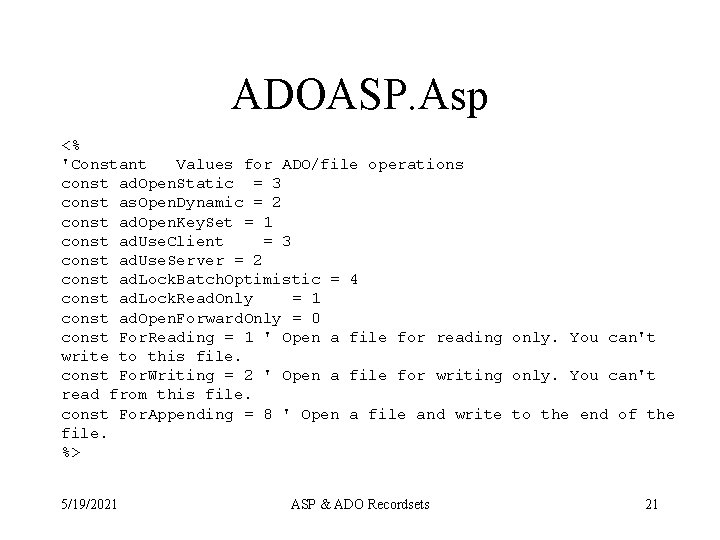
ADOASP. Asp <% 'Constant Values for ADO/file operations const ad. Open. Static = 3 const as. Open. Dynamic = 2 const ad. Open. Key. Set = 1 const ad. Use. Client = 3 const ad. Use. Server = 2 const ad. Lock. Batch. Optimistic = 4 const ad. Lock. Read. Only = 1 const ad. Open. Forward. Only = 0 const For. Reading = 1 ' Open a file for reading only. You can't write to this file. const For. Writing = 2 ' Open a file for writing only. You can't read from this file. const For. Appending = 8 ' Open a file and write to the end of the file. %> 5/19/2021 ASP & ADO Recordsets 21
The recordset has fields • A field is a column of data. For each row all of the fields will be of the same order, name and type. • These are kept in the fields collection • You may use early or late binding syntax to address fields. 5/19/2021 ASP & ADO Recordsets 22
Limiting the number of rows returned from a recordset. • The. Max. Records property controls how many records are return by the recordset to the client. ( 0 = no limit ) • You are at the mercy of the provider, which records will be returned. • Usually, the query will be fully executed on the server then the specified number of rows are returned. • Sometimes this only works on server side cursors. (True for SQL*Server) 5/19/2021 ASP & ADO Recordsets 23
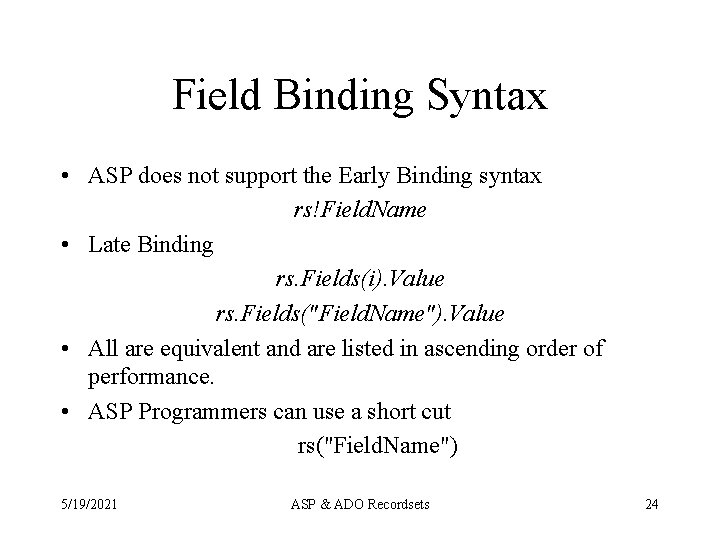
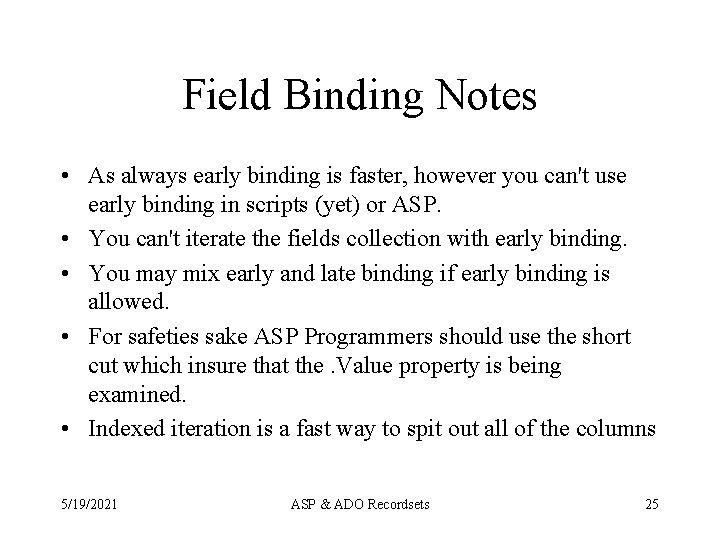
Field Binding Syntax • ASP does not support the Early Binding syntax rs!Field. Name • Late Binding rs. Fields(i). Value rs. Fields("Field. Name"). Value • All are equivalent and are listed in ascending order of performance. • ASP Programmers can use a short cut rs("Field. Name") 5/19/2021 ASP & ADO Recordsets 24
Field Binding Notes • As always early binding is faster, however you can't use early binding in scripts (yet) or ASP. • You can't iterate the fields collection with early binding. • You may mix early and late binding if early binding is allowed. • For safeties sake ASP Programmers should use the short cut which insure that the. Value property is being examined. • Indexed iteration is a fast way to spit out all of the columns 5/19/2021 ASP & ADO Recordsets 25
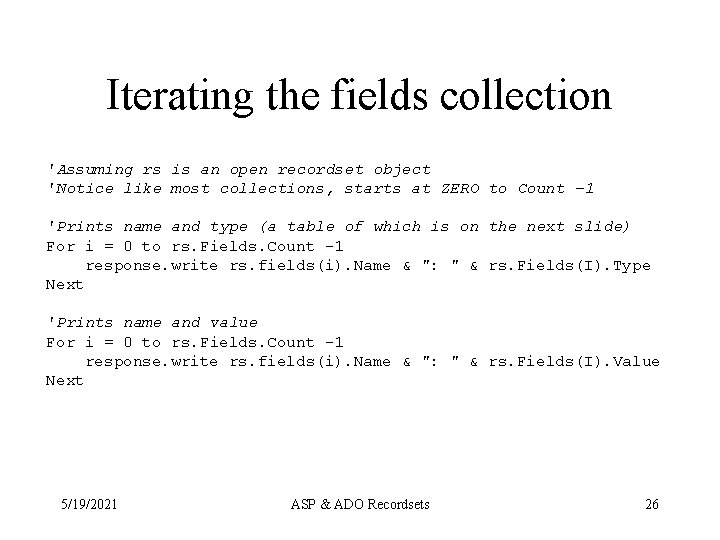
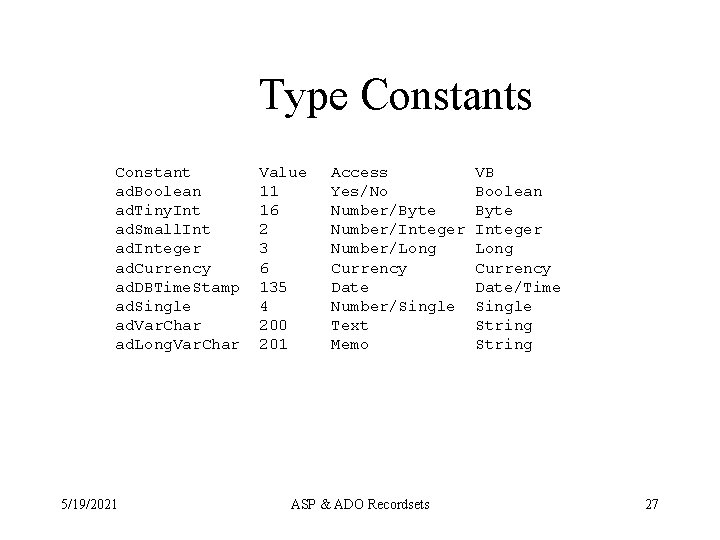
Iterating the fields collection 'Assuming rs is an open recordset object 'Notice like most collections, starts at ZERO to Count -1 'Prints name and type (a table of which is on the next slide) For i = 0 to rs. Fields. Count -1 response. write rs. fields(i). Name & ": " & rs. Fields(I). Type Next 'Prints name and value For i = 0 to rs. Fields. Count -1 response. write rs. fields(i). Name & ": " & rs. Fields(I). Value Next 5/19/2021 ASP & ADO Recordsets 26
Type Constants Constant ad. Boolean ad. Tiny. Int ad. Small. Int ad. Integer ad. Currency ad. DBTime. Stamp ad. Single ad. Var. Char ad. Long. Var. Char 5/19/2021 Value 11 16 2 3 6 135 4 200 201 Access Yes/No Number/Byte Number/Integer Number/Long Currency Date Number/Single Text Memo ASP & ADO Recordsets VB Boolean Byte Integer Long Currency Date/Time Single String 27
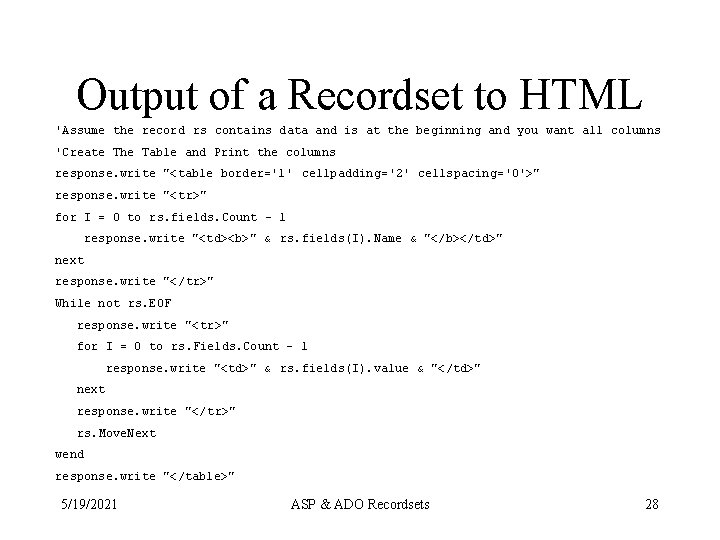
Output of a Recordset to HTML 'Assume the record rs contains data and is at the beginning and you want all columns 'Create The Table and Print the columns response. write "<table border='1' cellpadding='2' cellspacing='0'>" response. write "<tr>" for I = 0 to rs. fields. Count - 1 response. write "<td><b>" & rs. fields(I). Name & "</b></td>" next response. write "</tr>" While not rs. EOF response. write "<tr>" for I = 0 to rs. Fields. Count - 1 response. write "<td>" & rs. fields(I). value & "</td>" next response. write "</tr>" rs. Move. Next wend response. write "</table>" 5/19/2021 ASP & ADO Recordsets 28
Doing updates in cursors • The following slides use recordsets to do the 3 action queries (insert, update, delete) however because of the episodic nature of the internet, these techniques should be avoided in favor of the techniques next lecture. • Skim these slides only. 5/19/2021 ASP & ADO Recordsets 29
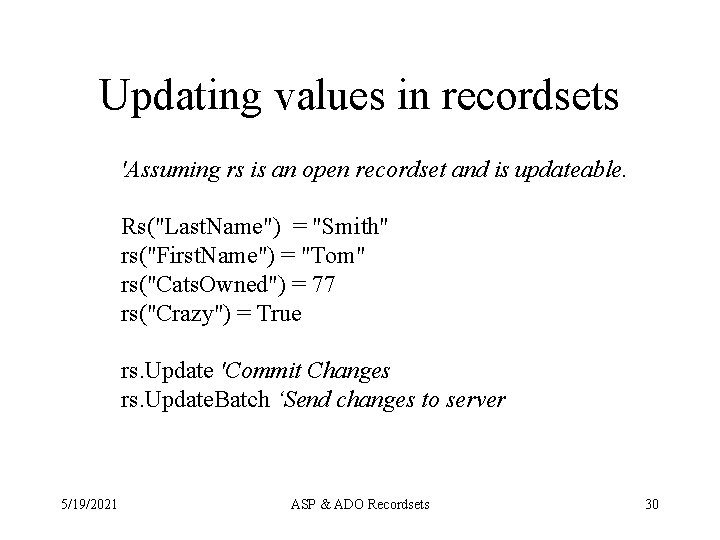
Updating values in recordsets 'Assuming rs is an open recordset and is updateable. Rs("Last. Name") = "Smith" rs("First. Name") = "Tom" rs("Cats. Owned") = 77 rs("Crazy") = True rs. Update 'Commit Changes rs. Update. Batch ‘Send changes to server 5/19/2021 ASP & ADO Recordsets 30
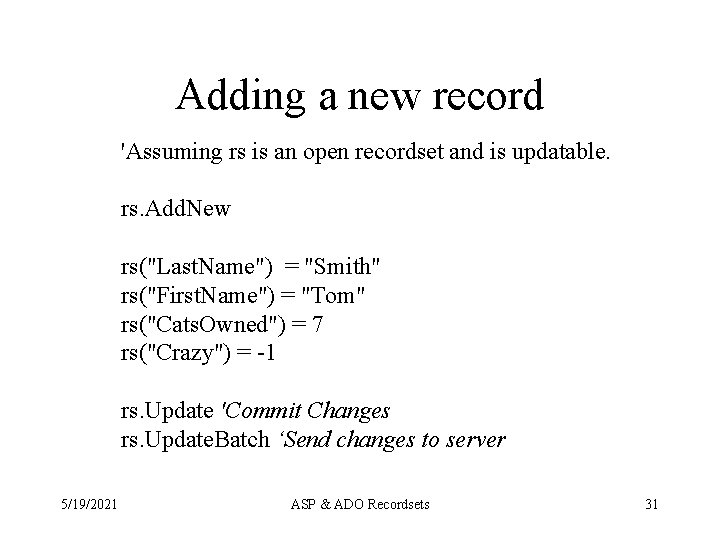
Adding a new record 'Assuming rs is an open recordset and is updatable. rs. Add. New rs("Last. Name") = "Smith" rs("First. Name") = "Tom" rs("Cats. Owned") = 7 rs("Crazy") = -1 rs. Update 'Commit Changes rs. Update. Batch ‘Send changes to server 5/19/2021 ASP & ADO Recordsets 31
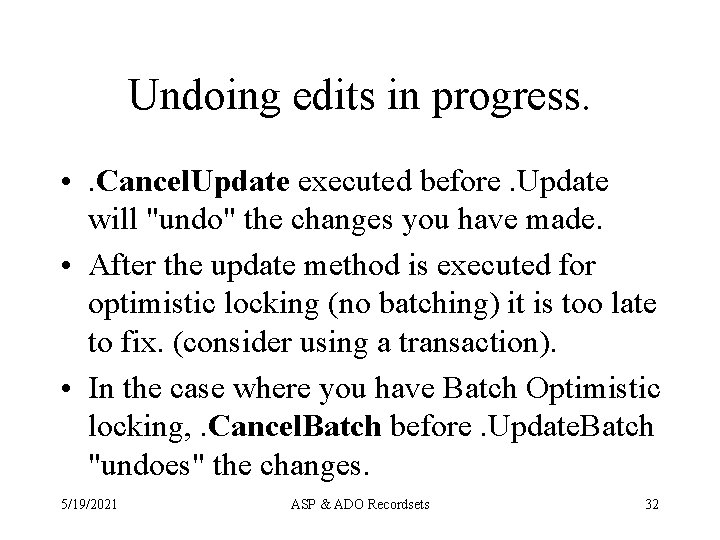
Undoing edits in progress. • . Cancel. Update executed before. Update will "undo" the changes you have made. • After the update method is executed for optimistic locking (no batching) it is too late to fix. (consider using a transaction). • In the case where you have Batch Optimistic locking, . Cancel. Batch before. Update. Batch "undoes" the changes. 5/19/2021 ASP & ADO Recordsets 32
Deleting the current record. • The. Delete method deletes the current record. • Both. EOF and. BOF will be set to true, you may therefore have trouble looping through the rest of the recordset. • Consider using an execute query instead. • No undo except in a transaction. 5/19/2021 ASP & ADO Recordsets 33
Notes on previous two examples • If you specified 'Batch. Locking' for Lock. Type e. g. ad. Lock. Batch. Optimistic, you must (at some point) execute the. Batch. Update Method to commit changes to database. • Batch locking is more efficient, but you have to manage batch collisions and remember to do batch update. 5/19/2021 ASP & ADO Recordsets 34
ASP and ADO Continued Paging Results Sets and Using Action Queries To Maintain Data ASP & ADO Recordsets
What is Paging? • ADO has a feature that easily allows programmers to query a database and divide the results into equal size pieces that can be retrieved as a set. This is called paging. • ADO Provides the following 3 properties – Page. Size: To set how many rows are in each page, set before recordset is opened – Page. Count: Determined after the recordset is opened calculates the total number of pages including the partial page of records at the end – Absolute. Page: This is used to set which page is brought back to the client. Pages start at 1 and go to Page. Count. • In most cases a self referencing form is desirable 5/19/2021 ASP & ADO Recordsets 36
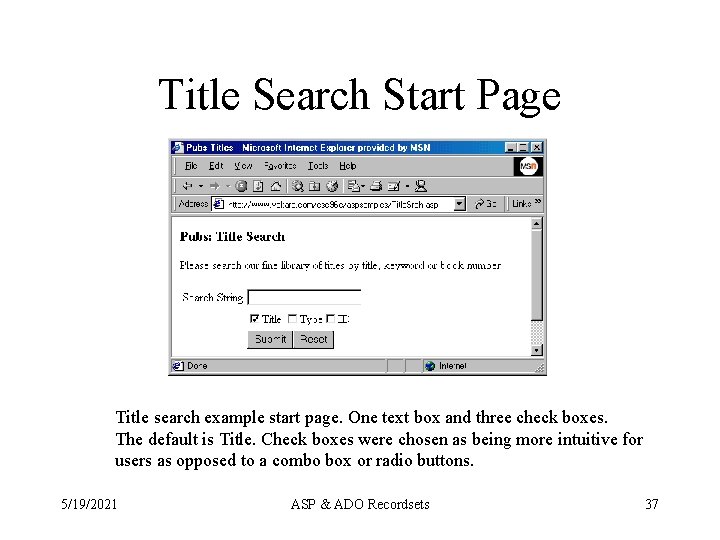
Title Search Start Page Title search example start page. One text box and three check boxes. The default is Title. Check boxes were chosen as being more intuitive for users as opposed to a combo box or radio buttons. 5/19/2021 ASP & ADO Recordsets 37
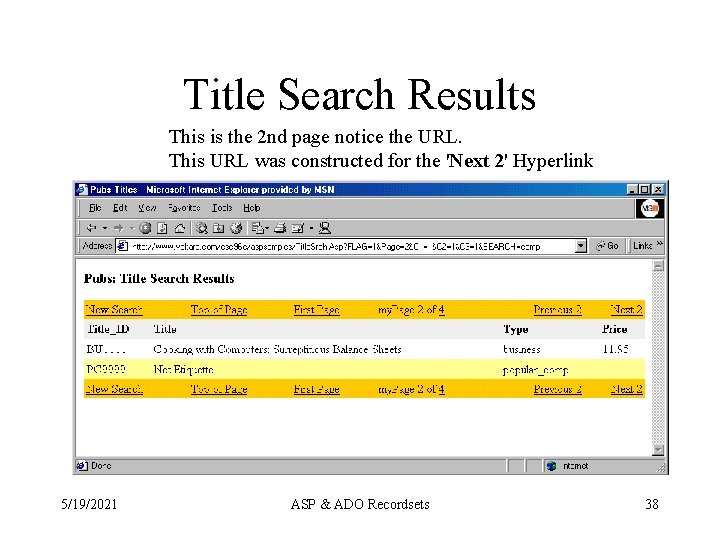
Title Search Results This is the 2 nd page notice the URL. This URL was constructed for the 'Next 2' Hyperlink 5/19/2021 ASP & ADO Recordsets 38
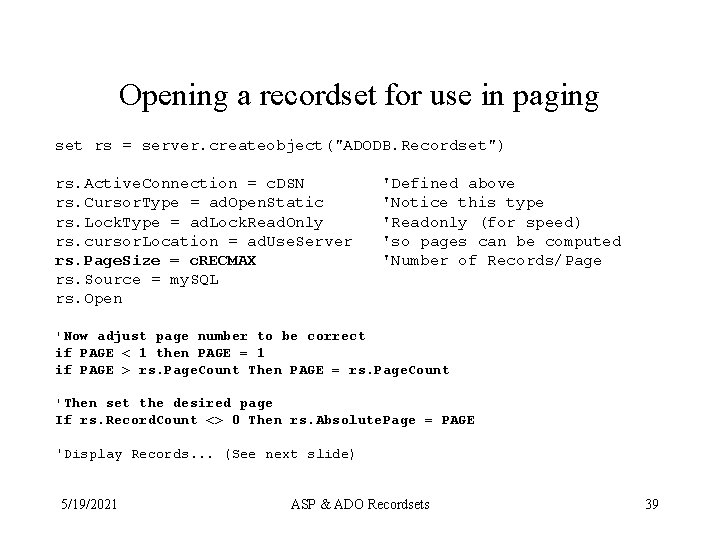
Opening a recordset for use in paging set rs = server. createobject("ADODB. Recordset") rs. Active. Connection = c. DSN rs. Cursor. Type = ad. Open. Static rs. Lock. Type = ad. Lock. Read. Only rs. cursor. Location = ad. Use. Server rs. Page. Size = c. RECMAX rs. Source = my. SQL rs. Open 'Defined above 'Notice this type 'Readonly (for speed) 'so pages can be computed 'Number of Records/Page 'Now adjust page number to be correct if PAGE < 1 then PAGE = 1 if PAGE > rs. Page. Count Then PAGE = rs. Page. Count 'Then set the desired page If rs. Record. Count <> 0 Then rs. Absolute. Page = PAGE 'Display Records. . . (See next slide) 5/19/2021 ASP & ADO Recordsets 39
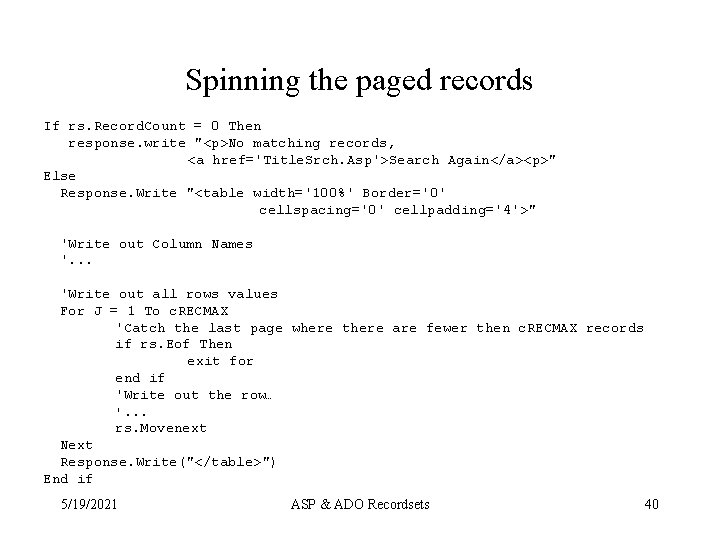
Spinning the paged records If rs. Record. Count = 0 Then response. write "<p>No matching records, <a href='Title. Srch. Asp'>Search Again</a><p>" Else Response. Write "<table width='100%' Border='0' cellspacing='0' cellpadding='4'>" 'Write out Column Names '. . . 'Write out all rows values For J = 1 To c. RECMAX 'Catch the last page where there are fewer then c. RECMAX records if rs. Eof Then exit for end if 'Write out the row… '. . . rs. Movenext Next Response. Write("</table>") End if 5/19/2021 ASP & ADO Recordsets 40
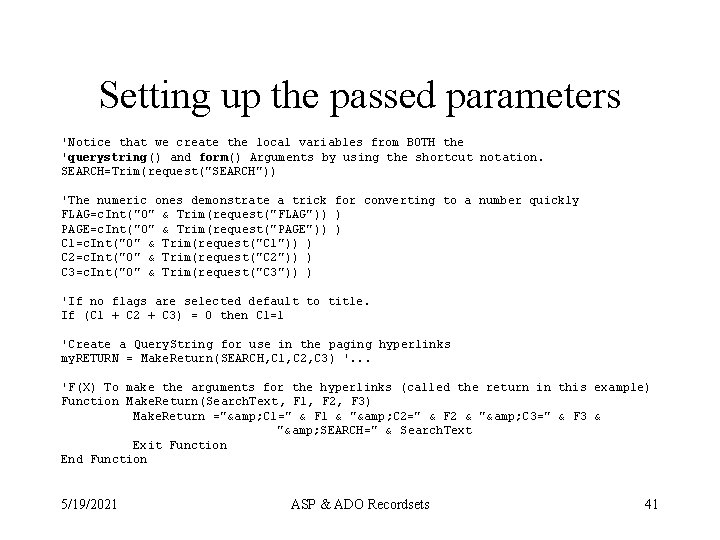
Setting up the passed parameters 'Notice that we create the local variables from BOTH the 'querystring() and form() Arguments by using the shortcut notation. SEARCH=Trim(request("SEARCH")) 'The numeric ones demonstrate a trick for converting to a number quickly FLAG=c. Int("0" & Trim(request("FLAG")) ) PAGE=c. Int("0" & Trim(request("PAGE")) ) C 1=c. Int("0" & Trim(request("C 1")) ) C 2=c. Int("0" & Trim(request("C 2")) ) C 3=c. Int("0" & Trim(request("C 3")) ) 'If no flags are selected default to title. If (C 1 + C 2 + C 3) = 0 then C 1=1 'Create a Query. String for use in the paging hyperlinks my. RETURN = Make. Return(SEARCH, C 1, C 2, C 3) '. . . 'F(X) To make the arguments for the hyperlinks (called the return in this example) Function Make. Return(Search. Text, F 1, F 2, F 3) Make. Return ="& C 1=" & F 1 & "& C 2=" & F 2 & "& C 3=" & F 3 & "& SEARCH=" & Search. Text Exit Function End Function 5/19/2021 ASP & ADO Recordsets 41
Notes on parameter passing • Every link to a page needs to include – Page desired (1 - Page Count) – All of the search parameters (e. g. Search, C 1 -C 3) – A flag that indicates the results page is needed • In this design, a function Make. Return() creates the query string for the search parameters that can be appended to each of the hyper links generated thus allowing the query to be re-executed each time with the same criteria and different pages. • This may seem wasteful, but the operation is actually fairly cheap providing the parameters used in the query are indexed. 5/19/2021 ASP & ADO Recordsets 42
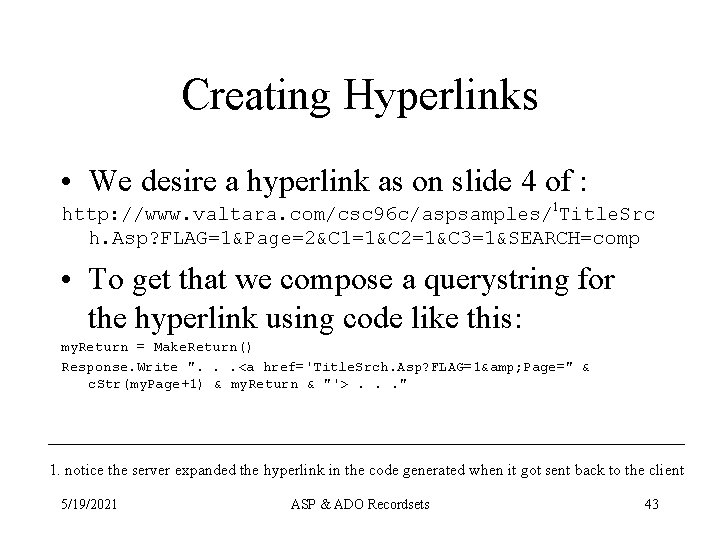
Creating Hyperlinks • We desire a hyperlink as on slide 4 of : http: //www. valtara. com/csc 96 c/aspsamples/1 Title. Src h. Asp? FLAG=1&Page=2&C 1=1&C 2=1&C 3=1&SEARCH=comp • To get that we compose a querystring for the hyperlink using code like this: my. Return = Make. Return() Response. Write ". . . <a href='Title. Srch. Asp? FLAG=1& Page=" & c. Str(my. Page+1) & my. Return & "'>. . . " 1. notice the server expanded the hyperlink in the code generated when it got sent back to the client 5/19/2021 ASP & ADO Recordsets 43
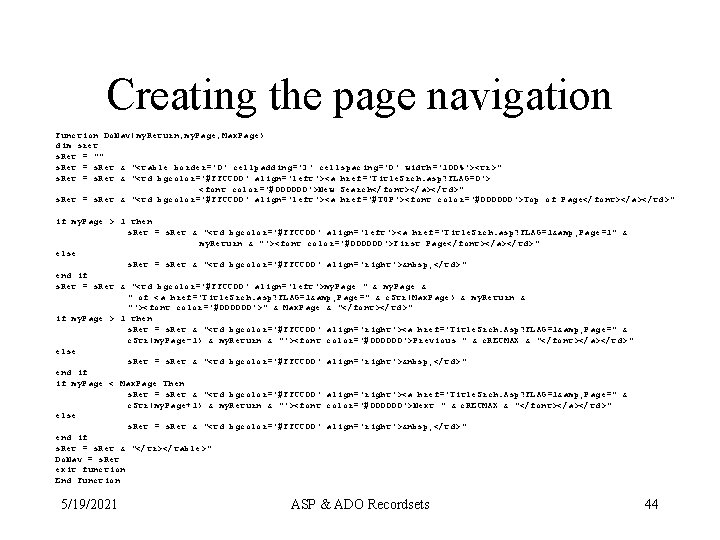
Creating the page navigation Function Do. Nav(my. Return, my. Page, Max. Page) dim sret s. Ret = "" s. Ret = s. Ret & "<table border='0' cellpadding='3' cellspacing='0' width='100%'><tr>" s. Ret = s. Ret & "<td bgcolor='#FFCC 00' align='left'><a href='Title. Srch. asp? FLAG=0'> <font color='#000000'>New Search</font></a></td>" s. Ret = s. Ret & "<td bgcolor='#FFCC 00' align='left'><a href='#TOP'><font color='#000000'>Top of Page</font></a></td>" if my. Page > 1 then s. Ret = s. Ret & "<td bgcolor='#FFCC 00' align='left'><a href='Title. Srch. asp? FLAG=1& Page=1" & my. Return & "'><font color='#000000'>First Page</font></a></td>" else s. Ret = s. Ret & "<td bgcolor='#FFCC 00' align='right'> </td>" end if s. Ret = s. Ret & "<td bgcolor='#FFCC 00' align='left'>my. Page " & my. Page & " of <a href='Title. Srch. asp? FLAG=1& Page=" & c. Str(Max. Page) & my. Return & "'><font color='#000000'>" & Max. Page & "</font></td>" if my. Page > 1 then s. Ret = s. Ret & "<td bgcolor='#FFCC 00' align='right'><a href='Title. Srch. Asp? FLAG=1& Page=" & c. Str(my. Page-1) & my. Return & "'><font color='#000000'>Previous " & c. RECMAX & "</font></a></td>" else s. Ret = s. Ret & "<td bgcolor='#FFCC 00' align='right'> </td>" end if if my. Page < Max. Page Then s. Ret = s. Ret & "<td bgcolor='#FFCC 00' align='right'><a href='Title. Srch. Asp? FLAG=1& Page=" & c. Str(my. Page+1) & my. Return & "'><font color='#000000'>Next " & c. RECMAX & "</font></a></td>" else s. Ret = s. Ret & "<td bgcolor='#FFCC 00' align='right'> </td>" end if s. Ret = s. Ret & "</tr></table>" Do. Nav = s. Ret exit function End Function 5/19/2021 ASP & ADO Recordsets 44
Notes about page navigation • We go through all of that trouble to present the user with only the relevant navigation links. • What is missing is a routine to count the number of actual records on the last page and display that instead of the number of records per page. • The page size of 2 is to force paging for the example. Obviously, bigger would be better. • The server side cursor used this was is fairly light weight and the technique is highly scale-able. 5/19/2021 ASP & ADO Recordsets 45
Achieving the “green bar” effect • Set a variable to the back color attribute desired, in this case force the default back color to show in each cell: b. Color = "" • As each record is written determine if it is an even record and set the back color attribute to the desired contrast color by creating an attribute string: if j mod 2 = 0 then b. Color="bgcolor='#FFFFCC'" • Then insert that value into each of the <TD>s written Response. write "<td " & b. Color & " valign=… 5/19/2021 ASP & ADO Recordsets 46
Maintaining Databases Action queries are our friends ASP & ADO Recordsets
Overview • The web is episodic in nature, so too should be our data access • IIS 4 is built on MTS that provides connection pooling. The upshot of this is that connection objects normally very expensive to create are quite cheap and fast. • Thus, the connection objects execute method provides a good way to modify records in the database using the SQL update, insert and delete verbs. 5/19/2021 ASP & ADO Recordsets 48
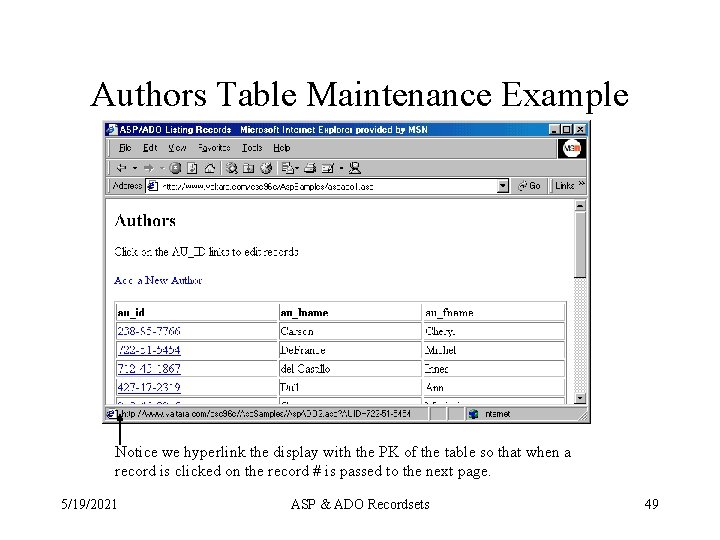
Authors Table Maintenance Example Notice we hyperlink the display with the PK of the table so that when a record is clicked on the record # is passed to the next page. 5/19/2021 ASP & ADO Recordsets 49
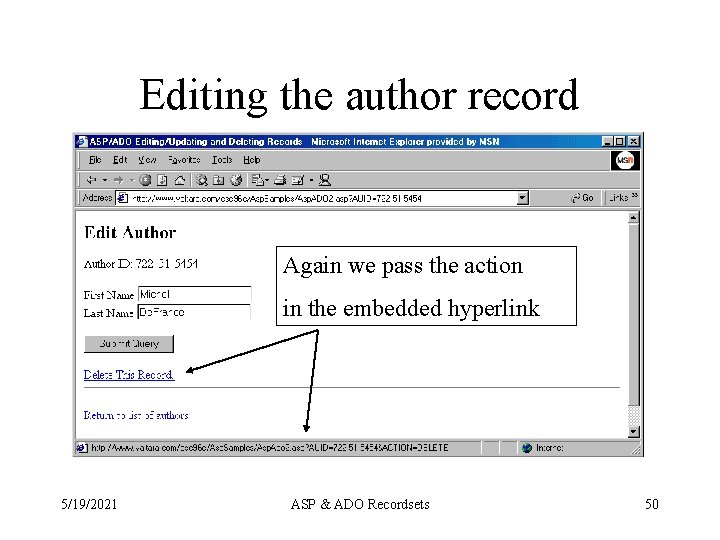
Editing the author record Again we pass the action in the embedded hyperlink 5/19/2021 ASP & ADO Recordsets 50
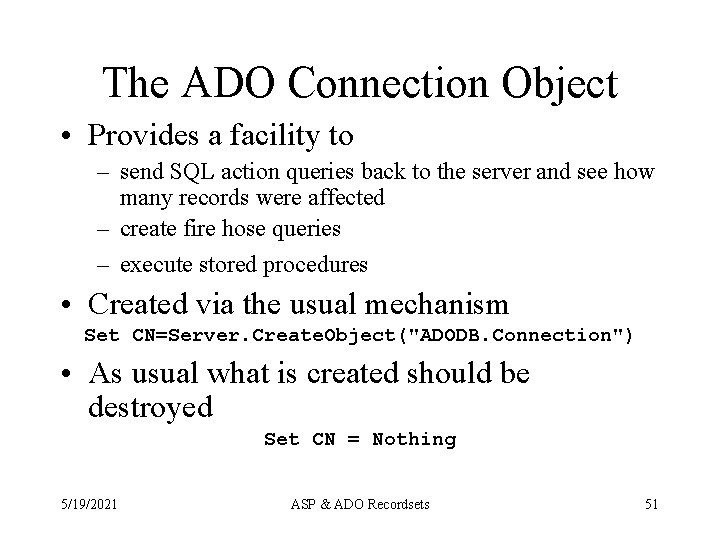
The ADO Connection Object • Provides a facility to – send SQL action queries back to the server and see how many records were affected – create fire hose queries – execute stored procedures • Created via the usual mechanism Set CN=Server. Create. Object("ADODB. Connection") • As usual what is created should be destroyed Set CN = Nothing 5/19/2021 ASP & ADO Recordsets 51
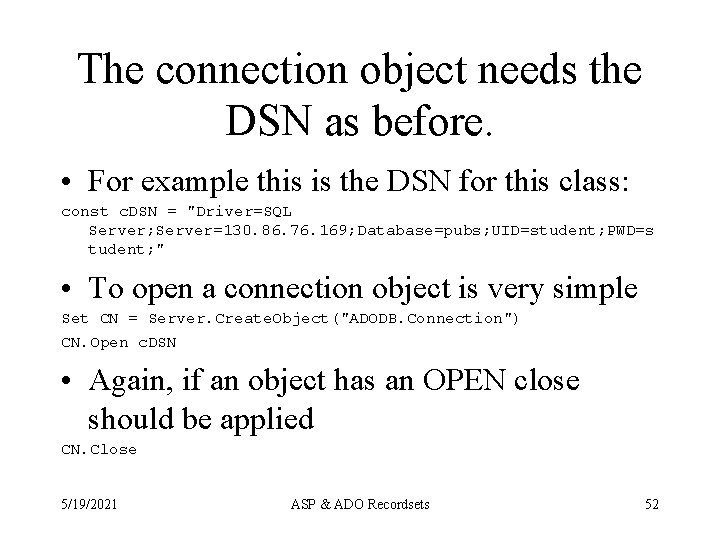
The connection object needs the DSN as before. • For example this is the DSN for this class: const c. DSN = "Driver=SQL Server; Server=130. 86. 76. 169; Database=pubs; UID=student; PWD=s tudent; " • To open a connection object is very simple Set CN = Server. Create. Object("ADODB. Connection") CN. Open c. DSN • Again, if an object has an OPEN close should be applied CN. Close 5/19/2021 ASP & ADO Recordsets 52
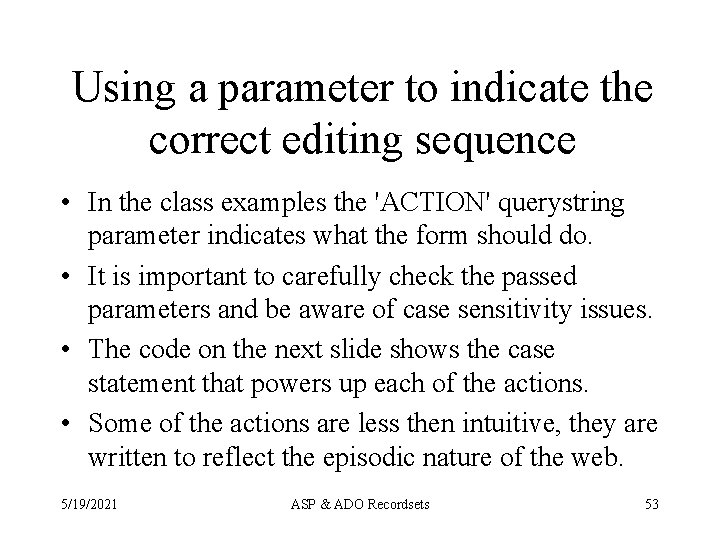
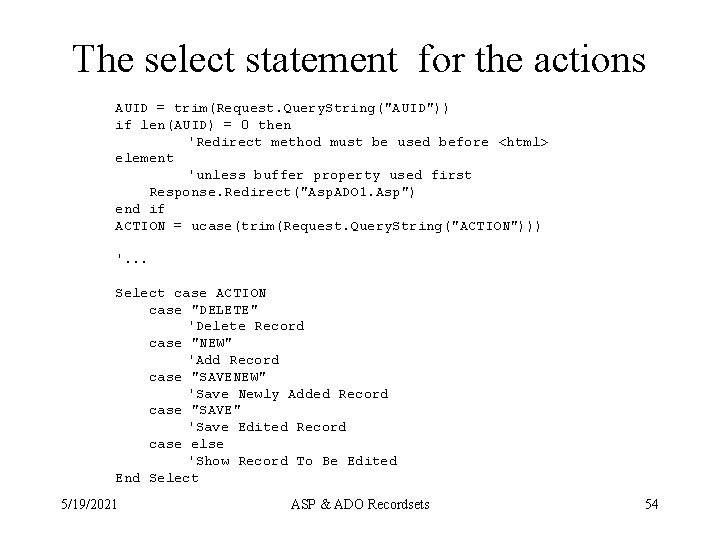
Using a parameter to indicate the correct editing sequence • In the class examples the 'ACTION' querystring parameter indicates what the form should do. • It is important to carefully check the passed parameters and be aware of case sensitivity issues. • The code on the next slide shows the case statement that powers up each of the actions. • Some of the actions are less then intuitive, they are written to reflect the episodic nature of the web. 5/19/2021 ASP & ADO Recordsets 53
The select statement for the actions AUID = trim(Request. Query. String("AUID")) if len(AUID) = 0 then 'Redirect method must be used before <html> element 'unless buffer property used first Response. Redirect("Asp. ADO 1. Asp") end if ACTION = ucase(trim(Request. Query. String("ACTION"))) '. . . Select case ACTION case "DELETE" 'Delete Record case "NEW" 'Add Record case "SAVENEW" 'Save Newly Added Record case "SAVE" 'Save Edited Record case else 'Show Record To Be Edited End Select 5/19/2021 ASP & ADO Recordsets 54
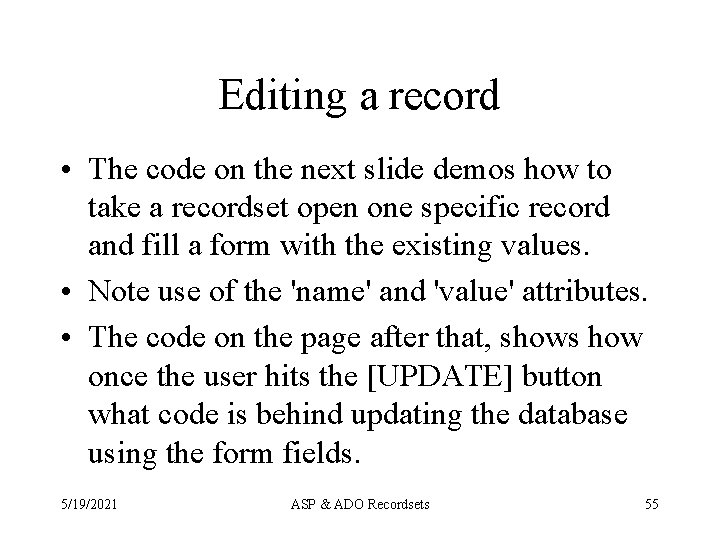
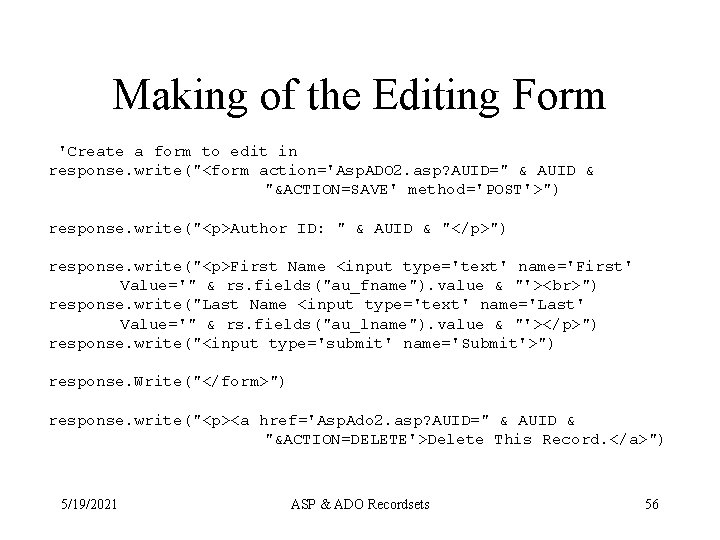
Editing a record • The code on the next slide demos how to take a recordset open one specific record and fill a form with the existing values. • Note use of the 'name' and 'value' attributes. • The code on the page after that, shows how once the user hits the [UPDATE] button what code is behind updating the database using the form fields. 5/19/2021 ASP & ADO Recordsets 55
Making of the Editing Form 'Create a form to edit in response. write("<form action='Asp. ADO 2. asp? AUID=" & AUID & "&ACTION=SAVE' method='POST'>") response. write("<p>Author ID: " & AUID & "</p>") response. write("<p>First Name <input type='text' name='First' Value='" & rs. fields("au_fname"). value & "'> ") response. write("Last Name <input type='text' name='Last' Value='" & rs. fields("au_lname"). value & "'></p>") response. write("<input type='submit' name='Submit'>") response. Write("</form>") response. write("<p><a href='Asp. Ado 2. asp? AUID=" & AUID & "&ACTION=DELETE'>Delete This Record. </a>") 5/19/2021 ASP & ADO Recordsets 56
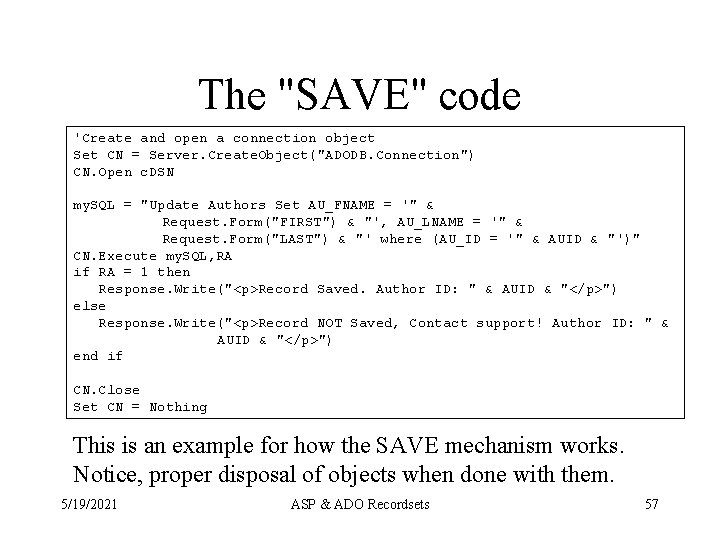
The "SAVE" code 'Create and open a connection object Set CN = Server. Create. Object("ADODB. Connection") CN. Open c. DSN my. SQL = "Update Authors Set AU_FNAME = '" & Request. Form("FIRST") & "', AU_LNAME = '" & Request. Form("LAST") & "' where (AU_ID = '" & AUID & "')" CN. Execute my. SQL, RA if RA = 1 then Response. Write("<p>Record Saved. Author ID: " & AUID & "</p>") else Response. Write("<p>Record NOT Saved, Contact support! Author ID: " & AUID & "</p>") end if CN. Close Set CN = Nothing This is an example for how the SAVE mechanism works. Notice, proper disposal of objects when done with them. 5/19/2021 ASP & ADO Recordsets 57
Summary • Since each time the page is visited the connection is re-created the form is stateless with respect to the server. • Statelessness is the most scale-able solution. • Combined with paging, the overall load on the server is minimal. • This example uses two forms, it could all be implemented in one form, but it would be a very complex one. • Ideally, the first form should be a paged search. 5/19/2021 ASP & ADO Recordsets 58
Collisions. • Most database engines keep an invisible marker for each record, when you get a record a time stamp is grabbed with it. • If you update that record, that time stamp is checked against the row in the table, if they are different then someone has updated the record since you grabbed it and your update will fail, generating a trap-able run time error. • Your program must handle this. 5/19/2021 ASP & ADO Recordsets 59
Collisions, what are the choices • When you get the error your choices are: – Discard the changes your user made, warn them and make the user reapply them after your reacquire the conflicted record (so you have the new time stamp) or you can make your program do it. – Don’t update at all. 5/19/2021 ASP & ADO Recordsets 60
ADO Fields() Value Properties • ADO Fields Collection has 3 value properties –. Value (the value of that field in your cursor's copy of the row, with any new values you have applied) –. Original. Value (the value it was when you first fetched the row) –. Underlying. Value (the value it is in the database now, this actually executes a query!) 5/19/2021 ASP & ADO Recordsets 61
Value properties and collisions • Hence you can "pre-check" to see if you will collide, and warn your user. • If you elect to re-aquire the rows and reapply the changes you can save off the fields and values that are different (. Value <>. Original. Value) into a collection or array and then re-apply the changes. • Which you do is up to you. 5/19/2021 ASP & ADO Recordsets 62
Re-acquiring rows. • The. Refresh method should in most cases fetch the current cursor from the database thus re-acquiring the rows and letting you see any changes that have happened. • However, sometimes this does not work. To be safe you should Close, Deallocate and Reallocate, and re-open the recordset. • Test, this for your situation. 5/19/2021 ASP & ADO Recordsets 63
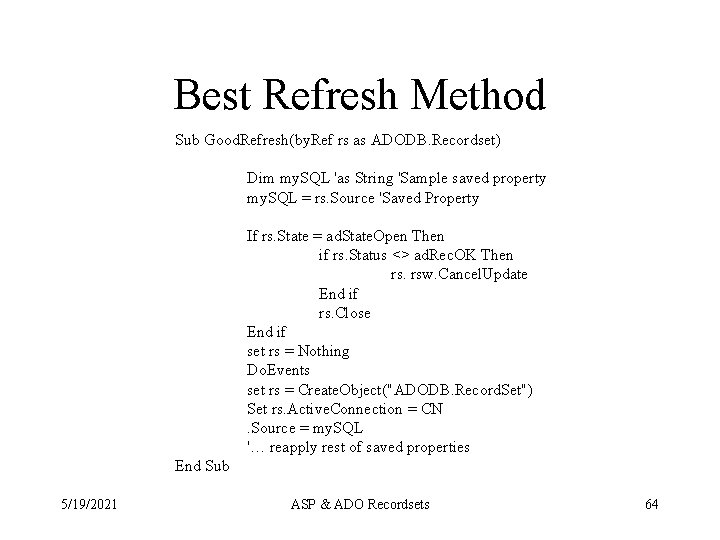
Best Refresh Method Sub Good. Refresh(by. Ref rs as ADODB. Recordset) Dim my. SQL 'as String 'Sample saved property my. SQL = rs. Source 'Saved Property If rs. State = ad. State. Open Then if rs. Status <> ad. Rec. OK Then rs. rsw. Cancel. Update End if rs. Close End if set rs = Nothing Do. Events set rs = Create. Object("ADODB. Record. Set") Set rs. Active. Connection = CN. Source = my. SQL '… reapply rest of saved properties End Sub 5/19/2021 ASP & ADO Recordsets 64
Choosing rows. • ADO has no. Find* commands. • Instead it offers the. Filter property. • The. Filter property may be slower then simply closing the recordset, changing he. Source property (select query) and re-opening the recordset. • In general do not use filtering. Again the episodic nature of the web generally prohibits making scrolling cursors in web applications. • However, if you only want to display 20 records at a time, the combination of filters and bookmarks is essential. 5/19/2021 ASP & ADO Recordsets 65
Filter • . Filter = "Where part of a select query without the Where keyword" • Examples – rs. Filter = "Last. Name = 'Smith'" – rs. Filter = "Sales > 200" – rs. Filter = "First. Name Like 'M%'" • Clearing the filter –. Filter = "" (or use the constant ad. Filter. None) 5/19/2021 ASP & ADO Recordsets 66
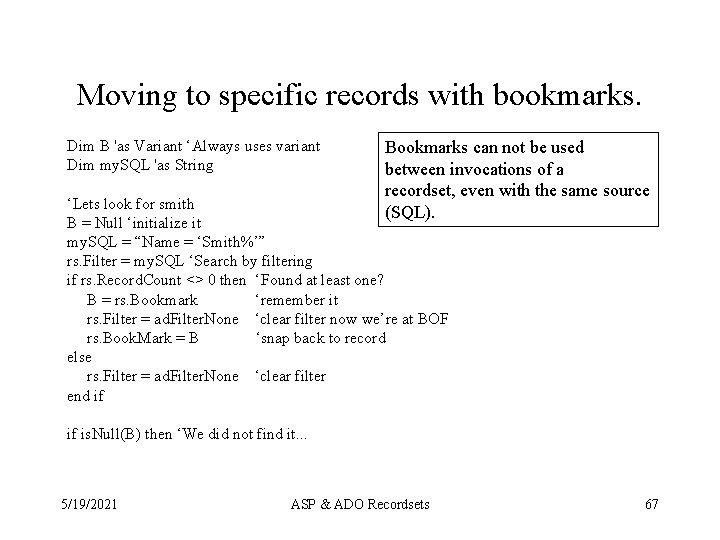
Moving to specific records with bookmarks. Dim B 'as Variant ‘Always uses variant Dim my. SQL 'as String Bookmarks can not be used between invocations of a recordset, even with the same source (SQL). ‘Lets look for smith B = Null ‘initialize it my. SQL = “Name = ‘Smith%’” rs. Filter = my. SQL ‘Search by filtering if rs. Record. Count <> 0 then ‘Found at least one? B = rs. Bookmark ‘remember it rs. Filter = ad. Filter. None ‘clear filter now we’re at BOF rs. Book. Mark = B ‘snap back to record else rs. Filter = ad. Filter. None ‘clear filter end if if is. Null(B) then ‘We did not find it. . . 5/19/2021 ASP & ADO Recordsets 67
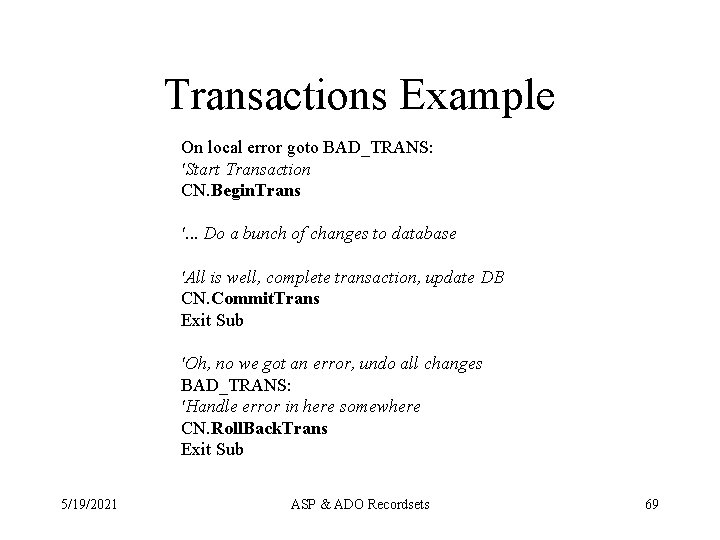
Transactions • Only by using a connection object can you have transactions. • With in the bounds of a transaction, all of the changes to a database succeed or fail together. • If you want transactions across databases (like an ATM funds transfer) you must use a distributed transaction coordinator like Microsoft Transaction Server (MTS). 5/19/2021 ASP & ADO Recordsets 68
Transactions Example On local error goto BAD_TRANS: 'Start Transaction CN. Begin. Trans '. . . Do a bunch of changes to database 'All is well, complete transaction, update DB CN. Commit. Trans Exit Sub 'Oh, no we got an error, undo all changes BAD_TRANS: 'Handle error in here somewhere CN. Roll. Back. Trans Exit Sub 5/19/2021 ASP & ADO Recordsets 69
Transactions • Always, always, FINISH the transaction no matter what with either commit or rollback. • Keep them SHORT, do all external compositions external to the transaction block • Ideally all execute statements (for speed). • Even more ideally for the web move all transactions to MTS or stored procedures on the database server. • Always think episodic on the web! 5/19/2021 ASP & ADO Recordsets 70