
Administration 70 JAVA 30 4 Submission System 2

Administration. מבחן - 70% • . JAVA- עבודות ב 30% - 4 • Submission System- • הגשה בזוגות דרך ה 2
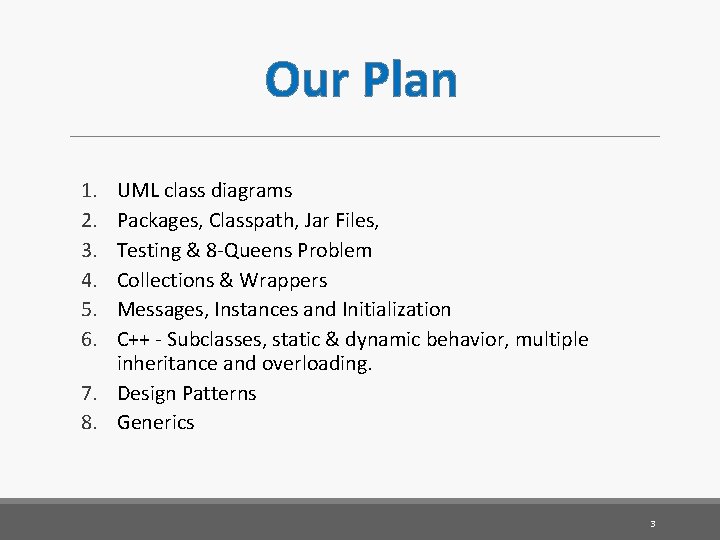
Our Plan 1. 2. 3. 4. 5. 6. UML class diagrams Packages, Classpath, Jar Files, Testing & 8 -Queens Problem Collections & Wrappers Messages, Instances and Initialization C++ - Subclasses, static & dynamic behavior, multiple inheritance and overloading. 7. Design Patterns 8. Generics 3
Today First part • Packages • Class Path • JAR Files Second part • UML Class Diagrams 4
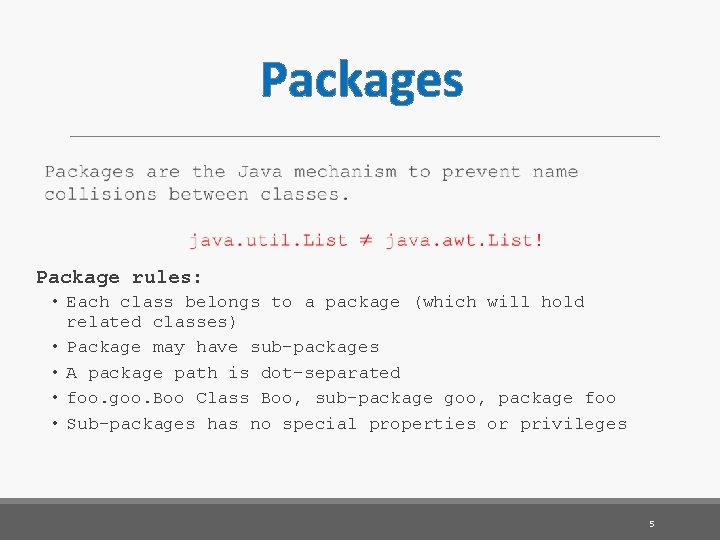
Packages Package rules: • Each class belongs to a package (which will hold related classes) • Package may have sub-packages • A package path is dot-separated • foo. goo. Boo Class Boo, sub-package goo, package foo • Sub-packages has no special properties or privileges 5
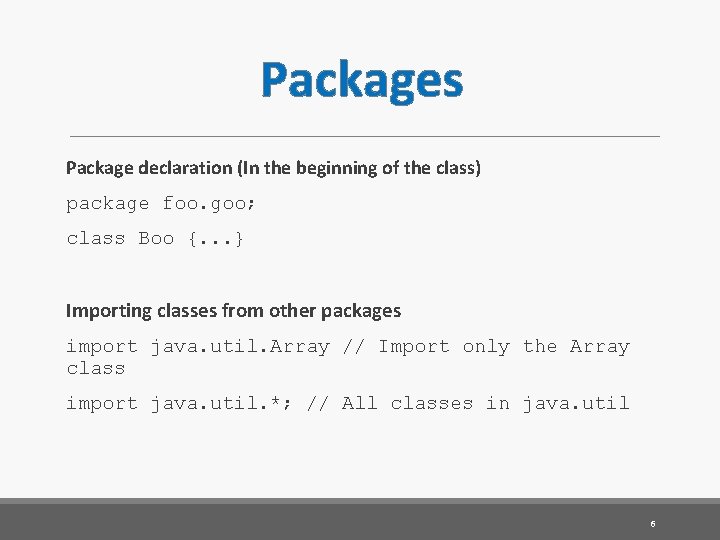
Packages Package declaration (In the beginning of the class) package foo. goo; class Boo {. . . } Importing classes from other packages import java. util. Array // Import only the Array class import java. util. *; // All classes in java. util 6
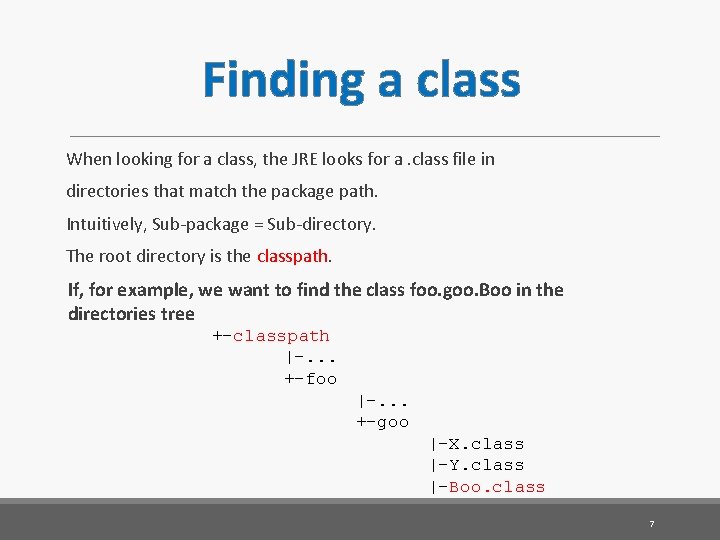
Finding a class When looking for a class, the JRE looks for a. class file in directories that match the package path. Intuitively, Sub-package = Sub-directory. The root directory is the classpath. If, for example, we want to find the class foo. goo. Boo in the directories tree +-classpath |-. . . +-foo |-. . . +-goo |-X. class |-Y. class |-Boo. class 7
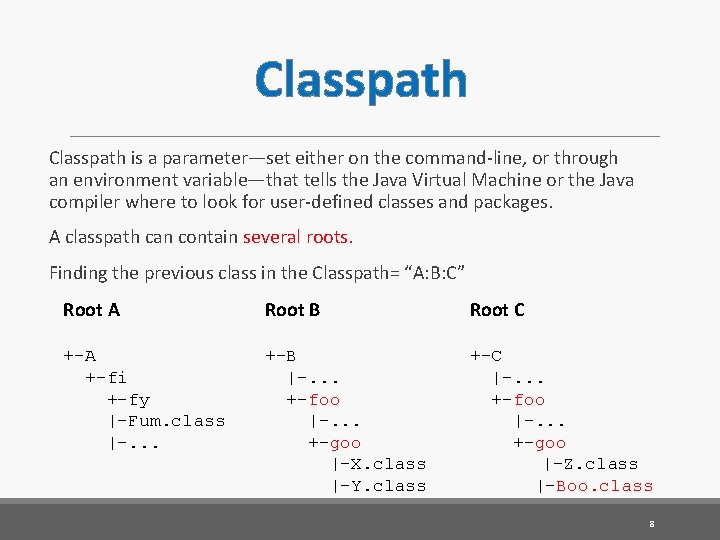
Classpath is a parameter—set either on the command-line, or through an environment variable—that tells the Java Virtual Machine or the Java compiler where to look for user-defined classes and packages. A classpath can contain several roots. Finding the previous class in the Classpath= “A: B: C” Root A Root B Root C +-A +-fi +-fy |-Fum. class |-. . . +-B |-. . . +-foo |-. . . +-goo |-X. class |-Y. class +-C |-. . . +-foo |-. . . +-goo |-Z. class |-Boo. class 8
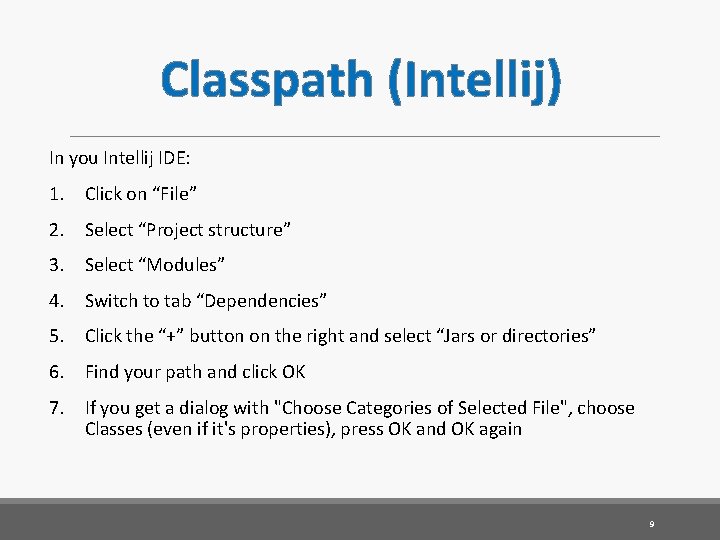
Classpath (Intellij) In you Intellij IDE: 1. Click on “File” 2. Select “Project structure” 3. Select “Modules” 4. Switch to tab “Dependencies” 5. Click the “+” button on the right and select “Jars or directories” 6. Find your path and click OK 7. If you get a dialog with "Choose Categories of Selected File", choose Classes (even if it's properties), press OK and OK again 9
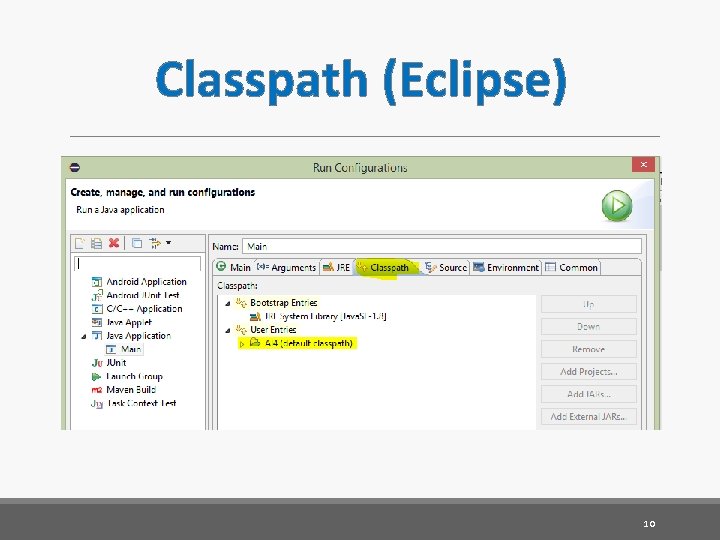
Classpath (Eclipse) 10
JAR Files Jar files are the Java equivalent to libraries and executables. A jar file is a zip archive that contains: • . class files • Other needed resources (images, config files) • A manifest file (optional) “MANIFEST. MF” • Source files (optional) 11
The Manifest File The manifest file is a text file with key: value properties. The JRE reads these properties when it loads the. jar file. Important properties in a jar manifest: • Manifest-Version: For backward compatibility. (e. g Manifest-Version: 1. 0) • Main-Class: The class containing the main method to run. (e. g Main-Class: a. b. c. Foo) • Class-Path: Space-separated list of other class paths to use. (e. g Class-path: mylib 1. jar mylib 2. jar) See http: //java. sun. com/javase/6/docs/technotes/guides/jar/ for details on jar and manifest specifications. 12
Using JAR Files Jar files as Java shared libraries Including a jar file in a classpath will cause the JRE to look in the archive for classes and resources, as if it was another directory. Jar files as Java executables You can run a jar file by running: java -jar hello-world. jar (Or double-click on it, in some systems) The Java Runtime will load all the content of the jar, including its classpath, and will run the main class that is written in the manifest. 13
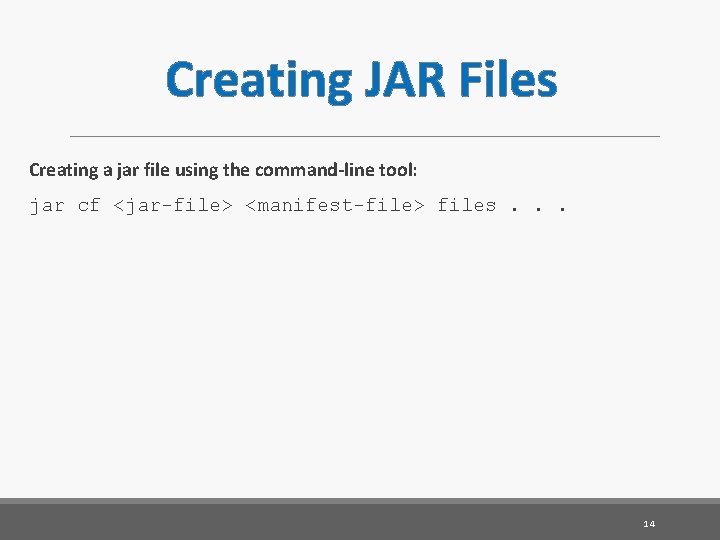
Creating JAR Files Creating a jar file using the command-line tool: jar cf <jar-file> <manifest-file> files. . . 14
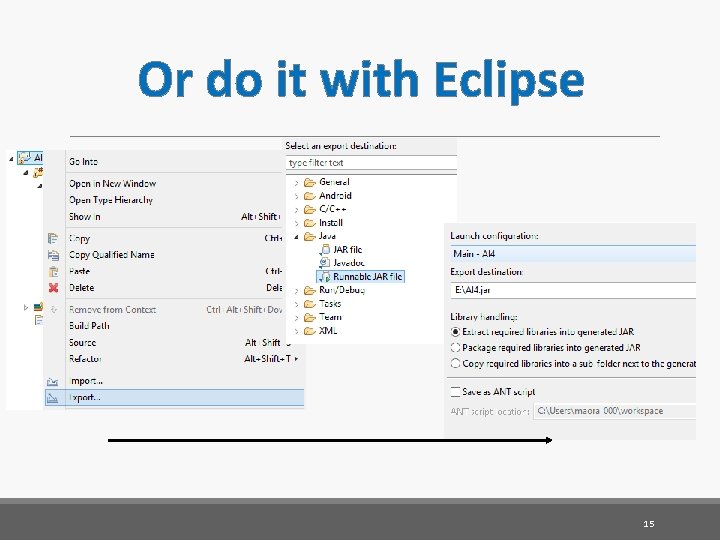
Or do it with Eclipse 15

Or Intellij (Better!) After adding the module (and possibly the main class), select OK. 16
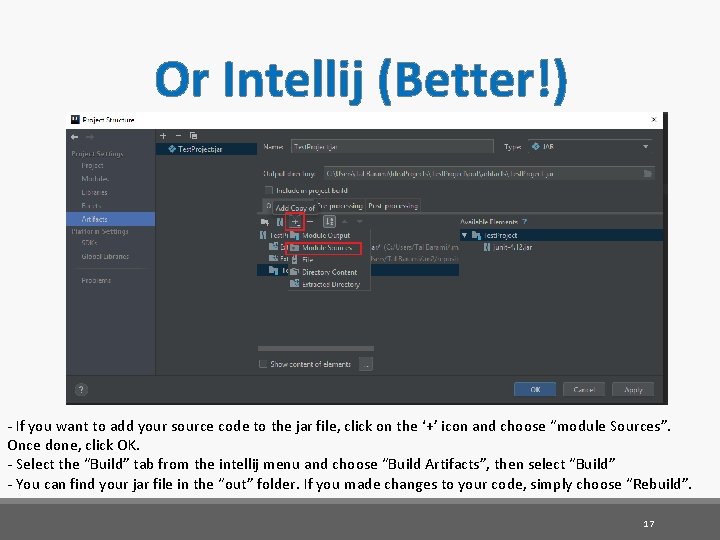
Or Intellij (Better!) - If you want to add your source code to the jar file, click on the ‘+’ icon and choose “module Sources”. Once done, click OK. - Select the “Build” tab from the intellij menu and choose “Build Artifacts”, then select “Build” - You can find your jar file in the “out” folder. If you made changes to your code, simply choose “Rebuild”. 17
Or Intellij (Better!) - Once your jar is created, you can verify the content of this by rightclicking and opening it with 7 -Zip or Winrar, just like any other compressed file. - You can also run the jar file from your command line, simply type: - cd *your-jar’s-directory* - java –jar *your-jar’s-name* 18
Unified Modeling Language (UML) 19
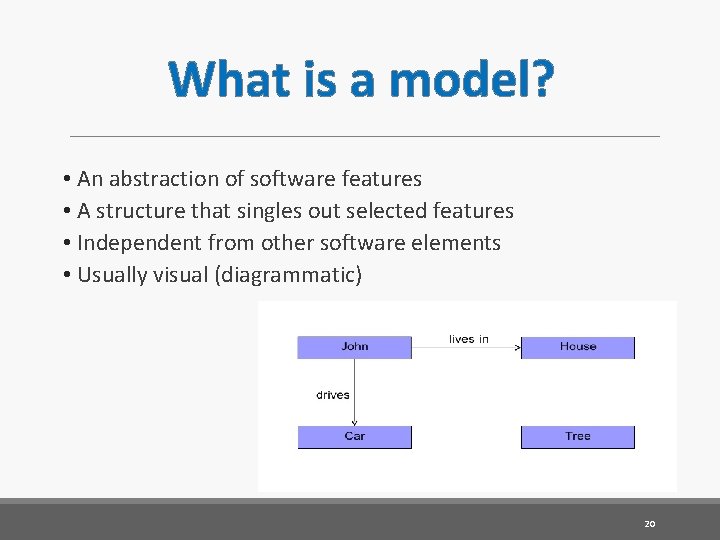
What is a model? • An abstraction of software features • A structure that singles out selected features • Independent from other software elements • Usually visual (diagrammatic) 20
UML The Unified Modeling Language (UML) is a widely accepted standard for software specification and design. It’s a modeling Language. Why do engineers build models? • To understand • To communicate • To predict • To specify (Blueprints) Building models is realized by selecting statements through abstraction, i. e. , reduction of information preserving properties relative to a given set of concerns. From: Bran Selic, UML 2 Tutorial @ Mo. DELS 2012 21

UML Class Diagram 22
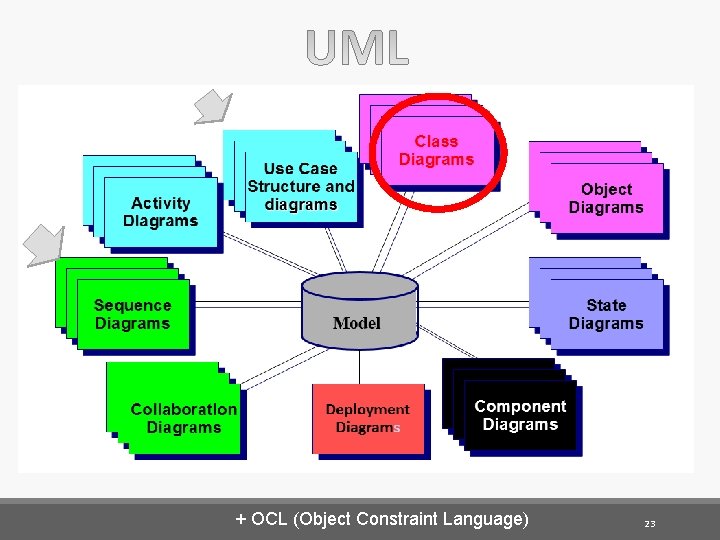
+ OCL (Object Constraint Language) 23
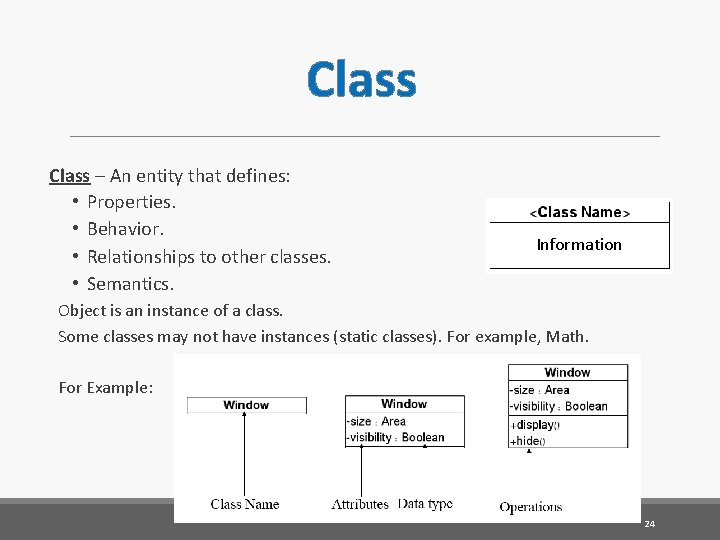
Class – An entity that defines: • Properties. • Behavior. • Relationships to other classes. • Semantics. Information Object is an instance of a class. Some classes may not have instances (static classes). For example, Math. For Example: 24
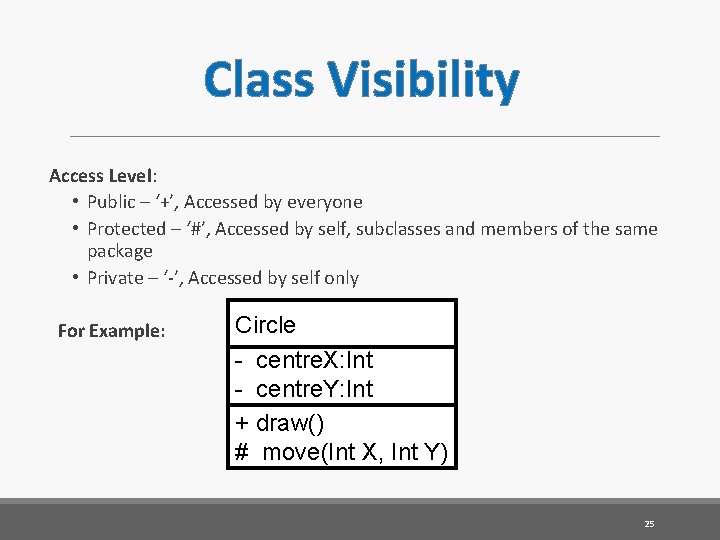
Class Visibility Access Level: • Public – ‘+’, Accessed by everyone • Protected – ‘#’, Accessed by self, subclasses and members of the same package • Private – ‘-’, Accessed by self only For Example: Circle - centre. X: Int - centre. Y: Int + draw() # move(Int X, Int Y) 25
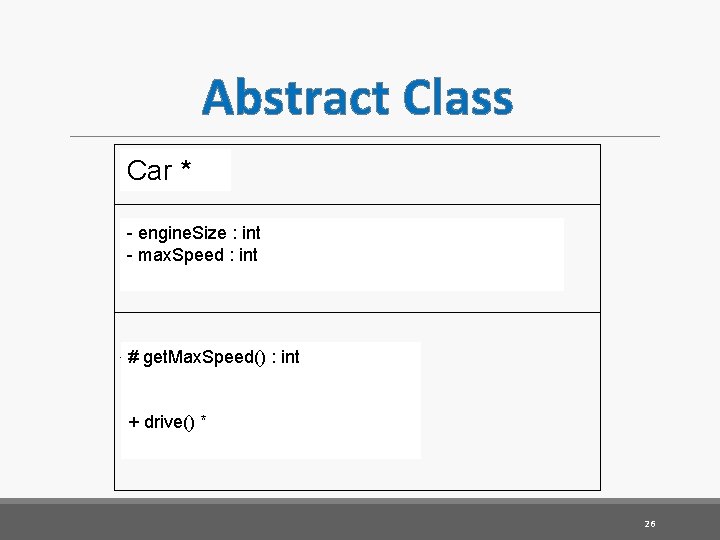
Abstract Class Name* Car * - engine. Size : int - max. Speed : int Fields # get. Max. Speed() : int Non Abstract Methods Abstract + drive() * methods * 26
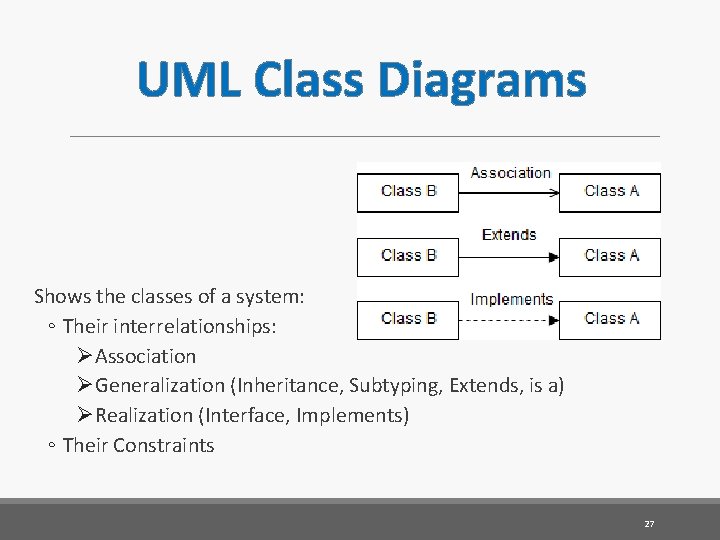
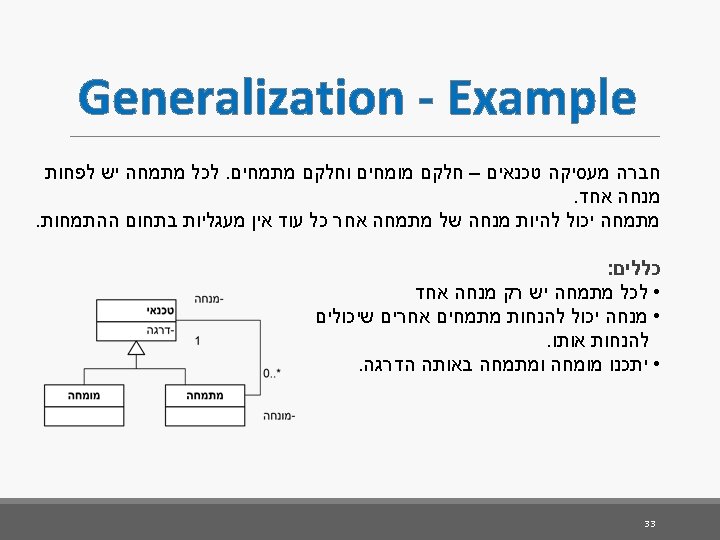
UML Class Diagrams Shows the classes of a system: ◦ Their interrelationships: ØAssociation ØGeneralization (Inheritance, Subtyping, Extends, is a) ØRealization (Interface, Implements) ◦ Their Constraints 27
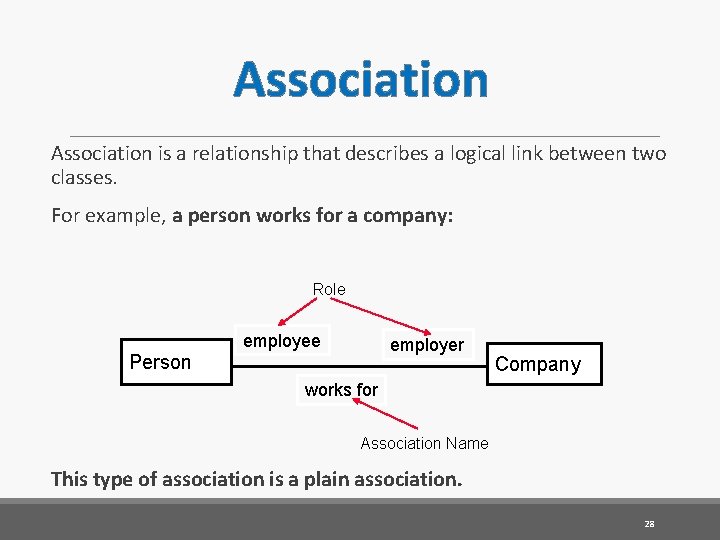
Association is a relationship that describes a logical link between two classes. For example, a person works for a company: Role employer Person Company works for Association Name This type of association is a plain association. 28
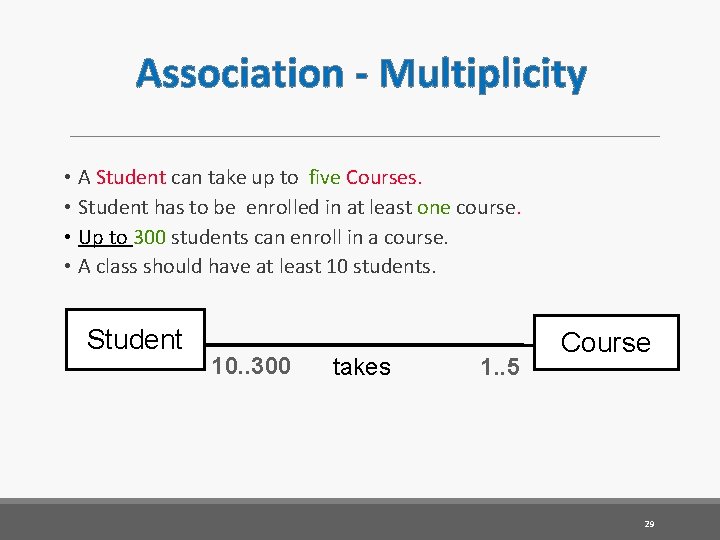
Association - Multiplicity • A Student can take up to five Courses. • Student has to be enrolled in at least one course. • Up to 300 students can enroll in a course. • A class should have at least 10 students. Student 10. . 300 takes 1. . 5 Course 29
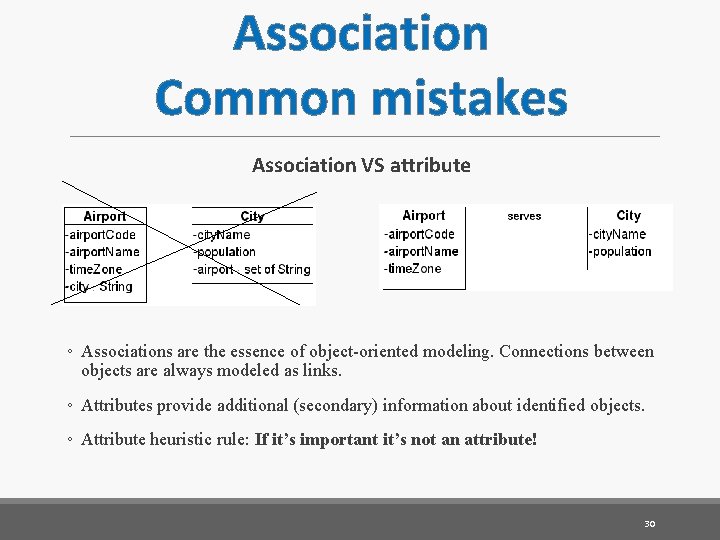
Association Common mistakes Association VS attribute ◦ Associations are the essence of object-oriented modeling. Connections between objects are always modeled as links. ◦ Attributes provide additional (secondary) information about identified objects. ◦ Attribute heuristic rule: If it’s important it’s not an attribute! 30
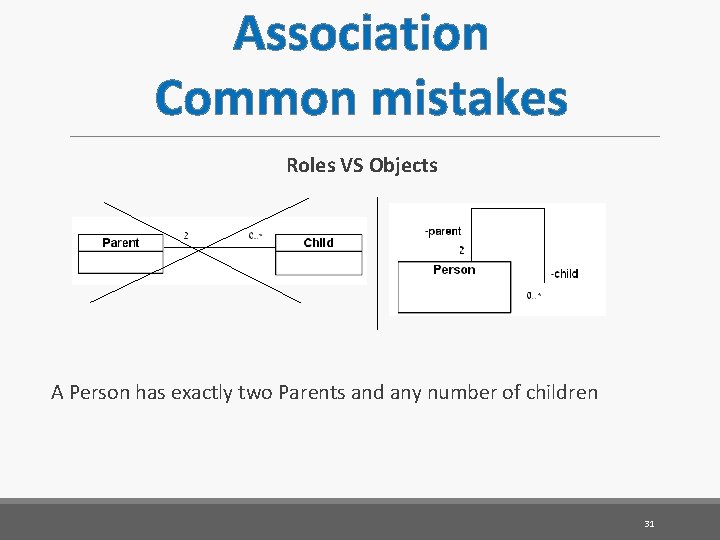
Association Common mistakes Roles VS Objects A Person has exactly two Parents and any number of children 31
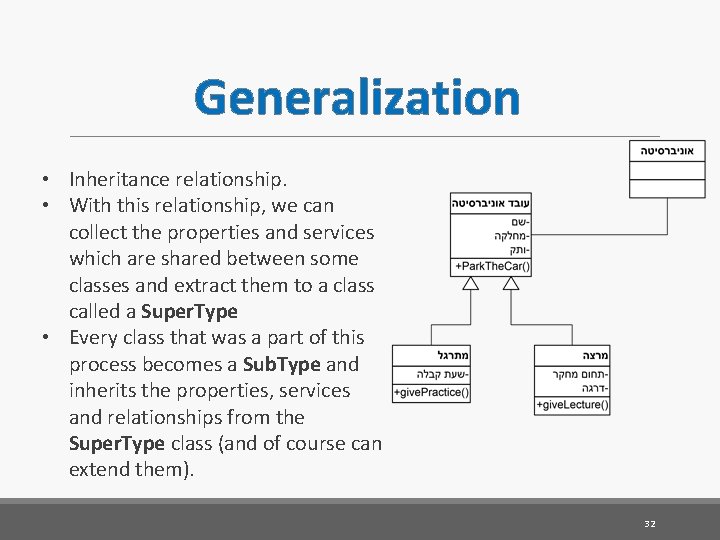
Generalization • Inheritance relationship. • With this relationship, we can collect the properties and services which are shared between some classes and extract them to a class called a Super. Type • Every class that was a part of this process becomes a Sub. Type and inherits the properties, services and relationships from the Super. Type class (and of course can extend them). 32
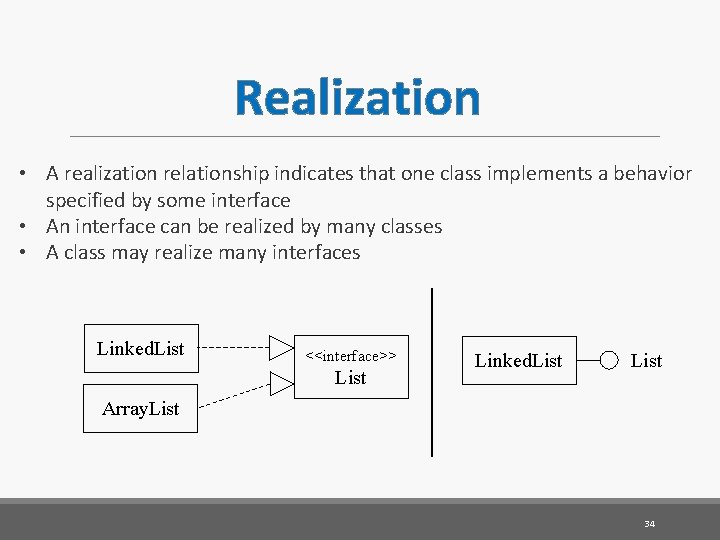
Realization • A realization relationship indicates that one class implements a behavior specified by some interface • An interface can be realized by many classes • A class may realize many interfaces Linked. List <<interface>> List Linked. List Array. List 34
Static modeling – Advanced associations UML allows us to model relationships between classes. Allows us to statically model a realistic state of the system and makes it simpler to understand the model. 35
Tools Web based UML tool 36
Solution 38
- Slides: 38