
Adaptive Case Management http www paydox com Pay
- Slides: 29
Adaptive Case Management http: //www. paydox. com
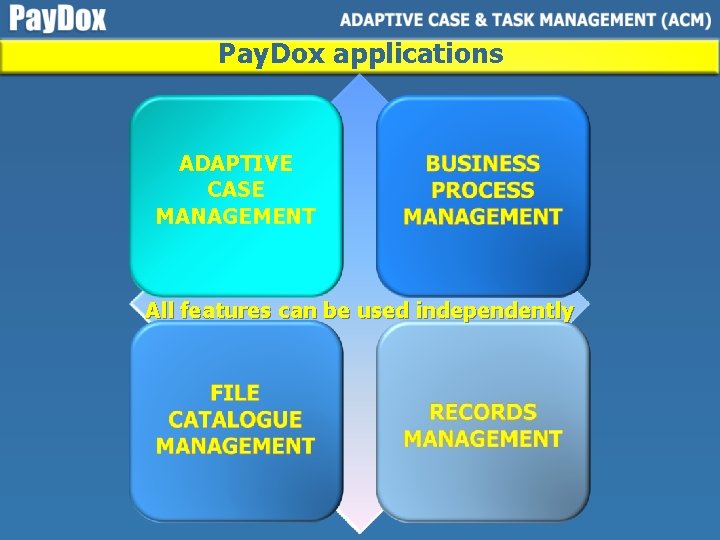
Pay. Dox applications ADAPTIVE CASE MANAGEMENT All features can be used independently
Pay. Dox Case Management HELPS Case Managers, Case Workers and other Knowledge Workers to bring understanding, visibility and control to any unpredictable knowledge work
Use Pay. Dox Case Management for any corporate project management & social or agile business process management that requires collaboration, negotiation and document reconciliation
Pay. Dox Case Management ü Can be downloaded and installed in minutes ü Lets you automate enterprise business processes without any laborious initial settings and without any programming
Pay. Dox Case Management ü LETS YOU: Create cases – sequences of tasks and messages containing: - to-do lists, tasks, assignments - user discussions - addressees and viewers - execution periods - documents, photos, videos - data tags and forms - business rules
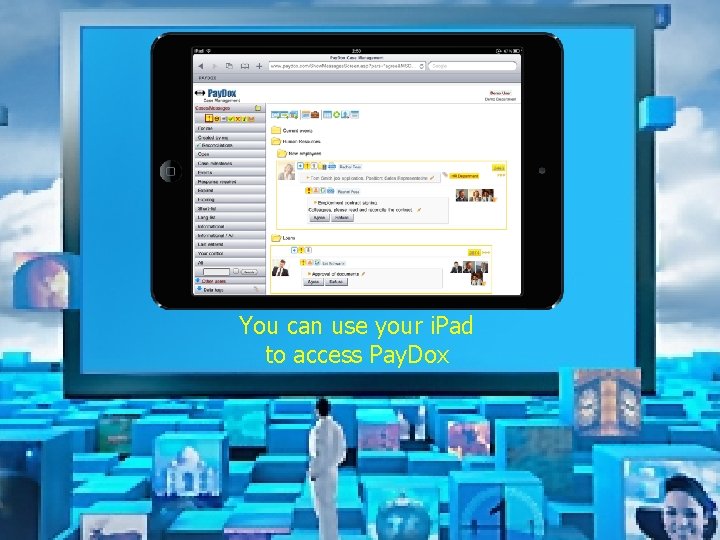
You can use your i. Pad to access Pay. Dox
Pay. Dox Case Management core functionality
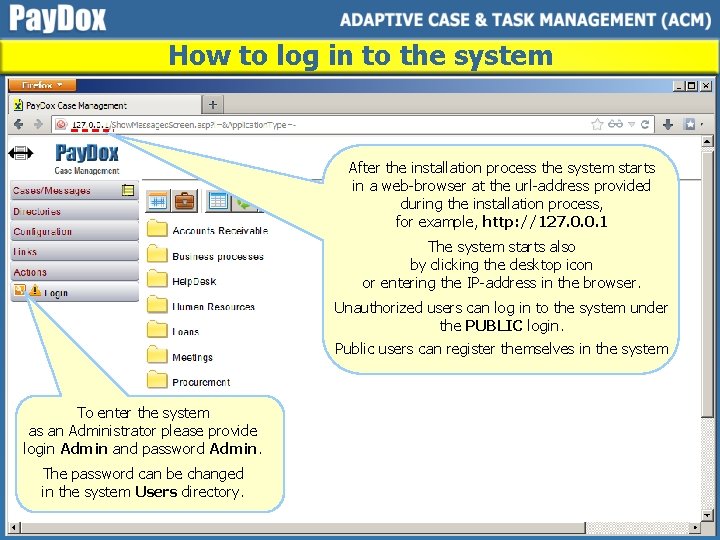
How to log in to the system After the installation process the system starts in a web-browser at the url-address provided during the installation process, for example, http: //127. 0. 0. 1 The system starts also by clicking the desktop icon or entering the IP-address in the browser. Unauthorized users can log in to the system under the PUBLIC login. Public users can register themselves in the system To enter the system as an Administrator please provide login Admin and password Admin. The password can be changed in the system Users directory.
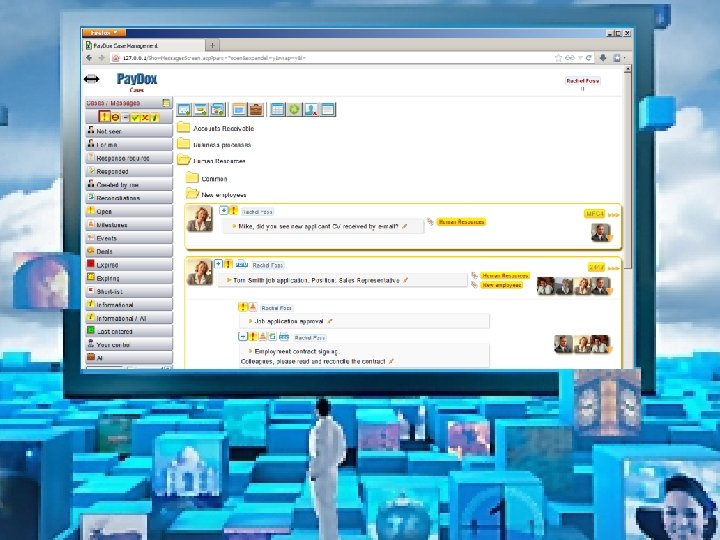
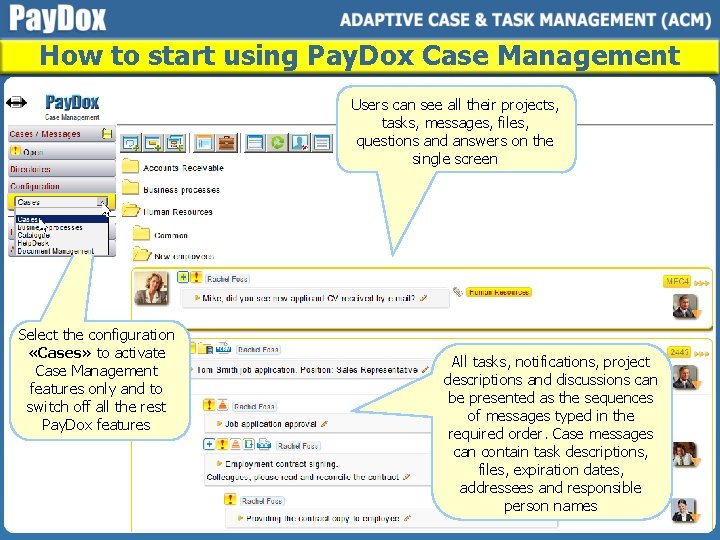
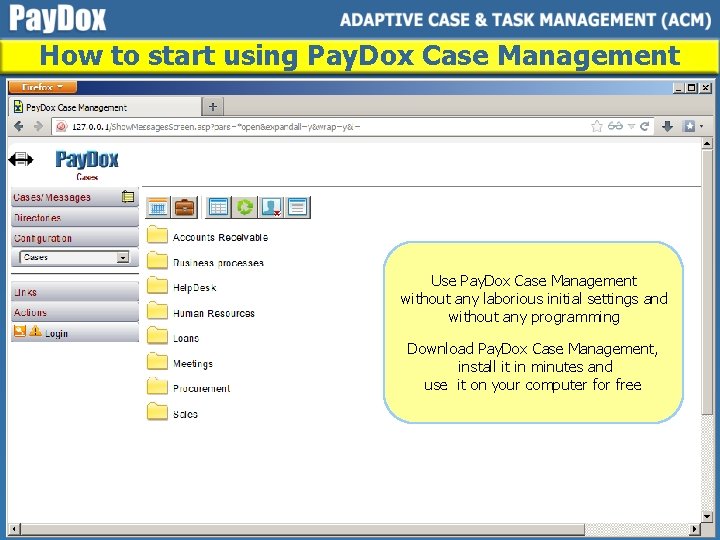
How to start using Pay. Dox Case Management Users can see all their projects, tasks, messages, files, questions and answers on the single screen Select the configuration «Cases» to activate Case Management features only and to switch off all the rest Pay. Dox features All tasks, notifications, project descriptions and discussions can be presented as the sequences of messages typed in the required order. Case messages can contain task descriptions, files, expiration dates, addressees and responsible person names
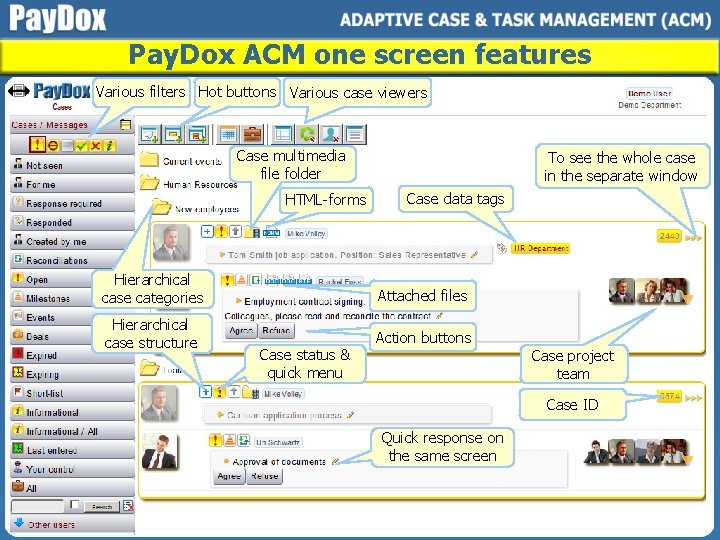
Pay. Dox ACM one screen features Various filters Hot buttons Various case viewers Case multimedia file folder HTML-forms To see the whole case in the separate window Case data tags Hierarchical case categories Attached files Hierarchical case structure Action buttons Case status & quick menu Case project team Case ID Quick response on the same screen
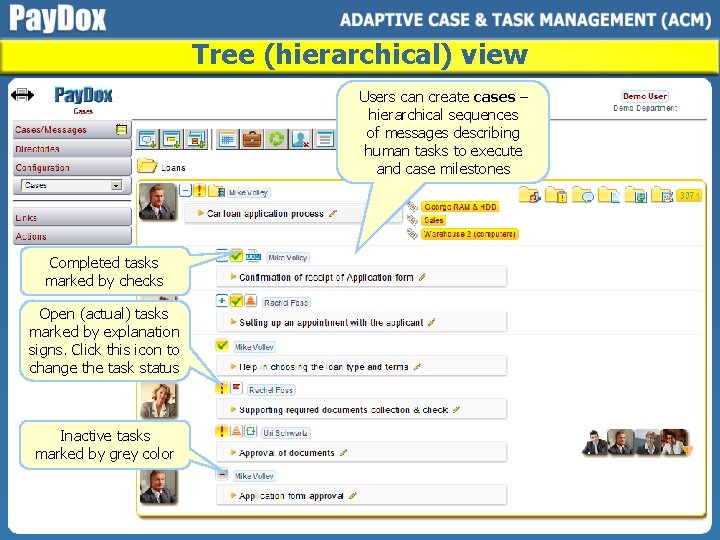
Tree (hierarchical) view Users can create cases – hierarchical sequences of messages describing human tasks to execute and case milestones Completed tasks marked by checks Open (actual) tasks marked by explanation signs. Click this icon to change the task status Inactive tasks marked by grey color
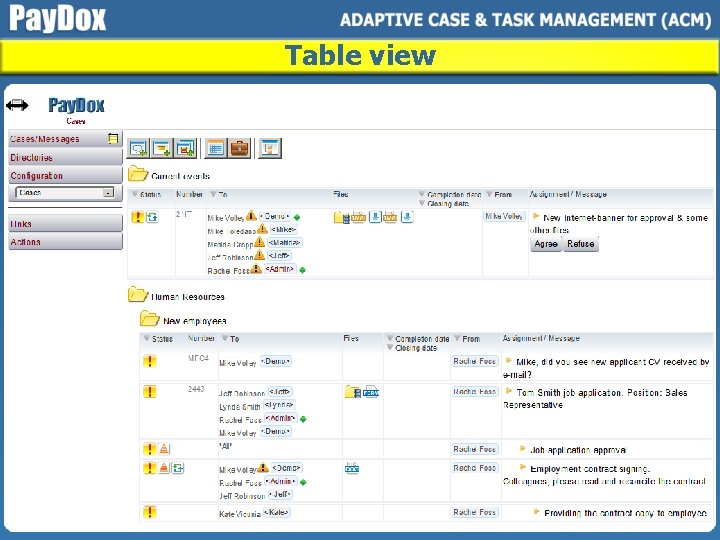
Table view
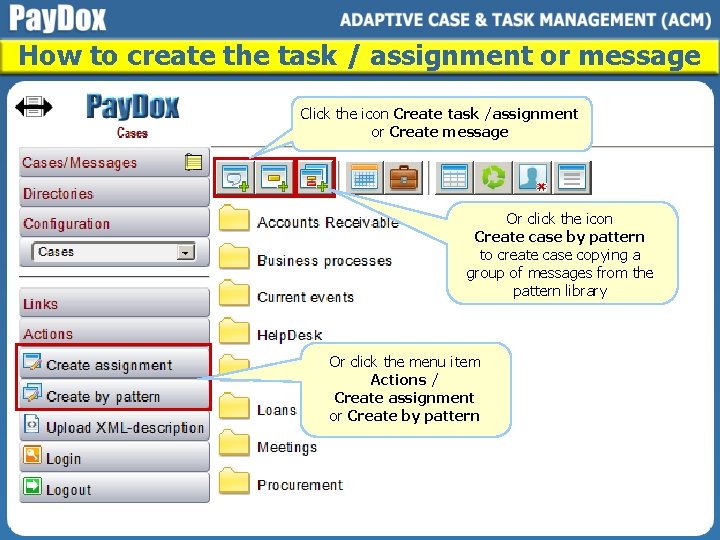
How to create the task / assignment or message Click the icon Create task /assignment or Create message Or click the icon Create case by pattern to create case copying a group of messages from the pattern library Or click the menu item Actions / Create assignment or Create by pattern
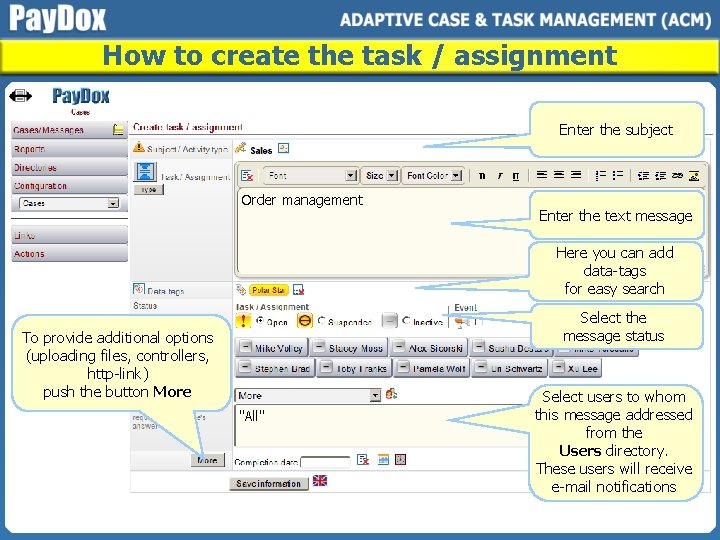
How to create the task / assignment Enter the subject Order management Enter the text message Here you can add data-tags for easy search Select the message status To provide additional options (uploading files, controllers, http-link) push the button More "All" Select users to whom this message addressed from the Users directory. These users will receive e-mail notifications
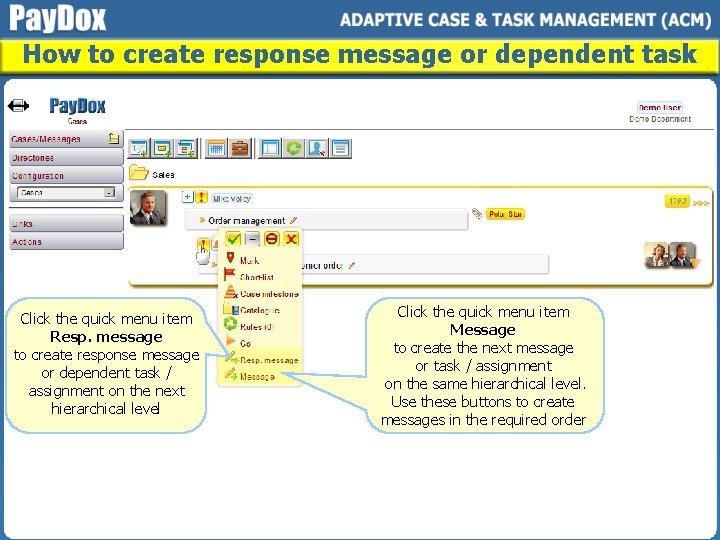
How to create response message or dependent task Click the quick menu item Resp. message to create response message or dependent task / assignment on the next hierarchical level Click the quick menu item Message to create the next message or task / assignment on the same hierarchical level. Use these buttons to create messages in the required order
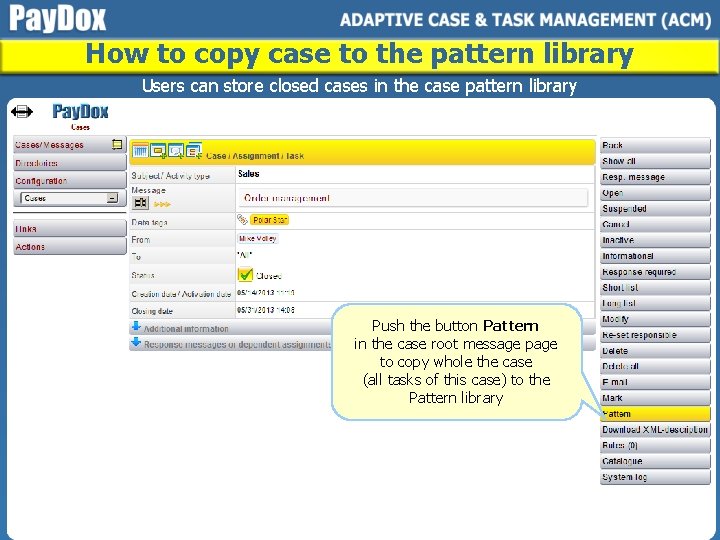
How to copy case to the pattern library Users can store closed cases in the case pattern library Push the button Pattern in the case root message page to copy whole the case (all tasks of this case) to the Pattern library
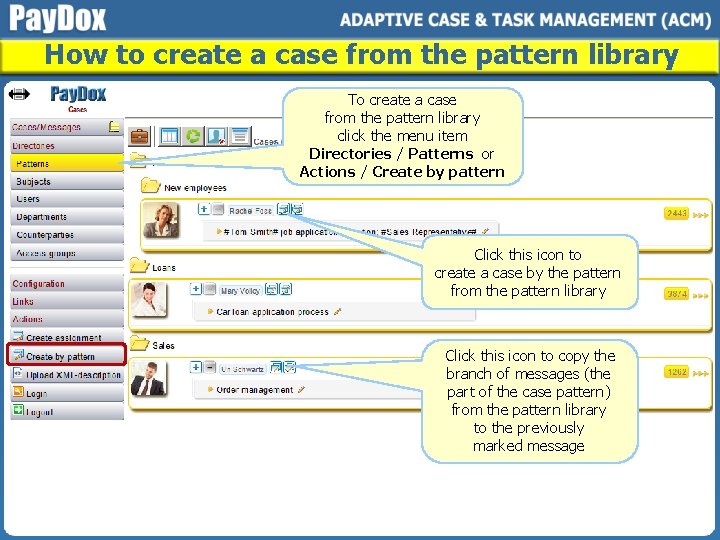
How to create a case from the pattern library To create a case from the pattern library click the menu item Directories / Patterns or Actions / Create by pattern Click this icon to create a case by the pattern from the pattern library Click this icon to copy the branch of messages (the part of the case pattern) from the pattern library to the previously marked message
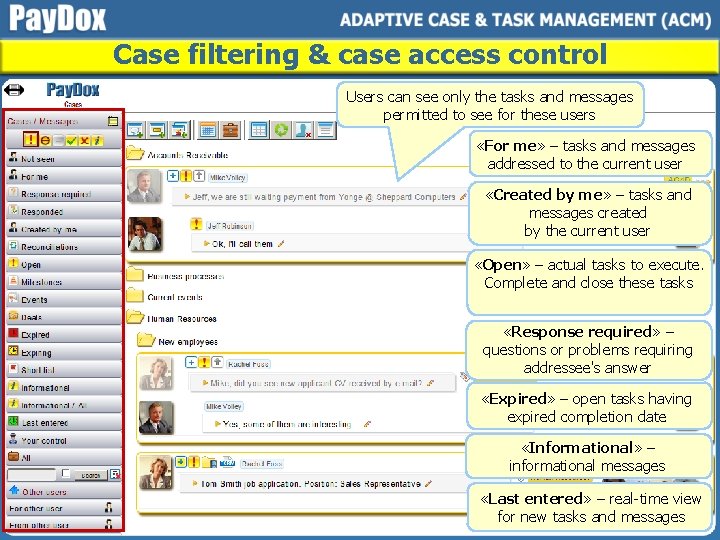
Case filtering & case access control Users can see only the tasks and messages permitted to see for these users «For me» – tasks and messages addressed to the current user «Created by me» – tasks and messages created by the current user «Open» – actual tasks to execute. Complete and close these tasks «Response required» – questions or problems requiring addressee's answer «Expired» – open tasks having expired completion date «Informational» – informational messages «Last entered» – real-time view for new tasks and messages
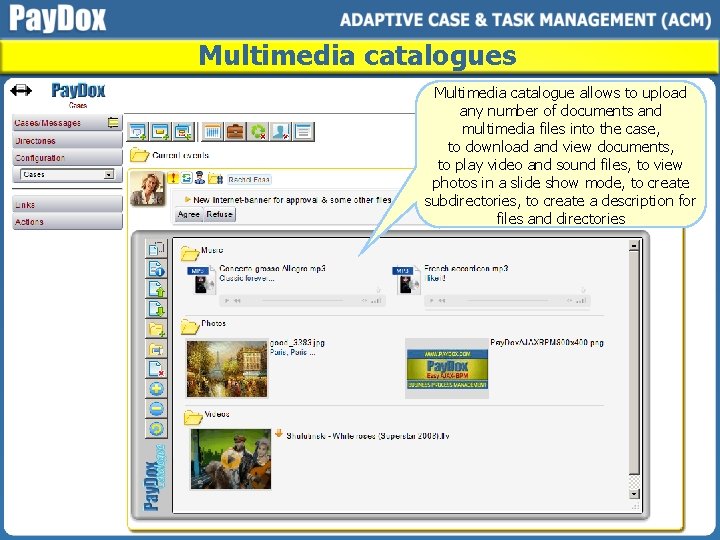
Multimedia catalogues Multimedia catalogue allows to upload any number of documents and multimedia files into the case, to download and view documents, to play video and sound files, to view photos in a slide show mode, to create subdirectories, to create a description for files and directories
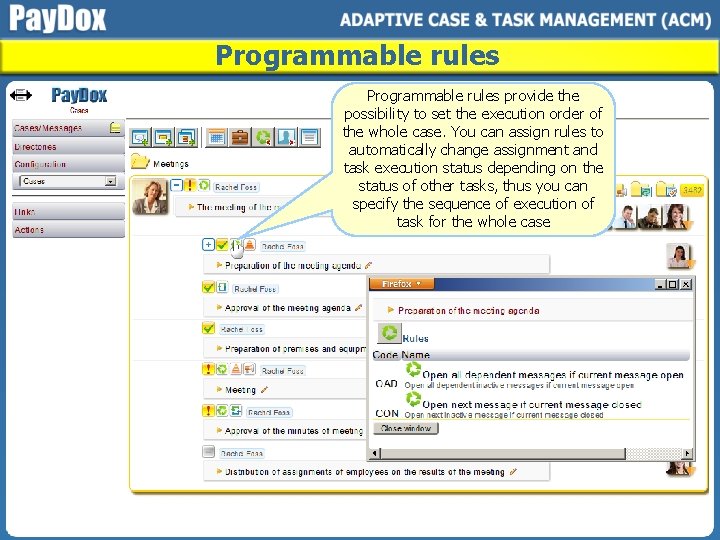
Programmable rules provide the possibility to set the execution order of the whole case. You can assign rules to automatically change assignment and task execution status depending on the status of other tasks, thus you can specify the sequence of execution of task for the whole case
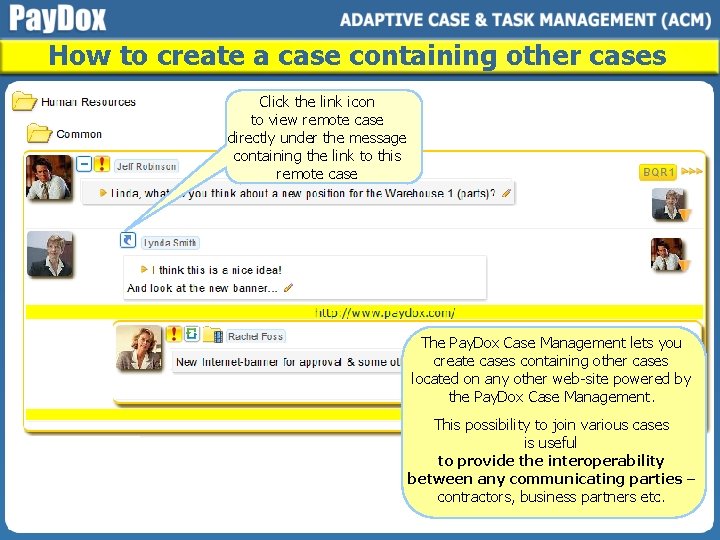
How to create a case containing other cases Click the link icon to view remote case directly under the message containing the link to this remote case The Pay. Dox Case Management lets you create cases containing other cases located on any other web-site powered by the Pay. Dox Case Management. This possibility to join various cases is useful to provide the interoperability between any communicating parties – contractors, business partners etc.
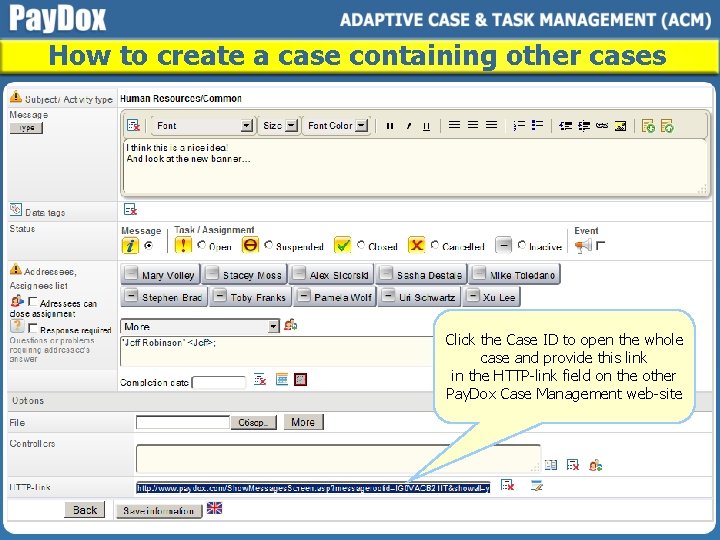
How to create a case containing other cases Click the Case ID to open the whole case and provide this link in the HTTP-link field on the other Pay. Dox Case Management web-site
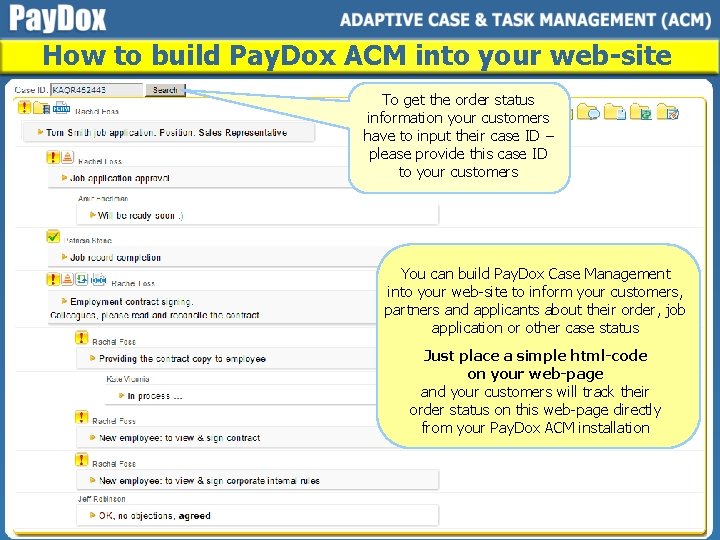
How to build Pay. Dox ACM into your web-site To get the order status information your customers have to input their case ID – please provide this case ID to your customers You can build Pay. Dox Case Management into your web-site to inform your customers, partners and applicants about their order, job application or other case status Just place a simple html-code on your web-page and your customers will track their order status on this web-page directly from your Pay. Dox ACM installation
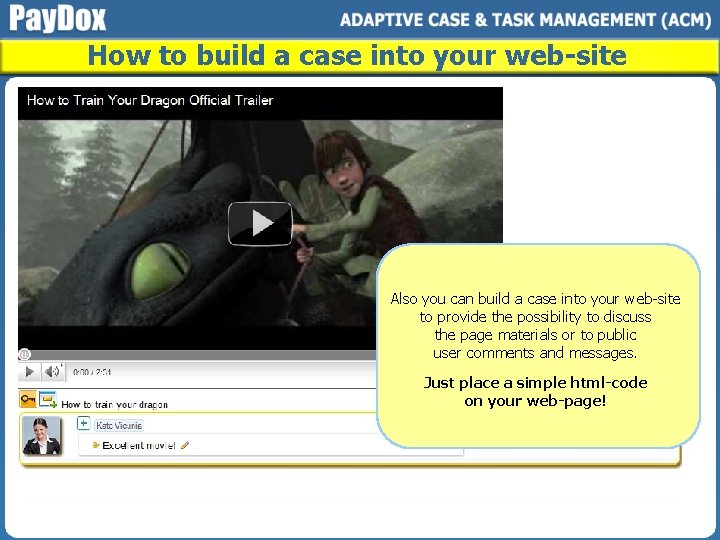
How to build a case into your web-site Also you can build a case into your web-site to provide the possibility to discuss the page materials or to public user comments and messages. Just place a simple html-code on your web-page!
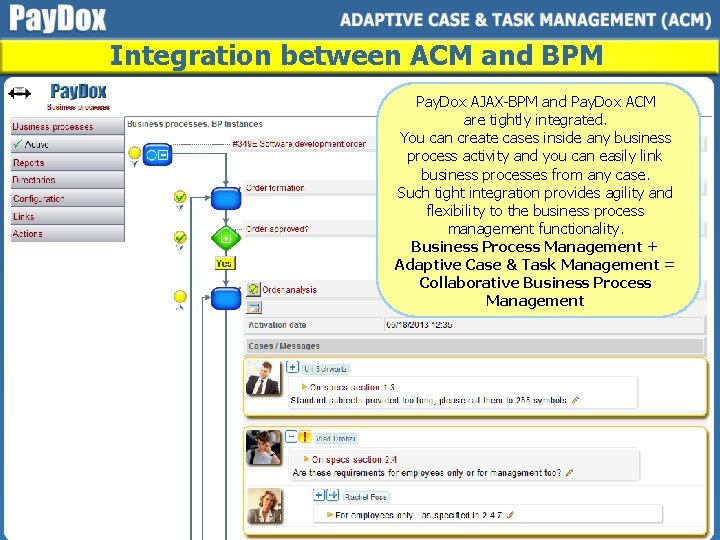
Integration between ACM and BPM Pay. Dox AJAX-BPM and Pay. Dox ACM are tightly integrated. You can create cases inside any business process activity and you can easily link business processes from any case. Such tight integration provides agility and flexibility to the business process management functionality. Business Process Management + Adaptive Case & Task Management = Collaborative Business Process Management
How to start using Pay. Dox Case Management Use Pay. Dox Case Management without any laborious initial settings and without any programming Download Pay. Dox Case Management, install it in minutes and use it on your computer for free
Additional information FREE fully functional version Download. Run. Works! www. paydox. com