
Adam Saxton Sr Content Developer working on Business

Adam Saxton

Sr. Content Developer working on Business Intelligence products 10 years supporting SQL Connectivity and BI Products Avid blogger and You. Tuber

Starting with Power BI Desktop


File location and freshness

Refresh & Gateways
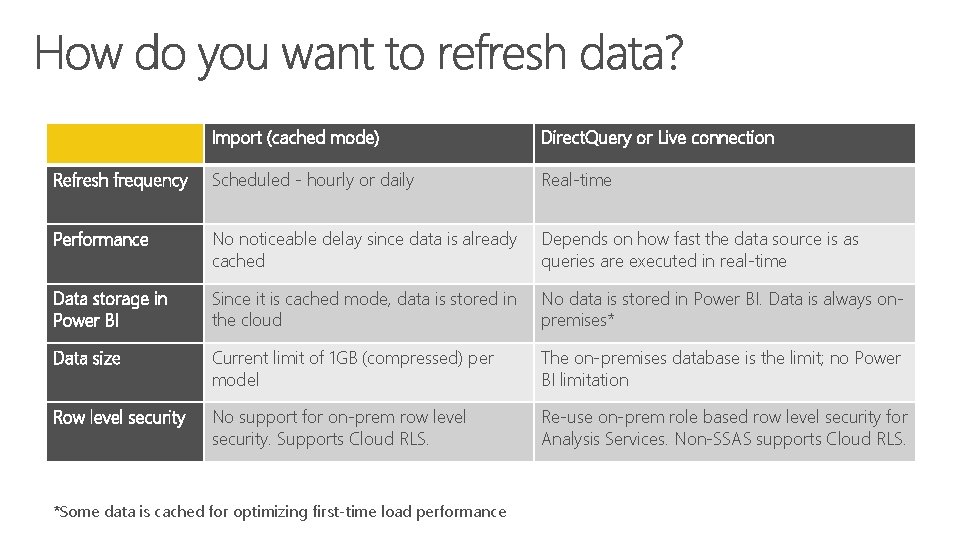
Import (cached mode) Direct. Query or Live connection Refresh frequency Scheduled - hourly or daily Real-time Performance No noticeable delay since data is already cached Depends on how fast the data source is as queries are executed in real-time Data storage in Power BI Since it is cached mode, data is stored in the cloud No data is stored in Power BI. Data is always onpremises* Data size Current limit of 1 GB (compressed) per model The on-premises database is the limit; no Power BI limitation Row level security No support for on-prem row level security. Supports Cloud RLS. Re-use on-prem role based row level security for Analysis Services. Non-SSAS supports Cloud RLS. *Some data is cached for optimizing first-time load performance
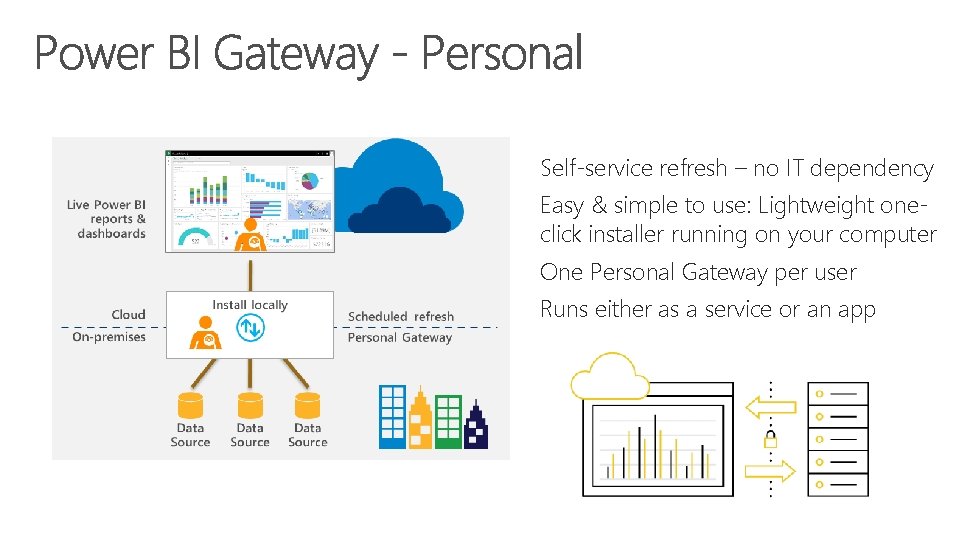
Self-service refresh – no IT dependency Easy & simple to use: Lightweight oneclick installer running on your computer One Personal Gateway per user Runs either as a service or an app
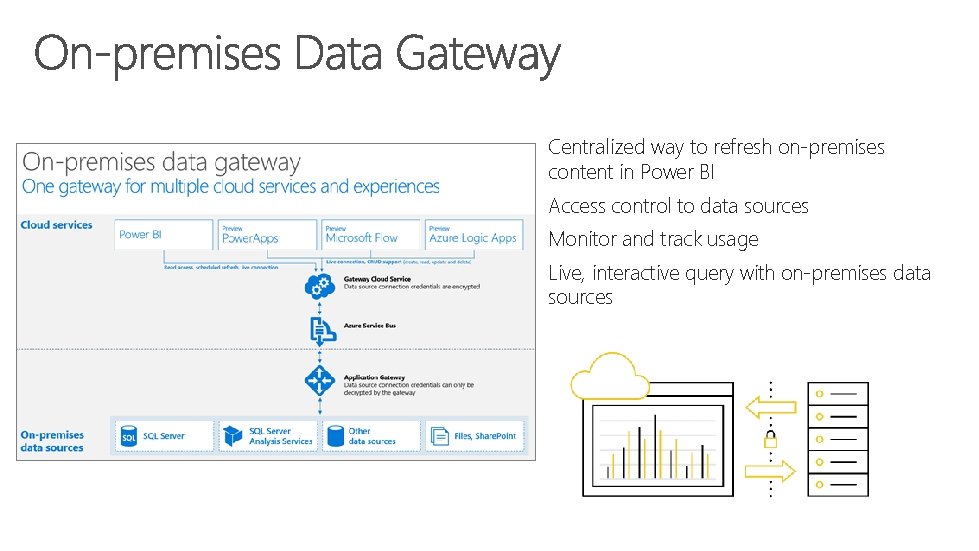
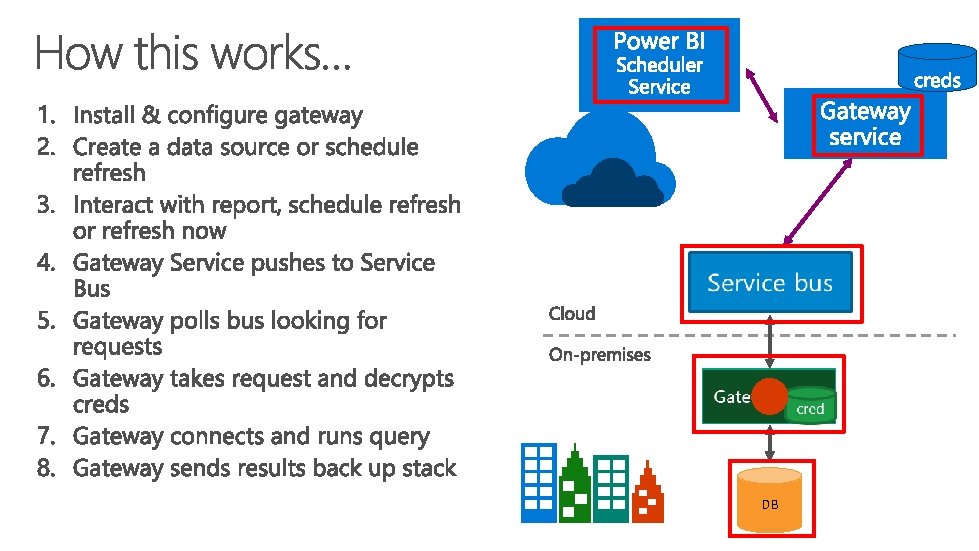
Centralized way to refresh on-premises content in Power BI Access control to data sources Monitor and track usage Live, interactive query with on-premises data sources
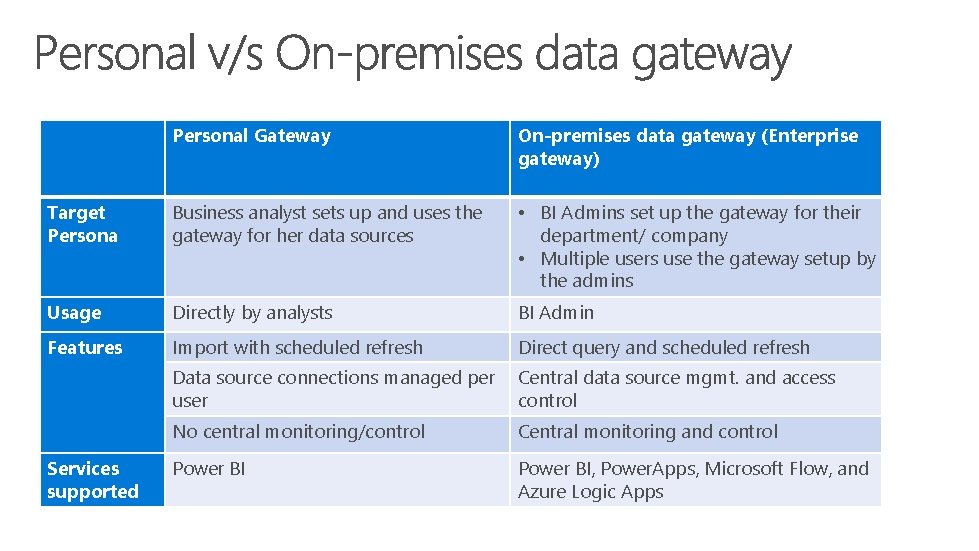
Personal Gateway On-premises data gateway (Enterprise gateway) Target Persona Business analyst sets up and uses the gateway for her data sources • BI Admins set up the gateway for their department/ company • Multiple users use the gateway setup by the admins Usage Directly by analysts BI Admin Features Import with scheduled refresh Direct query and scheduled refresh Data source connections managed per user Central data source mgmt. and access control No central monitoring/control Central monitoring and control Power BI, Power. Apps, Microsoft Flow, and Azure Logic Apps Services supported
DB

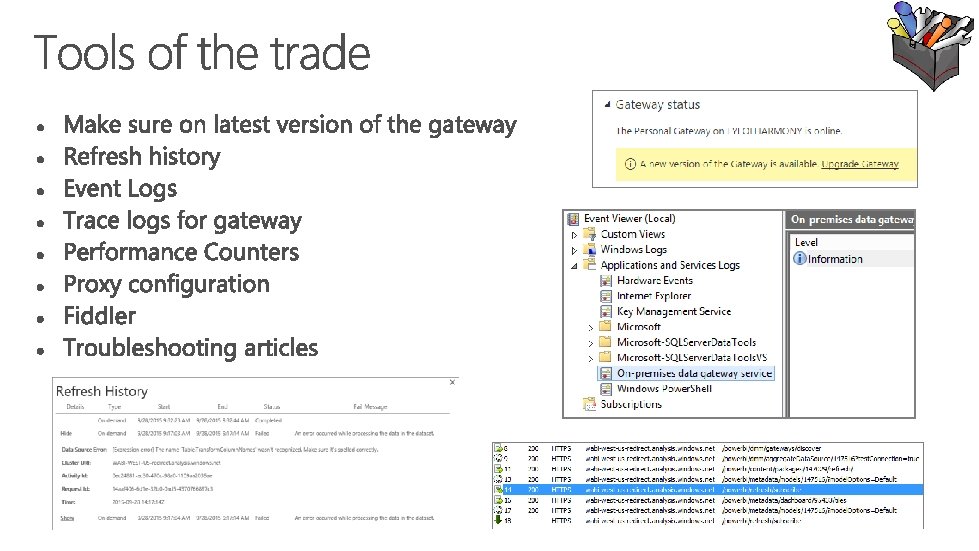
Troubleshooting

asaxton@microsoft. com

- Slides: 21