
Activity Diagrams K K Rao Definition Activity diagrams



- Slides: 18
Activity Diagrams K K Rao
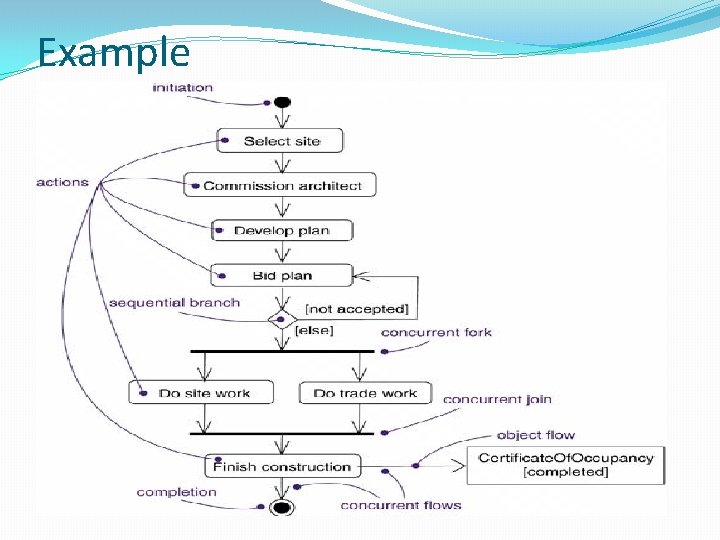
Definition � Activity diagrams are one of the five diagrams in the UML for modeling the dynamic aspects of systems. An activity diagram is essentially a flowchart, showing flow of control from activity to activity. Unlike a traditional flowchart, an activity diagram shows concurrency as well as branches of control. �Contents 1. Start state and end state 2. Transition 3. Action state and activity 4. Decision Box 5. syncronization Bar 6. swimlane
Example
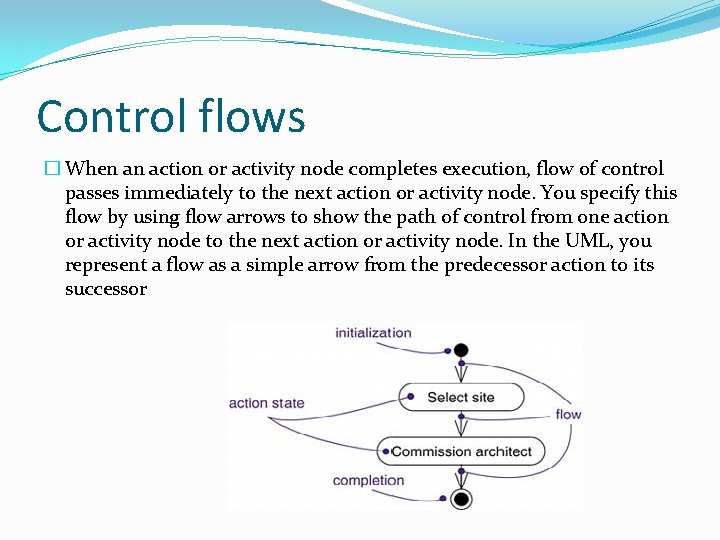
Control flows � When an action or activity node completes execution, flow of control passes immediately to the next action or activity node. You specify this flow by using flow arrows to show the path of control from one action or activity node to the next action or activity node. In the UML, you represent a flow as a simple arrow from the predecessor action to its successor
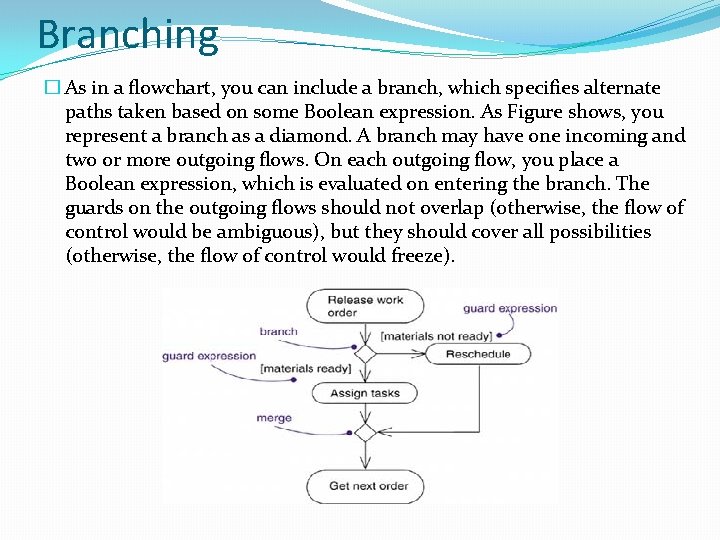
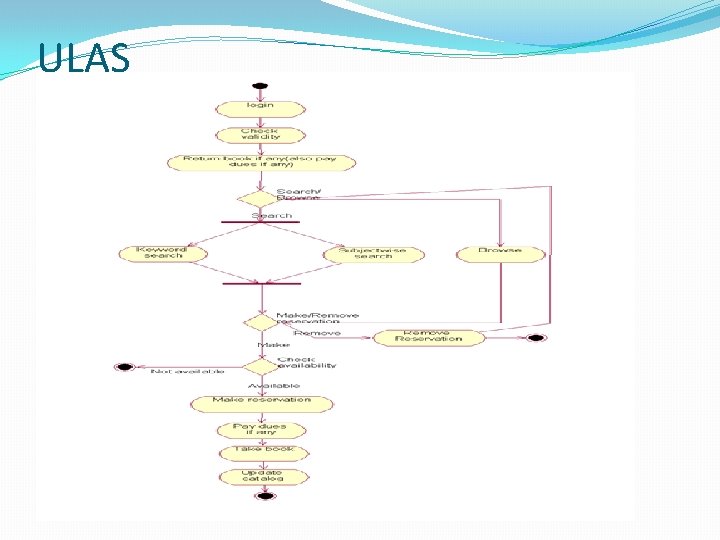
Branching � As in a flowchart, you can include a branch, which specifies alternate paths taken based on some Boolean expression. As Figure shows, you represent a branch as a diamond. A branch may have one incoming and two or more outgoing flows. On each outgoing flow, you place a Boolean expression, which is evaluated on entering the branch. The guards on the outgoing flows should not overlap (otherwise, the flow of control would be ambiguous), but they should cover all possibilities (otherwise, the flow of control would freeze).
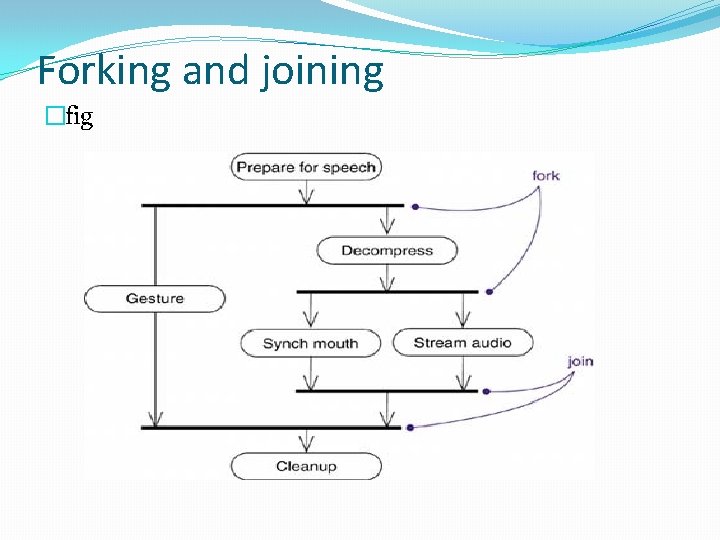
Forking and Joining � a fork represents the splitting of a single flow of control into two or more concurrent flows of control. A fork may have one incoming transition and two or more outgoing transitions, each of which represents an independent flow of control. Below the fork, the activities associated with each of these paths continues in parallel. � a join represents the synchronization of two or more concurrent flows of control. A join may have two or more incoming transitions and one outgoing transition. Above the join, the activities associated with each of these paths continues in parallel. At the join, the concurrent flows synchronize, meaning that each waits until all incoming flows have reached the join, at which point one flow of control continues on below the join.
Forking and joining �fig
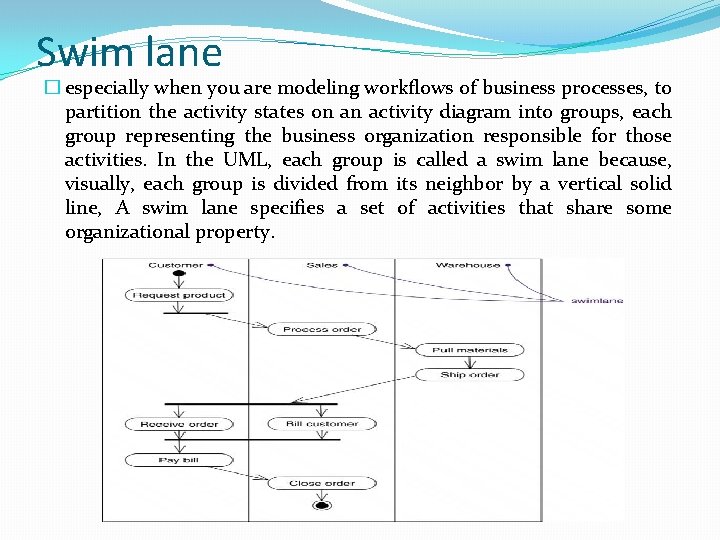
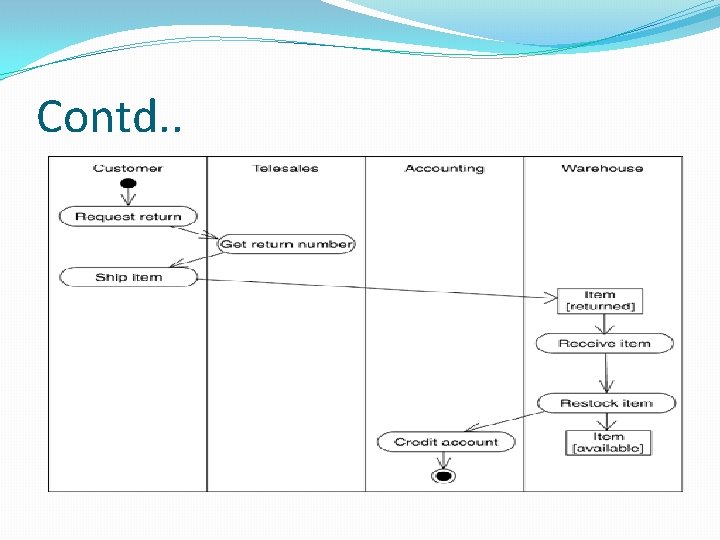
Swim lane � especially when you are modeling workflows of business processes, to partition the activity states on an activity diagram into groups, each group representing the business organization responsible for those activities. In the UML, each group is called a swim lane because, visually, each group is divided from its neighbor by a vertical solid line, A swim lane specifies a set of activities that share some organizational property.
Object flow � Objects may be involved in the flow of control associated with an activity diagram. For example, in the workflow of processing an order as in the previous figure, the vocabulary of your problem space will also include such classes as Order and Bill. Instances of these two classes will be produced by certain activities (Process order will create an Order object, for example); other activities may use or modify these objects (for example, Ship order will change the state of the Order object to filled).
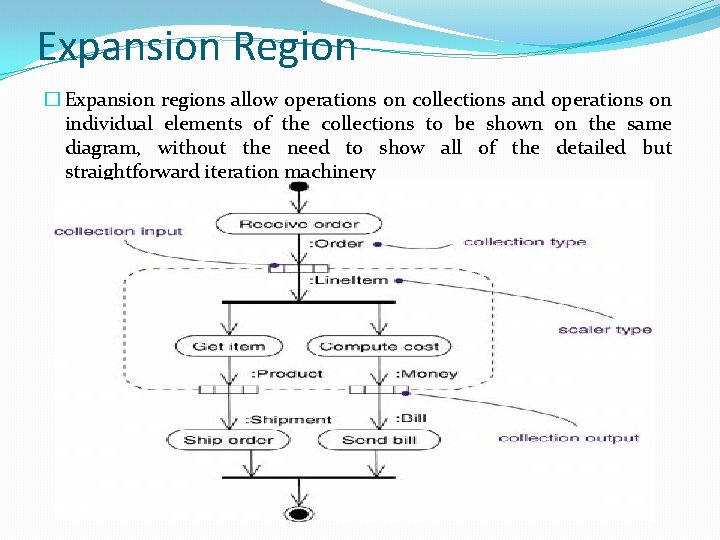
Expansion Region � Expansion regions allow operations on collections and operations on individual elements of the collections to be shown on the same diagram, without the need to show all of the detailed but straightforward iteration machinery
CMT � Modeling a Workflow 1. Establish a focus for the workflow. For nontrivial systems, it's impossible to show all interesting workflows in one diagram. 2. Select the business objects that have the high-level responsibilities for parts of the overall workflow. 3. Identify the preconditions of the workflow's initial state and the post conditions of the workflow's final state. 4. Beginning at the workflow's initial state, specify the actions that take place over time and render them in the activity diagram. 5. For complicated actions or for sets of actions that appear multiple times, collapse these into calls to a separate activity diagram. 6. Render the flows that connect these actions and activity nodes. Start with the sequential flows in the workflow first, next consider branching, and only then consider forking and joining. 7. If there are important object values that are involved in the workflow, render them in the activity diagram as well. Show their changing values and state as necessary to communicate the intent of the object flow.
Contd. .
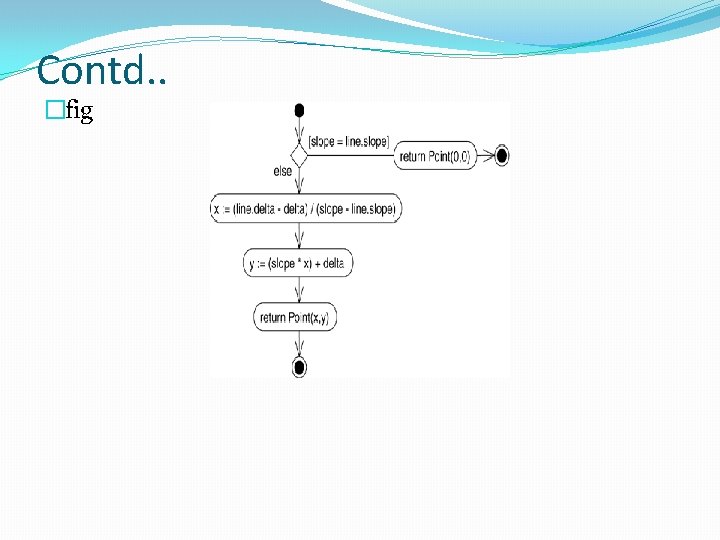
CMT contd. . �Modeling an Operation 1. Collect the abstractions that are involved in this operation. This includes the operation's parameters (including its return type, if any), the attributes of the enclosing class, and certain neighboring classes. 2. Identify the preconditions at the operation's initial state and the post conditions at the operation's final state. 3. Beginning at the operation's initial state, specify the activities and actions that take place over time and render them in the activity diagram as either activity states or action states. 4. Use branching as necessary to specify conditional paths and iteration. 5. Only if this operation is owned by an active class, use forking and joining as necessary to specify parallel flows of control.
Contd. . �fig
ULAS
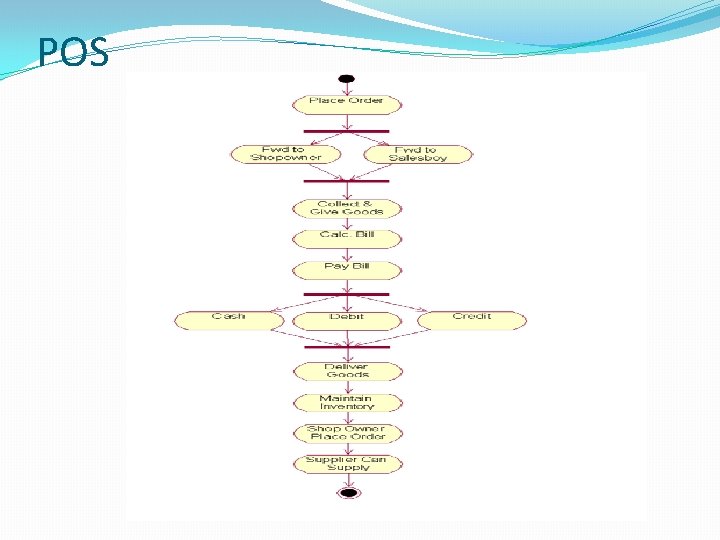
POS
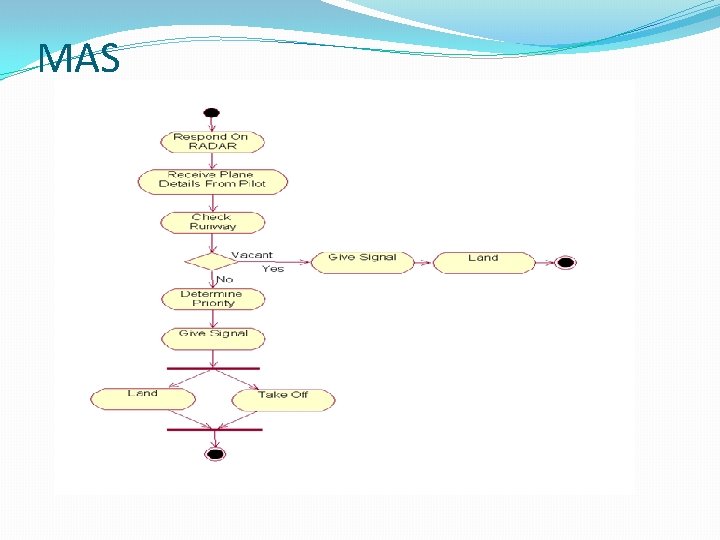
MAS
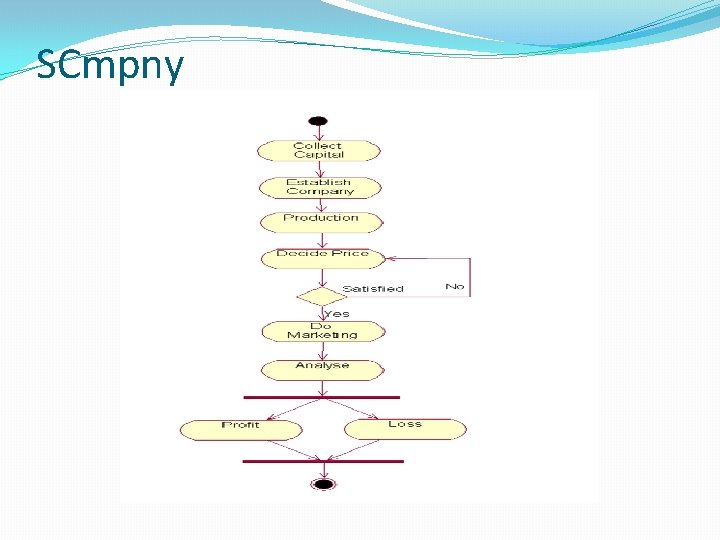
SCmpny