
Activity 1 2 3 a Airfoil Construction Guide
- Slides: 18
Activity 1. 2. 3 a Airfoil Construction Guide
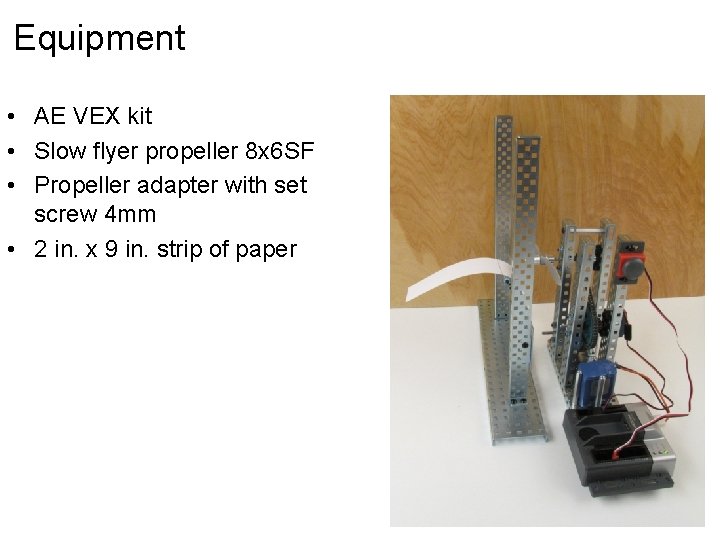
Equipment • AE VEX kit • Slow flyer propeller 8 x 6 SF • Propeller adapter with set screw 4 mm • 2 in. x 9 in. strip of paper
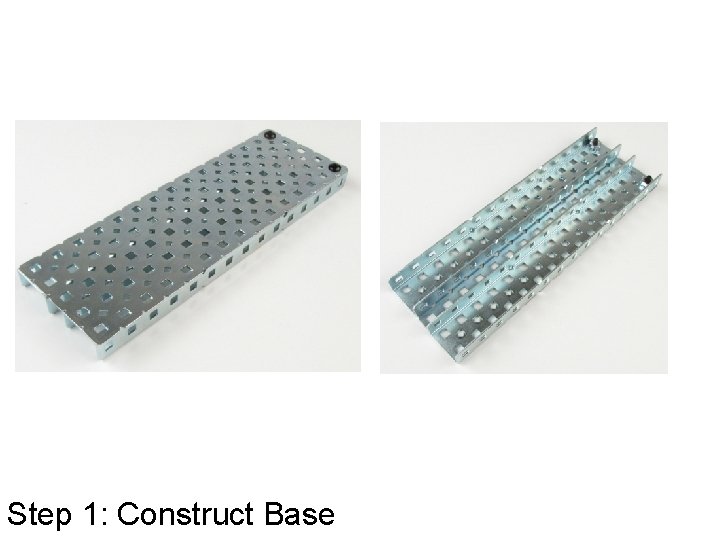
Step 1: Construct Base
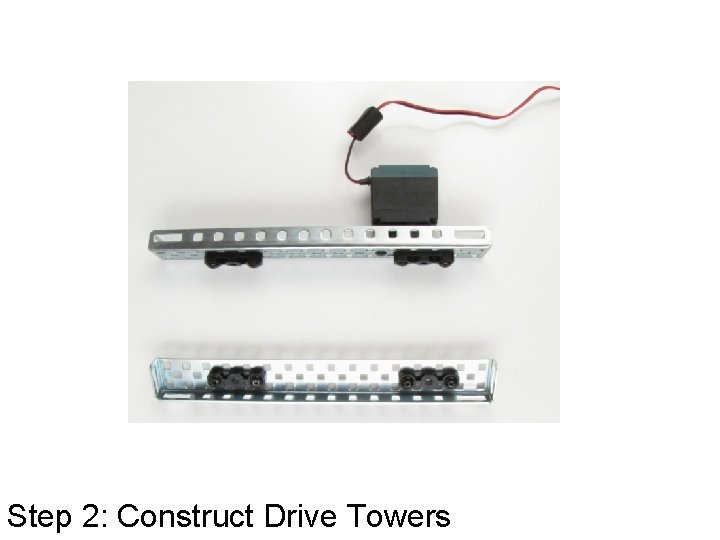
Step 2: Construct Drive Towers
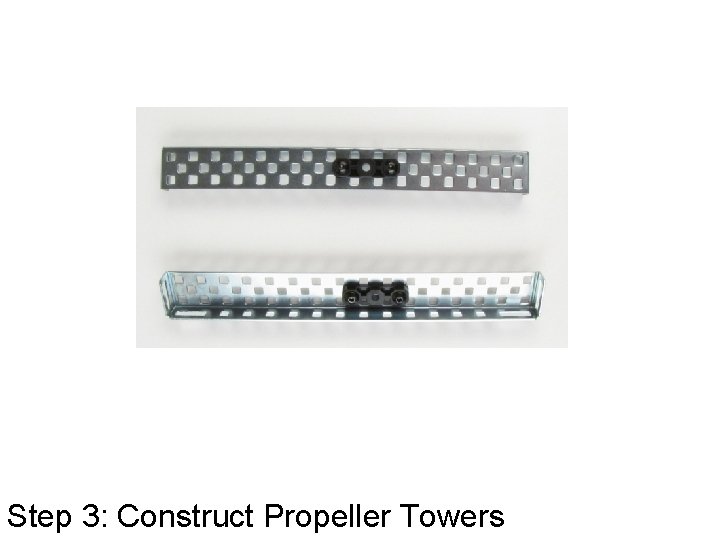
Step 3: Construct Propeller Towers
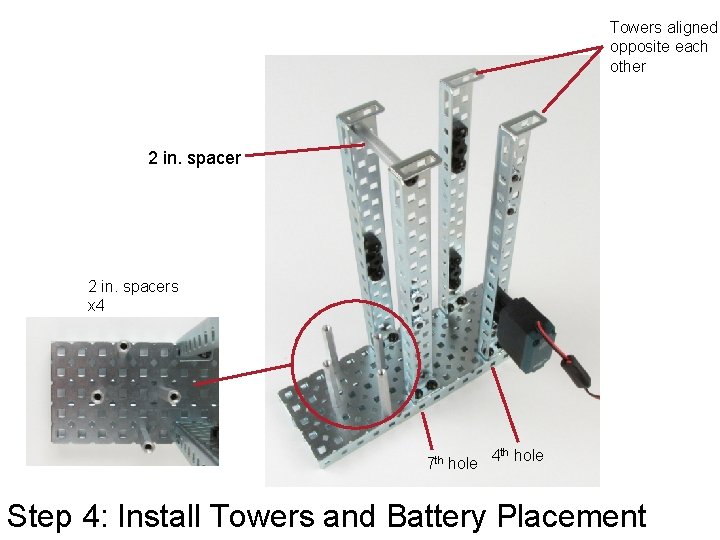
Towers aligned opposite each other 2 in. spacers x 4 th 7 th hole 4 hole Step 4: Install Towers and Battery Placement
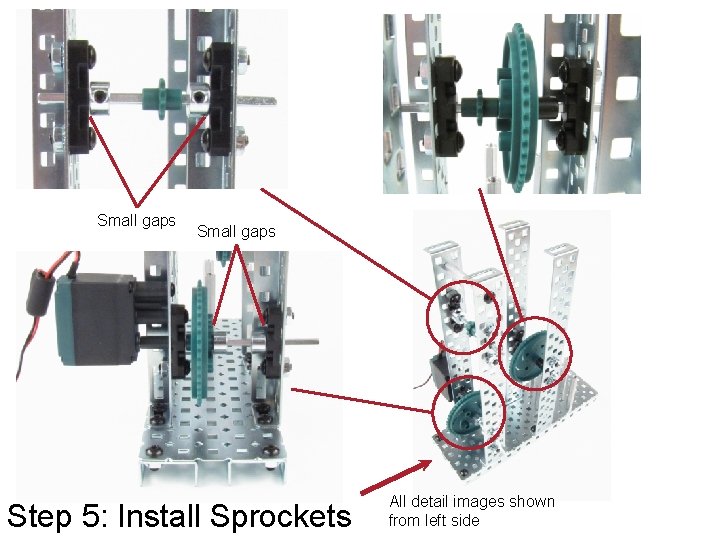
Small gaps Step 5: Install Sprockets All detail images shown from left side
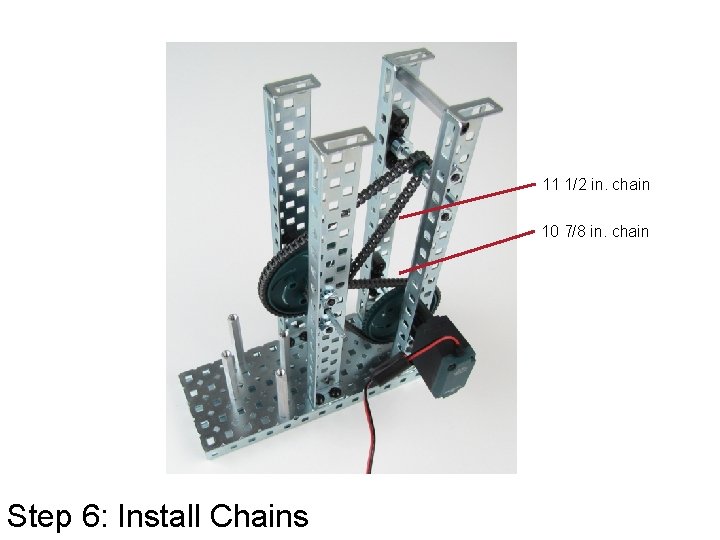
11 1/2 in. chain 10 7/8 in. chain Step 6: Install Chains
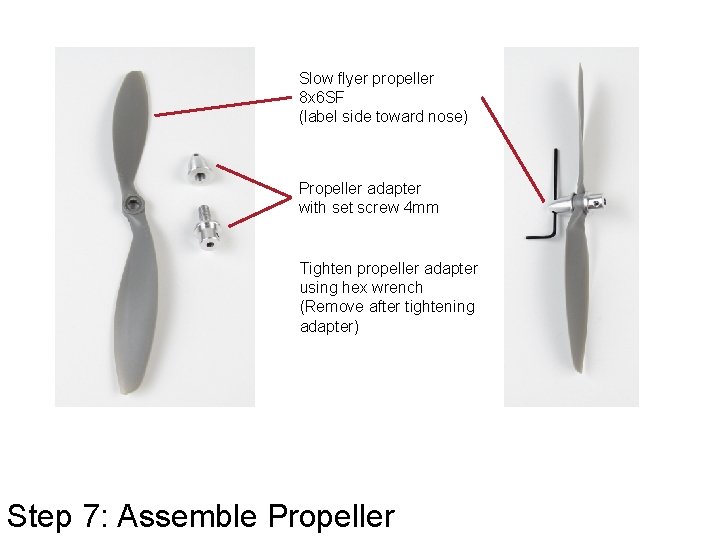
Slow flyer propeller 8 x 6 SF (label side toward nose) Propeller adapter with set screw 4 mm Tighten propeller adapter using hex wrench (Remove after tightening adapter) Step 7: Assemble Propeller
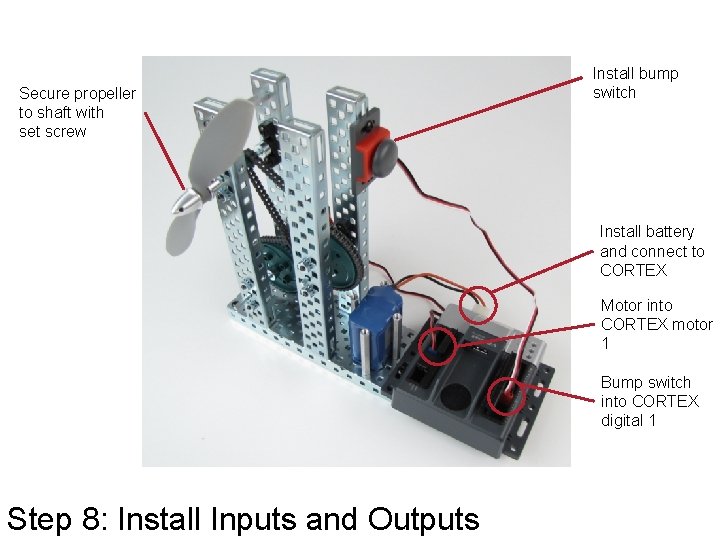
Secure propeller to shaft with set screw Install bump switch Install battery and connect to CORTEX Motor into CORTEX motor 1 Bump switch into CORTEX digital 1 Step 8: Install Inputs and Outputs
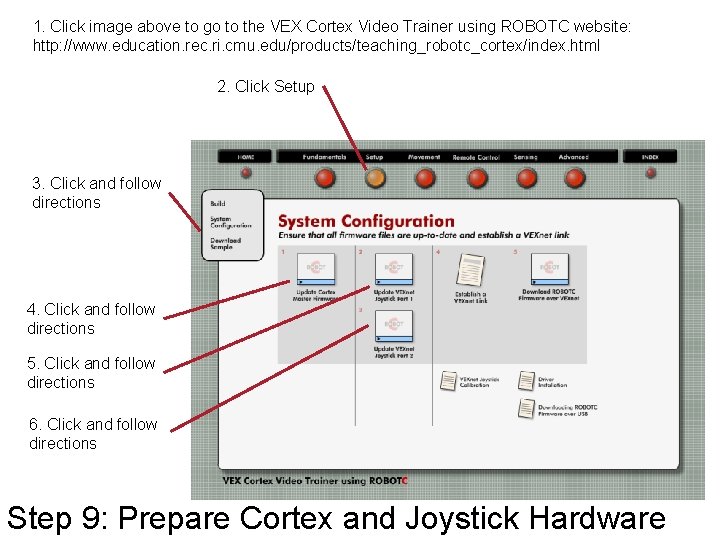
1. Click image above to go to the VEX Cortex Video Trainer using ROBOTC website: http: //www. education. rec. ri. cmu. edu/products/teaching_robotc_cortex/index. html 2. Click Setup 3. Click and follow directions 4. Click and follow directions 5. Click and follow directions 6. Click and follow directions Step 9: Prepare Cortex and Joystick Hardware
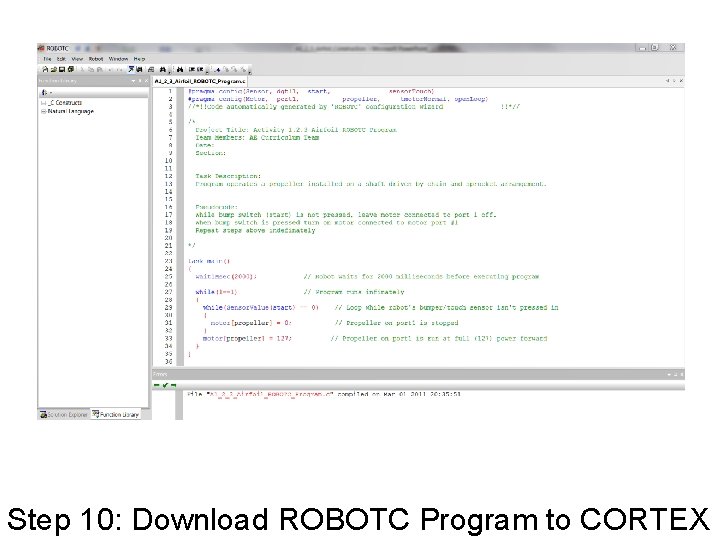
Step 10: Download ROBOTC Program to CORTEX
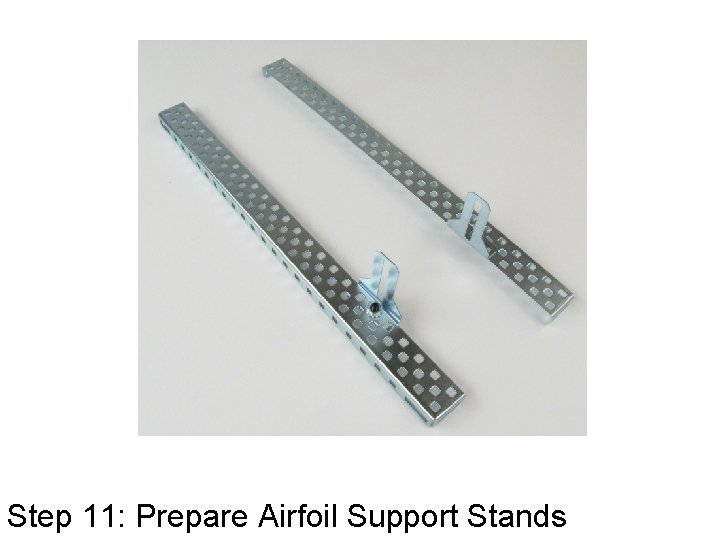
Step 11: Prepare Airfoil Support Stands
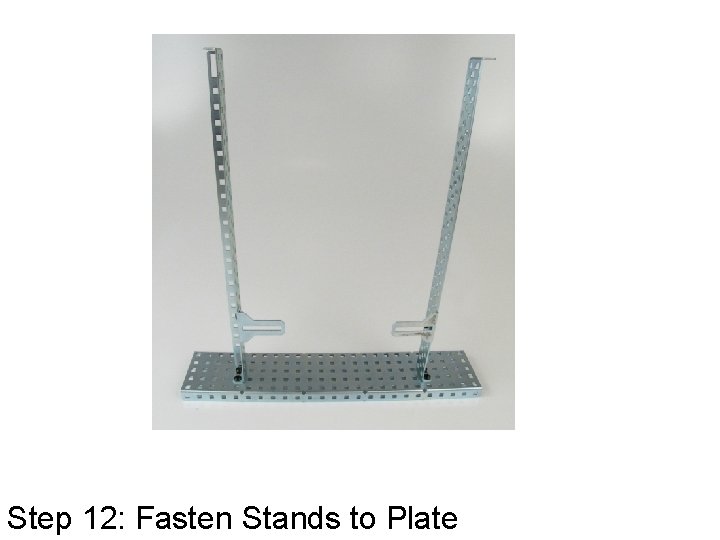
Step 12: Fasten Stands to Plate
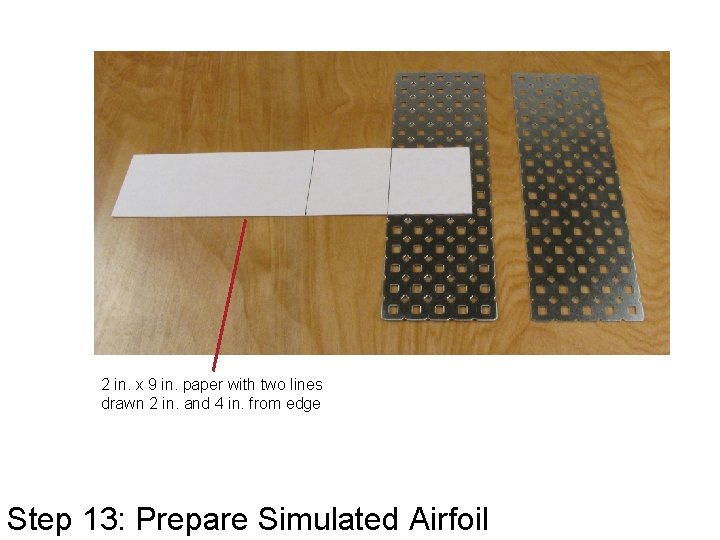
2 in. x 9 in. paper with two lines drawn 2 in. and 4 in. from edge Step 13: Prepare Simulated Airfoil
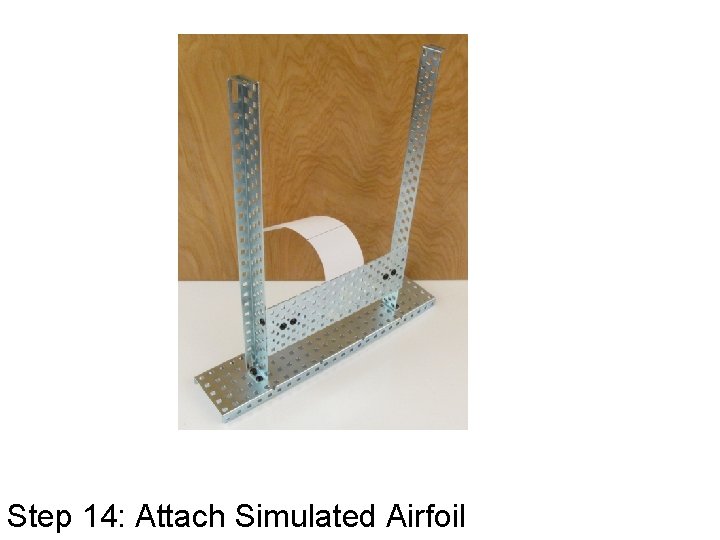
Step 14: Attach Simulated Airfoil
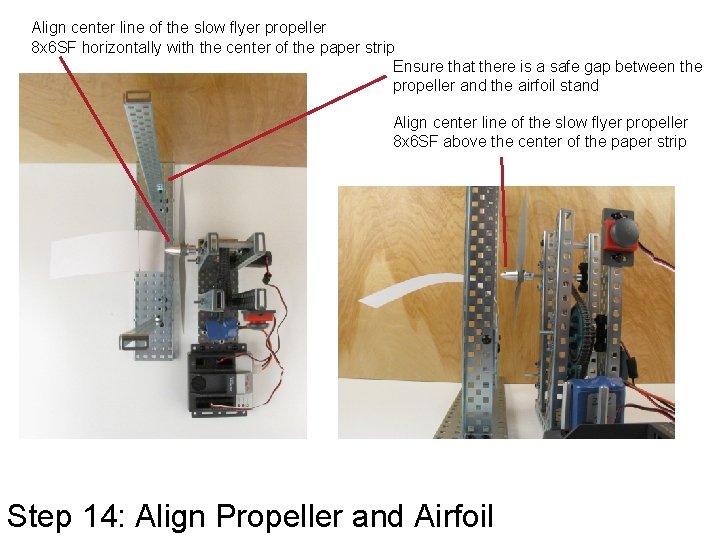
Align center line of the slow flyer propeller 8 x 6 SF horizontally with the center of the paper strip Ensure that there is a safe gap between the propeller and the airfoil stand Align center line of the slow flyer propeller 8 x 6 SF above the center of the paper strip Step 14: Align Propeller and Airfoil
Stop Complete Activity 1. 2. 3 Airfoil