
Activities Astea Solutions AD Recap Android components Activity
- Slides: 15
Activities Димитър Н. Димитров Astea Solutions AD
Recap: Android components • • • Activity Service Broadcast. Receiver Content. Provider Intent (? )
Applications and components Starting an Android component • – – components can be started with Intents Android creates the components and manages their lifecycle Application flow • – – – in Java: everything starts from the main() method in Android: no obligations for single entry point pretty much everything you see in the application flow is managed by an Activity
Activity “. . . a single, focused thing that the user can do. ” creates a window and initializes the UI for it reacts on user interactions allows you to interact with the system functions and services • • – see android. content. Context
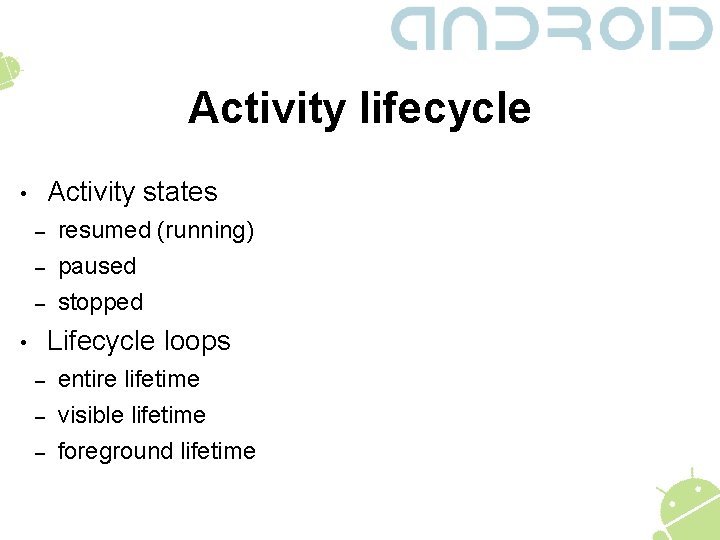
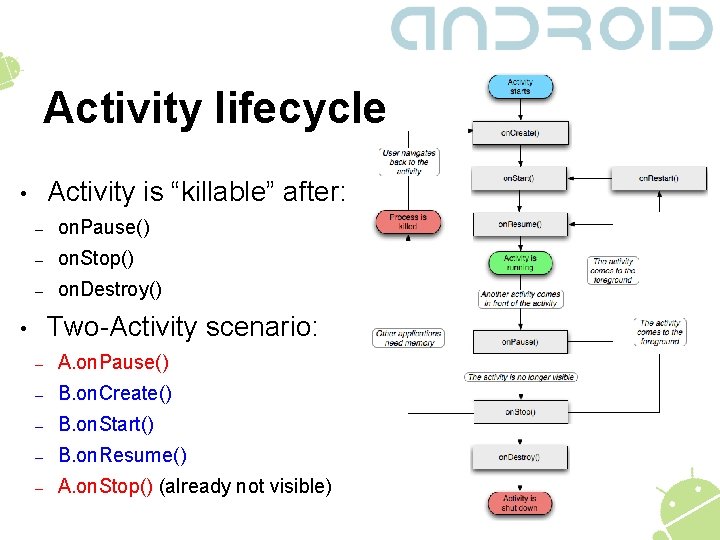
Activity lifecycle Activity states • – – – resumed (running) paused stopped Lifecycle loops • – – – entire lifetime visible lifetime foreground lifetime
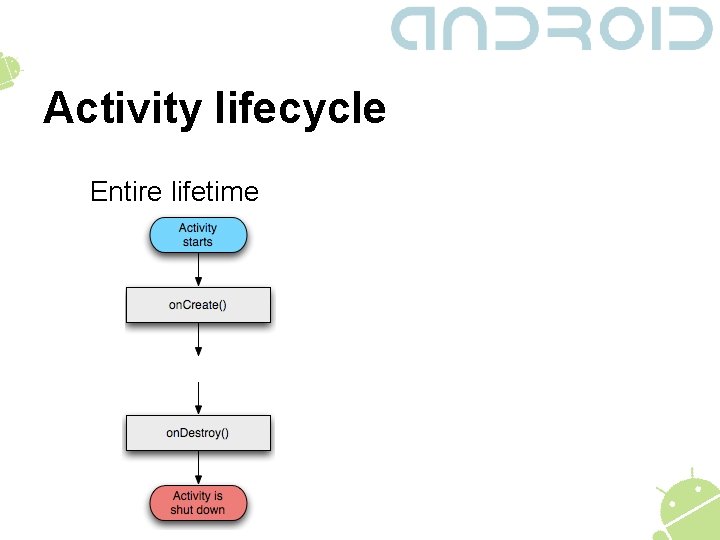
Activity lifecycle Entire lifetime
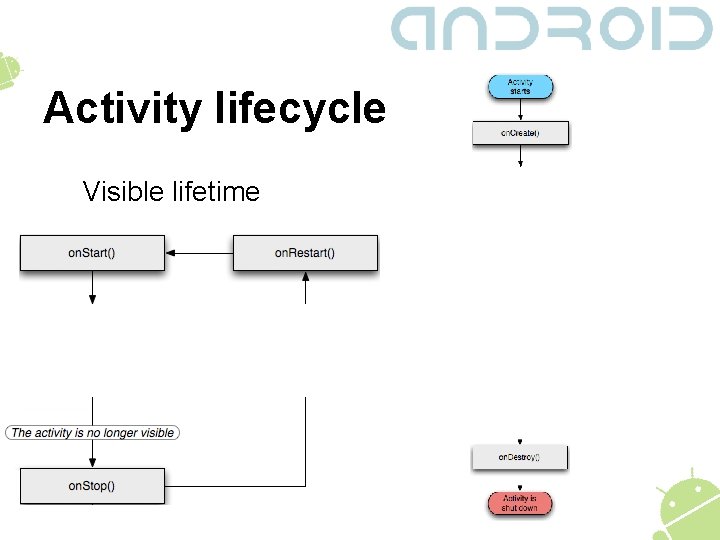
Activity lifecycle Visible lifetime
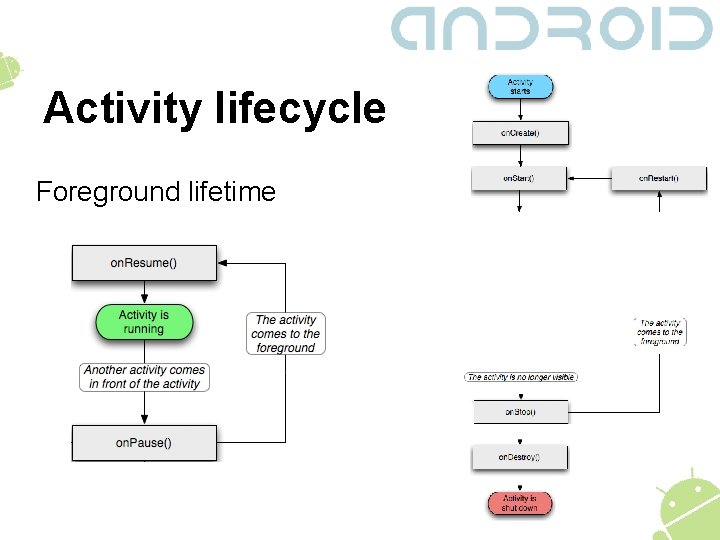
Activity lifecycle Foreground lifetime
Activity lifecycle Activity is “killable” after: • – on. Pause() – on. Stop() – on. Destroy() Two-Activity scenario: • – A. on. Pause() – B. on. Create() – B. on. Start() – B. on. Resume() – A. on. Stop() (already not visible)
android. app. Activity Starting an activity • – void start. Activity(Intent intent) – void start. Activity. For. Result(Intent intent, int request. Code) – • Android. Manifest. xml Important methods – void set. Content. View() – void on. Save. Instance. State(Bundle)/void on. Restore. Instance. State(Bundle)
Tasks Android groups Activities, started in order to perform a certain job in tasks • – – • • • tasks are stacks (first in, first out) clicking the hardware BACK button pops the current Activity from the stack, by default How many instances of a given Activity can I have? How can I start an Activity in a new task? What Activity will be resumed, when I press BACK?
Activities & your application All the different “screens” in your application should be different Activities • – Activities should encompass most of the business logic of your application • – • try not to put too much stuff in a single Activity Activities act as a controller in the MVC pattern Start with a simple diagram and evolve it
Breaking news! • • Android 4. 0 has just been released! It should bridge the gap between Android APIs for tablets and smartphones
Q&A + Feedback Questions? Feedback section: • • – – – Did you hear well? Was there anything you didn’t understand? What would you like changed in our next lecture?
Recommended resources • • http: //developer. android. com/guide/topics/fundament als/activities. html http: //developer. android. com/guide/topics/fundament als/tasks-and-back-stack. html http: //developer. android. com/guide/practices/ui_guid elines/activity_task_design. html http: //en. wikipedia. org/wiki/Model%E 2%80%93 view %E 2%80%93 controller