
Active Shape Models Suppose we have a statistical
- Slides: 26
Active Shape Models • Suppose we have a statistical shape model – Trained from sets of examples • How do we use it to interpret new images? • Use an “Active Shape Model” • Iterative method of matching model to image
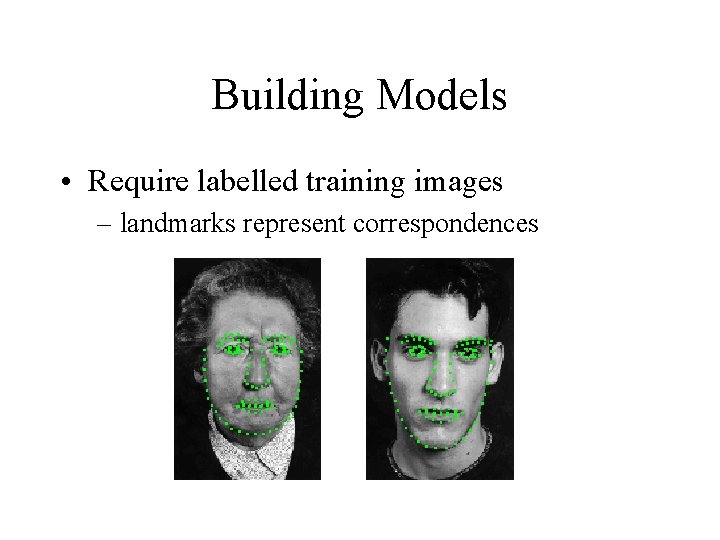
Building Models • Require labelled training images – landmarks represent correspondences
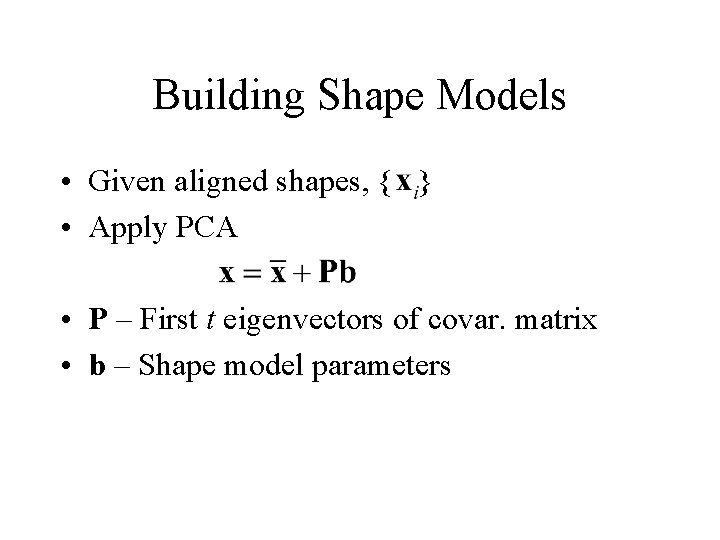
Building Shape Models • Given aligned shapes, { } • Apply PCA • P – First t eigenvectors of covar. matrix • b – Shape model parameters
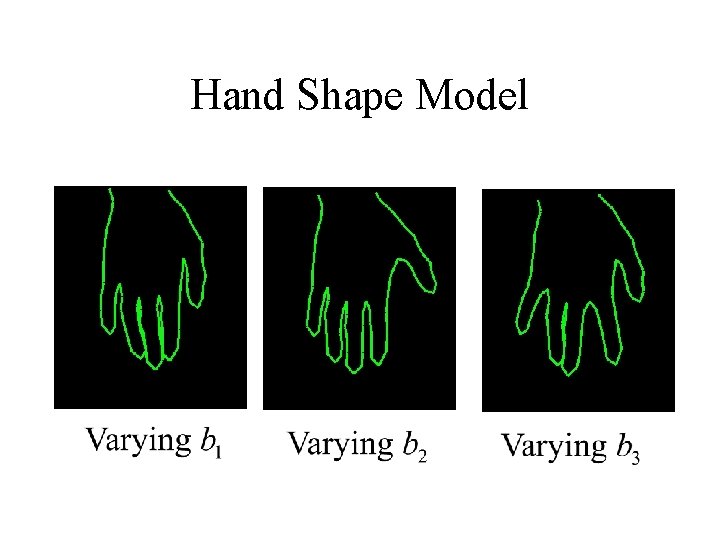
Hand Shape Model
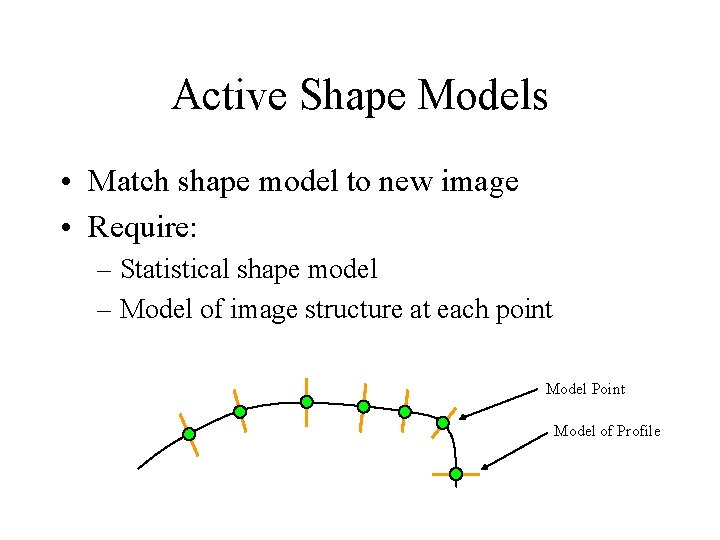
Active Shape Models • Match shape model to new image • Require: – Statistical shape model – Model of image structure at each point Model Point Model of Profile
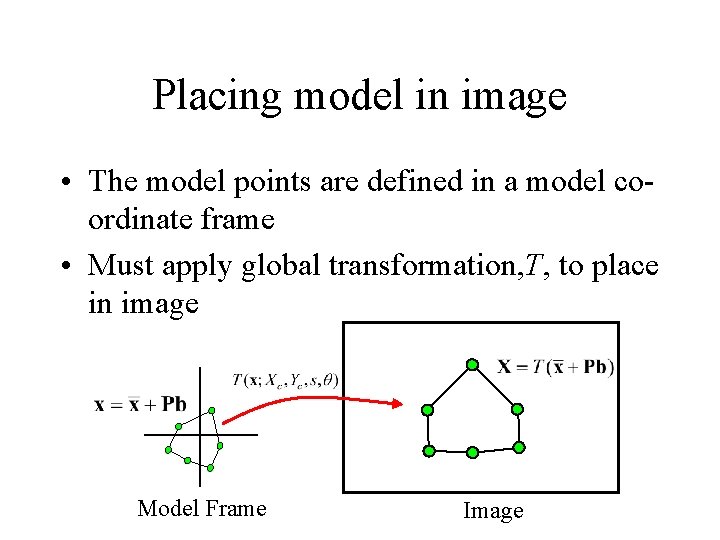
Placing model in image • The model points are defined in a model coordinate frame • Must apply global transformation, T, to place in image Model Frame Image
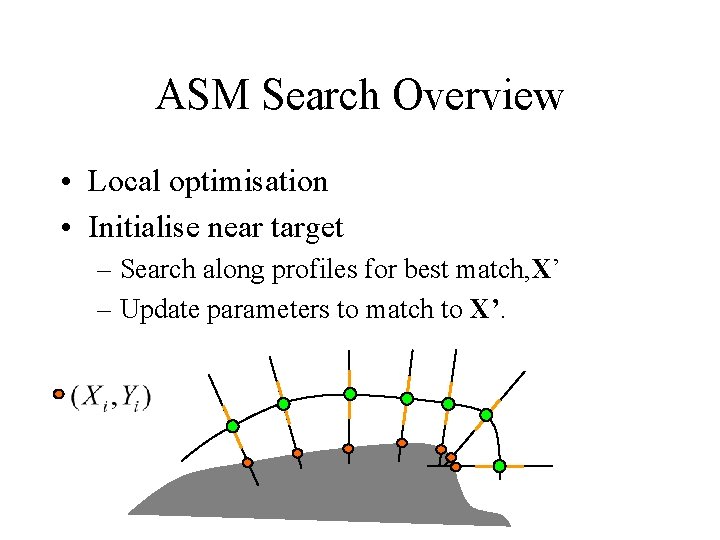
ASM Search Overview • Local optimisation • Initialise near target – Search along profiles for best match, X’ – Update parameters to match to X’.
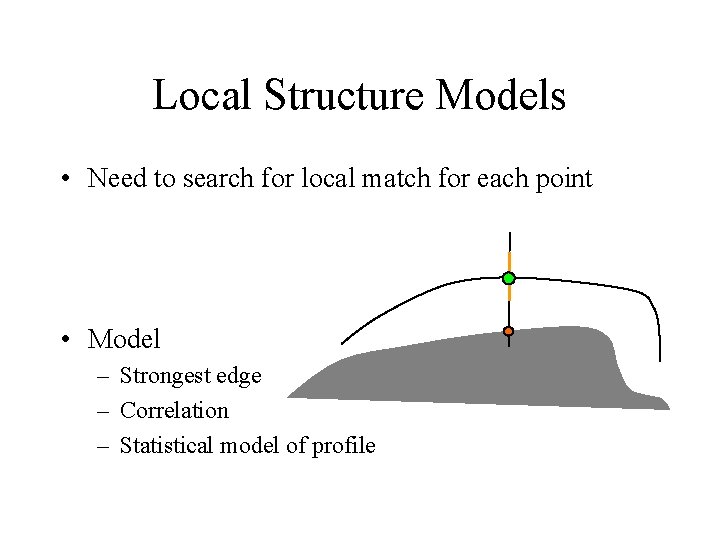
Local Structure Models • Need to search for local match for each point • Model – Strongest edge – Correlation – Statistical model of profile
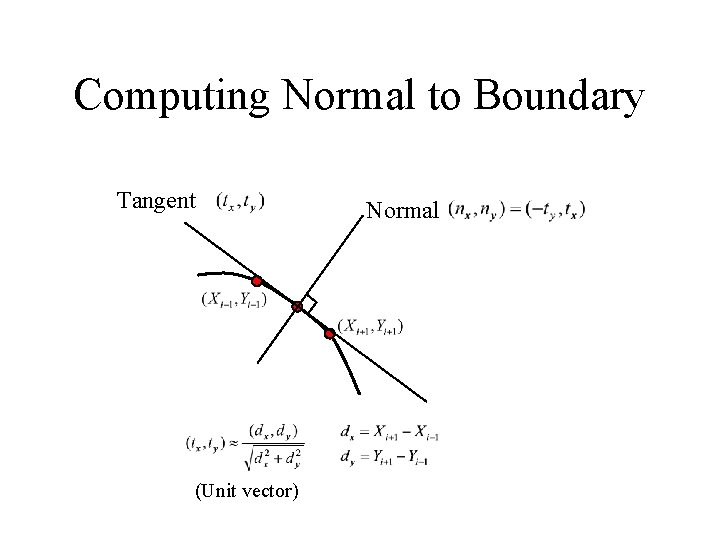
Computing Normal to Boundary Tangent (Unit vector) Normal
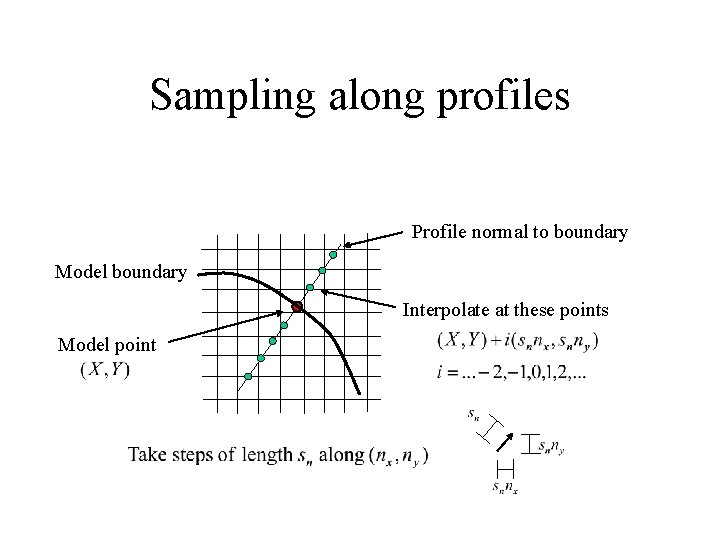
Sampling along profiles Profile normal to boundary Model boundary Interpolate at these points Model point
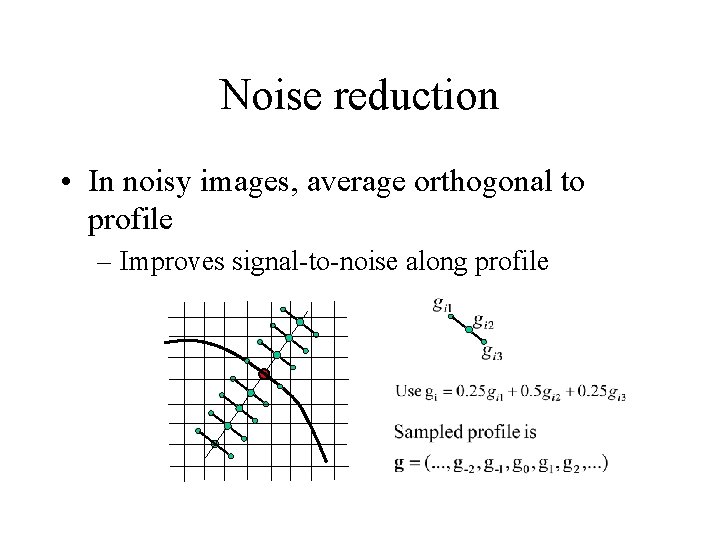
Noise reduction • In noisy images, average orthogonal to profile – Improves signal-to-noise along profile
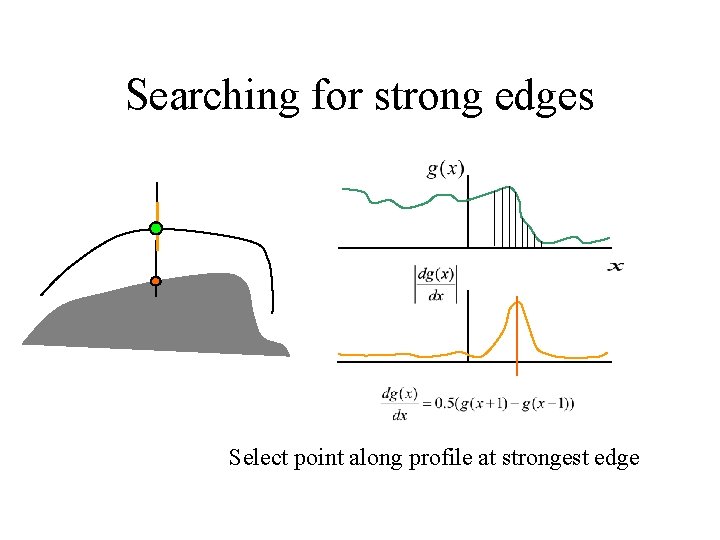
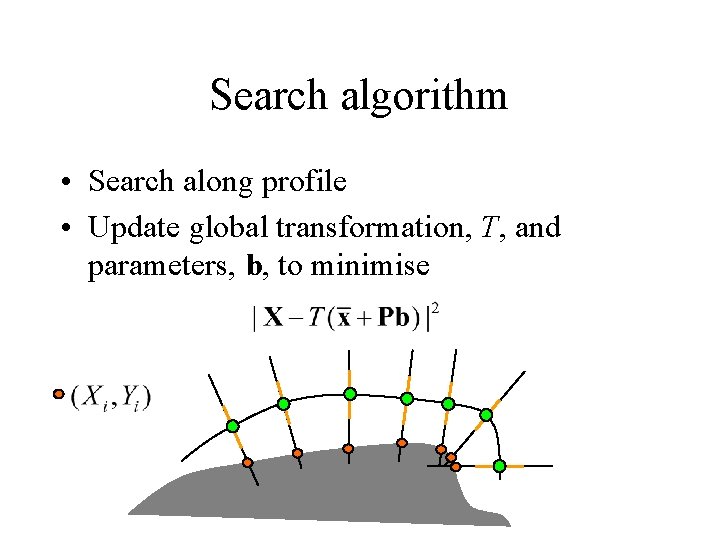
Searching for strong edges Select point along profile at strongest edge
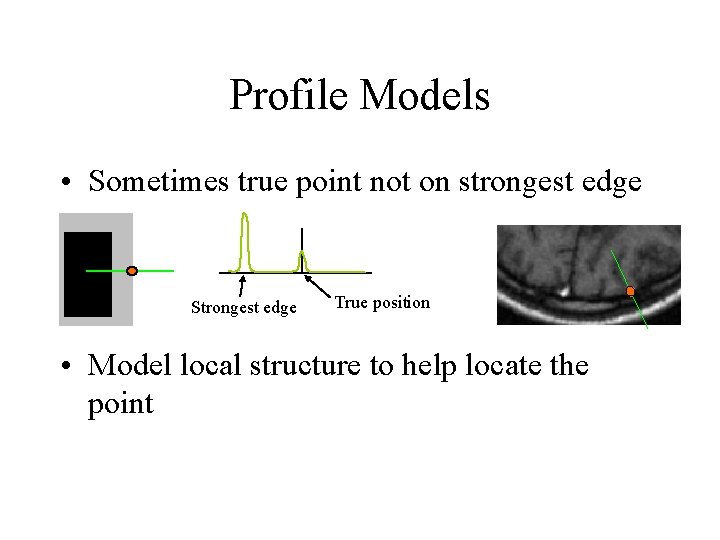
Profile Models • Sometimes true point not on strongest edge Strongest edge True position • Model local structure to help locate the point
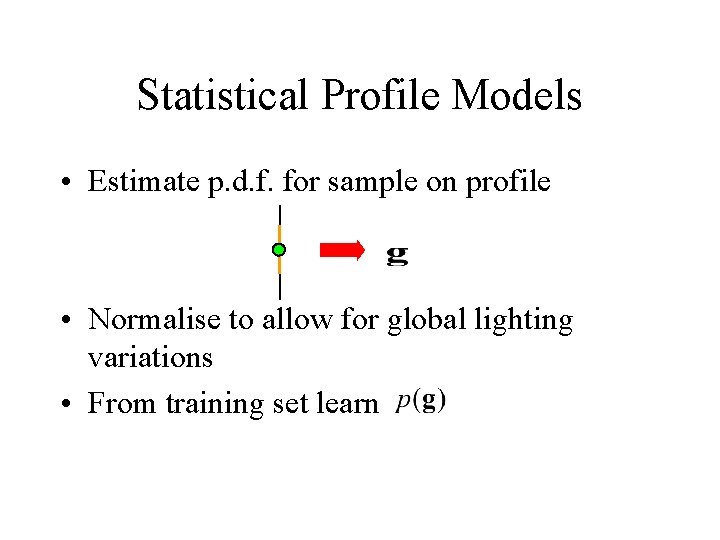
Statistical Profile Models • Estimate p. d. f. for sample on profile • Normalise to allow for global lighting variations • From training set learn
Profile Models • For each point in model – For each training image • Sample values along profile • Normalise – Build statistical model • eg Gaussian PDF using eigen-model approach
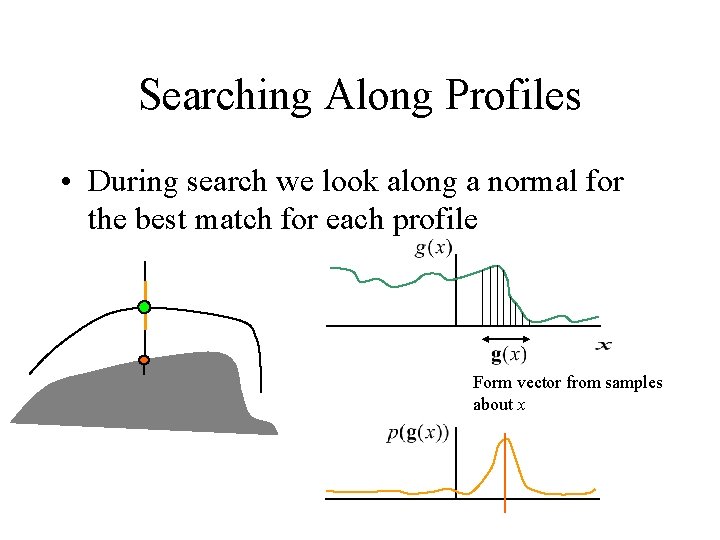
Searching Along Profiles • During search we look along a normal for the best match for each profile Form vector from samples about x
Search algorithm • Search along profile • Update global transformation, T, and parameters, b, to minimise
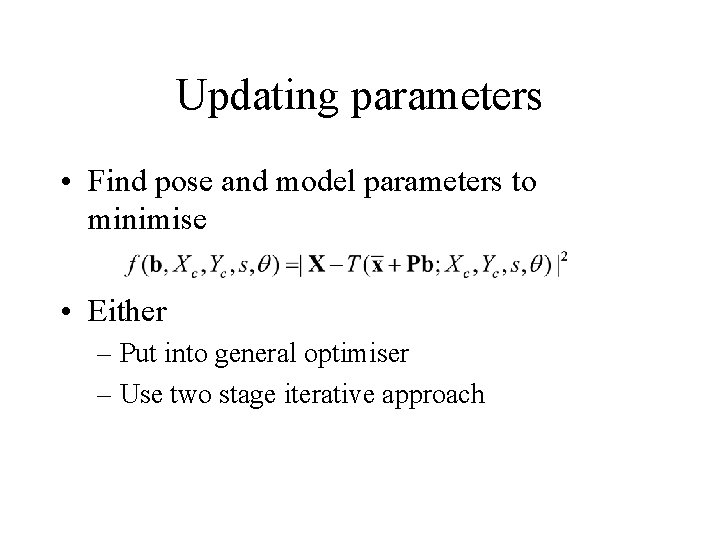
Updating parameters • Find pose and model parameters to minimise • Either – Put into general optimiser – Use two stage iterative approach
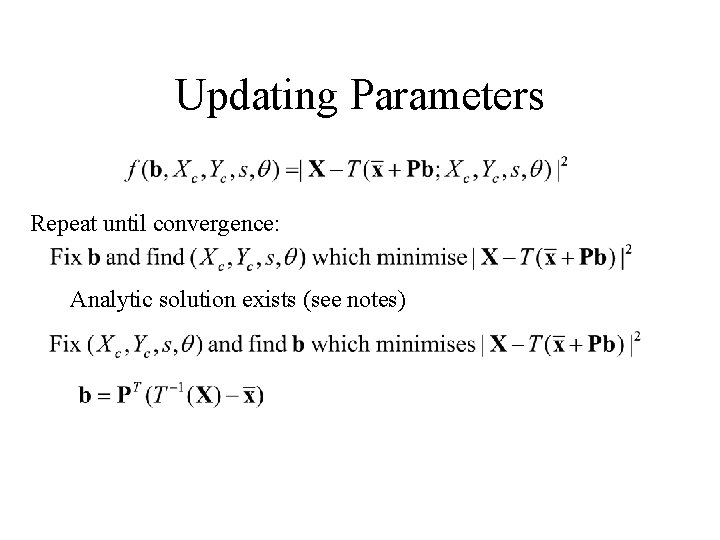
Updating Parameters Repeat until convergence: Analytic solution exists (see notes)
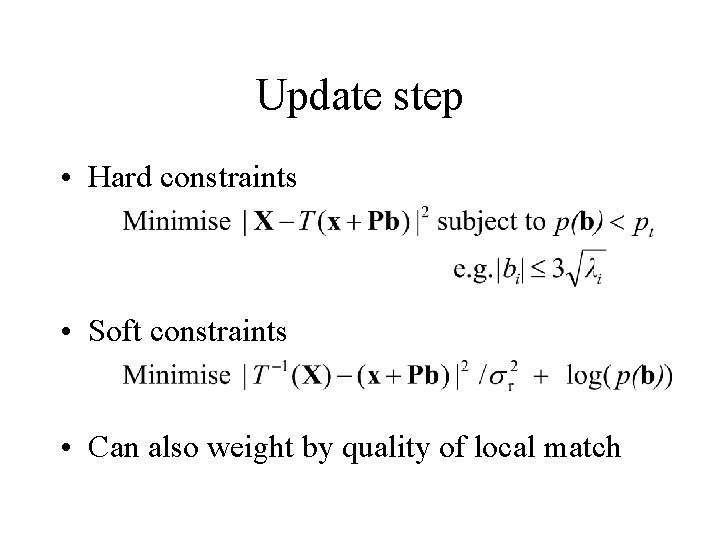
Update step • Hard constraints • Soft constraints • Can also weight by quality of local match
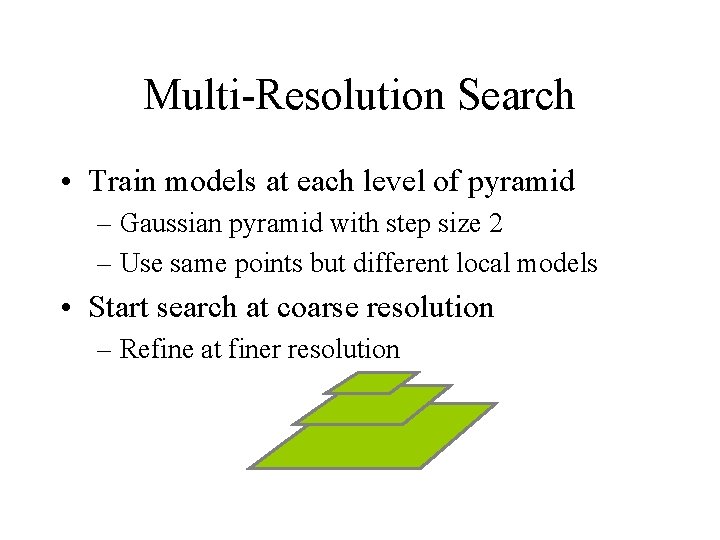
Multi-Resolution Search • Train models at each level of pyramid – Gaussian pyramid with step size 2 – Use same points but different local models • Start search at coarse resolution – Refine at finer resolution
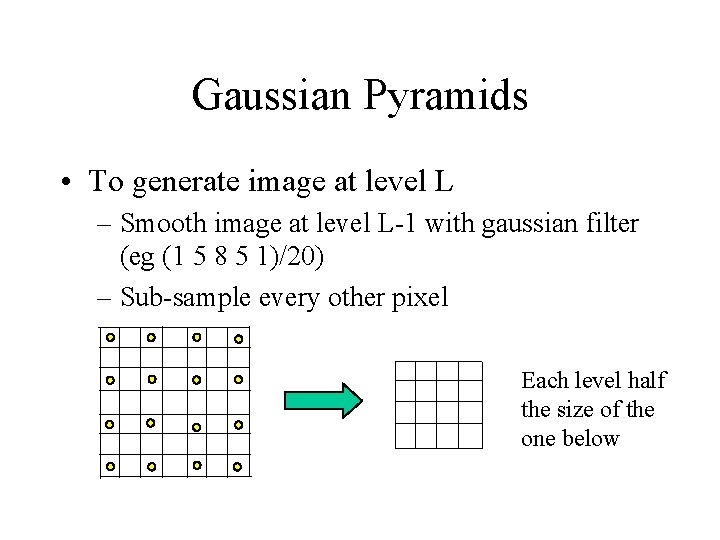
Gaussian Pyramids • To generate image at level L – Smooth image at level L-1 with gaussian filter (eg (1 5 8 5 1)/20) – Sub-sample every other pixel Each level half the size of the one below
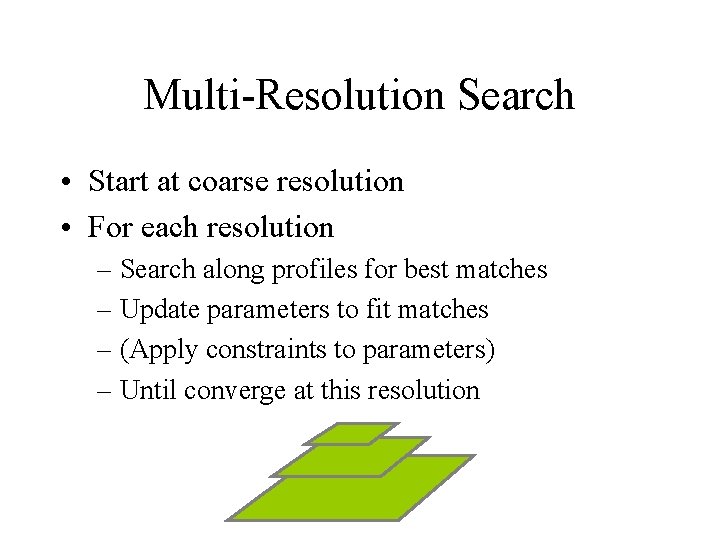
Multi-Resolution Search • Start at coarse resolution • For each resolution – Search along profiles for best matches – Update parameters to fit matches – (Apply constraints to parameters) – Until converge at this resolution
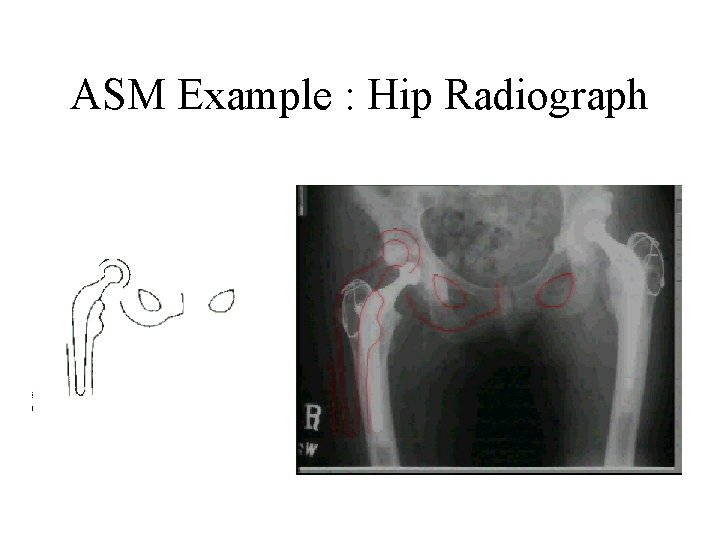
ASM Example : Hip Radiograph
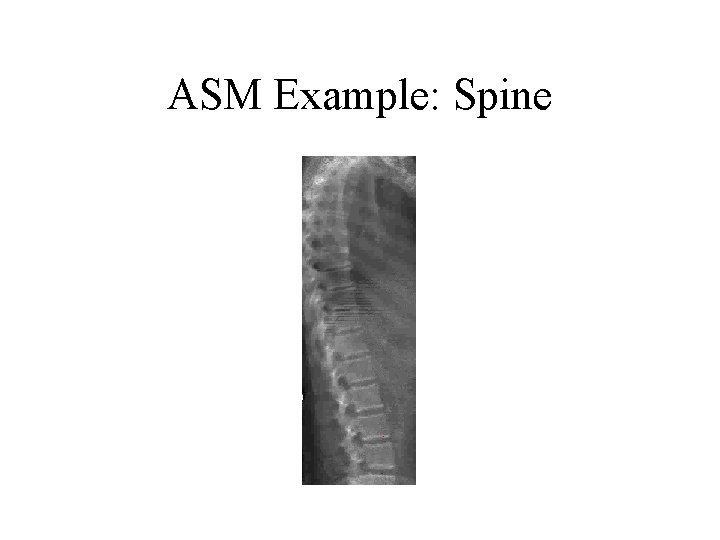
ASM Example: Spine
Active Shape Models • Advantages – Fast, simple, accurate – Efficient to extend to 3 D • Disadvantages – Only sparse use of image information – Treat local models as independent