
Active Directory and Apache Using Kerberos and Apache

Active Directory® and Apache® Using Kerberos and Apache to Authenticate via Microsoft Active Directory

History Team of four system administrators Responsible for 100+ hosts running a variety of operating systems Using Microsoft Access and Excel to store user names, passwords, hostnames, ip addresses, operating systems, etc Needed a better way to store and access information.
History cont’d Why not create an sql database with a web-based front-end? How to protect sensitive data in the database?
Motivation Need to protect database. Could create new password. Why not allow users to log in with their current credentials which were stored in Active Directory? Enter Kerberos
Kerberos Network authentication protocol Strong authentication for client/server applications Uses secret-key cryptography FREE!!

Apache Web server Covered extensively in this course. Also FREE!!

Solution Host web site on: n n VMWare Virtual Server Cent. OS My. SQL – Database PHP – Access to the Database Linux, Apache, My. SQL, PHP = LAMP
Kerberos Configuration Step 1: Create a keytab file n n echo HTTP/intranet. domain. name. com@active. dire ctory. server. com > /path/auth_kerb. keytab chmod ugo+r /path/auth_kerb. keytab
![Kerberos Configuration Cont’d Step 2: Modify /etc/krb 5. conf n [logging] default = FILE](http://slidetodoc.com/presentation_image_h2/c6eee25044c8929aea19689fce15775e/image-9.jpg "Kerberos Configuration Cont’d Step 2: Modify /etc/krb 5. conf n [logging] default = FILE")
Kerberos Configuration Cont’d Step 2: Modify /etc/krb 5. conf n [logging] default = FILE 10000: /var/log/krb 5 lib. log [libdefaults] ticket_lifetime = 24000 default_realm = FULLY. QUALIFIED. DOMAIN. NAME default_tkt_enctypes = des 3 -hmac-sha 1 des-cbc-crc des-cbc-md 5 aes 256 -cts arc four-hmac-md 5 default_tgs_enctypes = des 3 -hmac-sha 1 des-cbc-crc des-cbc-md 5 aes 256 -cts arc four-hmac-md 5 [realms] FULLY. QUALIFIED. DOMAIN. NAME = { kdc = dc 1. fully. qualified. domain. name kdc = dc 2. fully. qualified. domain. name admin_server = dc 3. fully. qualified. domain. name default_domain = FULLY. QUALIFIED. DOMAIN. NAME } [domain_realm]. fully. qualified. domain. name = FULLY. QUALIFIED. DOMAIN. NAME Kerberos can be tested by using the kinit command. See the krb 5 man page for details.
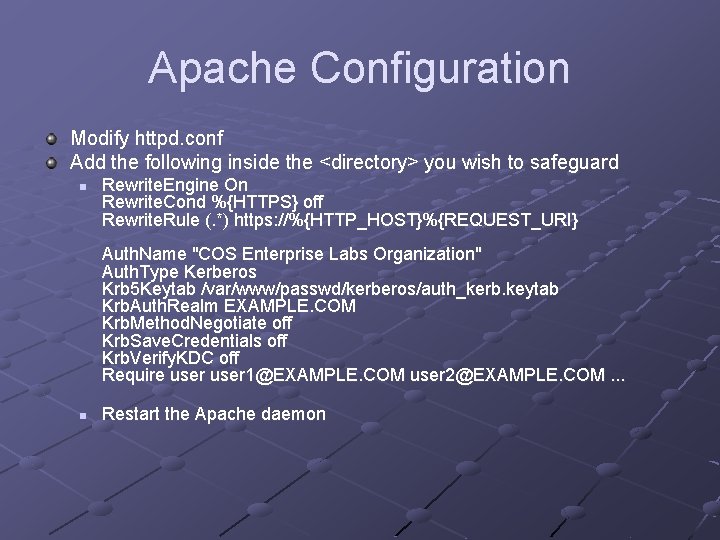
Apache Configuration Modify httpd. conf Add the following inside the <directory> you wish to safeguard n Rewrite. Engine On Rewrite. Cond %{HTTPS} off Rewrite. Rule (. *) https: //%{HTTP_HOST}%{REQUEST_URI} Auth. Name "COS Enterprise Labs Organization" Auth. Type Kerberos Krb 5 Keytab /var/www/passwd/kerberos/auth_kerb. keytab Krb. Auth. Realm EXAMPLE. COM Krb. Method. Negotiate off Krb. Save. Credentials off Krb. Verify. KDC off Require user 1@EXAMPLE. COM user 2@EXAMPLE. COM. . . n Restart the Apache daemon

Questions?
- Slides: 11