
Acson eForum User Guide Objective of eForum To
Acson e-Forum User Guide
Objective of e-Forum • To provide a “brainstorming” mechanism for customers to share their views for future new product developments • To create an effective and systematic feedback channel to obtain customers requirement and market information for future new product developments
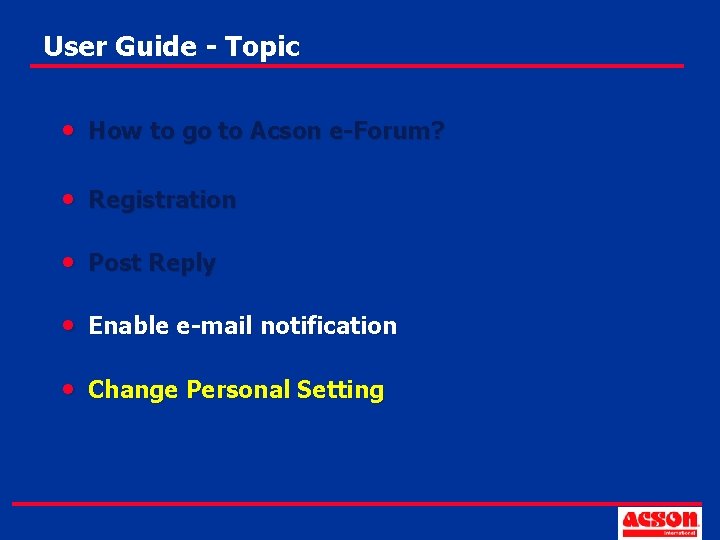
User Guide - Topic • How to go to Acson e-Forum? • Registration • Post Reply • Enable e-mail notification • Change Personal Setting
User Guide - Topic • How to go to Acson e-Forum? • Registration • Post Reply • Enable e-mail notification • Change Personal Setting
Go to Acson e-Forum • Through e-Distributors – Go to www. acson-international. com – Go to e-Product – Go to Acson e-Forum
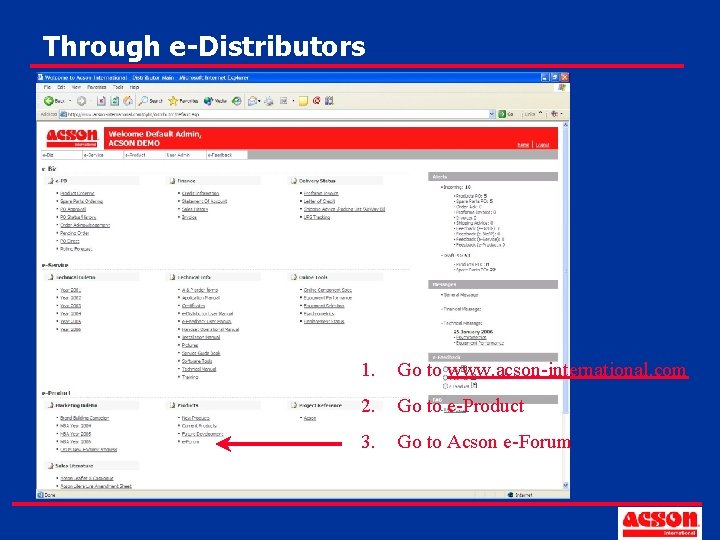
Through e-Distributors 1. Go to www. acson-international. com 2. Go to e-Product 3. Go to Acson e-Forum
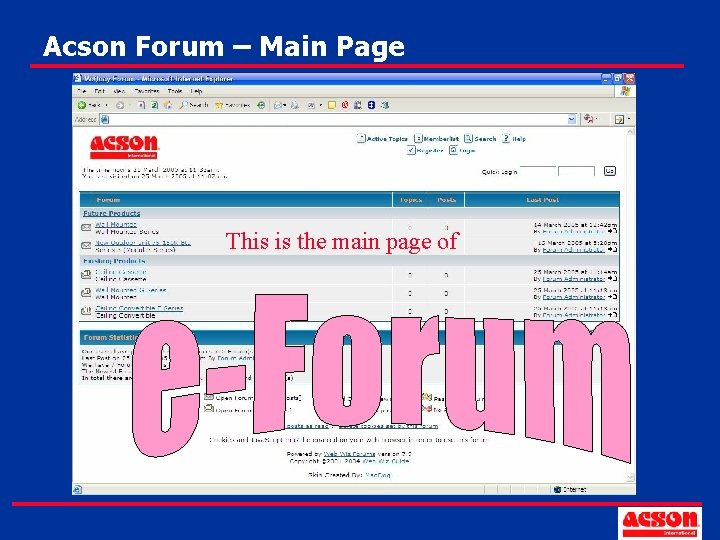
Acson Forum – Main Page This is the main page of
User Guide - Topic • How to go to Acson e-Forum? • Registration • Post Reply • Enable e-mail notification • Change Personal Setting
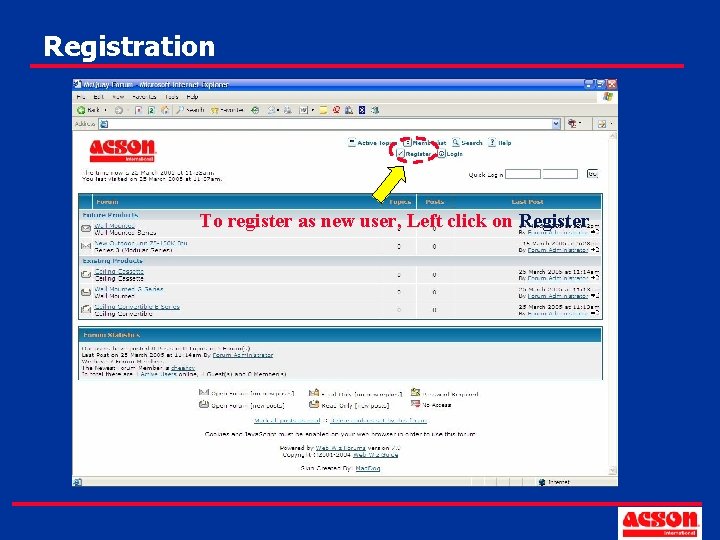
Registration To register as new user, Left click on Register
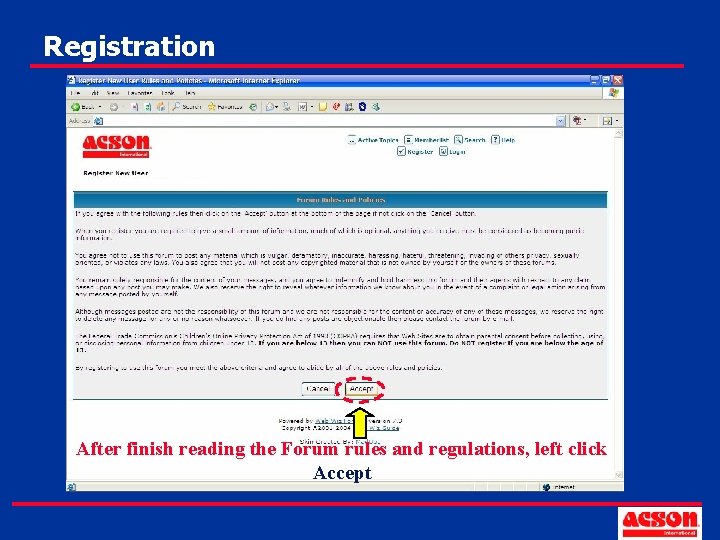
Registration After finish reading the Forum rules and regulations, left click Accept
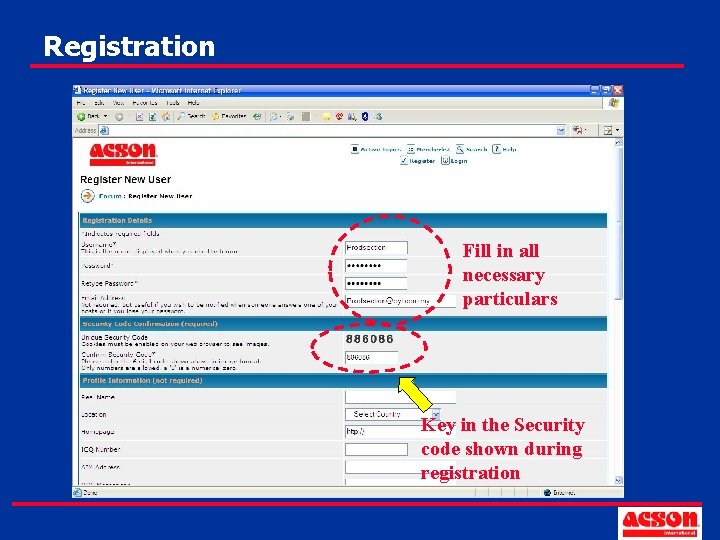
Registration Fill in all necessary particulars Key in the Security code shown during registration
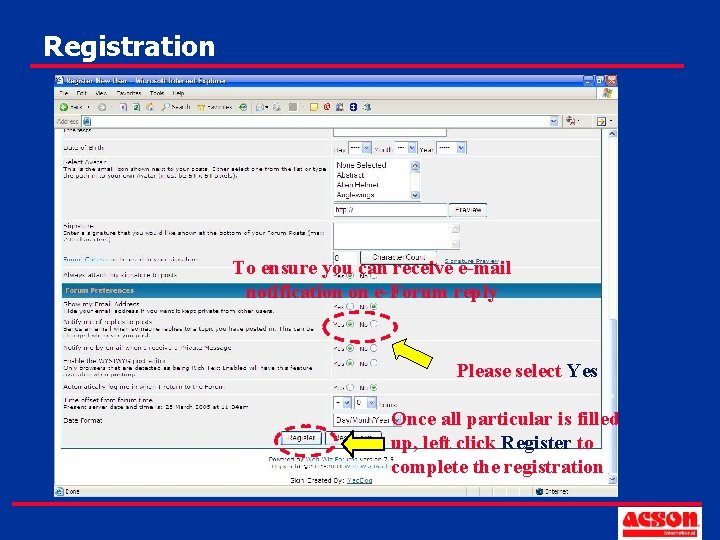
Registration To ensure you can receive e-mail notification on e-Forum reply Please select Yes Once all particular is filled up, left click Register to complete the registration
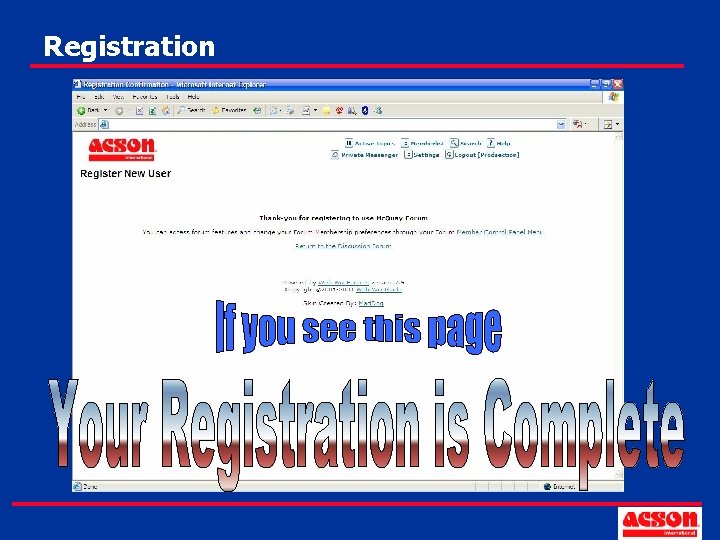
Registration
User Guide - Topic • How to go to Acson e-Forum? • Registration • Post Reply • Enable e-mail notification • Change Personal Setting
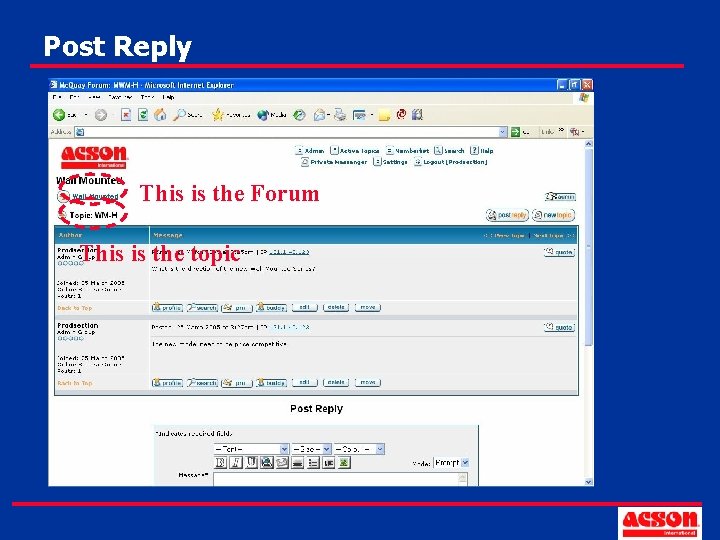
Post Reply This is the Forum This is the topic
Post Reply • Post Reply To respond or answer other users’ comments posted in any topic.
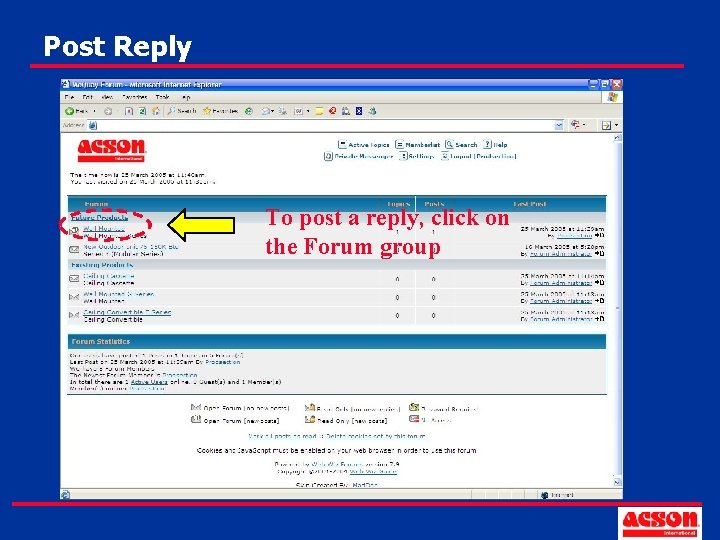
Post Reply To post a reply, click on the Forum group
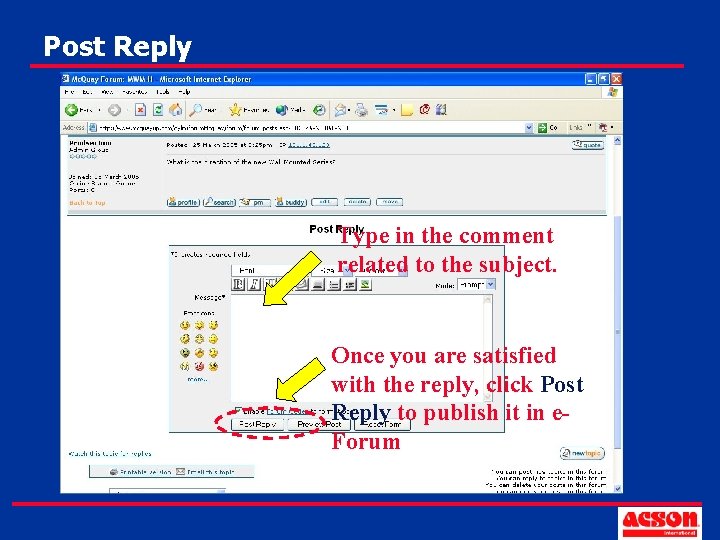
Post Reply Type in the comment related to the subject. Once you are satisfied with the reply, click Post Reply to publish it in e. Forum
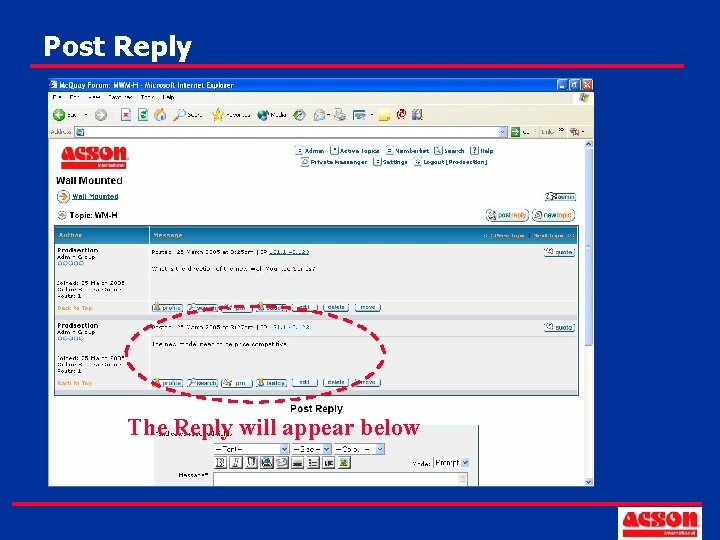
Post Reply The Reply will appear below
User Guide - Topic • How to go to Acson e-Forum? • Registration • Post Reply • Enable e-mail notification • Change Personal Setting
e-mail Notification • Topic Notification User will be notified on “user-selected” topic(s) only • Forum Notification User will be notified once there is a reply on any topic(s) within the same forum Notification of Reply must be selected to YES during Registration to enable e-mail notification
e-mail Notification • Topic Notification • Forum Notification
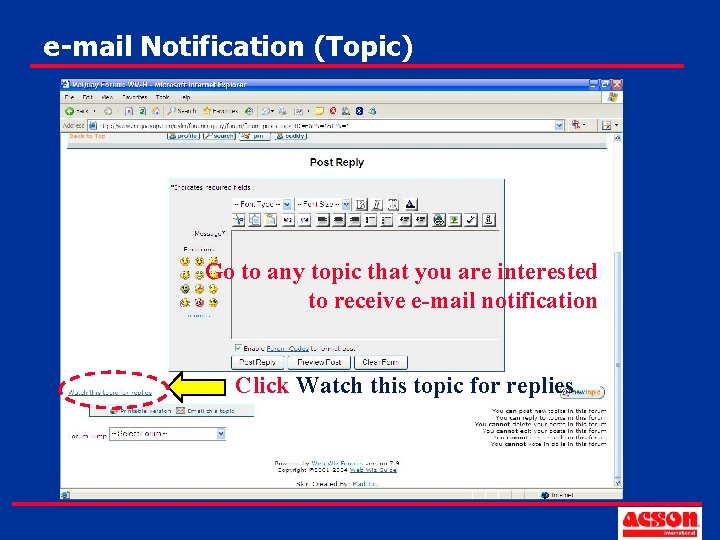
e-mail Notification (Topic) Go to any topic that you are interested to receive e-mail notification Click Watch this topic for replies
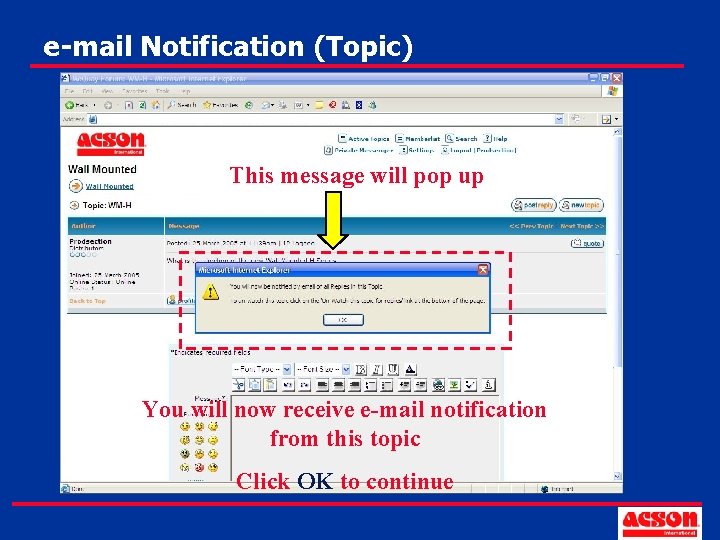
e-mail Notification (Topic) This message will pop up You will now receive e-mail notification from this topic Click OK to continue
e-mail Notification • Topic Notification • Forum Notification
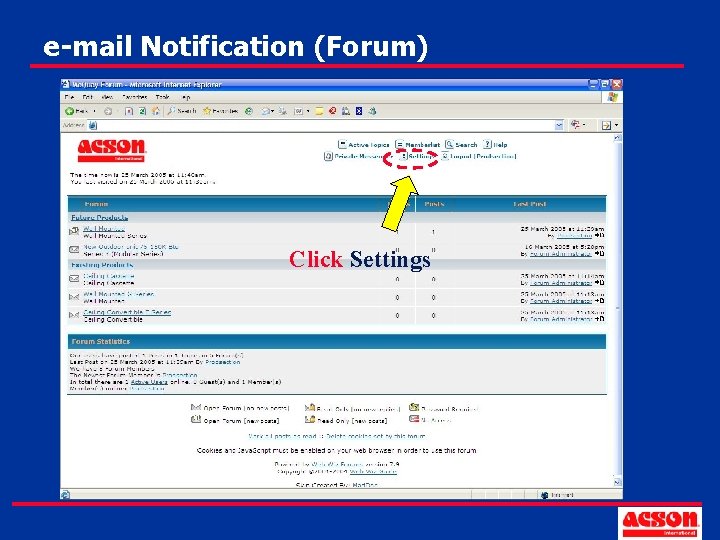
e-mail Notification (Forum) Click Settings
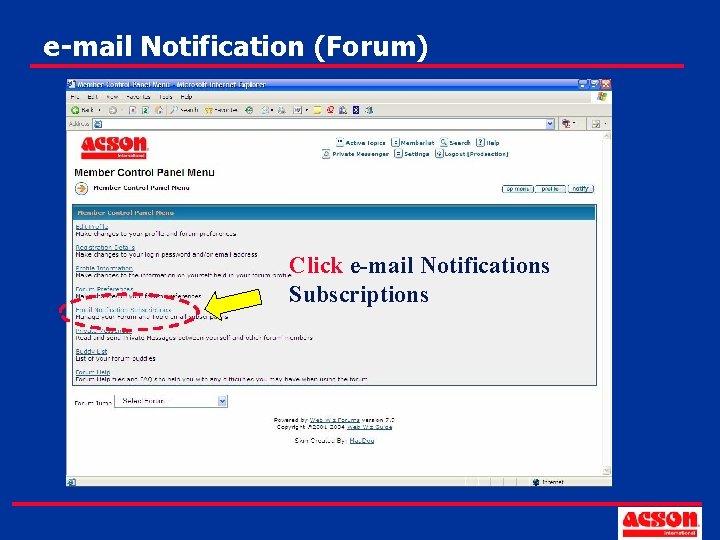
e-mail Notification (Forum) Click e-mail Notifications Subscriptions
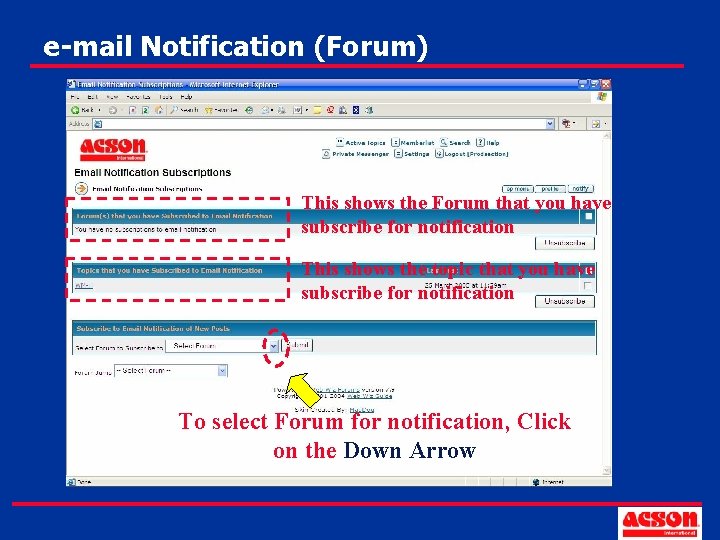
e-mail Notification (Forum) This shows the Forum that you have subscribe for notification This shows the topic that you have subscribe for notification To select Forum for notification, Click on the Down Arrow
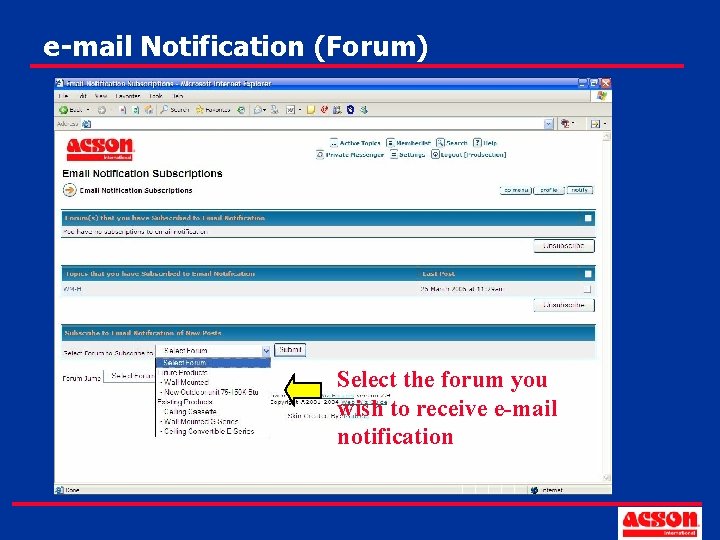
e-mail Notification (Forum) Select the forum you wish to receive e-mail notification
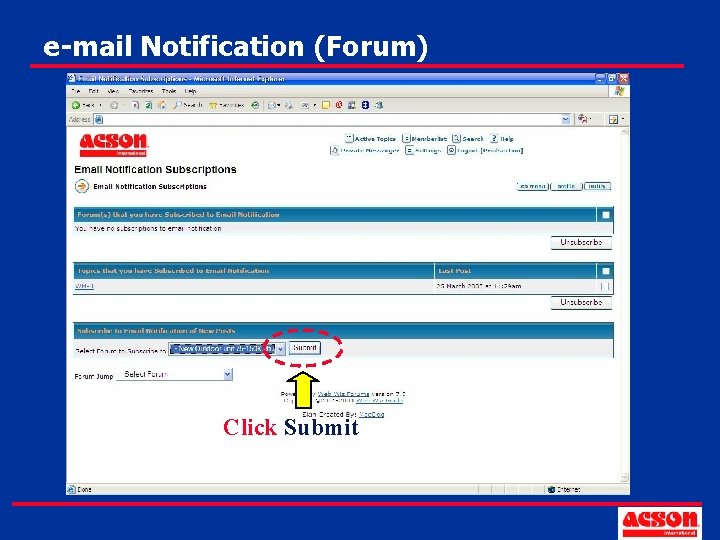
e-mail Notification (Forum) Click Submit
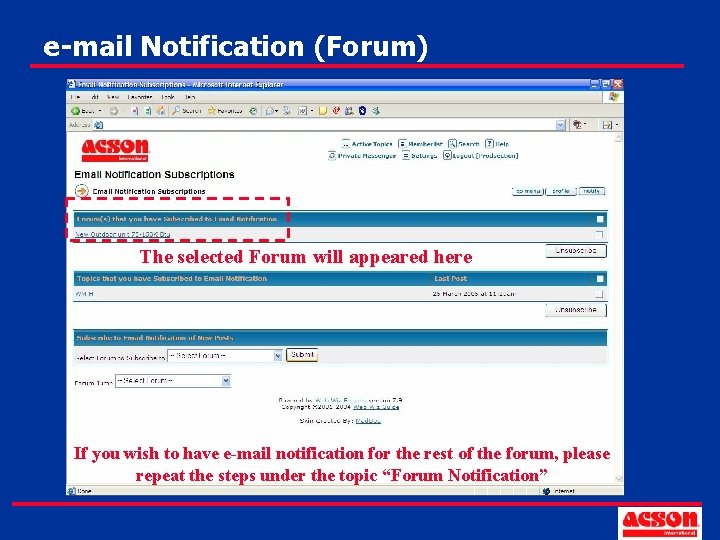
e-mail Notification (Forum) The selected Forum will appeared here If you wish to have e-mail notification for the rest of the forum, please repeat the steps under the topic “Forum Notification”
User Guide - Topic • How to go to Acson E-Forum? • Registration • Post Reply • Enable e-mail notification • Change Personal Setting
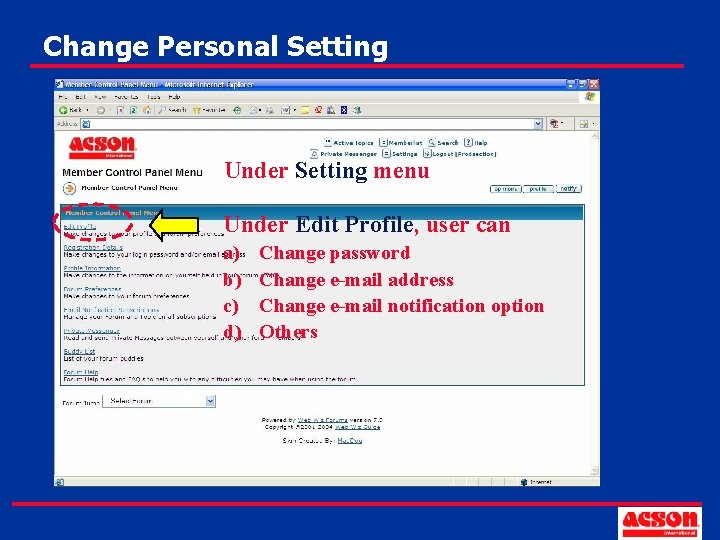
Change Personal Setting Under Setting menu Under Edit Profile, user can a) b) c) d) Change password Change e-mail address Change e-mail notification option Others
Thank You Should you have any further enquiries, kindly please send in your enquiries through e-Feedback (Product)
- Slides: 34